
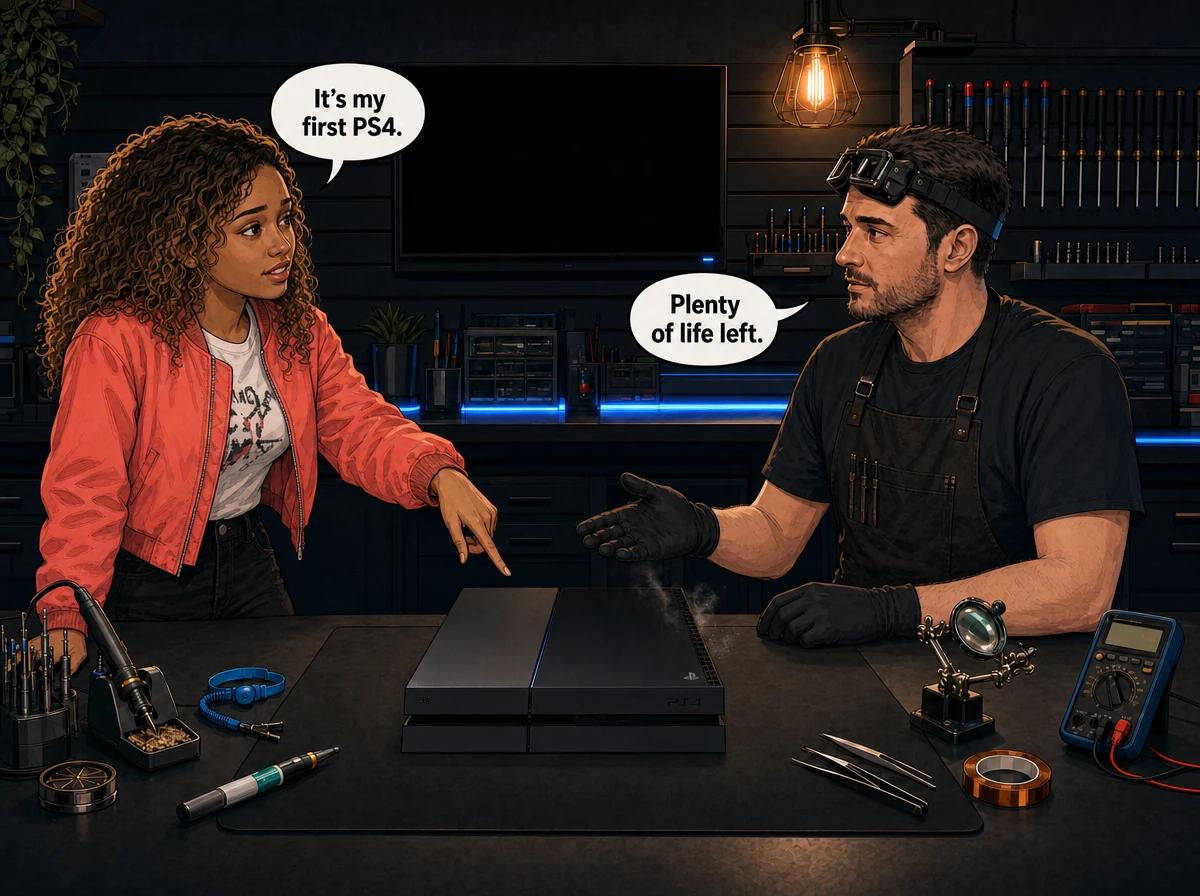
PS4 fat problems usually come down to five faults: overheating from dried-out thermal paste, the blue light of death, a damaged HDMI port, a failed power supply and a disc drive that will not read. The launch CUH-1000 and CUH-1100 models add a sixth: touch-sensitive buttons that can eject discs on their own. The original PS4 is the oldest PlayStation 4 design, so most of these faults are age and heat related rather than bad luck. Before you pay for anything, check the model number printed on the back of the console, clear the vents from the outside and rebuild the database in Safe Mode. If the fault survives that, it is internal. Console Service Centre in Boksburg, South Africa repairs every one of these faults on the original PS4, from a full service to board-level work.
If you still have a first-generation PS4 under the TV, you are not alone. Plenty of them are still running in South African homes, often handed down to a younger brother or kept for a game library that never moved to PS5. They are tough machines, but they are now old machines. This guide covers what goes wrong with the original model specifically, what you can safely check yourself, and how to decide whether yours is worth fixing.
We have already written separate guides for the PS4 Slim and the blue light of death, so this one stays focused on the original "fat" PS4 and links out where a fault has its own deep guide.
Which PS4 Do You Have? Check the Model Number First
On the original PS4, the model number is printed on the back of the console, toward the bottom. It starts with CUH- followed by four digits. The original PS4 covers three hardware revisions:
- CUH-1000 series – the launch model, released in November 2013
- CUH-1100 series – a 2014 revision with minor internal changes
- CUH-1200 series – the 2015 revision, with physical power and eject buttons and a matte hard drive bay cover
If your model number starts with CUH-2 you have a PS4 Slim, and if it starts with CUH-7 you have a PS4 Pro. Those have their own guides: our PS4 Slim problems guide and the PS4 Pro problems guide. If you are unsure how the three compare, our PS4 Original vs Slim vs Pro breakdown explains it.
How to tell an original PS4 at a glance
The original PS4 has a sharp, angular parallelogram shape. It has a glossy section on the top and a light bar that runs along the top surface. The Slim has rounded corners and no top light bar. The Pro looks like three stacked layers.
The model number matters because it changes what we look for. A CUH-1000 that randomly spits out discs has a known button problem. The same symptom on a CUH-1200 points somewhere else.
Citable fact: The original PS4 is sold as three revisions: CUH-1000 (launched November 2013), CUH-1100 (2014) and CUH-1200 (2015). The CUH-1000 and CUH-1100 use touch-sensitive power and eject buttons, while the CUH-1200 changed to physical buttons. All three use standard thermal paste, an internal power supply, a 2.5-inch SATA hard drive and HDMI 1.4 output.
Quick Checks Before You Assume the Worst
These checks are all external. None of them need the console opened, and they clear up a fair share of problems we hear about on WhatsApp.
- Power the PS4 off fully. Rest mode is not off. Choose Power from the quick menu, then Turn Off PS4 (not Enter Rest Mode), wait until the light goes out, then pull the power cable from the wall for a minute before you start it again.
- Try a different HDMI cable and a different TV input. HDMI cables fail more often than ports. If the picture comes back on a new cable or another input, the console is fine.
- Swap the power cable. The original PS4 uses a standard figure-8 (IEC C7) cable. A loose or damaged cable can look like a dead power supply.
- Clear the vents from the outside. Move the console out of a closed cabinet. Remove dust from the vents with a soft brush or a vacuum on a low setting, without opening anything.
- Boot into Safe Mode and rebuild the database. With the console off, hold the power button until you hear the second beep. Connect the controller with a USB cable, press the PS button and choose Rebuild Database. This reorganises the drive index and does not delete your games or saves.
If the console still overheats, shows no picture, will not power on or will not read discs after this, the fault is inside the console. The sections below explain what that usually is.
The Most Common PS4 Fat Problems
These are the faults that bring original PS4s to our Boksburg workshop. They are listed roughly from most common to least common, and several often turn up together on the same console.
1. Overheating, Loud Fan and Random Shutdowns
What you see: The fan roars even on the home screen. The console gets very hot on top, and in a long session it switches itself off. You may see a message warning that the PS4 is too hot.
Why the original suffers most: Every PS4 uses ordinary thermal paste between the main processor and the heatsink. That paste dries out with age and heat. The original PS4 is the oldest of the family, so a console that has never been serviced is running on paste that has been baking for many years. Dust packed into the heatsink and fan makes it worse. Pets, carpets and a closed TV cabinet all speed this up.
What you can do:
- Give the console open space on all sides and never stack anything on top of it
- Keep it on a hard, flat surface, not on a carpet or bed
- Clear external vent dust regularly
What fixes it: A full service. We strip the console down, wash the covers, clean the fan and heatsink, remove the old paste, apply fresh thermal paste and test the console afterwards. On an old original PS4 this one job often turns a jet-engine console back into a quiet one.
Overheating matters beyond the noise. Years of running hot and cooling down again is what stresses the solder under the processor. That leads straight to the next fault.
2. Blue Light of Death (BLOD)
What you see: You press the power button and the light bar pulses blue. It never turns white, there is no picture, and the console may switch itself off after a while.
Why it happens: BLOD is usually caused by failed solder joints under the main processor (the APU). The chip sits on a grid of tiny solder balls. Repeated heating and cooling over the years can crack those joints until the processor loses contact with the board. BLOD is not an HDMI fault. A console with an HDMI fault normally powers on fully with a white light and no picture.
Can it be fixed? Sometimes. BLOD is board-level work, and the outcome depends on what we find on the bench. We cover the full diagnosis, the other causes that mimic it and the repair options in our PS4 blue light of death guide, so we will not repeat all of it here.
The short version for original PS4 owners: an unserviced, overheating fat PS4 is the most likely candidate for BLOD. A full service before it gets that far is far cheaper than board work after.
3. No Picture: HDMI Port and HDMI Chip Faults
What you see: The PS4 powers on, the light goes white, and the TV shows "No Signal". Changing the cable and TV makes no difference.
Why it happens: There are two usual culprits.
- A damaged HDMI port. The port is soldered directly to the main board. A cable yanked at an angle, a console moved while plugged in, or a trip over the cable can bend the pins or crack the solder joints.
- A failed HDMI chip. Between the processor and the port sits an HDMI encoder chip. If it fails, the console runs but no picture reaches the TV. This is often called the white light of death.
The original PS4 outputs HDMI 1.4, which tops out at 1080p. That is normal for this model. A fat PS4 that will not show 4K is not faulty.
What fixes it: HDMI port replacement and HDMI chip replacement are both micro-soldering jobs done with a hot air rework station, not a soldering iron. Attempting it at home tends to lift pads off the board, which turns a standard repair into a much harder one. Our HDMI repair service covers both, and the PS4 HDMI no signal guide explains the symptoms in more detail.
4. Power Supply Failure
What you see: Nothing at all. No light, no beep, no fan. Or the console clicks on for a second and dies straight away.
Why it happens: The original PS4 has an internal power supply built into the console, not a brick on the cable. Age, heat and power surges wear it out. South African power cuts and the surge when the electricity comes back are hard on it, especially if the console was left plugged in and in rest mode.
Important safety point: A console power supply contains capacitors that hold a dangerous charge even after the cable is unplugged. Never open the console or the power supply to look for a blown fuse. We will never advise anyone to do that.
What fixes it: We test the power supply and the board before replacing anything. A new power supply on a console with a board fault is wasted money, so we confirm the cause first. Our power supply repair service and the guide to PS4 power supply failure signs go into more detail.
5. Disc Drive Will Not Read, Grinds or Rejects Discs
What you see: Digital games play fine, but discs are not recognised. Or the drive makes a clicking or grinding noise, or the disc goes in and comes straight back out.
Why it happens: The laser inside the drive weakens with use and age, and dust settles on the lens. The mechanism that pulls the disc in and clamps it can also wear. On original PS4s the laser fitted varies between production runs, so we confirm the exact part on the bench rather than guessing from the model number.
What you can do:
- Test with two or three different discs to rule out one scratched game
- Clean the disc with a soft, lint-free cloth, wiping straight out from the centre
- Do not push anything into the slot or spray air into it
What fixes it: Depending on what we find, a drive repair, a laser replacement or a complete drive. PS4 drives are paired to the console through the drive's own control board, so swapping in any second-hand drive does not simply work. Our disc drive repair service handles all PS4 models.
6. Discs Ejecting on Their Own (CUH-1000 and CUH-1100)
What you see: The disc ejects in the middle of a game, or the console beeps and pushes a disc out without anyone touching it. Sometimes it will not keep a disc in at all.
Why it happens: The CUH-1000 and CUH-1100 use touch-sensitive power and eject buttons rather than physical ones. These can trigger on their own. Sony changed to physical buttons on the CUH-1200, which is one reason the model number matters so much for this symptom.
What to try: Rebuild the database in Safe Mode, and make sure nothing is resting against the front of the console. If it continues, the cause is internal. We have a full guide on this fault: why a PS4 ejects discs randomly.
7. Hard Drive Problems
What you see: The console becomes very slow, games take ages to load, downloads stall, or it boots into Safe Mode and cannot get past it.
Why it happens: The original PS4 uses a 2.5-inch SATA hard drive, a mechanical drive with moving parts. On a console this old, a worn drive is common. A corrupted database can look similar, which is why the database rebuild comes first.
What fixes it: If the drive is failing, we replace it and reload the system software. A solid-state drive is an option and usually makes the console feel noticeably quicker to load. Back up your saves to PS Plus cloud storage or a USB drive if you still can, because a dead drive takes its data with it.
8. Wi-Fi Dropouts
What you see: The console drops off the network, struggles to stay signed in to PSN, or cannot see your router at all.
Why it happens: The original PS4's Wi-Fi only works on the 2.4GHz band. Sony added 5GHz support with the PS4 Slim. If your router only broadcasts on 5GHz, the fat PS4 will not see it, and that is a limit of the hardware rather than a fault. If it used to connect on 2.4GHz and now cannot, the wireless module may have failed.
What to try: Check that your router has 2.4GHz switched on. Better still, use a network cable from the router, which also gives steadier online play. If the module has failed, it can be replaced.
When to Stop Troubleshooting and Get It Checked
Bring it in, or send it to us, if any of these apply:
- The light pulses blue and never turns white
- There is no picture on any cable or TV
- There is no power at all, or it dies within seconds
- It still overheats after you have cleared the vents and moved it into open space
- You hear grinding from the drive or from inside the console
- It smells of burning, or there was a bang or a surge
A word on opening it yourself: Opening your console risks causing extra damage. Broken flex cables, stripped screws and damaged connectors all make the repair more expensive. The power supply also holds high-voltage capacitors that are dangerous if they are not discharged properly. We strongly recommend leaving internal work to a professional.
Not sure what's wrong? WhatsApp us at 087 550 2307. We respond immediately, 24/7, and can usually give you a good idea of the fault from your description before you bring the console in.
Original PS4 Repair Costs
These are our current prices for the original PS4, pulled live from our price list:
- Full service (clean, new thermal paste, fan clean and test): R1,249
- Blue light of death repair: R1,599
- HDMI port replacement: R1,249
- HDMI chip replacement (white light, no picture): R1,549 – R1,649
- Power supply replacement: R1,699 – R1,849
- Disc drive repair: R1,249
- Fan replacement: R1,599
- Hard drive repair and software reload: R1,249
- Wi-Fi and Bluetooth module replacement: R1,449
If you decline the repair after we have diagnosed it, or the console turns out to be unrepairable, a R599 bench fee applies. Most repairs are done in 2-4 working days. Board-level jobs such as BLOD can take a little longer, and courier customers should add courier transit each way.
Citable fact: On an original PS4, the full service is usually the first repair to consider, because dried thermal paste and dust cause the overheating that leads to many later faults, including the blue light of death. Console Service Centre in Boksburg diagnoses each console on the bench before quoting a repair.
Is an Original PS4 Still Worth Repairing?
This is the question we get most about fat PS4s. The honest answer depends on the fault, not just the age.
Usually worth it:
- Overheating and noise. A full service is the cheapest repair on the list and often makes an old original PS4 run noticeably cooler and quieter.
- HDMI port damage. The rest of the console is usually healthy.
- A failed hard drive. A fresh drive, especially a solid-state one, makes an old console feel quicker.
- Disc drive faults, if you have a disc collection you still play.
Think it through first:
- BLOD on a console that has run hot for years. Board-level work is the most expensive repair here, and the result depends on the board.
- Several faults at once. If the console needs a power supply, an HDMI repair and a disc drive, compare the total with a replacement.
Remember what a replacement means. A second-hand PS4 comes with its own unknown history and no service record. For many people, keeping a known console running is the better deal. Our full article on whether a PS4 is worth repairing in 2026 works through the numbers in more detail.
If the fault is not worth fixing, we will tell you straight. We would rather give you a clear answer than sell you a repair that does not make sense.
How to Keep an Original PS4 Running Longer
A few habits make a big difference on an older console:
- Give it air. Keep at least a hand's width of open space around the vents. A closed cabinet traps heat.
- Keep it flat and steady. Put it on a hard, level surface where it will not be knocked while cables are plugged in.
- Do not yank the HDMI cable. Unplug it straight out, gripping the plug, not the cable.
- Clear the vents from the outside. Do this every few weeks, more often with pets or in a dusty room.
- Protect it from surges. Unplug it during storms, and use a decent surge protector for the outages and power returning.
- Turn it off rather than leaving it in rest mode if it is going to sit unused for a long time.
- Book a full service when the fan gets loud. Do not wait until it starts shutting down. Heat damage builds up over time.
Citable fact: The original PS4 uses an internal power supply, standard thermal paste and a slot-loading disc drive. Its Wi-Fi supports only the 2.4GHz band, and its HDMI output is 1.4, limited to 1080p. These are design limits of the model, not faults.
Frequently Asked Questions
What are the most common PS4 fat problems?
Overheating from dried thermal paste and dust is the most common, followed by the blue light of death, HDMI port or HDMI chip faults, power supply failure and disc drive problems. The CUH-1000 and CUH-1100 also have a known random disc ejection problem caused by their touch-sensitive buttons.
How do I know if my PS4 is the original model?
Look at the back of the console, toward the bottom, where the model number is printed. If it starts with CUH-10, CUH-11 or CUH-12, it is an original PS4. CUH-2 means a PS4 Slim and CUH-7 means a PS4 Pro.
Is the CUH-1200 better than the CUH-1000 and CUH-1100?
It is the most refined original model. It replaced the touch-sensitive power and eject buttons with physical ones, so it does not have the random eject problem caused by those buttons. It still uses the same basic design, so overheating and the other age-related faults can still affect it.
Why does my PS4 fat sound like a jet engine?
The fan is working flat out because the console is running hot. On an original PS4 this is usually dried thermal paste and dust in the heatsink. Clear the vents from the outside and give the console open space. If it stays loud, a full service is the fix.
Can a PS4 with the blue light of death be fixed?
Often, but not always. BLOD is usually caused by failed solder joints under the main processor, which needs board-level repair. We diagnose it on the bench first, and if it cannot be repaired the R599 bench fee applies instead of a repair charge.
How much does it cost to repair an original PS4 in South Africa?
It depends on the fault, and the full list of live prices is in the repair costs section above. On an old original PS4, the full service is usually the first repair worth considering. We diagnose the console first and confirm the price before doing any work.
Can I send my PS4 from outside Gauteng?
Yes. We run a nationwide courier repair service. We collect the console, repair it in our Boksburg workshop and send it back to you.
Will a repair delete my games and saves?
Most repairs do not touch your data. A hard drive replacement is the exception, because the old drive is replaced. Back up your saves to PS Plus cloud storage or a USB drive first if the console still works.
Get Your Original PS4 Fixed
Here's why Console Service Centre is a good choice:
- Console repair specialists since 2011
- Thousands of consoles repaired – the original PS4 is a console we know inside out
- 1,374+ Google reviews at 4.9 stars — the world's most-reviewed dedicated gaming-console repair specialist on Google from real Google reviews
- PlayStation and Xbox specialists – we do not do phones or general electronics
- 6-month warranty on our repairs
Ready to Get Your PS4 Working Again?
WhatsApp us: 087 550 2307 – we respond immediately, 24/7
Visit us: 6 Bester Street, Witfield, Boksburg. Open Monday to Thursday 08:00 – 16:00 and Friday to Saturday 08:00 – 13:00.
Can't get to us? We offer nationwide courier repairs. Send your console to us via The Courier Guy, we fix it and send it back. You can also see every PS4 repair we do on our PS4 repair service page.
Topics Covered
About the Author

Shaun Potgieter
Founder & Head Technician
Expert console technician with 15+ years of hands-on repair experience.