
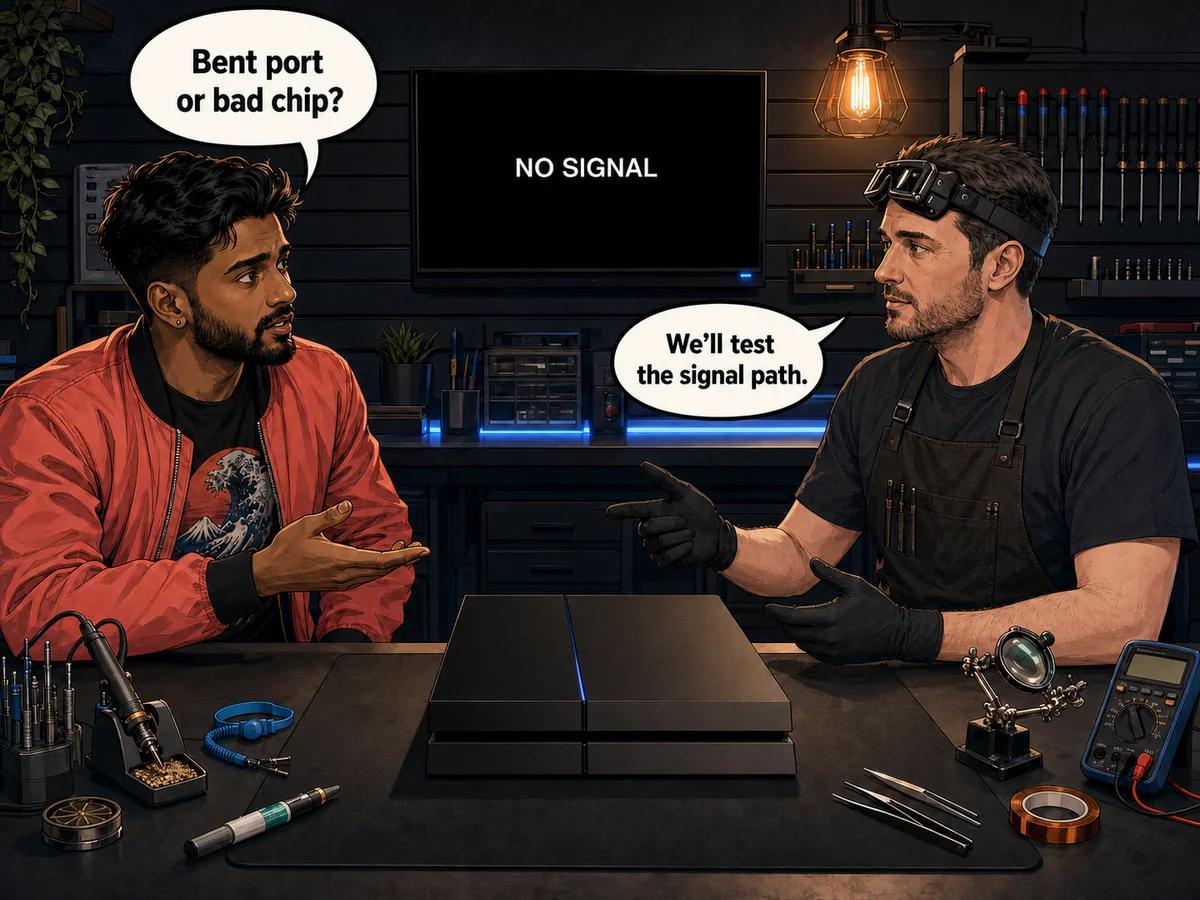
A PS4 HDMI port no signal problem does not identify one failed part. The fault may be outside the console, in the HDMI socket you can see, in the soldered connections beneath that socket, or farther along the motherboard's video-output circuit. Start with a known-good HDMI cable, another input on the screen, and a direct console-to-screen connection. Then inspect the socket from outside for bent contacts, a damaged metal shell or unusual looseness. If the same PS4 still produces no picture, Console Service Centre in Boksburg can distinguish a port fault from damaged board connections or an HDMI encoder fault before recommending a repair.
The difficult part is that several faults can end with the same message on the screen: No Signal. A bent contact is physical damage inside the socket. A loose or distorted socket may have broken connections to the motherboard. A clean-looking socket can still sit in front of a failed video-output component. The outside symptom alone cannot prove which one has failed.
That distinction matters because these are different repairs. Replacing a socket will not repair a failed chip. Replacing a chip will not correct torn pads beneath a damaged socket. A proper diagnosis follows the signal path instead of changing the first part that looks suspicious.
This guide explains what you can check without opening the PS4, which clues are useful, which conclusions are unsafe, and what a professional HDMI diagnosis should establish.
PS4 HDMI Port No Signal: Safe Checks First
Sony's own PS4 picture and sound troubleshooting starts with the connection, cable, screen input and a direct HDMI connection. Those checks are useful because they isolate the console from common faults elsewhere in the setup.
How to troubleshoot PS4 HDMI no signal safely
-
Confirm the selected input on the screen. Match the selected HDMI source to the socket where the PS4 is connected. A screen can be working normally while listening to the wrong input.
-
Reseat the cable with both devices off. Remove it from the PS4 and screen, check the plugs for obvious damage, then insert it straight and firmly. Do not force a plug that does not enter smoothly.
-
Try a known-good HDMI cable. Use one that already carries a stable picture from another device. A different untested cable does not rule out a cable fault.
-
Try another HDMI input on the screen. If the picture returns, the original screen input or its settings need attention. The PS4 socket has not been proven faulty.
-
Connect the PS4 directly to the screen. Temporarily remove anything that sits in the HDMI path. A direct connection removes extra handshakes and extra connection points from the test.
-
Shut down and power-cycle both devices. Turn the PS4 and screen off completely, disconnect power, wait, then reconnect them. Sony includes a full power cycle in its no-picture guidance.
-
Test another compatible screen if one is available. Use the known-good cable again. The same result across separate screen inputs gives the workshop much better evidence than a single failed setup.
-
Look into the PS4 HDMI socket from outside. Use good light. Check whether the internal contact row looks even, whether the metal shell is misshapen, and whether the socket sits square in the opening. Do not insert a tool into it.
Stop if the cable plug or socket is hot, scorched or visibly crushed. Do not keep reconnecting a cable to a damaged socket. Repeated insertion can worsen existing physical damage.
These checks answer a narrow question: does the fault follow the cable, screen input or indirect connection? If it remains with the PS4, the console needs closer diagnosis. They do not prove which internal part has failed.
A known-good cable and a second screen input can rule out common external causes, but they cannot distinguish a damaged PS4 HDMI socket from a motherboard video fault. That distinction requires inspection and electrical testing inside a repair workshop.
What “No Signal” Does and Does Not Tell You
“No Signal” is generated by the screen, not by the PS4. It means the screen is not receiving a usable HDMI input on the selected source. It does not name the failed component.
The PS4 may still show lights and make normal operating sounds while its picture never reaches the screen. That makes an HDMI-path fault plausible, but the power light is only one clue. It should not be treated as proof that the console completed every part of its startup.
The light pattern helps separate two broad diagnostic directions:
- A PS4 that settles to a steady white power light but never produces a picture deserves HDMI-path testing after the external checks pass.
- A PS4 that keeps pulsing blue and never reaches its normal steady state is not a simple port-only diagnosis. Our PS4 black-screen diagnosis guide explains why startup behaviour and video output must be considered together.
- A picture that appears but contains blocks, lines or widespread corruption is not the same symptom as the screen reporting no input. The console is sending something, so diagnosis must consider more than the socket alone.
- A picture that changes when the cable is moved makes a mechanical connection problem more suspicious. It still does not identify whether the weak point is inside the socket or beneath it on the board.
Avoid the phrase “the HDMI is broken” until the checks are complete. HDMI is a signal path that includes the cable, the screen input, the PS4 socket, board connections and video-processing components. Different points along that path can fail.
Bent Pin, Damaged Port, or Chip Fault?
Customers often use “bent pin” and “damaged port” as though they mean the same thing. A bent internal contact is one kind of port damage, but the visible contact row is only part of the assembly. The socket shell, its anchors and the connections to the motherboard can also be damaged.
Bent or broken contact inside the socket
The PS4 uses a standard HDMI output socket on the rear of the console. Inside it is a fine row of electrical contacts. They should sit evenly in their support and line up with the plug.
A plug inserted at an angle, pressure on a connected cable or an impact while the cable is attached can deform those contacts. The damage may look like one contact sitting lower than the rest, a gap in the row or a contact folded towards the shell.
Useful clues include:
- visible irregularity in the contact row
- a plug that no longer enters cleanly
- a picture that cuts in and out when the cable position changes
- a fault that began immediately after the PS4 or connected cable was knocked
Do not try to hook or straighten a contact. The metal is small, access is poor and a tool can bridge contacts, break one off or push damage deeper into the socket. If a contact is bent or missing, the safe repair decision is made under magnification.
Damaged socket shell, anchors or board connections
The HDMI socket is fixed to the PS4 motherboard. Its metal body provides mechanical support while smaller electrical connections carry the signal. Force on a connected cable can distort the shell, loosen the socket or damage the board pads and traces beneath it.
This damage is not always obvious from the rear opening. A socket can look fairly straight while a connection beneath it is cracked. The reverse is also true: an imperfect-looking shell does not tell you the condition of every board connection.
Clues that raise suspicion include:
- the entire socket moves relative to the console opening
- the plug sits at an unusual angle
- light pressure on the cable changes the picture
- the fault followed a fall, move or hard pull on the connected cable
- a previous repair attempt left the socket loose or the board heat-marked
Movement-related symptoms point towards a mechanical fault because the connection changes with force. They are strong evidence, not a complete diagnosis. A technician still needs to inspect the soldered area and check whether the board beneath the socket remains intact.
HDMI encoder or board-level video fault
After the socket receives the signal from the motherboard, dedicated video-output circuitry prepares that signal for the HDMI connection. PS4 revisions use model-specific HDMI encoder components. A failure in this part of the circuit can leave the console with no usable output even when the socket itself is physically sound.
This is the “chip fault” in the title. It cannot be confirmed from the screen message alone. A clean-looking socket, no change when the cable moves, and failure across known-good cables and screens make a board-level fault more plausible. They do not prove it.
A chip diagnosis should come after the socket and its board connections have been checked. Otherwise, a hidden cracked pad can be mistaken for a failed component. The same principle works in reverse: fitting a new socket without testing the rest of the path can leave the original no-signal fault unchanged.
For faults beyond the connector, our board-level repair service covers component testing and micro-soldering rather than guess-based part replacement.
A PS4 HDMI encoder fault and a damaged HDMI socket can produce the same outside symptom. The reliable separator is not a cable-wiggle rule or the colour of one light; it is evidence that the socket, pads and signal path have been checked before the board-level component is condemned.
Why a bent contact and a chip fault can coexist
Physical damage does not guarantee that the fault stops at the socket. A hard impact can damage the connector and the board beneath it. An electrical event can affect the video circuit while leaving the socket looking normal. A previous repair attempt can create pad damage alongside the original fault.
That is why the repair categories should not be collapsed into one quote before inspection. A straightforward socket replacement, trace restoration and component-level video repair require different work.
A Practical Symptom Comparison
| What you observe | What it suggests | What it cannot prove |
|---|---|---|
| A visibly bent or missing contact | Physical socket damage | Whether the board beneath it is intact |
| The whole socket feels loose | Broken mounting or board connections | Whether the encoder circuit is healthy |
| Picture changes when cable position changes | An intermittent mechanical connection | The exact failed joint or contact |
| Socket looks clean, but known-good cable and screen still show no input | An internal socket connection or board-level fault | Which component has failed |
| PS4 never reaches its normal steady power state | A broader startup fault needs diagnosis | That HDMI is the root cause |
| Picture is present but corrupted | The screen is receiving output | That the socket is fault-free |
Use this table to describe the symptom when booking the console in. Do not use it to order a part. The same observation can sit at the start of more than one repair path.
How Professional PS4 HDMI Diagnosis Separates the Faults
A useful workshop diagnosis starts with the simplest explanation and moves inward. It should establish whether the socket is physically damaged, whether its board connections remain continuous and whether the downstream video circuit behaves correctly.
External confirmation
The technician repeats the no-signal symptom with workshop-known cables and a test screen. This prevents a home screen setting or cable problem from following the PS4 into an unnecessary repair.
The exact PS4 model is also identified. Original, Slim and Pro revisions do not all use the same video components, so the model matters before parts are selected.
Magnified socket inspection
The contact row, shell and socket position are inspected under magnification. This reveals damage that a quick glance through the console opening can miss. The board around the socket is checked for disturbed pads, broken traces and evidence of a previous repair.
Board connection testing
If the socket looks intact, appearance alone is not enough. The technician checks the relevant connections between the socket and the board. This is where an internal break beneath a clean-looking port can be separated from a fault farther along the video path.
Video-circuit testing
Only after the connector path is assessed should the HDMI encoder and surrounding circuit become the focus. The goal is to identify the failed stage, not to replace both the port and chip automatically.
Repair followed by output testing
The repaired PS4 must produce a stable picture through the completed HDMI path. Testing after the work confirms that the original no-signal symptom is gone.
Console Service Centre's PS4 repair service covers Original, Slim and Pro models. Our dedicated HDMI repair service covers connector replacement, damaged-board restoration and related video-output faults.
What Each PS4 HDMI Repair Means
HDMI socket replacement
When contacts are broken, the shell is distorted or the socket cannot make a reliable connection, the damaged socket is removed with controlled hot-air rework equipment. The board is cleaned and inspected before a correct replacement is fitted.
This is precision motherboard work. It requires controlled hot-air rework, precision soldering and magnified inspection. Poor heat control can damage the board.
Pad or trace restoration
If force has pulled copper pads away from the board or broken the path beneath the socket, fitting a new socket is only part of the job. The missing electrical path must be restored. The repair is more involved because the replacement connector needs both mechanical support and reliable signal connections.
HDMI encoder repair
If the socket and its connections test correctly but the video-output component has failed, the repair moves to the appropriate board-level component for that PS4 revision. This is a separate repair from replacing the visible connector.
Diagnosis before price
The current prices below are supplied by the live workshop pricing system. The table keeps socket, trace and HDMI-circuit work together without hardcoding an amount that may later change.
| Repair | Price |
|---|---|
| HDMI Port Trace Repair | R1,199 |
| HDMI Port Replacement | R1,249 |
| HDMI IC MN86471A Replacement (WLOD) | R1,549 |
| HDMI IC MN864729 Replacement (WLOD) | R1,649 |
*Prices shown are the total amount payable.
Get an exact quote on WhatsApp →If the table does not settle which repair applies, that is expected. The console's condition decides the repair category. WhatsApp a clear photo of the rear socket and describe whether cable movement changes anything. We can guide the booking, but final confirmation comes from bench testing.
What PS4 HDMI Port Repair Costs
The price depends on which PS4 you have and which of the three repairs above your console actually needs. These figures come live from the workshop pricing system, so what you read here is what we charge today:
| Repair | PS4 Original | PS4 Slim | PS4 Pro |
|---|---|---|---|
| HDMI Port Replacement | R1,249 | R1,249 | R1,249 |
| HDMI Trace Repair (if needed) | R1,199 | R1,199 | R1,199 |
| HDMI Encoder Chip | R1,549 | R1,649 | R1,649 |
A R599 bench fee applies if you decline the repair after diagnosis, or if the console turns out to be unrepairable. Every repair carries a 6-month warranty.
Not sure which PS4 you have?
- PS4 Original (CUH-1000/1100/1200): the thick model with the slanted top — large and heavy
- PS4 Slim (CUH-2000+): smaller, rounded corners, all-matte finish; the most common PS4 still in use
- PS4 Pro (CUH-7000+): three-layer design, larger than the Slim, 4K capable, extra USB port on the front
Is it worth repairing rather than replacing?
For most PS4s, yes — and it usually is not close. The PS4 library runs to thousands of titles, plenty of which never came to PS5, and a repaired console keeps every save and setting exactly where you left it. A new PS5 Slim starts at R12,499 for the Digital Edition in South Africa, which is many times what an HDMI repair costs.
The one case where we will tell you not to bother is multiple concurrent faults — a damaged HDMI port plus a failing APU plus a dead power supply, for instance. At that point the combined cost starts approaching what the console is worth, and we would rather say so than take the job. We give you that assessment before any work starts.
For the full replacement-versus-repair maths across every console we handle, see our console repair vs buying new breakdown.
Why Opening the PS4 Usually Makes This Worse
Opening your console yourself risks causing additional damage: stripped screws, cracked clips, torn cables or damaged connectors can turn one fault into several. HDMI work adds the risk of lifted pads, broken traces and heat damage around the motherboard.
Do not follow a video that treats the socket as a large plug that can simply be pulled off and replaced. It is soldered to a populated motherboard. The safe equipment, heat control, magnification and board-repair skill are the difference between removing a failed connector and damaging the board beneath it.
Avoid these attempted fixes:
- pushing a needle or blade into the HDMI socket
- bending the cable plug to force contact
- wedging the cable so the picture stays on
- applying glue around a loose socket
- heating the rear of the console
- repeatedly forcing a damaged plug in and out
A temporary picture created by pressure is not a repair. It is evidence that the connection is unstable, and continued use can worsen the physical damage.
Preventing Another PS4 HDMI Port No Signal Fault
Most prevention is simple cable discipline. The aim is to keep force away from the rear socket.
Power down before moving the console
Disconnect the HDMI cable before lifting, rotating or relocating the PS4. A connected cable becomes a lever. Even a short move across a shelf can load the socket sideways.
Hold the plug, not the cable
Pull the HDMI plug straight out by its moulded body. Pulling on the wire transfers force to the plug and socket at an angle.
Leave slack behind the PS4
A tightly stretched cable constantly pulls on the socket. Route it with a gentle curve and enough slack that moving the screen unit does not tug the console.
Keep the PS4 stable
Use a firm surface where the console cannot be knocked or dragged by its cable. Check that the HDMI lead does not cross a walkway or hang where it can be caught.
Stop when a plug feels wrong
HDMI plugs have one orientation. If it does not enter smoothly, check the alignment and inspect both plug and socket. More force is not the answer.
Replace a damaged cable
A bent plug can damage a healthy socket. If the plug shell is distorted or the cable only works when held at an angle, stop using it.
Frequently Asked Questions
Why does my PS4 turn on but the TV says no signal?
The screen is not receiving a usable HDMI input. The cause may be the selected screen input, cable, PS4 socket, connections beneath the socket or a board-level video fault. Try a known-good cable, another screen input and a direct connection before arranging an internal diagnosis.
Can I tell a bent contact from a chip fault at home?
You can spot obvious physical damage with good light, but you cannot confirm a chip fault from the outside. A clean-looking socket may still have a broken board connection, so the socket path must be tested before a video component is blamed.
Does moving the HDMI cable prove the port is broken?
If cable movement changes the picture, a mechanical connection fault is likely. It may be a contact inside the socket, a cracked connection beneath it or a damaged cable plug. The movement test narrows the direction but does not identify the exact failed point.
Can a bent PS4 HDMI contact be straightened?
Do not attempt it through the rear opening. A contact can break, touch another connection or be pushed into the socket. A technician can assess the damage under magnification and decide whether the socket remains reliable or should be replaced.
How much does PS4 HDMI repair cost in South Africa?
The cost depends on whether the fault is the socket, damaged pads or traces, or the HDMI encoder circuit. The live pricing table above shows current Console Service Centre pricing for the relevant repair categories without relying on a typed amount.
How long does a PS4 HDMI repair take?
Timing depends on the workshop queue and whether the board beneath the socket is intact. Trace restoration or component-level faults require more work than a straightforward connector repair. We give a realistic estimate after the PS4 has been assessed.
Is a PS4 HDMI port no signal fault worth repairing?
It often is when the fault is isolated and the rest of the console is in sound condition. The right decision depends on the confirmed repair category and any additional damage. We explain the diagnosis and current price before work proceeds.
Do PS4 Original, Slim and Pro use the same HDMI repair parts?
No. The family uses different board revisions and model-specific video components. The exact model must be identified before a connector or board-level part is selected.
Get Your PS4 Picture Back
Console Service Centre repairs PS4 Original, Slim and Pro HDMI faults in Boksburg. We inspect the visible socket, the board beneath it and the video-output path so the quote matches the actual fault.
- Current repair pricing: shown through the live table above
- Customer feedback: 1,353+ Google reviews at 4.9 stars — the world's most-reviewed dedicated gaming-console repair specialist on Google
- Repair cover: six-month money-back warranty on completed repairs
- Local workshop: 6 Bester Street, Witfield, Boksburg
- Nationwide option: arrange a courier collection
WhatsApp 087 550 2307 for the fastest response. We respond immediately, 24/7. Send the PS4 model, describe the power-light behaviour, and say whether the picture changes when the HDMI cable moves.
You can also use our contact page for the workshop address and opening hours. Please leave internal inspection and micro-soldering to a professional; an untouched board gives the technician the best chance of a clean, durable repair.
Topics Covered
About the Author

Shaun Potgieter
Founder & Head Technician
Expert console technician with 15+ years of hands-on repair experience.