
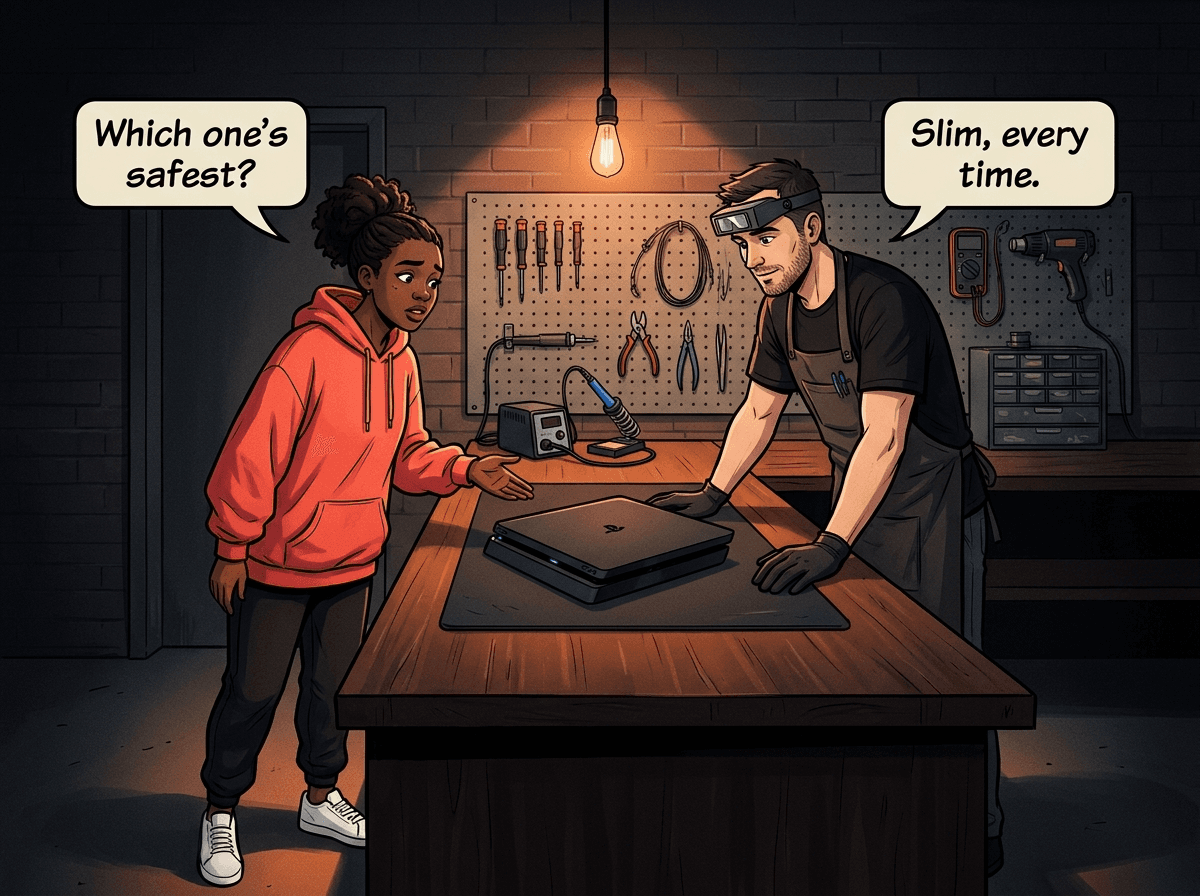
Buying a second-hand PS4 in South Africa? The three models — Original, Slim, and Pro — look similar in listings but have meaningfully different failure rates, heat profiles, and repair histories. At Console Service Centre in Boksburg, we have repaired all three variants since the PS4 launched in 2013. This guide draws on 15 years of workshop data and 25,000+ repairs to answer the question second-hand buyers ask most: which PS4 has the most problems, and which should you avoid?
The short answer: the PS4 Slim is the most reliable, the PS4 Pro runs hottest, and the earliest PS4 Originals (CUH-1000/1100) are the riskiest. The detail below covers why — what to inspect before buying, what repairs each model needs, and when a bargain-priced PS4 is actually a liability.
The PS4 Family: Three Models, One Console Generation
Sony shipped three distinct PS4 hardware designs between 2013 and 2017. They run the same games, have the same controller, and look similar in a dark cabinet — but inside they are genuinely different machines.
PS4 Original (CUH-1000/1100/1200) — launched November 2013. The launch models (CUH-1000 and CUH-1100) used a 28nm manufacturing process. The CUH-1200 was a cost-reduced revision. These are now 10–12+ years old depending on when they were made.
PS4 Slim (CUH-2000/2100/2200) — launched September 2016. Sony moved to a more efficient 16nm chip, running significantly cooler and consuming considerably less power than the Original. Physical power and eject buttons replaced the capacitive touch buttons of the early Originals.
PS4 Pro (CUH-7000/7100/7200) — launched November 2016. Also 16nm, with higher GPU clock speeds for 4K and Boost Mode performance. A three-layer internal chassis design accommodates the extra GPU silicon but creates thermal challenges.
All three use the same custom AMD Jaguar CPU and GCN GPU architecture. All use standard thermal paste (not liquid metal — that is a PS5 feature). All have a 2.5" SATA hard drive. The critical differences come down to age, thermal design, and manufacturing process.
Which PS4 Model Has the Most Problems?
The repair volume we see at Console Service Centre tells a clear story. Here is the breakdown by model.
PS4 Original: The Riskiest Second-Hand Buy
The PS4 Original is the oldest PS4 in the lineup — and 10–12 years of heat cycling takes a real toll on thermal paste, solder joints, and capacitors.
Overheating is the number one problem. Thermal paste dries out after roughly 3–5 years under load. An untouched PS4 Original from 2013 or 2014 will almost certainly have paste that is long dried out, causing the console to run hot, throttle performance, and eventually shut itself down mid-game. Our PS4 repair service replaces the thermal paste, cleans the heatsink and fan, and typically resolves overheating completely. For Original-era consoles, a full service is often the difference between a console that works and one that keeps shutting down.
Blue Light of Death (BLOD). BLOD occurs when the solder balls beneath the PS4's APU — the main processor — crack after repeated heat cycles. The console blinks a blue light, never boots to white, and outputs no video. We see BLOD most frequently on CUH-1000 and CUH-1100 models. The older the console and the harder it has run hot, the higher the BLOD risk. Our PS4 BLOD guide covers the full diagnosis and what repair options look like.
The random disc ejection bug. The CUH-1000A and CUH-1100 had a touch-capacitive eject button that could activate from heat, vibration, or a rubber spacer above it expanding slightly. Consoles would randomly eject discs mid-game with no input. Sony fixed it fully by switching to a physical button on the CUH-1200 and all Slim and Pro units. If a seller can't tell you whether their CUH-1000/1100 has had this problem, assume it has.
28nm chip = more heat from day one. The early PS4 Original used a 28nm process, which is significantly less efficient than the 16nm chips in the Slim and Pro. More heat to do the same work means faster paste degradation and more heat-cycle stress on every solder joint. The Slim and Pro don't have this disadvantage.
Citable fact: PS4 Original models (CUH-1000/1100) represent a disproportionately high share of BLOD and overheating repairs at Console Service Centre relative to their numbers in use. The primary driver is age combined with an inherently hotter-running 28nm chip design. Most Originals we see have never had their thermal paste replaced since new.
Not all Originals are equal. The CUH-1200 (the last Original revision, released 2015–2016) is meaningfully better than the launch models. It does not have the capacitive button problem, and it uses a revised heat sink. A CUH-1200 in good condition from a seller who can tell you it has been looked after is a reasonable buy. A CUH-1000A for R800 with no service history is a gamble.
PS4 Slim: The Most Reliable Model
The PS4 Slim (CUH-2000) is the most reliable PS4 model we service at Console Service Centre. The engineering reasons for this are straightforward.
The 16nm die shrink made a real difference. Dropping from 28nm to 16nm reduced power consumption by roughly 35% compared to the Original and lowered operating temperatures significantly. A cooler console means slower thermal paste degradation, less heat-cycle stress on the APU solder joints, and a quieter, longer-lived fan. This is the single biggest reason the Slim fails less often than the Original.
No capacitive button problems. The Slim shipped with physical power and eject buttons. The random disc ejection issue that affects CUH-1000/1100 Originals simply does not exist on any Slim unit.
Simpler two-layer chassis. The Slim's chassis is a straightforward two-layer design — top shell and bottom — with clean airflow paths. Contrast this with the Pro's three-layer design, which requires the fan to pull heat through more layers and makes servicing more involved.
Still needs maintenance. The Slim is not trouble-free. It is 7–9 years old depending on revision. Thermal paste still dries out, disc drive lasers still wear with use, and HDMI ports still get damaged if cables are pulled at an angle. But relative to the Original (same age or older, plus worse thermals) and the Pro (same age, more heat from higher GPU clocks), the Slim holds up best. A Slim that has never been serviced but shows no symptoms may be approaching the point where a preventative PS4 full service is worthwhile.
Citable fact: The PS4 Slim has the lowest overheating-related repair rate of the three PS4 models at Console Service Centre in Boksburg. The 16nm chip and two-layer chassis are the main engineering reasons. A full service for a PS4 Slim is R1,249.
PS4 Pro: Best Performance, Hottest Running
The PS4 Pro (CUH-7000) is the premium PS4 — 4K output for supported titles, improved frame rates via Boost Mode for many older games, HDR support through HDMI 2.0. It is also the PS4 that generates the most heat.
Three-layer chassis creates thermal pressure. Sony designed the Pro with three horizontal layers of components stacked inside the console to accommodate the larger GPU. This means the fan must pull heat through more layers of hardware. The result is a fan that runs harder, faster, and louder than on either the Original or Slim. PS4 Pro fan noise loud enough to hear across the room is not a fault — it is by design. If your Pro is shutting down mid-game, that is a fault and a full service will address it.
Same 16nm chip as the Slim, but running harder. The Pro moved to 16nm like the Slim, but the GPU runs at significantly higher clocks. More GPU work means more heat, which means the fan never gets to spin down fully. Over years of gaming sessions, this thermal load accumulates on the heatsink, paste, and fan bearings faster than on a Slim.
PS4 Pro is absolutely worth repairing. When the Pro overheats or the fan becomes notably louder than normal, a full service restores it reliably. The performance difference over a Slim is real for 4K gaming. A Pro that has been serviced and runs cool is a solid machine for years. We see many Pros come in having never been serviced in 7 years — they come out running quietly and properly.
Citable fact: PS4 Pro fan noise is an intentional design characteristic of the three-layer chassis. A Pro that shuts down mid-game has a thermal problem (dried paste, dust buildup), not a design defect — and a professional full service at Console Service Centre in Boksburg resolves it. Full service is R1,249.
Repair Costs: Same Price Across All Three Models
The same PS4 repairs cost the same regardless of which model you have:
| Repair | Price |
|---|---|
| Disc Drive Repair | R1,249 |
| Full Service | R1,249 |
| HDMI Port Replacement | R1,249 |
| BLOD | R1,599 |
*Prices shown are the total amount payable.
Get an exact quote on WhatsApp →The R599 bench fee applies if we assess your console and it turns out to be unrepairable, or if you decide not to proceed after getting a diagnosis.
Head-to-Head: The Three Models Compared
| PS4 Original | PS4 Slim | PS4 Pro | |
|---|---|---|---|
| Released | 2013 | 2016 | 2016 |
| Chip process | 28nm (CUH-1000/1100) | 16nm | 16nm |
| PSU rated output | ~240W | ~160W | ~300W |
| Max resolution | 1080p | 1080p | 4K (supported titles) |
| HDMI version | 1.4 at launch | 2.0 | 2.0 |
| HDR support | Yes (added to all PS4s via system software 4.00) | Yes | Yes |
| Capacitive button bug | Yes (CUH-1000/1100 only) | No | No |
| Overheating risk (unserviced) | High (CUH-1000/1100); Medium (CUH-1200) | Low–Medium | Medium–High |
| BLOD risk | High (CUH-1000/1100) | Low | Low–Medium |
| Chassis layers | 2 | 2 | 3 |
| Fan noise | Moderate | Quietest | Loudest |
| Reliability ranking | 3rd | 1st | 2nd |
The Verdict: Which PS4 to Buy Second-Hand
Buy the PS4 Slim if:
- You want the safest, most reliable option
- You are playing at 1080p
- You want a PS4 least likely to need repairs in the next few years
Buy the PS4 Pro if:
- You have a 4K TV and want the best PS4 gaming experience
- You accept that it runs hot and may need a service sooner than a Slim
- You buy one that has been serviced, or you budget for a service before heavy use
Avoid the PS4 Original (CUH-1000/1100) unless:
- You can confirm the model number (look for CUH-1200 or better)
- The seller has a service history to show you
- The price reflects the risk — a R600 Original is not a bargain if it immediately needs a R1,249 service
The PS4 Original CUH-1200 is still a reasonable buy:
Released 2015–2016, so 9–10 years old rather than 12+. No capacitive button problem. Better thermal management than the launch models. Confirm the model from the sticker on the console's underside.
What to Inspect Before Buying a Second-Hand PS4
Run this checklist before you hand over any money. If the seller won't allow these checks, walk away.
-
Power it on and reach the home screen. Any PS4 that cannot get past the boot sequence has a problem. Blue light that never turns white = BLOD candidate.
-
Listen to the fan. A healthy fan starts low and ramps up under load. A fan already running fast at idle, grinding, clicking, or making a bearing noise indicates either a fault or severe accumulated heat stress.
-
Run a game for 10–15 minutes. Many overheating problems only appear under load. If the console shuts down or the fan ramps to full speed within minutes, the thermals are bad. If it holds steady and quiet, the situation is acceptable.
-
Check the disc drive. Insert a disc. It should load within 10–20 seconds without loud clicking, repeated spinning, or refusal to accept the disc. These are signs of laser wear or a drive fault.
-
Check the HDMI output. Look for stable video with no flickering, brief drop-outs, or "no signal" events. Intermittent HDMI issues typically indicate a damaged port or failing HDMI IC.
-
Ask for the model number. It is on the sticker on the console's underside. CUH-1000/1100 = highest risk. CUH-1200/2000/7000 = better.
-
Look for signs of a previous opening attempt. Stripped screws visible on the underside, cracked plastic around seams, or misaligned panels can mean a DIY repair attempt — which may have created additional damage internally.
When to Seek Professional Help
Some PS4 problems respond to software fixes — a factory reset via Safe Mode can resolve software corruption, lag, or database errors. But if you are seeing:
- Blue light that never turns white (BLOD)
- Console shutting down mid-game (overheating)
- No video output from the HDMI port
- Disc drive not reading or accepting discs
- Console not powering on at all
...these require internal work. Opening the PS4 yourself risks breaking the fan connector, stripping screws, damaging flex cables, or creating new faults that cost more to fix than the original problem. Console power supplies also store 200–400V in their capacitors — these are dangerous to handle without proper discharge procedures. We regularly see consoles arrive with extra damage from DIY attempts that have turned a R1,249 service into a much more complex repair.
Not sure what's wrong? WhatsApp us at 087 550 2307 — we respond immediately, 24/7, and can usually identify the fault from your description before you even send the console in.
We offer nationwide courier repairs via The Courier Guy — ship your PS4 from anywhere in South Africa and we'll fix it and send it back.
Prevention: Keeping Your PS4 Running Long-Term
Whichever model you buy, these habits make a measurable difference to how long it runs reliably.
Place it on a hard, flat surface with clearance. The PS4 needs airflow around its vents. A tight enclosed cabinet, directly against a wall, or sitting on carpet (which blocks the bottom intake) accelerates overheating. Allow at least 10cm of clearance on all sides. Horizontal placement is recommended — it allows even airflow and reduces strain on the disc drive mechanism.
Vacuum the vents every 6 months. With the power cable unplugged, run a low-powered or handheld vacuum along the side and rear vents from the outside. This clears surface dust from the intake grating without opening the console. PlayStation Support gives PS5 owners exactly this instruction, and it works the same way on a PS4 — suction lifts the dust out, where blown air pushes it deeper.
A full service every 3–4 years. Thermal paste degrades inside every PS4 regardless of how clean the exterior looks. A professional full service — replacing the paste and cleaning the heatsink and fan — is the most impactful maintenance step you can take. If your PS4 is more than 4 years old and has never been serviced, it is overdue.
Use a UPS during load shedding. Repeated power cuts are harder on consoles than most owners realise. Sudden power loss during a write operation can corrupt the hard drive, and the abrupt on/off cycle stresses the power supply capacitors over time. A UPS provides clean power and gives you time to safely shut the console down before the inverter cuts out.
If you are buying a second-hand PS4 and have no idea of its service history, budget for a preventative full service — especially for Original-era units. A R1,249 full service on a newly purchased second-hand console is far cheaper than diagnosing and fixing multiple compounded failures later.
Frequently Asked Questions
Which PS4 model is the most reliable?
The PS4 Slim (CUH-2000 series) is the most reliable PS4 model based on repair volume at Console Service Centre. Its 16nm chip runs cooler than the Original's 28nm design, its two-layer chassis has better airflow than the Pro's three-layer design, and it launched without the capacitive button issues that affected CUH-1000/1100 Originals. The Slim has the lowest overheating and BLOD rate of the three models.
Is the PS4 Pro worth buying second-hand in 2026?
Yes, if you have a 4K television and want the best PS4 gaming experience. The Pro offers Boost Mode performance improvements for many games, native 4K for supported titles, and HDR through HDMI 2.0. The trade-off is that it runs hotter than the Slim and the fan is audibly louder by design. A Pro that has been serviced — or one you get serviced on arrival — can run reliably for years. Budget for a R1,249 full service if the unit has no known service history.
Why does the PS4 Pro fan run so loud?
The PS4 Pro's fan noise is by design. The three-layer chassis requires the fan to run at higher speeds to pull heat through more layers of components. This is audible in a quiet room and noticeably louder than a Slim. If your Pro has always been this loud, it is normal. If the fan has become significantly louder than when you first got the console, or if the console is shutting down mid-game, that indicates accumulated heat buildup — a full service will bring temperatures and fan speeds back to their intended operating range.
What is Blue Light of Death and which PS4 gets it most?
Blue Light of Death (BLOD) is when the PS4 blinks a blue light continuously without booting, with no video output. The cause is failed solder connections beneath the APU after years of heat cycling — the tiny solder balls that connect the chip to the board develop cracks. The PS4 Original, particularly CUH-1000 and CUH-1100 models, is most vulnerable because these consoles are the oldest and ran on a hotter 28nm chip. Our PS4 BLOD repair guide covers symptoms and repair options in full.
Can an overheating PS4 Original be fixed?
Yes. Overheating on a PS4 Original is almost always caused by dried thermal paste and dust-blocked heatsink fins — both are straightforward to fix with a professional full service. If the overheating has been severe enough to crack the APU solder joints (resulting in BLOD), the repair is more involved, but we handle these regularly at Console Service Centre. The key is not running a console hot for months: every hour of operation above safe temperature puts more stress on those solder joints and increases the chance of BLOD.
How much does it cost to repair a PS4 in South Africa?
At Console Service Centre in Boksburg, a PS4 full service (thermal paste replacement, fan clean, heatsink clean) is R1,249 — the same price for Original, Slim, and Pro. HDMI port replacement is R1,249, also the same across all three variants. Disc drive repair is R1,249. The R599 bench fee applies if the console is unrepairable or you choose not to proceed after diagnosis. We offer nationwide courier repairs for customers outside Gauteng.
How do I find my PS4's model number?
Turn the console upside down and read the sticker. The model number starts with CUH- followed by four digits:
- CUH-1000 / CUH-1100 — PS4 Original (launch models, highest risk)
- CUH-1200 — PS4 Original (last revision, safer)
- CUH-2000 / CUH-2100 / CUH-2200 — PS4 Slim (most reliable)
- CUH-7000 / CUH-7100 / CUH-7200 — PS4 Pro (best performance)
Get Your PS4 Fixed
Here's why Console Service Centre is your best choice:
- 15+ years of console repair experience — We started repairing PS4s when they launched in 2013
- 25,000+ consoles repaired — We know every PS4 failure mode across all three models
- 1,346+ Google reviews with a 4.9-star rating
- PlayStation and Xbox specialists — We don't do phones or general electronics
- 6-month money-back warranty — If the same issue returns within six months, we fix it free
Ready to Get Your PS4 Working Again?
WhatsApp us: 087 550 2307 — We respond immediately, 24/7
Visit us: 6 Bester Street, Witfield, Boksburg
Can't get to us? We offer nationwide courier repairs. Ship your console via The Courier Guy, we'll fix it and send it back. Simple.
Topics Covered
About the Author

Shaun Potgieter
Founder & Head Technician
Expert console technician with 15+ years of hands-on repair experience.