
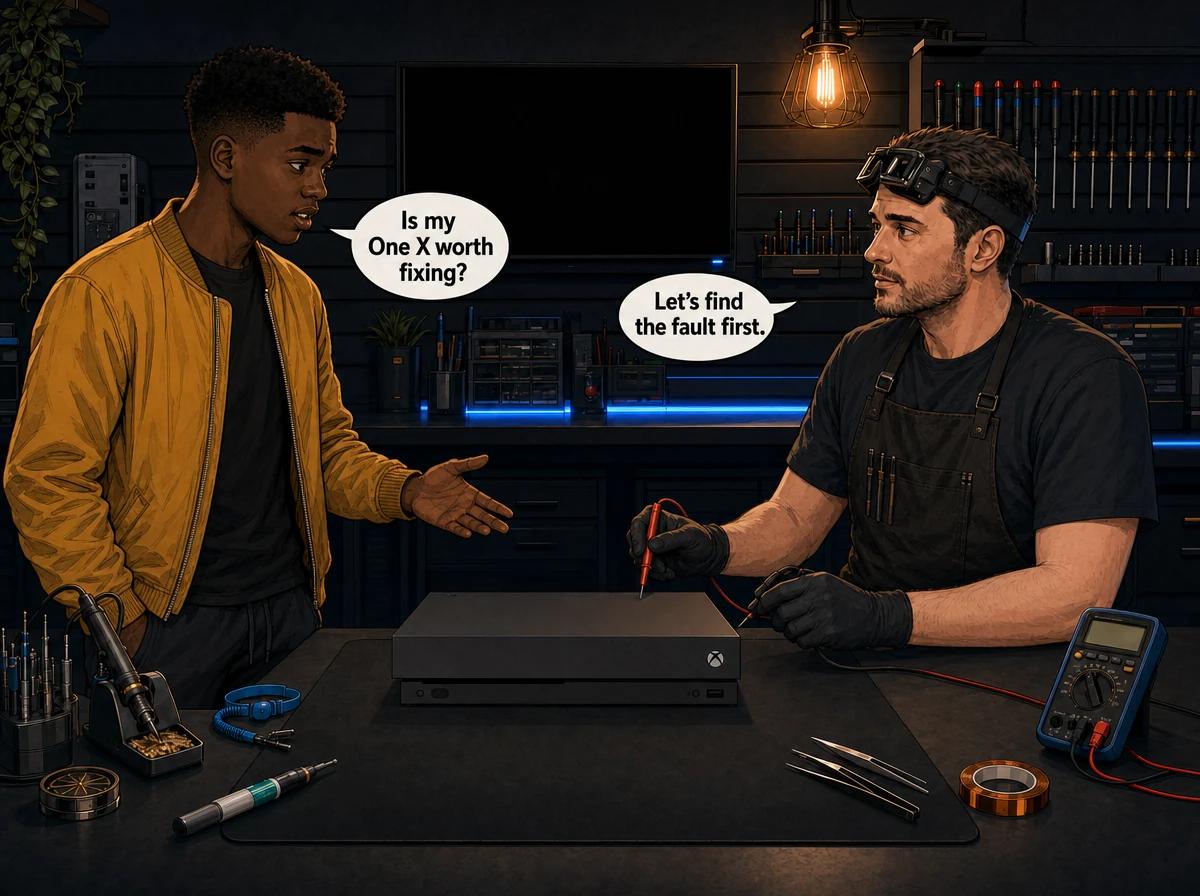
The most common Xbox One X problems are a dead or cutting-out internal power supply, no picture on the TV, overheating shutdowns, discs that will not read, and a failing hard drive that leaves the console slow or stuck on the green loading screen. The power supply sits inside the console, so there is no external brick to test or swap. Start with the external checks below: a 10-second unplug, a direct wall socket, the correct HDMI port and open air around the vents. If those change nothing, the fault is probably internal. Console Service Centre in Boksburg, South Africa repairs the Xbox One X at board level, with every price listed further down this page.
Microsoft launched the Xbox One X on 7 November 2017 and confirmed the end of production in July 2020. Any One X you own today is an older console, so the honest question is often whether it deserves the money. This guide covers what fails, what you can safely check, and when we would tell you to stop spending.
First, Make Sure It Is an Xbox One X
The names cause real confusion, and the wrong model means the wrong advice. Check the label on your console before you read further.
- Xbox One X: a compact, flat black box with a disc slot on the front. This is the model this guide covers.
- Xbox One S: a slim white console. It has its own guide on Xbox One S problems and solutions.
- Original Xbox One: a large black console with an external power brick. The One X has no brick.
- Xbox Series X: a tall black tower with a round vent on top. It is a newer generation with different hardware.
The One X shares most of its failure points with the One S, but it runs a more powerful chip, the Scorpio Engine, in a compact case. It has a vapour chamber heatsink, a radial fan and a 1TB hard drive. That combination explains why heat and power come up so often on this model.
How to Troubleshoot Xbox One X Problems at Home
These checks are all external. None of them involve opening the console, and they rule out the cheap causes before you pay for a diagnosis.
- Do a full power cycle. Hold the power button on the front of the console for 10 seconds until it switches off completely, then press it again to restart. Microsoft says a power cycle does not erase your games or data.
- Reset the internal power supply. Turn the console off, pull the mains cable out of the wall, wait 10 seconds, plug it back in and press the power button.
- Plug straight into a wall socket. Take the console off any multiplug, extension lead or surge adaptor. A tired multiplug can cut power at random and look exactly like a failing supply.
- Test the socket. Plug a lamp or phone charger into the same socket to confirm it has power.
- Check the HDMI port. The One X has two HDMI sockets at the back. Your TV cable must go into HDMI OUT. HDMI IN is for passing a decoder through the console, and a cable in the wrong socket gives you a healthy console and a blank screen.
- Swap the HDMI cable and TV input. Try another cable, another input on the TV, then another TV or monitor if you have one.
- Give it space. Take the console out of any closed TV unit and put it on a flat, hard surface with nothing on top of it. Microsoft warns that objects near the vents can block them and cause overheating.
- Note when it fails. Does it die instantly or only after an hour of play? Does the fan get loud first? Those details help us find the fault faster.
Please don't open the console yourself. Opening your console risks additional damage: broken flex cables, stripped screws and damaged connectors that make the repair more expensive. The power supply is the serious one, because its capacitors can hold hundreds of volts and can burn or kill you if they are not discharged properly. We strongly recommend leaving internal repairs to professionals.
The Common Xbox One X Problems, and What Fixes Each One
1. No Power, or It Cuts Out Suddenly
What you see: nothing at all when you press the button, a light that comes on and goes out, or a console that dies mid-game with no warning.
The internal supply is the first suspect once the socket, the mains cable and the reset have been ruled out. A power supply fault usually shows up as a sudden, total cut-out. The picture goes black and the fan stops at the same moment, with no slow build-up of noise or heat. Compare that with an overheating shutdown in the next section, where the fan normally gets louder first.
Not every dead One X needs a new supply. A short on the main board can stop a good supply from starting, which is why we test the supply's output on the bench before anything gets replaced. Replacing a supply that was never faulty wastes your money and leaves the real fault in place.
South African power does these supplies no favours. Dips and surges when the electricity comes back are hard on any console, so unplug at the wall during an outage if you can.
Our guide on signs an Xbox power supply is failing goes through the symptoms in more detail. The power supply repair page explains how we test and replace them.
2. Overheating and Shutdowns During Games
What you see: the fan gets very loud, the console feels hot, and it switches itself off during demanding games. It may run fine on the dashboard and fail only under load.
Microsoft names poor ventilation and a power supply problem as possible reasons for an unexpected shutdown, so try open air first. If the console still shuts down on an open surface with clear vents, the usual causes are inside the case:
- Dust packed into the fan and heatsink. Air simply stops moving through.
- Dried thermal paste. The Xbox One X uses thermal paste between the processor and the heatsink. As it ages it passes heat less effectively.
- A worn fan. A fan that rattles, grinds or spins slowly needs replacing because cleaning will not restore it.
A full service fixes the first two. We strip the console down to its components, wash the covers, clean the fan and heatsink, remove the old thermal paste from the heatsink and the processor, apply fresh paste, then reassemble and test it. We use a paste tested specifically on consoles, with no metal particles that could short out the processor.
The One X has less room to spare than the larger original model, so a layer of dust matters. A shutdown is the console protecting itself. Running it that hot for months still puts stress on the board, so book it in once the open-air test has failed. Our Xbox One turns on and off guide helps separate heat shutdowns from power faults, and the console overheating repair page covers the service itself.
3. It Powers On, but the TV Shows Nothing
What you see: the console light is on and the fan is running, but the TV says "No Signal". Or the picture flickers when the cable moves.
Once you have ruled out the HDMI IN mix-up, a bad cable and the TV itself, three different faults can remain:
- Physical port damage. The port is soldered to the main board and takes the strain when a cable is yanked or the console is knocked. Shine a torch into the port and look for bent or flattened pins.
- Damaged traces. The fine copper tracks around the port can tear even if the port looks fine.
- A failed HDMI chip. The video signal passes through a chip on its way to the port. When that chip fails, the port can look perfect and you still get no picture.
Only a bench test separates these three, so we diagnose first and quote the correct repair. Port replacement needs a hot air rework station. A soldering iron can lift the pads and damage the board, which turns a standard job into a much harder one.
We won't repeat the full symptom list here. Our guide on Xbox HDMI port repair covers it across every Xbox model, and the HDMI repair page explains the process.
Not sure what's wrong? WhatsApp us at 087 550 2307. We respond immediately, 24/7, and your symptoms alone can often narrow it down before you send anything in.
4. Discs Won't Read, Load or Eject
What you see: games that load slowly or not at all, a message that the disc can't be read, grinding sounds, or a disc that gets pushed back out.
The One X has a slot-loading 4K Ultra HD Blu-ray drive with no tray. Start by trying a second disc that you know is clean and undamaged, and check that the console sits flat and stable. If every disc fails, it is likely one of three things:
- A worn laser. Lasers lose focus with age and heat. A common early sign is some discs reading while others fail.
- A worn loading mechanism. Gears and rollers cause the grinding, half-loading and spit-outs.
- A failed drive board. This small circuit board inside the drive is the difficult part of the repair.
The disc drive's circuit board is linked to the console's main board. A replacement drive straight from the box won't simply work, because the original drive board has to be transferred across, and that is a soldering job. iFixit's Xbox One X disc drive guide confirms this. It is also why a cheap second-hand drive bought online so often ends in disappointment.
For the full symptom breakdown, read our guide on an Xbox One that is not reading discs. The disc drive repair page explains how we approach it.
5. Hard Drive Faults: Slow, Freezing or Stuck on Green
What you see: long load times, freezes, failed updates, or a console that stops on the green Xbox loading screen.
The One X came with a 1TB hard drive, and on an older console that drive is one of the parts most likely to be worn out. A long stall on the green screen can come from a failed update or corrupted system files, and it does not always mean the drive has died. Our Xbox green screen of death guide walks through the software fixes, so try those first.
If the software fixes don't hold, we have two routes:
- Software recovery when the drive itself is healthy and only the system software is corrupted.
- Drive replacement with a software reload when the drive has failed. A drive from a shop can't simply be plugged in, because the console needs its system software set up on it.
A new drive starts empty, so your games will need to be installed again. Saves that synced to Xbox cloud storage return when you sign in, but anything that never synced may stay on the old drive. Tell us before the repair if a particular save matters to you.
Because the old drive is slow by modern standards, this is also the one repair that can make the console feel better than it did before. A solid-state drive noticeably shortens load times, and we offer that as an option below.
6. Wi-Fi Drops and Network Faults
What you see: the console can't find your network, the connection drops repeatedly, or the wired port no longer works.
Check whether other devices on the same router behave normally, then restart the router and the console. If Wi-Fi fails but a network cable works, the Wi-Fi module becomes the suspect. If only the wired port has failed, the LAN chip on the board is the usual cause. Either one can be replaced individually, and Wi-Fi faults are worth testing with a cable before you book anything in.
Xbox One X Repair Prices
These are our current Xbox One X prices, pulled live from our pricing system:
Power and heat
- Internal power supply replacement: R1,849
- Full service, including new thermal paste: R1,249
- Fan replacement: R1,499
Video output
- HDMI port replacement: R1,349
- HDMI trace repair: R1,199
- HDMI chip replacement: R1,649
Disc drive
- Laser replacement: R1,349
- Disc drive replacement: R1,599
- Complete drive with a new laser: R1,749
Storage and network
- Hard drive repair and software reload: R1,249
- 1TB hard drive replacement and software reload: R1,899
- 1TB solid-state drive replacement and software reload: contact us for pricing
- Wi-Fi module replacement: R1,499
- LAN chip replacement: R1,349
We test the console and confirm the fault before starting work. A R599 bench fee applies only if you decline the repair after diagnosis, or if the console turns out to be unrepairable. If you go ahead, you pay the repair price. Most repairs are done in 1-2 working days, plus courier transit each way if you send it in. Board-level jobs can take a little longer.
Is an Xbox One X Worth Repairing?
Often yes, but it depends on the fault and on what you use the console for. Production ended in July 2020, so the fair comparison is what a working One X or a newer console would cost you today. Check current local second-hand prices, then compare them with the repair price above. There is no point in us guessing a resale value that changes every month.
Usually worth repairing:
- Overheating that a full service will solve. It deals with the cause and improves an older console's cooling in general.
- A single clear fault, such as an HDMI port or a power supply, on a console that is otherwise clean and working.
- A console with installed games, saves or a disc collection that you want to keep playing.
- A failing hard drive, especially if a solid-state drive would give an older console quicker load times.
Think harder before spending:
- More than one major fault at once, where the combined bill approaches the price of a replacement.
- A console that has already been opened, with torn flex cables or lifted pads from an earlier attempt.
- Liquid damage that has spread across the board, because corrosion can keep causing faults after the first repair.
- A plan to upgrade to a Series X or Series S soon anyway. In that case, repair it only if you need it in the meantime.
We tell you the fault and the price before we start. If a repair doesn't make sense for your console, we would rather say so than sell you a job you will regret. Board-level faults beyond the list above are handled through our board-level repair service, and we quote those after inspection.
How to Keep an Xbox One X Running
None of these habits require opening the console.
- Keep it in open air. A closed TV cabinet traps the heat the fan is trying to remove. Leave clear space around the console and don't stack anything on top of it.
- Clean the outside. Wipe dust from the outside of the vents with a dry cloth, with the console switched off and unplugged.
- Use a good surge protector. Plug it into a quality surge protector, and unplug it at the wall during a power outage. Cheap multiplugs age badly.
- Pull the HDMI cable straight. Sideways force is what damages the port, so leave enough slack that the cable can't get yanked.
- Don't interrupt system updates. Cutting power during an update can corrupt system files and leave you with a green screen. If you have a small UPS, this is one good use for it.
- Book a service when it gets loud. A fan that has grown noisier over the months is usually an early warning of dust and ageing paste. It is cheaper to deal with that before heat causes other faults.
Frequently Asked Questions
What are the most common Xbox One X problems?
The usual faults are internal power supply failure, no picture from HDMI damage, overheating caused by dust and dried thermal paste, disc drive failures, and hard drive wear that causes slowness or a stuck green screen. Wi-Fi and network faults are less common but still come up. A bench test tells you which one you actually have.
Does the Xbox One X have an external power brick?
No. The Xbox One X has an internal power supply, and the mains cable plugs straight into the back of the console. Only the original Xbox One uses an external brick, so brick advice does not apply to your console.
Why does my Xbox One X shut off while I'm playing?
The most common reasons are poor ventilation, a build-up of dust and dried paste, or a failing power supply. A loud fan before the shutdown points to heat. An instant shutdown with no warning points more towards power. Move the console into open air first, because that test costs nothing.
How much does an Xbox One X repair cost in South Africa?
It depends on the fault, so every repair is listed separately in the price section above, with live prices. The R599 bench fee applies only if you decline the repair or the console cannot be repaired.
Can I replace the Xbox One X hard drive myself?
We don't recommend it. It means opening the console, and iFixit's teardown notes that replacing the drive still requires tricky formatting. Opening it also puts you near the power supply, whose capacitors can hold dangerous voltages. A failed attempt usually costs more to put right than the original repair.
Will I lose my games if my Xbox One X is repaired?
Most repairs, such as a full service, an HDMI port or a power supply, leave the hard drive untouched. A new hard drive starts empty, so games have to be installed again, while saves synced to Xbox cloud storage return when you sign in. Tell us up front if a particular save matters to you.
Can you fix an Xbox One X that won't read discs?
Yes. We test whether the laser, the mechanism or the drive board is at fault, then repair that part. If a new drive is needed, your console's original drive board gets transferred across so the drive still works with your console.
Is it worth repairing an Xbox One X?
For a single fault on an otherwise healthy console, usually yes. If it has several major faults or heavy liquid damage, compare the total repair cost with current second-hand prices first. We tell you the fault and price before starting, so you can make that decision with real numbers.
Get Your Xbox One X Fixed
- Console repair specialists since 2011
- Thousands of consoles repaired
- 1,361+ Google reviews at 4.9 stars — the world's most-reviewed dedicated gaming-console repair specialist on Google from real Google reviews
- PlayStation and Xbox specialists. We don't do phones or general electronics
- 6-month money-back warranty on all repairs
See everything we do for this console family on our Xbox One repair page.
WhatsApp us: 087 550 2307. We respond immediately, 24/7.
Visit us: 6 Bester Street, Witfield, Boksburg Monday–Thursday: 08:00–16:00 | Friday–Saturday: 08:00–13:00
Can't get to us? We offer nationwide courier repairs. Ship your Xbox One X to us via The Courier Guy, we'll diagnose and fix it, and send it back.
Topics Covered
About the Author

Shaun Potgieter
Founder & Head Technician
Expert console technician with 15+ years of hands-on repair experience.