
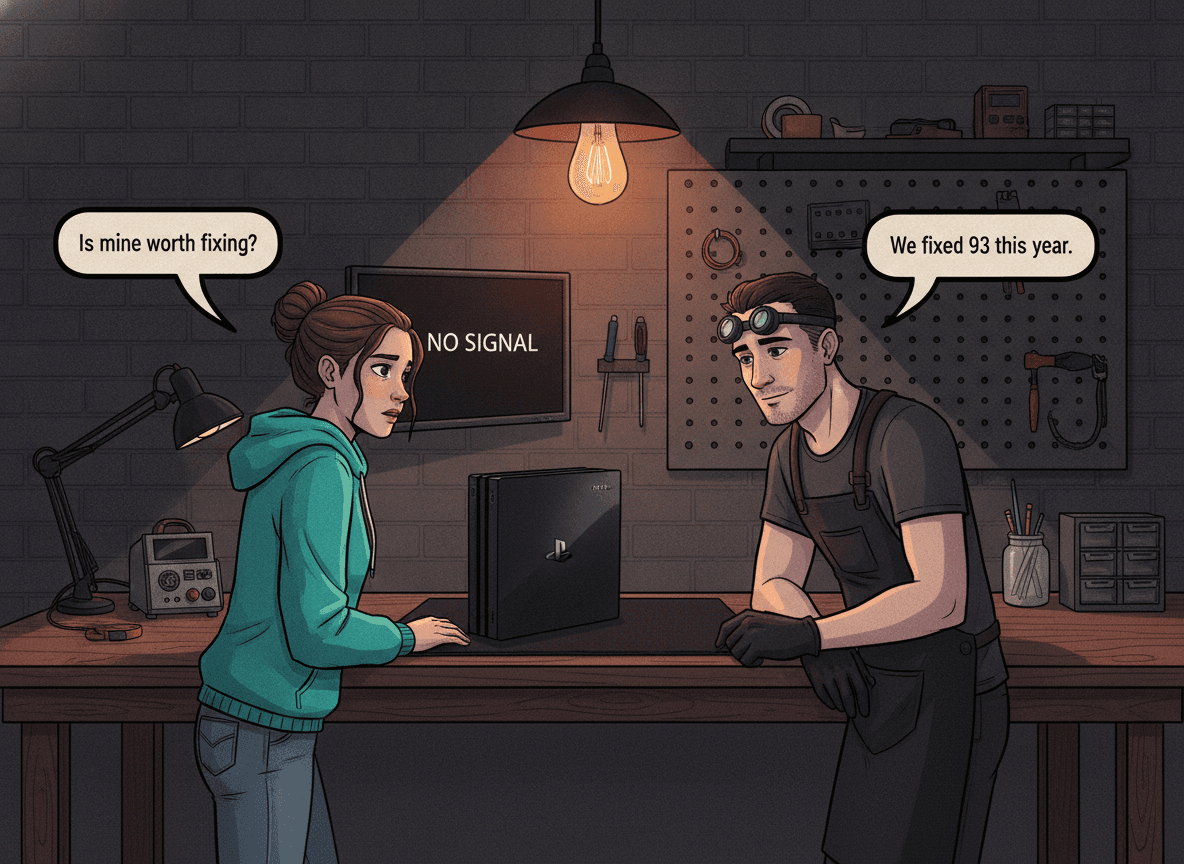
The PS4 Slim (CUH-2000 series) is Sony's most compact PlayStation 4, released in September 2016 to replace the bulky original. It's slimmer, quieter, and more power-efficient — but those design changes created their own failure patterns. We've repaired over 93 PS4 Slims at Console Service Centre in Boksburg, and the faults cluster tightly: overheating from dried-out thermal paste tops the list, followed by disc read errors, HDMI port damage, and power supply failure. The Slim's thinner chassis leaves less room for airflow than the original, which is why thermal paste degrades faster and dust blockages are more severe. If your PS4 Slim is acting up, this guide will help you diagnose the problem, try the safe software fixes yourself, and know when it's time to bring it in to a professional.
Is Your PS4 Slim Different from the PS4 Original?
Yes — and the difference matters for diagnosis and repair.
The PS4 Slim (CUH-2000/2100/2200 series) uses a different optical disc laser (KES-496A, not the KES-490A used in the original CUH-1000/1100/1200 series). It has HDMI 2.0 (HDR support) rather than HDMI 1.4. Its power supply is a single-rail unit (ADP-160CR, ADP-160ER, or ADP-160FR depending on the revision) — physically smaller than the PSUs in the original PS4, and a different part number from the PS4 Pro.
It also runs warmer for its size. The original PS4 is bulky partly because it has more airspace internally. The Slim packs the same components into a much tighter chassis, which means less thermal headroom. When the thermal paste ages, the temperature spike is more dramatic — and shutdowns happen sooner.
Citable fact: The PS4 Slim uses a KES-496A optical laser and HDMI 2.0. It runs a single-rail ADP-160 series power supply that is not interchangeable with the original PS4 or PS4 Pro. Thermal paste (not liquid metal — that's PS5-specific) degrades after 3-5 years and causes most of the overheating faults we see in Slims at our Boksburg workshop.
Quick Wins: Try These Before Anything Else
These are software-only fixes. None require opening the console. They solve roughly 20-30% of PS4 Slim problems we see.
1. Full power cycle (don't just standby)
Hold the power button on the console until you hear a second beep (~7 seconds). Wait 60 seconds with the power cable unplugged, then restart. This clears the RAM and often resolves random freezes, error loops, and network dropouts that standby mode doesn't fix.
2. Rebuild the PS4 database
A corrupted database causes slow loading, app crashes, and ejecting discs randomly. To rebuild:
- Power off the PS4 Slim completely (not rest mode)
- Hold the power button until you hear two beeps — this boots Safe Mode
- Select Option 5: Rebuild Database
- Wait — it can take 30 minutes to several hours on a full hard drive
This process reorganises the drive index without deleting your games or saves. It fixes a surprising number of problems.
3. Initialise PS4 (Software Only)
If the rebuild didn't help and you're dealing with persistent software errors, there is Safe Mode > Option 7: Initialise PS4 (Reinstall System Software). Be careful with this one: Sony is explicit that reinstalling the system software deletes everything on the console — every game, save and account. Back your saves up to a USB drive or PS Plus cloud first, and treat it as a last resort rather than a routine step.
4. Check for system software corruption
Download the latest PS4 system software from PlayStation's official support site, put it on a USB drive in a folder named PS4/UPDATE/PS4UPDATE.PUP, and install via Safe Mode > Option 3: Update System Software. A corrupted firmware install can cause boot loops, CE-34878-0 errors, and NW-31201-7 network failures.
5. Check your HDMI setup
If there's no picture:
- Try a different HDMI cable first (cables fail more often than ports)
- Try a different HDMI port on your TV
- Try a different TV entirely
If the picture comes back on a different cable or input, the issue is external. If it's still blank across all combinations, the PS4 Slim's HDMI port may be damaged.
6. Check disc drive externally
If discs won't eject, try holding the power button for 10 seconds (full shutdown), then try again. Every PS4 Slim has a manual disc eject screw. Turn the console upside-down and look for the small hole directly above the PS logo — turn the screw anticlockwise with a long Phillips screwdriver to eject a stuck disc.
The 6 Most Common PS4 Slim Problems
These are the faults we see most in our Boksburg workshop, in order of frequency.
1. Overheating and Unexpected Shutdowns
What you see: The PS4 Slim runs loudly, shuts off mid-game with no warning, or shows the CE-34878-0 error code. The fan often sounds like a jet engine at idle.
Why it happens: The PS4 Slim uses thermal paste between the CPU/APU and heatsink. That paste dries out and loses conductivity after 3-5 years — and the Slim's tight chassis means there's less thermal buffer when it degrades. Dust accumulating in the vents compounds the problem. Once the heatsink can't draw heat away efficiently, the APU hits its thermal limit and the console shuts down to protect itself.
External checks you can do:
- Ensure the PS4 Slim has at least 10cm of clearance on all sides — don't store it in a cabinet
- Never stack anything on top of it
- Run a low-powered vacuum along the vents from the outside — Sony's own guidance for PlayStation consoles (do NOT open the console)
- If you're in a dusty environment or have pets, clean the external vents monthly
What professional repair involves: A full service strips the Slim down, cleans the internal fan, removes old thermal paste from the APU and heatsink, applies fresh high-quality thermal compound, and tests the repaired console under load to verify temperatures. This is not a job for home repair — the power supply contains capacitors that store dangerous voltage.
Citable fact: Thermal paste on the PS4 Slim APU degrades after 3-5 years, and the console's compact chassis leaves less thermal headroom than the original PS4. A professional full service at Console Service Centre in Boksburg costs R1,249 and includes a fresh thermal paste application, fan clean, and load-tested quality check.
2. Disc Drive Not Reading or Accepting Discs
What you see: Games load fine from the hard drive but discs throw CE-30002-5 (disc read error) or the console makes a loud clicking/grinding noise when a disc is inserted. Some units partially insert and then spit the disc back out.
Why it happens: The PS4 Slim uses the KES-496A optical laser — a different unit from the KES-490A in the original PS4. This laser weakens with use and eventually fails to calibrate correctly, especially if the console has been dropped or stored in dusty conditions. The disc drive cradle can also warp slightly over time, preventing the disc from seating correctly.
A grinding or clicking noise almost always means a mechanical fault inside the drive — the disc is not loading onto the tray correctly, which puts stress on the motor and laser assembly.
Safe checks you can do:
- Clean disc surfaces with a soft lint-free cloth, wiping from centre outwards (never circular)
- Check that the disc is a PlayStation-format title (not a Blu-ray movie or DVD that requires a different license)
- Test with a different game disc to rule out a damaged disc
What to avoid: Do not try to blow air from a can directly into the disc slot. This can push debris onto the laser lens and worsen the problem.
3. No Display / HDMI Port Damage
What you see: The PS4 Slim powers on (blue/white light), the TV shows "No Signal", but the console itself seems to be running. Connecting to a different TV or using a different cable makes no difference.
Why it happens: The PS4 Slim's HDMI port is a surface-mount component soldered directly to the motherboard. Physical stress — a cable pulled at an angle, the console knocked while a cable is connected, or a trip hazard on the HDMI cable — bends or breaks the tiny pins inside the port. Once the connection between port and board is compromised, the HDMI signal can't pass through.
The MN864729 HDMI encoder chip (between the APU and the HDMI port) can also fail, causing the same "no picture" symptom. This is called the White Light of Death (WLOD) — the console powers on and the light goes solid white, but nothing reaches the screen and there is no sound.
HDMI repair is micro-soldering work. It requires a hot air rework station, not a standard soldering iron. Attempting it with the wrong tools lifts pads off the motherboard and can make the console unrepairable. This is one job where professional repair is non-negotiable.
Citable fact: PS4 Slim HDMI port replacement at Console Service Centre costs R1,249. HDMI IC (MN864729 encoder chip) replacement — the cause of White Line of Death — costs R1,649. Both require a hot air rework station and take 1-2 hours. Attempting DIY HDMI repair lifts pads from the board, often making the repair significantly more expensive.
4. Blue Light of Death (BLOD)
What you see: The power button glows blue, the light pulses, but the console never reaches a white light or outputs any video. It just sits there blinking blue indefinitely.
Why it happens: Blue Light of Death on the PS4 Slim is typically caused by failed solder joints on the APU (accelerated processing unit). The APU is a large BGA chip — it sits on a grid of hundreds of tiny solder balls. Thermal cycling over years of use causes those balls to crack or develop cold joints. When enough joints fail, the APU can no longer communicate with the motherboard properly, and the console never finishes booting.
BLOD is not the same as an HDMI fault. An HDMI fault usually shows a powered-on console with no picture. BLOD means the console itself can't boot past a very early stage.
This is board-level work and not all BLOD units are repairable. An APU reball (reflowing all the solder joints and replacing failed ones) can restore function, but the success rate depends on how far the APU damage has progressed. We assess every BLOD unit individually before quoting a repair.
5. Power Supply Failure
What you see: The PS4 Slim won't turn on at all — no light, no fan spin, no beep. Alternatively, it turns on briefly and immediately shuts off with a flicker.
Why it happens: The PS4 Slim uses a single-rail PSU (ADP-160CR, ADP-160ER/N16, or ADP-160FR depending on the batch). These are more compact than the original PS4's PSU. Power surges during load shedding — a South African reality — are a significant cause of PSU failure. A failed capacitor, blown fuse, or damaged transformer inside the PSU can kill all power delivery.
Load shedding note: PS4 Slims that are left in standby (rest mode) during load shedding are particularly vulnerable because the sudden power loss when electricity cuts catches the PSU mid-cycle. We strongly recommend using a surge protector or UPS with your PS4 Slim.
NEVER attempt to open a PS4 Slim power supply. The capacitors inside store 200-400 volts even after the power is disconnected. This is not an exaggeration — the voltage can kill. PSU replacement is a professional job.
6. Wi-Fi and Bluetooth Issues
What you see: The PS4 Slim loses Wi-Fi randomly, won't connect to the network, or shows NW-31201-7 / CE-33992-6 errors. Controllers may disconnect frequently.
Why it happens: The Wi-Fi and Bluetooth module is a single component on the PS4 Slim motherboard. Heat damage, liquid exposure, or simple component failure can degrade or kill it. In some cases, the module works intermittently — strong signal close to the router but drops out across the house.
Safe software checks first:
- Forget the Wi-Fi network and re-add it from scratch
- Use a LAN cable (ethernet) to confirm whether it's a Wi-Fi-specific issue
- Set a static IP and DNS (8.8.8.8 / 8.8.4.4) in PS4 network settings
- If Bluetooth disconnects only affect controllers, try resetting the controller (small hole on the back, hold 5 seconds)
If a LAN cable solves it, the Wi-Fi module is the likely culprit and will need professional replacement.
When to Seek Professional Help
If none of the software fixes above resolved the issue, the problem is almost certainly internal. Here's a quick decision guide:
| Symptom | Likely Cause | Repair |
|---|---|---|
| Fan screaming, shuts off in game | Thermal paste degraded | Full Service |
| No picture, console on | HDMI port or HDMI IC | HDMI Repair |
| Blue blinking light, no boot | APU solder failure (BLOD) | Board Repair |
| Disc won't read or loads, then ejects | KES-496A laser worn | Disc Drive Repair |
| No power at all | PSU failure | PSU Replacement |
| Wi-Fi drops, LAN works fine | Wi-Fi module failure | Module Replacement |
PS4 Slim repair service at Console Service Centre covers all of the above. We carry local stock of PS4 Slim parts — KES-496A lasers, ADP-160 series PSUs, MN864729 HDMI ICs — so parts rarely hold things up; most jobs are done in 5-7 working days, depending on how many repairs are in our queue, with a quick fix sometimes sooner.
| Repair | Price |
|---|---|
| Full Service | R1,249 |
| HDMI Port Replacement | R1,249 |
| Fan Replacement | R1,599 |
| HDMI IC MN864729 Replacement (WLOD) | R1,649 |
| Laser KES-496A Replacement | R1,649 |
| PSU ADP-160CR Replacement | R1,749 |
| PSU ADP-160FR Replacement | R1,749 |
| Disc Drive Only | R1,799 |
| PSU ADP-160ER 160P1A (N16) Replacement | R1,849 |
*Prices shown are the total amount payable.
Get an exact quote on WhatsApp →Not sure what's wrong? WhatsApp us at 087 550 2307 — we respond immediately, 24/7, and can often give you a good idea of what's wrong based on your symptoms before you send your console in.
Opening Your Console Yourself: What We See Go Wrong
Every week we receive PS4 Slims with self-inflicted damage on top of the original fault. The most common:
- Stripped screws from incorrect screwdriver sizes — the outer case screws are security Torx (TR8), not cross-head at all, and the internal screws are Phillips
- Broken plastic tabs along the bottom casing from forcing panels that weren't ready to release
- Torn ribbon cables on the front USB/power flex — it's a single-piece cable and getting it back in straight requires patience and the right technique
- Liquid metal confusion — the PS4 Slim uses thermal paste, not liquid metal. But we've seen customers apply liquid metal (bought after googling "PS5 thermal upgrade") to their PS4 Slim. Liquid metal is conductive. Even a tiny drip onto motherboard traces causes a short circuit.
The original fault on a DIY-opened PS4 Slim is often just a full service (R1,249). With added damage, the same job can cost three times that or become irreparable. Leave internal work to professionals.
"Opening your console yourself risks additional damage — broken flex cables, stripped screws, or damaged connectors that make the repair more expensive. We strongly recommend leaving internal repairs to professionals."
Prevention: Keep Your PS4 Slim Running Longer
1. Ventilation first
The PS4 Slim's small chassis needs room to breathe. At least 10cm clearance on all sides, never in a closed cabinet, never with anything resting on top. Heat killed more PS4 Slims in our workshop than any other cause.
2. Horizontal, not vertical
The PS4 Slim can be placed vertically using Sony's optional stand — but horizontal placement is safer for long gaming sessions. Vertical positions can stress the hard drive and restrict some internal airflow paths.
3. Surge protector for load shedding
South Africa's load shedding is hard on electronics. A quality surge protector (not a basic multi-plug) protects the PSU from voltage spikes when power is cut and restored. A UPS that provides clean power through the transition is better still.
4. Schedule a full service every 2-3 years
Thermal paste degrades whether you're careful or not. A full service at R1,249 proactively replaces the thermal compound, cleans the fan and heatsink, and keeps temperatures in the safe range. Most overheating repairs we do could have been a cheaper service a year earlier.
5. Clean vents with a low-powered vacuum from outside
Every 3-6 months, run a low-powered vacuum along the external vents — this is Sony's own guidance for PlayStation consoles, because a vacuum lifts dust out instead of driving it deeper. Unplug the power cable first. This slows dust accumulation. Do not open the console — external cleaning is safe and effective for maintenance.
6. Don't leave games in the drive
Discs left in the PS4 Slim spin up during standby for background updates. This puts hours on the laser unnecessarily. Eject discs when you're done playing.
PS4 Slim vs PS4 Original: Which Is Easier to Repair?
A common question. Our assessment:
The PS4 Slim and PS4 Original share the same underlying architecture but differ in key parts. The Slim's laser (KES-496A) costs slightly more to replace than the Original's KES-490A. The Slim's PSU (ADP-160 series) is a smaller unit, and not all variants are equally available. Overall repair costs are similar — but the Slim's tight chassis is less forgiving of heat over time, so we tend to see Slims come in for thermal work at an earlier age than Originals.
Neither is "harder to repair" for professionals. Both are well-documented, both have established parts supply chains, and both carry a 6-month warranty after repair with us.
Frequently Asked Questions
Why does my PS4 Slim keep shutting off during games?
Thermal shutdown from dried-out thermal paste is the most common cause. The PS4 Slim runs warmer than the original PS4 due to its compact form factor, and when the thermal paste between the APU and heatsink degrades after 3-5 years, the console hits its temperature limit mid-session and shuts off to protect the hardware. A full service — which replaces the thermal paste, cleans the fan, and deep-cleans the heatsink — resolves this in most cases. The full service at Console Service Centre (R1,249) includes a post-service temperature verification under gaming load.
My PS4 Slim says "Cannot read disc" — is it the disc or the drive?
Test with two or three different discs you know are in good condition. If all fail, the drive is the issue. The PS4 Slim uses a KES-496A laser that is specific to the Slim — not interchangeable with the KES-490A in the original PS4. Laser replacement at Console Service Centre starts from R1,649. If you hear clicking or grinding when a disc is inserted, a mechanical cradle fault may be involved in addition to the laser.
How much does it cost to repair a PS4 Slim in South Africa?
A full service (thermal paste replacement, fan clean, heatsink clean) costs R1,249. HDMI port replacement costs R1,249. Disc drive laser replacement starts from R1,649. PSU replacement starts from R1,749. All prices include parts and labour with a 6-month warranty. A R599 bench fee applies if the console is assessed and you choose not to proceed with the repair.
Is Blue Light of Death (BLOD) repairable on a PS4 Slim?
Sometimes. BLOD on a PS4 Slim is typically caused by APU solder joint failure (BGA failure). An APU reball — reflowing the BGA solder joints — can restore function, but success depends on how much damage has accumulated. We assess every BLOD unit before quoting a repair. If the board has secondary damage or the APU itself is compromised, we'll tell you honestly and won't charge for the assessment if repair isn't possible. BLOD repair costs R1,599 when successful.
Can I fix my PS4 Slim at home to save money?
For software issues — yes: Safe Mode, database rebuild, firmware reinstall. These are all safe and often effective. For hardware issues — no. The PS4 Slim's power supply contains capacitors that store dangerous voltage even when unplugged. The internal components use fragile ribbon cables and JIS-type screws that strip easily with wrong-sized tools. We regularly see PS4 Slims arrive with the original fault plus a broken cable or stripped case from a DIY attempt. Professional repair for a PS4 Slim full service at R1,249 is almost always cheaper than fixing a DIY repair gone wrong.
Does repairing a PS4 Slim delete my games and save data?
A full service (thermal paste, fan clean) does not touch your hard drive or save data. HDMI port repair, PSU replacement, and disc drive repairs also don't affect your data. If a board-level repair (BLOD, south bridge replacement) is required and we need to test with a different drive temporarily, we'll tell you in advance. We strongly recommend backing up saves to a USB drive or PS Plus cloud before sending any console in for repair — it's good practice regardless of the repair type.
How long does a PS4 Slim repair take?
Most repairs are done in 5-7 working days, depending on how many repairs are in our queue and the fault. A full service, HDMI, or disc drive repair is often quicker once assessed (around 1-2 days), while complex board-level work (BLOD, south bridge replacement) typically runs 3-5 days, or longer in a busy spell. We carry local stock of PS4 Slim-specific parts — KES-496A lasers, ADP-160 series PSUs, MN864729 HDMI ICs — so we rarely need to wait for parts. We'll give you a specific timeline when you drop off or send in the console.
Get Your PS4 Slim Fixed
Why Console Service Centre is the right choice:
- 15+ years of console repair experience — we've been doing this since 2011
- 25,000+ consoles repaired — including 93+ PS4 Slims specifically
- 1,329+ Google reviews at 4.9 stars — the world's most-reviewed dedicated gaming-console repair specialist on Google — our customers speak for themselves
- PlayStation specialists — we don't repair phones or general electronics
- 6-month money-back warranty — same fault comes back, we fix it free
- Local PS4 Slim parts stocked — KES-496A laser, ADP-160 PSU, MN864729 HDMI IC on the shelf
Ready to Get Your PS4 Slim Working Again?
WhatsApp us: 087 550 2307 — we respond immediately, 24/7
Visit us: 6 Bester Street, Witfield, Boksburg
Can't get to us? We offer nationwide courier repairs. Ship your PS4 Slim via The Courier Guy — we'll fix it, test it, and send it back. Most out-of-town customers have their console back within a week.
Looking for more PS4 resources? See our guides on PS4 won't turn on and PS4 Blue Light of Death, or visit the PS4 repair service page for full pricing.
Topics Covered
About the Author

Shaun Potgieter
Founder & Head Technician
Expert console technician with 15+ years of hands-on repair experience.