
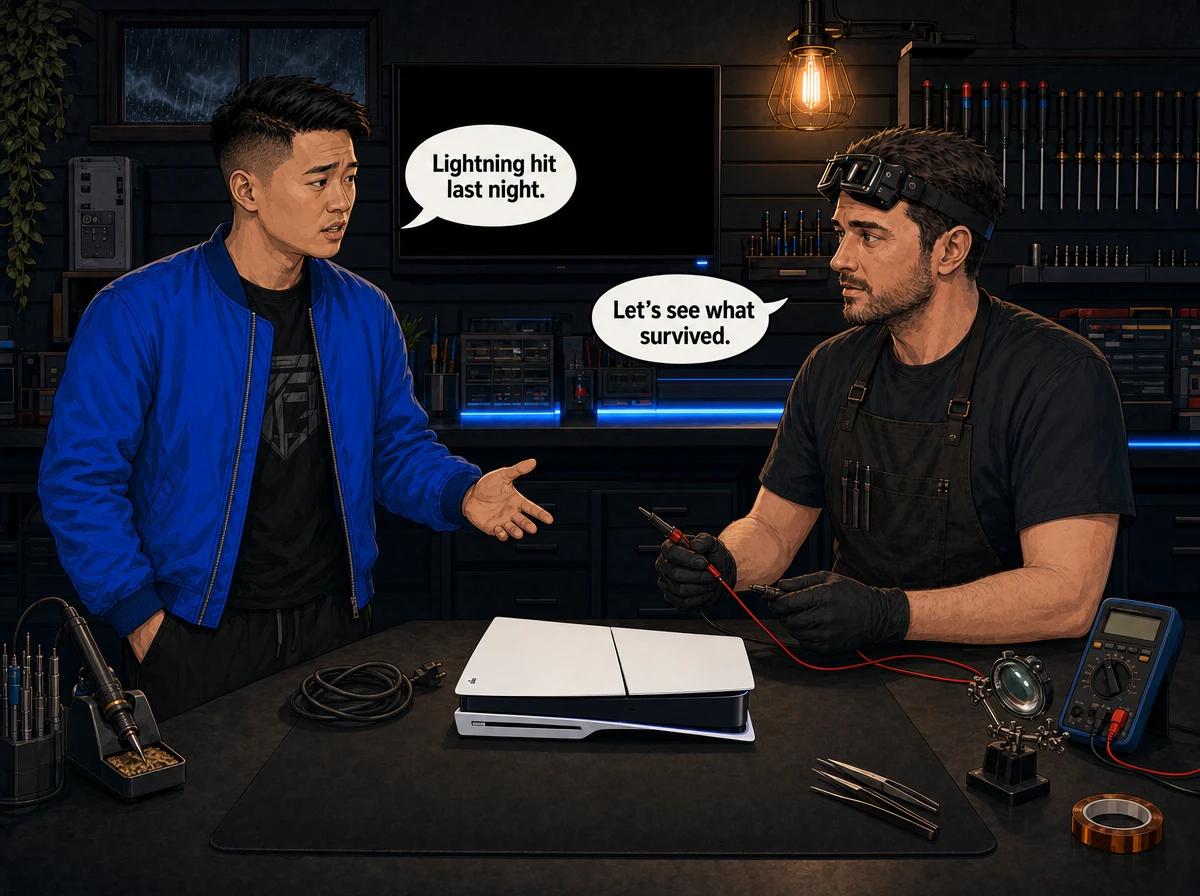
A lightning damaged PS5, PS4, Xbox One or Xbox Series usually has one of three faults: a dead power supply, a damaged HDMI circuit, or a dead network port. A strike does not have to hit your house. A strike on the power line, a nearby pole or the ground near your street can send a surge through the mains wiring, the TV's aerial or satellite cable, or the network cable from your router. The surge then travels into whatever is connected. If your console stopped working after a storm, unplug it, do not keep switching it on, and check the three paths below. Console Service Centre in Boksburg, South Africa tests the power supply, HDMI circuit and main board on the bench to find exactly what the surge damaged.
Highveld summer storms arrive fast. One minute you are mid-match, the next there is a crack of thunder, the lights flicker and the house goes dark. When the power comes back, the TV turns on but the console does not. Or the console turns on and the screen stays black. This guide walks you through what lightning does to a console, what you can safely check at home, and what we look for when a storm-damaged console reaches our bench.
How Lightning Gets Into a Console
Most people picture lightning hitting the roof. That does happen, but most storm damage to electronics comes from an indirect strike. Lightning hits the overhead lines, a transformer, a tree or the ground nearby. The energy looks for a path, and the copper wiring running into your home is an easy one.
A console is connected to more of that wiring than you might think. There are three ways in.
Through the power cable
This is the most common path. A surge on the mains travels from the street into your DB board, along the wiring in the walls and into the wall socket. Anything plugged in sees that spike, whether it is switched on or not. The console's power supply is the first thing in line, so it usually takes the hit.
A console that is switched off at the button, or sitting in rest mode, is still physically connected to the mains. Off is not the same as unplugged.
Through the HDMI cable from the TV
Your TV is connected to its own power socket, and often to an aerial or satellite dish cable as well. A surge that reaches the TV through either of those can travel along the HDMI cable into the console's HDMI port. That is why some consoles come in after a storm with a working power supply but no picture. The surge went in through the back door.
The TV can be damaged too. Sometimes the console is fine and it is the TV's HDMI input that died.
Through the network cable from the router
If your console is connected to your router with a network cable, that cable is a third path. Your router is plugged into the mains, and on older lines it is also connected to a copper phone line. A surge that reaches the router can travel down the network cable into the console's LAN port.
Even if you have fibre, the router and the fibre box on the wall still run off mains power. A surge on that power can still come down the network cable.
Signs of a Lightning Damaged PS5, PS4 or Xbox
The symptoms tell you a lot about which path the surge took. These are the patterns we see most often after a storm.
The console is completely dead
You press the power button and nothing happens. No light, no beep, no fan. This usually points to the power supply. The surge came in through the power cable, and the power supply did its job by failing first.
The good news is that a dead power supply is often the whole fault. The bad news is that sometimes the surge goes past the power supply and damages parts on the main board too. We can only tell which on the bench.
It powers on, but there is no picture
The console's light comes on and it sounds normal, but the TV shows "no signal". If this started right after a storm, the HDMI circuit is a strong suspect. The surge may have damaged the HDMI port itself or the HDMI chip on the board that drives the port.
Before you assume the worst, rule out the TV and the cable. We cover how in the next section.
It works, but the wired internet is gone
The console boots and plays games, but it will not connect to the internet through the network cable. It might still connect on Wi-Fi. This points to the LAN port or the network chip behind it, which is what you would expect if the surge came in through the router.
Check the router itself before blaming the console. Routers are often damaged in the same storm.
It powers on, then switches off
A console that starts and then shuts down, or keeps restarting, can have a power supply that is partly damaged or a fault on the board. Do not keep testing it. Each attempt can turn a small fault into a bigger one.
There is a burnt smell
If you smell burning from the console, unplug it at the wall straight away and do not switch it on again. A burnt smell means a component got hot enough to scorch. Keep it unplugged and get it checked.
The electricity trips when you plug it in
If plugging the console in trips the DB board, the surge has probably left a short circuit in the power supply. Stop plugging it in. Our guide on what to do when a console trips the electricity explains why repeated resets do more harm.
How to Check a Console After a Storm
These checks are all external. None of them involve opening the console. Work through them in order, and stop at the first one that gives you a clear answer.
- Wait until the storm has passed. Do not touch plugs, cables or sockets while lightning is still close. Handling wiring during a storm is a shock risk.
- Unplug the console from the wall. Also unplug the HDMI cable and the network cable from the back of the console.
- Check that the socket works. Plug a lamp or phone charger into the same wall socket. If nothing works, the problem may be the socket, the multiplug or the DB board, not the console.
- Look at your multiplug or surge protector. Many surge protectors sacrifice themselves to stop a spike. If yours has a dead indicator light or a protection light that has gone off, it may need replacing. Plug the console straight into a working wall socket to test it.
- Reconnect the power cable only and press the power button once. Watch for the light and listen for the fan. If there is nothing at all, stop. Do not keep pressing the button.
- If it powers on, connect it to the TV with a different HDMI cable. Use a different HDMI input on the TV, or a different TV or monitor altogether. If you get a picture, the original cable or the TV input was damaged.
- Test the network. Try Wi-Fi first. If Wi-Fi works and the cable does not, plug the network cable into a laptop or another device. If that device connects, the console's LAN port is the likely casualty.
- Write down what you saw. Note the time of the storm, what the console did, and what still works. This helps the diagnosis and it helps an insurance claim.
If the console fails at step 5, 6 or 7 and you have ruled out the socket, cable, TV and router, the damage is inside the console. That is where home troubleshooting ends.
Opening your console yourself risks causing additional damage, like broken flex cables, stripped screws or damaged connectors, and that makes the repair more expensive. Console power supplies also hold a dangerous charge in their capacitors even after the plug is out. We strongly recommend leaving internal repairs to professionals.
What Lightning Usually Damages Inside a Console
Every console reacts a little differently, but the damage tends to fall into a few groups.
The power supply
All current PlayStation and Xbox consoles except the original Xbox One have their power supply built inside the console. The PS4, PS5, Xbox One S, Xbox One X, Xbox Series S and Xbox Series X all work this way. The power supply turns the mains from the wall into the lower voltages the board needs. It is the first part a mains surge reaches, so it is the part most likely to fail.
The original Xbox One is different. It uses a large external power brick. In a storm, that brick sits between the wall and the console, and it can be the only part that dies. That is worth knowing, because testing the brick is a quick first step for an original Xbox One that will not power on.
The HDMI port and HDMI chip
The HDMI port is the socket at the back of the console. Behind it on the board is an HDMI chip that handles the video signal. A surge coming in along the HDMI cable can damage either one. A damaged port needs to be removed and replaced with hot air rework equipment, not a soldering iron. A damaged HDMI chip is a board-level micro-soldering job.
This is not a cable problem. If the port or chip is damaged, a new HDMI cable will not bring the picture back.
The LAN port and network chip
A surge through the network cable usually damages the LAN port or the network chip connected to it. The console may still work perfectly on Wi-Fi. Some owners simply switch to Wi-Fi and carry on. Others need the wired connection for stable online play, and for them a repair is worth it. We cover the options in our guide to fixing a console LAN port that stopped working.
The main board
A strong surge can get past the power supply and damage components on the main board. This is the most serious outcome. It can mean shorted power rails, damaged chips or burnt tracks. Board damage is not always repairable, and we will tell you honestly when the repair is not worth the money.
Storage and saves
A surge can also corrupt data if the console was on and writing to its storage when the power dropped. That is a separate problem from hardware damage. If your console powers on but shows errors on start-up, see our guide to how to tell what a power event did to your console, which covers software and storage symptoms in detail.
Lightning Damaged PS5: How We Diagnose It
When a storm-damaged console arrives at our workshop, we do not just swap the power supply and hope. A surge can damage more than one thing, and fitting a new power supply to a console with a shorted board can destroy the new part.
Here is what happens on the bench:
- We record the history. When the storm hit, what the console did afterwards, and what you already tested. Your notes from the checks above are useful here.
- We inspect the exterior and ports. We look for scorch marks, discoloured plastic around the ports and signs of burning.
- We test the power supply on its own. This tells us whether the power supply is the fault, and whether it is safe to apply power to the board.
- We test the main board for shorts. Before a new or repaired power supply goes in, we check the board's power rails to make sure the surge did not travel further.
- We test the HDMI output on a known-good screen. If the console powers on but has no picture, we check the port and the HDMI circuit separately.
- We test the network port. We connect a known-good cable and check for a link.
- We give you a clear answer. You get a quote for what is damaged, or an honest explanation if the console is not worth repairing.
A PS5 or PS5 Slim with lightning damage goes through exactly the same process as a PS4 or Xbox. The parts are different, but the logic is the same: find every damaged part before replacing anything. Our PS5 repair service lists the full range of repairs we do on Sony's current console.
Lightning Damage Repair Prices
These are our current prices for the repairs storm damage most often needs. They update automatically from our live price list.
- PS5 and PS5 Slim power supply replacement: R2,149 – R2,449
- PS4, PS4 Slim and PS4 Pro power supply replacement: R1,699 – R1,849
- Xbox One S and Xbox One X internal power supply replacement: R1,499 – R1,849
- Original Xbox One power supply replacement: R1,599
- Xbox Series S and Xbox Series X power supply replacement: R1,849 – R2,099
- PS5 and PS5 Slim HDMI chip replacement: R1,799
- PS4 HDMI chip replacement: R1,549 – R1,649
- Xbox One S and Xbox One X HDMI chip replacement: R1,649
- Xbox Series S and Xbox Series X HDMI chip replacement: R1,799
- Xbox One LAN chip replacement: R1,349
Where a price shows a range, the exact figure depends on which part is fitted to your console. Different production runs use different power supplies and chips, and we confirm yours on the bench. Board damage beyond these parts is quoted after inspection.
If you decline the repair, or the console turns out to be unrepairable, a R599 bench fee applies. Most repairs are done in 2-4 working days, plus courier transit each way if you send the console in. Board-level jobs can take a little longer.
You can read more about how we handle each type of fault on our power supply repair page, our HDMI port repair page and our board-level repair page.
Not sure what the storm did? WhatsApp us at 087 550 2307. We respond immediately, 24/7, and we can often tell you what is likely to be wrong from the symptoms before you bring the console in.
Lightning Damage and Your Insurance
Lightning and power surge damage is often covered by household contents insurance in South Africa. It is worth checking before you pay for a repair yourself. Policies differ a lot, so read yours or call your broker.
A few things to check:
- Is lightning or power surge damage covered at all? Some policies cover it as standard. Others need it added.
- Is there a separate excess for surge damage? Some insurers apply a different excess to lightning and surge claims.
- Does the insurer require surge protection? Some insurers have tightened their rules on surge claims, and some want proof that surge protection was installed. Check this before the next storm, not after.
- How soon must you report the claim? Report it as soon as you can after the storm.
Most insurers want a professional damage assessment before they approve a claim. The report needs to confirm what is damaged and whether the damage is consistent with a power surge. We write these reports for PlayStation and Xbox consoles. Our guide to claiming insurance for a damaged console in South Africa explains what insurers ask for and how the process works.
Do not throw away a dead console before the claim is settled, and do not let anyone strip it for parts. The insurer may want the damaged unit or the damaged parts as evidence.
How to Protect Your Console From Lightning
You cannot stop a storm, but you can make it much less likely that the next one kills your console.
Unplug before the storm arrives
Unplugging is the only complete protection. A surge cannot travel down a cable that is not connected. When a storm is forecast, or you hear thunder in the distance, switch the console off properly and unplug it at the wall.
Unplug the HDMI cable and the network cable too if you can. Unplugging only the power cable leaves two paths open.
Do this early. Do not reach behind the TV cabinet to pull plugs once lightning is overhead.
Use a proper surge protector
A good surge protector catches many of the spikes that come down the power line. Look for one with a clear protection indicator so you can see when it has done its job and needs replacing. Some models also protect a network cable or an aerial cable.
A surge protector reduces risk, but it is not a guarantee. A close or direct strike can carry more energy than any plug-in protector can absorb. Our guide to the best surge protectors for gaming in South Africa compares the options.
Think about whole-house protection
An electrician can fit surge protection at your DB board. This catches surges on the mains before they reach any socket in the house. It works best together with plug-in protection at the console.
Protect the router too
Your router is part of the path into the console. Plug it into a surge protector, and unplug it during a storm if you can live without Wi-Fi for an hour. A damaged router is cheaper to replace than a console, but it is still a cost.
Do not leave the console in rest mode through a storm
Rest mode is convenient for downloads, but a console in rest mode is fully connected to the mains. During storm season, switch it off properly and unplug it at night if storms are likely.
Keep a note of your setup
Take a quick photo of your console's serial number and keep your proof of purchase somewhere safe. If you ever need to claim, the insurer will ask for both.
Frequently Asked Questions
Can lightning damage a PS5 even if it was switched off?
Yes. A console that is switched off, or in rest mode, is still connected to the mains through its power cable. A surge travels along the wiring whether the console is on or off. The only full protection is unplugging the power, HDMI and network cables before the storm.
My console turns on after the storm but there is no picture. Is it the HDMI port?
It might be, but check the TV and cable first. Try a different HDMI cable, a different HDMI input on the TV, and if possible a different screen. If the console still shows no picture on a known-good screen, the HDMI port or the HDMI chip on the board is the likely fault. Both are repairable in most cases.
How much does it cost to fix a lightning damaged console in South Africa?
It depends on what the surge damaged. Power supply replacement on a PS5 or PS5 Slim is listed in our price list above, together with the HDMI and network repairs storm damage often needs. We quote after testing, and a R599 bench fee applies only if you decline the repair or the console cannot be repaired.
Will my insurance pay for a lightning damaged console?
Often, yes, if your household contents policy covers lightning or power surges. Check your policy for surge cover, the excess and any requirement for surge protection. Most insurers want a professional damage assessment report, which we can provide for PlayStation and Xbox consoles.
Does a surge protector stop lightning damage?
A good surge protector stops many surges on the power line, but it cannot guarantee protection against a close strike. It also does nothing for surges that come in through the HDMI cable from the TV or the network cable from the router. Unplugging everything before a storm is the only complete protection.
Is a lightning damaged console worth repairing?
Usually, when the damage is limited to the power supply, HDMI circuit or LAN port. Those are standard repairs. If the surge damaged the main board badly, the repair may not be worth it, and we will tell you so honestly before you spend anything.
Will I lose my games and saves if my console was hit by a surge?
A hardware repair to the power supply, HDMI or LAN port does not normally touch your saved data. A surge can sometimes corrupt data if the console was on and writing to storage at the time. Keep your account synced to cloud saves where your console supports it, so a storm never costs you progress.
Should I try a new power cable first?
You can, and it costs nothing if you have a spare. The power cable itself rarely fails in a surge, though. If the console stays completely dead with a known-good cable in a working wall socket, the power supply inside the console is the likely fault.
Get Your Storm-Damaged Console Fixed
Here's why Console Service Centre is a good choice for lightning damage:
- Console repair specialists since 2011
- Thousands of consoles repaired. We know what lightning does to a power supply and a board.
- 1,361+ Google reviews at 4.9 stars — the world's most-reviewed dedicated gaming-console repair specialist on Google from real Google reviews
- PlayStation and Xbox specialists. We don't do phones or general electronics.
- 6-month money-back warranty. If the same issue returns, we fix it free.
- Damage assessment reports for insurance claims
Ready to Find Out What the Storm Did?
WhatsApp us: 087 550 2307. We respond immediately, 24/7.
Visit us: 6 Bester Street, Witfield, Boksburg. Monday to Thursday 08:00 – 16:00, Friday and Saturday 08:00 – 13:00, closed Sunday.
Can't get to us? We offer nationwide courier repairs. Ship your console to us via The Courier Guy with its power cable, and we will test it, fix it and send it back.
Topics Covered
About the Author

Shaun Potgieter
Founder & Head Technician
Expert console technician with 15+ years of hands-on repair experience.