
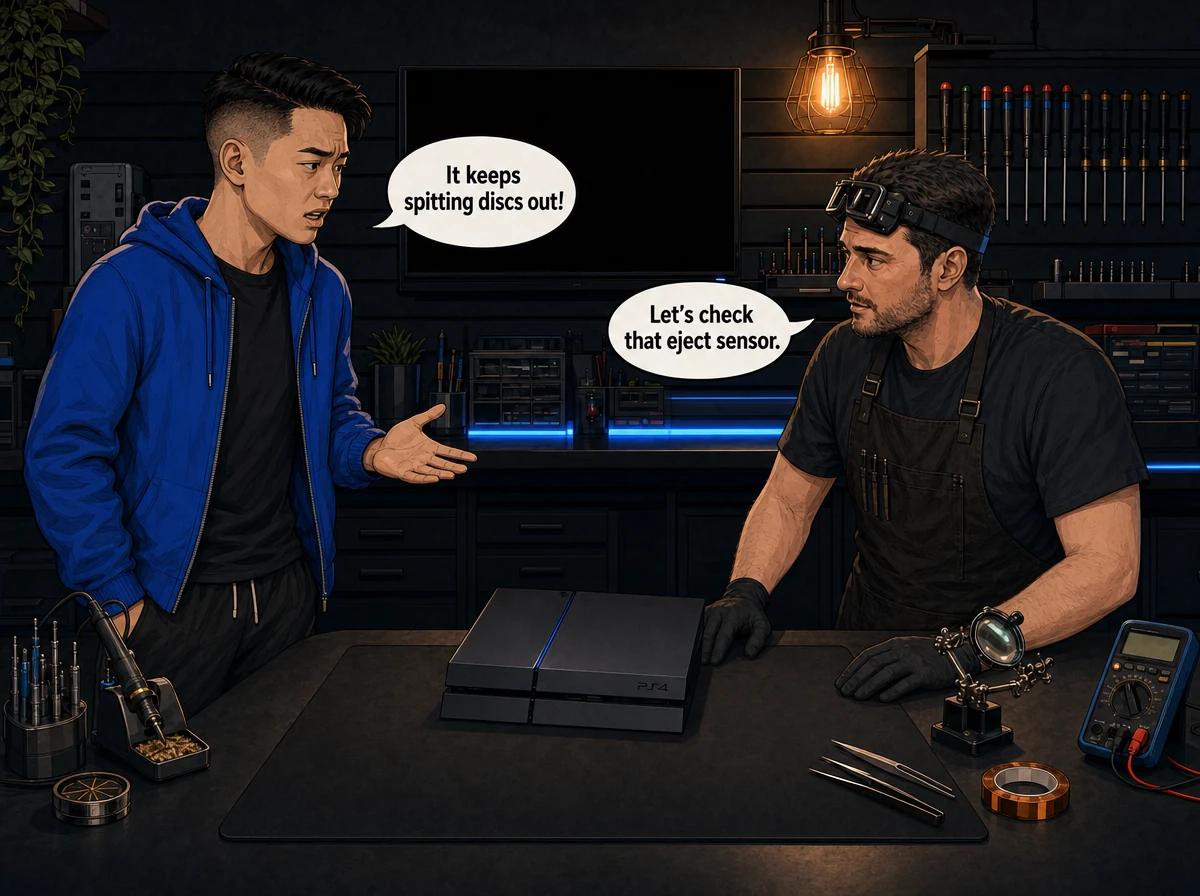
You're halfway through a match and your PS4 beeps and pushes the game disc out. Nobody touched it. You put the disc back in and, a few minutes later, it happens again. Some owners hear the console beeping on its own in the middle of the night, with nothing in the drive at all.
If that sounds like your console, you're far from the only one. A PS4 randomly ejecting discs is one of the best-known faults on the original model, and there's a cheap fix you can try first. This guide covers that fix, why it works, and how to tell when the cause is a real hardware fault.
A PS4 that randomly ejects discs is almost always one of the first-generation models, the CUH-1000 or CUH-1100, which use a touch-sensitive eject button instead of a physical one. That button can register a "press" when nothing touches it. The best-known trigger is the small rubber foot directly beneath the eject button on the underside of the console. Heat can make that foot expand and push up into the casing. Power-cycling the console, checking or removing that rubber foot and keeping the PS4 cool fixes many cases. If discs keep ejecting after that, the fault is in the button circuit or the disc drive, and Console Service Centre in Boksburg repairs both.
Which PS4 Models Randomly Eject Discs?
Start by checking which PS4 you own, because this fault is tied to a specific design.
The launch PS4 (the "fat" original) came in a few revisions. The earliest two, CUH-1000 and CUH-1100, have touch-sensitive (capacitive) power and eject buttons on the front edge. You don't press them in. You just touch the strip, and the console reads the change in electrical charge as a press.
Sony changed this on the CUH-1200 revision, which moved to physical buttons that you have to push in. Every PS4 Slim and PS4 Pro also has physical buttons. That means the classic "phantom eject" fault belongs to the CUH-1000 and CUH-1100 revisions.
How to find your model number:
- Turn the PS4 over or look at the back of the console.
- Find the sticker with the barcode and serial number.
- Look for a code starting with CUH-. The first two digits after "CUH-" tell you the hardware revision.
If your model number starts with CUH-10 or CUH-11, read on. The rubber foot fix is aimed at you.
If you own a CUH-1200, a PS4 Slim or a PS4 Pro and discs still pop out by themselves, the touch button isn't the cause. Skip ahead to the section on drive faults, because your console needs a different diagnosis.
Not sure about the differences between the models? Our PS4 Original vs Slim vs Pro comparison explains each revision and its common faults.
Why a PS4 Randomly Ejects Discs: The Touch Button Problem
A capacitive button has no moving parts. It senses a small change in electrical charge when a finger comes close. That's why the early PS4 buttons feel so light. The catch is that the sensing circuit can also react to things that aren't a finger.
On the CUH-1000 and CUH-1100, owners and repair writers have traced the random ejecting to a few causes:
- The rubber foot under the eject button. Sony fitted a small rubber foot on the underside of the console, directly below the eject button. As the console heats up, the rubber can expand and push up into the underside of the casing. That pressure near the button area can set off an eject. This is the most widely reported cause.
- A false reading from the button circuit. The touch sensor itself can misread and fire an eject with no outside trigger. Some consoles also beep at random, because the same false "touch" is being registered.
- A disc sensor fault inside the drive. The drive has its own sensors that tell the console whether a disc is in and where it sits. A faulty sensor can make the console think it should push the disc out.
- A loose manual eject screw. The original PS4 has a manual eject screw for freeing stuck discs. If that screw has worked loose, it has been linked to unwanted ejecting on some units.
The first two causes sit outside the disc drive. The last two involve the drive itself. That split matters, because it decides whether the fix is free or needs a repair.
The PS4 Rubber Foot Fix, Explained
The "rubber foot fix" is the trick you'll see on Reddit, YouTube and TikTok. It doesn't involve opening the console, which is why it's the first thing worth trying.
The idea is simple. If the rubber foot under the eject button swells with heat and presses on the case, take that pressure away and the phantom presses should stop.
How to try the rubber foot fix safely:
- Shut the PS4 down fully. Don't use rest mode.
- Unplug the power cable from the back of the console.
- Let the console cool down completely, ideally for at least half an hour.
- Turn the console over gently on a soft, clean surface such as a towel.
- Find the rubber foot on the underside that sits directly below the eject button on the front edge.
- Check whether it looks swollen, raised or pushed in compared to the other feet.
- Peel that one foot off carefully with your fingernail or a plastic card. Don't lever with a metal blade.
- Turn the console back over, reconnect it and see whether the random ejecting stops.
Keep the foot in a zip-lock bag in case you want to refit it later. The console will sit fine on its remaining feet.
What this fix can and can't do:
- It removes one known physical trigger for false eject presses.
- It costs nothing and doesn't involve unscrewing anything.
- It won't fix a faulty touch sensor, a failing disc sensor or a worn drive mechanism.
Some owners report that the fix works straight away. Others find the ejecting returns after a while, which points to a deeper fault. If you've removed the foot and discs still come out on their own, stop there and don't go further into the console.
What Sony Recommends: The Power Cycle
Before you get to the rubber foot, there's an even simpler step. Sony's own support advice for random ejecting and beeping is a full power cycle. This clears a temporary glitch in the console's power and button circuits.
How to power-cycle a PS4:
- Press and hold the power button until you hear a second beep. This shuts the console down fully rather than putting it into rest mode.
- Wait until the power light goes off completely.
- Unplug the power cable from the back of the PS4.
- Unplug the HDMI cable and anything else connected to the console.
- Leave it unplugged for a few minutes.
- Plug everything back in and turn the console on.
If the ejecting was caused by a one-off glitch, this may be all you need. If it keeps happening after a day or two of normal use, the cause is physical or electrical, and a power cycle won't hold.
Quick Checks Before You Book a Repair
These steps rule out the simple causes. None of them need you to open the console.
Check Where the Console Sits
A PS4 that sits in a closed TV cabinet, on a carpet or wedged against a wall runs hotter than one with open space around it. Heat makes the rubber foot problem worse and puts extra stress on every part inside.
- Move the console onto a hard, flat surface with clear space on every side.
- Keep it out of direct sunlight, especially in summer.
- Don't stack anything on top of it.
- Try it lying flat. If you use a vertical stand, test it flat for a few days and see whether the ejecting changes.
Look at the Front Edge
On the CUH-1000 and CUH-1100, the touch strip runs along the front edge. Dust, sticky residue or moisture there can upset a touch sensor.
- Unplug the console.
- Wipe the front edge with a dry microfibre cloth.
- For stubborn marks, use the cloth very slightly dampened with water, then dry the area fully before plugging in again.
- Never spray anything directly onto the console.
Rule Out a Software Problem
Software is rarely the cause of a disc being physically pushed out. Still, a corrupted database can cause odd disc behaviour, and ruling it out costs nothing.
- Make sure the console is on the latest system software.
- Boot into Safe Mode and choose Rebuild Database. This reorganises the drive's contents and doesn't delete your games or saves.
Our PS4 Safe Mode guide explains how to get into Safe Mode and what each option does.
Watch for a Pattern
Keep a simple note of when the ejecting happens. The pattern helps a technician find the fault faster.
- Only after the console has been running for a while? Heat is involved, which points at the rubber foot or the sensor.
- As soon as a disc goes in? The drive may not be recognising the disc, which points to a drive fault.
- With no disc inside, plus random beeping? The eject button circuit is registering false presses.
- Only with one particular disc? Test a second, clean disc. A badly scratched or warped disc can be rejected.
When the Rubber Foot Isn't the Problem: Hardware Faults
If you've power-cycled the console, removed the rubber foot and moved it somewhere cool, and discs still come out on their own, you're looking at a hardware fault. There are two broad places it can sit.
Fault 1: The Eject Button Circuit
On CUH-1000 and CUH-1100 revisions, the touch-sensing circuit behind the eject button can fail in a way that fires random eject commands. You'll often hear random beeps too, sometimes when the console is idle and the drive is empty.
This isn't something a home fix can solve. The circuit has to be tested and repaired on the bench by a technician who knows the early PS4 design. Once it's sorted, the console behaves like any other PS4.
Fault 2: The Disc Drive Itself
On any PS4, including the Slim and Pro, a fault inside the disc drive can make discs come back out. Common culprits include:
- A faulty disc sensor, which tells the console a disc is in the wrong position, so the drive pushes it out.
- A worn cradle, the part that grips and loads the disc. A worn cradle can fail to seat the disc properly, so the drive gives up and ejects it.
- A worn laser, which can't read the disc. The drive tries, fails and sends the disc back out.
The tell-tale sign of a drive fault is that the eject happens soon after the disc goes in, often with grinding, clicking or a "cannot read" message. A button fault, by contrast, ejects discs at random, even halfway through a game that was reading fine.
Button Fault or Drive Fault? A Quick Comparison
| Symptom | More likely cause |
|---|---|
| Disc ejects mid-game after it was loading fine | Eject button circuit or rubber foot |
| Random beeps with no disc in the drive | Eject button circuit |
| Disc goes in, spins, then comes straight back out | Disc sensor, laser or cradle |
| Grinding or clicking before the eject | Drive mechanism (cradle) |
| Happens on a PS4 Slim or Pro | Disc drive, not the touch button |
| Gets worse when the console is hot | Rubber foot or failing sensor |
This table is a guide, not a diagnosis. Some consoles have more than one fault at once. That's why we test the button circuit and the drive before quoting.
Don't Open the Console to Chase This Fault
Online guides sometimes suggest sliding the top panel off the original PS4 to reach the manual eject screw, or taking the console apart to get at the button board. We'd steer you away from that.
Opening your console yourself risks causing additional damage: broken flex cables, stripped screws or damaged connectors that make the repair more expensive. The PS4 also has an internal power supply. Power supplies contain high-voltage capacitors that can hurt you badly if they aren't handled correctly. We strongly recommend leaving internal repairs to professionals.
The rubber foot fix is the limit of what's safe at home. Anything past that belongs on a workbench with the right tools.
How We Repair a PS4 That Ejects Discs
When a PS4 comes into our Boksburg workshop for random ejecting, we work through it in a set order. That way we fix the actual cause rather than swapping parts and hoping.
- Confirm the model and the symptom. We check the CUH number and reproduce the fault, running the console until it ejects or beeps on its own.
- Check the outside triggers. Rubber foot, front edge and how the console sits.
- Test the eject button circuit. On early models, we check whether the touch circuit is sending false eject signals.
- Test the disc drive. We check the disc sensors, cradle and laser with known-good discs.
- Check the manual eject screw and the drive's mounting.
- Repair the faulty part and test the console for an extended period with discs in the drive.
- Clean and check the cooling if heat is part of the problem, since a hot console makes this fault worse.
PS4 disc drives are paired to the console through the drive's own circuit board, so you can't simply drop in a second-hand drive from another console. When a drive repair is needed, we keep the original pairing intact so the console still reads discs afterwards.
Not sure what's wrong? WhatsApp us at 087 550 2307. We respond immediately, 24/7, and can often tell you what's going on from your symptoms before you send your console in.
PS4 Disc Ejecting Repair Cost in South Africa
Prices are pulled live from our price list, so what you see here is what we charge today.
- PS4 Original disc drive repair: R1,249
- PS4 Original cradle replacement: R1,399
- PS4 Original complete drive with laser: R1,899
- PS4 Slim disc drive repair: R1,249
- PS4 Original full service (if heat is part of the problem): R1,249
The exact repair depends on what we find on the bench. A button circuit fault, a worn cradle and a failed laser are different jobs. We'll tell you which one your console needs before we do any work.
If you decide not to go ahead with the repair, or the console turns out to be unrepairable, a R599 bench fee applies to cover the diagnosis. Every repair we do carries our 6-month money-back warranty.
Most repairs are done in 2-3 working days, plus courier transit each way if you send your console in.
For more on how we handle drives on every console, see our disc drive repair service.
Is It Worth Repairing a PS4 That Ejects Discs?
A PS4 that ejects discs at random is usually otherwise healthy. The fault is annoying, but it rarely means the console is dying. The main board, power supply and storage are often in good shape.
That makes this a good-value repair in most cases. You keep your console, your saved data and your disc library working, and you avoid the cost of a replacement.
It's worth weighing up the whole console, though. If yours also overheats, has a damaged HDMI port or shows the blue light of death, the total repair bill may change the picture. Our guide on whether a PS4 is worth repairing in 2026 walks through the numbers.
If you mainly play digital games, you could also just live with the fault for a while. Pull out any disc you're not using, and the random ejecting stops being much of a problem. Just know that a fault caused by heat or a failing sensor tends to get worse, not better.
What About the PS5 Ejecting Discs on Its Own?
The PS4's random ejecting is mainly about the touch button on early models. When a PS5 ejects a disc by itself, the cause usually sits in the disc drive: the loading rollers, the disc-detection sensors or the drive mechanism.
The most common PS5 version of this fault looks like this: you insert a disc, it pulls in, and then it comes straight back out without loading. That's typically a drive that isn't detecting or seating the disc properly, rather than a phantom button press.
The quick checks are the same. Power-cycle the console, try a second clean disc and make sure the console has space to breathe. If that doesn't sort it out, the drive needs a technician. PS5 disc drives are paired to the motherboard, so a drive swap isn't a plug-in job either.
Our PS5 disc drive troubleshooting guide covers the PS5 symptoms, the safe home checks and what the repair involves.
How to Stop Your PS4 Ejecting Discs Again
Once your console is fixed, a few habits keep the problem from coming back:
- Keep it cool. Give the console open space on all sides and keep it out of closed cabinets. Heat makes the rubber foot swell and wears out sensors faster.
- Keep it flat and stable. A console that wobbles or gets knocked puts stress on the drive mechanism.
- Take discs out when you're done. An empty drive means a phantom eject can't throw a disc out onto the floor.
- Use clean discs. Wipe discs from the centre outwards with a soft cloth. A dirty or scratched disc makes the drive work harder.
- Protect it from power surges. Load shedding and power returning with a spike are hard on console electronics. A good surge protector is cheap insurance in South Africa.
- Book a service when it runs hot. If your PS4 gets loud and hot, a full service with fresh thermal paste keeps the whole console cooler, which also helps heat-related faults like this one.
Frequently Asked Questions
Why does my PS4 keep ejecting discs by itself?
On the original CUH-1000 and CUH-1100 models, the most common cause is the touch-sensitive eject button registering false presses. This is often triggered by the rubber foot beneath it swelling with heat. On a PS4 Slim, PS4 Pro or later original model, the cause is usually inside the disc drive, such as a faulty disc sensor, worn cradle or weak laser.
Does the rubber foot fix really work?
It works for some PS4 owners, because it removes a known physical trigger for false eject presses. It costs nothing and you don't need to open the console. If the ejecting continues after you remove the foot, the fault is electrical or inside the drive and needs a technician.
Does the PS4 Slim have the random disc eject problem?
Not in the same way. The PS4 Slim and PS4 Pro use physical buttons, so the touch-button fault from the early originals doesn't apply. If a Slim or Pro ejects discs on its own, we'd look at the disc drive first.
How much does it cost to fix a PS4 that ejects discs in South Africa?
It depends on the cause, because a button circuit fault, a worn cradle and a failed laser are different repairs. Live prices for each PS4 drive repair are listed in the price section above. We diagnose first and confirm the price before doing any work. A R599 bench fee applies only if you decline the repair or the console can't be fixed.
Will fixing the disc drive delete my games or saves?
No. A disc drive or eject button repair doesn't touch your hard drive, so your installed games and saved data stay as they are. It's still a good habit to back up your saves to cloud storage or a USB drive before any repair.
Can I keep using my PS4 while it randomly ejects discs?
You can, especially if you mostly play digital games. Take discs out when you're not using them so they don't get thrown out of the drive. If the fault is heat-related or the drive is failing, it's likely to get worse, so don't leave it too long.
Can I send my PS4 to you if I'm not in Gauteng?
Yes. We offer nationwide courier repairs through The Courier Guy. Book a collection, we repair and test the console in our Boksburg workshop, and we send it back to you.
Get Your PS4 Fixed
Here's why Console Service Centre is a good choice for your PS4:
- Console repair specialists since 2011
- Thousands of consoles repaired. We see this exact fault on early PS4s regularly.
- 1,346+ Google reviews at 4.9 stars — the world's most-reviewed dedicated gaming-console repair specialist on Google from real Google reviews
- PlayStation and Xbox specialists. We don't do phones or general electronics.
- 6-month money-back warranty. If the same issue returns, we fix it free.
Find out more about everything we repair on the PlayStation 4 on our PS4 repair page.
Ready to Stop Your PS4 Ejecting Discs?
WhatsApp us: 087 550 2307. We respond immediately, 24/7.
Visit us: 6 Bester Street, Witfield, Boksburg. Open Monday to Thursday 08:00 – 16:00, and Friday to Saturday 08:00 – 13:00.
Can't get to us? We offer nationwide courier repairs. Ship your PS4 to us via The Courier Guy, and we'll fix it and send it back. You can also contact us with any questions before you book.
Topics Covered
About the Author

Shaun Potgieter
Founder & Head Technician
Expert console technician with 15+ years of hands-on repair experience.