
Console Diagnostic Pro
Read PS5 error codes over UART, check PS5 and PS4 NOR dumps, and watch Xbox POST codes live. One free app for the PS5, PS4, Xbox One and Xbox Series bench.
Free. Windows 10 and 11, 64-bit only. There is no Mac or Linux version.
Release notes and source on GitHub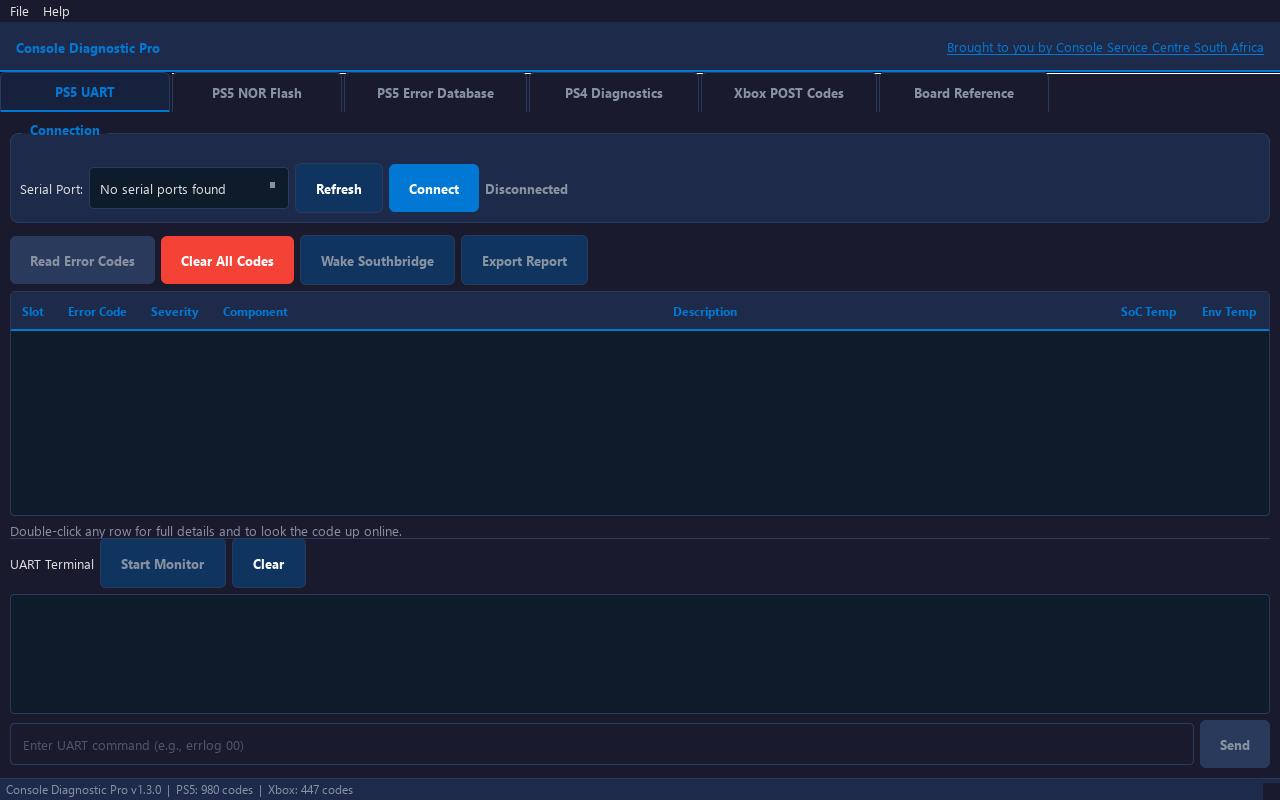
Installing it
- Make a folder for it, for example
C:\Console Diagnostic Pro, and put the .exe in there. The app saves its error code files next to itself, so it is tidier in its own folder. - The app is not code-signed yet, so Windows SmartScreen will show a blue box saying “Windows protected your PC”. That is normal for a small free app without a paid signing certificate. Click More info, then Run anyway.
- Be online the first time you open it. It downloads the latest error code lists, then refreshes them every time it starts.
SHA256 checksum, if you want to confirm the file:
1c28877148e637f80d33695737e80180794fcbd163bf7c82c474ee72f65bd688What it does
PS5 UART
Read and clear the error codes a PS5 stores, through a 3.3V USB-to-TTL adapter at 115200 baud. Each code comes with a description, severity, the likely component, and the SoC and ambient temperatures. You can export the results as a report.
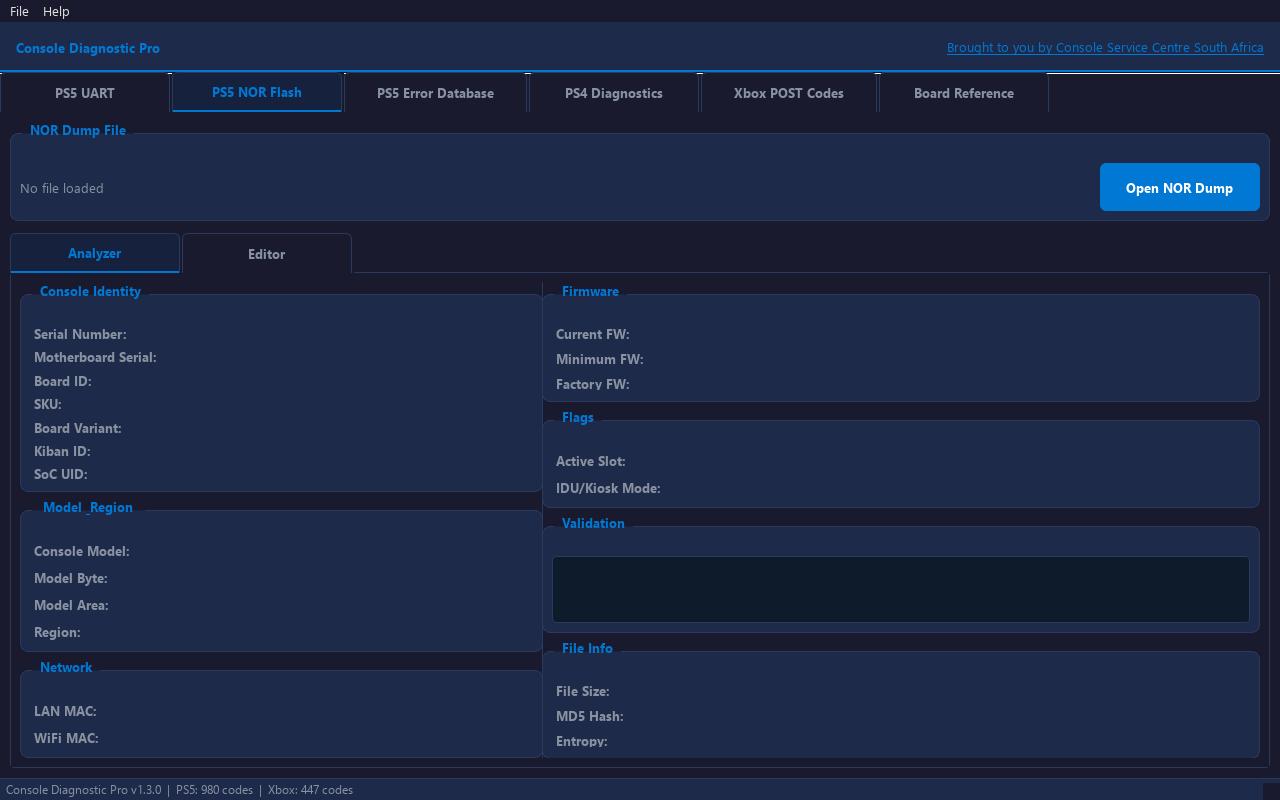
PS5 NOR Flash
Open a 2MB PS5 NOR dump to see the model, serial, MAC addresses and flags. Editing is possible. Always keep a backup of the original dump, because a bad write can leave the console unable to start.
PS5 Error Database
Search nearly 1,000 known PS5 error codes by code, keyword, component or severity, without a console connected.
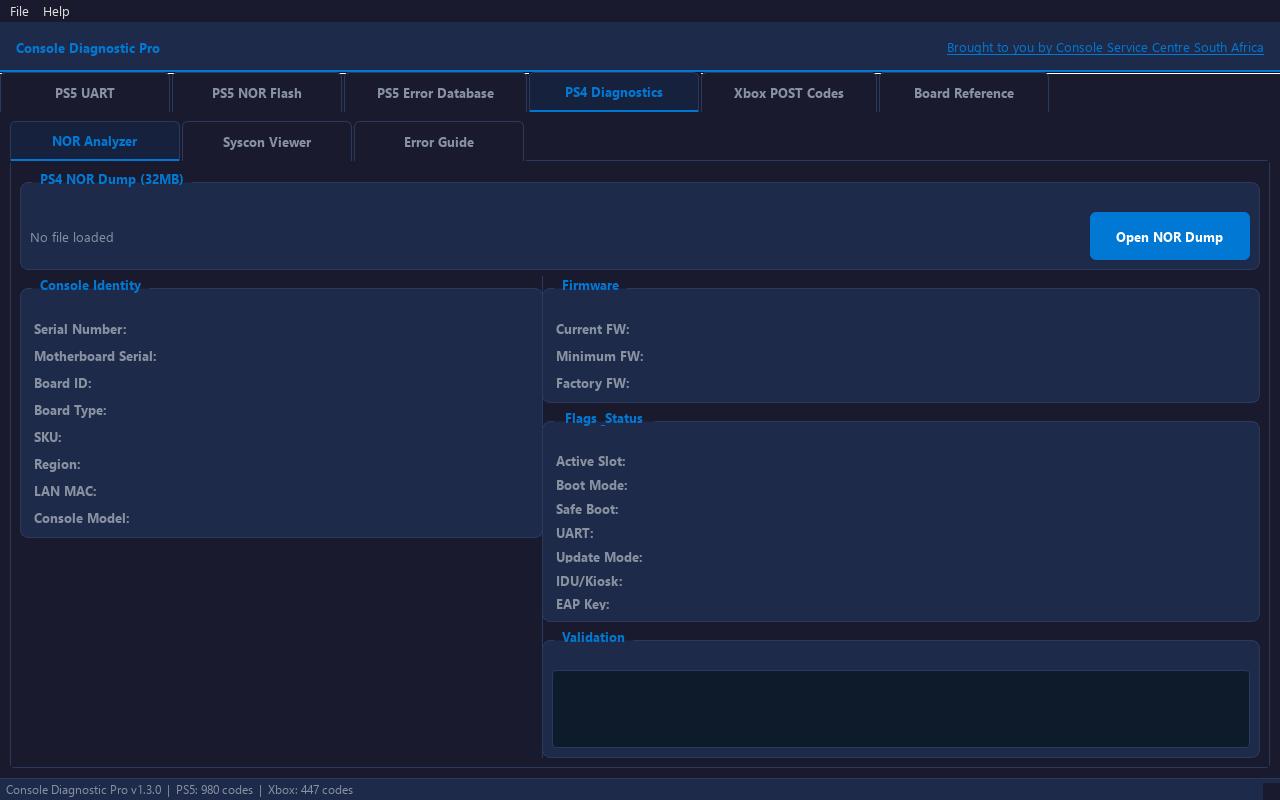
PS4 Diagnostics
Read PS4 syscon and NOR dumps made with Teensy or Arduino syscon readers and SPIway.
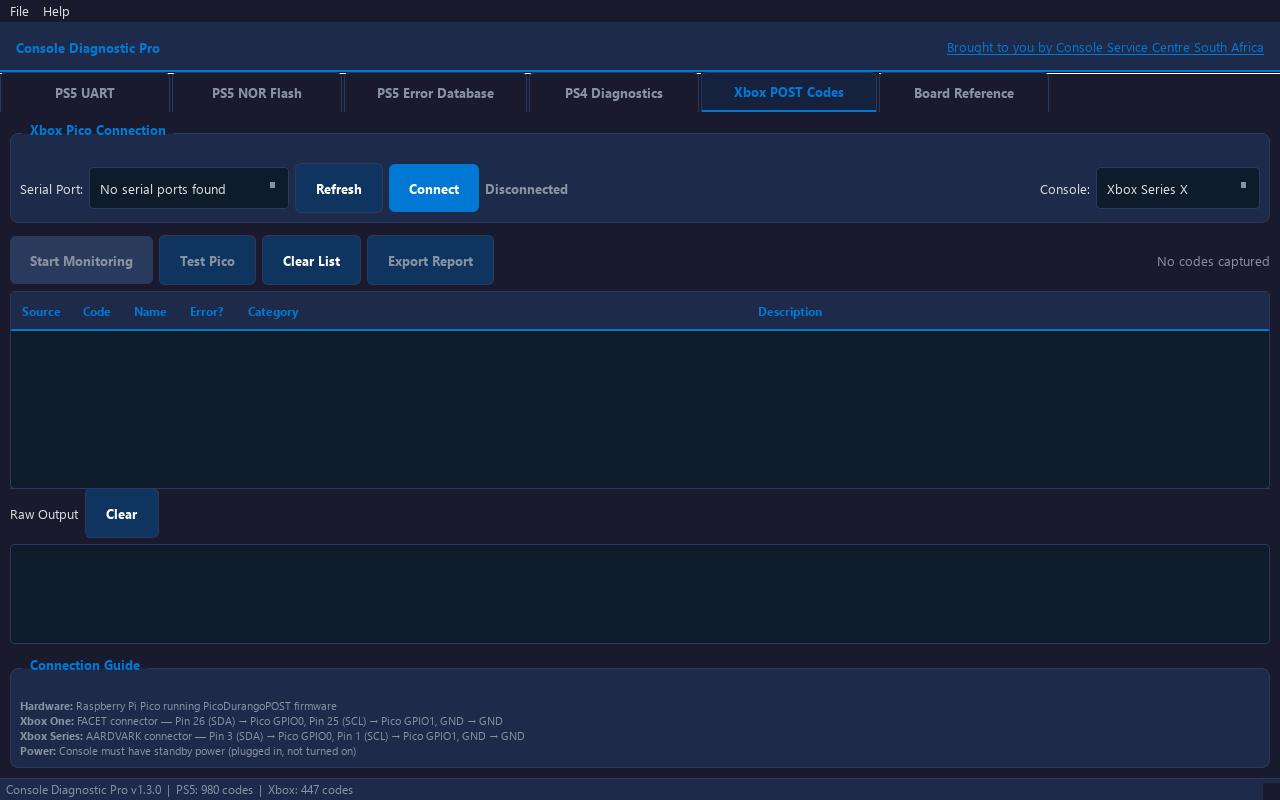
Xbox POST Codes
Watch POST codes live on Xbox One, One S, One X, Series S and Series X, using a Raspberry Pi Pico running the free PicoDurangoPOST firmware. Hundreds of known Xbox codes are decoded as they come in.
Board Reference
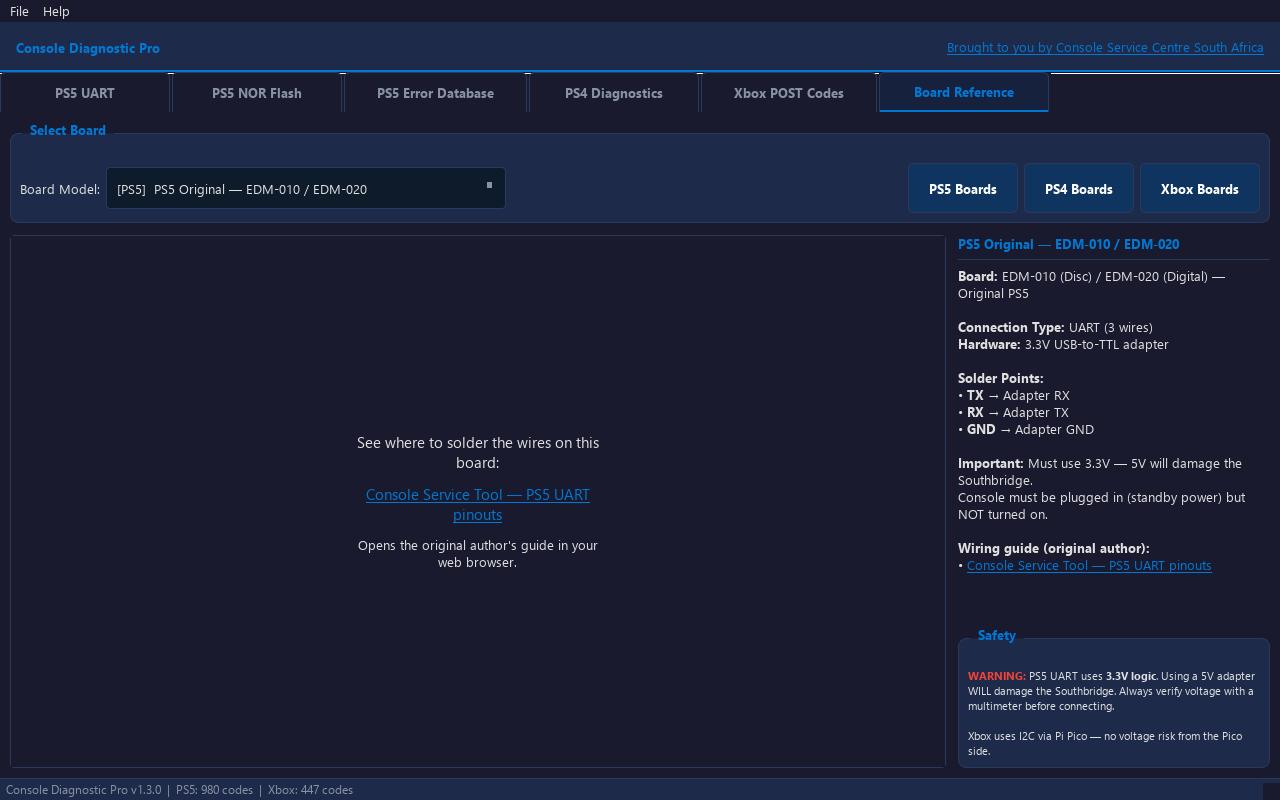
Shows which pads to use on each board: PS5 EDM-010, 020, 030 and 040 to 044, PS4 Fat, Slim and Pro syscon and NOR, and Xbox FACET and AARDVARK. Each entry links to the original wiring guide.
What you need
- PS5: A 3.3V USB-to-TTL adapter (a CP2102 or FT232 set to 3.3V works) and fine wire.
- PS4: A Teensy 4.1 or Arduino Nano for syscon, and a Teensy for SPIway NOR reads.
- Xbox One / Series: A Raspberry Pi Pico flashed with PicoDurangoPOST.
- All consoles: decent soldering skills.
The PicoDurangoPOST firmware is free: github.com/xboxoneresearch/PicoDurangoPOST.
PS5 UART must be 3.3V. A 5V adapter will damage the southbridge. Check the adapter with a multimeter before you connect it.
This is a tool for technicians and confident DIYers. Opening a console voids any warranty on it, and you do it at your own risk.
How to use it
PS5 and PS4
- Solder your adapter or reader to the board. The Board Reference tab shows the pads and links the wiring guide.
- Plug the console into the wall so it has standby power. Do not turn it on.
- Pick your COM port in the app and click Connect.
- Click Read Error Codes.
Xbox One and Xbox Series
- Flash the Raspberry Pi Pico with PicoDurangoPOST.
- Wire SDA, SCL and GND from the console to the Pico.
- Plug the console in, select the Pico’s COM port and click Connect.
- Click Start Monitoring and watch the codes as they come in.
Credits
The error codes are downloaded when the app starts, from these sources. Thanks to everyone who built them:
- uartcodes.com (TheCod3r)
- Console Service Tool (amoamare)
- PSDevWiki (GFDL 1.2)
- PS5 Error Codes (Liam’s Electronics Lab)
- errors.xboxresearch.com (MIT)
Wiring diagrams belong to their authors. The app links to them and does not include them.
Disclaimer
Console Diagnostic Pro is free to use and provided as-is, without warranty. Soldering to a console and writing a NOR dump are at your own risk.
Rather have us do it?
If you are in South Africa, we repair PS4, PS5, Xbox One and Xbox Series consoles. WhatsApp us on 087 550 2307. We respond immediately, 24/7.
WhatsApp 087 550 2307