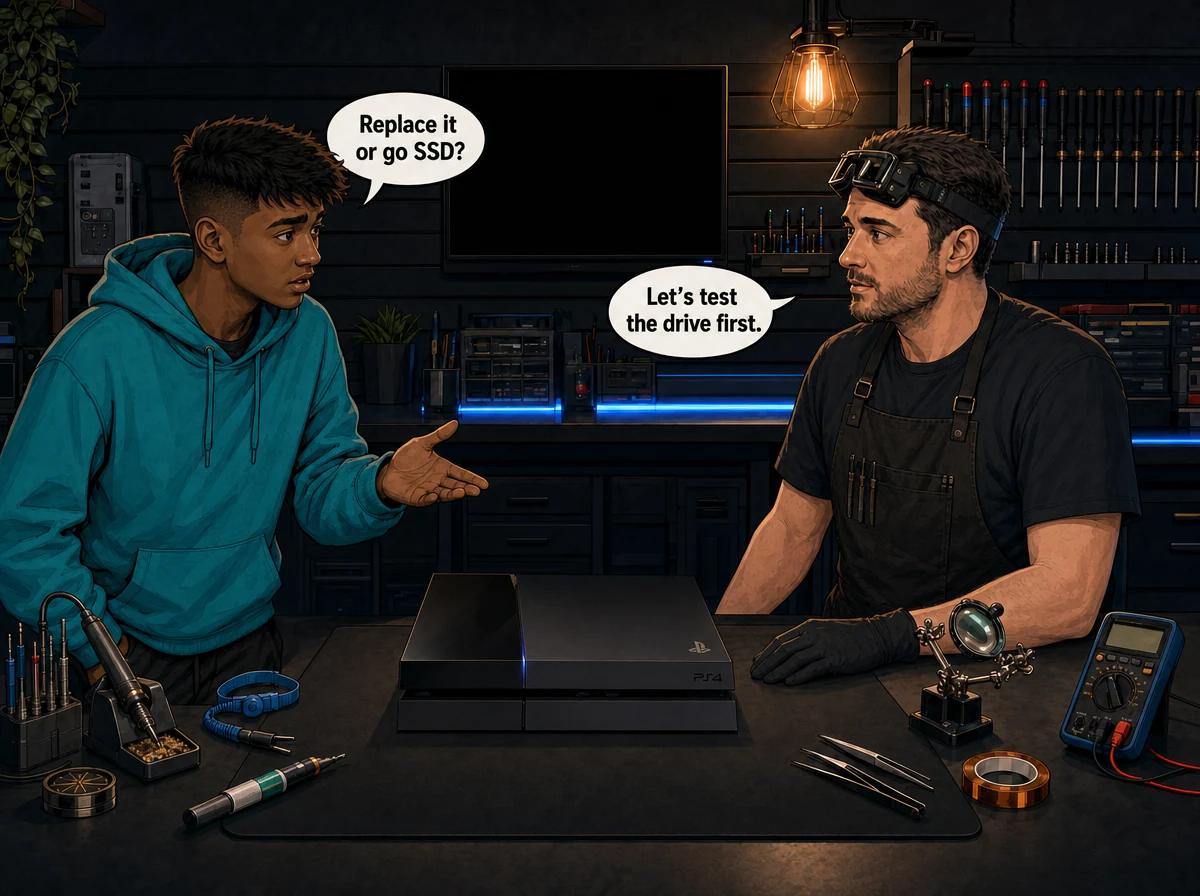
A PS4 hard drive replacement is needed when the internal drive can no longer be read reliably. The usual signs are freezing, menus that take ages to open, "database corrupted" warnings, games that fail to install, or a Safe Mode screen saying the console cannot access system storage. Every PS4 (Original, Slim and Pro) uses a 2.5-inch SATA drive, so a failed drive can be swapped for a new hard drive, and some owners fit a solid-state drive (SSD) themselves. Either way, the PS4 system software must be reinstalled from a USB stick and the console starts blank, so back up your saves first. Console Service Centre in Boksburg, South Africa tests the drive, reloads the software or fits a new standard 1TB hard drive, and checks the console before it goes home.
Is Your PS4 Hard Drive Failing, or Just Full?
These are two different problems, and they need different fixes. A full drive is healthy. It just has no room left. A failing drive is wearing out, and it will usually get worse.
Signs the drive is simply full
- The PS4 warns that there is not enough free space when you download a game or an update.
- Updates will not install until you delete something.
- Everything else works normally. Games load, menus open, nothing freezes.
If that sounds like your console, nothing is broken. You need more space, and we cover your options further down.
Signs the drive is failing
A hard drive has spinning platters and a moving read head. When those parts wear, the drive takes longer to find data, and sometimes it cannot find it at all. On a PS4 that shows up as:
- Freezing in menus or mid-game, often at the same point each time.
- Very slow home screen, where tiles take a long time to appear or the library will not load.
- "Database corrupted" or "cannot start the application" messages that keep coming back.
- Game installs or updates that stop partway and fail over and over.
- Clicking, ticking or grinding from inside the console that was not there before.
- The console boots into Safe Mode by itself, or a database rebuild runs for a very long time and never finishes.
- "Cannot access system storage" on a Safe Mode screen, asking for a USB device with the update file.
One of these on its own is not proof. A single corrupted database can come from one bad power cut, and a rebuild sorts it out. A pattern of several signs that keep coming back points to the drive.
Quick fact: Every PS4 model, from the original CUH-1000 to the PS4 Pro, stores its games and system software on a 2.5-inch SATA drive inside the console. That is why a failed PS4 drive can be replaced or upgraded, unlike the PS5's soldered built-in storage.
What "Cannot Access System Storage" Means
You will usually see it on a Safe Mode screen. It says the PS4 cannot access system storage and asks you to connect a USB storage device containing the update file for reinstallation. In plain English, the console cannot read a working copy of its system software from the internal drive.
That can happen for three main reasons:
- The system software on the drive is corrupted, but the drive itself is fine. Reinstalling the software can fix this.
- The drive is failing and cannot be read reliably. A reinstall may fail, freeze at a percentage, or work for a while before the message returns.
- The drive is blank or newly fitted. This is normal after a drive swap. The console is waiting for you to install the system software.
The trouble is that the first two look the same on screen. That is why we test the drive before deciding anything. Replacing a healthy drive wastes your money. Reinstalling software onto a dying drive wastes your time, because the fault comes back.
For more on the Safe Mode menu itself, see our guide to a PS4 stuck in Safe Mode.
Quick Checks to Try Before Replacing the Drive
None of these steps involve opening the console. They are all safe, and they rule out the easy causes first.
How to troubleshoot PS4 storage problems at home
- Fully power the console off. Hold the power button on the front for about seven seconds, until it beeps a second time. Letting go at the first beep only puts it into rest mode. Wait for the light to go out, then pull the power cable from the wall for a minute. Rest mode is not off.
- Check your free space. Go to Settings, then Storage, then System Storage. If the bar is nearly full, the slowness may just be a full drive.
- Update the system software. Go to Settings, then System Software Update, and install anything pending.
- Rebuild the database. Start the console in Safe Mode (hold the power button until the second beep, connect your controller with a USB cable, then press the PS button). Choose Rebuild Database. This tidies the drive's index without deleting your games. Our PS4 database corrupted guide explains it in more detail.
- Back up your saves straight away. If the drive is failing, every boot is a risk. See the backup section below before you try anything bigger.
If the database rebuild finishes and the problems go away for good, the drive was probably fine. If the rebuild stalls, takes far longer than it should, or the same faults return within days, the drive is the likely cause.
One thing not to do: do not keep running Initialise PS4 over and over on a drive that keeps failing. Each full reinstall wipes the console. If the drive is dying, the wipe gains you nothing and you lose whatever save data was still readable.
Back Up Your Saves Before Anything Else
Whether you replace the drive or upgrade to an SSD, the console will start blank afterwards. Sony's own support pages warn that reinstalling the system software deletes all the data on the console. So the order of work matters.
What you can back up
- Save data to PS Plus cloud storage. If you have PlayStation Plus, go to Settings, then Application Saved Data Management, then Saved Data in System Storage, and upload to online storage.
- Save data to a USB stick. The same menu lets you copy saves to a USB drive.
- A full backup. Settings, then System, then Back Up and Restore copies your data to a USB drive. This needs enough free space on the USB drive, and a struggling hard drive may not finish it.
What comes back on its own
- Digital games you bought on the PlayStation Store are tied to your account. You can download them again from your library.
- Trophies that have synced to PSN stay on your account.
What may not come back
- Save data that was never backed up. If the old drive cannot be read, those saves are usually gone. Some games keep progress on their own servers, but many do not.
- Captures and screenshots stored only on the console.
This is the most important point in this guide: back up at the first sign of trouble, not after the drive dies. A drive that is slow today can be unreadable next week.
Your Options: Replace, Upgrade to an SSD, or Add External Storage
Once you know what is going on, there are three routes. Which one is right depends on whether the drive is failing or just full.
Option 1: Replace the failing drive with a new hard drive
This is the straightforward fix. A new 2.5-inch hard drive goes in, the system software is reinstalled, and the console works like it did when it was new. At our workshop that means a new standard 1TB hard drive, which is also more room than the 500GB drive many PS4 models shipped with.
Good for: getting a dead or dying PS4 working again, and the route we take in the workshop.
Option 2: Fit an SSD yourself
An SSD (solid-state drive) stores data on flash memory instead of spinning platters. It has no moving parts, so there is no read head to wear out, and it is silent. On a PS4 it makes the home screen, menus and loading screens noticeably quicker.
Good for: confident DIY owners who play a lot and want a quicker console. We do not fit SSDs in the workshop, so this is a job you would do yourself.
Option 3: Add USB extended storage (only if the drive is healthy)
If the internal drive is fine and simply full, you can add an external USB drive as extended storage. According to PlayStation's support page, the drive must be between 250GB and 8TB, connect at USB 3.0 (SuperSpeed) or faster, and plug directly into the console, not through a USB hub. Only one extended storage drive can be active at a time.
There is a catch. Extended storage holds games and add-ons, but save data, themes, screenshots and video clips stay on the internal drive. The system software also lives on the internal drive. So extended storage fixes a full drive, but it does nothing for a failing one. If the internal drive dies, the PS4 still will not start, even with a healthy external drive plugged in.
Quick fact: USB extended storage on a PS4 needs a drive between 250GB and 8TB on a USB 3.0 or faster connection, plugged straight into the console. It stores games and add-ons, but saves, themes and captures always stay on the internal drive.
PS4 Hard Drive vs SSD: Which Should You Choose?
| New hard drive | SSD (DIY fit) | |
|---|---|---|
| How it stores data | Spinning platters and a moving head | Flash memory, no moving parts |
| Menus and loading | Same as the original PS4 experience | Noticeably quicker |
| Noise | Some spinning and seeking noise | Silent |
| Knocks and bumps | Moving parts can be damaged | No moving parts to damage |
| Cost | Lower | Higher |
| Best for | Getting a dead PS4 working again on a budget | Heavy players who want a faster console |
How much faster is an SSD in a PS4?
Faster, but not PS5 fast. The PS4 connects its drive through SATA, and the original PS4 uses the older SATA II standard, which caps how quickly any drive can move data. The PS4 Pro supports the faster SATA III standard, so it gets a little more out of an SSD. The biggest change most people notice is the console feeling snappier: the home screen, the library and menus all respond quicker. Load times in games improve too, but how much depends on the game, because the PS4's processor still has to unpack the data.
We will not give you a percentage or a "loads in X seconds" figure, because it varies from game to game. Be wary of anyone who promises PS5-style instant loading on a PS4. The console was not built for it.
Is an SSD more reliable than a hard drive?
An SSD has no spinning parts, so it cannot suffer the mechanical wear that kills hard drives: a worn read head or a damaged platter from a knock. That makes it a good choice for a console that gets moved around or packed into a bag. It does not make the console bulletproof. Power cuts in the middle of a write can still corrupt the system software on any drive, which is why a surge-protected plug and a proper shutdown still matter.
Our honest recommendation
- You want the drive replaced professionally: a new standard 1TB hard drive, fitted and loaded with the software, is a reliable fix and the drive we fit.
- You are comfortable doing it yourself and want quicker menus: an SSD is a reasonable DIY choice. Follow the software steps below carefully, and remember we do not fit SSDs, so the swap is on you.
- The drive is healthy but full: add USB extended storage and keep the internal drive as it is.
If you are not sure your PS4 is worth the spend, our guide on whether a PS4 is still worth repairing in South Africa works through the numbers.
Reinstalling the PS4 System Software After a Drive Swap
A new drive arrives empty. It has no operating system on it, so the PS4 cannot start until the system software is installed. This is the step that catches most DIY swaps out.
How to reinstall PS4 system software from USB
These steps follow PlayStation's official instructions. They are software steps only.
- Use the full reinstallation file, not the update file. PlayStation's website offers two downloads. The normal update file is for consoles that already have software installed. A blank drive needs the larger reinstallation file.
- Prepare the USB stick on a computer. Format it as FAT32 or exFAT. Create a folder called PS4, and inside it a folder called UPDATE. Use capital letters.
- Save the file as PS4UPDATE.PUP inside the UPDATE folder. If the PS4 does not see the file, the folder or file name is almost always the problem.
- Start the PS4 in Safe Mode. Hold the power button until the second beep, then connect your controller with a USB cable and press the PS button.
- Choose Initialise PS4 (Reinstall System Software) and follow the prompts, choosing to update from the USB storage device.
- Do not switch off during the install. Sony warns that interrupting it can cause damage. If load shedding or a power cut is possible, plug the console into a UPS or wait until the power is stable.
Only ever use the file from PlayStation's own website. Sony warns that unofficial update files can affect warranty and repair services.
Why we advise against doing the drive swap yourself
Sony designed the PS4 drive bay so the drive can be changed, and some owners do it at home. We still recommend leaving it to a workshop, for three reasons:
- Not every drive behaves well in a console. A drive that works in a laptop can still cause slow installs or random errors in a PS4. We fit drives we have tested in consoles.
- The software step trips people up. The wrong file, the wrong folder name or a power cut during the install leaves the PS4 stuck on the same "cannot access system storage" screen.
- Opening a console risks extra damage. Stripped screws, cracked clips and torn cables are things we see every week, and they turn a simple drive job into a bigger repair.
Opening your console yourself risks causing additional damage, such as broken flex cables, stripped screws or damaged connectors that make the repair more expensive. We strongly recommend leaving internal repairs to professionals.
When the Problem Isn't the Hard Drive
Not every storage-looking fault is the drive. When a PS4 comes in with "hard drive" symptoms, we check the drive first, but we also look at what else could cause the same thing:
- Power supply problems. A power supply that drops out under load can make the PS4 shut down mid-write, which corrupts the software again and again. A new drive will not fix that. Our PS4 repair page covers power supply work too.
- Overheating. A PS4 that cooks itself freezes and crashes, which can look like a drive fault. A full service with fresh thermal paste deals with this.
- Repeated power cuts. If the console was mid-update when the power went, the software can be corrupted while the drive is perfectly healthy. Our load shedding protection guide covers how to stop this happening again.
- Board-level faults. Less common, but a fault on the main board can stop the PS4 seeing its drive. This needs proper diagnosis on the bench.
Testing first saves you paying for a part you did not need.
For the wider picture across PlayStation and Xbox, our console hard drive problems guide covers the general warning signs and causes.
PS4 Hard Drive Replacement Cost in South Africa
Here is what the work costs at our Boksburg workshop. Prices are the same across the PS4 Original, Slim and Pro, and they come straight from our live price list.
- Hard drive repair and software reload (when the drive tests healthy and the system software needs reloading): R1,249
- New 1TB hard drive fitted, with software reload: R1,899
Both include testing the console before it goes back to you. If you decide not to go ahead after diagnosis, or the console turns out to be unrepairable, a R599 bench fee applies. Most repairs are done in 4-6 working days. If there is a second fault behind the storage problem, such as a power supply or board issue, it can take a little longer and we will tell you before doing extra work.
If you would rather do the job yourself, browse our online parts shop for console repair parts.
Not sure if it's the drive? WhatsApp us at 087 550 2307. We respond immediately, 24/7. Tell us what the console is doing and what you see on screen, and we will tell you what it is likely to be before you send it in.
What Happens When You Bring Your PS4 to Us
Here is what to expect so there are no surprises:
- Book in or courier it. Drop the console at our workshop in Witfield, Boksburg, or use our nationwide courier collection from anywhere in South Africa.
- We test the drive and the console. We check whether the drive is failing, whether the software is corrupted, and whether anything else (power supply, heat, board) is involved.
- You get a clear answer. We tell you what we found and what we recommend, a software reload or a new standard 1TB hard drive, before we do the work.
- We fit the drive and reinstall the software. The console gets the current official PS4 system software.
- We test it again. It boots, signs in, installs and runs before it leaves.
- You sign in and download your games. Your digital library and synced trophies are on your account. Restore your backed-up saves from PS Plus or USB.
Tell us about your saves when you book in. If there is save data you have not backed up, say so before any work starts. Whether anything can still be read depends on how badly the old drive has failed, and we would rather know up front.
How to Keep Your PS4 Drive Healthy
A few habits make a real difference, whether you have the original drive or a new one:
- Shut down properly. Use the power menu, and let the light go out before you unplug. Pulling the plug mid-write is a common cause of corrupted software.
- Protect against power cuts. Load shedding and storm surges are hard on any console. A surge-protected plug helps, and a small UPS lets the console shut down cleanly during an outage.
- Keep it cool. Give the console space around its vents and keep it off carpets and out of closed cabinets. Heat shortens the life of everything inside.
- Keep some free space. A drive packed to the last gigabyte makes updates and installs fail. Delete games you have finished.
- Back up saves regularly. PS Plus cloud storage or a USB stick. It takes minutes and saves heartbreak.
Frequently Asked Questions
How do I know if my PS4 hard drive is failing?
Look for a pattern: freezing, very slow menus, "database corrupted" warnings that keep returning, game installs that fail partway, clicking noises, or Safe Mode saying it cannot access system storage. A single glitch after a power cut is often just corrupted data. Repeated faults usually point to the drive.
How much does a PS4 hard drive replacement cost in South Africa?
At Console Service Centre, the price depends on whether the drive only needs a software reload or a new standard 1TB hard drive fitted, and it is the same across the PS4 Original, Slim and Pro. Both live prices are listed in the cost section above, and each one includes reloading the system software. A R599 bench fee applies only if you decline the repair or the console cannot be repaired.
Will I lose my games and saves if the hard drive is replaced?
The new drive starts blank. Digital games can be downloaded again from your PlayStation account, and synced trophies stay on your account. Save data only comes back if you backed it up to PS Plus cloud storage or a USB stick, so back up as soon as you notice problems.
Is an SSD upgrade worth it on a PS4?
For a console you use daily, it can be, if you are happy to fit it yourself. Menus and loading screens get noticeably quicker and there are no moving parts to wear out. It will not make a PS4 load like a PS5, because the console's SATA connection and processor still limit it. We do not fit SSDs; the drive we fit is a new standard 1TB hard drive.
Can I just use an external hard drive instead?
Only if your internal drive is healthy and just full. USB extended storage holds games and add-ons, but the system software, saves, themes and captures stay on the internal drive. If the internal drive is failing, the PS4 will not start properly no matter what is plugged into the USB port.
What does "Cannot access system storage" mean on a PS4?
It means the PS4 cannot read a working copy of its system software from the internal drive. The cause can be corrupted software on a healthy drive, a failing drive, or a new blank drive waiting for its first install. A reinstall from USB fixes the first and third cases. A failing drive needs replacing.
How long does a PS4 hard drive replacement take?
Most repairs at our workshop are done in 4-6 working days, plus courier transit each way if you send the console in. If testing finds another fault behind the storage problem, it can take a little longer, and we will let you know first.
Get Your PS4 Storage Sorted
Here's why Console Service Centre is a good choice for your PS4:
- Console repair specialists since 2011
- Thousands of consoles repaired. PS4 hard drive replacements are routine work for us.
- 1,374+ Google reviews at 4.9 stars — the world's most-reviewed dedicated gaming-console repair specialist on Google from real Google reviews
- PlayStation and Xbox specialists. We don't do phones or general electronics.
- 6-month money-back warranty. If the same issue returns, we fix it free.
Ready to Get Your PS4 Working Again?
WhatsApp us: 087 550 2307. We respond immediately, 24/7.
Visit us: 6 Bester Street, Witfield, Boksburg. Monday to Thursday 08:00 – 16:00, Friday and Saturday 08:00 – 13:00, closed Sunday.
Can't get to us? We offer nationwide courier repairs. Ship your PS4 to us via The Courier Guy, we'll fix it and send it back.
See all our PlayStation 4 work on the PS4 repair services page, and if you have moved up to a PS5, our PS5 SSD upgrade guide covers adding storage there.
Topics Covered
About the Author

Shaun Potgieter
Founder & Head Technician
Expert console technician with 15+ years of hands-on repair experience.