
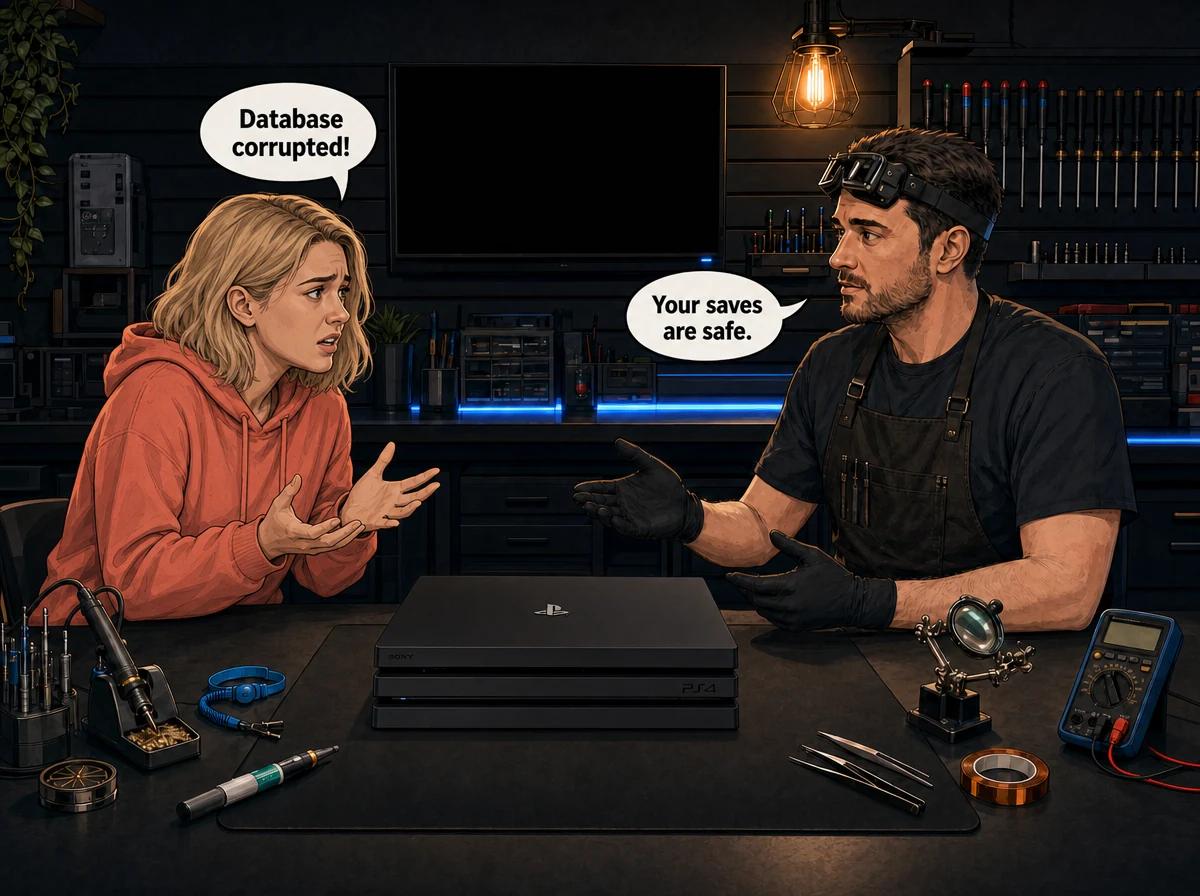
The power drops mid-game, and when it comes back your PS4 boots to a grey screen that says the database is corrupted. Your stomach sinks. Every save, every downloaded game, every hour of progress — is it all gone?
Almost always, no. A corrupted database is one of the most common — and most recoverable — things we see on the bench. It looks catastrophic, but in the majority of cases your data is sitting safely on the drive. The console just can't read its own index of what's there.
A corrupted PS4 database happens when the console loses power while it is writing to the hard drive — exactly what a power cut or load shedding does. The database is the index the PS4 uses to track your games, saves and apps; when a write is interrupted, that index is left half-finished and the console refuses to load it. Your actual files are usually untouched. The fix in most cases is Rebuild Database from Safe Mode, which scans the drive and builds a fresh index without deleting anything. When a rebuild fails, the more likely cause is a physically failing hard drive, and Console Service Centre in Boksburg tests the drive and recovers the data professionally.
What "database corrupted" actually means
Your PS4 keeps a database — think of it as the console's card catalogue. It lists where every game, update, screenshot and save file lives on the hard drive. You never see this database directly, but the PS4 reads it every time it starts up so it can show you your library and your saved games.
When you turn the console on and it displays a message that the database is corrupted, it is not saying your files are gone. It is saying the card catalogue is damaged and it can't trust the listing. So it stops, rather than risk loading the wrong data.
This is an important distinction, because the fear that "corrupted" means "erased" is what drives people to panic. In reality, the games and saves are still written to the drive. The console has simply lost its map of where they are. Rebuilding the database redraws that map.
Why load shedding and power cuts cause this
South Africa's load shedding makes this fault far more common here than almost anywhere else. Every time the power drops without warning, any console that was mid-write gets an unsafe shutdown.
A PS4 writes to its hard drive constantly — while you play, while it installs updates in the background, and especially while it saves your progress. If the power cuts at the exact moment it is updating the database, the write is left incomplete. That half-written index is what the console flags as corrupted on the next boot.
Rest mode makes this worse. Many people leave their PS4 in rest mode so games download and update overnight. If load shedding hits during that window, the console is often busy writing large amounts of data — the worst possible time to lose power. This is why so many database-corruption cases show up the morning after a scheduled slot.
Mechanical hard drives are also just physically vulnerable to sudden power loss. The PS4's standard drive has spinning platters and a moving read/write head. Cutting power while the head is active can, over time, create bad sectors — small unreadable patches on the disk. A single corrupted database usually rebuilds fine. A drive that has taken dozens of hard power cuts over the years is the one that eventually won't.
If you want the fuller picture of what unstable power does to a console, we cover it in our guide to diagnosing load-shedding console damage.
What to try first (the safe quick wins)
Before anything drastic, work through these. None of them involve opening the console, and none of them risk your data.
- Turn the PS4 fully off, not to rest mode. Hold the power button until it beeps twice and shuts down completely. Wait about thirty seconds.
- Check your power connection. Make sure the figure-8 power cable is firmly seated at both ends and the plug point is turned on. A loose cable can mimic a deeper fault.
- Unplug for a minute. Pull the power cable out of the wall for a full minute, then reconnect. This clears any stuck power state.
- Boot normally once. Turn it on and let it sit. Sometimes the PS4 detects the issue and offers to rebuild the database on its own — if it does, let it finish and don't interrupt it.
- Don't keep force-restarting. Repeatedly yanking the power while it is trying to recover only adds more unsafe shutdowns. If it is clearly stuck, move on to a proper Safe Mode rebuild below.
If the console reaches the home screen after these steps, back up your saves straight away (see prevention below) — a database that corrupted once can do it again.
How to rebuild the PS4 database in Safe Mode
Rebuild Database is the single most effective fix for this problem, and it is completely safe for your data. It scans the entire drive and creates a clean, fresh database of everything it finds. It does not delete games, apps or saved data.
Here is how to run it:
- Power the PS4 down completely. Hold the power button until you hear a second beep and the light goes off. It must be fully off, not in rest mode.
- Hold the power button to enter Safe Mode. Press and hold the power button again. You'll hear one beep immediately, then a second beep after a few seconds. Release on the second beep.
- Connect a controller with a USB cable. Safe Mode does not accept a wireless connection. Plug the controller in with its charging cable and press the PS button.
- Choose "Rebuild Database." This is option 5 on the Safe Mode menu. It sits below "Restore Default Settings" and above "Initialize PS4." Read the menu carefully before you select anything.
- Let it run without interruption. The rebuild can take anywhere from a few minutes to a couple of hours, depending on how much is stored on the drive. Do not turn the console off while it works — and ideally, run it during a time you know the power is stable.
When it finishes, the PS4 restarts to the home screen. In most cases your games and saves are all still there, exactly as they were. If the console still won't get past the error, that points to something beyond a simple corrupt index — covered further down.
If your console gets stuck partway through the Safe Mode menu instead, our separate guide on a PS4 stuck in Safe Mode walks through that specific problem.
Rebuild Database vs Initialize — don't wipe your own data
This is the part that matters most, so read it carefully. The Safe Mode menu has two options that sound similar but do opposite things:
- Rebuild Database (option 5) re-indexes your drive. It keeps your games and saves. This is the one you want.
- Initialize PS4 (option 6) factory-resets the console. It erases everything — every game, every save, every account. This is the one that actually loses your data.
People in a panic sometimes scroll straight to Initialize because it promises to "fix" the console, and in doing so they delete the very files they were trying to save. If a rebuild doesn't work, the answer is not to jump to Initialize. The answer is to stop and get the drive assessed, because the data may still be recoverable — but only if it hasn't been wiped.
Never choose Initialize PS4 while you still care about the data on the drive. Once it runs, the saves are gone in a way that even a professional cannot undo.
When a rebuild doesn't fix it
If you've run Rebuild Database and the console still shows the error, loops on boot, or the rebuild itself fails partway, the problem has moved from software to hardware. A few things could be going on:
- The hard drive is failing. Years of hard power cuts create bad sectors. When the rebuild tries to read a bad patch, it stalls or fails. This is the most common reason a rebuild won't complete.
- The drive has loose or worn connections. The SATA connector or the drive caddy can work loose, especially in a console that has been moved around.
- There's a deeper corruption on the system partition. Occasionally the damage reaches the PS4's own operating files, not just your data.
At this point the safe move is to have the drive read on dedicated equipment, where the data can be pulled off before anything is reformatted. This is exactly the kind of case where DIY makes things worse: reformatting, reinstalling or initialising to "start fresh" destroys the recoverable data for good.
A failing drive doesn't have to mean lost data. In most cases we can clone or read the old drive, recover your saves and content, and reload everything onto a healthy replacement drive. The console comes back working, with your data intact.
For the broader symptoms of a drive on its way out — slow loading, freezing, corrupted downloads — see our guide to console hard drive problems and how to fix them.
When to get professional help
Send it to us — or bring it in — if any of these are true:
- Rebuild Database fails or the rebuild itself freezes.
- The console loops on the corrupted-database message no matter what you do.
- You hear clicking or grinding from inside (a classic dying-drive sound).
- The PS4 was already overheating or shutting down before the database error appeared.
- The data on the drive matters to you and you're not confident about the steps above.
That last point is the honest one. If the saves are precious, the cheapest insurance is to not experiment. Every reinstall or initialise attempt reduces what we can recover.
When your PS4 reaches our bench, we test the drive itself, not just the software. If the index is the only problem, a hard drive repair and software reload sorts it out (priced in the FAQ below). If the drive is physically failing, we recover what's on it and fit a new standard 1TB hard drive. The replacement and full reload is R1,899.
If the corruption traces back to overheating — a console that was already running hot and crashing before this started — a full service to clean and re-paste it is R1,249, and it stops the shutdowns that keep triggering unsafe writes.
Not sure what's wrong? WhatsApp us at 087 550 2307 — we respond immediately, 24/7, and can usually tell you whether you're looking at a quick rebuild or a drive problem from your description alone.
Opening your console yourself risks causing additional damage — broken flex cables, stripped screws or damaged connectors that make the repair more expensive. We strongly recommend leaving internal work and drive recovery to professionals.
How to protect your PS4 from load shedding
You can't stop the power going out, but you can stop it from wrecking your console. These are the habits worth building in South Africa.
- Shut down properly before a scheduled slot. If you know load shedding is coming, turn the PS4 fully off — not rest mode — a few minutes before. A console that's off can't have a write interrupted.
- Avoid overnight downloads during load-shedding weeks. Rest-mode downloads are convenient, but they leave the console writing to the drive at unpredictable times. Rather download while you're awake and the power is on.
- Put it behind a UPS or surge protector. A small home UPS keeps the console alive through the change-over and lets you shut it down cleanly. Even a decent surge protector guards against the spikes that come when power is restored. Both cost a fraction of a new console.
- Back up your saves. PlayStation Plus members get automatic cloud save uploads — turn that on so a copy always lives off the console. You can also copy saved data to a USB stick from the console's saved-data settings. Either way, a corrupted database then costs you nothing but time.
- Keep it cool and ventilated. Overheating and thermal shutdowns cause their own unsafe writes. A console that's clean inside and placed with room to breathe is far less likely to crash mid-save.
Do these and a corrupted database becomes a mild annoyance you rebuild in an afternoon, not an emergency.
Frequently Asked Questions
Does rebuilding the PS4 database delete my games and saves?
No. Rebuild Database (option 5 in Safe Mode) only rebuilds the index the console uses to find your content. It does not touch the games, apps or saved data themselves. The option that deletes everything is Initialize PS4 (option 6) — never choose that if you want to keep your data.
What causes a PS4 database to become corrupted?
The usual cause is an unsafe shutdown — the console losing power while it is writing to the hard drive. In South Africa that most often means load shedding or a power cut, especially while the PS4 is downloading or updating in rest mode. Overheating crashes and a failing hard drive can cause it too.
Can load shedding damage my PS4?
Yes, indirectly. A single power cut usually just corrupts the database, which rebuilds fine. But repeated hard shutdowns over months and years can create bad sectors on a mechanical hard drive and stress the power supply. A UPS or surge protector greatly reduces the risk. We explain the full range of load-shedding damage in our load-shedding console damage guide.
My PS4 won't rebuild the database — what now?
If Rebuild Database fails or freezes, the fault has moved from software to hardware — most often a failing hard drive. Stop trying to reinstall or initialise, because that destroys recoverable data. Have the drive read professionally so your saves can be pulled off before a healthy replacement is fitted.
How do I get my save data back if my PS4 won't turn on at all?
If the console won't boot, you can't back the saves up yourself. If you're a PlayStation Plus member, check whether your saves were already uploaded to the cloud — you can restore them to any PS4. If not, the saves are on the drive, and a professional can usually recover them directly from the drive even when the console itself is dead.
How much does PS4 data recovery cost in South Africa?
It depends on whether the drive is healthy. If only the database is corrupted, a hard drive repair and software reload costs R1,249. If the drive is failing and needs replacing with data recovery, expect the replacement-and-reload figure above. A R599 bench fee applies only if you decide not to go ahead with the repair.
How long does a PS4 database rebuild take?
Anywhere from a few minutes to a couple of hours, depending on how much is stored on the drive and how healthy it is. A near-empty drive rebuilds quickly; a full drive with many games takes far longer. Run it when you know the power will stay on, and never interrupt it partway.
Get your PS4 working again
Here's why Console Service Centre is your best choice:
- Years of hands-on console repair experience — we started back in 2011
- Thousands of consoles repaired — we know what we're doing
- 1,361+ Google reviews with a 4.9-star rating
- PlayStation and Xbox specialists — we don't do phones or general electronics
- 6-month money-back warranty — if the same issue returns, we fix it free
A corrupted database looks like the end of the world and usually isn't. Rebuild it first. If that doesn't work, don't wipe the drive in frustration — let us recover what's on it.
WhatsApp us: 087 550 2307 — we respond immediately, 24/7
Visit us: 6 Bester Street, Witfield, Boksburg
Can't get to us? We offer nationwide courier repairs. Ship your PS4 to us via The Courier Guy, we'll recover your data and send it back working. Simple.
Topics Covered
About the Author

Shaun Potgieter
Founder & Head Technician
Expert console technician with 15+ years of hands-on repair experience.