
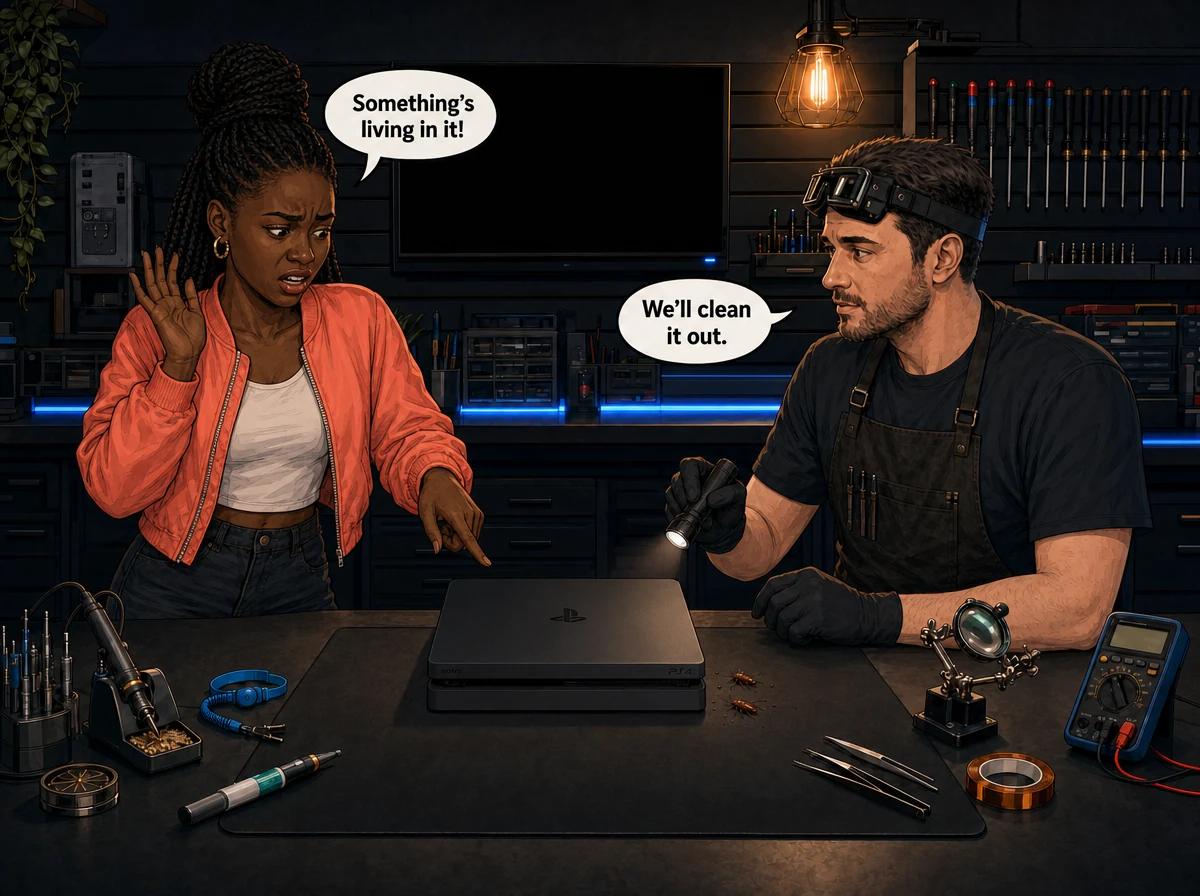
Cockroaches in a PS4, PS5 or Xbox are a real and common problem, especially in warm South African summers. A running console is warm, dark and full of narrow gaps, which is exactly the kind of shelter cockroaches look for. Once they are inside, the damage comes from what they leave behind: droppings, egg cases, shed skins and dead insects collect on the power supply and the main board. That debris can bridge electrical contacts and cause a short, and over time it holds moisture against the board and leads to corrosion. The safe response is to unplug the console, treat the room rather than the console, and never spray insecticide into the vents. Console Service Centre in Boksburg, South Africa strips infested consoles right down, removes the nest and residue, checks the board for damage and reassembles them with fresh thermal material.
If you have seen a cockroach run out of your console's vents, or you have found little black specks around the back of it, you are not the first. Cockroaches in a PS4 are one of the more common things we find when we open a console on the bench, and the PS5 and Xbox families are not immune either. This guide covers how to tell if you have a problem, why it matters, what not to do, and how to stop it happening again.
Why Cockroaches Move Into Consoles
Cockroaches are looking for three things: warmth, shelter and food or water nearby. A console in a TV cabinet ticks the first two boxes very well.
Warmth. Every PS4, PS5 and Xbox Series console has its power supply built inside the case, along with the main processor and its heatsink. Even in rest mode, a console can stay warm for hours. Pest-control guidance from university extension services lists warm electronics, such as computers, cable boxes and routers, as places cockroaches like to hide because of the heat they give off.
Shelter. A console is full of tight, dark spaces. There are gaps between the heatsink fins, around the power supply and under the shielding. A cockroach that can fit through a vent has a protected space to rest, and the insects tend to stay out of sight during the day.
Food and water nearby. The console itself is not food, but a gaming setup often is close to it. Crumbs on the couch, a cooldrink can on the floor and a snack bowl on the TV unit all give cockroaches a reason to stay in the room. If the kitchen is nearby, the problem is usually bigger than the console.
The PS4 is the console most people link with cockroaches. Overseas repair shops have spoken publicly about finding them inside PS4s for years. In our own workshop, the PS4 family is where we see it most often, but we have opened infested PS5s and Xbox consoles too. Any warm console in an infested home is at risk.
Signs of Cockroaches in Your PS4, PS5 or Xbox
You usually do not need to open anything to suspect a problem. These are the signs to look for from the outside.
Insects coming out of the vents
The most obvious sign is seeing a cockroach run out of a vent, often when you turn the console on or when it starts warming up. If you see one, assume there are more inside. Cockroaches rarely live alone.
Small dark specks around the console
Cockroach droppings look like tiny black or dark brown specks, a bit like ground pepper or coffee grounds. Look on the shelf around the console, along the back where the vents are and around the power socket. Smears or dark marks near vent openings are another clue.
A musty or oily smell
A heavy infestation often has a stale, musty smell. Customers sometimes notice it when they lean in to plug a cable in. Our technicians notice it the moment some consoles come out of the box.
Egg cases or shed skins nearby
Cockroach egg cases are small, brown and capsule-shaped. Shed skins look like pale, empty insect shells. Finding either near your console means they are breeding close by.
The console starts acting up
Insects and their debris can cause faults that look like normal hardware failures. Watch for:
- the console refusing to power on, or turning on and off again
- a burning smell or a pop from the console
- random shutdowns during play
- the console running louder or hotter than usual, because debris is blocking airflow
None of these on their own proves you have cockroaches. Combined with insects or droppings nearby, they are a strong hint.
How Insects Damage a Console
Live cockroaches walking around inside a console are mostly a hygiene problem. The real damage comes from what builds up over weeks and months.
Droppings and dead insects can cause short circuits
A console's power supply and main board have many points where different voltages sit very close together. If something conductive lands across two of those points, current can flow where it should not. That is a short circuit.
A dead cockroach lying across contacts on the power supply can do exactly that. So can a build-up of droppings and debris, especially once it has absorbed some moisture from the air. Repair technicians overseas have described cockroaches being electrocuted across power-supply contacts and the console then refusing to boot. We see the same pattern on our bench: a scorched patch, a dead insect and a console that will not start.
A short can damage the power supply, and in worse cases it can damage parts on the main board as well. Sometimes the fault is limited to a small component that can be replaced. Sometimes the damage spreads further.
Residue holds moisture and leads to corrosion
Cockroach droppings and the residue insects leave behind are not dry dust. They hold moisture against the board, and over time that can corrode the copper traces and the legs of small components. Corrosion shows up as green, white or dark crusty deposits.
Corrosion is slow. A console can work for months while it builds up, then fail suddenly when a corroded connection finally breaks. This is why an infested console that still works is still worth having cleaned. The longer the residue sits, the more chance it has to eat into the board.
Nests and debris block airflow
Consoles depend on air moving through the heatsink to stay cool. A nest, egg cases and a layer of droppings and dust in the heatsink fins or around the fan all restrict that airflow. The fan spins harder, the console gets louder and hotter, and over time heat stress adds to the damage.
On a PS5 this matters even more. The PS5 uses liquid metal between the main processor and the heatsink, not thermal paste. It cools very well, but it relies on good airflow across the heatsink to do its job.
Contamination
Cockroaches carry bacteria on their bodies and in their droppings. A console that has had a heavy infestation needs proper cleaning, not just a wipe of the outside, before it goes back into a family lounge.
Why Spraying Insecticide Into the Vents Is a Bad Idea
This is the first thing most people reach for, and it is the one thing we most want you to avoid. Do not spray insecticide into your console's vents.
Here is why:
- Spray is a liquid. Even an aerosol lands as fine droplets. Spraying it into a console puts liquid on the power supply and main board, which is the same kind of risk as a drink spill. If you want to know more about what liquid does inside a console, read our console liquid damage repair guide.
- It leaves a residue. Insecticide sprays are designed to leave a film behind. On a circuit board, that film attracts dust and can hold moisture against components.
- It does not remove the problem. Even if the spray kills the insects inside, the bodies, droppings and egg cases stay where they are. The material that causes shorts and corrosion is still in the console.
- Insects can die in the worst place. A cockroach that is sprayed often runs deeper inside before it dies. You could end up with dead insects lying across the power supply, which is the exact thing that causes a short.
- Product guidance agrees. Pest-control suppliers advise against spraying insecticides on or into electronics, and some bait and dust labels specifically warn against use where there is a risk of electrical shock.
Insecticide dusts and powders are just as bad. They get pulled into the console by the fan and coat everything inside.
Do not try to blast the insects out with a vacuum cleaner nozzle or a hairdryer either. A vacuum can pull small parts loose and build up static. A hairdryer pushes hot air and debris further in.
What to Do If You Find Cockroaches in Your Console
If you have found signs of an infestation, these steps keep the damage as small as possible. None of them involve opening the console.
- Turn the console off and unplug it at the wall. Do not leave it in rest mode. Rest mode keeps parts powered and warm, which keeps the insects comfortable and keeps power on any contacts that debris is bridging.
- Move it away from the infested spot. Take the console off the TV unit or out of the cabinet. Put it somewhere clean, dry and off the floor while you sort out the room.
- Do not open it, spray it or shake it. Shaking a console moves debris around inside. Opening it is risky for the reasons covered below.
- Seal it in a bag if you are sending it in. A large plastic bag, tied closed, stops insects escaping in your car or in the courier box. Pack it in its original box or a strong box with padding around it.
- Treat the room, not the console. Deal with the infestation where it lives. Clean up crumbs and spills, and speak to a pest-control company if the problem is bigger than one corner. Any bait goes in the room, never inside or directly on the console.
- Book a professional strip-clean. WhatsApp us with your console model and what you have found. We will tell you what to expect before you bring it in.
Why You Should Not Open the Console Yourself
We understand the urge to open the console and get the insects out. It is your console and you want it clean. But opening it yourself is where a lot of expensive damage starts.
Opening your console yourself risks causing additional damage: broken flex cables, stripped screws or damaged connectors that make the repair more expensive. We strongly recommend leaving internal repairs to professionals.
There are specific risks with each console family:
- Power supplies are dangerous. Every PS4, PS5 and Xbox Series console, and the Xbox One S and One X, has its power supply inside the case. Console power supplies contain capacitors that can hold a charge of 200 to 400 volts even after the console is unplugged. If they are not discharged properly, they can burn you or worse. Cockroaches like to nest on or around the power supply because it is warm, so it is the exact part you would be reaching for.
- The PS5 uses liquid metal. Liquid metal is electrically conductive. If the heatsink is lifted carelessly, a drop of it landing on the board can short components. Every PS5 model, including the Digital, the Slim and the Pro, uses it.
- The PS5 fan connector breaks easily. One of the most common DIY casualties we see is a PS5 fan connector torn off the main board, ripping the traces with it. Rebuilding those traces is several hours of careful work.
- Flex cables and clips are fragile. Small ribbon cables tear easily, and plastic clips snap. A console that only needed cleaning can end up needing parts.
There is also the warranty question. Opening a console yourself does not automatically void the manufacturer warranty, but any damage you cause during the work is not covered. A professional clean avoids that risk completely.
What you can do safely is clean the outside. Wipe the case with a dry microfibre cloth and keep the vents clear of dust from the outside. Our guide to cleaning your console safely covers exactly what is safe to do at home.
What a Professional Strip-Clean Involves
When a console comes in with insects, we treat it as a full strip-down service with extra cleaning steps. This is the same process as our standard full service, with more attention on the board and the power supply.
Step 1: Inspection before anything is powered on
We do not plug an infested console in to "see if it works". If there is debris across the power supply, powering it on can turn a cleanable console into a damaged one. The first step is a visual inspection.
Step 2: Full disassembly
The console is stripped down to its individual parts: the case panels, the fan, the heatsink, the power supply, the main board and the disc drive where there is one. The insects and nest material are removed as the console comes apart, and sealed away so nothing escapes into the workshop.
Step 3: Covers washed
The plastic covers and panels are washed and dried. This removes droppings, smears and the smell from the outside parts.
Step 4: Board and power supply cleaned
This is the important part. The main board and power supply are cleaned to remove droppings, residue and any corrosion that has started. Anything that looks scorched, corroded or damaged is checked closely under magnification.
Step 5: Fan and heatsink cleaned
The fan blades and housing are cleaned, and the heatsink fins are cleared of nest material and dust so air can move through them again.
Step 6: Thermal material replaced
The old thermal material is removed and fresh material is applied. PS4 and Xbox consoles get a high-quality thermal paste that has been tested on console chips. Every PS5 model gets fresh liquid metal, applied with the care that liquid metal needs.
Step 7: Reassembly and testing
The console is reassembled with correct cable routing and tested to make sure it powers on, runs properly and stays cool.
If we find damage during the clean, such as a shorted power supply or corrosion that has broken a connection, we stop and contact you with what we found and what the repair involves before doing anything more. Nothing extra is done without your go-ahead.
Strip-clean pricing
A cockroach clean is carried out as our full service. Current full service prices:
- PS4: R1,249
- PS5: R1,249
- Xbox One: R1,249
- Xbox Series: R1,249
If insects have already caused a fault, such as a power supply that no longer works, that repair is quoted separately once we have inspected the console. A R599 bench fee only applies if you decline the repair or the console cannot be fixed.
Most repairs are done in 5-8 working days. Board-level damage can take a little longer.
Not sure if your console is affected? WhatsApp us at 087 550 2307. We respond immediately, 24/7, and can tell you what to expect from a description and a photo of what you have found.
Can a Console With Cockroach Damage Be Fixed?
Usually, yes. Most infested consoles we see are caught before the damage is serious, and a thorough strip-clean is all they need.
When there is damage, it tends to fall into a few groups:
- Debris only, no damage. The console still works and the board is clean under the debris. A full service sorts it out.
- Power supply damage. A short across the power supply is one of the more common results. The power supply can often be repaired or replaced. Our power supply repair page explains what that involves.
- Corrosion on the main board. Light corrosion can usually be cleaned off. Where it has eaten through a trace or the leg of a component, board-level work is needed to rebuild the connection or replace the part. See our board-level repair page for more.
- Heat-related damage. If a nest has blocked airflow for a long time, the console may have been running hot. That is covered by a full service in most cases, and our overheating repair page explains the signs.
The earlier you deal with it, the better your chances. A console that is still working but full of droppings is far easier and cheaper to fix than one that has shorted out.
How to Prevent Cockroaches Getting Into Your Console
Prevention is mostly about the room, not the console. These steps make your gaming setup far less attractive to insects.
- Keep food and drinks away from the setup. Crumbs and sticky spills near the console are what keep cockroaches in the room. Clean up after gaming sessions, especially snacks eaten on the couch.
- Keep the console off the floor. Put it on a shelf or TV unit, not on the carpet or tiles. Cockroaches travel along floors and walls, so height helps.
- Give it open space, not a closed cabinet. A console in a closed, dark cabinet is warmer and more sheltered, which suits insects. An open shelf with space around the vents is better for cooling too.
- Turn it off fully if you are going away. A console in rest mode stays warm. If you are going on holiday or will not be gaming for a while, turn it off properly and unplug it.
- Wipe and dust around it regularly. A quick weekly clean around the console lets you spot droppings early, before there is a nest inside.
- Deal with infestations in the house quickly. If you see cockroaches in the kitchen or bathroom, act on it. Bait in the room is far better than waiting for them to move into the electronics. Keep any bait away from the console and its vents.
- Check second-hand consoles before they come home. Look at the vents and the box for droppings or egg cases. If in doubt, have it cleaned before it goes next to your TV.
A note for South African summers
Cockroaches are more active in warm, humid weather, and summer in much of South Africa gives them exactly that. December holidays also tend to mean longer gaming sessions and more snacks in the lounge. If you are heading into the festive season, it is a good time to check around your console and give the room a proper clean.
If your console is also running loud or hot, debris may already be building up. A full service clears it out and refreshes the thermal material at the same time.
Frequently Asked Questions
How do I know if there are cockroaches in my PS4?
The most common signs are insects coming out of the vents, small black specks that look like ground pepper around the console, a musty smell and egg cases or shed skins nearby. If the console has also started turning off, refusing to power on or running hotter than usual, insects or their debris could be the cause.
Can cockroaches actually break a PS5 or Xbox?
Yes. Their droppings, egg cases and dead bodies can collect on the power supply and main board. That debris can cause a short circuit, hold moisture against the board and lead to corrosion, and block the airflow the console needs to stay cool. PS4s are the consoles people talk about most, but PS5 and Xbox consoles can be affected too.
Should I spray insecticide into my console?
No. Spray puts liquid and residue onto the circuit board, does not remove the droppings and bodies that cause the damage, and can drive insects deeper inside before they die. Unplug the console, treat the room instead, and have the console professionally cleaned.
How much does it cost to clean cockroaches out of a console?
A cockroach clean is done as our full service, which is priced per console family. Current prices for PS4, PS5, Xbox One and Xbox Series are listed in the strip-clean pricing section above. If insects have already caused a fault, that repair is quoted separately after inspection, and a R599 bench fee only applies if you decline the repair or the console cannot be fixed.
Can I just blow the cockroaches out with compressed air?
We do not recommend it for an infested console. Air from outside can push debris deeper into the power supply and heatsink, and it will not remove droppings that have stuck to the board. Compressed air on the outside of the vents is fine for normal dust, but an infestation needs a full strip-clean.
Is it safe to keep using a console that had cockroaches in it?
If you know there are insects inside, stop using it and unplug it until it has been cleaned. Every time it is powered on, debris across the power supply has a chance to cause a short. A console that still works now can still fail later if the residue is left inside.
Will a strip-clean delete my games and saves?
No. A full service cleans the hardware and does not touch the storage or the system software. Your games, saves and account stay exactly as they were. If we find a fault that could affect the storage, we will tell you before doing anything.
Can you take a cockroach-infested console by courier?
Yes. Seal the console in a tied plastic bag first so nothing escapes, then pack it in a strong box with padding. Our nationwide courier service collects from your door, and we return the console once it is cleaned and tested.
Get Your Console Cleaned Properly
Here's why Console Service Centre is the right place for an infested console:
- Console repair specialists since 2011
- Thousands of consoles repaired. We have opened more cockroach-filled consoles than we would like to count.
- 1,374+ Google reviews at 4.9 stars — the world's most-reviewed dedicated gaming-console repair specialist on Google from real Google reviews
- PlayStation and Xbox specialists. We repair PS4, PS5, Xbox One and Xbox Series consoles.
- 6-month warranty on our workmanship
Ready to Get the Bugs Out?
WhatsApp us: 087 550 2307. We respond immediately, 24/7.
Visit us: 6 Bester Street, Witfield, Boksburg. Open Monday to Thursday 08:00 to 16:00, Friday and Saturday 08:00 to 13:00, closed Sunday.
Can't get to us? We offer nationwide courier repairs. Seal your console in a bag, ship it to us via The Courier Guy, and we will strip it, clean it and send it back.
Topics Covered
About the Author

Shaun Potgieter
Founder & Head Technician
Expert console technician with 15+ years of hands-on repair experience.