
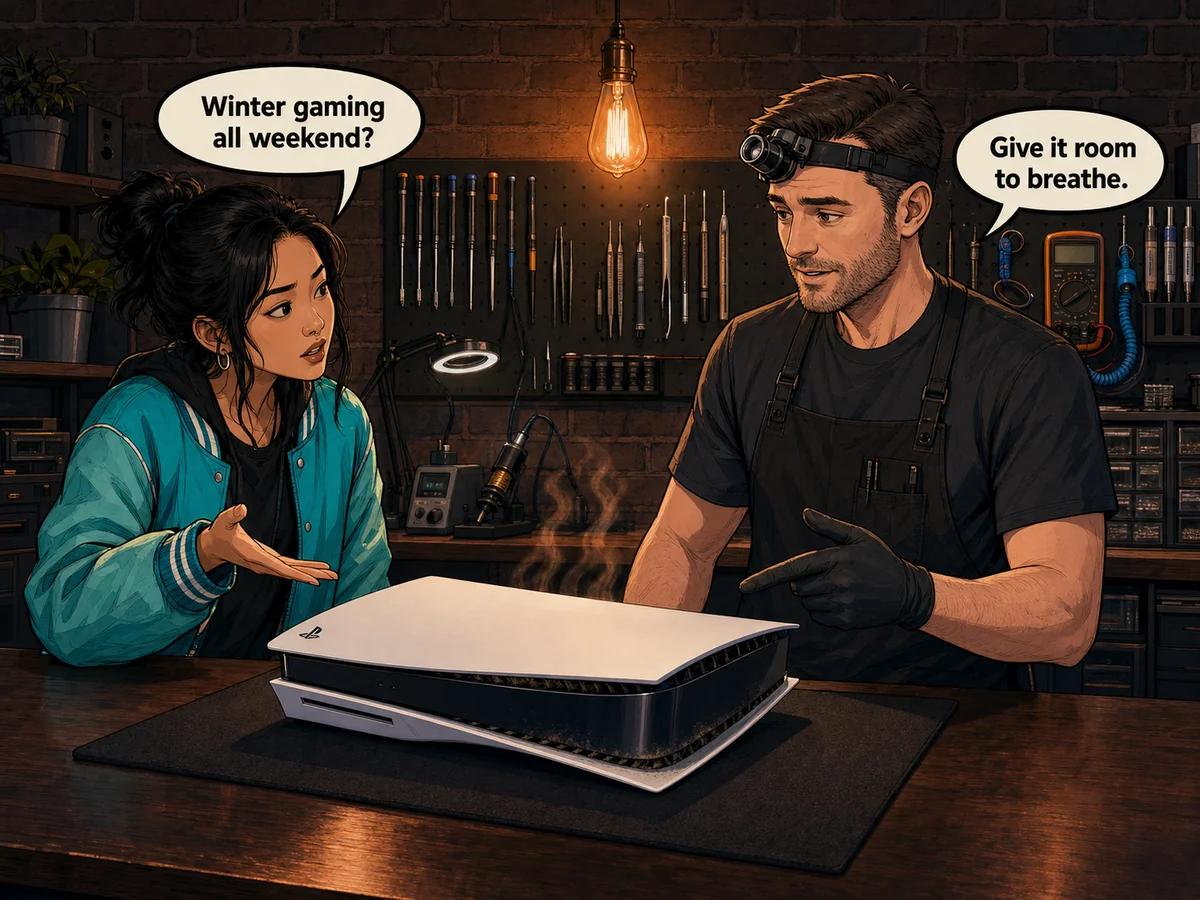
Good console care in winter South Africa is less about cold weather and more about the way our homes change: windows stay closed, heaters warm small rooms, gaming sessions get longer and dust keeps collecting inside airflow paths. Keep the console in open furniture with clear space around every intake and exhaust, remove loose exterior dust only, shut it down correctly before power is interrupted, and stop using it if you notice repeated heat warnings, sudden power loss or a burning smell. Console Service Centre in Boksburg professionally services and diagnoses PS4, PS5, Xbox One and Xbox Series consoles when simple external checks do not solve the problem.
South African winter is prime gaming season. Cold evenings, school holidays and long weekends make it easy to settle in for hours. The room may feel cool, yet the console still produces substantial heat and must move that heat away continuously. A closed window does not cool a machine inside a cramped TV unit. A heater aimed across the room can raise the temperature around its air intake. A blanket, carpet or layer of dust can restrict airflow even when the rest of the house feels chilly.
This guide gives you a practical winter routine that protects your console without asking you to open it. It covers placement, dust, long sessions, power interruptions and the warning signs that deserve a professional inspection.
Why Console Care in Winter South Africa Matters
Winter changes how and where many people play. We close doors and windows to keep warmth in. Portable heaters run nearby. More time indoors means longer gaming sessions. In dry Highveld homes, fine dust can remain a problem throughout the colder months, especially when a console sits low to the floor.
The console's cooling system does not know that it is winter. Its processor, power system and storage still create heat under load. The fan draws room air through the machine and pushes warmed air out. If the intake is obstructed or exhaust air gets trapped and recirculated, the internal temperature rises.
Cold air outside the house therefore tells you very little about the air immediately around the console. The useful questions are:
- Can fresh room air reach every intake?
- Can hot exhaust escape without bouncing off a wall or cabinet?
- Has dust formed a visible layer over the vents?
- Is a heater blowing towards the gaming area?
- Has the fan become louder than it used to be?
- Does the machine shut down only after an extended session?
A console cools by exchanging heat with the air around it. Winter helps only when that air can circulate. A machine enclosed in warm, dusty furniture can overheat on a cold day because it repeatedly draws in its own exhaust instead of cooler room air.
The Five-Minute Winter Console Check
Do this check before a long weekend or school-holiday gaming session. It requires no tools and no access to the inside of the machine.
1. Look around every vent
Turn the console off normally and wait until its lights are fully off. Check the intake and exhaust areas for books, fabric, paper, décor or a cabinet panel that sits too close. Move those obstructions rather than moving the machine while it is running.
For a PS5, Sony recommends keeping the console at least ten centimetres from a wall surface, avoiding long-fibre carpet and cramped spaces, and preventing dust build-up on the vents. That is a useful minimum reference, but the shape of your furniture matters too. If hot air has nowhere to leave, more space is better.
2. Check the surface beneath it
Use a firm, level surface. Thick carpet and soft fabric can restrict low vents and hold dust close to an intake. A stable surface also reduces the chance of the machine being knocked over during a busy weekend.
Do not wrap or cover a running console, even if the room is cold. The case is not meant to be insulated. Keep blankets and curtains away from the airflow path.
3. Inspect the exterior for dust
Use good light and look along the vent openings. A light coating on the outside is a sign that more dust may be present along the airflow path. With the machine shut down and unplugged, wipe the outer case with a clean, dry microfibre cloth. Remove loose surface dust around the vents gently from the outside.
Do not push tools into the vents, pour cleaning liquid onto the case or attempt an internal clean. If dust is packed inside, a professional service is safer than forcing debris deeper into the machine.
4. Check where the heater blows
Warm airflow from a fan heater can enter the console directly. Move the heater or the gaming setup so hot air does not blow across the intake. Keep the console away from fireplaces and heated floors as well.
5. Listen at the start of a game
Every model has its own normal sound, and fan speed changes with load. What matters is a change from the machine's usual behaviour: scraping, rattling, repeated surging, a fan that suddenly becomes much louder, or silence followed by a heat warning.
If the console passes all five checks, you have already removed the most common environmental risks.
How to Set Up Better Winter Ventilation
The best placement gives the console a clear path for cool air in and hot air out. It should not depend on an open door or on someone remembering to move a cabinet panel once the game begins.
Use open furniture
An open shelf is usually better than a closed TV unit. If you use a cabinet, the front and rear must allow air to move freely. A small hole for wires is not an exhaust system. Warm air can accumulate behind the machine and circulate back towards its intake.
Feel the air around the shelf after the console has been working for a while without touching the exhaust itself. If the entire compartment becomes noticeably warm, improve the furniture ventilation or move the machine to an open position.
Keep intake and exhaust paths separate
Do not aim the exhaust towards a nearby wall and assume the air will find its way out. Hot air striking a close surface can spread around the case and return to the intake. Give the exhaust a clear path into the room.
Xbox Series X has a distinctive large top exhaust when upright, so the space above it must remain clear. Xbox Series S has a prominent black circular vent that must not be blocked. PS4 and PS5 families use different case shapes, but the same principle applies: identify all vents and leave them open.
Keep it off the floor when practical
Floors collect dust, pet hair and fibres. A low intake can draw that material in. A raised, firm shelf often stays cleaner, provided it remains stable and well ventilated.
Avoid add-on cooling claims
External cooling products can add noise, obstruct a designed vent path or move very little useful air. Start with the manufacturer's intended airflow: open space, clean exterior vents and a sensible room temperature. If the internal cooling system no longer performs properly, adding another fan outside does not repair the underlying fault.
For a deeper explanation of airflow and heat symptoms, read our console overheating causes and fixes guide.
Manage Longer Winter Gaming Sessions
Long sessions are not automatically harmful. Consoles are designed to run demanding games. Problems appear when a marginal cooling system, blocked vent or failing power component is stressed for hours.
Start with a cool, clear setup
Before the session, clear the shelf and check that no one has placed clothing or a bag beside the machine. If the console has just been moved from a very cold car or storeroom into a heated home, let it reach room temperature before connecting power. Sudden temperature changes can cause condensation, and moisture and powered electronics do not mix.
Use breaks as observation points
You do not need a rigid timer. When you pause for food or change games, notice whether the fan is dramatically louder, the cabinet feels hot, or an unusual smell is developing. Give the console a normal shutdown if you are finished for a while.
Never cool a hot console with a fridge, ice pack, wet cloth or direct blast from a heater set to fan mode. Let it shut down normally and cool in a dry, open space.
Do not ignore repeated shutdowns
A one-off household power interruption is different from a machine that loses power under the same gaming load every time. Repeated shutdowns can point to restricted cooling, a power supply that fails under load or a board-level fault. Continuing until it works again makes the diagnostic pattern less clear and may risk storage corruption.
A shutdown during a demanding game is a symptom, not a cooling strategy. If the same console starts cold and repeatedly loses power after warming up, stop the cycle and have the airflow, thermal system and power delivery tested under load.
Our console freezing diagnosis guide helps distinguish a software freeze from a complete power loss.
Winter Dust and Safe Exterior Cleaning
Dust does not take winter off. Closed rooms can keep fine particles circulating, and heaters may disturb settled dust. The fan then pulls that air through the console.
How to clean the outside safely
- Save your game and shut the console down through its normal menu.
- Wait until all status lights are fully off.
- Disconnect mains power before cleaning the exterior.
- Move the machine to a stable, well-lit surface.
- Wipe the case with a clean, dry microfibre cloth.
- Remove loose dust around exterior vent openings gently without inserting anything.
- Return it to an open, stable position before reconnecting power.
The goal is basic housekeeping, not internal servicing. Do not remove case panels, fan assemblies, seals or power-supply covers. Do not use a high-pressure compressor that may spin a fan violently or drive debris further inside.
When exterior cleaning is not enough
Visible dust deep behind a grille, persistent loud fan noise, heat warnings or shutdowns after the exterior is clean all point beyond surface maintenance. A full service can clear the internal airflow path and renew the correct thermal materials where the model requires it.
Current service prices are loaded directly from the workshop system:
- PS4 full service: R1,249
- PS5 full service: R1,249
- Xbox One full service: R1,249
- Xbox Series full service: R1,249
For the complete workshop process, see what a professional console service includes.
Power Interruptions During Winter Gaming
South Africa has experienced fewer periods of national load shedding recently, but local outages, cable faults, substation trips and household electrical problems still happen. A winter storm or overloaded circuit can also interrupt a session.
The safest habits are simple:
- Use the console's normal shutdown option whenever you have warning of an interruption.
- Wait for the status light to go fully off before disconnecting mains power.
- Use a reputable surge-protection device suited to the equipment.
- Do not begin a major system update when power is clearly unstable.
- After an unexpected cut, wait for supply to stabilise before reconnecting and starting the console.
- If you smell burning, see melted plastic or hear crackling, leave it disconnected.
A surge-protection device helps with voltage spikes, while a suitable uninterruptible power supply may give enough time for a controlled shutdown. They serve different purposes, and neither repairs bad household wiring. If plugs are hot, sockets are loose or breakers trip repeatedly, use a qualified electrician for the building fault.
Power restoration can affect more than the internal power supply. A surge may also travel through connected display equipment and damage the HDMI path. That is why a console that has power but no picture needs a different diagnosis from one that is completely dead.
Read our focused load-shedding console damage diagnosis for symptom-based checks that do not require opening the machine.
Warning Signs That Need Professional Help
Book an assessment when you notice any of the following:
- repeated heat warnings despite open placement;
- sudden shutdowns during demanding games;
- a fan that scrapes, rattles or no longer seems to move air;
- persistent excessive noise after exterior dust is cleared;
- burning, electrical or hot-plastic smells;
- a console that becomes completely unresponsive after a power event;
- no picture after an outage while the console still powers on;
- liquid exposure or visible corrosion;
- repeated database repair messages after power interruptions.
Stop immediately for smoke, sparks, melting or crackling. Disconnect power only if you can do so safely, then leave the machine off. Do not test it repeatedly and do not open the power supply. Internal power sections can retain dangerous charge after disconnection.
At Console Service Centre, diagnosis separates cooling trouble from power, storage, HDMI and motherboard faults. That matters because similar symptoms can have different causes. A machine that goes black may have lost video while remaining powered, or it may have shut down completely. The light, fan, sound and timing tell a more useful story than the word “dead”.
We have specialised in PlayStation and Xbox console repair since 2011 and completed more than 25,000 repairs. Workshop work carries a six-month money-back warranty. If you are outside Gauteng, our nationwide courier collection service brings the console to our Boksburg workshop.
A Practical Winter Console Care Routine
Use this routine through the colder months.
Before every long session
- Confirm that the console sits on a firm, open surface.
- Clear fabric, paper and clutter from all vents.
- Make sure a heater is not aimed at the gaming area.
- Look for visible exterior dust.
- Check that the power connection is firm and undamaged.
Once a week
- Shut down and disconnect power.
- Dust the shelf and the exterior case.
- Look behind the furniture for trapped hot air and dust build-up.
- Listen for a change in fan sound during the next session.
- Check whether shutdowns, freezes or warnings are becoming a pattern.
Before a holiday or marathon weekend
- Install system updates while power is stable.
- Back up important saved data using the console's supported options.
- Give the setup more open space if several people will be gaming in the room.
- Plan proper shutdowns rather than cutting power at the wall socket.
- Arrange a service first if the machine is already loud, dusty or unstable.
This is prevention, not perfection. Electronic components can still fail without warning. The value of a routine is that it removes avoidable heat and power stress while helping you notice a developing fault earlier.
Frequently Asked Questions
Can a console overheat during a South African winter?
Yes. The console generates its own heat, and a closed cabinet can trap exhaust even when the room feels cold. Closed windows, nearby heaters, blocked vents and long sessions can all create a hot local environment around the machine.
How much space should I leave around my console?
Follow the manufacturer's model-specific guidance and keep every vent unobstructed. Sony recommends at least ten centimetres between a PS5 and a wall, plus avoiding cramped spaces and long-fibre carpet. More open space may be needed when furniture traps exhaust.
Should I cover my console when I am not using it?
Only consider a dust cover after the console is fully shut down and completely cool, and always remove it before startup. Never cover a running, resting or still-warm machine because fabric can trap heat and block vents.
Is cold room air bad for a gaming console?
Normal indoor winter temperatures are generally not the problem. A rapid move from a very cold environment into a warm, humid room can create condensation. Let the machine reach room temperature while disconnected before using it.
How often should a console be professionally serviced?
There is no single interval for every home. Dust level, placement, usage and model age all matter. Arrange an inspection when noise increases, dust is visible deep inside, heat warnings appear or shutdowns begin. Preventive service is particularly sensible for an older, heavily used machine that has never been cleaned internally.
Can I clean the internal fan myself?
We recommend limiting home maintenance to the powered-off exterior. Internal access risks damaged connectors, incorrect reassembly and exposure to hazardous power sections. A professional service cleans the complete airflow path and checks the thermal system safely.
Why does my console shut down only during demanding games?
Demanding games increase heat and electrical load. A restricted cooling system or weakening power component may work at the dashboard but fail under sustained load. Repeated load-related shutdowns need diagnosis rather than repeated restarts.
Does surge protection help during local power cuts?
Surge protection can reduce risk from a voltage spike, but it cannot keep the console running through an outage. A suitable uninterruptible power supply may provide shutdown time. Always wait for the console's lights to go fully off before disconnecting it.
What does a winter console service cost?
Pricing depends on the console family and the work confirmed during assessment. Current full-service pricing appears above through live pricing components, so it remains aligned with the workshop system instead of being stored as a fixed amount in this article.
Keep Your Winter Gaming Reliable
The best winter console care is uncomplicated: open airflow, a clean exterior, stable power habits and attention to changes in sound or behaviour. Do not wait for a heat warning if the cabinet is already hot, and do not keep restarting a machine that repeatedly loses power under load.
If your PS4, PS5, Xbox One or Xbox Series console is loud, dusty, overheating or unstable, WhatsApp 087 550 2307. We respond immediately, 24/7. Send the model, the exact symptom and when it occurs.
Visit Console Service Centre at 6 Bester Street, Witfield, Boksburg. We are open Monday to Thursday from 08:00 to 16:00, Friday and Saturday from 08:00 to 13:00, and closed on Sunday.
Topics Covered
About the Author

Shaun Potgieter
Founder & Head Technician
Expert console technician with 15+ years of hands-on repair experience.