
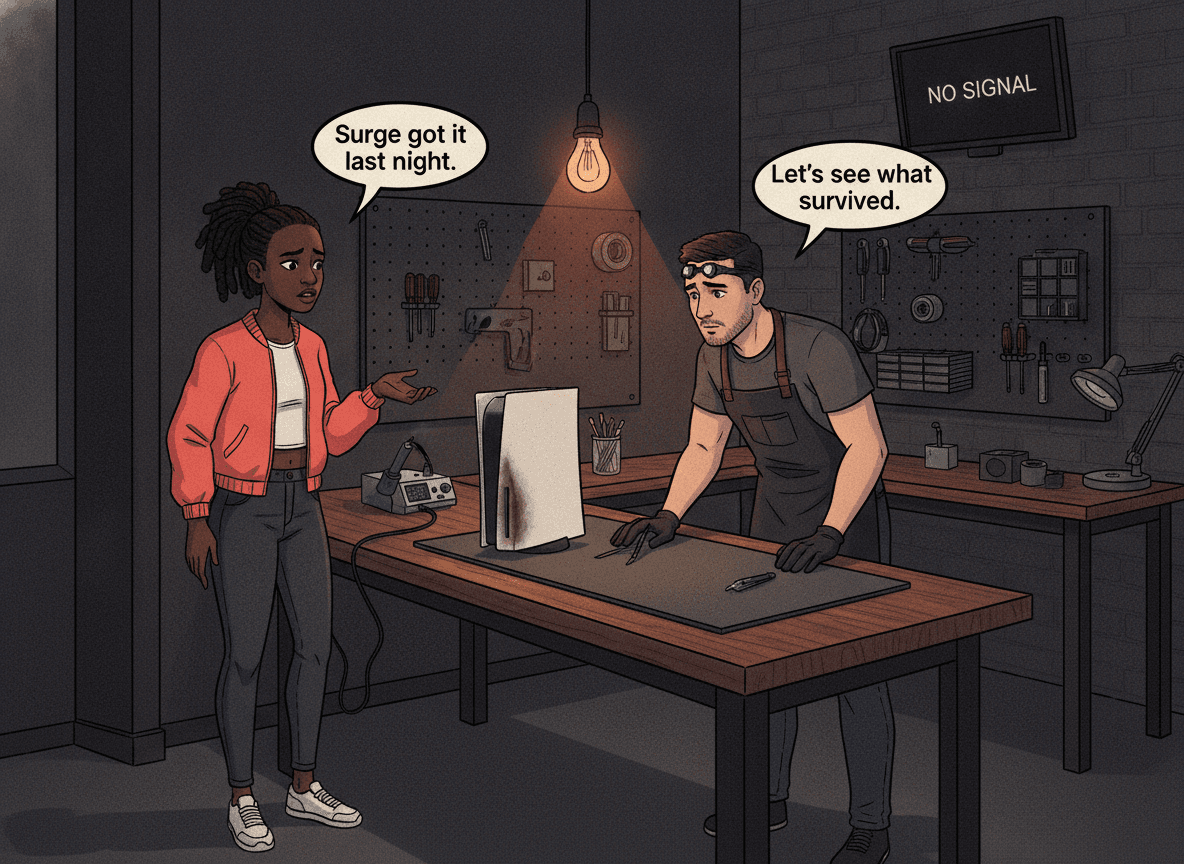
Load shedding cuts the power — then it comes back, and your console is dead. We see this pattern in our Boksburg workshop every week: a PS5, PS4 or Xbox that was working perfectly before a scheduled outage, now sitting with no power LED, a blank screen, or an error it's never shown before. Most load shedding damage is repairable. But not every affected console is worth the same repair cost, and some symptoms look like surge damage when they're actually something else entirely. This guide walks you through diagnosing what a power surge actually did to your console — so you can make an informed decision before you spend a cent.
Quick Checks Before You Panic
Before assuming the worst, run through these external checks. About 15-20% of "surge-damaged" consoles that come into our workshop have a simpler explanation.
- Try a different power outlet. Surge protectors and extension cords can blow their internal fuse without visible signs. Your console may be fine — the power strip may not be.
- Inspect the power cable. A surge can damage the cable at the IEC connector (the figure-8 end that plugs into the console). Try a spare if you have one — IEC C7 cables are universal for PS4 and PS5.
- For Xbox One Original owners: test the external power brick. The original Xbox One used an external power supply brick that sits between the wall and the console. The brick's light should glow white when the console is running and orange in standby. If it shows no light at all, the brick is dead — not the console. If it's stuck on orange when you try to switch the console on, unplug the brick from the wall for 10 minutes to reset it, then try again. This is actually good news: a dead Xbox One power brick is the cheapest and most fixable surge outcome you'll encounter.
- Hold the power button for 30 seconds. Some consoles lock into a frozen state after an unexpected power loss. A hard reset via the power button can clear this. For PS5, hold until you hear a second beep.
- Check for error codes on screen. If the console powers on at all, write down any error code shown. CE-, NP-, or SU- codes on PlayStation indicate software or database issues — these sometimes appear after abrupt power cuts and can resolve with a Safe Mode factory restore, not a hardware repair.
- Test with a different HDMI cable and a different TV input. A surge sometimes trips TV HDMI ports, not console ports. Switching inputs or TVs rules this out before you conclude the console's HDMI circuitry is damaged.
If all of these check out and the console still misbehaves, you are likely looking at real hardware damage. The next step is figuring out what kind.
Load shedding surges hit hardest at restoration, not at cut. When Eskom restores power to a previously dead street, the switch-on can produce a brief voltage transient well above the normal 230V supply while the grid stabilises. In our experience, it's this restoration transient — not the outage itself — that blows the input capacitors of a console's power supply, often in a single event. A quality surge protector rated above 1,000 joules absorbs most of these transients; a standard four-way extension cord with no surge rating does not. This is why consoles connected to cheap strips die while others on the same circuit — protected by a proper UPS or surge protector — survive.
How to Diagnose Load Shedding Console Damage
Power surges don't all cause the same damage. The symptom tells you which component took the hit — and the component tells you whether the repair is affordable or expensive. Here are the four patterns we see most often.
Symptom 1: The Console Won't Power On At All
What it means: The power supply is almost certainly dead.
This is the most common outcome and the most fixable. A surge kills the PSU's input filter capacitors — components specifically designed to handle voltage spikes, but not ones this large. The console draws no power whatsoever: no LED, no fan spin, no beep, nothing. Unplugging and re-plugging makes no difference.
Console-specific notes:
- PS5: Has an internal PSU. If the PS5 shows zero response — no LED, no fan, no click — and the power cable and outlet check out, the PSU is the likely culprit. PS5 PSU replacements run R1,749 – R4,199.
- PS4: Also has an internal PSU across all models (Original, Slim, Pro). Same symptom profile. Costs vary slightly by model.
- Xbox Series X/S: Internal PSU — same approach as PS5.
- Xbox One Original: External PSU brick. If the brick's LED shows no light at all, the brick is dead and the console may be intact. This is actually the most consumer-friendly surge failure point — the external brick absorbed the damage.
- Xbox One S and Xbox One X: Internal PSU, same symptom profile as PS5.
One caution: A completely dead console with no response can also indicate main board failure — a worse outcome. The difference usually becomes clear only under bench testing, which is why the R599 bench fee exists.
Symptom 2: Powers On But No Display (Black Screen)
What it means: Either the HDMI port is damaged, the HDMI encoder chip has failed, or — in rare cases — the display output section of the main board took a hit.
This is the trickiest symptom to diagnose without equipment, because three different components produce the same result: fans spin, LEDs light up, the console seems alive — but the TV shows nothing.
How to narrow it down at home:
- Test with a different HDMI cable (eliminate cable damage first — HDMI cables are cheap and surge-vulnerable).
- Test on a different TV input. Then test on a different TV entirely.
- For PS5: put it in Safe Mode (hold power until two beeps). If Safe Mode appears on screen, the HDMI port and encoder are fine — the problem is software, not hardware.
- For Xbox: try connecting via the HDMI ARC port if your TV has one. If any image appears at all on any input, the port is likely damaged but the encoder chip may be fine.
If the console shows absolutely no video output on any screen, in any mode, the most likely cause in a surge scenario is HDMI encoder chip failure — not just a bent pin in the port. The encoder chip (Panasonic MN864739 on PS5; MN864729 or MN86471A on PS4; NB7N621M on Xbox Series) sits between the GPU and the physical port. A voltage spike reaches it via the HDMI cable's shielding and can kill it without visibly damaging the port itself.
HDMI port replacement is a micro-soldering job that costs R1,299 for a PS5. HDMI encoder chip replacement is a more complex board-level repair — significantly higher. Both are repairable at Console Service Centre; the diagnosis tells us which one applies to your console.
Opening your console yourself to inspect the HDMI port is not advisable. Consoles have delicate flex cables that tear on their first flexion after an extended period in a closed shell. PS5 fan connectors are a common casualty — and fixing a ripped fan connector trace costs hours of labour, more than the HDMI repair itself. Leave the disassembly to the workshop.
Symptom 3: Powers On Then Shuts Off
What it means: The PSU is partially alive but damaged, or the main board's power regulation circuitry is stressed.
This is the most ambiguous symptom. The console makes it to the boot screen — sometimes even to the home menu — then shuts off after 10-60 seconds. There may be a beep, an error flash, or a silent cutoff.
Likely causes in surge scenarios:
- Degraded PSU: The power supply survived the surge but its output regulation is now unstable. Under load (when the console tries to boot a game), the voltage dips below the minimum threshold and the console's protection circuit shuts it off.
- Overheating (coincidental): Load shedding kills climate control in a room too. A console that's dusty and was sitting in a warmer room during the outage may simply be overheating — unrelated to the surge. Check if the vents are blocked or the room is unusually hot.
- Fan controller damage: A surge can damage the fan speed controller on the main board. If the fan can't spin at the right speed, the console runs hot and cuts off within a minute. In our workshop, we often see this as a fault where the fan either doesn't spin at all, or spins at full speed regardless of temperature.
- Main board stress: High-voltage transients can stress BGA solder joints on the main board, causing cold joints that fail once the board reaches operating temperature. This is the worst-case interpretation and is diagnosed after the PSU is ruled out.
The diagnostic sequence matters here: confirm the PSU first (cheapest fix), then look at the board.
Symptom 4: Powers On and Operates But Something Is Wrong
What it means: The surge corrupted software or firmware rather than (or in addition to) hardware.
An abrupt power cut mid-session is hard on console databases and file systems. PS4 and PS5 both have a database rebuild process accessible from Safe Mode that clears corruption from unexpected shutdowns. Xbox Series consoles have a similar storage management system.
Signs this is a software problem, not hardware:
- The console boots to a specific error code (CE-, SU-, E-, or similar)
- Games crash or fail to load when the console otherwise feels normal
- The console is slow to boot or shows a corrupted home screen
- Error messages reference the database, storage, or system files
Safe Mode database rebuild (PS4/PS5):
- Power off the console completely (hold until second beep on PS5; hold 7 seconds on PS4)
- Hold the power button again until you hear a second beep — about 7 seconds on both PS5 and PS4 — this boots into Safe Mode
- Select Rebuild Database — this is a read-only scan and reorganisation, it does not delete saved games or accounts
- Allow 1-3 hours for completion on a full drive
If the console works normally after a database rebuild, the hardware survived the surge intact.
If the console shows error codes even in Safe Mode, or if Safe Mode itself fails to appear, the issue is likely hardware — come in for a bench assessment.
At Console Service Centre, the most common load shedding repair is a power supply replacement — not a main board repair. In over 15 years of repairing consoles in Boksburg, we've found that the PSU usually absorbs the surge, leaving the main board intact. PSU replacement for a PS5 costs R1,749 – R4,199, for a PS4 from R1,699, and for an Xbox Series X at R2,099. These repairs carry a 6-month warranty. Main board damage — the expensive outcome — accounts for a much smaller fraction and is typically accompanied by specific symptoms that distinguish it from a PSU failure.
What Load Shedding Damage Is Actually Repairable
Here's a practical breakdown of what we can fix, what's a grey area, and what's generally not worth the repair cost.
Power Supply Failure — Yes, Almost Always Fixable
PSU replacements are one of the most routine repairs we do. Genuine OEM-quality replacement power supplies are available for all supported console models, and the repair is entirely hardware — no software pairing required. Turnaround is typically 1-2 working days, based on our current workshop queue.
| Repair | Price |
|---|---|
| Full Service | R1,249 |
| HDMI Port Replacement | R1,299 |
| ADP-400DR Power Supply | R1,749 |
| ADP-400FR Power Supply | R1,799 |
| ADP-400ER Power Supply | R1,849 |
| ADP-400GR Power Supply | R2,049 |
| Pro ADP-420DR Power Supply | R4,199 |
*Prices shown are the total amount payable.
Get an exact quote on WhatsApp →For model-specific pricing, see our PS4 repairs, Xbox One repairs, and Xbox Series repairs pages.
HDMI Port and Encoder Damage — Yes, Fixable
HDMI port replacement is a standard micro-soldering repair — one of the most common jobs in any professional console workshop. HDMI encoder chip (IC) replacement is more complex but well within our capability. Both require a hot air rework station, not a soldering iron — attempting either repair with basic soldering equipment risks lifting board pads and turning a fixable problem into an unrepairable one.
Main Board Damage — Case by Case
Direct main board damage from a surge is less common but does happen. The symptoms vary: BGA solder failure (similar to a Blue Light of Death on PS4), dead power regulation sections, or failed north/south bridge chips. These repairs are quoted after diagnosis — some are viable, others make replacement more economical. We won't recommend a board repair that doesn't make financial sense.
SSD/HDD Data Corruption — Usually Recoverable
If the console powers on and the damage is file system corruption (the "works but something is wrong" scenario above), a Safe Mode database rebuild or factory reset recovers most cases. Game saves stored on PSN or Xbox Cloud are safe regardless of what happens locally. Locally-stored save data may be lost in extreme corruption cases — but the console hardware survives intact.
When to Consider Replacement Instead
A console is generally not worth repairing when:
- The main board has multiple failed components from a severe surge (fault cascade)
- The repair cost exceeds 60-70% of what a used console in good condition sells for
- The console is an older model (PS4 Original, Xbox One Original) with high hours and pre-existing dust and thermal degradation — a surge may have triggered failures that were already imminent
We'll always give you an honest assessment. If repair isn't worth it, we say so.
What a Professional Bench Assessment Covers
The R599 bench fee covers a complete bench assessment:
- Visual inspection of the power supply board, HDMI port area, and main board
- Voltage rail testing with a multimeter on all primary outputs
- Test boot on our bench monitor (separate from your TV — eliminates display variables)
- HDMI signal test to distinguish port damage from encoder chip failure
- Fan speed and thermal system check
- Written outcome: what's damaged, what it costs to fix, and our honest recommendation
If you proceed with the repair, there is no bench fee — the diagnostic is included. The R599 bench fee only applies if the console is unrepairable or you decline, covering the assessment.
A full service at the time of PSU repair is worth considering. If your console is 3+ years old and hasn't had its thermal material replaced, a surge that didn't kill the PSU may still have stressed the main board thermally — especially on a PS5, where liquid metal migration is already a concern. A combined PSU replacement + full service (clean, repaste, reassemble) gives the console a clean slate. Ask us about combining repairs when you WhatsApp your symptoms.
Not sure what's wrong? WhatsApp us at 087 550 2307 — we respond immediately, 24/7. Describe what your console does (or doesn't do) and we'll give you a preliminary assessment before you even bring it in.
Prevention Going Forward
If your console survived this load shedding event, now is the time to protect it for the next one. We've written a detailed guide on protecting your PS4, PS5 and Xbox from load shedding damage — including which surge protectors and UPS units are worth the money for gaming consoles in South Africa.
The short version: a UPS rated at 600VA or higher, or a dedicated surge protector with a joule rating above 1,000J, is designed to absorb the kind of transient overvoltage that killed your console this time. Basic four-way extension cords with a plastic "surge" button do not provide meaningful protection.
Frequently Asked Questions
Can a load shedding power surge permanently destroy a PS5?
Yes, in severe cases. A high-voltage transient can kill the PS5's internal PSU, HDMI encoder chip, or — in rare cases — the main board. However, the PSU is the most common failure point and is fully replaceable. Most load shedding-damaged PS5 consoles that come to Console Service Centre are repairable. The R599 diagnostic assessment tells you definitively what failed.
How do I know if my PS5's power supply is dead or if it's the main board?
A dead PSU produces no response whatsoever — no LED flicker, no fan spin, no click from the console when power is applied. A dead main board can sometimes produce the same result, but main board failures are much less common in surge scenarios. The only reliable way to distinguish them is bench testing with test equipment. Bring it in for the R599 assessment — we'll know within 20 minutes.
My Xbox One Original's power brick is dead after load shedding. Is the console itself OK?
Probably yes. The Xbox One Original's external power brick is the first line of defence against surges. When the brick dies, it often means it absorbed the overvoltage before it reached the console. We recommend testing the console with a different compatible brick before assuming internal damage. If the console powers on with a working brick, only the brick needs replacement — the most cost-effective surge outcome possible.
How much does load shedding damage repair cost?
It depends on which component failed. Power supply replacements start from R1,699 for a PS4 and R1,749 – R4,199 for a PS5. HDMI port replacement is R1,299 across most models. If the main board has damage, the cost is quoted after bench testing. If you proceed with the repair there is no bench fee — the R599 bench fee applies only if you decline or the console is unrepairable.
Does load shedding damage void the console's warranty?
Power surge damage is classified as accidental damage by Sony and Microsoft and is not covered under manufacturer warranty in South Africa. Home contents insurance sometimes covers electronics damaged by power surges — check your policy for "power surge" or "electrical damage" cover. Console Service Centre provides a 6-month repair warranty on all hardware repairs we complete.
My PS5 was in rest mode when load shedding hit. Is that worse than being off?
Yes. A console in rest mode is in an active low-power state — the PSU is still drawing power and actively processing standby tasks. When a surge hits, the PSU is already under load and has less headroom to absorb the transient. In our experience, consoles that were fully powered off fare slightly better than those in rest mode. We recommend never leaving a console in rest mode during load shedding — full power-off is the safer state, and unplugging it from the wall during the outage is the safest of all.
Can I fix load shedding damage myself?
External checks only — checking power cables, surge protectors, and running Safe Mode database rebuild are all safe to do at home. Internal repairs require disassembly, and console disassembly without experience consistently causes secondary damage: torn flex cables, stripped screws, cracked housing clips. PS5 disassembly in particular risks the fan connector — a torn fan connector trace repair is a 3-4 hour board-level job that costs significantly more than the original repair would have. Leave the internal work to professionals.
Get Your Console Fixed
Console Service Centre has repaired over 25,000 consoles in Boksburg since 2011. Load shedding damage is something we handle every week — we know exactly what to look for and how to fix it.
- 15+ years of PlayStation and Xbox repair experience
- 1,346+ Google reviews at 4.9 stars — the world's most-reviewed dedicated gaming-console repair specialist on Google — our track record speaks for itself
- 6-month warranty on all hardware repairs
- R599 bench fee — no bench fee if you proceed (the diagnostic is included); applies only if you decline or the console is unrepairable, covering the full bench assessment
- Nationwide courier repairs — can't get to us? Ship your console via The Courier Guy. We fix and return.
Ready to Get Your Console Diagnosed?
WhatsApp us: 087 550 2307 — We respond immediately, 24/7. Describe your symptoms and we'll tell you what to expect before you even bring it in.
Visit us: 6 Bester Street, Witfield, Boksburg
Hours: Mon–Thu 08:00–16:00 | Fri–Sat 08:00–13:00 | Closed Sunday
If it can be repaired, we'll fix it. If it can't, we'll tell you honestly — and you'll know before you commit.
Topics Covered
About the Author

Shaun Potgieter
Founder & Head Technician
Expert console technician with 15+ years of hands-on repair experience.