
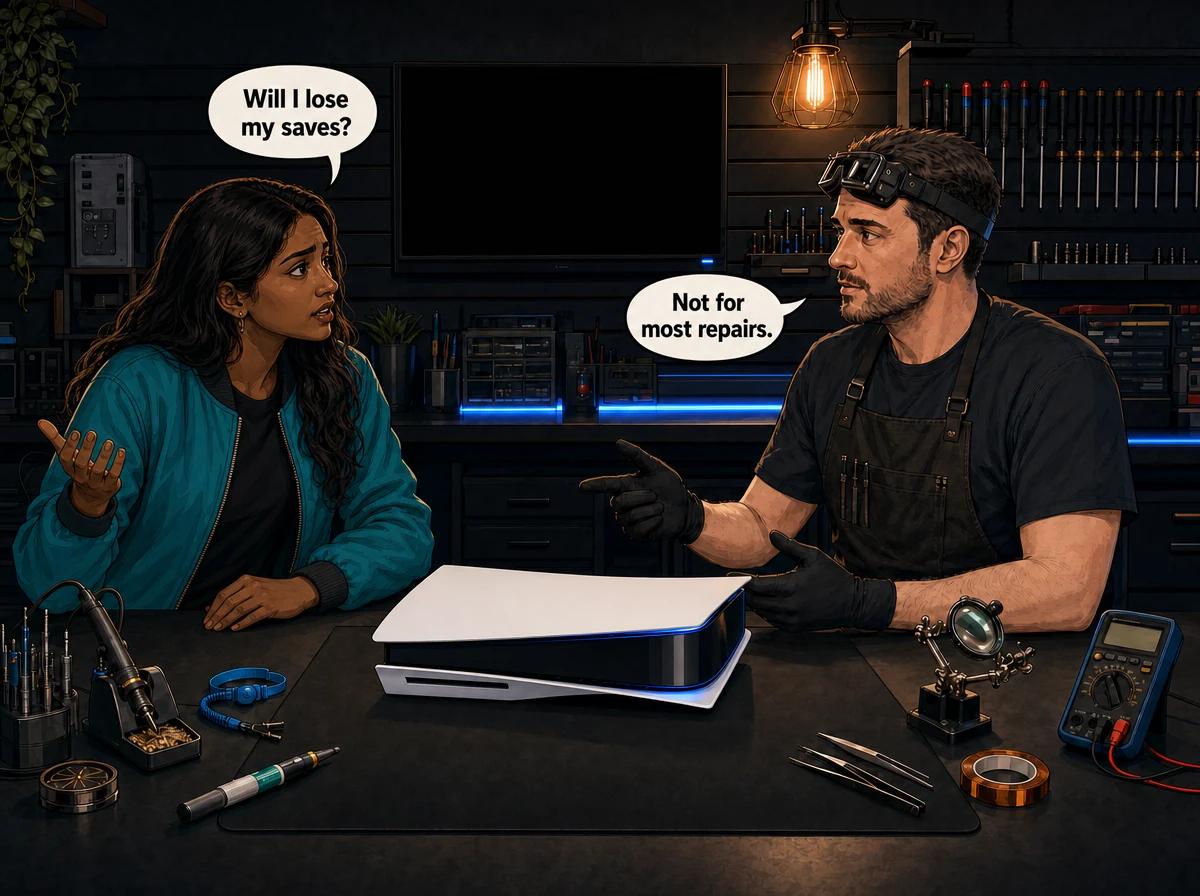
Your console has a fault and you need to book it in. Then a worse thought arrives: what happens to the save file you have spent months building? Will the shop hand it back wiped?
Most people who ask us this get good news. Some don't, and it helps to know which group you are in before you hand the console over. This guide explains which repairs leave your data alone, which ones put it at risk, what cloud saves really cover on PlayStation and Xbox, and what to back up today.
Will I lose my data in a console repair? The short answer
For most console repairs, you will not lose your data. An HDMI port, power supply, disc drive, fan or full-service job does not involve the storage where your games and saves live, so they should come back as you left them. The risk is real in three situations: the hard drive or built-in storage has failed, the hard drive has to be replaced, or the console needs a full software reset. PS4 and Xbox One consoles keep data on an internal hard drive. PS5 storage is soldered to the motherboard. No repair shop can guarantee your data, so back up first if the console still works. Console Service Centre in Boksburg will tell you if your repair puts data at risk before you commit.
The rest of this post goes through each of those situations, then covers what to do if the console won't start at all.
Where your games and saves actually live
It helps to know where your data sits, because that decides whether a repair goes anywhere near it.
PS4 and Xbox One. Games and saved data sit on an internal hard drive. It is a separate part from the motherboard, the HDMI port and the power supply. We can work on those other parts while the drive stays as it is.
PS5. Sony's PS5 has no separate drive to take out. Its built-in storage (often called the SSD) is a set of flash chips soldered to the motherboard, along with the chip that controls them. That matters a lot when this storage develops a fault, as we explain further down.
Xbox Series X and Series S. These also use built-in solid-state storage. Games live there, and so does a local copy of your saves. Microsoft's system then keeps a second copy in the cloud whenever the console is online.
Two things are not really stored on the console in the way people fear. Your PlayStation or Xbox account belongs to you online, so it doesn't die with a console. Games you bought digitally stay linked to that account, and you can download them again. Disc games can be reinstalled from the disc.
The part that can be truly lost is your saved progress. Reinstalling a game takes an evening. A career mode or a long RPG save can't be rebuilt that way.
Repairs that normally leave your data alone
These jobs don't involve the storage at all. In the normal course of events, your games and saves come back as you left them.
- HDMI port replacement. The port is on the motherboard, but the work is confined to that area. See our HDMI repair page for how we approach it.
- Power supply repair or replacement. The supply feeds the console and holds no user data. More on the power supply repair page.
- Disc drive repair. The disc drive reads discs. Your installed games and saves sit elsewhere. See disc drive repair.
- Full service and overheating work. Cleaning, fan work and fresh thermal material don't touch stored data. The overheating repair page covers what's included.
"Normally" is the honest word here. A console that has been overheating, cutting out or losing power may already have damaged files before it reaches us. A repair can't bring those back, and a fault can get worse between the time you book and the time it reaches the bench. That is why we still ask you to back up what you can, even for the simple jobs.
What about board-level repairs?
Board-level repair sits in the middle. We are working on the motherboard, but the aim is to fix a specific fault, and that work doesn't set out to erase anything.
On a PS4 or Xbox One the hard drive is a separate part, so it stays out of the way. On a PS5 the storage is on the same board we are repairing. A successful repair normally brings the console back with its data, but we can't promise it, because a board with a serious fault may have other damage we can't see yet.
When you could lose your data in a console repair
These are the situations where we would tell you to expect a problem.
The hard drive has failed (PS4 and Xbox One)
If the drive itself is the fault, the data on it is already in trouble. That is the nature of a failed drive, and it happens before the console ever reaches a shop. Slow loading, corrupted downloads and freezing are common warning signs, and our guide to console hard drive problems goes through them.
A replacement drive starts empty. The console needs its system software loaded, and then your games and saves have to come back from a backup, the cloud or your account.
If the old drive can still be read, there may be a chance of getting data off it. We can't promise that on a failing drive, so tell us when you book that your saves matter. We will tell you what looks realistic once we have tested it.
The fault can be fixed with a software reload
Some PS4 and Xbox One faults come down to corrupted system software on a drive that is still healthy. A hard drive repair and software reload costs R1,249 on a PS4 and R1,249 on an Xbox One. If the drive does need replacing, a standard 1TB drive with the software loaded is R1,899 on a PS4 and R1,899 on an Xbox One.
Treat a software reload as a wipe unless we tell you otherwise. Your saves need to be somewhere else before that job starts, or they may be gone when it finishes.
After either job, you may see a profile on the console that you don't recognise. That is one of our staff test profiles, used to check that the console signs in and downloads games properly, and it doesn't mean you got the wrong console back. Sign in with your own account and download your games again. On a PS4, please leave our profile alone, because it is usually the first user on the console and deleting that user resets the console. If you want it gone, WhatsApp us and we will help.
The PS5's built-in storage has failed
This is the hard one. Because the PS5's storage chips are soldered to the motherboard, a fault in them, or in the chip that controls them, isn't a simple part swap. We don't replace those chips, and in our experience they tend to give problems again later. When the fault really is in the built-in storage, the console usually can't be saved, and neither can whatever is only stored on it.
We try the safer steps first: updating the system software and rebuilding the database. A full reset is the last software step, and it wipes everything, which is why anything you can still back up should be backed up before that point.
The console needs a full reset
A reset is sometimes the only way to rule out a software fault, and it deletes user data on any console. If your repair may need one, we will tell you before you commit, so you have a chance to get your saves off first where the console allows it.
Not sure whether your fault puts your data at risk? WhatsApp us at 087 550 2307. We respond immediately, 24/7, and you can ask before you book anything.
What cloud saves cover on PlayStation and Xbox
Cloud saves are the best protection there is, because a copy of your progress sits away from the console. They work differently on each platform, and the differences catch people out.
PS4 and PS5: cloud storage needs PlayStation Plus
Sony's cloud storage is a PlayStation Plus benefit, so you need a membership to use it. It also isn't always switched on, so check rather than assume.
To turn on automatic saving on a PS5:
- Go to Settings, then System, then Power Saving, then Features Available in Rest Mode, and turn on Stay Connected to the Internet.
- Go to Settings, then Saved Data and Game/App Settings.
- Choose Saved Data (PS5), then Sync Saved Data, then Auto-Sync Saved Data, and turn on Enable Auto-Sync.
- For PS4 games played on your PS5, choose Saved Data (PS4), then Auto-Upload, and turn on Enable Auto-Upload.
To do the same on a PS4:
- Go to Settings, then Power Saving Settings, then Set Features Available in Rest Mode, and tick Stay Connected to the Internet.
- Go to Settings, open the saved data management menu and choose Auto-Upload.
- Tick Enable Automatic Uploads.
Sony says PS4 auto-uploads run from your primary PS4 console, so check that setting if your saves don't seem to be going up. Before you book a repair, upload manually as well. On a PS5, highlight a game on the home screen, press the options button and choose Upload/Download Saved Data. On a PS4, use Upload to Online Storage under Saved Data in System Storage.
Xbox One and Xbox Series: automatic while you are online
Xbox keeps saves on the console and syncs them to the cloud when it is connected to the internet. You don't need Game Pass for this. The catch is the connection: if you often play offline, the cloud copy can fall behind what is on your console.
Before you send an Xbox in, connect it to the internet if it will still start. Open the games you care about most, let them load, and then quit them properly so the console has a chance to sync. Sign in on the same profile afterwards and your cloud saves should come back to you.
What cloud saves don't cover
Cloud saves protect saved progress in games that support them. They are not a copy of the whole console. Your installed games will have to be downloaded again or reinstalled from disc, screenshots and video clips aren't included, and a game that doesn't use cloud saves won't have a copy up there at all.
What to back up before you book a console repair
If your console still starts, spend a few minutes on this before it leaves your house. Our terms and conditions ask customers to back up their data before a repair, because no shop can guarantee what is on a faulty console.
PS5: USB backup and the catch with saves
You can't copy individual PS5 game saves to a USB drive. Sony only allows that for PS4 game saves. Your options for PS5 saves are PlayStation Plus cloud storage or a full console backup to USB, which does include saved data.
To run a full backup:
- Plug in a USB drive formatted as FAT32 or exFAT.
- Sync your trophies first, because they aren't included in the backup.
- Go to Settings, then System, then System Software, then Back Up and Restore.
- Choose Back Up Your PS5, select your data and start the backup.
Don't turn the console off while it runs. Games stored on an added M.2 drive or on USB extended storage aren't included. A restore later erases everything on the console first, and the system software needs to be the same version or newer than it was at backup. Sony also says a restore switches off Console Sharing and Offline Play, so turn that back on afterwards.
PS4: copy your saves or run a full backup
The PS4 gives you a quick option. In Settings, open the saved data management menu, choose Saved Data in System Storage, then Copy to USB Storage Device. Pick your games and copy the saves across. This doesn't need PlayStation Plus.
A full backup also works:
- Select Trophies from the function screen, press the options button and choose Sync Trophies With PSN.
- Plug in a FAT32 or exFAT USB drive with at least double the space the backup needs.
- Go to Settings, then System, then Back Up and Restore, and select Back Up.
Sign in to PlayStation Network before you back up. Sony says that if you have never signed in, saved data can only be restored to the same PS4.
Xbox: confirm the sync
Follow the steps in the Xbox section above. Connect the console, open your important games and quit them cleanly. If you play offline a lot, this step matters even more.
Before you hand it over
- Take out any discs and unplug any USB drives you've attached. Keep them at home.
- Tell us when you book if there is a save you would hate to lose.
- Tell us what has happened so far, including any resets or Safe Mode options you've tried. Our post on what to tell a console repair shop covers the details that help.
Console won't start? How to avoid wiping it yourself
More data gets lost at home than people realise, usually in a Safe Mode menu at the end of a frustrating evening. Some options are safe to try and some delete everything. Here is what Sony says each one does.
| Safe Mode option | Console | What happens to your data |
|---|---|---|
| Restart | PS4 and PS5 | Leaves Safe Mode and restarts normally |
| Restore Default Settings | PS4 and PS5 | Resets settings. Games, saves, screenshots and clips stay |
| Repair Console Storage | PS5 | Sony says this does not erase data |
| Rebuild Database | PS4 and PS5 | Scans the drive and builds a new content list. Sony does not list it as deleting data |
| Initialize PS4 | PS4 | Deletes all user data |
| Initialize PS4 (Reinstall System Software) | PS4 | Deletes all user data and the firmware |
| Reset PS5 | PS5 | Deletes all user data |
| Reset PS5 (Reinstall System Software) | PS5 | Deletes all user data and the system software |
If you want to get out of Safe Mode on a PS4 without losing data, start with the restart option. If the console keeps coming back to Safe Mode, try Rebuild Database next, and stay away from anything with "Initialize" in the name until your saves are safe. Our guide to fixing a PS4 stuck in Safe Mode has the full order to try things in, and the PS4 database corrupted guide explains what a rebuild does. On a PS5, see Safe Mode loop: software or hardware?.
On Xbox, the reset menu has two choices. Reset and keep my games & apps keeps installed games and apps. Reset and remove everything clears the lot. Either way, saves that haven't synced to the cloud can be lost, so sync first if you can.
If a rebuild fails or the console freezes partway through, stop. Repeated attempts on a failing drive don't help it, and this is the point to send the console to us.
Don't try opening the console yourself to pull the drive or inspect the board. Opening your console yourself risks causing additional damage: broken flex cables, stripped screws or damaged connectors that make the repair more expensive. Power supplies also contain high-voltage capacitors that can seriously hurt you. We strongly recommend leaving internal repairs to professionals.
What happens to your data at our workshop
We don't need your password to test a console, and we don't access your accounts. We use our own staff test profiles when we need to sign in. You can sign out before you send it in if that makes you more comfortable, although your saves stay on the console either way.
When your console reaches our bench in Boksburg, we find the actual fault first. The bench test tells us whether storage is involved. If it is, or if the next step would wipe the console, we tell you before you commit to the repair.
Most repairs are done in 1-2 working days. Board-level and storage faults can take a little longer. If you are sending the console by nationwide courier, allow for courier transit each way.
If the console can't be fixed, or you decide against the repair, the R599 bench fee applies. If you go ahead with the repair, you don't pay it on top. Every repair carries our 6-month money-back warranty.
How to protect your saves from now on
- Turn on automatic cloud saves now. On PlayStation you need a PlayStation Plus membership for this. On Xbox, get the console online regularly so it can sync.
- Copy your PS4 saves to USB now and then. A cheap USB drive is enough, and it needs no subscription.
- Run a full PS5 backup before big changes, including any repair booking.
- Sort out your power. A sudden power cut while a console is writing data can corrupt files, and load shedding is a familiar cause here. Turn the console off properly, and consider a surge protector or UPS.
- Take warning signs seriously. If a console starts freezing, reporting corrupted data or loading far more slowly than it used to, back up that day. A failing drive may not give you a second chance.
Frequently Asked Questions
Will I lose my games if my console goes for repair?
Usually not. HDMI, power supply, disc drive and full-service repairs don't involve the storage, so installed games normally come back as they were. If the hard drive is replaced or the console is reset, games you bought digitally can be downloaded again and disc games can be reinstalled from the disc.
Will I lose my saves if my PS5 is repaired?
Most PS5 repairs leave saves in place. The risk is a fault in the built-in storage, which is soldered to the motherboard and which we don't replace. Upload your saves to PlayStation Plus cloud storage or run a full USB backup before booking if the console still starts.
How much does it cost to replace a console hard drive in South Africa?
The prices for PS4 and Xbox One drive work are listed in the section above and update live from our price list. A new drive starts empty, so plan where your saves will come from before the job begins. PS5 and Xbox Series consoles don't use this kind of drive.
Does rebuilding the database on a PS4 delete my games or saves?
Sony describes Rebuild Database as scanning the drive and creating a new database of all content, and doesn't list it among the options that delete data. A drive that is already failing can still lose files, so back up first if you can. Initialize PS4 is the option that deletes everything.
Do I need PlayStation Plus to back up my saves?
Only for cloud storage. A PS4 can copy saves to a USB drive without a membership, and both PS4 and PS5 can run a full console backup to USB. PS5 game saves can't be copied to USB individually, so a full backup is the free route on that console.
Are my Xbox saves safe if my console dies?
They should be if the console synced before it failed. Xbox uploads saves when it is online, so the cloud copy should match your last connected session. Progress made offline and never synced may only exist on the console, and that is the part at risk.
Can you recover data from a dead hard drive?
Sometimes, depending on how the drive failed, but we can't promise it. Tell us when you book if your saves matter and avoid further attempts to initialize or reinstall anything. We will test the drive and tell you what looks realistic before you decide.
Should I remove my account from the console before sending it in?
You don't have to. We don't access your accounts, and we can test a console without your password. If you would prefer to sign out, you can do that, but make sure your saves have reached the cloud or a USB drive first.
Get your console fixed with your data in mind
Console Service Centre has been repairing PlayStation and Xbox consoles since 2011, and thousands of consoles have been through our workshop. We repair PS4, PS5, Xbox One and Xbox Series consoles, including all the models on our PS5, PS4, Xbox Series and Xbox One pages. You can also read 1,361+ Google reviews at 4.9 stars — the world's most-reviewed dedicated gaming-console repair specialist on Google from real customers.
WhatsApp us: 087 550 2307. We respond immediately, 24/7.
Visit us: 6 Bester Street, Witfield, Boksburg. Mon–Thu 08:00–16:00, Fri–Sat 08:00–13:00.
Can't get to us? We offer nationwide courier repairs, so you can send your console in from anywhere in South Africa.
Topics Covered
About the Author

Shaun Potgieter
Founder & Head Technician
Expert console technician with 15+ years of hands-on repair experience.