
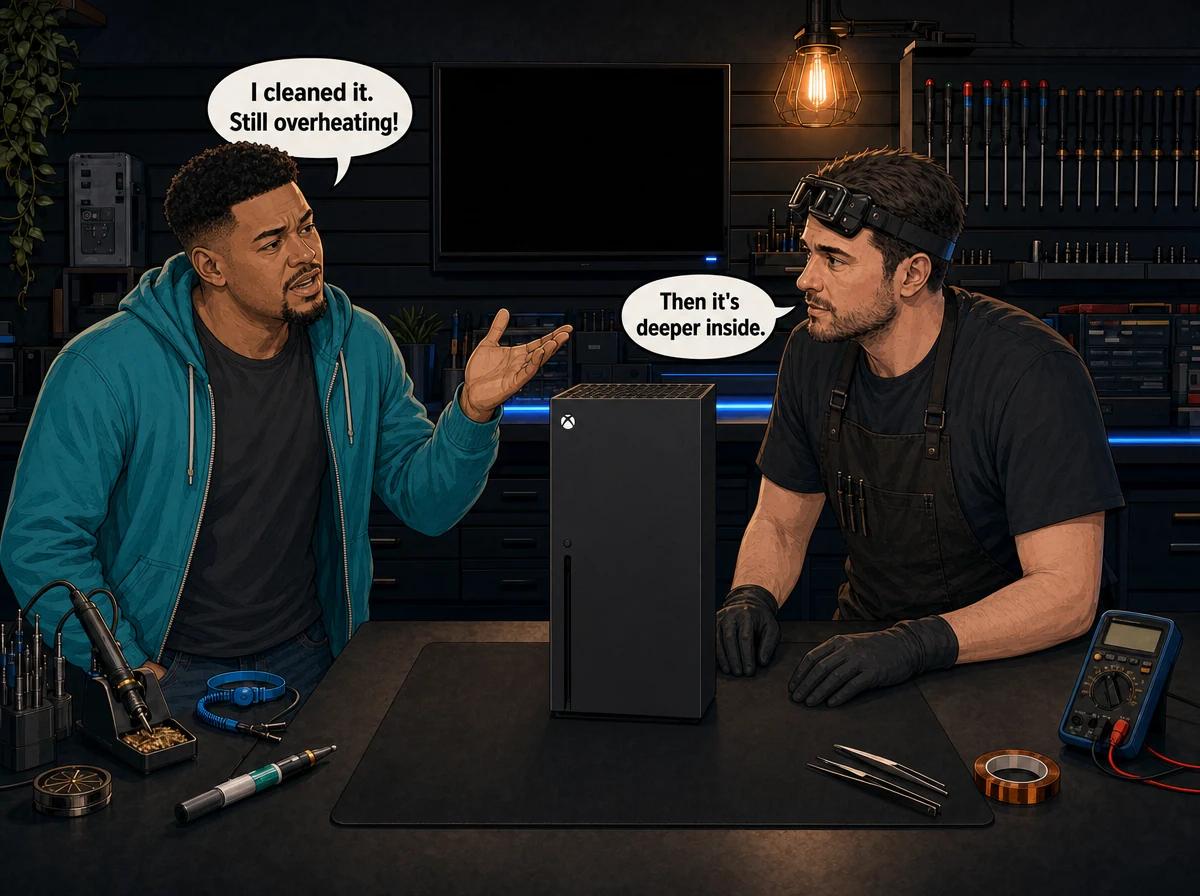
You did everything the internet told you to. You moved the Xbox Series X out of the TV cabinet. You blew the dust out of the top vent and wiped down the sides. For a day or two it seemed quieter. Then the fan started roaring again halfway through a match, and the console switched itself off.
That is one of the most common stories we hear about the Series X. The console has one of the best cooling systems of any modern console, so when it overheats after a proper clean, something inside has usually gone wrong. This guide explains what that something is, how to narrow it down without opening the console, and when the vapour chamber itself is the problem.
Xbox Series X overheating after cleaning: the short answer
An Xbox Series X that keeps overheating after cleaning almost always has a fault that external cleaning cannot reach. There are four likely causes. The first is dust packed deep into the heatsink fins below the fan. The second is thermal paste between the processor and the heatsink that has dried out. The third is a fan that is starting to fail. The rarest is a vapour chamber that has lost its internal seal. First rule out placement and room heat. Then, if the console still runs hot or shuts down, it needs a full strip-down and diagnosis. Console Service Centre in Boksburg handles Series X thermal repairs in the workshop and through nationwide courier.
The rest of this post shows you how to tell those causes apart, and what each one means for the repair.
How the Xbox Series X keeps itself cool
To understand why cleaning sometimes fails, it helps to know how the cooling works.
The Series X is built like a chimney. A single large fan sits at the very top of the tower, under the vent with the green-tinted grille. It pulls cool air in through the lower part of the console and pushes hot air straight up and out of the top. Underneath that fan sits a big block of aluminium fins, and under the fins is the heatsink base that touches the main processor.
On the original Series X, that heatsink base is a vapour chamber. Teardowns of the launch console show a large copper vapour chamber with aluminium fins on top, cooled by a 130mm fan.
What a vapour chamber actually does
A vapour chamber is a flat, sealed copper box with a tiny amount of liquid and a wick structure inside. The air has been pumped out, so the liquid boils at a low temperature. Here is the cycle:
- The processor heats the bottom of the chamber, and the liquid there turns into vapour.
- The vapour spreads through the whole chamber in an instant and carries the heat with it.
- The vapour touches the cooler top surface under the fins, gives up its heat and turns back into liquid.
- The wick draws that liquid back down to the hot spot, and the cycle repeats.
The result is that a small, very hot chip gets spread across a wide, cool surface, where the fan can blow the heat away. It is the same idea used in many gaming laptops and high-end graphics cards. It works very well, but only while the chamber stays sealed.
Not every Series X has one
The all-digital white Xbox Series X released in late 2024 uses a newer, more efficient processor. Teardowns of that model show Microsoft replaced the vapour chamber with a more conventional heatsink using copper heat pipes. The original Series X design has the vapour chamber. If you own the white all-digital model, the dust, paste and fan sections below still apply to you, but the vapour chamber section does not. Not sure which version you have? We'll tell you on the bench.
Why cleaning the vents often doesn't fix it
When most people say they "cleaned" their Series X, they mean they cleaned the outside. They blew compressed air into the top vent, vacuumed the lower grilles and wiped the case. That is a good habit, and it is the right thing to do at home. But it only reaches the surfaces you can see.
The dust that causes overheating usually sits somewhere else. It builds up on the underside of the fan blades and in the narrow gaps between the heatsink fins. Over time it forms a felt-like mat across the face of the fins. Air from the fan can't push through that mat, so the heat stays trapped in the heatsink.
Blowing air into the top vent has two problems. First, it pushes against the direction the fan normally blows, so some of that loose dust gets driven deeper into the fins instead of out of them. Second, compacted dust that has been baked by heat for months doesn't move with a quick blast of air. It has to be physically removed with the heatsink off.
That is why a console can look spotless from the outside and still be choked inside. It is also why "I cleaned it and it was better for a few days" is such a common story. A quick blast clears the loose surface layer and buys a little time, but the packed layer underneath stays put.
Citable fact: The Xbox Series X exhausts its heat upward through a single large fan in the top of the tower. Dust that collects inside the heatsink fins below that fan cannot be cleared by blowing into the top vent. Removing it requires the console to be opened and the heatsink cleaned directly.
How to troubleshoot an Xbox Series X that still overheats
Before you assume the worst, rule out the simple causes. These checks are all done from the outside. None of them involve opening the console.
- Check where the console lives. A Series X needs open air around it, especially above the top vent. Move it out of closed TV cabinets, away from the back of a soundbar and off thick carpet. Don't put anything on top of it, not even a small ornament or a remote.
- Check its position. Microsoft designed the Series X to work standing up or lying on its side. If it lies on its side, the vent that was on top is now facing sideways, so it needs the same clear space. Make sure nothing presses against that vent.
- Check what's around it. Other hot devices nearby, such as a decoder, router or amplifier, raise the air temperature the Xbox breathes in. Give it its own space.
- Check the room. A closed lounge in a Highveld summer afternoon gets hot. If the console only overheats on the hottest days, open a window, run a fan in the room or play in the cooler part of the day and see if the problem eases.
- Clean the outside properly. With the console switched off and unplugged, use short bursts of compressed air or a soft brush on the lower grilles and the top vent. Hold the can upright and keep the nozzle a little way back. Don't spin the fan with air, and don't push anything through the grille.
- Do a full power cycle. Hold the power button on the front for about ten seconds until the console turns off completely. Unplug it, wait a few minutes, plug it back in and start it again. This clears a stuck state but won't fix a physical heat problem.
- Watch and listen. Play the same game you normally play and note when the fan ramps up, how loud it gets and whether the console shuts down. Put your hand above the top vent and feel the air coming out.
If the problem goes away after these steps, you're done. It was placement or surface dust. If it keeps happening, the cause is inside the console, and the clues you gathered in step 7 help point to which one.
Four reasons an Xbox Series X still overheats after cleaning
These are listed from most common to least common on our bench.
1. Dust packed inside the heatsink fins
This is the cause most of the time. As described above, dust forms a dense layer across the fins under the fan. The fan keeps spinning, but very little air gets through the heatsink.
What you notice: The fan gets loud quickly, often within a few minutes of starting a demanding game. The air coming out of the top vent feels warm but weak. Shutdowns happen during long sessions, especially in warm weather. Consoles from homes with pets, carpets or a dusty yard are hit first.
The fix: A full service. The console is stripped down, the fan and heatsink are removed and cleaned properly, and fresh thermal paste is applied.
2. Dried-out thermal paste
Between the main processor and the heatsink base sits a thin layer of thermal paste. It fills the tiny gaps between the two metal surfaces so that heat flows across easily. Unlike the PlayStation 5, which uses liquid metal, the Xbox Series X uses thermal paste.
After years of heating up and cooling down, that paste can dry out, crack and pump out from the centre of the chip. Once that happens, there are air gaps between the processor and the heatsink. Air is a poor conductor of heat, so the chip gets hotter even though the heatsink and fins are clean.
What you notice: The console overheats even in a cool room, sometimes early in a gaming session. The air from the top vent may feel less hot than you'd expect, because the heat isn't reaching the fins properly.
The fix: Also handled in a full service. The old paste is cleaned off the chip and heatsink completely, and fresh paste goes on. We use a high-quality paste tested specifically on console chips, with no metal particles that could short the processor.
3. A fan that is starting to fail
The Series X fan is a big part of why the console runs quietly. When its bearing begins to wear, it can no longer spin smoothly at the speed the console asks for.
What you notice: New noises that weren't there before. Listen for grinding, rattling, ticking, buzzing or a pitch that goes up and down on its own. Sometimes the fan sounds fine at start-up and gets noisy once it speeds up. A fan that stops spinning altogether leads to overheating fast.
The fix: Cleaning won't save a worn bearing. The fan has to be replaced. We often find a failing fan on a console that has been run for a long time with clogged fins, because the fan has been working at high speed for months.
4. A vapour chamber that has lost its seal
This is the rarest cause, and it's the one people don't think of. As explained earlier, a vapour chamber only works while its internal liquid and low pressure stay sealed inside. If the seal fails, the liquid escapes or the vacuum is lost. The chamber then stops moving heat the way it was designed to. It becomes little more than a flat lump of copper.
A vapour chamber can lose its seal through a weak seal from the factory, a crack after a hard knock or drop, or a bent chamber from a heatsink that was forced or screwed down unevenly during an earlier repair attempt.
What you notice: The tell-tale sign is that the console overheats badly even though everything looks right. The fins are clean, the fan spins properly and the paste is fresh, yet the console still shuts down. The fan runs flat out, but the air coming out of the top vent stays surprisingly cool. That cool exhaust is the clue: heat is building up at the processor but not reaching the fins.
The fix: A failed vapour chamber can't be refilled or resealed. The whole heatsink assembly has to be replaced. Because this fault looks like the other three from the outside, we only call it once we've ruled out dust, paste and the fan on the bench.
When the vapour chamber is the problem
Most of the time, an Xbox Series X that overheats after cleaning is not a vapour chamber failure. We say this plainly because "vapour chamber failure" gets thrown around online as if every hot Series X has one. In our experience, packed dust and dry paste account for far more cases.
So how does a technician actually confirm a vapour chamber fault? It comes down to working through the other causes in order:
- Strip and clean. The heatsink comes off, and the fins and fan are cleaned completely.
- Inspect the contact. We check the old paste pattern on the chip and heatsink base. An uneven or patchy pattern tells us whether the heatsink was making full contact.
- Check the fan. We check that the fan spins freely and smoothly with no bearing noise.
- Repaste and test. Fresh paste goes on, the console is reassembled and it runs under a heavy game load while we watch its behaviour.
- Compare. If a clean, repasted console with a healthy fan still overheats, and the exhaust stays cool while the processor runs hot, the heatsink is no longer moving heat. That's when the vapour chamber is the problem.
Inspecting the chamber itself also helps. A dent, a bend, a crack or signs of moisture around the chamber all point the same way. A replacement heatsink assembly brings the console back to normal cooling.
This process matters for your wallet too. If we jumped straight to replacing the heatsink, you could pay for a part you didn't need. Working through the causes in order means you only pay for what actually fixes the problem.
Why you shouldn't open the Series X yourself
YouTube is full of videos showing how to take a Series X apart. It looks simple when someone who has done it hundreds of times is holding the screwdriver. In real life it rarely goes that smoothly.
Opening your console yourself risks causing additional damage, such as broken flex cables, stripped screws or damaged connectors that make the repair more expensive. We strongly recommend leaving internal repairs to professionals.
There are specific risks with this console:
- The power supply. The Series X has its power supply built inside the case. Console power supplies contain capacitors that can hold a dangerous charge even after the console is unplugged. They can burn you or worse. Never open or probe the power supply.
- The heatsink. The heatsink has to be removed and refitted with even pressure. Tighten it unevenly and you can leave a gap at the chip or bend the vapour chamber, which creates the very problem you were trying to fix.
- Cables and connectors. The fan and other parts connect with small cables and clips that tear easily if you pull them the wrong way.
- The paste. Too much paste, too little, or a paste with metal particles in it can all cause trouble on a bare processor.
About warranty: opening the console does not automatically void the manufacturer warranty, and under South Africa's Consumer Protection Act, blanket "void if the seal is broken" terms are largely unenforceable. But any damage you cause while working inside it is not covered. We regularly see consoles that should have needed a simple service and now also need a connector or a torn cable fixed. A professional repair up front is almost always cheaper than fixing a DIY attempt that went wrong.
What a professional fix involves and what it costs
When your Series X comes in for overheating, we start with a diagnosis, then quote you before any work is done. Here is what the common fixes cost at our workshop:
- Xbox Series X full service: R1,249. This covers the complete strip-down, cover cleaning, internal dust removal, fan and heatsink cleaning, full removal of the old thermal paste, fresh paste, reassembly and a post-service test.
- Xbox Series X fan replacement: R1,499. This applies when the fan bearing is worn or the fan no longer spins properly.
A heatsink or vapour chamber replacement depends on the exact model and part, so we quote that after diagnosis, once we've ruled out the cheaper causes.
If you decide not to go ahead with the repair, or the console turns out to be unrepairable, a R599 bench fee applies. If you go ahead, you only pay for the repair. Every repair carries our 6-month money-back warranty.
Citable fact: At Console Service Centre in Boksburg, an overheating Xbox Series X is diagnosed in order: internal dust, thermal paste, fan and finally the vapour chamber heatsink. Most cases are fixed with a full service. A heatsink replacement is only quoted once the cheaper causes have been ruled out on the bench.
Most repairs are done in 1-2 working days. If parts need to be ordered, it can take a little longer, and we'll tell you before we start.
Not sure what's wrong? WhatsApp us at 087 550 2307. We respond immediately, 24/7, and can often give you a good idea of what's wrong based on your symptoms before you send your console in. Tell us whether the fan is loud, whether it makes new noises and how the air from the top vent feels.
How to stop your Series X overheating again
Once the inside is clean and the paste is fresh, these habits keep it that way:
- Give it space. Open air around the console, nothing on top and no closed cabinet doors.
- Keep it off the floor. Carpets, rugs and floors collect dust and pet hair, and the console pulls that air straight in. A shelf or TV unit is better.
- Clean the outside regularly. A gentle clean of the grilles every few weeks stops loose dust building up. Always switch off and unplug first.
- Watch the summer heat. South African summers are hard on consoles in closed rooms. Keep the room ventilated during long sessions.
- Don't stack devices. Keep decoders, routers and amplifiers away from the air intake and the top vent.
- Book a service before it's urgent. If your console is several years old, has never been opened and the fan has started to get louder, a full service now is cheaper than waiting for shutdowns.
- Protect it from power problems. Overheating and power damage are separate faults, but a console on a surge protector is one less thing to worry about. Our guide to protecting consoles from load shedding damage covers the basics.
Many of the overheating consoles we see have never been serviced at all. A professional clean before the console starts struggling is the easiest way to avoid the shutdown stage.
Frequently Asked Questions
Why is my Xbox Series X still overheating after cleaning it?
External cleaning only reaches the vents and grilles. The usual culprits sit deeper: dust packed into the heatsink fins under the fan, dried thermal paste on the processor, a failing fan, or rarely, a vapour chamber that has lost its seal. These need the console opened and diagnosed by a technician.
Can a vapour chamber on an Xbox Series X fail?
Yes, but it's uncommon. A vapour chamber relies on a small amount of sealed liquid. If the seal fails from a factory defect, a hard knock or a bent heatsink, it stops spreading heat properly and the console overheats even when everything else is clean. The fix is a replacement heatsink assembly, not a refill.
Does the Xbox Series X use thermal paste or liquid metal?
The Xbox Series X uses thermal paste between the processor and the heatsink. Liquid metal is used on the PlayStation 5, not on the Series X. Thermal paste can dry out over the years, which is one reason an older Series X runs hotter even after cleaning.
How much does it cost to fix an overheating Xbox Series X in South Africa?
At Console Service Centre, most overheating Series X consoles are fixed with a full service (price listed in the section above), which covers the strip-down, internal cleaning and fresh thermal paste. A fan replacement or heatsink replacement is quoted after diagnosis if the service alone won't fix it. The R599 bench fee only applies if you decline the repair or it can't be fixed.
Is it safe to keep using an Xbox Series X that overheats?
The Series X switches itself off to protect its components when it gets too hot. That protection works, but repeated overheating isn't good for the console. Stop using it for long sessions until you've checked placement and had it looked at.
Should my Xbox Series X stand upright or lie flat?
Microsoft designed the Series X to work both ways. What matters is that the top vent and the lower air intakes are not blocked. If it lies on its side, leave clear space in front of the vent, because that is where the hot air comes out.
How do I know if my Xbox Series X fan is failing?
Listen for new noises such as grinding, rattling, ticking, buzzing or a pitch that rises and falls on its own. A healthy fan gets louder under load but should sound smooth. If cleaning doesn't stop these noises, the fan bearing is likely worn and the fan needs replacing.
Will repairing the overheating delete my games or saves?
A thermal repair doesn't touch the storage. A full service, fan replacement or heatsink replacement works on the cooling system only, so your games and settings stay where they are. If you're worried, make sure your cloud saves have synced before you send the console in.
More help for your Xbox Series X
- If your console has stopped switching on at all, read Xbox Series X won't turn on. That guide covers power faults, which are a different problem.
- For a full list of Series X faults, see Xbox Series X common problems.
- Own the smaller console too? Our Xbox Series S loud fan and overheating guide covers its cooling quirks.
- For safe external cleaning on any console, read how to clean your console safely.
Get Your Xbox Series X Running Cool Again
Here's why Console Service Centre is your best choice:
- Console repair specialists since 2011
- Thousands of consoles repaired. We know what we're doing.
- 1,353+ Google reviews at 4.9 stars — the world's most-reviewed dedicated gaming-console repair specialist on Google from real Google reviews
- PlayStation and Xbox specialists. We don't do phones or general electronics.
- 6-month money-back warranty. If the same issue returns, we fix it free.
See everything we fix on the Xbox Series X and S repair page, or read more about our console overheating repair service.
Ready to Stop the Shutdowns?
WhatsApp us: 087 550 2307. We respond immediately, 24/7.
Visit us: 6 Bester Street, Witfield, Boksburg. Monday to Thursday 08:00 to 16:00, Friday and Saturday 08:00 to 13:00, closed Sunday.
Can't get to us? We offer nationwide courier repairs. Ship your console to us via The Courier Guy, and we'll fix it and send it back.
Topics Covered
About the Author

Shaun Potgieter
Founder & Head Technician
Expert console technician with 15+ years of hands-on repair experience.