
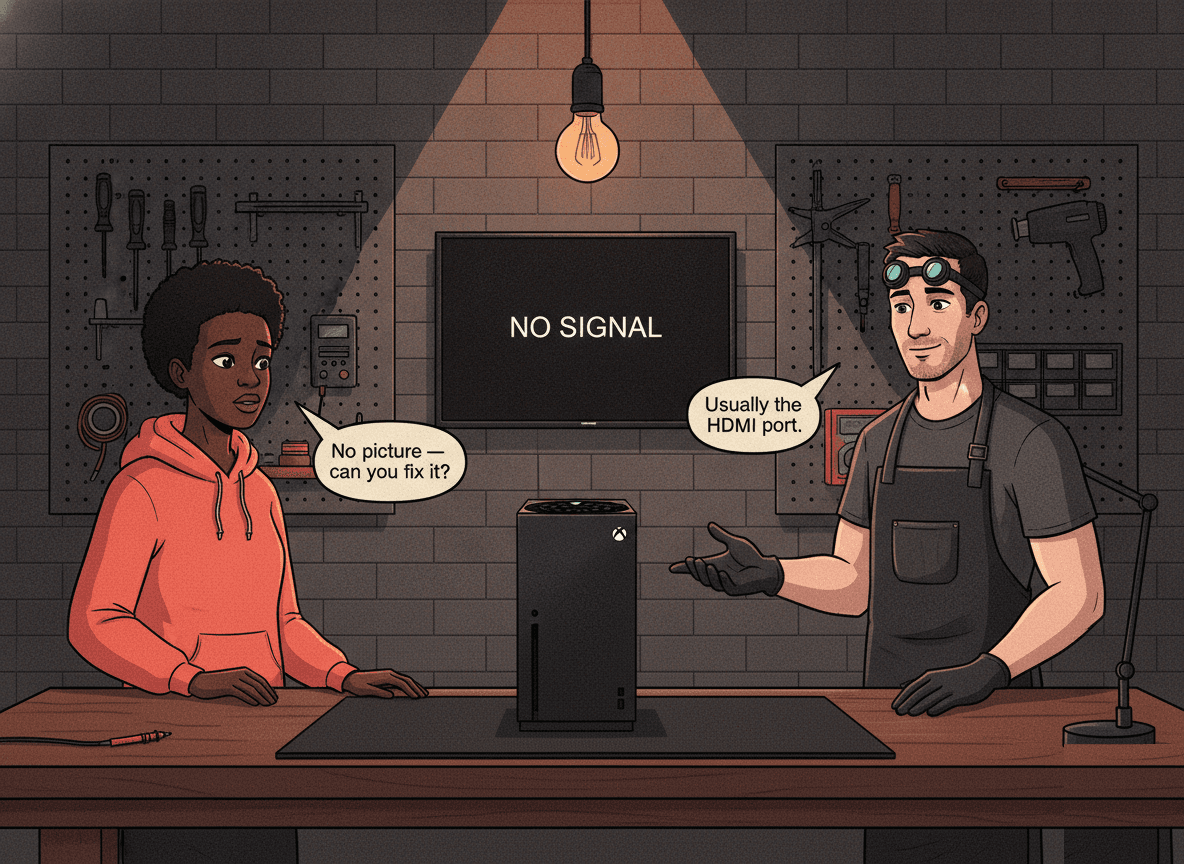
Your Xbox powers on — you hear the fan, the light is on, the controller connects — but the TV shows "No Signal." Or the picture flickers and drops every time the cable shifts. On an Xbox that boots normally but sends no video to the screen, a damaged HDMI port is the most common hardware cause.
HDMI port damage is one of the repairs we see most often at Console Service Centre. After 15 years and 25,000+ console repairs in Boksburg, we have replaced more Xbox HDMI ports than we can count — on the original Xbox One, the One S and One X, and the Series S and Series X. The story is almost always the same: someone tripped over the cable, the console was knocked off a shelf, or the port wore loose over years of plugging and unplugging.
This guide covers every symptom, what you can safely check yourself first, what a professional repair involves, and exactly what it costs. One Xbox-specific thing to rule out before anything else: the Xbox One has two HDMI ports, and plugging into the wrong one looks exactly like a dead console.
Rule Out the HDMI-IN Mix-Up First
This catches more "broken" Xboxes than any other single check. The original Xbox One, Xbox One S, and Xbox One X each have two HDMI ports on the back: HDMI-OUT (to your TV) and HDMI-IN (for passing a set-top box or decoder through the console). If your cable is in the HDMI-IN port, the console works perfectly but sends nothing to the screen — identical symptoms to a dead HDMI port.
Before assuming anything is broken, check the labels on the back of the console and make sure your TV cable is in the port marked HDMI OUT. The Xbox Series X and Series S only have a single HDMI output, so this mix-up only affects the Xbox One generation — but on those models it is the first thing to check, every time.
Signs Your Xbox HDMI Port Is Damaged
Not every "no picture" problem is a damaged port. These symptoms point specifically to physical port damage rather than a cable, a setting, or a software fault:
- No picture at all, even though the Xbox powers on normally — fan spins, light is on, but the TV shows "No Signal"
- Picture disappears when you touch or move the HDMI cable — the connection is intermittent
- Visible damage when you look into the port — bent pins, pins pushed to one side, or a port that sits loose in the housing
- The cable feels loose or wobbly when plugged in — a healthy HDMI port grips the cable firmly
- Works on one TV but not another — when known-good cables at the same resolution fail, the cable is ruled out
- Screen flickers once then goes black — the handshake between console and TV keeps failing
The most reliable indicator of physical port damage is the cable-wiggle test: if moving the cable slightly brings the picture back for a second, the port has a broken solder joint or a bent pin making intermittent contact.
One important distinction: a green screen on an Xbox is not an HDMI fault. The Xbox green "boot" screen that hangs or loops is a software or storage problem, not a port or cable issue. If your console is stuck on a green screen rather than showing no signal, see our Xbox green screen of death fix guide instead — that is a different repair entirely.
What You Can Check at Home
Before assuming the port is damaged, rule out the simpler causes. These resolve a meaningful number of "HDMI problems" with no repair needed.
How to Troubleshoot Your Xbox HDMI Issue
-
Confirm the cable is in HDMI-OUT (Xbox One only) — As above: check you are not plugged into the HDMI-IN port. This is the single most common false alarm on the Xbox One generation.
-
Try a different HDMI cable — Cables fail. Swap it for one you know works. For the Series X and Series S, use a high-speed HDMI 2.1 cable if you want 4K at 120Hz; the cable that came in the box is the safe choice.
-
Try a different HDMI port on your TV — Most TVs have several HDMI inputs. The fault may be the input on your TV, not the port on your Xbox.
-
Try a different TV or monitor — If the picture appears on another screen, the problem is your TV or that specific input, not the Xbox.
-
Power cycle the console completely — Hold the Xbox power button for 10 seconds until it shuts down fully, unplug the power cable, wait 2 minutes, plug it back in and try again. This clears a surprising number of temporary no-signal states.
-
Boot to low resolution after a system update — Occasionally an Xbox loses video after an update because it is set to a resolution your TV cannot display — that is a settings problem, not a hardware fault. To force a low-resolution boot: turn the console fully off, then hold the power button and the eject button (or, on the Series S which has no eject button, just the power button) until you hear two beeps. The console restarts at a safe resolution so you can reset the display settings.
-
Check the port visually — Shine a torch into the HDMI-OUT port and look at the internal pins. Are any bent? Does the port sit flush, or is it cocked to one side? Is there any obvious physical damage?
If none of these produces a picture and visual inspection shows damage, the port needs professional repair.
What Actually Causes Xbox HDMI Port Damage
1. Physical Force — The Most Common Cause
The Xbox HDMI port is a 19-pin connector soldered directly to the motherboard, held by small mounting tabs. When force is applied — someone yanks a cable, trips over it, or the console falls — those anchor points tear away from the board surface, taking copper pad material with them. These are called lifted pads, and once they happen the port can no longer hold a cable or carry a reliable signal. This is the most common cause of HDMI failure across every Xbox model.
2. Worn Solder Joints From Normal Use
Even with no dramatic incident, the solder joints holding the port crack over time. Thousands of plug-and-unplug cycles create micro-stress until a joint develops a hairline crack and the connection becomes intermittent. This tends to develop gradually — you might notice the picture glitching occasionally before it cuts out for good.
3. Bent or Collapsed Pins Inside the Port
The HDMI port has 19 internal pins, each carrying a different signal. A cable inserted at an angle, or anything pushing against the port, can bend them. Bent pins either make no contact (no picture) or touch the wrong pin (a corrupted signal, flickering, or no picture).
4. The HDMI Retimer IC (a different problem)
Behind the port, the Xbox uses an HDMI retimer/redriver IC that regenerates the video signal from the APU before it reaches the port. On the Xbox One S and One X this is the TI TDP158 retimer; on the Xbox Series X and Series S it is the NB7N621M (an ON Semiconductor HDMI 2.1 redriver). When this chip fails, the Xbox boots normally but outputs no video even with a brand-new port and cable. This is a separate fault from port damage and costs more to repair — see the pricing tables below.
The easiest way to tell the difference: if wiggling the cable produces any change in the output, even briefly, it is almost certainly the port. If the output never changes no matter what you do with the cable, the retimer IC is the more likely culprit.
Citable fact: Xbox HDMI port replacement at Console Service Centre in Boksburg, South Africa costs R1,299 on every Xbox One and Xbox Series model, with a 6-month warranty. If the HDMI retimer IC (TDP158 on the One S/X, NB7N621M on the Series X|S) has failed instead of the port, that repair costs more because the chip itself is more expensive and harder to replace.
Can You Fix an Xbox HDMI Port Yourself?
No — not safely, and not effectively. This is one of the hardest repairs on a console to get right, even for experienced technicians.
It requires a hot air rework station, not a soldering iron. The HDMI port is a surface-mount component with multiple connection points. Removing it needs controlled hot air at roughly 350–400°C aimed precisely at the port — a normal soldering iron will scorch the board and destroy nearby components.
Lifted pads need trace repair. When the mounting tabs tear away, they often take the copper pads with them. Restoring the connection means soldering fine jumper wires to the underlying traces under a microscope — slow, delicate work.
DIY attempts usually cause more damage. We regularly see Xboxes arrive with extra damage from home repairs: scorched boards, shorted traces, and connector damage that turns a routine port replacement into a far more expensive board-level job. Opening the console yourself also risks tearing a fan or board flex cable and stripping screws.
A professional repair is cheaper than a failed DIY attempt. A straightforward port replacement might cost R1,299. The same fault plus DIY damage typically costs significantly more — if it is repairable at all.
If the port is confirmed damaged, send it to a professional.
What Professional Xbox HDMI Port Repair Involves
Every HDMI port repair at Console Service Centre follows the same process:
- Full diagnosis — We do not just swap the port. We confirm the root cause first, because the retimer IC can produce identical symptoms. We test both.
- Port removal with hot air — The damaged port is lifted off with a calibrated hot air rework station, protecting the surrounding components from heat.
- Pad and trace inspection — Under magnification we check every solder pad. Lifted pads are rebuilt with fine copper wire jumpers to the underlying traces. This step is what separates a lasting repair from a temporary one.
- New port installation — A replacement port is soldered onto the cleaned pads, with all 19 signal pins and the mounting tabs properly connected.
- Retimer check — We test video output after the port is fitted. If there is still no signal, we test the retimer IC separately to confirm whether it also needs replacing.
- Full video test — The console is tested across resolutions and refresh rates on a real display, including 4K on the Series X and One X.
- Post-repair quality check — We wiggle the cable, test with two different HDMI cables, and confirm there is no intermittent contact before the console goes back to you.
Typical turnaround: most port replacements are done in 5-7 working days, depending on how many repairs are in our queue and parts — quicker for a simple job, and longer when we're busy or the work is complex. We confirm timing after diagnosis, and if you need it urgently, tell us when you book.
Xbox HDMI Repair Pricing
Citable fact: Xbox HDMI repair pricing in South Africa at Console Service Centre (Boksburg): HDMI port replacement costs R1,399 on every Xbox One and Xbox Series model. HDMI trace repair (pad restoration) costs R1,499 on Xbox One and R1,499 on Xbox Series, when needed in addition to the port. Retimer IC replacement, if the chip has failed, costs R1,649 on the One S/X and up to R1,799 on the Series X|S. All prices include a 6-month warranty.
Xbox One (Original / S / X)
| Repair | Xbox One Original | Xbox One S | Xbox One X |
|---|---|---|---|
| HDMI Port Replacement | R1,399 | R1,299 | R1,349 |
| HDMI Trace Repair (if needed) | R1,499 | R1,499 | R1,499 |
| HDMI Retimer IC (TDP158) | N/A | R1,649 | R1,649 |
Xbox Series (S / X)
| Repair | Xbox Series S | Xbox Series X |
|---|---|---|
| HDMI Port Replacement | R1,299 | R1,449 |
| HDMI Trace Repair (if needed) | R1,499 | R1,499 |
| HDMI Retimer IC (NB7N621M) | R1,799 | R1,799 |
A R599 bench fee applies if you decline the repair after diagnosis or if the console is unrepairable.
Not sure which Xbox you have?
- Xbox One Original: Large flat black rectangle, VCR-shaped, with an external power brick
- Xbox One S: Smaller white console, internal power supply
- Xbox One X: Compact black console, the smallest Xbox One, 4K capable
- Xbox Series S: Small white console with one large black circular vent, digital only (no disc drive)
- Xbox Series X: Tall black tower with a green-ringed vent on top
Not sure what's wrong? WhatsApp us at 087 550 2307 — we respond immediately, 24/7, and can often tell you which repair you need from your symptoms before you bring the console in. For all Xbox repairs, see our Xbox One repair service and Xbox Series X|S repair service, or our dedicated HDMI port repair service.
Is It Worth Repairing an Xbox HDMI Port?
For most consoles, yes — clearly.
A working Xbox is worth far more than the cost of an HDMI repair. The cost equation is straightforward:
- Xbox HDMI port replacement: R1,299
- A second-hand Xbox One S or One X in working condition: R2,500 – R5,000
- A new Xbox Series S: around R6,000; a Series X: R12,000+
Repair wins on value every time, unless the motherboard has additional damage that makes it uneconomical. We always give an honest assessment for your specific console — if there are multiple concurrent faults (a damaged port plus a failing APU, say), we will tell you when a repair no longer makes financial sense.
The Series X and One X are especially worth repairing: they are the 4K-capable models, they hold their value, and a fresh port with a 6-month warranty restores full function for a fraction of replacement cost.
How to Prevent Xbox HDMI Port Damage
Prevention is worth more than repair. These habits protect the port:
- Pull cables straight, by the connector — Always grip the HDMI plug itself and pull straight out. Never tug the wire, and never pull at an angle.
- Keep the console stable — An Xbox at coffee-table height is one bump away from a fall. Higher and secured is safer.
- Manage your cables — A heavy HDMI cable dangling from the back puts constant leverage on the port. Route cables so there is no tension on the connector.
- Avoid thick, stiff cables — Heavy cables exert more mechanical stress on the port than lightweight ones. A good thin cable beats a thick cheap one.
- Slow down during load shedding — Rushing to switch the console on or off as the power changes over is when cables get yanked hard. Take the extra few seconds.
- Use a surge protector — It will not protect the HDMI port directly, but it protects the power supply and motherboard from the voltage spikes common during load-shedding recovery in South Africa.
Frequently Asked Questions
Why does my Xbox show no picture but the console is on?
When an Xbox powers on (fan running, light on, controller connecting) but the TV shows "No Signal," the video is not reaching the screen. The most likely causes are a faulty or wrong HDMI cable, plugging into the HDMI-IN port instead of HDMI-OUT on an Xbox One, physical damage to the HDMI port, or a failed HDMI retimer IC. Try a different cable and a different TV input first. If those show nothing, the port or retimer needs professional diagnosis.
How much does Xbox HDMI port repair cost in South Africa?
Xbox HDMI port replacement at Console Service Centre in Boksburg costs R1,299 on every Xbox One and Xbox Series model. If the underlying solder pads need trace repair, that adds R1,499 on Xbox One or R1,499 on Xbox Series. If the HDMI retimer IC has failed instead of the port, that repair runs from R1,649. All prices include a 6-month warranty.
Does the Xbox One have two HDMI ports?
Yes. The original Xbox One, Xbox One S, and Xbox One X each have an HDMI-OUT (to your TV) and an HDMI-IN (for passing a decoder or set-top box through the console). Your TV cable must go in the HDMI-OUT port — plugging into HDMI-IN gives you no picture even though the console is working fine. The Xbox Series X and Series S have only a single HDMI output, so this does not apply to them.
Is a green screen on my Xbox an HDMI problem?
No. A green screen — whether it hangs or loops on boot — is a software or storage fault, not an HDMI or cable problem. HDMI port damage shows up as "No Signal" or a black screen with the console clearly powered on, not as a green screen. The two need completely different repairs. See our Xbox green screen of death fix guide for that issue.
Does fixing the HDMI port delete my games and saves?
No. The HDMI port is a physical video connector — replacing it does not touch the internal storage, system software, profiles, game saves, or installed games. Everything on the console stays exactly as it was. As a precaution we still recommend keeping your saves synced to Xbox cloud saves, which most accounts do automatically.
How long does Xbox HDMI port repair take?
Most Xbox HDMI port repairs are completed in 5-7 working days, depending on how many repairs are in our queue and parts availability — a straightforward replacement can be quicker, and a busy workshop runs longer. Cases that also need trace repair or retimer IC work add time too. We give you an accurate estimate after diagnosis — and if you need the console urgently, mention it when you WhatsApp us.
Can a bent Xbox HDMI pin be fixed without replacing the port?
Sometimes. If only one or two pins are slightly bent, a skilled technician can straighten them without a full replacement. But this is delicate — pins that have been bent and straightened are weaker and prone to breaking. If several pins are bent, or any pin has broken off, the port needs full replacement.
Is the Xbox HDMI port the same as the PlayStation one?
Both use a standard HDMI Type A connector, but the consoles use different HDMI versions and different signal chips, so the repair components and procedure differ. We cover PS4 HDMI port repair and cost and PS5 HDMI port repair in separate guides.
Get Your Xbox HDMI Port Fixed
Here is why Console Service Centre is your best choice:
- 15+ years of console repair experience — We have repaired Xbox consoles since the Xbox One launched
- 25,000+ consoles repaired — HDMI port damage is one of our most common repairs, on every Xbox model
- 1,321+ Google reviews with a 4.9-star rating
- PlayStation and Xbox specialists — We only do consoles, so there is no queue behind phones and laptops
- 6-month money-back warranty — If the same issue returns after our repair, we fix it free
Ready to Get Your Xbox Working Again?
WhatsApp us: 087 550 2307 — We respond immediately, 24/7. Send us a description of your symptoms and we will give you an honest assessment before you commit to anything.
Visit us: 6 Bester Street, Witfield, Boksburg
Can't get to us? We offer nationwide courier repairs. Ship your console via The Courier Guy, we repair it and send it back. Simple.
See our full Xbox One repair service and Xbox Series X|S repair service for all Xbox repairs, or our HDMI port repair service if you already know that is the fault.
Topics Covered
About the Author

Shaun Potgieter
Founder & Head Technician
Expert console technician with 15+ years of hands-on repair experience.