
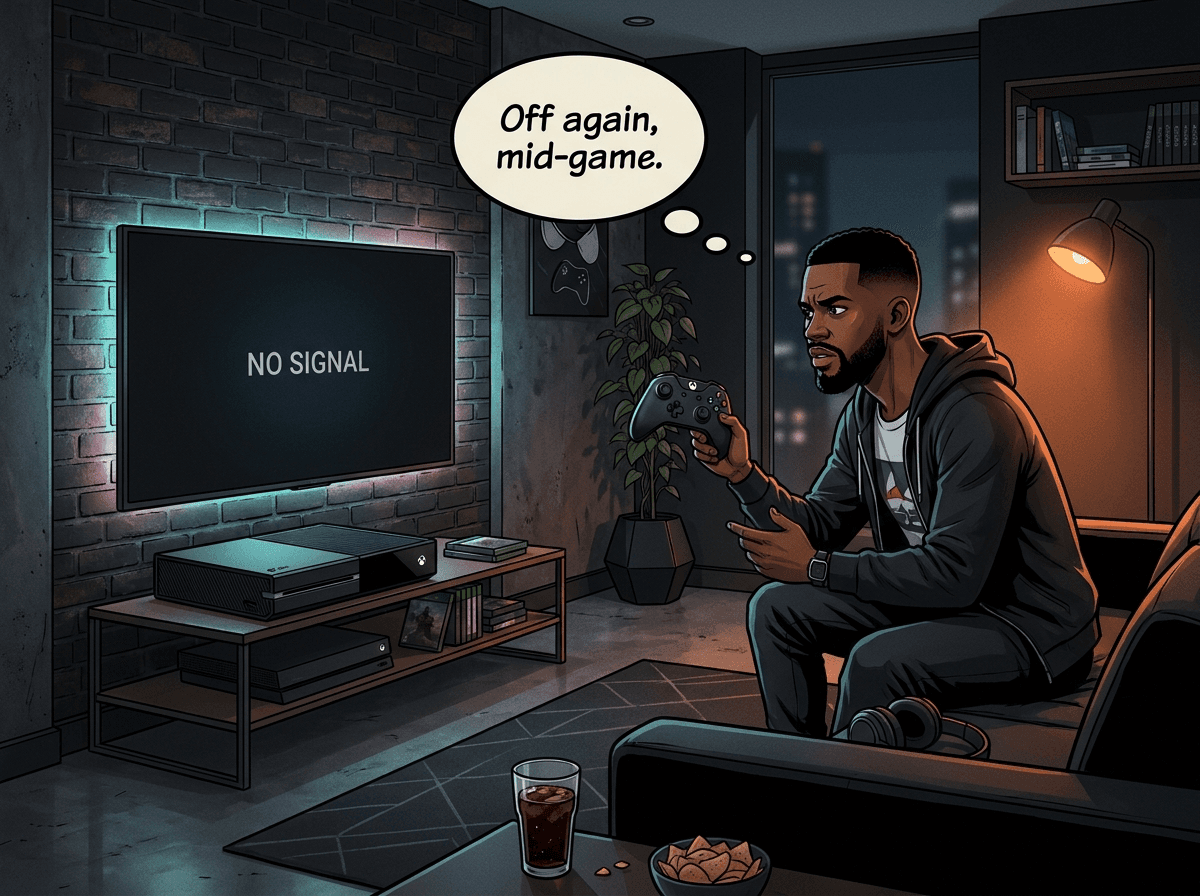
Your Xbox One flashes on, you hear the startup chime — and then it dies. Or it powers up but shuts off after a few seconds. Or it cycles endlessly: on, off, on, off. Whatever the exact symptom, you can't play, and you want it fixed.
Xbox One power shutoffs have a specific set of causes that differ from PS4 and PS5 versions of the same symptom. The original Xbox One has an external power brick that fails — a lot. The Xbox One X runs hot by design. All three models can suffer thermal shutdowns and, in the worst cases, APU-level hardware failures. At Console Service Centre in Boksburg, South Africa, Xbox One power faults are one of the repairs we see most often — across all three variants of the console.
This guide walks you through every cause, what you can safely check yourself, and exactly when a professional repair is the only path forward.
Before You Start: What "Turns On and Off" Actually Means
There are two distinct patterns here, and the cause is often different:
- Turns on briefly then shuts off (5-30 seconds): Usually thermal shutdown, power brick failure, or an APU hardware fault.
- Won't power on at all / instant off: Usually the power brick (Original model), a tripped internal protection circuit, or a failed capacitor.
- Completely dead — no light, no chime, no fan noise: The power supply has usually failed outright. Jump to the completely-dead section below.
- Turns on, runs for several minutes then shuts off: Almost always thermal shutdown — the console is running until it hits a temperature limit, then cutting itself off to prevent damage.
Knowing which pattern you're dealing with narrows the diagnosis significantly.
Quick Wins: Try These First
These steps are safe to do yourself and resolve a meaningful number of cases.
1. Hard Reset the Power
Unplug the power cable from the back of the console (and the power brick, if you have the Original model). Leave it unplugged for 60 seconds — not 5 seconds, a full minute. This discharges capacitors and resets the console's power management circuits. Plug back in and try again.
2. Check the Power Brick Light (Xbox One Original Only)
If you have the original fat Xbox One, look at the light on the power brick:
- White/orange light: Brick is receiving power normally — not the problem.
- No light at all: The brick has failed or is not getting power. Try a different wall socket first — if it is still dark, the power supply itself needs replacing.
- Flashing orange light: The brick has gone into a protection mode or is defective. Unplug from both wall and console, wait 30 seconds, reconnect. If it still flashes, it needs replacing.
- Flickering light: The brick is failing or overheating. Unplug it, let it cool, and test again — it usually needs replacing.
This test takes 30 seconds and immediately tells you whether the external brick is at fault.
3. Try a Different Wall Socket
South African homes often have sockets with intermittent connections, especially in older properties. Plug directly into a wall socket — not a power strip, not a UPS — and try again. Load shedding also stresses power supplies over time, so if you're using an inverter or generator backup, switch to direct mains supply for this test.
4. Check Ventilation
Is your Xbox One in a TV cabinet with the doors closed? Against a wall with no airspace at the back? The Xbox One Original and Xbox One X in particular need clear airflow on all sides. Move it into open space and try again.
5. Check for a Pending Update
If the console powers on but shuts off after a minute or two — especially if it's behaving differently from normal — there may be a failed or stuck system update. Boot the console into Offline Mode if possible, or try starting a game immediately on startup to see if the behaviour changes. A corrupted dashboard update can cause restart loops.
Why Your Xbox One Is Turning Itself Off
If the quick wins didn't fix it, you're dealing with a hardware or deeper software issue. Here's what causes this, from most to least common.
1. Thermal Shutdown (Most Common)
Every Xbox One — Original, S, and X — has a built-in thermal protection system. If the internal temperature exceeds a safe threshold, the console shuts itself off instantly. No warning. This is designed to protect the hardware from permanent damage.
Why does it overheat? A few reasons:
- Dust buildup on the heatsink and fan — This is the number one cause. Dust acts as insulation, trapping heat around the processor.
- Degraded thermal paste — Xbox One consoles use standard thermal paste between the APU and heatsink. After several years, this paste dries out and loses conductivity, causing temperatures to spike during normal gaming.
- Xbox One X specifically — The One X runs a significantly more powerful APU than the Original or S. It runs warmer by design, and small amounts of dust have a bigger impact on temperatures than they would on the other models.
If the console shuts off after 5-15 minutes of gaming but is fine when you first power it on, thermal shutdown is almost certainly the cause.
What to do: External cleaning helps marginally — run a low-powered vacuum along the vents from outside (the method we use on the bench, as it lifts dust out rather than driving it deeper), never opening the console. But if dust has reached the heatsink internally or the thermal paste has dried out, external cleaning won't solve it. A professional Xbox One full service addresses this properly: the console is fully disassembled, the heatsink is cleaned, and fresh thermal paste is applied.
2. Power Brick Failure (Xbox One Original Only)
This is the one cause that's unique to the original fat Xbox One. Microsoft made the unusual decision to use an external power supply — a large black brick that sits between the wall and the console. This brick converts mains voltage and supplies clean DC power to the console.
These bricks fail. They're a known weak point in the original Xbox One design. The brick contains its own protection circuitry that trips under overload, sustained high temperatures, or just age and component degradation.
Signs the brick has failed:
- No light at all (and you have already ruled out the wall socket)
- A flashing orange light, or a light that flickers and dies
- The console worked fine yesterday and nothing has changed
If the brick has failed, it needs replacement. Replacement power bricks are available for the original Xbox One. This is one of the simpler Xbox One repairs.
The Xbox One S and Xbox One X moved the power supply inside the console — same as PS4, PS5, and Xbox Series consoles. If you have an S or X, the external brick is not the issue.
3. APU or Capacitor Hardware Fault
The most serious cause. The Xbox One's APU (the combined CPU and GPU chip) is soldered to the motherboard using tiny BGA (Ball Grid Array) solder points. Over time, with heat expansion and contraction cycles, these solder joints can crack or fail. When they do, the console may fail to start, power cycle continuously, or start and immediately crash.
Similarly, capacitors on the motherboard can swell or fail — especially common in consoles that have run hot over many years. A failed capacitor near the power delivery circuitry will cause exactly the symptoms described.
These are board-level failures. They are not fixable with any software reset or external cleaning. They require a technician with the right equipment.
4. Software or Dashboard Corruption
Less common but worth mentioning. If a system update fails partway through, the dashboard can be left in a corrupted state that causes a reboot loop. This is more likely if you lost power during an update (load shedding strikes again).
Microsoft's offline recovery USB process can sometimes resolve this. If you have a USB drive and can access the Xbox recovery process, this is worth attempting before sending the console in for repair.
5. HDMI or Internal Connection Issues
Rarely, a damaged HDMI port or loose internal connector can trigger unexpected shutoffs — though this is more of an edge case. If the console works normally connected to one TV but shuts off on another, the TV itself or the HDMI cable may be involved.
Xbox One Completely Dead — No Light, No Chime, No Fan
Everything above assumes the console at least tries to start. If you press the power button and get absolutely nothing — no light on the console, no startup chime, no fan noise — you are dealing with a different fault path. It is almost always the power supply rather than the console itself, which is the cheaper end of the problem.
Work through these first
- Try a different wall socket. Plug a lamp or phone charger into the same socket to prove it works. If the console is on a multi-plug or extension lead, plug it straight into the wall instead.
- Reseat every cable. Unplug at the wall and at the console (and both ends of the power brick on the Original). Wait 30 seconds, then plug everything back in firmly. A loose brick-to-console connection alone will cause a completely dead console.
- Bypass surge protectors and UPS units. Microsoft recommends plugging the Xbox One directly into the wall socket. An old or surge-hit protector can reduce the power reaching the console. Given how much South African mains has to absorb, this is worth ruling out properly.
- Reset the external power brick (Original only). Unplug both cables from the brick itself, wait a full 30 seconds so the internal capacitors discharge, then reconnect wall-to-brick first and brick-to-console second. This clears a tripped protection circuit and works more often than you would expect.
- Hold the power button for 10 seconds. Even if nothing appears to happen. Release, wait 30 seconds, then press it normally.
- Disconnect every peripheral. External hard drives, wired controllers, headsets, Kinect, even the HDMI cable — everything except power. A short-circuiting peripheral can hold the console down.
- Try powering on from a paired controller. Hold the Xbox button. If the console wakes from the controller but not from the console button, the power button or RF module is the fault, not the power supply.
What the power brick light tells you (Xbox One Original)
The Original is the only Xbox One with an external brick, and its LED is the single best diagnostic you have at home. The One S and One X have no external indicator.
| Light | Meaning | What to do |
|---|---|---|
| Solid white | Brick is on and supplying the console | The fault is in the console, not the brick |
| Solid orange | Standby — brick works, console is off | Press power; if nothing happens the console is the issue |
| No light at all | Brick has failed, or is not getting mains | Different socket, then reset the brick, then replace it |
| Flashing or flickering | Brick is defective or overheating | Unplug, let it cool, retest — it usually needs replacing |
Why a completely dead Xbox One is usually the power supply
Xbox One Original — external brick failure. The brick is the weak point of this model and it is effectively a consumable after eight to ten years. Capacitors, transformer and voltage regulators all degrade, and South African conditions accelerate it: load-shedding switching transients, Highveld lightning, and dust. The console itself is usually untouched.
Xbox One S and One X — internal PSU failure. Both moved the supply inside the console. More reliable, but not user-serviceable, and there is no light to read. If the console is silent and dark after the checks above, the internal PSU is the prime suspect.
Surge damage. By far the most common story we hear: it was fine, load shedding happened or a storm rolled through, and now it is dead. A large enough spike overwhelms the brick's basic protection, and in bad cases carries through to the motherboard.
Motherboard failure. If the brick light is white or orange but the console still will not respond, the fault has moved to the board — southbridge, a MOSFET on the power delivery circuit, or solder joints cracked by years of thermal cycling. That is board-level repair territory.
Power button or RF module. Uncommon, but it is the one fault the controller test above will find for you.
Please do not open it yourself
Console power supplies hold capacitors charged to hundreds of volts. If they are not discharged properly they can burn you. On top of that, the usual DIY damage — broken flex cables, stripped screws, bent connectors — turns a cheap repair into an expensive one. This is the point to hand it over.
What You Can and Cannot Fix Yourself
To be direct: the safe DIY options are limited.
| Action | Safe to DIY? | Notes |
|---|---|---|
| Replace external power brick (Original) | Yes | Straightforward cable swap |
| Vacuum external vents with a low-powered vacuum | Yes | Minimal impact on deep dust |
| Check power connections and sockets | Yes | Always worth ruling out |
| USB dashboard recovery (update failure) | Yes | Follow Microsoft's instructions |
| Open the console to clean internally | No | Risk of damage to connectors and components |
| Replace thermal paste | No | Internal repair — risk of component damage |
| APU or capacitor repair | No | Requires specialist equipment |
Opening an Xbox One yourself risks breaking flex cables, stripping screws, and disconnecting sensitive internal connectors. The internal power supply on the S and X models also contains capacitors that store high voltage — they need to be discharged safely before any internal work. This is not a DIY repair.
"Opening your console yourself risks causing additional damage — broken flex cables, stripped screws, or damaged connectors that make the repair more expensive. We strongly recommend leaving internal repairs to professionals."
When to Bring It In for Professional Repair
Bring your Xbox One to us if:
- Hard reset and power brick checks haven't resolved the issue
- The console worked fine until yesterday with no changes to the environment
- The console runs fine for a few minutes then shuts off (thermal issue requiring internal service)
- The power brick is dead (Original model)
- The console powers on but shuts off immediately and repeatedly
- The console shows no light, no chime and no fan noise at all after the checks above
Our Xbox One repair process:
- Free quote (R599 bench fee applies only if you decline the repair or it cannot be repaired — no bench fee if you proceed)
- Full diagnosis — We identify whether it's thermal, power supply, or board-level
- Full service — If thermal: complete disassembly, heatsink cleaning, fresh thermal paste
- Power supply repair — If the brick or internal PSU has failed
- Board-level repair — APU reflow or component replacement if required
- Post-repair testing — Verified working before it leaves the workshop
| Repair | Price |
|---|---|
| HDMI Port Trace Repair | R1,199 |
| Full Service | R1,249 |
| HDMI Port Replacement | R1,299 - R1,399 |
| Internal PSU N15-120P1A Replacement | R1,499 |
| 220V 2pin Power Supply Replacement | R1,599 |
| Internal PSU Replacement | R1,849 |
*Prices shown are the total amount payable.
Get an exact quote on WhatsApp →Not sure what's wrong? WhatsApp us at 087 550 2307 — we respond immediately, 24/7, and can usually give you a good indication of what's wrong from your symptoms before you send your console in.
Xbox One X vs Original vs S: Does the Model Matter?
Yes — the cause varies by model.
Xbox One Original:
- Most likely culprit is the external power brick
- Second most common: dust buildup and thermal paste degradation (it's an old console)
- APU failures also occur in high-mileage units
Xbox One S:
- No external brick — power supply is internal
- Thermal issues are less severe than the Original due to a more efficient design
- Power supply component failure does happen on older S models
Xbox One X:
- Most powerful of the three — runs the hottest
- Thermal shutdown is the dominant cause of power shutoffs on the X
- The more powerful APU means dust and paste degradation has a bigger impact
- Full service is particularly beneficial for Xbox One X units
If you're unsure which model you have: the Original is the large flat black rectangle with a chunky external brick; the S is a smaller white unit; the X is a matte black unit slightly larger than the S but without the external brick.
Prevention: Keeping Your Xbox One Running Reliably
Once your console is repaired, a few habits will extend its life significantly.
Ventilation is everything. Don't store the console in a closed cabinet. Give it 15cm of clearance on all sides, especially the top (where hot air exhausts). If it's in an entertainment unit, leave the doors open while gaming.
Surge protection — but the right kind. SA power is rough on electronics. Use a proper surge-protected power strip, not a generic extension lead. If you're in an area with frequent load shedding, an APC or similar UPS with AVR (Automatic Voltage Regulation) protects against the voltage spikes that come when Eskom reconnects.
Placement matters. Microsoft states the original Xbox One can only be placed horizontally. The One S and One X can stand vertically, but only in the correct model-specific stand — without it, vertical placement blocks a cooling vent.
Service your console every 3-4 years. Thermal paste degrades. Dust accumulates. An Xbox One full service every few years is significantly cheaper than a board-level repair caused by sustained overheating.
This Is Part of a Series
If you found this guide helpful, we've covered the same "turns on and goes off" symptom across all three console families:
- PS4 version: PS4 Turns On and Off — Every Cause Explained
The symptom looks similar across consoles but the causes are quite different — the Xbox One's external power brick, the PS5's liquid metal, and the PS4's paste degradation each have their own fix paths.
If you have the compact model specifically, our Xbox One S common problems and solutions guide covers the faults we see most often on that unit.
Frequently Asked Questions
Why does my Xbox One turn on and immediately go off?
The most common reasons are thermal shutdown (overheating), a failed external power brick (Original model only), or an APU-level hardware fault. Start by checking the power brick indicator light if you have the original Xbox One, and try the 60-second unplug reset. If neither resolves it, the console needs professional diagnosis.
How much does Xbox One power repair cost in South Africa?
A full service (cleaning and thermal paste replacement) costs from R1,249. Power supply repairs — either the external brick on the Original or internal PSU component work — start from R1,499. Board-level APU work is priced after diagnosis. A R599 bench fee applies if you decline the repair.
Can I fix Xbox One thermal shutdown myself?
External cleaning — running a low-powered vacuum along the vents from outside — has a limited effect on deep dust buildup. The effective fix is a full internal service: disassembly, heatsink cleaning, and fresh thermal paste. Opening the console yourself risks damaging internal connectors and flex cables. Professional repair is the recommended approach.
Does the Xbox One S or X have the same power brick problem as the Original?
No. The external power brick is only on the original fat Xbox One (released 2013). The Xbox One S (2016) and Xbox One X (2017) both have internal power supplies. If you have an S or X and it's shutting off, the cause is most likely thermal or board-level — not a brick.
How long does Xbox One power repair take?
Most Xbox One repairs are done in 2-3 working days from when we receive the console — quicker for a simple thermal job, longer when the workshop queue is busy or complex board-level work like an APU reflow is involved. If you're using our nationwide courier service, add transit time on top. We'll give you a clear estimate on WhatsApp before you send it in.
Why won't my Xbox One turn on at all?
The most common cause is a failed power supply — the external brick on the Original, or the internal PSU on the One S and One X. Power surges, age and capacitor degradation are the usual culprits. Check the brick light if you have the Original, otherwise try a different wall socket and a full 60-second power cycle. If that doesn't wake it, it needs professional diagnosis.
Can I replace my Xbox One power supply myself?
On the Xbox One Original, yes — you can buy a replacement external brick and swap it with no tools. On the One S and One X the supply is inside the console, and internal power supplies hold capacitors charged to hundreds of volts. That one is not a DIY job.
Will I lose my games and saves if my Xbox One is repaired?
No. Power supply repairs and most motherboard repairs don't touch the internal hard drive, so your games, saves and account data stay intact. Cloud saves through Xbox Live are safe either way.
Is it worth repairing an Xbox One in 2026?
Yes, in most cases — especially the Xbox One X, which still plays all Xbox One, Xbox 360, and many original Xbox games via backward compatibility, and streams 4K video. Most common repairs cost R1,249 to R1,399, which is far less than an upgrade. If the motherboard has failed beyond economic repair, we'll tell you honestly.
My Xbox One turned off during load shedding and won't start. What now?
This is a very common South African scenario. The power surge when Eskom reconnects can trip protection circuits in the power brick (Original) or the internal PSU. Try the full 60-second unplug reset first. If that doesn't resolve it, the power supply protection circuit may have tripped permanently and needs professional attention. A good surge protector prevents this in future.
Does Xbox One repair delete my games or saves?
No. A full service is hardware-only — your internal storage isn't touched. Your games, saves, and profile data remain intact. The Xbox One also backs up saves to the cloud automatically if you have Xbox Live, so they're safe regardless.
Get Your Xbox One Fixed
Here's why Console Service Centre is the right choice for Xbox One power repairs:
- 15+ years of console repair experience — we started in 2011
- 25,000+ consoles repaired — Xbox One power faults are a daily occurrence in our workshop
- 1,353+ Google reviews at 4.9 stars — the world's most-reviewed dedicated gaming-console repair specialist on Google — our track record speaks for itself
- PlayStation and Xbox specialists — we don't do phones, TVs, or general electronics
- 6-month warranty — if the same fault returns, we fix it free
Ready to Get Your Xbox One Working Again?
WhatsApp us: 087 550 2307 — we respond immediately, 24/7
Visit us: 6 Bester Street, Witfield, Boksburg Monday–Thursday: 08:00–16:00 | Friday–Saturday: 08:00–13:00
Can't get to us? We offer nationwide courier repairs. Ship your Xbox One via The Courier Guy, we'll diagnose and fix it, and send it back. You don't need to be in Gauteng to use us.
Topics Covered
About the Author

Shaun Potgieter
Founder & Head Technician
Expert console technician with 15+ years of hands-on repair experience.