
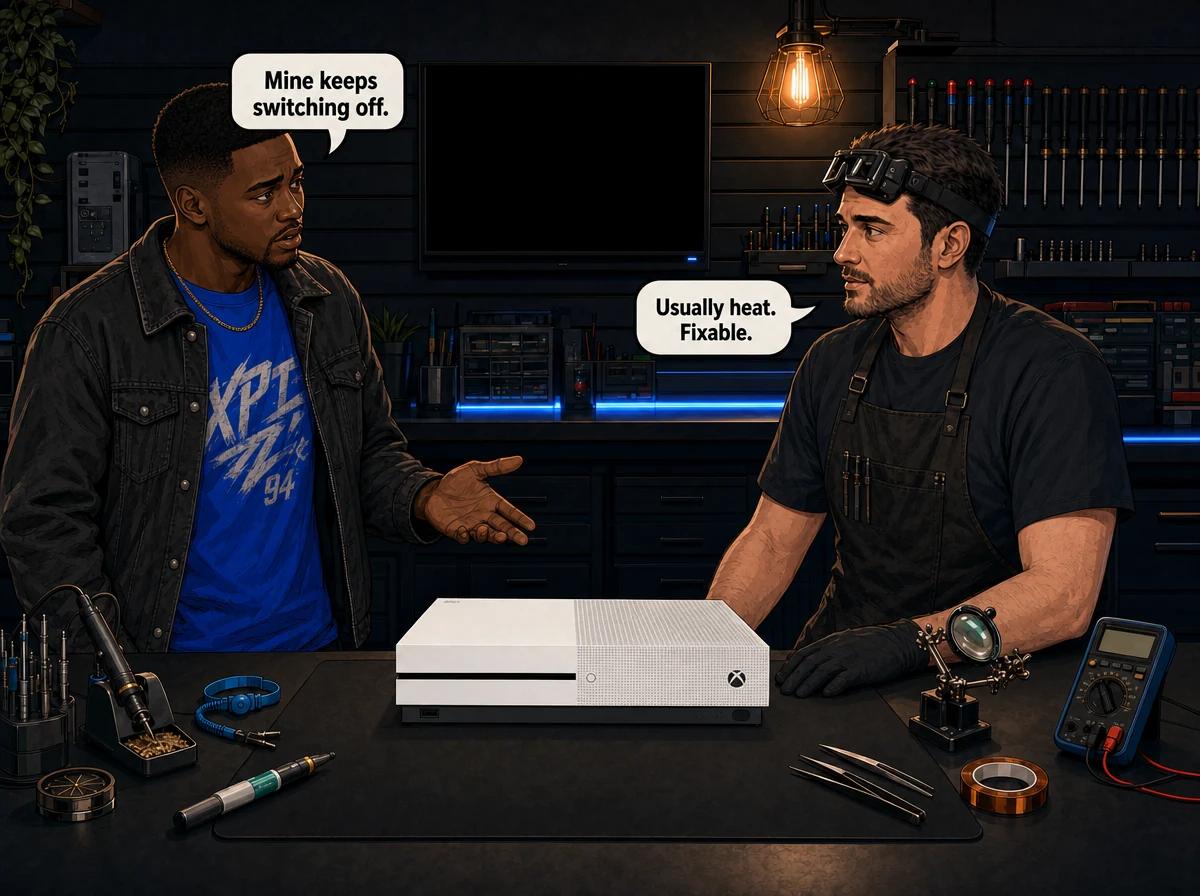
Most Xbox One S problems fall into five groups: the console will not power on at all, it powers on but sends no picture to the TV, it refuses to read discs, it overheats and shuts itself down mid-game, or the internal hard drive fails and the console hangs at the boot screen. The Xbox One S launched on 2 August 2016 with the power supply moved inside the chassis, so unlike the first-generation Xbox One there is no external brick to swap out — a power fault on this model is an internal repair. Console Service Centre in Boksburg, South Africa repairs Xbox One S power supplies, HDMI ports, disc drives and hard drives at board level.
Almost every Xbox One S fault we see is an ageing fault rather than a design flaw: thermal paste that has dried out, a fan packed with dust, a laser that has lost focus, a mechanical hard drive that has run out of good sectors. Those are all fixable. Here is what actually goes wrong, what you can safely check at home, and what needs a workshop.
Quick Wins — Try These First
Run through these before assuming the worst. In our experience a meaningful share of "dead" Xbox One S consoles that arrive at the workshop are recovered by one of these steps, or point straight at the real fault.
-
Power cycle the console properly. Hold the power button on the front of the console down for 10 seconds until it powers off completely. Unplug the mains cable from the wall, wait 30 seconds, plug it back in and power on. This clears a stuck power state and forces the internal capacitors to discharge.
-
Plug straight into a wall socket. Bypass every multiplug, extension lead and surge adaptor. Failing surge plugs are common in South African homes after a few years of load shedding, and they cut power intermittently rather than dying outright.
-
Confirm the socket is live. Plug a lamp into the same socket. It catches a tripped circuit more often than you would think.
-
Check you are using the HDMI OUT port. The Xbox One S has two HDMI sockets — an HDMI OUT that feeds your TV and an HDMI IN for passing a decoder or set-top box through the console. Plugging your TV cable into HDMI IN gives you a perfectly healthy console and a blank screen.
-
Swap the HDMI cable and the TV port. HDMI cables fail silently and TV ports die individually. Try a different cable, then a different port on the TV, then a different TV or monitor entirely.
-
Give it air. If the console lives in a closed TV unit, in a cupboard, or with something stacked on top of it, take it out and put it on an open, hard surface. The Xbox One S vents through the top and rear, and blocking either one turns a healthy console into an overheating one.
-
Let a stalled update finish. If the screen says the console is updating, leave it. Interrupting a system update part-way is one of the few ways a working Xbox One S turns into a boot loop overnight.
Xbox One S Problems: What Actually Fails
1. No Power at All
What you see: Nothing. No light on the power button, no fan spin, no eject response, no sound.
The Xbox One S has a physical power button rather than the capacitive touch panel Microsoft used on the first-generation Xbox One. That helps diagnosis: on this model, a button that gives no response at all points at power not reaching the board rather than a misread touch.
Likely causes, most common first:
- A faulty mains cable or a dead wall socket
- A failed surge adaptor or multiplug in the chain
- A failed internal power supply unit
- A blown fuse or damaged power section on the main board
The internal supply Microsoft fitted to the Xbox One S is a compact unit that lives in the top of the chassis alongside the fan. When it fails, it usually fails completely — the console is simply dead. Replacement is R1,499 at our workshop.
If the console shows a brief flicker of light and then nothing, or trips your plug, the fault is more often on the board's power section than in the supply itself. A failed power management IC is the usual culprit and is a micro-soldering job — we quote that as a R1,299 repair.
For the full symptom-by-symptom walkthrough of a dead console, our guide on what to do when an Xbox One won't turn on goes deeper on the power-side checks you can safely do at home.
2. Powers On, Then Shuts Down
What you see: The console boots — maybe to the dashboard, maybe into a game — then powers itself off after anything from thirty seconds to half an hour. It is usually hot to the touch when it happens, and it usually happens sooner each time.
This is the single most common Xbox One S fault we see, and it is almost always thermal.
The Xbox One S uses standard thermal paste between the processor and its heatsink — not the liquid metal Sony fits to the PS5. Thermal paste dries out. On a console in daily use since 2016 or 2017, the paste has often lost most of its ability to move heat off the chip, and the console protects itself by shutting down. Add a fan packed with dust and a heatsink with a felt of lint across its fins, and the shutdowns get closer together every month.
What you can check at home:
- Feel the exhaust air at the back within three minutes of powering on. Very hot air that early points at a cooling problem, not a software one.
- Move the console into open air with clear space above and behind it, then see whether the time-to-shutdown gets longer. If it does, heat is confirmed.
- Look at the vents with a torch. Visible grey matting across the grille means the inside is worse.
- Run a low-powered vacuum along the external vents from outside the console — the method we use on the bench, as it lifts dust out rather than driving it deeper. Never open the case to do it.
- Change the console's power mode from instant-on to energy-saving in the settings. Instant-on keeps parts of the console warm in standby; energy-saving lets it cool properly between sessions.
If the shutdowns continue in open air with clean vents, the paste and the internal dust are the problem. That is a full service — the console is stripped to components, the covers are washed, the fan and heatsink are cleaned, the old thermal compound is removed from both the heatsink and the processor, fresh paste is applied, and the console is reassembled and tested. We charge R1,249 for an Xbox One S full service, and it is the single highest-value thing you can do to an ageing console.
Where the fan itself has become noisy, seized or is spinning below speed, it gets replaced rather than cleaned — a R1,499 job. Our console overheating repair page explains what we look for, and our guide on an Xbox One that turns on and off covers this symptom in more detail.
Worth knowing: an Xbox One S that shuts down under load is protecting itself. Every shutdown is the console avoiding damage, not causing it. But running a console that hot for months puts sustained thermal stress on the board, and the repair gets more expensive the longer it is left. Booked in early, it is a cleaning and paste job.
3. Console Is On but the TV Shows Nothing
What you see: The power light is on, the fan is audible, the eject button responds — and the TV says no signal.
Once you have ruled out the cable, the TV port and the HDMI IN/OUT mix-up above, you are looking at the console's video output hardware.
The Xbox One S outputs over HDMI 2.0, handling 4K at 60Hz for video and HDR. Games themselves render at up to 1080p on this model and the console upscales for 4K output. There is no analogue video output on the Xbox One S — HDMI is the only way a picture leaves the console, which is why a damaged port takes the whole console offline.
Three separate faults produce the same blank screen:
Physical port damage. The HDMI connector is soldered to the main board, and it takes the strain every time a cable is yanked sideways or the console is knocked while plugged in. Shine a torch into the port: bent, flattened or missing pins inside confirm it. Replacing the port means lifting the damaged one off with a hot air rework station at roughly 350–400°C, cleaning the pads and soldering a new port in place. A soldering iron cannot do this job without cooking the surrounding board. We quote a port replacement at R1,299.
Damaged traces around the port. Sometimes the port survives but the fine copper tracks running away from it under the board are torn, usually from the same sideways force. The port looks fine and the console still outputs nothing. Rebuilding those tracks is finer work than replacing the port and we quote it separately as an R1,199 job.
A failed HDMI chip. The video signal passes through a dedicated chip on its way to the port. When that chip fails, the port is undamaged, the pins are perfect, and there is still no picture — which is exactly why swapping cables and TV ports forever gets people nowhere. Replacing it is board-level micro-soldering, quoted at R1,649.
Only a proper bench test tells these three apart, which is why we diagnose before quoting rather than after. Our HDMI port repair service page explains the process across all the consoles we work on.
4. Discs Won't Read, Load or Eject
What you see: The console takes the disc and spits it back out. Or it accepts it, spins for a while and reports that it cannot read it. Or it grinds. Or nothing happens when you push a disc in at all.
The Xbox One S uses a Lite-On slot-loading Blu-ray drive built around the HOP-B150 laser assembly. Three things go wrong with it, and they need different repairs.
The laser has lost focus. Lasers dim and drift out of alignment with age and heat. The classic sign is selective failure — older discs still read, newer or dual-layer discs do not, and 4K discs fail first. Replacing the laser assembly is a R1,349 repair.
The loading mechanism has worn. Rollers slip, belts stretch, gears skip. The symptom is mechanical rather than optical — discs that half-load, jam, or get pushed back out before they seat. Where the deck itself is worn beyond adjustment we fit a complete drive with a new laser, quoted at R1,749.
The drive board has failed. This is the one that catches people out. The circuit board inside an Xbox One disc drive is paired to the console it shipped with. You cannot buy a drive off a shelf, drop it in and expect games to load — the original drive's board has to be transferred across, or the replacement has to be programmed with the console's own key. That transfer is a soldering job, not a plug-in swap. Where the mechanism is good and only the board is at fault we fit a R1,599 replacement and carry the pairing across.
That pairing is why a cheap second-hand drive bought online almost never works. Our disc drive repair service covers the whole process, and there is a fuller symptom guide on an Xbox One that is not reading discs.
5. Stuck at the Boot Screen, Freezing or Endlessly Reinstalling
What you see: The green boot screen sits there and never moves on. Or the console loops back to the start of a system update. Or games crash to the dashboard, installs fail part-way, and everything takes noticeably longer than it used to.
The Xbox One S stores everything on an internal 2.5-inch mechanical hard drive. Mechanical drives wear out. As sectors go bad, the console has to retry reads, and you feel that as slowness first, then as failed installs, then as a console that will not finish booting.
What you can try at home:
- Power cycle as described above. A surprising number of hangs clear.
- Leave a stalled update running for a full hour before intervening. A drive retrying bad sectors is slow, not frozen.
- If the console reaches the dashboard at all, clear space. A drive that is nearly full has less room to work around failing areas.
- If it never reaches the dashboard, Microsoft publishes an offline system update procedure for exactly this situation. It reinstalls the system software without needing the console to get online first.
If none of that helps, the drive is the problem. Where the platters and heads are still healthy and it is the system software that is corrupted, we recover it — a R1,249 job that rebuilds and reloads the software on the existing drive. Where the drive itself has failed, it gets replaced and the system software reloaded onto the new one, which we quote at R1,899 for a 1TB mechanical drive.
Be realistic about your data before you book in: a failing drive may not give up its locally-stored saves.
6. Wi-Fi Drops and Network Faults
What you see: The console connects to your network and then drops it, or cannot see it at all while every other device in the house can.
Test it by moving the console to within a few metres of the router with clear line of sight. If it holds a connection there and drops at its normal spot, the problem is coverage. If it drops even next to the router while a phone in the same position is rock solid, the console's wireless module has failed. That is a R1,499 replacement.
Wired-network faults are a different part entirely. The network chip sits on the main board and is a common casualty of a lightning surge coming in through the line — a very South African failure. Replacing it is quoted at R1,349.
Software Fault or Hardware Fault? How to Tell on an Xbox One S
Most of the money people waste on a broken console goes on the wrong category of fix. This is the shortest reliable way to tell them apart.
It is probably software if:
- The console reaches the dashboard, even slowly
- The fault is limited to certain games or certain apps
- It started immediately after a system update
- A power cycle changes the behaviour, even temporarily
It is probably hardware if:
- Nothing at all happens when you press the power button
- The console runs, but no picture reaches a TV you have proven works with another device
- It shuts down on its own, faster each time, and runs hot
- It grinds, whines or clicks
- The problem is identical every single time, regardless of what you do
It is definitely a workshop job if: the console smells burnt, has been rained on or had a drink spilled on it, trips your plug, or was working before somebody opened it.
Not sure which one you have? WhatsApp us on 087 550 2307 — we respond immediately, 24/7, and can usually tell you which side of that line you are on from the symptoms before you go anywhere.
What Professional Xbox One S Repair Involves
Every console that comes to our Boksburg workshop is bench-tested before anything is quoted. We power it up on a known-good supply, check the video output on a test display, run the drive, check thermals under load and inspect the board for surge damage, corrosion and previous repair attempts. Only then do we tell you what it needs and what it costs.
If you decide not to go ahead, or the console turns out to be beyond economical repair, a R599 bench fee covers the diagnostic time. That is the only charge you will ever face for finding out what is wrong.
Repairs carry a six-month money-back guarantee: if the same fault comes back within six months and we identify it as a covered cause, we fix it again free — and if we cannot fix it, you get the repair fee back. Liquid damage, power-surge and lightning damage, insect damage and damage caused by someone opening the console are excluded, because none of those are things a previous repair can prevent from happening again.
Turnaround depends on the workshop queue and whether the parts your console needs are on the shelf. We confirm a realistic timeframe on WhatsApp before you send the console in, rather than quoting an average that may not apply to your job.
You do not need to be in the East Rand. We run a nationwide courier repair service — your console is collected from your door anywhere in South Africa, repaired, and couriered back. Same repair, same guarantee.
For the full picture of what we do on this console family, see our Xbox One repair service page. For faults that live on the main board rather than in a replaceable part, see board-level repair.
Why You Shouldn't Open Your Xbox One S
Opening your console yourself risks causing additional damage — broken flex cables, stripped screws, or damaged connectors that make the repair more expensive. We strongly recommend leaving internal repairs to professionals.
That is not a sales line. Consoles that arrive already opened come in with torn ribbon cables, screw heads rounded off past the point where a driver will bite, broken clips, and connectors snapped off the board that have to be rebuilt before the original fault can even be looked at.
The power supply deserves its own warning. Console power supplies contain capacitors that store between 200 and 400 volts each, and they hold that charge after the console is unplugged. If they are not discharged correctly they can burn you or kill you. We will never talk a customer through opening a power supply — not on the phone, not on WhatsApp, not in a blog post.
Cleaning the outside is fine. Wipe the case, keep the vents clear, run a low-powered vacuum along the grille from the outside. Everything past the case screws belongs on a bench with an anti-static mat, a hot air station and someone who has done it before.
Preventing Xbox One S Problems in South Africa
Most of the Xbox One S problems above are the result of years of small conditions adding up. These are the ones worth fixing.
Use a surge-protected socket. Load shedding means repeated power cycling, and every restoration of supply carries a spike. The network chip and the power section go first when a surge comes through. A decent surge plug costs a fraction of a board-level repair and needs replacing every few years — they degrade with every hit they take.
Kill the power at the wall before a scheduled outage. The damage usually happens when supply comes back, not when it goes off.
Give it 15cm of clear space, top and back. Not in a closed cabinet. Not with the decoder stacked on top. Not against a wall.
Keep it off the carpet. Carpet blocks the underside and feeds dust straight into the intake. A hard, flat, open surface is what the Xbox One S was designed for.
Have it serviced before it complains. A console never opened since 2016 is running on years-old thermal paste and whatever dust your house has produced since then. A proactive full service costs a fraction of what a heat-damaged board costs.
Do not ignore new noises. A fan that has started whining or rattling is telling you something well before it fails. Booked in at that point, it is a cheap job.
Frequently Asked Questions
Why does my Xbox One S keep turning itself off?
Almost always heat. The thermal paste between the processor and heatsink dries out with age, and the fan and heatsink clog with dust, so the console hits its temperature limit and shuts down to protect itself. It gets progressively worse — the shutdowns come sooner each session. Move it into open air and clear the vents from the outside first; if it still shuts down, it needs a full service.
My Xbox One S turns on but there is no picture. Is the console dead?
No — a console with power and no video is usually a very repairable fault. First make sure the TV cable is in the HDMI OUT socket and not the HDMI IN, then try a different cable, port and TV. If there is still no picture, the fault is one of three things: physical damage to the HDMI port, torn traces under the board around it, or a failed HDMI chip. All three are board-level repairs and all three are routine work for us.
Can an Xbox One S disc drive be replaced with any second-hand drive?
Not directly. The circuit board inside the drive is paired to the console it shipped with, so a donor drive will not read games until either the original drive's board is transferred across or the replacement is programmed with your console's key. Both are soldering jobs. This is why a cheap replacement drive bought online usually ends up doing nothing.
How much does an Xbox One S repair cost in South Africa?
It depends entirely on the fault, which is why we bench-test before quoting rather than giving a number over the phone. The price for each individual repair is shown in the relevant section above and comes straight from our live pricing. If you decide not to proceed after diagnosis, or the console is beyond economical repair, only the R599 bench fee applies.
Is it still worth repairing an Xbox One S in 2026?
For most faults, yes. The Xbox One S still plays the entire Xbox One library and a large amount of the current Xbox catalogue, and a repair costs a fraction of a replacement console. The exception is a console with several simultaneous board-level faults, or liquid or surge damage across multiple sections — we will tell you honestly when a repair stops making financial sense.
Will a repair delete my games and saves?
A repair to the power supply, HDMI port, fan or disc drive does not touch your storage at all — everything stays exactly as it was. Hard drive work is different: replacing a failed drive means the system software is reloaded and locally-stored content is gone. Anything synced to your Xbox account downloads again afterwards.
Does the Xbox One S use liquid metal like the PS5?
No. The Xbox One S uses standard thermal paste between the processor and heatsink. Only Sony's PS5 models use liquid metal, and it requires a completely different and far more delicate procedure. Any repairer who tells you your Xbox One S needs liquid metal has the console confused with something else.
How long does an Xbox One S repair take?
It depends on the fault and on the workshop queue, so we give you a realistic timeframe on WhatsApp once we know what the console needs. A service or a drive job moves faster than a board-level repair needing a part ordered in.
Get Your Xbox One S Fixed
Why bring it to Console Service Centre:
- PlayStation and Xbox specialists — consoles are all we do. No phones, no laptops, no general electronics
- Board-level capability in-house — HDMI ports, power sections, network chips and south bridge work done here, not sent away
- 1,361+ Google reviews at 4.9 stars — the world's most-reviewed dedicated gaming-console repair specialist on Google
- Six-month money-back guarantee on every repair
- Honest diagnosis — we will tell you when a console is not worth fixing
For faults that come back to the south bridge on the main board — a chip that handles much of the console's internal communication and a known casualty of surge damage — we quote replacement at R1,549. It is one of the more demanding repairs on this console and one that most shops will not attempt.
Ready to Get Your Xbox One S Working Again?
WhatsApp us: 087 550 2307 — we respond immediately, 24/7
Visit us: 6 Bester Street, Witfield, Boksburg — Mon–Thu 08:00–16:00, Fri–Sat 08:00–13:00, closed Sunday
Can't get to us? We collect and return consoles anywhere in South Africa. Send us a message with your symptoms and we will tell you what we think it is before you pack anything up.
Topics Covered
About the Author

Shaun Potgieter
Founder & Head Technician
Expert console technician with 15+ years of hands-on repair experience.