
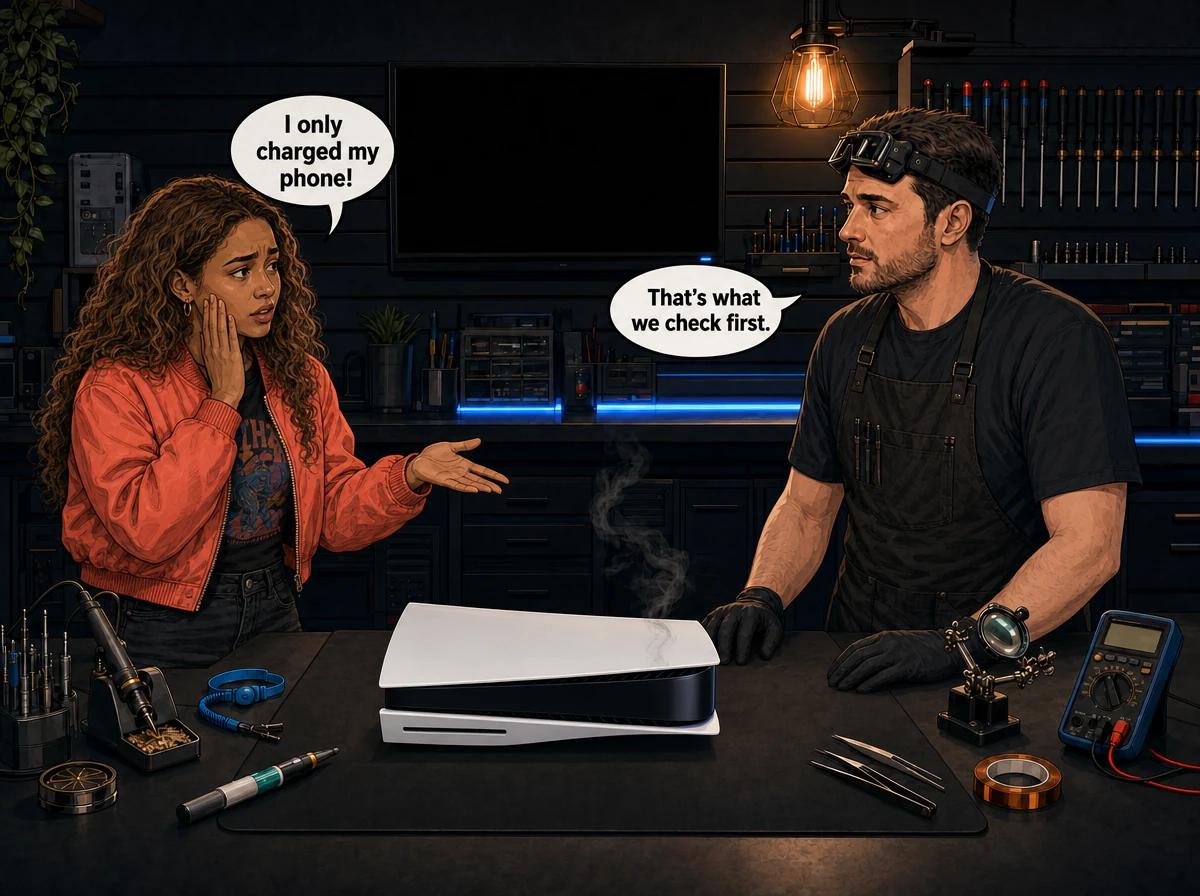
Your phone is on a low battery, the game is loading and the cable is already lying next to the console. Plugging the phone into the PS5 feels harmless. Most of the time nothing happens. But we regularly open PS5s on our bench that have been used as a phone or power-bank charger for months, and some of them come in with dead USB ports, random shutdowns or no power at all.
This post explains why charging your phone on a PS5 is a bad habit, what actually fails inside the console, and what you can safely leave plugged in. It isn't meant to scare you. It's meant to save you a board-level repair you never needed.
Charging a phone on a PS5 runs a heavy, hours-long load through the console's USB power circuit, a circuit built to feed small USB devices rather than to act as a phone charger. On consoles used this way, we find burnt USB protection parts, dead ports and, in the worst cases, a failed south bridge chip, which sits upstream of the USB ports and helps run the console's power-up. Symptoms start as random shutdowns or a USB port that stops working and can end in a console that won't power on. Charge phones and power banks from a wall charger instead. Console Service Centre in Boksburg repairs USB circuit and south bridge faults on every PS5 model.
What Happens When You Charge Your Phone on a PS5
A USB port is two things at once. It carries data, and it carries power. The power side is fed from the console's own power supply through a small protection and switching circuit on the motherboard, and that circuit has a limit.
Sony designed the PS5's USB ports for the kind of USB devices a console normally uses: storage, cameras and the like. Those draw power briefly or lightly. A phone or a power bank is a different kind of load. It has its own battery and its own charging chip, and that chip will pull as much power as the port allows, for as long as the battery isn't full.
That's the key difference. A phone doesn't sip from the port. It sits at the port's maximum for an hour or more. A power bank can sit there all night. The protection circuit in the console runs hot and at its limit the whole time.
Done once, that's usually fine. Done every night for months, it's the kind of slow stress we see on the bench in consoles that later fail.
The three ways it goes wrong
From what we see in the workshop, USB misuse damages a PS5 in three ways:
- Overload. The device draws hard, the protection circuit trips, and the console shuts itself off to protect the board. To you, the PS5 "just turned off" in the middle of a game.
- A short from outside. A cheap cable, a frayed plug or a faulty battery device shorts across the USB power lines. The protection parts on the console's board take the hit, and sometimes they don't survive it.
- Slow wear. Nothing fails on the day. But months of heavy charging loads stress the USB power parts until they start to fail intermittently. The console can run fine for a long time, then begin shutting off with no obvious trigger.
The third one is the most frustrating, because by the time the symptoms appear, most owners have forgotten the habit that caused them.
Why a Charging Phone Can Damage the PS5 South Bridge
The south bridge is a chip on the PS5 motherboard that handles a lot of the console's input and output work. Repair technicians treat it as a prime suspect whenever the USB ports have no power, because it sits upstream of the USB power circuit. It also plays a part in getting the console to power on.
That's why a USB fault isn't always "just a USB fault". If a short on the USB lines travels far enough back into the board, it can reach the south bridge. When the south bridge fails, the symptoms are much bigger than a dead port. The console may beep once and go quiet, refuse to power up, or behave strangely on start-up.
PS5 boards use different south bridge chips depending on the revision, and we stock and replace them. This is fine-pitch, hot-air board work done under magnification. It's not something a phone repair shop or a general electronics counter can do, and it's certainly not a home job.
If you want the full picture of what board-level work on a PS5 involves, read PS5 motherboard repair: what really happens.
Cases Like These Reach Our Bench
These are the patterns that made us write this post. We can't always prove the phone or the fan did it. A console only tells us what failed, not why. But when the same story keeps coming with the same fault, it's worth warning people.
The phone charged during every gaming session
A PS5 came in with no power at all. The owner had charged an iPhone from the console's USB port while gaming, more or less daily, for a long stretch. On the bench, the fault traced to the south bridge. A daily phone-charging habit followed by a south bridge failure is a pattern we've seen more than once.
The USB desk fan
Another console started with occasional shutdowns. They became more frequent over a few weeks, and eventually the PS5 wouldn't boot. The owner had been running a small USB desk fan off the console for months to keep himself, not the PS5, cool in summer. A fan motor is an awkward load for a USB port, and that console ended up needing board-level work.
The power bank charged overnight
A third PS5 had every USB port dead. The owner had used the console to charge a power bank overnight, with USB power left on in rest mode. Nothing seemed wrong until the ports simply stopped responding. The USB protection circuit had burnt out.
All three owners told us the same thing: "I didn't think it could hurt it." That's exactly why we're writing this.
What's Safe to Plug Into Your PS5's USB Ports
Sony's own USB guide lists the device types the PS5 is designed to work with over USB. For this post, the simple rule is: if it's something the console uses, it's fine. If it's something that uses the console as a charger, it isn't.
Safe to connect:
- USB extended storage (an external SSD or hard drive for PS4 games and storage). Sony recommends connecting it to a SuperSpeed USB port.
- A USB flash drive for system software updates, screenshots, clips or save backups.
- Sony's own devices that are designed for the PS5, used the way Sony intends.
Not safe to use as a habit:
- Cellphones. iPhone, Android, any brand.
- Power banks and battery packs.
- Tablets, earbuds cases, smartwatches or anything else with its own battery and a charging cable.
- USB fans, LED strips, desk lamps and RGB lights.
- Phone fast-charge bricks or USB hubs daisy-chained through the console.
- Cheap or damaged cables of any kind.
If it has a battery, it belongs on a wall charger. If it has a motor or a light, it belongs on a wall adapter. Your PS5 is a games console, not a power strip.
Which PS5 USB Ports Are Which?
Knowing where each port is helps when you're checking for faults later.
Original PS5 (CFI-1000 model group, Disc and Digital):
- Front: one USB Type-A Hi-Speed port and one USB Type-C SuperSpeed port
- Back: two USB Type-A SuperSpeed ports
PS5 Slim and PS5 Pro (CFI-2000 and CFI-7000 model groups):
- Front: two USB Type-C ports, one Hi-Speed and one SuperSpeed
- Back: two USB Type-A SuperSpeed ports
The front USB-C port on any model is the most tempting one for a phone, because most phone cables are USB-C now. It's also the port we most often find damaged after charging habits.
Don't confuse the USB ports with the HDMI port at the back. If your problem is no picture rather than no USB, our PS5 HDMI port repair guide covers that separately.
Signs Your PS5 USB Circuit Is Already Damaged
If you've been charging phones on the console, watch for these warning signs. Any one of them is worth taking seriously.
- The PS5 turns off randomly while something is plugged into USB, and behaves fine when it isn't.
- One USB port is dead. A storage drive or flash drive isn't detected on one port but works on another.
- Every USB port is dead. Nothing is detected or powered on any port.
- Devices connect and disconnect on their own, or the console shows connection errors with storage.
- A burning smell near the front or back ports, or a port that feels hot to the touch.
- The console beeps and switches off on start-up, or won't power on at all.
The last two are serious. If you smell burning or the console won't power on, unplug it from the wall and stop trying to start it. Repeated power-on attempts on a shorted board can turn a manageable repair into a much bigger one.
How to Check Your PS5 USB Ports Safely at Home
You can do a few simple, external checks without opening anything. These steps help you tell a damaged port from a software hiccup or a bad device.
- Unplug everything from the USB ports. Leave only the power and HDMI cables connected.
- Turn the console fully off. Hold the power button until it beeps twice and the light goes out, rather than putting it into rest mode.
- Unplug the power cable from the wall for at least a minute, then plug it back in and start the console.
- Test one known-good device, such as a USB flash drive, in each port one at a time. Note which ports detect it.
- Play for a while with nothing in the USB ports. If the random shutdowns stop, a USB load was very likely the trigger.
- Look at each port with a torch. Check for bent contacts, debris or dark scorch marks. Look only. Don't poke anything into the port.
If a port shows scorch marks, or the console keeps shutting off with nothing plugged in, stop there. The fault is internal.
Opening your console yourself risks causing additional damage: broken flex cables, stripped screws or damaged connectors that make the repair more expensive. The PS5 also uses liquid metal on its processor, and a spill shorts the board. Its power supply contains high-voltage capacitors that can seriously hurt you. We strongly recommend leaving internal repairs to professionals.
Turn Off USB Power in Rest Mode
Here's one simple setting change that removes a big chunk of the risk. By default, many PS5s keep power flowing to the USB ports while the console is in rest mode. Sony includes the feature so you can top up its own devices while the console sleeps. It also means a phone or power bank can sit on the console all night.
To change it:
- Go to Settings.
- Select System.
- Select Power Saving.
- Select Features Available in Rest Mode.
- Set Supply Power to USB Ports to Off.
Now nothing can charge from the console overnight. If you rely on rest mode for downloads, that's a separate setting and still works.
If rest mode itself is giving you trouble, see our PS5 rest mode problems guide.
Charging Phone on PS5: Other Things That Make It Worse
A few things raise the risk when people do charge through the console:
- Bad cables. Frayed, bent or no-name cables are the most common source of shorts. A cable with a damaged plug can bridge the power pins.
- Swollen or damaged batteries. A phone or power bank with a failing battery is unpredictable. Don't charge it from anything you care about.
- Charging while gaming. The console is already working hard and running warm. Adding a heavy USB load on top raises the temperature around the board.
- Hubs and splitters. A hub lets you hang several devices off one port, which multiplies the load on that port's circuit.
- Power trouble. In South Africa, load shedding and the voltage spikes when power returns already stress console power circuits. A surge doesn't care what was plugged into the USB port. Our surge protector guide for gamers explains how to protect the whole setup.
When to Get Professional Help
Some USB problems are external and cheap to sort out: a bad cable, a faulty device, or a port with fluff in it. Others are board faults that need a technician. Here's how to tell.
Get it looked at if:
- the PS5 shuts off randomly even with nothing plugged into USB,
- one or more ports are dead after testing with a known-good device,
- you see scorch marks or smell burning near a port,
- the console won't power on, or beeps once and goes quiet.
A random shutdown has more than one possible cause. Heat is the other big one, and a PS5 with dust-packed vents or degraded liquid metal can cut out under load too. Part of our job on the bench is working out which it is, so you don't pay for the wrong repair.
Not sure what's wrong? WhatsApp us at 087 550 2307. We respond immediately, 24/7, and can often tell from your symptoms whether it sounds like a USB circuit fault, a south bridge fault or an overheating problem before you send the console in.
How We Repair a PS5 Damaged by USB Misuse
When a PS5 comes in with USB-related symptoms, we check the specific circuits involved rather than guessing.
- Symptom check. We confirm the fault: which ports are dead, whether the console shuts off with or without USB loads, and whether it powers on.
- USB power circuit test. We measure the USB power lines and the protection parts that feed them, looking for shorts and burnt components.
- Port inspection. Under magnification, we check each port for bent contacts, scorching and damaged solder joints.
- South bridge and power-up check. If the console has power faults, we test the south bridge area and the circuits around it.
- Thermal check. Because heat can cause the same random shutdowns, we check the cooling and liquid metal condition too.
- Quote before work. You get a clear explanation and an exact price before we touch anything. If you decline, or the console turns out to be unrepairable, the R599 bench fee is all you pay.
What the repairs cost
Prices depend on what failed. Common board-level repairs for this fault group:
- South bridge chip replacement on a PS5: R1,849 – R3,199, depending on which chip your board revision uses.
- BIOS IC replacement, sometimes needed alongside power-up faults: R1,749.
A burnt USB protection part or a damaged port is quoted after diagnosis, because the work depends on how far the damage spread. If heat turns out to be part of the problem, a PS5 full service with fresh liquid metal is R1,249.
Most repairs are done in 1-2 working days. Board-level work like a south bridge replacement can take a little longer. Every repair carries our 6-month money-back warranty.
For everything else we fix on the console, see our PS5 repair page and our board-level repair service.
Is a PS5 With USB Damage Worth Repairing?
In almost every case, yes. A PS5 is an expensive console to replace, and USB circuit or south bridge damage is repairable on a board that hasn't been badly burnt or tampered with.
The two things that make a repair harder are time and DIY. A console that keeps being used with a known fault can spread the damage further. A console that someone has already opened and probed often arrives with torn flex cables or a broken fan connector on top of the original fault. If your PS5 is showing the warning signs above, stop using it as a charger, stop power-cycling a dead console, and get it checked.
If your PS5 is already completely dead, our PS5 not turning on guide walks through the safe checks before you send it in.
How to Protect Your PS5 From USB Damage
Prevention is free. These habits keep the USB circuit healthy:
- Charge phones, power banks and tablets from a wall charger. Never from the console.
- Keep fans, lights and LED strips off the console. Use a wall adapter for them.
- Turn off USB power in rest mode. Settings, System, Power Saving, Features Available in Rest Mode, Supply Power to USB Ports, Off.
- Use good-quality cables and throw away any that are frayed, bent or loose.
- Plug storage into the right port. Extended storage goes on a SuperSpeed port, as Sony recommends.
- Unplug USB devices you aren't using. Less plugged in means less to go wrong.
- Protect the power side too. A decent surge protector helps against load shedding spikes.
- Keep the console cool and flat. Good airflow and horizontal placement reduce heat stress on the whole board. Our guide on PS5 vertical vs horizontal placement explains why flat is better for liquid metal.
Frequently Asked Questions
Can I charge my phone on a PS5?
Technically the port will charge a phone, but we don't recommend it. A phone pulls a heavy load through the console's USB power circuit for a long time, and we see that circuit fail on consoles used as chargers. Use a wall charger for your phone instead.
Why does my PS5 turn off when something is plugged into USB?
The most likely reason is that the device is drawing more than the port's circuit can handle, or a cable or device is shorting, so the console's protection cuts power. Unplug the device and test again. If the PS5 still shuts off with nothing plugged in, the fault is internal and needs a diagnosis.
Do PS5 USB ports work with power banks?
A power bank will usually connect and charge, but it's one of the worst things to charge from the console. It can draw heavily for hours, often overnight in rest mode. We've seen consoles with every USB port dead after this habit. Charge power banks from a wall charger.
Can USB misuse damage the PS5 south bridge?
It can. The south bridge sits upstream of the USB power circuit, so a serious short on the USB lines can reach it. When the south bridge fails, the console may not power on at all. South bridge replacement is board-level work we do in our Boksburg workshop.
Why are all my PS5 USB ports not working?
If no port detects a known-good flash drive after a full power-off and restart, the USB power circuit or its protection parts have most likely failed. This is common on consoles that have been used to charge phones or power banks. It needs a board-level check.
How much does it cost to fix PS5 USB damage?
It depends on what failed. A burnt protection part or damaged port is quoted after diagnosis. South bridge replacement is priced by chip, as shown in the repair section above, and we confirm your board's exact chip before quoting. If you decline the repair or it's unrepairable, only the R599 bench fee applies.
Is it safe to plug an external hard drive into my PS5?
Yes. USB extended storage is one of the things the PS5's USB ports are designed for. Sony recommends using a SuperSpeed USB port for it. Use a good-quality cable and a drive that's in good condition.
Get Your PS5 Checked
Here's why Console Service Centre is a good choice for your PS5:
- Console repair specialists since 2011
- Thousands of consoles repaired. We see USB circuit and south bridge faults on PS5s regularly.
- 1,346+ Google reviews at 4.9 stars — the world's most-reviewed dedicated gaming-console repair specialist on Google from real Google reviews
- PlayStation and Xbox specialists. We don't do phones or general electronics.
- 6-month money-back warranty. If the same issue returns, we fix it free.
Ready to Get Your PS5 Working Again?
WhatsApp us: 087 550 2307. We respond immediately, 24/7.
Visit us: 6 Bester Street, Witfield, Boksburg. Open Monday to Thursday 08:00 – 16:00, and Friday to Saturday 08:00 – 13:00.
Can't get to us? We offer nationwide courier repairs. Ship your PS5 to us via The Courier Guy, and we'll fix it and send it back. You can also contact us with any questions before you book.
Topics Covered
About the Author

Shaun Potgieter
Founder & Head Technician
Expert console technician with 15+ years of hands-on repair experience.