
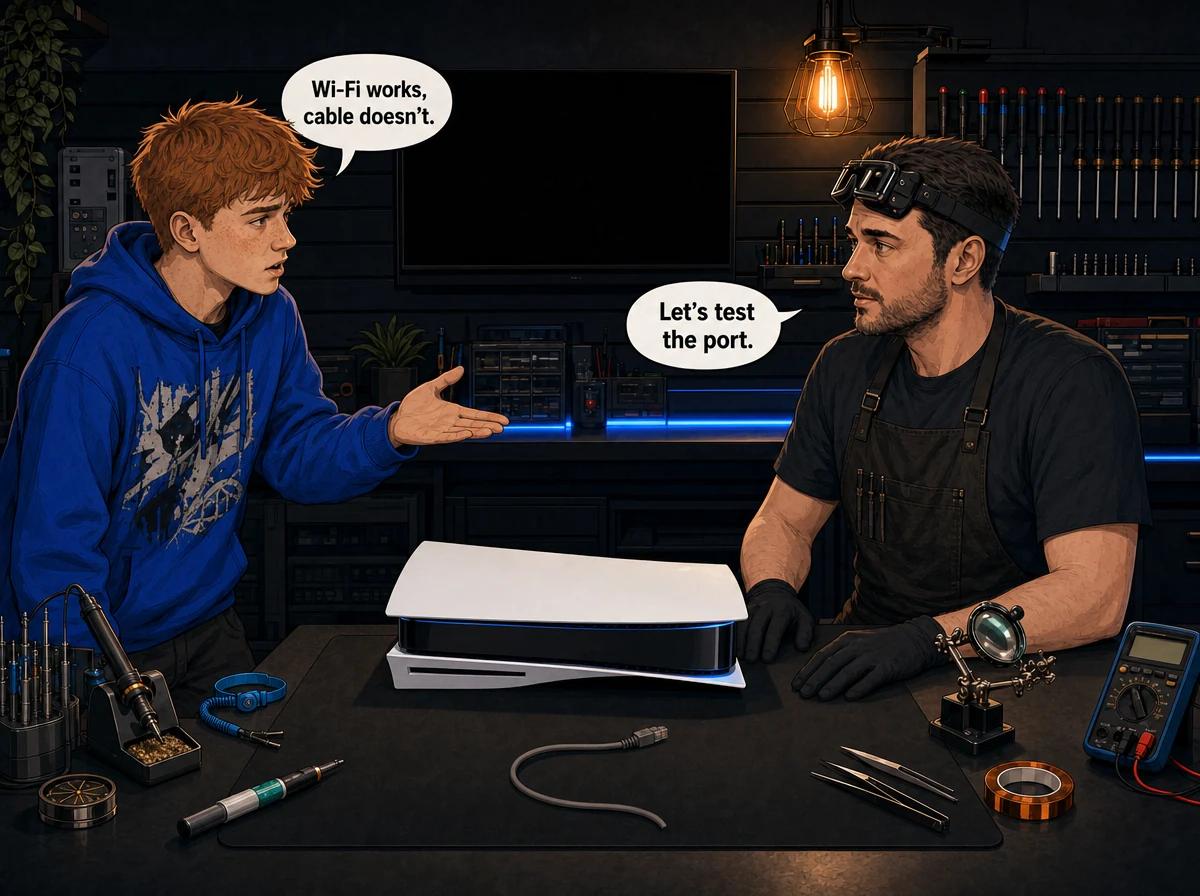
You plug the network cable into your console, and nothing happens. Wi-Fi works. Online games load over wireless. But the moment you try the cable, the console acts as if nothing is plugged in, or the connection keeps dropping mid-match. If that sounds familiar, you are in the right place.
A console LAN port not working usually comes down to one of four things: a faulty cable or router port, a network setting that still points the console at Wi-Fi, physical damage to the port itself, or a failed network chip on the motherboard. The first two you can fix at home in a few minutes. The last two are hardware faults that need a bench repair. Console Service Centre in Boksburg has been repairing PlayStation and Xbox consoles since 2011, and LAN port faults come across our bench on PS4, PS5, Xbox One and Xbox Series consoles. This guide walks you through the free checks first, then explains your real options if the port is damaged.
Quick Checks Before You Assume the LAN Port Is Broken
Most "dead" LAN ports turn out to be fine. Work through these in order. Each one takes a minute or two and needs no tools.
- Swap the cable. Network cables fail more often than console ports. The little plastic clip snaps off, the wires inside break where the cable bends, or the plug gets crushed behind a TV unit. Borrow a cable that you know works on a laptop or smart TV and try that.
- Try a different port on the router. Router ports fail too. Move the cable to another numbered LAN port on the back of your router or fibre box.
- Look at the lights. Most routers have a small light next to each port, or a status light on the front for each port. If the light stays off with a known-good cable plugged into the console, the two devices are not seeing each other at all.
- Restart everything properly. Turn the console fully off, not into rest mode. Unplug the router and fibre box from the wall, wait a minute, then power them back up. Once the router has fully started, turn the console on.
- Check the plug seats with a click. Push the cable in until the clip clicks. If it slides out with no resistance, either the clip on the cable is broken or the port has been damaged.
If a known-good cable, in a known-good router port, gets a link light and a connection, your console is fine. The problem was the cable or the router. If nothing changes, keep reading.
Make Sure the Console Is Actually Using the Cable
This catches a lot of people. Plugging a cable in does not always mean the console is using it. PlayStation consoles in particular store a network setup, and if that setup is Wi-Fi, the console can carry on using Wi-Fi even with a cable plugged in. You think the cable is slow or dead. In fact it was never set up.
Check what the console says it is connected through, and run the wired setup again if needed.
How to fix the wired setup on a PS5
- Go to Settings, then Network, then Connection Status, and look at how the console says it is connected.
- If it shows Wi-Fi, go to Settings, then Network, then Settings, then Set Up Internet Connection.
- Under the networks found, choose Set Up Wired LAN, then Connect.
- When it finishes, go back to Connection Status and choose Test Internet Connection.
The test reports your IP address, whether you can reach PlayStation Network, your NAT type, and your download and upload speeds. If the test cannot even obtain an IP address, the console is not getting a working link through the cable.
How to fix the wired setup on a PS4
- Go to Settings, then Network, then Set Up Internet Connection.
- Choose Use a LAN Cable, then Easy.
- When it finishes, choose Test Internet Connection.
How to fix the network settings on an Xbox One or Xbox Series X|S
- Go to Settings, then General, then Network settings.
- Check that the screen shows a wired connection.
- Choose Test network connection.
- If the test fails, go to Advanced settings, then Alternate MAC address, then Clear, and let the console restart.
Clearing the alternate MAC address forces the Xbox to ask the router for fresh network details. It is a safe, standard step, and it sorts out a surprising number of "it used to work" wired problems.
Connected to the Network but Not the Internet? That Is Not the Port
It helps to separate two very different symptoms.
No link at all. The console says no cable is connected, the router light stays off, or the test cannot even get an IP address. That points at the cable, the router port, the console's LAN port or the network chip behind it.
Link, but no internet or no online services. The console gets an IP address, but the internet test fails, or you connect but cannot sign in or join games. That is almost never the LAN port. The port's only job is to create the physical link. If the link is up, the port is doing its job.
The second symptom is normally a setting, a router issue or a service problem. Try these:
- Check the service status. PlayStation Network and Xbox network both have official status pages. If the service is down, nothing you do at home will fix it.
- Reset the console's network setup to automatic. If someone set a manual IP address or manual DNS in the past and the router has since changed, the console may be pointing at settings that no longer exist. Running the wired setup again with automatic settings clears that.
- Restart the router. A router that has been on for months can get into a bad state. A full power-off often clears it.
- Test another device on the same cable. If a laptop plugged into the same cable also gets no internet, the problem is upstream of the console.
We see consoles come in for a "broken LAN port" that turn out to have nothing wrong with them. The customer's router or fibre box had the fault all along. That is why we always ask you to try the free checks first.
What Causes a Console LAN Port to Stop Working?
If you have ruled out the cable, the router and the settings, the fault is inside the console. From what we see on the bench, it is one of these.
Physical damage to the port
The LAN port is a plastic housing with a row of thin spring contacts inside. It is soldered to the motherboard. Damage usually happens in one of three ways:
- The cable gets yanked. Someone trips over it, the console gets moved while the cable is still clipped in, or a pet pulls it. The force goes straight into the port and its solder joints.
- The wrong plug gets forced in. A phone-style plug is smaller and fits loosely into a LAN port. Pushing one in can bend the contacts.
- The contacts get pushed down. A crushed or poorly made plug can fold one or more contacts flat so they no longer touch the cable.
A cracked port or broken solder joints often cause an intermittent connection. It works when the cable is held at a certain angle, then drops when someone walks past. That "works if I wiggle it" behaviour is a strong sign of a physical fault.
A failed network chip
Behind the port sits a network chip on the motherboard that actually handles the wired connection. When that chip fails, the port can look perfect and the cable can be brand new, but the console never sees a link.
On the Xbox One family, this chip is a well-known repair for us, and it is on our standard price list. The most common cause we see of a dead network chip is an electrical surge.
Lightning and surges through the network cable
Most people think of surges as something that comes in through the power plug. A surge can also travel along the network cable from the router into the console. In our repair records we have had a PS5 come in with no power at all after a lightning storm, and the owner's note was simply that the LAN cable was plugged in at the time.
Sometimes a surge only takes out the network chip, and the rest of the console keeps working. In worse cases, the damage spreads further into the board. That is why a LAN fault that appeared straight after a storm deserves a proper look rather than a guess.
Wider motherboard faults
Occasionally, a dead LAN port is one symptom of a bigger fault. Liquid damage, corrosion or earlier surge damage can affect the tracks and parts around the network circuit. We find these during diagnosis. It is another reason to be cautious about quick fixes.
Your Options When the LAN Port Is Damaged
Once you know the port or chip is at fault, you have three realistic choices. The right one depends on how you play and what the console is worth to you.
Option 1: Use Wi-Fi instead
Every console we repair, PS4, PS5, Xbox One and Xbox Series, has built-in Wi-Fi. If your Wi-Fi is strong where the console sits, and you mostly download games and play casually, you may be perfectly happy leaving the LAN port alone.
Wi-Fi is worth trying for a week before you decide. Run the connection test a few times over different evenings. If the results are consistent and you are not getting lag or disconnections in online games, Wi-Fi may be all you need.
Wi-Fi is less suitable if:
- The console is far from the router or behind thick walls.
- You play competitive online games and notice lag spikes or drops.
- Several people in the house stream and download at the same time.
- The Wi-Fi on the console is also weak or unreliable.
That last point matters. If the Wi-Fi is also giving trouble, the console may have a wider fault, or the wireless module may need attention too. On the PS4 family, a Wi-Fi module replacement is a standard repair at R1,449. We will tell you honestly which part is at fault before you pay for anything.
Option 2: Repair or replace the LAN port
If the port itself is cracked, loose or has damaged contacts, we remove it and fit a new one, or repair the joints that hold it to the board. Removing a port from a modern multi-layer motherboard without lifting the pads underneath takes proper equipment, a hot air rework station, and experience. It is board-level work, not a quick swap.
This is the fix for the "works if I wiggle it" symptom. Once the new port is in and tested, the cable clicks in firmly and the connection holds.
We quote port repairs after diagnosis, because the cost depends on the console and on whether the pads and tracks underneath are intact. WhatsApp us a description, and we will tell you what to expect before you send the console in.
Option 3: Replace the network chip
If the port is fine but the network chip has failed, the chip needs to be replaced. On the Xbox One, Xbox One S and Xbox One X, replacing the network chip costs R1,349.
For the PS4, PS5 and Xbox Series families, network chip work is quoted after diagnosis. We confirm the chip is the actual fault before we replace anything, so you are not paying for parts you do not need.
Not sure what's wrong? WhatsApp us at 087 550 2307. We respond immediately, 24/7, and can often tell from your symptoms whether you are looking at a cable problem, a setting or a real hardware fault before you send your console in.
How We Diagnose a Console LAN Port Not Working
When your console reaches our bench, we do not start by replacing parts. We work through the fault in a set order.
- Confirm the fault on a known-good network. We connect the console to our own tested router with a tested cable. If it connects on our bench, the problem was at home, and we tell you so.
- Inspect the port. We check the housing for cracks, looseness and bent or flattened contacts under magnification.
- Check the solder joints. Intermittent faults often come from cracked joints around the port that you cannot see without magnification.
- Test the network circuit. If the port looks and tests fine, we move on to the network chip and the parts around it.
- Look for wider damage. On consoles with a storm or surge history, we check the rest of the board so we can give you the full picture.
- Quote before we repair. You get a clear quote for the actual fault. Nothing is fixed without your go-ahead.
If you decide not to go ahead, or the console turns out to be unrepairable, the R599 bench fee covers the diagnostic work. If you approve the repair, you pay for the repair.
Why You Should Not Open the Console to Fix the Port Yourself
We understand the temptation. The LAN port is right there on the back, and videos make board work look simple. Please do not.
Opening your console yourself risks causing additional damage: broken flex cables, stripped screws or damaged connectors that make the repair more expensive. We strongly recommend leaving internal repairs to professionals.
LAN port work carries its own specific risks:
- The port sits on a multi-layer board. Too much heat, or heat applied the wrong way, lifts the pads and tracks underneath. Then a port replacement turns into a much harder track repair, and sometimes the board cannot be saved.
- A soldering iron is the wrong tool. A port with several solder joints needs a hot air rework station to come off cleanly.
- The power supply is dangerous. To reach the board you have to work around the power supply, which contains capacitors that can hold a dangerous high-voltage charge. That can burn you or worse. We will never advise anyone to open a power supply.
- PS5 consoles use liquid metal. The PS5 family uses liquid metal between the processor and heatsink. It conducts electricity. Disturb it carelessly and it can short the board.
We regularly see consoles where a DIY attempt turned a simple job into a complex one. Paying for a professional repair up front is almost always cheaper than paying to fix the fix.
Cleaning the outside of the port is fine. Blow loose dust out with compressed air from a short distance, with the console off and unplugged. Never push anything metal, like a pin or a paperclip, into the port to straighten the contacts. You will bend them further or short them.
How to Protect Your Console's LAN Port
A few simple habits keep the port working for years.
Give the cable some slack
Most physical LAN port damage we see comes from the cable being pulled. Leave a loop of slack behind the console. Route the cable so it cannot be kicked, tripped over or caught when someone moves the console.
Unclip before you move the console
Before you pick the console up to clean around it or move it to another room, unclip the network cable first. Squeeze the clip and pull the plug straight out. Do not tug the cable.
Use a decent cable
Cheap cables with flimsy plugs are more likely to crack or crush the contacts. A decent cable is inexpensive and far cheaper than a port repair. Replace any cable whose clip has snapped off.
Protect against surges on both lines
In South Africa, summer thunderstorms and power problems are a real risk to electronics. A surge protector on the power side is good practice. Remember the network cable too: a strike near your house can reach the console through the router. Some surge protectors also have a protected network pass-through, so the network cable runs through the protector as well. Our guide to surge protectors for gaming in South Africa covers what to look for.
When a big storm rolls in and you are not using the console, the safest option is to unplug both the power cable and the network cable.
Keep the console where it can breathe
This does not protect the port directly, but heat stresses every solder joint on the board, including the ones holding the LAN port. Keep vents clear, and keep a PS5 lying flat rather than standing upright. Good airflow helps the whole board.
Which Consoles Get LAN Port Faults?
Every console we repair has a wired network port, and any of them can suffer the faults above. Here is what that looks like across each family.
- PS5 (Disc, Digital, Slim and Pro): We see physical port damage, repeat port faults and surge damage on the PS5 family. See our PS5 repair services.
- PS4 (Original, Slim and Pro): Older consoles, so worn and cracked ports from years of plugging and unplugging are common. See our PS4 repair services.
- Xbox One (Original, S and X): Network chip failure is a known repair on this family and is on our fixed price list. See our Xbox One repair services.
- Xbox Series X and Series S: Quoted after diagnosis. See our Xbox Series repair services.
All network port and chip repairs are board-level work. You can read more about how we approach that kind of job on our board-level repair page.
Frequently Asked Questions
Why is my console LAN port not working when Wi-Fi works fine?
Wi-Fi and the LAN port use different hardware, so one can fail while the other keeps working. First swap the cable, try another router port and re-run the wired setup in your network settings. If a known-good cable still gets no link, the port or the network chip behind it is likely damaged.
Can a damaged LAN port on a PS5 be repaired?
Yes. A cracked or loose port can be removed and replaced, and damaged solder joints can be repaired. It is board-level work that needs a hot air rework station and experience. We quote after diagnosis, because the cost depends on whether the pads and tracks under the port are intact.
How much does a console LAN port repair cost in South Africa?
It depends on the console and the actual fault. On the Xbox One family, the network chip replacement is on our fixed price list, shown in the options section above. Port and chip repairs on PS4, PS5 and Xbox Series consoles are quoted after diagnosis. A R599 bench fee applies only if you decline the repair or the console is unrepairable.
Can lightning damage my console through the network cable?
Yes. A surge can travel through the network cable from the router, not only through the power plug. We have seen consoles arrive with no power after a storm while the LAN cable was plugged in. Unplug both cables during big storms, and consider a surge protector with a protected network pass-through.
Is it worth fixing the LAN port, or should I just use Wi-Fi?
If your Wi-Fi is strong and stable where the console sits and you play casually, Wi-Fi may be all you need. If you play competitive online games, have a busy home network or get lag and disconnections on Wi-Fi, a repaired LAN port gives you a steadier connection. Test Wi-Fi for a week before you decide.
Will a LAN port repair delete my games or saves?
A LAN port or network chip repair does not involve the console's storage, so your games and saves stay where they are. As a general habit, we still recommend keeping your saves backed up to the cloud where your subscription allows it.
Why does my console connect to the network but not the internet?
If the console gets a link and an IP address but the internet test fails, the LAN port is doing its job. The cause is usually a network setting, a router problem or an online service outage. Check the official service status page, reset the console's network setup to automatic and restart the router.
Get Your Console's LAN Port Fixed
Here's why Console Service Centre is a sound choice for a LAN port repair:
- Console repair specialists since 2011
- Thousands of consoles repaired. We know these boards well.
- 1,329+ Google reviews at 4.9 stars — the world's most-reviewed dedicated gaming-console repair specialist on Google from real Google reviews
- PlayStation and Xbox specialists. We don't do phones or general electronics.
- 6-month money-back warranty. If the same issue returns, we fix it free.
Ready to Get Your Console Back Online?
WhatsApp us: 087 550 2307. We respond immediately, 24/7.
Visit us: 6 Bester Street, Witfield, Boksburg. We're open Monday to Thursday 08:00 – 16:00, Friday and Saturday 08:00 – 13:00, and closed on Sunday.
Can't get to us? We offer nationwide courier repairs. Ship your console to us via The Courier Guy, and we'll fix it and send it back. Our guide to shipping your console for repair shows you how to pack it safely.
Topics Covered
About the Author

Shaun Potgieter
Founder & Head Technician
Expert console technician with 15+ years of hands-on repair experience.