
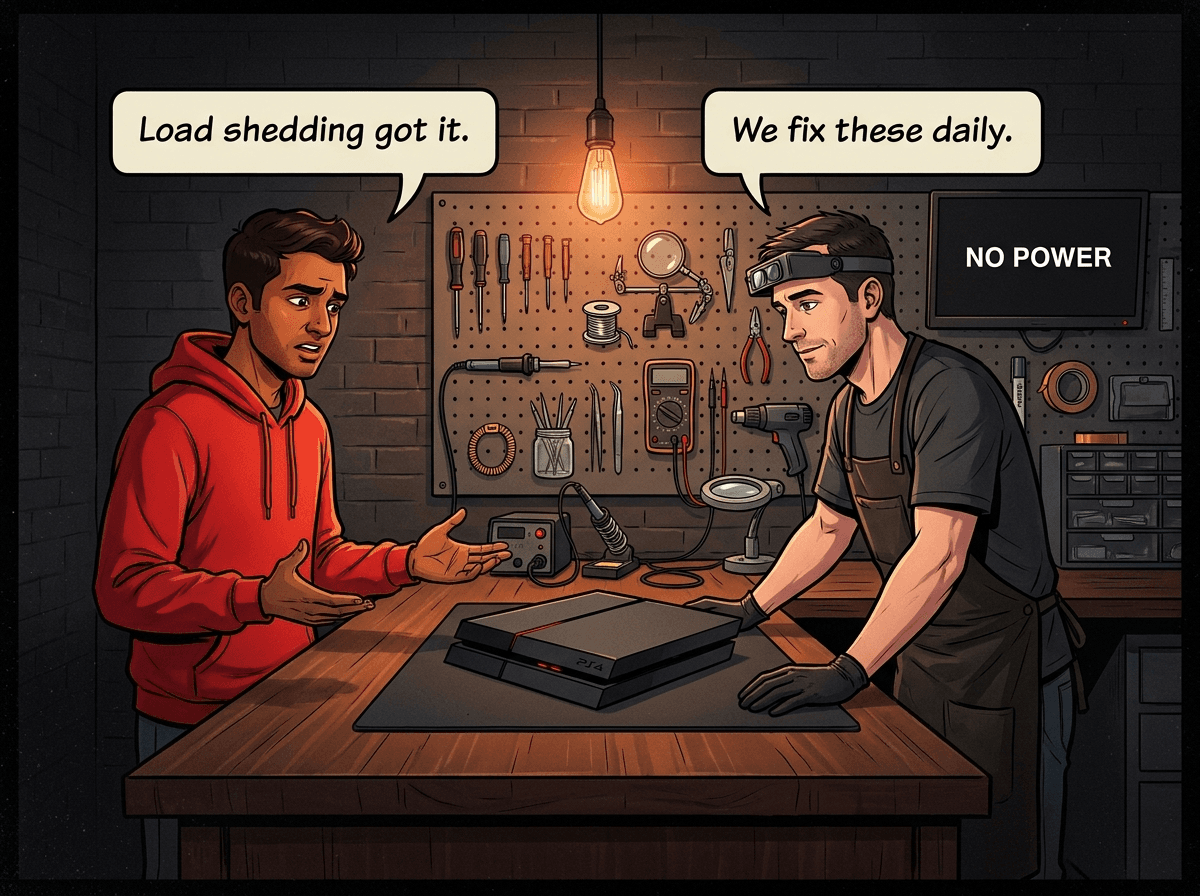
The power comes back. The TV flickers on. Your PS5 or PS4 stays completely dark.
This happens in our workshop every week. A customer brings in a console that worked fine before a power cut and now shows nothing — no lights, no startup, nothing. The cause is almost always the same: a voltage spike when the power was restored, and no surge protection in place.
National load shedding has eased — South Africa has had over a year of relatively few scheduled cuts — but it has not eliminated the risk. Cable theft, ageing municipal infrastructure, substation faults, and the occasional summer lightning storm still drop power in many suburbs every single day, and every restoration carries the same reconnection-spike risk that load shedding did. Surge protection is the single cheapest repair you will ever do on your console. A decent surge protector costs R200–R800. A console power supply replacement starts at R1,499. A destroyed motherboard means buying a new console.
A word of honesty before we go deeper: in 15 years of repairing consoles in Boksburg we have seen plenty of customers walk in with surge-protected consoles that still failed. Surge protection meaningfully reduces your risk — it does not eliminate it. The reasons it sometimes fails to save a console are real and worth understanding, and we cover them in the Mistakes section and in the FAQ below.
Here is what we tell every customer about surge protection.
The 3 Quickest Things You Can Do Right Now
Before the deep dive, do these three things today:
- Check whether you have a surge protector or just a power strip. Most South Africans have a basic 4-way or 6-way power strip from Makro or Game. These are NOT surge protectors. A genuine surge protector will say "surge protection" on the packaging, list a joule rating, and usually have an indicator light showing protection is active.
- Plug your console and TV into the same surge protector. A surge can travel through the HDMI cable from a damaged TV to your console. Protecting one without the other is incomplete.
- Unplug completely during active thunderstorms or extended outages. No surge protector guarantees 100% protection against a direct lightning strike nearby. When you know the power is going off — or it has been off for hours and you do not know when it will come back — unplug. This costs you nothing.
What a Power Surge Actually Does to a Gaming Console
The standard South African wall outlet delivers 230V alternating current. That is what every modern console is designed for. Any time power is restored to your area — whether after a load-shedding slot, a cable-theft outage, a substation trip or a storm-related fault — the restoration process can push voltages significantly above 230V for a fraction of a second, sometimes into the 400–1,000V range depending on the cause and distance from your substation.
A lightning strike nearby causes a sharper, more violent spike through the municipal wiring, the earth, and even your internet connection. These spikes travel at near-light speed and arrive at your console's power supply faster than any circuit breaker can react.
Inside a gaming console, the power supply converts and regulates the mains voltage down to the precise levels each component needs. It is the first thing the surge reaches. When a spike exceeds the power supply's design tolerances, the internal protection components fail — and if those fail, the spike continues into the main board.
What we see in our workshop:
| Surge Severity | Console Damage | Repairable? |
|---|---|---|
| Mild spike | Power supply failure only | Almost always repairable |
| Moderate surge | Power supply + HDMI controller damage | Usually repairable |
| Direct lightning path | Full motherboard damage | Often total loss |
A mild surge that only damages the power supply is a straightforward repair. A console hit by a nearby lightning strike is frequently a total loss — no amount of component replacement will bring back a fried APU or NAND chip.
The key insight is this: the power supply is your console's first and most important internal line of defence. A surge protector is your external first line of defence. You want both.
Understanding Surge Protector Specs
Surge protector packaging is full of numbers. Here is what each one actually means.
Joule Rating: The Most Important Number
Joules measure the total energy a surge protector can absorb over its lifetime. Think of it like a bank account — every surge makes a withdrawal, and when the account is empty, the protection is gone (even if the unit still powers your devices).
- Under 500 joules: Minimal protection. Suitable only for low-value devices in stable power areas. Not appropriate for gaming consoles.
- 500–1,000 joules: Basic protection. Handles small spikes and brief load-shedding reconnections. Minimum acceptable for a console.
- 1,000–2,000 joules: Good protection for most SA homes. Handles typical load-shedding reconnection surges and moderate lightning activity.
- 2,000+ joules: Heavy-duty protection. Best for areas with frequent lightning, poor municipal infrastructure, or high-value gaming setups.
For a gaming console + TV setup, target at least 1,000 joules, ideally 2,000 joules or more.
Metal Oxide Varistor (MOV): What Actually Absorbs the Surge
A Metal Oxide Varistor is a semiconductor component that clamps voltage above a set threshold. When a spike arrives, the MOV switches from high resistance to low resistance, shunting the excess voltage away from your devices and absorbing the energy as heat.
Each surge partially depletes the MOV. After enough surges — or one very large one — the MOV can fail either open (no more protection, but the unit keeps working) or shorted (unit goes dead). This is why surge protectors must be replaced after a major strike, and why the indicator light matters.
Good surge protectors will shut down and stop passing power when their MOV is depleted, rather than just silently continuing to power devices with no protection active.
Voltage Protection Level (Up): Lower Is Better
This is the number that tells you how much voltage actually reaches your console during a surge — the surge protector diverts the rest. Lower is better. In South Africa, plug-in surge protectors should comply with SANS 61643-11 (the local adoption of IEC 61643-11) — the standard referenced by our wiring code, SANS 10142-1 — and that standard calls this figure the voltage protection level, written Up.
Ignore "clamping voltage" figures of 330V or 400V. Those come from the American UL 1449 standard, and they are written for 120V mains. South African mains is 230V, which already peaks at about 325V on every single cycle of normal, healthy power. A device that genuinely started clamping at 330V here would be fighting your wall socket around the clock. If a box sold in SA advertises a 330V or 400V "clamping voltage", it has been relabelled from a US product and the number does not describe how it behaves on our grid.
What to look for instead:
- A published Up value to SANS/IEC 61643-11, quoted in volts or kV. The rule of thumb the standard is built around: Up must sit comfortably below the impulse voltage your equipment can withstand, with margin to spare — so the lower the Up, the better protected your console is.
- A plug-in strip that sits next to your console is a Type 3 (Class III) device — fine protection at the equipment itself. It is designed to work alongside protection further upstream, not to stop a direct lightning strike on its own.
If a surge protector does not display a Up rating or a SANS/IEC 61643-11 compliance mark on the packaging, that is a red flag.
Response Time: Nearly Instantaneous
A surge protector's response time tells you how quickly it reacts to a spike. Quality units respond in less than one nanosecond (one billionth of a second). Anything up to a few nanoseconds is effectively instant in practical terms.
Response time is rarely the differentiating factor between quality surge protectors — the joule rating and clamping voltage matter far more. If a manufacturer is emphasising response time rather than joule rating, question what they are hiding.
Surge Protector vs UPS: What Does South Africa Actually Need?
This is the question we get most often, and the honest answer is: for a gaming console setup in South Africa, a UPS with AVR is worth the extra cost.
Basic Surge Protector
A surge protector is a passive device. It does nothing until a spike arrives, then it clamps and absorbs the energy. It does not:
- Regulate voltage that is low but not a "surge" (brownouts, undervoltage)
- Provide battery backup during load shedding
- Compensate for the gradual voltage creep that can occur when municipal infrastructure is under strain
For electronics in general, a surge protector is fine. For gaming consoles in South Africa — where cable theft, infrastructure faults and the occasional substation trip mean unplanned outages remain a near-daily event in many suburbs, and our grid voltage fluctuates more than in stable power countries — you get noticeably better protection from a UPS. A cheap UPS is what we generally recommend to customers who walk into the workshop with a surge-damaged console: on the power side it works a step better than a standalone surge protector, because it actively regulates voltage rather than just clamping a spike.
UPS with AVR (Automatic Voltage Regulation)
A UPS (Uninterruptible Power Supply) with AVR actively monitors and corrects the mains voltage your devices receive. When voltage dips too low (brownout) or rises too high, the UPS corrects it before passing regulated power to your console.
Most UPS units also include surge protection. Be realistic about the battery, though. A small consumer UPS is sized around a desktop PC and a monitor, and a games console under load draws considerably more than that — so the honest way to think about the battery is enough time to save your game and shut down cleanly, not a way to keep playing through an outage. The VA number printed on the box is a capacity rating, not a runtime. If you want to know how long a specific model will actually hold your console up, check that manufacturer's published runtime chart at your console's wattage before you buy.
Recommended approach for SA gaming setups:
| Protection Level | What to Use | Who It's For |
|---|---|---|
| Basic | 1,000J+ surge protector | Low-risk area, infrequent storms |
| Standard | 2,000J+ surge protector | Typical SA suburbs, regular load shedding |
| Best | UPS with AVR (500VA+) | High-risk areas, expensive consoles, frequent storms |
A 600VA–1,000VA UPS with AVR costs R1,200–R3,000 at most SA electronics retailers and provides significantly better protection than a stand-alone surge protector for gaming setups in this country.
For more on how load shedding specifically damages consoles, read our full load shedding console damage protection guide.
What to Look for When Buying in South Africa
Essential Features (Non-Negotiable)
- Joule rating of 1,000J or higher, clearly printed on the packaging
- A published voltage protection level (Up) to SANS/IEC 61643-11 — lower is better; treat a US-style "330V/400V clamping voltage" claim as a relabelled 120V product
- Active protection indicator — an LED or light that shows surge protection is still working
- Protection failure shutoff — the unit cuts power to devices when MOVs are depleted, rather than passing unprotected power silently
- NRCS-approved for sale in South Africa (the National Regulator for Compulsory Specifications is the legal body — reputable brands state SANS 61643-11 compliance and hold a valid NRCS Letter of Authority)
Nice-to-Have Features
- 6+ outlets for console, TV, router, soundbar, and charging
- USB-A and USB-C charging ports (keeps controllers and headsets off the surge protector's AC outlets)
- Coaxial surge protection — protects your TV aerial connection, which carries surge risk during lightning
- Network/ethernet surge protection — protects your router and console against surges through your internet connection
- Reset button with indicator light when the unit needs replacing
Where to Buy in South Africa
Most major SA electronics retailers carry surge protectors: Makro, Builders Warehouse, Incredible Connection, HiFi Corp, and Takealot all stock a range. The key is to look for the joule rating on the box — if it is not listed, do not buy it.
Brands commonly available in SA include APC, Mecer, Ellies, and various imported electronics brands. For UPS units with AVR, APC, Mecer, and Eaton are well-established in the SA market with local warranty support.
Avoid: unbranded surge protectors from discount stores or petrol station forecourts. They frequently have no MOV at all — just a fuse and a power strip in a slightly better-looking box.
Budget Guide: What R200 vs R1,500 Gets You
Under R400 — Basic Protection
At this price point, you will find surge protectors rated between 500J and 1,000J. These handle small spikes from mild load-shedding reconnections and minor voltage fluctuations. Suitable for a console in a flat with stable municipal power and no history of lightning-related damage.
Limitation: One nearby lightning strike or a severe reconnection surge can deplete the MOV entirely. Check the protection indicator regularly.
R400–R1,200 — Good All-Round SA Protection
This range typically covers 1,500J–3,000J surge protectors with multiple outlets, USB charging ports, and reliable indicator lights. These handle regular SA load-shedding conditions well and will absorb a few significant surges before the MOV depletes.
Look for units with an audible alarm or a clear shutoff when protection fails — passive failure (keeps powering devices with no protection) is unacceptable at this price.
R1,500–R3,500 — UPS with AVR
For the most vulnerable setups — expensive consoles (PS5 Pro, Xbox Series X), areas with frequent lightning, or homes with known voltage instability — a UPS with AVR is the right answer. At this price, you get:
- Active voltage regulation (not just clamping when things go wrong)
- Battery backup that carries your console long enough to save and shut down cleanly when the power drops (check the model's published runtime chart at your console's wattage — not the VA number on the box)
- Surge protection as a baseline feature
- Protection against brownouts (undervoltage) as well as spikes
A 650VA or 1,000VA unit is adequate for most console + TV setups. Check the unit's power consumption claims against your console's actual draw (PS5 up to 350W, Xbox Series X up to 315W, PS4 Pro up to 310W, original PS4 up to 250W, PS4 Slim up to 165W).
Common Mistakes That Leave Consoles Exposed
Mistake 1: Power Strip ≠ Surge Protector
This is the most common mistake we see. A standard 4-way or 6-way power strip provides no surge protection whatsoever — it is just a way to plug in more devices. It has no MOV, no clamping voltage, no joule rating. It will let every volt of a surge pass straight into your console.
If your power strip does not list a joule rating on the packaging, it is not a surge protector.
Mistake 2: Daisy-Chaining Surge Protectors
Plugging one surge protector into another does not double your protection — it usually voids the warranty on both units and violates fire safety codes. One quality surge protector at the wall point is far better than two cheap units in series.
Mistake 3: Assuming a Surge Protector Lasts Forever
MOV-based surge protectors wear out. After absorbing several significant surges, the MOV degrades. A good unit will shut off power to connected devices when this happens. A cheap unit will keep passing power with zero protection remaining.
If your area had a bad lightning season, or if you had a noticeable surge event, check your indicator light. If it has gone out, replace the unit.
Mistake 4: Protecting the Console but Not the TV
This is the single biggest reason customers come into our workshop saying "but I HAD a surge protector!" In our experience, the HDMI path is by far the most common way a surge actually reaches the console — not the console's own power lead. Here is what happens:
A spike hits the TV's plug point or aerial, travels through the TV's HDMI port, and back-feeds along the HDMI cable into the console's HDMI input. The PS5's HDMI encoder chip (Panasonic MN864739) or the PS4's (MN864729) takes the hit. Sometimes the power supply blows at the same time. The result is a console with no video output even though it powers on — or a console that is completely dead despite a surge protector being plugged in behind it.
On the HDMI side there is no clever fix: the only meaningful protection is making sure the TV is plugged into the same surge protector or UPS as the console. If the spike never reaches the TV, it cannot back-feed through the HDMI cable. Daisy-chained protection or "just the console" leaves the HDMI path wide open.
Mistake 5: Leaving Everything Plugged In During a Direct Thunderstorm
No consumer surge protector is rated to handle a direct lightning strike. When lightning is striking near your suburb during a summer Joburg storm — not just load shedding, but active lightning in the area — unplug everything at the wall. This is the only 100% effective protection.
When Surge Protection Fails: What We Can Fix
Even with good surge protection in place, severe events can still damage consoles. Here is what we see and what is fixable.
Power supply damage only is the best-case scenario after a surge. The PSU fails to protect the rest of the board and sacrifices itself. This is repairable at Console Service Centre — see our PS5 repair service, PS4 repair service, Xbox One repair service, and Xbox Series repair service. Power supply replacement is a straightforward job that gets the console back to full operation.
HDMI board or controller damage sometimes accompanies PSU failure when a surge reaches the main board. The HDMI encoder chip (Panasonic MN864739 on PS5, MN864729 on PS4) can fail, causing no video output even when the console powers on. This is repairable at our HDMI repair service and our PS5 HDMI repair guide covers the symptoms in detail.
Full main board failure is the worst outcome. When a surge of sufficient energy reaches the APU or NAND storage, the damage is typically irreversible. We will tell you honestly when a console is a total loss rather than take your money for an attempt that will not succeed.
Not every "blown" console is actually a surge. Worth saying plainly: in 15 years of bench work, plenty of consoles arrive looking like surge damage when the real cause was something else entirely. The most common culprit is dust. A neglected console builds up enough internal dust around the power supply and fans that static charge accumulates over months, eventually creating a short across components that present like a surge failure. That console would have died with or without a surge protector. This is why our PS5 cleaning service and routine maintenance matter — they prevent the dust-driven failures that no plug-point protection can stop.
If your console stopped working after a power event — or after months of slow degradation — WhatsApp us at 087 550 2307 with a description of what happened. We can give you an indication of whether it is likely repairable before you travel to us.
| Repair | Price |
|---|---|
| PSU 4pin ADP-200ER Replacement | R1,699 |
| PSU ADP-160CR Replacement | R1,749 |
| PSU ADP-160FR Replacement | R1,749 |
| PSU ADP-300CR Replacement | R1,799 |
| PSU ADP-300FR Replacement | R1,799 |
| PSU 4pin ADP-240CR Replacement | R1,849 |
| PSU 5pin ADP-240AR Replacement | R1,849 |
| PSU ADP-160ER 160P1A (N16) Replacement | R1,849 |
| PSU ADP-300ER Replacement | R1,849 |
*Prices shown are the total amount payable.
Get an exact quote on WhatsApp →| Repair | Price |
|---|---|
| ADP-400DR Power Supply | R1,749 |
| ADP-400FR Power Supply | R1,799 |
| ADP-400ER Power Supply | R1,849 |
| ADP-400GR Power Supply | R2,049 |
| Pro ADP-420DR Power Supply | R4,199 |
*Prices shown are the total amount payable.
Get an exact quote on WhatsApp →Not sure what's wrong? WhatsApp us at 087 550 2307 — we respond immediately, 24/7, and can often diagnose the likely fault from your description before you bring the console in.
Prevention Tips Beyond Surge Protectors
A surge protector is your primary defence, but a few habits make a real difference in console longevity in SA.
1. Place your PS5 horizontally. This is partly overheating-related, but it also matters for power events. A PS5 in horizontal orientation is more stable physically and less likely to be knocked during load shedding switching. More importantly, horizontal placement prevents the liquid metal thermal interface from migrating over time. See our guide on PS5 common problems and repairs for why this matters.
2. Allow a 30-second power-on delay after load shedding reconnects. When power returns, there may be residual voltage instability for a few seconds. Let the lights settle before turning on your console. This is free and takes zero effort.
3. Enable automatic standby shutdown. Most consoles can be set to enter standby/rest mode after a period of inactivity. A console in rest mode during a surge event draws less power and its internal power management may respond more safely than a console actively rendering a game.
4. Keep your console's firmware updated. Sony and Microsoft push power management updates periodically. Current firmware typically handles power events more gracefully than older versions.
5. Consider console insurance for high-value units. If you are running a PS5 Pro or Xbox Series X and you live in a high-risk area, gaming console insurance in South Africa may be worth the annual premium. Some policies cover electrical damage explicitly.
6. Check your home's earthing. Poor earthing significantly increases surge risk. If you notice lights flickering, appliances cutting out randomly, or any burning smell from outlets, have a registered electrician inspect your home's earthing before relying on any surge protection.
Frequently Asked Questions
Does load shedding (or a cable-theft outage) actually damage gaming consoles?
National load shedding has eased over the past year, but unplanned outages from cable theft, substation faults and ageing infrastructure still hit many SA suburbs every single day — and the risk to your console is identical. The power cutting out on its own does not typically damage a console. The risk comes when power is restored. The reconnection process can produce a voltage spike above the 230V standard, and if your console or its power supply is not protected, that spike can cause damage. Consoles are also at risk if they are left in rest mode during a cut and the power returns unexpectedly while the console is mid-process.
I already had a surge protector and my console still broke — how?
Honestly, this is one of the most common conversations we have at the counter. There are three usual reasons a surge-protected console still fails:
- The TV was not on the same surge protector. This is by far the most common cause. The spike hit the TV's plug or aerial and travelled through the HDMI cable into the console — bypassing the surge protector entirely. See Mistake 4.
- The surge exceeded the protector's rating, or its MOV was already depleted. Cheap surge protectors with low joule ratings can be overwhelmed by a single significant strike. Older units may have already absorbed their lifetime of spikes and silently lost protection.
- It was not actually a power surge. Dust build-up, gradual component fatigue, liquid-metal migration on PS5s, and ageing solder joints all cause failures that look surge-related but would have happened with or without protection in place.
No realistic protection setup is 100% guaranteed. A good surge protector plus a UPS plus putting the TV on the same protected outlet gets you most of the way there — and dramatically reduces the bills we see customers face after a bad reconnection event.
What joule rating do I need for a gaming console in South Africa?
Minimum 1,000 joules for a console setup. For PS5, PS4 Pro, or Xbox Series X — higher-draw consoles with more sophisticated power delivery — aim for 2,000 joules or higher. If you live in an area with frequent lightning (Gauteng highveld, KwaZulu-Natal coastal areas), target 3,000+ joules or invest in a UPS with AVR instead.
Can a surge protector save my console from a direct lightning strike?
Probably not. Consumer surge protectors are designed for transient overvoltage events — the type of spikes produced by load-shedding reconnections and nearby (not direct) lightning. A direct strike nearby can produce energy levels that overwhelm the MOV in any consumer-grade surge protector. The only reliable protection against direct lightning paths is unplugging the device completely.
How often should I replace my surge protector?
Replace it after any major surge event where the protection indicator light goes out or starts flashing. If you have not had a known event, manufacturers typically recommend replacing every 2–3 years for surge protectors in high-risk electrical environments like South Africa. Every time you see the indicator light, you are confirming protection is still active — make it a weekly habit to glance at it.
Is a UPS better than a surge protector for SA load shedding?
Yes, in most cases. A UPS with AVR actively regulates voltage, provides battery backup during cuts, and includes surge protection. A standalone surge protector only acts when a spike occurs. For a gaming console setup in South Africa, a 500VA–1,000VA UPS with AVR provides meaningfully better protection than a surge protector alone, especially for frequent load shedding areas.
Does my console warranty cover surge damage?
No. Sony and Microsoft's standard console warranties explicitly exclude electrical damage caused by surges, lightning, or power fluctuations. This is why surge protection is especially important — manufacturer warranty will not cover what a power spike destroys. Some home contents insurance policies do cover electrical damage; check with your insurer, and read our gaming console insurance guide for what to look for in a policy.
What happens if a surge damages my PS5 or PS4?
If the damage is limited to the power supply, the console is almost always repairable. If the surge reached the main board, it depends on which components were affected. Bring the console to us or WhatsApp us at 087 550 2307 with a description of the event — we will give you an honest assessment. We have repaired thousands of surge-damaged consoles across South Africa.
Get Your Console Protected and Repaired
Console Service Centre — Boksburg, East Rand
We have repaired surge-damaged gaming consoles since 2011. When surge protection fails — or when there was no protection at all — we are the team that gets the console back.
Why choose us:
- 15+ years of console repair experience
- 25,000+ consoles repaired including hundreds of surge-damaged units
- 1,346+ Google reviews with a 4.9-star rating
- PlayStation and Xbox specialists — we do nothing else
- 6-month warranty on all repairs — if the same issue returns, we fix it free
Surge damage? We can help.
WhatsApp us: 087 550 2307 — We respond immediately, 24/7
Visit us: 6 Bester Street, Witfield, Boksburg
Can't get to us? We offer nationwide courier repairs. Ship your console via The Courier Guy, we fix it, we send it back.
The best time to fit a surge protector is before you need us. The second best time is now.
Topics Covered
About the Author

Shaun Potgieter
Founder & Head Technician
Expert console technician with 15+ years of hands-on repair experience.