
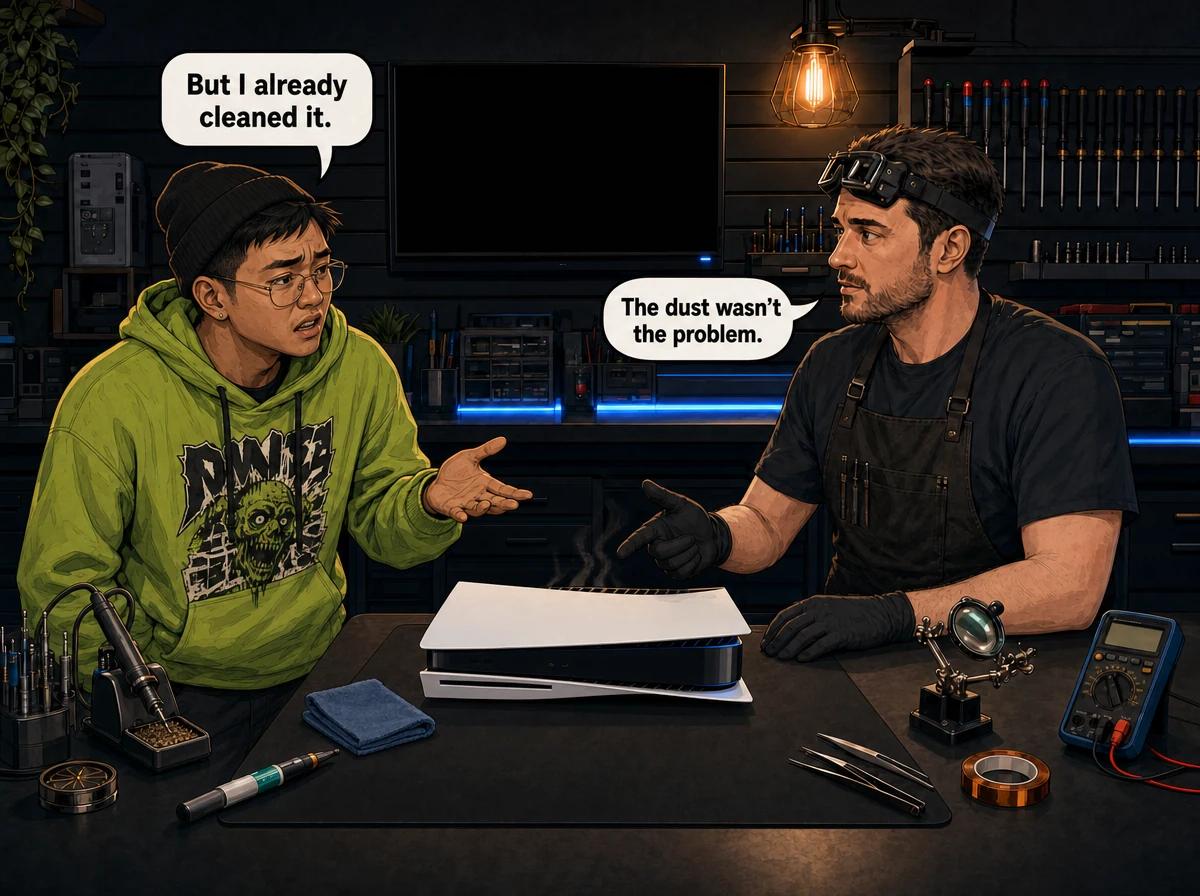
You did everything the internet told you to do. Unplugged it, took a vacuum to the vents, cleared the dust out of the two little wells on the side, gave it space on the shelf, laid it flat. And a week later the fan is still screaming, the console is still cutting out mid-game, or it is still throwing a temperature warning at you.
That message arrives here most weeks, usually with an apology attached — as if the person doing the cleaning got it wrong. They almost never did. The clean could just not reach the thing that was actually blocked.
A PS5 still overheating after cleaning is telling you something precise: the restriction sits past the point a vacuum can reach. The PS5 pulls air through vents on its front and sides with a single 120 mm double-sided fan and pushes it out across the entire rear face — the layout Sony's hardware team walked through in the official teardown. Between the intake and the exhaust sits a large heat-pipe assembly, and between that and the processor sits liquid metal, not thermal paste. An external clean removes the loose dust in the intake path. It does nothing to the dust packed into the heatsink fins, the greasy film on the fan blades, or liquid metal that has moved or thinned. In the consoles reaching our bench at Console Service Centre in Boksburg, that is where the heat is trapped — and none of it is visible from outside the case.
Why a PS5 Still Overheats After Cleaning: What the Clean Actually Reaches
Sony designed the original PS5 with two dust wells on the side, positioned to catch some of what the fan drags in. Vacuum those out and you have removed a real quantity of dust. iFixit's own guide for cleaning a PS5 without opening it goes exactly that far and stops there — outer cover off, two wells vacuumed, no screws or components removed.
So a thorough external clean gets you the vent slots, the surface of the intake and two collection wells. What it never gets you is the fan blades, the heat pipes, the fin stack, the power supply bay or the thermal interface on the processor. Those all sit behind screws and shielding.
That is not a criticism of the clean — it is a description of its limits. When a console keeps overheating afterwards, the restriction lives on the other side of that line. Here are the five things people miss, in the order we find them.
Miss 1: The Outside of the Console Tells You Almost Nothing
This one sends the most people down the wrong path. The console does not feel hot, so they assume the temperature complaint must be a software glitch or a faulty sensor.
The outer shell is not part of the cooling system. The PS5 does not radiate heat through those white panels the way a laptop dumps heat through its chassis. It moves heat by moving air: in at the front and sides, across the fin stack, out the back. If the fin stack is choked, the heat does not leak sideways through the plastic and warm the case — it stays in the metal and in the processor, exactly where you cannot feel it, while the outside sits close to room temperature.
Touching the case is the least informative test available to you. A PS5 with a badly blocked heatsink and one in perfect health feel almost identical from outside. There is also no temperature readout anywhere in the PS5's menus — Sony has never exposed one — so there is no number to check either.
What actually tells you something
- The exhaust. Hold your hand near the rear face while a demanding game is running. Healthy air comes out warm and moving with real force. Air that is hot and weak, or barely moving, is a restriction.
- The fan. A PS5 that ramps to full noise within minutes of loading a game and stays there is compensating. A healthy console rises and falls with the load.
- The pattern of shutdowns. Note how long it takes to cut out from cold, then repeat after an hour of cooling. If the second run dies noticeably sooner, that is heat behaving the way heat behaves.
- Where it fails. Heat faults show up in demanding native PS5 titles first, and rarely in menus, streaming apps or lighter games.
None of that requires a thermometer, and all of it beats the back of your hand on a plastic panel.
Miss 2: The Dust You Removed Was Not the Dust Choking It
There are two completely different kinds of dust inside a console, and only one comes out with a vacuum.
The first is loose dust. It sits in the vent slots and the collection wells, it is dry, and it moves when you pull air past it. That is the dust your clean removed, and removing it is worth doing.
The second kind causes the problem. Over a few years, fine dust gets drawn deep into the fin stack, mixes with the trace of airborne oil in every household — cooking, skin, smoke, aerosols — and compacts into a dense felt-like mat between the fins. It is not loose, it does not respond to suction from outside, and it sits at the far end of the airflow path behind the fan and the shielding. It acts like a wall.
The same film builds on the fan blades. A blade carrying a greasy dust layer has a different profile to a clean one, so it moves less air at the same speed, and the fan compensates by spinning faster. That is why so many of these consoles are loud long before they are unstable.
This is our single most common finding when someone tells us the console is still overheating after cleaning. It arrives visually spotless — vents clear, wells empty, case wiped down. Then the heatsink comes off and there is a compacted grey mat packed solid between the fins.
No amount of external cleaning shifts that mat. It comes out with the heatsink removed, cleaned properly and dried before reassembly. That is bench work, and it is the core of what a full PS5 service is for.
Miss 3: The PS5 Uses Liquid Metal, Not Thermal Paste
This is the most important thing on the page, and it catches even fairly technical owners out.
Every PS5 model — Disc, Digital, Slim and Pro — uses liquid metal as the thermal interface between the processor and the heatsink. Not thermal paste. Sony applies a gallium-based liquid alloy at the factory and contains it with a foam and rubber barrier around the chip. It conducts heat far better than conventional paste, which is why Sony chose it for a processor that runs this hard. It also ages completely differently, and this is where the "I cleaned it and it is still overheating" story usually ends.
Liquid metal can migrate. When a PS5 stands upright for long periods, gravity slowly pulls the alloy toward the bottom of the chip, leaving the top of the processor with a dry patch that has no thermal contact at all. The rest of the cooling system can be immaculate and it will not help, because the heat cannot get out of the chip in the first place. Repair benches worldwide have reported a steady rise in exactly this failure as the launch consoles age, and we see it here too. In the worst examples we have opened, the processor was physically cracked by prolonged localised overheating.
There is a slower second version. Gallium reacts with metals over time, and on consoles with years of service we find hardened residue and staining where the alloy has attacked the plating on the heatsink contact face. What is left is thinner and patchier than what came out of the factory.
A clean does not touch the liquid metal. It cannot. The thermal interface sits under the heatsink, behind the shielding, inside the barrier. So if the liquid metal is why your PS5 is overheating — and on an older console it very often is — cleaning the outside changes nothing, and you will keep repeating the clean and getting the same result. Replacing it is skilled work: the old alloy has to come off both surfaces without spreading, the barrier has to be checked and replaced if damaged, and the new alloy applied in the right quantity. It is electrically conductive, so a spill lands on the board and shorts it.
We cover the whole subject in our guide to how PS5 liquid metal works and why it fails, and the orientation question in standing your PS5 upright versus laying it flat. If you take one thing from this section: lay it flat.
Miss 4: Something Changed During the Clean Itself
Not every case is "the clean did not go far enough". Some are "the clean caused it", and we see those weekly.
If your PS5 was fine before a deeper clean or a service somewhere and started running hot immediately afterwards, the timing is not a coincidence. What we most often find on a console in that state:
- A cover that is not fully seated. The PS5's outer panels are part of the airflow shape. Sitting proud by a millimetre or two changes where the intake air comes from, and can leave a gap that lets warm exhaust air get pulled straight back in.
- A fan that was not reseated correctly. The fan has to sit square in its housing with its cable routed the way it was designed to run. Off by a little and it loses airflow, buzzes, or fouls the housing.
- A heatsink refitted unevenly. Contact pressure across the chip has to be even. Refit it out of sequence and one edge lifts fractionally — and you lose contact exactly where you need it most.
- The liquid metal barrier disturbed. Once the foam and rubber dam around the chip is torn or displaced, the alloy has somewhere to go. It usually goes there.
- The fan connector broken off the board. The classic DIY PS5 injury, and not subtle — the console cannot cool itself at all afterwards. Rebuilding those torn traces takes hours of micro-soldering.
A console that got hot straight after being opened needs different attention to one that got hot gradually over three years. Tell whoever looks at it that it was opened recently and roughly what was done — it changes where we look first, and it saves you money.
Miss 5: The Room, Not the Console
The last one is not inside the console at all, and it is why a genuinely good clean sometimes fixes nothing.
Sony's own guidance for a PS5 running loud is specific, and worth reading as rules rather than suggestions:
- Air vents on the sides and back must not be blocked or obstructed.
- Leave at least 10 cm of free space around each side of the console.
- Do not stand it on a carpet or rug with long fibres.
- Do not put it in a narrow or cramped space.
- Do not let dust build up in or around the vents.
Nearly every enclosed TV unit in the country breaks two of those at once. A closed cabinet does not just restrict the intake — it recirculates the console's own exhaust, so the machine breathes air it has already heated. On a Highveld summer afternoon, with the room well above 30 °C, whatever margin the cooling system had left is gone.
Two more we see constantly: long-fibre carpet, which pulls fibre straight into the intake and re-blocks a freshly cleaned console faster than anything else in a home; and rest mode downloads behind a closed cabinet door, where the console works hard for hours with nobody in the room. If yours mostly overheats overnight, that is usually what is happening.
If your PS5 is still overheating after cleaning and it lives in a cabinet, move it onto an open surface for a week before spending money on anything. It is free and it settles the question.
Safe Checks to Run at Home When a PS5 Still Overheats After Cleaning
These are all external. None require you to open anything.
- Power the console off completely and unplug the AC cable from the back. Sony asks for this before any cleaning.
- Move the console onto an open, hard, flat surface with at least 10 cm of clear air on every side and nothing behind the rear vent.
- Lay it flat rather than standing it upright. This is about the liquid metal, and on an older console it matters more than anything else here.
- Get it off carpet or rug. A hard surface or a shelf keeps fibre out of the intake.
- Vacuum the vent slots gently from the outside with a low-powered vacuum cleaner — Sony's own wording. Do not blow air into the vents from a can, which drives dust deeper into the fin stack instead of pulling it out.
- Check the rear exhaust while a demanding game runs. Warm air moving with force is healthy; hot and weak is a restriction.
- Update the system software. Fan behaviour is managed by firmware, so running the current version removes a variable at no cost.
- Test cold, at night, in a cool room. If it survives a session it could not survive in the afternoon, you have a thermal margin problem rather than a random fault.
If it still overheats after all eight, the restriction is internal and more cleaning stops being useful.
The Cold-Start Test That Tells You Whether It Is Hardware
This takes an evening and gives us something genuinely useful to work with.
- Leave the console off and unplugged for at least two hours so it is properly cold.
- Start the demanding native PS5 title that gives you trouble most reliably, and note the time.
- Note the time again when the fan reaches full noise, and again if the console warns or shuts down.
- Let it cool for one hour, then repeat exactly the same run and note the same three times.
A console with a thermal restriction gets worse on the second run — full fan noise sooner, failure sooner. One that fails at the same point regardless of how cold it started is usually not a heat fault at all.
Write those numbers down. If you send the console to us, they save us a diagnostic cycle.
Not sure what you are looking at? WhatsApp us on 087 550 2307 — we respond immediately, 24/7, and we can usually tell you from your symptoms whether you are dealing with a cooling restriction, a power fault or something else entirely before you send anything anywhere.
What We Actually Do to a PS5 That Is Still Overheating After Cleaning
No mystery to it. A full service on a PS5 is a complete strip-down, and every one follows the same sequence:
- The console is fully disassembled to individual components.
- All plastic covers and panels are washed and cleaned properly.
- Internal dust and debris are removed from every component, including the areas no external clean can reach.
- The fan blades and housing are cleaned so the fan moves the air it was designed to move.
- The heatsink and processor are stripped of all old thermal material, including any hardened residue on the contact face.
- Fresh liquid metal is applied, with the containment barrier checked and replaced if damaged.
- The console is reassembled with correct cable routing and even heatsink seating.
- It is tested afterwards to confirm it holds up thermally under real load, not just that it powers on.
A PS5 full service is R1,249. That covers the strip-down, the deep clean and fresh liquid metal together, because on this console they are not separate jobs — you cannot reach the heatsink without breaking the thermal interface, so it always gets replaced.
If the fan itself has failed or lost airflow cleaning cannot restore, an internal fan replacement runs R1,449 – R1,699. The original PS5 shipped with fans from more than one supplier over its production run — they differ in blade count and in how much noise they make, so we check which one is fitted before we order. Fans are not shared across the generations, though: an original PS5 fan will not fit a Slim or a Pro.
If the console has run hot long enough to damage the processor itself, be aware that the PS5's APU cannot be replaced — there is no meaningful replacement path for that chip on this console. What we can do is diagnose it properly and tell you straight that it is not economically repairable, rather than sell you a repair that will not hold. Other faults on the board are a different story, and those we do repair at component level — see our board-level repair page. If you decide against any repair after diagnosis, you pay the R599 bench fee and nothing more.
Everything we do on this console family is on our PS5 repair page, and the thermal work specifically on our console overheating repair page.
When It Is Not Overheating at All
A fair number of consoles arrive here having been cleaned three times for a fault that was never thermal.
- A power supply that cannot hold its output looks similar — the console dies under load — but the timing differs. Heat gives you minutes and worsens as the console warms. A power fault kills it within seconds of a demanding moment, just as readily from stone cold.
- Failing storage or corrupted system software causes crashes, freezes and reboots that get read as overheating because the fan happened to be loud. If your console freezes and returns an error rather than powering off silently, look at software first.
- A console that only crashes in one game is usually not a hardware fault. Heat does not care which title you load, which is why a real heat fault shows up across every demanding game rather than one specific one.
We separate these by testing under load on the bench — the only reliable way to tell a thermal shutdown from an electrical one. Guessing is how people pay for the wrong repair.
Please Do Not Open It Yourself
We would rather lose the sale than have this happen: opening your console yourself risks causing additional damage — broken flex cables, stripped screws, or damaged connectors that make the repair more expensive. We strongly recommend leaving internal repairs to professionals.
Three specific reasons on this console:
- The fan connector is a genuine casualty. Customers attempting a PS5 service frequently snap it off the main board and tear the traces with it. That is hours of micro-soldering on top of the original job.
- The liquid metal is electrically conductive. Spill it while cleaning the old alloy off and it lands on the board. That can short the motherboard, and it is sometimes unrepairable.
- The power supply is dangerous. It contains capacitors storing hundreds of volts each. If they are not discharged correctly they can burn or kill you. We will never tell a customer to open a power supply, on any console, for any reason.
Cleaning the outside is safe and we encourage it. Everything past the outer panel belongs on a bench. Our guide to cleaning a console safely covers exactly where that line sits.
Keeping It Cool Once It Is Sorted
- Lay it flat. On a PS5, horizontal placement is the single most useful habit you can build — it keeps the liquid metal where it belongs.
- Give it 10 cm on every side and keep the rear face completely clear. Open shelf, not closed cabinet.
- Keep it off carpet and rugs. Hard surfaces only.
- Vacuum the vent slots every couple of months, gently, from the outside, with the console unplugged.
- Do not stack anything on top of it, and do not run it behind a closed cabinet door, especially overnight.
- Book a service before it is desperate. Thermal material degrades on a schedule, not on demand, and a console serviced while it still works costs less than one serviced after the processor has been cooked.
Frequently Asked Questions
Why is my PS5 still overheating after cleaning it?
Because the clean almost certainly did not reach the restriction. Vacuuming the vents and the two dust wells removes loose dust from the intake path, but it does not touch the compacted dust in the heatsink fins, the film on the fan blades, or the liquid metal on the processor — which on an older PS5 is the most likely culprit and cannot be affected by any external clean.
My PS5 does not feel hot, so how can it be overheating?
The outer shell is not part of the cooling system. The PS5 moves heat out on moving air rather than radiating it through the case, so a console with a blocked heatsink feels much the same from outside as a healthy one. Judge it by the exhaust air, the fan noise and the shutdown pattern instead.
Does the PS5 use thermal paste that can be replaced?
No. Every PS5 model uses liquid metal, a gallium-based alloy applied at the factory and held in place by a barrier around the processor. Different material, different procedure, and electrically conductive — replacing it is skilled bench work, not a paste swap.
Can standing my PS5 upright cause it to overheat?
Yes, over time. Liquid metal can migrate downward under gravity when the console stands vertically for long periods, leaving a dry area on the processor with no thermal contact. Flat is the orientation to use, and it is worth doing from the day you buy it rather than after a problem appears.
How much does it cost to fix a PS5 that keeps overheating?
A full service covers the strip-down, the deep internal clean and fresh liquid metal, which resolves the large majority of these consoles. A failed fan is a separate part. We diagnose first and give you the price before any work starts, and if you decline the repair you pay the R599 bench fee and nothing else.
Will a full service delete my games or saved data?
No. A full service is mechanical and thermal work on the cooling system. The storage is not touched, installed games stay installed, and saved data stays exactly where it is.
Is it worth repairing a PS5 that overheats, or should I replace it?
Almost always worth repairing — a cooling fault leaves the rest of the console untouched, and the repair costs a fraction of a replacement. The exception is a console that has run hot for a very long time and damaged its processor. A bench diagnosis tells you which you have, and we will say so if it is not worth doing.
I am not in Gauteng. Can you still help?
Yes. We arrange nationwide collection and return by courier. You get the diagnosis and the quote before any work happens, exactly as you would walking into the workshop.
Get Your PS5 Cooling Sorted Properly
If you have cleaned it, moved it, laid it flat and given it air and it is still overheating, you have done everything that can be done from outside the case. There is no version of this where more vacuuming fixes it.
The good news: this is one of the most repairable faults a PS5 has. Nothing is worn out. The cooling path is blocked and the thermal interface has aged, and we replace both routinely.
Here's why Console Service Centre is the right place for it:
- PlayStation and Xbox specialists — consoles are all we do, and PS5 liquid metal work is routine here rather than a first attempt
- 1,329+ Google reviews at 4.9 stars — the world's most-reviewed dedicated gaming-console repair specialist on Google from customers across South Africa
- Post-service thermal testing under real load, so you get a console that holds up rather than one that merely powers on
- Board-level repair capability in-house, and an honest answer when a fault is not worth repairing
- Six-month money-back warranty on every repair
- Nationwide courier collection and return
WhatsApp us: 087 550 2307 — we respond immediately, 24/7
Visit us: 6 Bester Street, Witfield, Boksburg — Monday to Thursday 08:00 to 16:00, Friday and Saturday 08:00 to 13:00
Bring the two timings from the cold-start test with you and you will save us both a step.
Topics Covered
About the Author

Shaun Potgieter
Founder & Head Technician
Expert console technician with 15+ years of hands-on repair experience.