
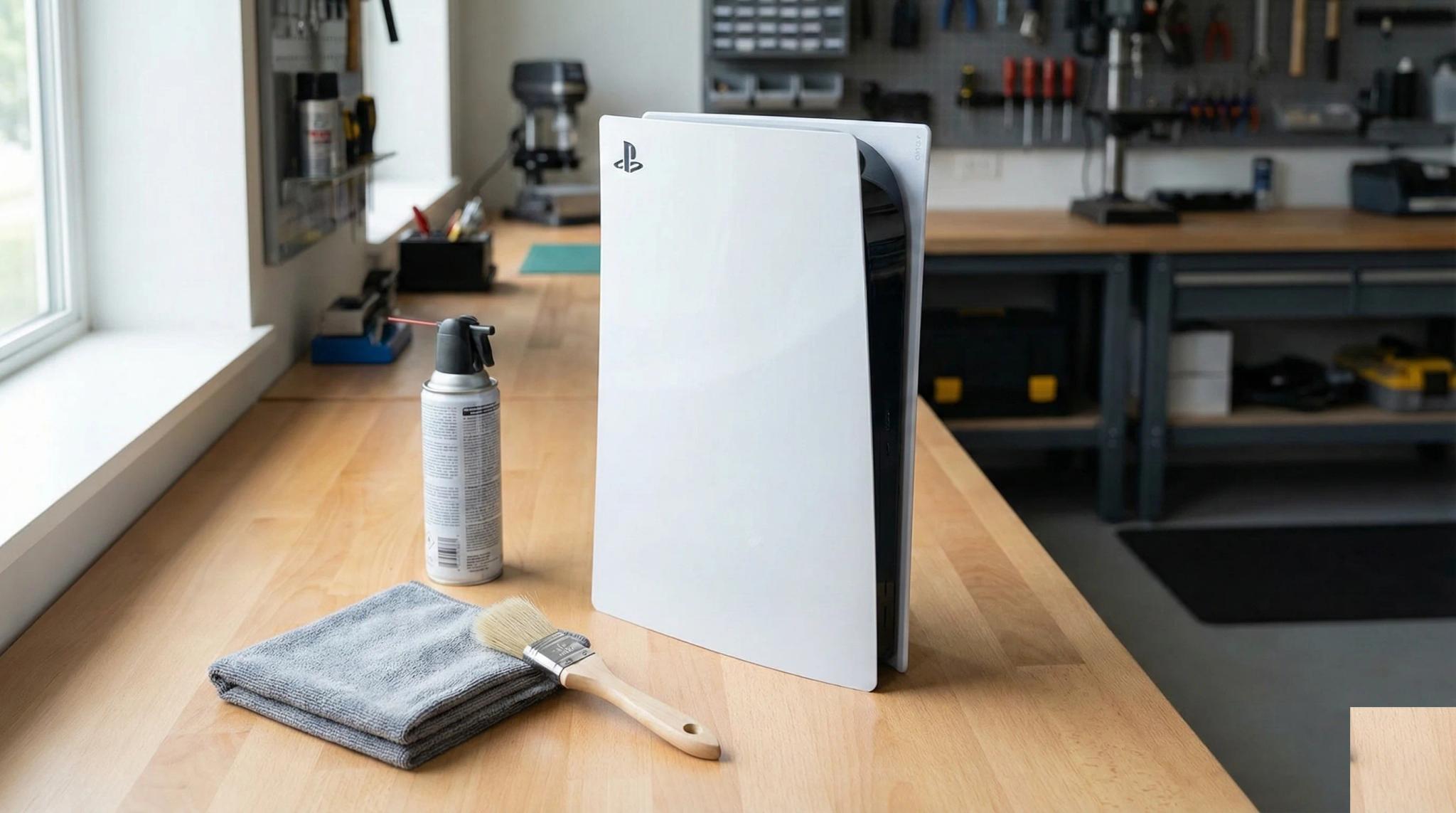
Your console sounds like a jet engine. Or maybe it is running hot to the touch, shutting down mid-game, or just collecting a visible layer of dust. You know it needs a clean, but you are not sure where to start — or how far you should go without causing damage.
You are not alone. Dust and heat are responsible for a huge number of the repairs we see at Console Service Centre. Since 2011 and more than 25,000 console repairs, we can tell you this with absolute certainty: a well-maintained console lasts years longer than a neglected one. But there is a right way and a very wrong way to clean your gaming console.
This guide covers safe, external cleaning you can do at home for PS5, PS4, and Xbox consoles, the warning signs that your console needs professional attention, and exactly what happens during a professional full service. We will also explain why opening your console yourself is almost always a bad idea — and we have the workshop stories to prove it.
Why Console Cleaning Matters More Than You Think
Dust is not just a cosmetic problem. Inside your console, dust builds up on fan blades, clogs heatsink fins, and coats internal components. This creates an insulating blanket that traps heat exactly where you do not want it.
Here is what happens when dust accumulates unchecked:
- Your fan works harder — The console ramps up fan speed to compensate, which is why it gets louder over time
- Internal temperatures climb — Components run hotter than they should, accelerating wear on the APU, power supply, and other critical parts
- Dust creates static and short circuits — Dust buildup can generate static electricity between components on the power supply board or the main board itself. We have seen consoles where dust has literally caused a short between components, killing the power supply or damaging the main processor
- Hard drives fail from heat — Consoles with mechanical hard drives (PS4 Original, PS4 Slim, Xbox One Original, Xbox One S) are especially vulnerable. When internal temperatures stay high for extended periods, the hard drive overheats and eventually fails — and when your hard drive dies, you lose all your saved games and installed data
- Thermal material degrades faster — Heat accelerates the breakdown of thermal paste (on PS4 and Xbox) and can cause liquid metal migration issues on PS5
- Performance suffers — Modern consoles throttle their processors when temperatures get too high, meaning slower load times and frame drops
- Lifespan shortens — Prolonged overheating causes solder joint fatigue, capacitor degradation, and eventual hardware failure
We have seen consoles come in after years of neglect with so much dust packed into the heatsink that airflow was practically zero. At that point, the damage is often already done — overheating has stressed components to the point of failure.
The good news? Basic external maintenance is simple, free, and takes five minutes. And when your console does need a deeper clean, a professional full service costs far less than replacing fried hardware.
How to Clean Your Console Safely at Home
The following steps are safe for all consoles — PS5 (Disc, Digital, Slim, Pro), PS4 (Original, Slim, Pro), Xbox One (Original, S, X), and Xbox Series (S, X). These are external-only steps that will not void your warranty or risk damaging internal components.
Step 1: Power Down and Unplug Completely
Before touching your console:
- Shut down fully — Do not just put it in rest mode or standby. Go to Settings and select "Turn Off" or hold the power button until it powers down completely
- Unplug the power cable from the wall and the console
- Disconnect all cables — HDMI, USB, network, headset adapters
- Wait 10 minutes — Let the console cool down completely before cleaning
This is not optional. Cleaning a console while it is plugged in — even if it is "off" — risks static discharge and electrical shock. Power supplies in consoles contain capacitors that store 200-400 volts each. Even when unplugged, these take time to discharge.
Step 2: Wipe Down the Exterior
Use a soft, dry microfibre cloth to wipe all external surfaces:
- Top and sides — Remove dust and fingerprints
- Around buttons and ports — Gently clean around the power button, disc slot, USB ports, and HDMI port
- Stand or base — Clean the area where dust tends to settle underneath
What to use:
- Dry microfibre cloth — this is what Sony's own PS5 manual specifies for exterior surfaces
- Slightly damp microfibre cloth for stubborn marks (wring it out thoroughly first)
What NOT to use:
- Isopropyl alcohol or any alcohol-based cleaner on the outer plastics. Sony's PS5 instruction manual specifically lists alcohol alongside paint thinner and benzene as substances that change the colour and quality of the console's surface. We do use high-concentration isopropyl alcohol on circuit boards during a service, but that is a different job on a different material — it does not belong on the shell.
- Chemically treated or pre-moistened wipes (Sony's manual rules these out too)
- Household cleaning sprays or chemicals
- Paper towels (they leave fibres behind)
- Wet cloths that drip
- Anything abrasive
Step 3: Clean the Vents (This Is the Most Important Step)
The vents are where dust enters and exits your console. Keeping them clear is the single most impactful thing you can do for your console's health.
Use a low-powered vacuum, not a can of air. This is Sony's instruction, not our preference — PlayStation's own support page tells PS5 owners to disconnect the AC power cable and then "use a low-powered vacuum cleaner to remove any dust that has accumulated in and around the air vents". The logic is simple: a vacuum pulls dust out of the console. Blowing air from a can pushes it further in, off the vent mesh and onto the heatsink fins where you cannot reach it. On the bench we regularly open consoles whose owners have been diligently blowing them out for years and find the heatsink packed solid.
For all consoles:
- Unplug the power cable from the wall first — Sony states this explicitly as a safety step before cleaning
- Use a handheld or low-powered vacuum — Work it slowly along the intake and exhaust vents
- Keep the nozzle just off the surface — Do not press a high-powered household vacuum hard against the shell or the vent grille
- On a PS5, take the side covers off first — They slide off without tools, and Sony recommends vacuuming the dust trapped underneath them. Do not go any deeper than this.
If you only have a can of air: use it sparingly, from the intake side, and never let the jet spin the fan. The fan is designed to be driven by its own motor at a controlled speed; an air jet can spin it far past that, which is hard on the bearing. Hold the blades still with a soft brush or a cocktail stick if you can see them, or leave the fan alone entirely.
Where are the vents?
| Console | Intake Vents | Exhaust Vents |
|---|---|---|
| PS5 | Sides (along the black centre section) | Rear |
| PS4 Original | Sides | Rear |
| PS4 Slim | Sides and front | Rear |
| PS4 Pro | Sides | Rear |
| Xbox One Original | Sides | Top |
| Xbox One S | Sides | Top and rear |
| Xbox One X | Sides and bottom | Rear |
| Xbox Series X | Bottom | Top (large circular vent) |
| Xbox Series S | Bottom and sides | Top (large circular vent) |
A soft-bristled brush (like a clean, unused paintbrush or make-up brush) works well for loosening dust around vent grilles so the vacuum can lift it away.
Step 4: Clean the Area Around Your Console
Your console's environment matters just as much as the console itself:
- Clear at least 10-15 cm of space on all sides for airflow — especially around intake and exhaust vents
- Vacuum or dust the shelf or TV cabinet where your console sits — this is where most of the dust comes from
- Keep your console off the floor — Floor-level placement means more dust, pet hair, and debris entering the vents
- Avoid enclosed cabinets — Consoles in closed entertainment units overheat quickly because hot air cannot escape
Step 5: Check and Clean Your Cables
While everything is disconnected:
- Inspect HDMI cables for bent or damaged connectors
- Check the power cable for fraying or damage
- Wipe cable ends with a dry cloth to remove dust from connectors
- Wipe the console's ports with a dry cloth if they look dirty — Sony's manual says to use a dry cloth on ports and connectors, and warns that a dirty connector may not conduct properly. Do not put liquid, alcohol or a metal tool into a port.
Dusty or corroded connectors can cause display issues, charging problems, and intermittent connections that mimic hardware failure.
How to Clean Your Console Safely: What You Should Do Monthly
A quick maintenance routine keeps your console running well between professional services:
| Task | Frequency | Time Needed |
|---|---|---|
| Wipe exterior with dry microfibre cloth | Weekly | 2 minutes |
| Vacuum the vents (low-powered, cable unplugged) | Monthly | 3 minutes |
| Dust the shelf/cabinet around console | Monthly | 5 minutes |
| Check cables and connections | Every 3 months | 2 minutes |
| Professional full service | Annually (or when symptoms appear) | Drop off / courier |
Signs your console needs attention sooner:
- Fan is noticeably louder than when it was new
- Console is hot to the touch on the top or rear
- Random shutdowns during gaming (thermal protection kicking in)
- Longer load times or frame drops that were not there before
- Console takes longer to boot up
If you notice any of these symptoms and external cleaning does not help, the issue is internal and requires a professional full service.
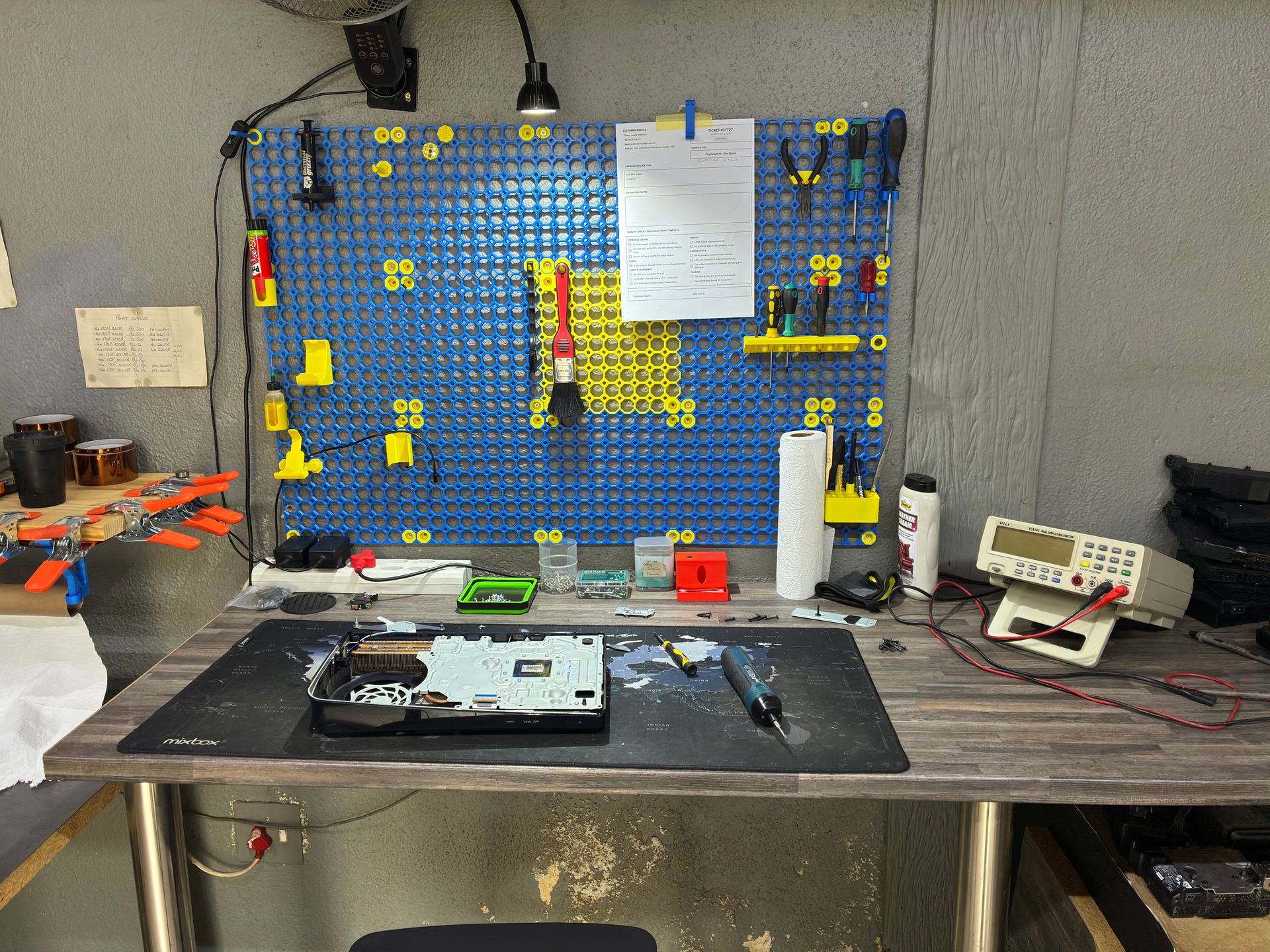
Why Should I Never Open My Console to Clean It Myself?
This is where we need to be direct with you. We strongly advise against opening your console yourself — and this is not just us trying to get your business. We see the consequences every week in our workshop.
Real Damage We See from DIY Attempts
| What Customers Try | What Goes Wrong | The Cost |
|---|---|---|
| Opening a PS5 for cleaning | Fan connector ripped off the motherboard, all traces torn | 3-4 hours of trace rebuilding — far more expensive than a service |
| Forcing the shell open | Stripped screws, broken plastic clips, cracked housing | Replacement parts needed, plus the original repair |
| Disconnecting flex cables | Torn ribbon cables, broken connectors | Component replacement — simple job becomes complex |
| Replacing thermal paste on PS5 | Liquid metal spill on the motherboard | Can short-circuit the board — potentially unrepairable |
| DIY HDMI port repair | Lifted pads, damaged traces around the port | Board-level micro-soldering needed, sometimes beyond saving |
We are not exaggerating — these situations come through our door regularly. The PS5 fan connector is particularly fragile. When a customer breaks it and rips the traces from the board, rebuilding those traces takes 3-4 hours of painstaking micro-soldering work. That repair costs significantly more than the full service that would have prevented the problem in the first place.
Power Supplies Are Genuinely Dangerous
Console power supplies contain capacitors that store 200-400 volts each. If these are not discharged properly, they can burn you severely or worse. This is not theoretical — it is a real electrical hazard. We will never advise anyone to open a power supply, and neither should any responsible guide.
The Bottom Line on DIY
Opening your console yourself risks causing additional damage — broken flex cables, stripped screws, or damaged connectors that make the repair more expensive. Professional repair up front always costs less than fixing a DIY attempt gone wrong. Our DIY vs professional console repair guide covers these risks in much more detail. We strongly recommend leaving internal repairs to professionals.
When Your Console Needs a Professional Full Service
External cleaning handles surface-level dust, but it cannot address the buildup that accumulates inside your console over time — on the heatsink fins, around the APU, coating the fan blades, and degrading the thermal interface material.
Warning Signs You Need a Professional Service
- Loud fan that does not quiet down after external vent cleaning
- Console shutting down during gameplay (thermal protection activating)
- Unusually hot exterior, especially near the exhaust vents
- You have had the console for 2+ years without a professional service
- You live in a dusty environment — South Africa's dry, dusty climate means consoles accumulate dust faster than in humid regions
- You game for 4+ hours daily — Heavy use means more heat cycles and faster thermal degradation
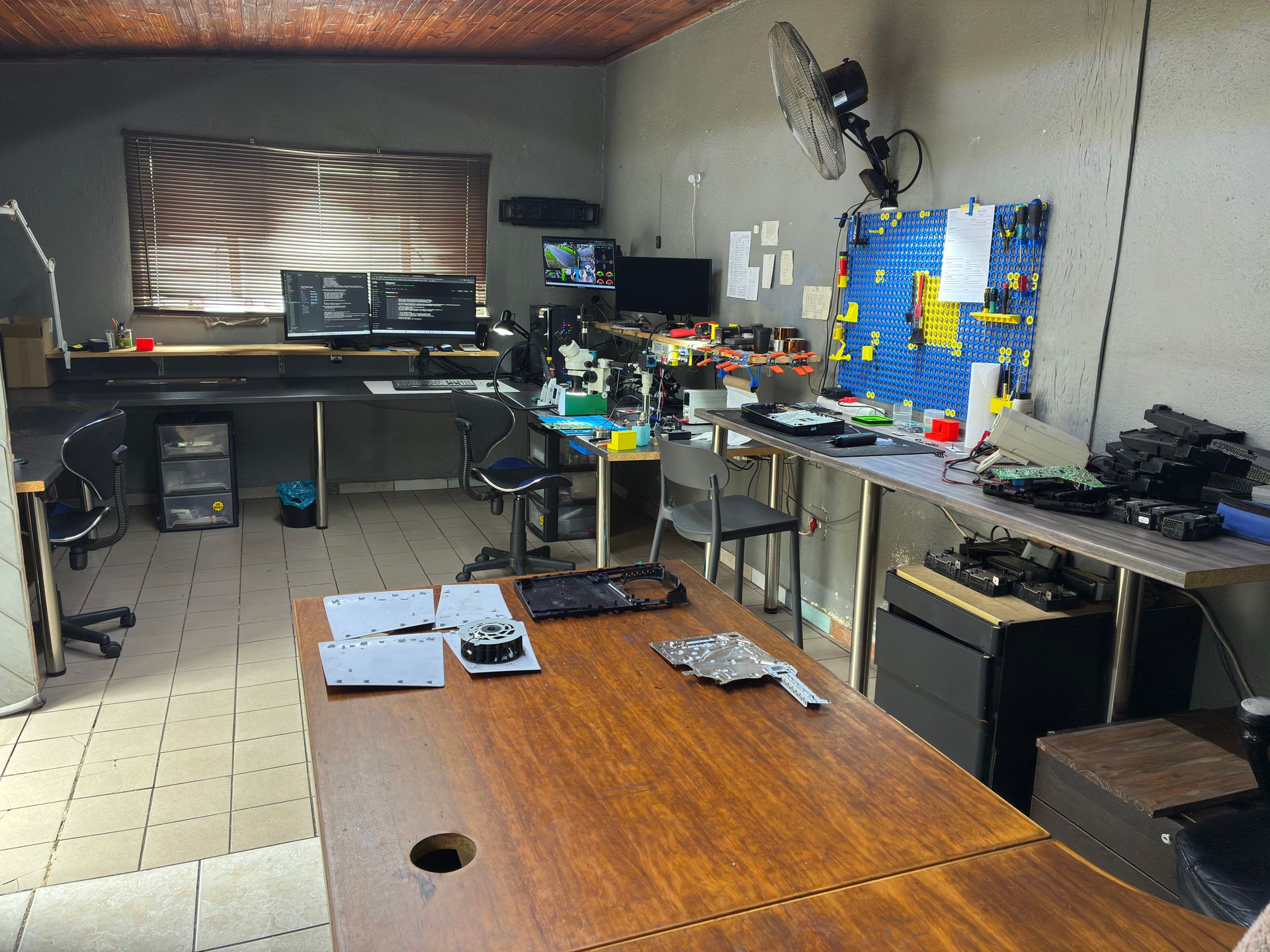
What a Professional Full Service Actually Includes
At Console Service Centre, a full service is a complete strip-down and rebuild of your console. Here is exactly what we do:
- Complete disassembly — The console is fully stripped down to individual components
- Cover and panel washing — All plastic covers and panels are thoroughly washed and cleaned
- Internal dust removal — Every component is cleared of dust and debris
- Fan cleaning — Fan blades and housing are thoroughly cleaned to restore airflow
- Heatsink cleaning — Old thermal material is completely removed from the heatsink and processor
- Fresh thermal material — New thermal interface material is applied (see below for what this means for your specific console)
- Full reassembly — Everything is put back together with proper cable routing and secure connections
- Post-service testing — The console is tested to verify proper operation, thermals, and output
Thermal Material: Why It Matters (And Why PS5 Is Different)
This is a critical distinction that many guides get wrong:
PS5 (all models: Disc, Digital, Slim, Pro) uses liquid metal as its thermal interface material — not thermal paste. Liquid metal is electrically conductive and offers far superior thermal conductivity to paste. Sony applies it at the factory with a protective barrier around the APU to prevent spills. If your PS5 is already showing signs of thermal trouble, our PS5 repair specialists can diagnose and service it.
Replacing liquid metal requires extreme care and experience. A spill can short-circuit the motherboard and potentially destroy the console. This is specifically why we say do not attempt PS5 thermal work yourself — the consequences of a mistake are severe.
PS4 (all models) and all Xbox consoles use standard thermal paste. While simpler to replace than liquid metal, it still requires proper disassembly, thorough cleaning of old paste, and correct application of quality replacement compound.
Our thermal paste has been thoroughly tested specifically on gaming consoles. It contains no metal shavings that could short-circuit bare processor dies — a real risk with cheap thermal paste that some DIY guides fail to mention.
| Console | Thermal Material | Service Complexity |
|---|---|---|
| PS5 (all models) | Liquid metal | Requires specialist experience |
| PS4 Original | Thermal paste | Standard procedure |
| PS4 Slim | Thermal paste | Standard procedure |
| PS4 Pro | Thermal paste | Standard procedure |
| Xbox One (all models) | Thermal paste | Standard procedure |
| Xbox Series S | Thermal paste | Standard procedure |
| Xbox Series X | Thermal paste | Standard procedure |
How to Clean Your Console: SA-Specific Tips
Living in South Africa means your console faces some unique environmental challenges.
Dust and Climate
South Africa's generally dry climate — particularly in Gauteng and the Free State — means more airborne dust enters your home and your console. If you live on a busy road, near construction, or in an area with unpaved roads nearby, your console will accumulate dust significantly faster than average.
Our recommendation: If you are in a dusty area, increase your external vent cleaning from monthly to fortnightly, and consider professional servicing annually rather than waiting for symptoms. Cleaning needs shift with the seasons too — our winter gaming season console care guide covers the dust, heating and ventilation changes that hit consoles hardest in the colder months.
Load Shedding and Power Surges
Load shedding is not directly a cleaning issue, but it is closely related to console health. Power surges when electricity returns can damage internal components, and sudden power loss during rest mode can corrupt your console's storage.
- Use a quality surge protector — Not a basic power strip, but one with genuine surge protection rated for electronic equipment
- Shut down fully before scheduled load shedding — Do not leave your console in rest mode
- Unplug during extended outages — The spike when power returns is when damage happens. Our load shedding console protection guide has detailed advice on choosing the right surge protector for South African conditions
If your console started behaving oddly after a load shedding incident, that is not a cleaning problem — it is likely power surge damage that needs professional console diagnosis.
Pets and Console Placement
Pet hair is one of the most common things we find clogging console vents. If you have dogs or cats:
- Keep your console elevated — Not on the floor where pet hair accumulates
- Clean vents more frequently — Weekly vacuuming if you have shedding pets
- Consider a different room — If your pet sleeps near your gaming setup, the hair intake is constant
Professional Console Cleaning vs DIY: An Honest Comparison
We want to be transparent about what you can and cannot achieve at home:
| Aspect | DIY External Clean | Professional Full Service |
|---|---|---|
| Surface dust removed | Yes | Yes |
| Vent dust cleared | Partially (from outside only) | Completely (every component) |
| Internal dust removed | No | Yes — full strip-down |
| Fan blades cleaned | No | Yes — thoroughly |
| Heatsink fins cleared | No | Yes — old thermal material removed |
| Thermal material replaced | No (and you should not try) | Yes — fresh quality material applied |
| Post-service thermal testing | No | Yes — verified before return |
| Risk of damage | Very low (external only) | None (professional handling) |
| Cost | Free | Affordable — WhatsApp for a quote |
Both have their place. External cleaning is essential ongoing maintenance that extends the time between professional services. But it is not a substitute for a proper internal strip-down and thermal material replacement.
Think of it like a car: you wash the outside regularly, but you still take it for a service to change the oil and check the engine.
Not sure if your console needs a full service? WhatsApp us at 087 550 2307 — we respond immediately, 24/7, and can often give you a good idea of what is needed based on your symptoms before you send your console in.
Important: Cleaning Does NOT Replace Thermal Paste or Liquid Metal
We need to be very clear about something: everything in this guide is about removing dust from the outside of your console. It is not the same as replacing the thermal paste or liquid metal inside.
These are two completely different things:
- External dust cleaning (what this guide covers) — Removes dust from vents and surfaces, improves airflow, takes 5 minutes
- Thermal material replacement (professional service required) — Involves fully stripping the console, removing the old thermal paste or liquid metal from the processor and heatsink, and applying fresh material
If you have cleaned the dust from your console's vents following this guide and it is still running hot, still loud, or still shutting down, the problem is almost certainly degraded thermal material inside. The dust clean alone will not fix that — the thermal paste (or liquid metal on PS5) needs to be professionally replaced.
A Serious Warning About Thermal Paste
If you are considering replacing thermal paste yourself, there is something critical you need to know: not all thermal paste is safe for gaming consoles.
Some cheap thermal pastes contain fine metal flakes in their compound. On a standard PC processor that has a metal heat spreader covering the chip, this is not always a problem. But many console processors — particularly the PS4 — have a bare die with no heat spreader. That means the thermal paste sits directly on the exposed silicon chip with tiny electrical components right next to it.
If a thermal paste with metal flakes is applied to a bare die, those flakes can migrate and short-circuit the processor. We have seen it happen — a customer brings in a console that was "working fine until I changed the thermal paste" and the main processor is dead. The console is beyond repair at that point.
The thermal paste we use at Console Service Centre has been specifically tested on gaming consoles. It contains no metallic particles, provides excellent thermal conductivity, and is safe on bare processor dies. This is one of the reasons we strongly recommend professional servicing — we know exactly which materials are safe and which are not.
How Do I Keep My Console Clean and Dust-Free?
Prevention is always cheaper than repair. Here is how to keep your console cleaner for longer:
Placement Best Practices
- Horizontal is better than vertical for PS5 — When a PS5 is stored vertically for extended periods, the liquid metal inside can migrate downward due to gravity, creating a dry spot on the APU with no thermal coverage. We have seen PS5 APUs crack from the resulting localised overheating. Keep your PS5 flat
- Ensure 10-15 cm clearance on all sides
- Elevate off the floor — A shelf, desk, or TV unit is ideal
- Avoid enclosed spaces — Open shelves are far better than closed cabinets
- Keep away from windows — Direct sunlight adds heat, and open windows let in more dust
Environment Management
- Dust your gaming area regularly — The cleaner the room, the cleaner your console stays
- Consider an air purifier if you are in a particularly dusty area
- Manage pet access to the gaming area if shedding is an issue
- Do not smoke near your console — Smoke residue creates a sticky film on internal components that traps dust and is extremely difficult to clean
Usage Habits
- Allow cool-down time between long gaming sessions
- Shut down fully when not in use rather than using rest mode (particularly on PS5, where rest mode has been known to cause software issues)
- Keep the disc slot clear — Do not leave discs in the drive when not in use
- Update your console software — Firmware updates sometimes include fan curve optimisations
Frequently Asked Questions
How often should I clean my gaming console?
External cleaning (wiping the exterior and vacuuming the vents) should be done monthly, or fortnightly if you live in a dusty environment or have pets. A professional full service with internal cleaning and thermal material replacement is recommended annually for heavy gamers (4+ hours daily) and every 18-24 months for moderate use.
Can I use a vacuum cleaner to clean my console?
Yes — a low-powered one, and it is what Sony actually recommends. PlayStation's support site tells PS5 owners to disconnect the AC power cable and "use a low-powered vacuum cleaner to remove any dust that has accumulated in and around the air vents". Unplug the power cable first. The only sensible limits are common sense ones: use a low-powered vacuum rather than a full-strength household machine, and keep the nozzle just off the shell rather than clamped against a vent grille. A soft-bristled brush is also safe for loosening dust around vent grilles first.
Does cleaning my console void the warranty?
External cleaning does not void any warranty. Wiping the exterior, vacuuming the vents, and keeping the area around your console clean are all perfectly safe and manufacturer-approved activities — Sony sets them out in the PS5 manual as ordinary owner maintenance. However, opening your console and accessing internal components may void your warranty depending on the manufacturer and your region.
How do I know if my console needs a professional clean or a repair?
If your console is louder than usual but still works, it likely needs a professional full service to remove internal dust and replace degraded thermal material. If your console is shutting down, showing error screens, not producing video, or failing to power on, the problem may be more than just dust — it could be a hardware fault that needs console diagnosis and repair. When in doubt, WhatsApp us with your symptoms and we will let you know what we think.
What is the difference between a "clean" and a "full service"?
At Console Service Centre, they are the same thing. Our full service includes a complete strip-down, thorough cleaning of every component, replacement of thermal material (liquid metal for PS5, thermal paste for PS4 and Xbox), full reassembly, and post-service testing. We do not offer a basic "blow the dust out" service because that does not address the thermal material that degrades over time — which is the main cause of overheating problems.
Is it safe to use isopropyl alcohol to clean my console?
Not on the outside of it, no. Sony's PS5 instruction manual specifically tells you not to apply alcohol to the exterior surfaces, listing it alongside paint thinner and benzene as substances that change the colour and quality of the plastics — and it rules out chemically treated cloths for the same reason. Use a soft, dry microfibre cloth instead, or one wrung out almost dry for a stubborn mark. Isopropyl alcohol absolutely does have a place in console repair — we use 90%+ IPA on circuit boards during a service to lift flux, residue and corrosion — but that is bare board, handled by a technician with the console in pieces, not the shell in your lounge.
Why does my PS5 get louder over time?
As dust accumulates on the fan blades and heatsink inside your PS5, airflow decreases and internal temperatures rise. The console responds by spinning the fan faster to compensate, which is the louder noise you hear. Additionally, the liquid metal thermal interface can degrade over time, reducing heat transfer efficiency and causing the console to run hotter. A professional full service that cleans the internals and replaces the liquid metal typically restores the PS5 to near-silent operation.
Can I clean the inside of my Xbox Series X or S myself?
We strongly advise against it. While some online guides show disassembly steps, the risk of damaging internal components, stripping screws, or tearing delicate flex cables is significant. Console power supplies also contain high-voltage capacitors (200-400V) that are dangerous if not handled correctly. A professional Xbox Series service is the safest way to get your Xbox thoroughly cleaned internally.
How long does a professional console service take?
At Console Service Centre, a full service currently takes 1-2 working days, based on our live workshop queue. You can drop off at our Boksburg workshop or use our nationwide courier service via The Courier Guy if you are not nearby. We confirm the timeframe on WhatsApp before you book it in.
Where Can I Get My Console Professionally Cleaned in South Africa?
A clean console is a healthy console. External maintenance will keep things running smoothly between services, but there is no substitute for a professional strip-down when your console starts showing symptoms of dust buildup and thermal degradation.
Here is why Console Service Centre is your best choice for console cleaning and servicing:
- Console repair specialists since 2011 — over 25,000 consoles repaired
- We know every console inside and out — every model, every generation
- 1,346+ Google reviews with a 4.9-star rating
- PlayStation and Xbox specialists — We do not do phones or general electronics. Consoles are all we do
- 6-month money-back warranty on all services — If the same issue returns, we sort it out free of charge
Ready to Get Your Console Serviced?
WhatsApp us: 087 550 2307 — We respond immediately, 24/7
Visit us: 6 Bester Street, Witfield, Boksburg
Can't get to us? We offer nationwide courier repairs. Ship your console to us via The Courier Guy, we fix it, and send it back. Simple.
Topics Covered
About the Author

Shaun Potgieter
Founder & Head Technician
Expert console technician with 15+ years of hands-on repair experience.