
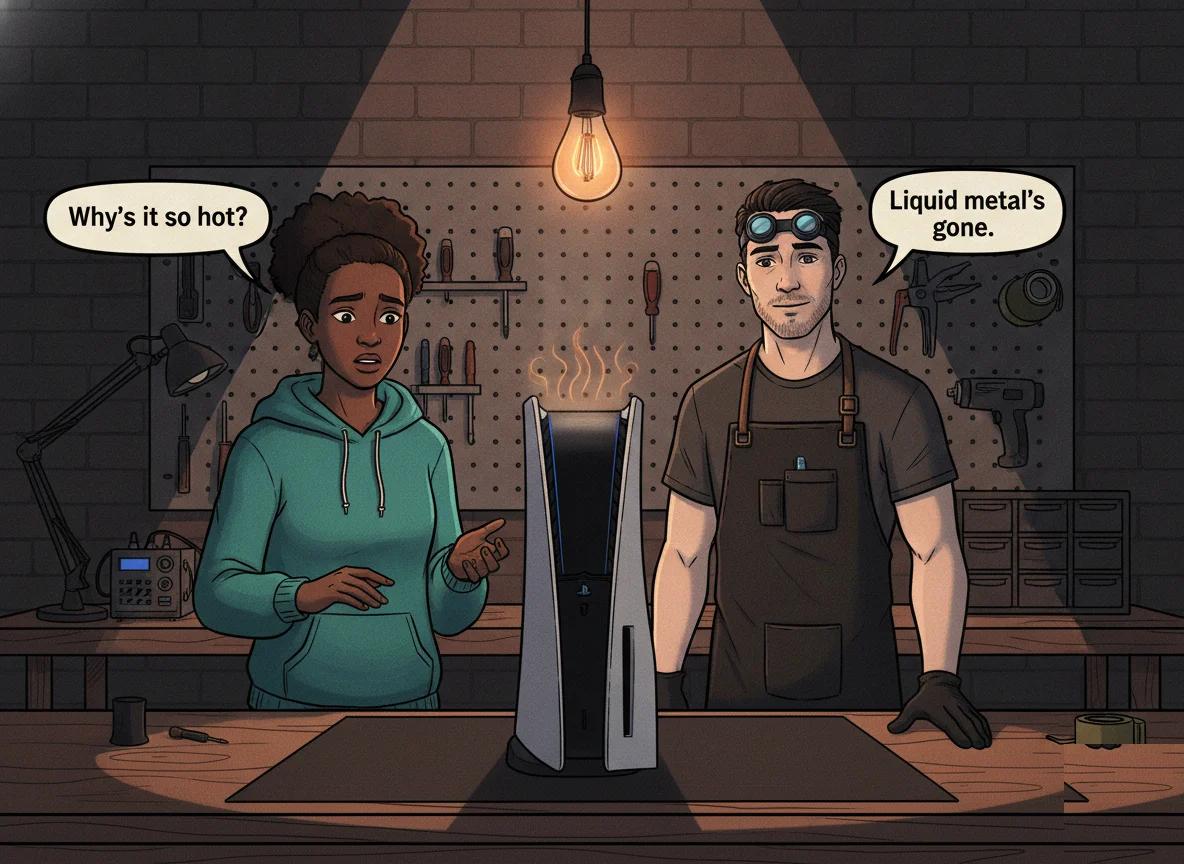
Your PS5 sounds like a jet on the runway, the case is too hot to touch, and every hour or so it shuts itself off in the middle of a game. If that's what you're dealing with, the problem is very likely underneath the processor, where Sony uses a special cooling material called liquid metal. When that material shifts or dries out, your PS5 can't shed heat properly, and it protects itself by throttling down or switching off.
A PS5 liquid metal leak is when the metallic cooling compound between the processor and the heatsink moves out of place or degrades, leaving part of the chip with no thermal coverage. That dry spot overheats, so the console runs its fan flat out and eventually shuts down to avoid damage. Storing a PS5 upright for long periods makes it worse, because gravity slowly pulls the liquid metal downward. You can reduce the risk by keeping your console flat and well ventilated, but once the compound has moved, it needs a professional clean and re-application. Console Service Centre in Boksburg, South Africa has been repairing PlayStation consoles since 2011, and this is one of the most common thermal faults we see on the PS5.
What Is Liquid Metal, and Why Does the PS5 Use It?
Every games console makes heat, and every console needs a way to move that heat from the processor into a heatsink and out through the fan. Most consoles use thermal paste for this — a soft grey compound you spread in a thin layer. The PS4, the Xbox One family and the Xbox Series consoles all use thermal paste.
The PS5 is different. Sony cools the PS5 processor with liquid metal instead of paste. Liquid metal is a metallic compound that stays fluid at room temperature and moves heat far more effectively than ordinary paste. That extra cooling headroom is part of how the PS5 keeps a powerful processor running quietly.
Liquid metal is also fiddly and, frankly, a bit dangerous to work with. It is electrically conductive, so if a drop lands on the wrong part of the board, it can short components out. To keep it in place, Sony builds a small barrier around the processor at the factory — think of it as a moat that's meant to contain the liquid metal over the chip. This is why the PS5's cooling is brilliant when it's healthy and a real problem when it isn't.
Every PS5 model uses liquid metal — the original Disc and Digital editions, the newer Slim, and the Pro. None of them use thermal paste on the main processor. That's the single most important fact to get right: a PS5 does not use thermal paste, it uses liquid metal, and the two need completely different handling.
Why PS5 Liquid Metal Leaks or Migrates
"Leak" is the word most people use, but what usually happens is that the liquid metal moves or thins out over time. There are a few reasons this happens.
Storing the PS5 upright for long periods
This is the big one. Liquid metal is a fluid, and fluids obey gravity. When a PS5 stands vertically for months on end, the liquid metal can slowly creep downward, away from the top of the processor. That leaves a dry patch on the upper part of the chip with little or no thermal coverage. The rest of the chip is fine, but that one dry spot runs very hot, and the console reacts as if the whole thing is overheating.
Laid flat (horizontally), the liquid metal sits evenly across the processor and has nowhere to drain to. That's why we recommend keeping a PS5 horizontal — more on that later.
The barrier ages
The factory barrier that holds the liquid metal in place isn't indestructible. Heat cycles — heating up when you play, cooling down when you stop, over and over for years — gradually take their toll. If the barrier's seal weakens, the liquid metal has an easier path to wander away from where it should be.
Heat and time
Like most things inside a console, the thermal setup doesn't last forever. Years of daily gaming, dust building up in the cooling channels, and constant heat cycling all chip away at how well the PS5 sheds heat. Even a small drop in thermal performance can tip a hard-working console into overheating.
Someone opened it before
If a PS5 has been opened by someone without the right tools and experience — a previous "cleaning", a botched repair, or a DIY attempt — the liquid metal may have been disturbed, smeared, or partly spilled. We see this often: a console that was fine until it was opened, then started overheating straight after.
Signs Your PS5 Has a Liquid Metal Problem
Liquid metal trouble almost always shows up as heat. Watch for these signs:
- The fan runs loud and fast, even in menus or on lighter games. The console is fighting to cool a hot spot.
- The case gets very hot, especially near the top vents.
- Sudden shutdowns, often with a message about the PS5 being too hot, or with no warning at all. This tends to happen more during demanding games.
- Shutdowns get more frequent over time — first once in a long session, then every hour, then within minutes.
- Performance dips or stuttering before a shutdown, as the console throttles itself to cope with the heat.
None of these are things you should ignore. A processor that keeps overheating is under real stress. In the worst cases we've seen, prolonged overheating has physically damaged the processor itself — so catching it early saves you money and saves the console.
Quick Wins: What You Can Safely Do at Home
Before anything else, try these safe, external steps. They won't fix a genuine liquid metal problem, but they rule out simpler causes of overheating and can buy your console some breathing room. None of these involve opening the console.
- Lay the PS5 flat (horizontal). If it's been standing upright, put it on its side. This is the single best thing you can do, and it costs nothing. It stops gravity pulling the liquid metal further out of place.
- Give it room to breathe. Pull the console out of any closed cabinet, shelf cubby or media unit. It needs open air on every side — especially the vents. A PS5 in a sealed cupboard will cook itself.
- Clear the space around the vents. Make sure nothing is resting against or blocking the intake and exhaust vents. Keep at least a hand's width of clear air around the console.
- Lift dust off the outside vents. Using a low-powered vacuum, gently run the nozzle across the outside of the vents to lift loose dust — this is Sony's own guidance for PlayStation consoles, as a vacuum pulls dust out rather than driving it deeper. Do this from the outside only — never open the console to clean inside.
- Keep it out of the sun and off the carpet. A cool, hard, flat surface out of direct sunlight helps a lot. Carpets and rugs block the bottom intake.
- Use a surge protector. In South Africa, load shedding and the surges that come with it are hard on electronics. A decent surge protector won't fix overheating, but it protects your console from a separate, avoidable problem.
If your PS5 still overheats after all of this, the issue is internal — and that's where a professional comes in.
Why You Should Never Open Your PS5 to Fix It Yourself
It's tempting to look up a video and have a go yourself. Please don't. Opening your console yourself risks causing additional damage — broken flex cables, stripped screws, or damaged connectors that make the repair more expensive. With the PS5 specifically, the risks are higher than most people realise.
Liquid metal is unforgiving. It's electrically conductive, so a single drop in the wrong place can short the board. We've seen DIY liquid metal attempts turn a straightforward service into an unrepairable board. Cleaning off old liquid metal, restoring the barrier, and applying fresh liquid metal in exactly the right amount is a skill that takes practice and the right materials.
The fan connector is a classic casualty. People trying to service a PS5 themselves frequently snap the fan connector off the main board and tear the tiny traces around it. Rebuilding those traces is hours of delicate micro-soldering work — far more costly than the service would have been.
Power supplies can genuinely hurt you. Console power supplies contain capacitors that store a high voltage even after the console is unplugged. If they aren't discharged correctly, they can give you a serious shock. We will never tell a customer to open a power supply, and neither should any guide.
The honest maths is simple. A professional service done right is almost always cheaper than fixing a DIY attempt that went wrong, because we then have to repair the original fault plus the new damage. Leave the inside of the console to people who do it every day.
Not sure what's wrong? WhatsApp us at 087 550 2307 — we respond immediately, 24/7, and can often give you a good idea of what's going on from your symptoms before you send your console in.
How Console Service Centre Fixes PS5 Liquid Metal Problems
Fixing a liquid metal fault properly is part of a full PS5 overheating repair and service. Here's what that actually involves, so you know what you're paying for.
We strip the console down completely, clean out every trace of dust from the fan, heatsink and cooling channels, and remove all of the old liquid metal from both the processor and the heatsink. We then restore the barrier that keeps the liquid metal contained, apply a fresh, carefully measured amount of new liquid metal, and reassemble the console properly with the cables routed correctly. Finally we test it under load to confirm the temperatures and fan behaviour are back to normal before it goes back to you.
Cleaning off old liquid metal and re-applying it correctly is the tricky part. Too little and the hot spot comes back; too much and you risk a short. This is exactly the kind of work that goes wrong when it's rushed or done without experience — which is why we take our time and test properly.
If overheating has already damaged the processor itself, that becomes a board-level repair rather than a service, and we'll tell you honestly whether the console is worth saving before we do any work. You can see full details on our PS5 repair page.
PS5 full service pricing
A full service — the repair that cleans and re-applies your PS5's liquid metal — is priced as follows:
| Repair | Price |
|---|---|
| Full Service | R1,249 |
*Prices shown are the total amount payable.
Get an exact quote on WhatsApp →If you send a console in and decide not to go ahead, or if it turns out to be genuinely unrepairable, a R599 bench fee covers the diagnostic time. There are no surprise charges beyond that.
Preventing PS5 Liquid Metal Problems
You can't stop liquid metal ageing entirely, but you can slow it down and avoid the worst of it.
- Keep your PS5 flat. This is the number one prevention tip. Horizontal storage keeps the liquid metal spread evenly over the processor. If you love the upright look, a proper horizontal stand solves the look-versus-longevity problem — we sell horizontal stands for exactly this reason.
- Give it airflow. Open shelves beat closed cabinets every time. Keep clear space around every vent.
- Keep the room and the vents clean. A dusty room means a dusty console. Blowing loose dust off the outside vents every few weeks helps.
- Book a service before there's a problem. A PS5 that gets a lot of use benefits from a periodic full service — fresh liquid metal, a proper clean and a thermal check. It's the console equivalent of an oil change, and it's far cheaper than an emergency board repair.
While you can safely clean the exterior and vents of your console, we strongly advise against opening it yourself. Internal components are delicate, and power supplies contain high-voltage capacitors that are dangerous if not handled correctly. A professional full service is the safest way to keep your PS5 running cool.
Frequently Asked Questions
Why does my PS5 overheat and shut down?
The most common cause is a thermal problem — usually dust build-up in the cooling system, liquid metal that has shifted or dried out, or a failing fan. A PS5 shuts down to protect its processor when it can't shed heat fast enough. Start by laying it flat and clearing the vents; if it still overheats, the cause is internal and needs a professional service.
Does the PS5 really use liquid metal instead of thermal paste?
Yes. Every PS5 model — Disc, Digital, Slim and Pro — uses liquid metal on the processor, not thermal paste. It's a metallic compound that moves heat better than paste, but it's electrically conductive and needs a sealed barrier to stay in place. This is different from the PS4 and Xbox consoles, which all use ordinary thermal paste.
Can a PS5 liquid metal leak be fixed?
In most cases, yes. If the liquid metal has simply moved or dried out, a full service that cleans the old compound, restores the barrier and re-applies fresh liquid metal brings the temperatures back to normal. The only time it becomes serious is when prolonged overheating has already damaged the processor, which turns it into a board-level repair.
How much does a PS5 liquid metal repair cost in South Africa?
The fix is done as part of a full service (priced above), which includes a complete strip-down, dust clean, fresh liquid metal and a proper thermal test. If a console is sent in and not repaired, a R599 bench fee covers the diagnostic. WhatsApp us for an exact quote for your specific model.
Is it safe to store my PS5 standing up?
It's fine for short spells, but long-term upright storage is the main reason liquid metal migrates on the PS5. Over months, gravity pulls the compound downward and creates a hot spot at the top of the processor. If you can, keep your PS5 horizontal — and if you prefer it upright, use a proper stand and consider a periodic service.
Should I try to re-apply the liquid metal myself?
No. Liquid metal is conductive and unforgiving — a single misplaced drop can short the board and turn a simple job into an unrepairable one. It also means opening the console, which risks broken connectors, torn traces and a dangerous encounter with the power supply. This is a job for a workshop with the right tools and experience.
Get Your PS5 Running Cool Again
If your PS5 is overheating, roaring or shutting down, don't wait for it to get worse — an overheating processor only degrades further the longer it runs hot.
Here's why Console Service Centre is your best choice:
- PlayStation and Xbox specialists since 2011 — consoles are all we do, so we've seen every PS5 thermal fault there is.
- 1,329+ Google reviews at 4.9 stars — the world's most-reviewed dedicated gaming-console repair specialist on Google — our track record speaks for itself.
- 6-month money-back warranty — if the same issue returns, we sort it out.
- Honest assessments — if a console isn't worth saving, we'll tell you before doing any work.
Ready to get your PS5 cool and quiet again?
WhatsApp us: 087 550 2307 — we respond immediately, 24/7.
Visit us: 6 Bester Street, Witfield, Boksburg.
Can't get to us? We offer nationwide courier repairs. Ship your PS5 to us via The Courier Guy, we'll fix it and send it back. Simple.
Topics Covered
About the Author

Shaun Potgieter
Founder & Head Technician
Expert console technician with 15+ years of hands-on repair experience.