
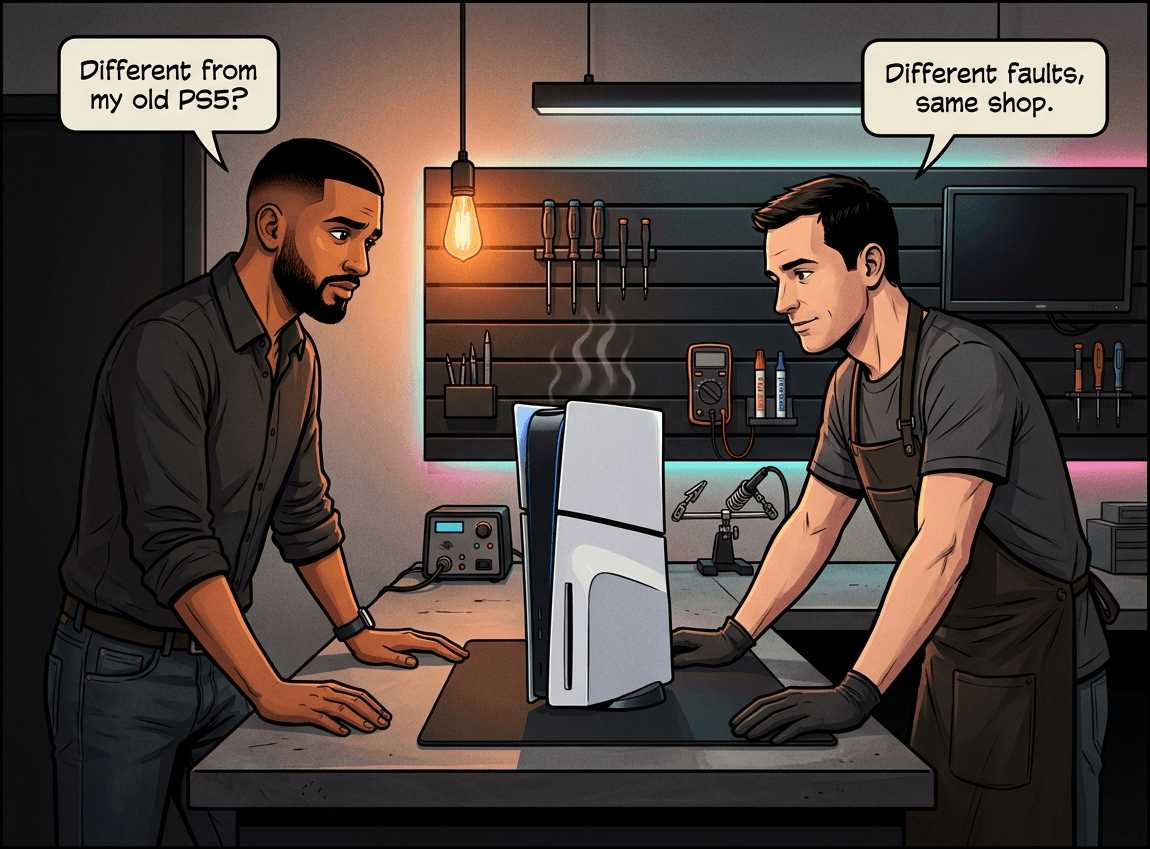
The PS5 Slim is smaller, lighter, and now the standard PS5 available in South African stores — but it's not identical to the original under the hood. The heatsink is smaller, the disc drive is detachable, the power supply runs at lower wattage, and the M.2 slot design has changed. If your PS5 Slim is overheating, showing no video, or has disc drive issues, the fault pattern and repair approach can differ from what you'd expect with the original model. Console Service Centre in Boksburg has repaired over 33 PS5 Slims since the model launched in South Africa. This guide explains what's different, what goes wrong, and what to try before sending it in.
What's Different Between the PS5 Slim and the Original?
Before getting into faults, it helps to know what changed. Most of the internal architecture is the same — same AMD Zen 2 processor, same RDNA 2 GPU, same 16GB GDDR6 RAM. The differences are in the physical design and thermals.
Size and Weight
The PS5 Slim (CFI-2000 series) is roughly 30% smaller by volume than the original CFI-1000/1100/1200. It's also about 18-24% lighter depending on disc versus digital. That smaller chassis is the source of most of its unique problems — less airspace, a smaller heatsink, and a fan that works harder.
Detachable Disc Drive
This is the most visible change. On the original PS5, the disc drive was either present (Disc Edition) or absent (Digital Edition) with no way to add one after purchase. On the PS5 Slim, the disc drive detaches. If you bought the Digital Slim, you can purchase a disc drive separately and attach it later.
The trade-off: the disc drive connection is now via a small external port on the back of the console. This is a new potential failure point — the connector can wear or get damaged, particularly if the drive is frequently attached and detached.
Smaller Power Supply
The original PS5 ran a 350W internal power supply. The PS5 Slim drops this to approximately 230W, made possible by Sony's move to a smaller, more efficient chip process (6nm from the revised original's 6nm — but more tightly optimised).
M.2 SSD Expansion Slot
Both the original and Slim support M.2 NVMe SSD expansion. On the original, the slot was accessed by removing the side panel. On the PS5 Slim, there's a dedicated smaller cover on the back of the console, so you don't need to remove the full side panel to access it.
Liquid Metal — Same as the Original
This is the most important technical fact to understand: the PS5 Slim uses the same liquid metal thermal interface as the original PS5. It is NOT thermal paste. Sony applies liquid metal (a gallium-based alloy) between the processor and heatsink on every PS5, including the Slim.
Liquid metal conducts heat far better than paste, but it's also electrically conductive. That means a spill or migration can short-circuit the motherboard. This makes PS5 Slim overheating more serious than it would be on an Xbox or PS4 — and it's why you should never attempt to service the liquid metal yourself.
If you own the newest model instead, the picture is different again: our PS5 Pro repairability and early issues guide covers what's changed on that hardware.
Common PS5 Slim Problems in South Africa
We've now repaired over 33 PS5 Slims at our Boksburg workshop. These are the faults we see most often.
1. Overheating and Fan Noise
Most common PS5 Slim fault we see.
The smaller heatsink means the PS5 Slim has less thermal headroom than the original. When the liquid metal degrades (which it does over time — it can dry, migrate, or oxidise), heat builds up faster in the Slim than it would in the larger original model.
Signs your PS5 Slim is overheating:
- Fan running at full speed constantly, even in menus
- Console shutting down during demanding games (not during Warzone, but during God of War)
- "Your PS5 is too hot" warning on screen
- Console warm to the touch even after short sessions
What to try first:
- Move the console to a well-ventilated area — at least 10cm clearance on all sides
- If standing vertically, try horizontal. Vertical placement causes liquid metal to migrate downward, leaving a dry spot on the top of the processor. We've seen PS5 APUs crack in half from this.
- Run a low-powered vacuum along the vents (from the outside only — do not open the console); this is Sony's own guidance for PlayStation consoles
- Check for dust buildup at the rear exhaust
If the fan noise persists or the console keeps shutting down, the liquid metal needs professional replacement. This is not a DIY repair on any PS5 model.
Important: Opening your PS5 Slim yourself to access the cooling system risks breaking the fan connector off the motherboard — a repair that takes 3-4 hours to fix and costs significantly more than a standard service. Leave internal work to professionals.
Citable fact block: A PS5 Slim full service at Console Service Centre includes complete disassembly, fan cleaning, old liquid metal removal, fresh liquid metal application, reassembly, and post-service thermal testing. R1,249 with a 6-month warranty. Most consoles are ready in 2-3 working days, depending on how many repairs are in our queue — sooner when we're quiet and longer when we're busy.
2. HDMI Port Damage
Same fault, same repair as the original PS5 — but still the second most common issue we see across all PS5 models.
Signs of HDMI port damage:
- No picture at all (black screen) despite the console powering on
- Flickering or unstable picture
- Console works on one TV but not another
- Bent or missing pins visible in the HDMI port
Before assuming it's the port:
- Try a different HDMI cable
- Try a different HDMI input on your TV
- Try a different TV entirely
- Boot into Safe Mode (hold the power button until you hear the second beep) and select "Change Video Output"
If none of that helps, the port itself is likely damaged. HDMI port replacement on a PS5 Slim requires a hot air rework station — not a soldering iron. The port must be heated to ~350-400°C to remove cleanly without lifting the pads around it. It's micro-soldering work.
We repair PS5 HDMI ports regularly, and with the proper hot air rework equipment it is a routine job.
3. Disc Drive Issues (Slim-Specific)
The PS5 Slim's detachable disc drive adds a failure point the original didn't have: the external connector. If the drive was attached and detached repeatedly, or if the connector port got knocked, you may see:
- "Disc drive not found" error
- Disc accepted but not reading
- Grinding or clicking noises when a disc is inserted
- Drive not ejecting discs
Try first:
- Reseat the disc drive — detach it fully and reattach it firmly
- Check the connector port on the console for visible damage or bent pins
- Try a different disc (factory-pressed game, not a burned copy)
- Check for a firmware update (Settings > System > System Software)
Important note on PS5 disc drive pairing: PS5 disc drives are paired to their specific motherboard. You cannot simply swap a drive from another PS5 into yours — it requires software pairing by a technician with the right tools. If you buy a second-hand disc drive assuming it'll work, it won't without this pairing step.
4. No Power / Power Cycling
The PS5 Slim's smaller 230W power supply is generally more reliable than the original's 350W unit in our experience — but power faults do occur.
Signs of a power fault:
- Console won't turn on at all
- Powers on for a few seconds, then shuts off
- Orange standby light flashes repeatedly
- Beeps once and shuts down immediately
Try first:
- Try a different power cable (the PS5 uses a standard IEC C7 "figure-8" cable — the same as many laptop chargers)
- Try a different power socket
- If on a surge protector or UPS, try plugging directly into the wall (especially relevant in SA — load shedding can damage surge protectors)
- Hold the power button for 7 seconds to discharge any residual charge, then try again
Load shedding is a real factor here. The voltage spikes when power returns can damage power supply components. A surge protector guidance with proper joule rating is worth the investment.
5. Software Freezes and Corrupted Data
Not all PS5 Slim problems are hardware. Firmware corruptions, failed updates, and SSD issues can look like hardware faults.
Signs of a software issue:
- Console freezes on specific games but not others
- "Corrupted data" error for games
- Console stuck in a restart loop
- Update fails to install
Try Safe Mode first:
- Turn the PS5 off completely (hold power until it beeps and shuts down)
- Hold the power button again — wait for the second beep (about 7 seconds)
- Connect a controller with USB cable
- Try "Clear Cache and Rebuild Database" — this fixes most software-level freezes
- If that fails, try "Restore Default Settings" (does not delete game data)
- Last resort: "Initialise PS5" (deletes everything — back up saves to PS Plus cloud first)
If Safe Mode itself won't load or the console crashes during initialisation, the issue is hardware — most likely a failing SSD or a motherboard fault.
How PS5 Slim Repairs Differ from the Original
The core repairs are the same — HDMI port, power supply, liquid metal service, disc drive. But a few things change with the Slim:
Disassembly is different. The smaller chassis and redesigned internal layout means the teardown procedure for a PS5 Slim is not identical to the original. Technicians who've only worked on original PS5s need to approach the Slim differently — particularly the fan connector location and the disc drive attachment mechanism.
Disc drive pairing. Swapping disc drives on a Slim requires the pairing procedure. On the original PS5, disc drives were internal and permanently paired — but the Slim made this more relevant because drives are designed to be detachable and potentially replaced.
Power supply access. The Slim's smaller PSU is in a different location within the chassis. The same warning applies as with all consoles: power supply capacitors store 200-400V each even when unplugged. Never open the power supply section yourself.
Not sure which model you have? Look at the model number on the back of your console. CFI-2000 is the PS5 Slim. CFI-1000/1100/1200 is the original.
Not sure what's wrong? WhatsApp us at 087 550 2307 — we respond immediately, 24/7, and can usually give you a good idea of what's wrong based on your symptoms before you send your console in.
PS5 Slim Repair Pricing
All PS5 Slim repairs carry our 6-month money-back warranty. If the same fault returns within 6 months, we fix it free.
| Repair | Price |
|---|---|
| HDMI Port Trace Repair | R1,199 |
| Full Service | R1,249 |
| Drive Repair | R1,299 |
| HDMI Port Replacement | R1,299 |
| HDMI IC MN864739 | R1,799 |
| ADP-400GR Power Supply | R2,049 |
| Disc Drive Only | R2,199 |
| Complete Drive with Laser | R2,699 |
*Prices shown are the total amount payable.
Get an exact quote on WhatsApp →R599 bench fee applies if you decline the repair after assessment, or if the console is unrepairable. This covers the time spent diagnosing your console.
For comparison, our PS4 repair pricing starts lower — the original PS4 uses thermal paste rather than liquid metal, which makes the full service simpler.
How to Prevent PS5 Slim Problems
These are practical steps that extend console life — especially relevant in South Africa.
1. Keep it horizontal. The PS5 Slim's liquid metal is the same risk as the original. Vertical placement over months allows the liquid metal to migrate downward, eventually causing localised overheating on one side of the processor. We keep our own consoles horizontal. We sell horizontal stands if you need one.
2. Good ventilation, always. 10cm clearance on all sides minimum. Don't place it in a TV cabinet with no airflow — we see a lot of overheating consoles that lived in enclosed entertainment units.
3. Surge protection. South African load shedding creates power spikes when electricity returns. A decent surge protector (look for >1000 joules of protection) can prevent power supply damage. Replace surge protectors every 2-3 years — they wear out.
4. Don't leave discs in the drive. If you're not playing, eject the disc. Long-term vibration and heat cycles can accelerate laser wear.
5. Keep firmware updated. Sony releases updates that improve thermal management and fix software stability issues. Set your PS5 to download updates automatically in rest mode.
6. Clean the vents regularly. Run a low-powered vacuum along the rear exhaust vents every 6-12 months — this is Sony's own guidance for PlayStation consoles, as a vacuum lifts dust out rather than driving it deeper. Don't open the console — just work the nozzle along the vents from the outside. This delays the dust buildup that reduces airflow.
When to Bring Your PS5 Slim In
Bring it to us — or arrange a courier repair — when:
- The console is overheating despite good ventilation (liquid metal replacement needed)
- There's no video output after trying different cables and TVs
- The disc drive makes grinding or clicking noises
- The console won't power on after trying different cables and sockets
- Safe Mode won't load or crashes during use
- You've run through the software fixes and still have problems
We're PlayStation repair specialists in Boksburg. We don't do phones, computers, or general electronics — only PlayStation and Xbox consoles. That focus means our technicians have repaired hundreds of PS5s (original and Slim) and know exactly what to look for. Not sure where to fix your PS5 in South Africa? Our courier service means you can send from anywhere in the country.
Frequently Asked Questions
Is the PS5 Slim harder to repair than the original PS5?
Some repairs are more involved. The smaller chassis means tighter clearances, and the disc drive attachment mechanism differs from the original. For liquid metal replacement, the Slim's smaller heatsink means there's less room for error during cleaning and reapplication. Overall repair costs are similar — the same repair types apply to both models.
Does the PS5 Slim use thermal paste or liquid metal?
Liquid metal, same as the original PS5. Sony uses a gallium-based liquid metal alloy between the APU and heatsink on all PS5 models, including the Slim. This is not thermal paste — it's electrically conductive, and a spill can destroy the motherboard. Never attempt to replace or touch the liquid metal yourself.
Can I add a disc drive to my PS5 Slim Digital Edition?
Yes. The PS5 Slim disc drive is sold separately and can be attached to the Digital Slim via the connector port on the back. However, the drive must be paired to the console's motherboard via Sony's software process. A drive from a second-hand PS5 Slim won't work without this pairing step.
How much does a PS5 Slim repair cost in South Africa?
PS5 Slim repairs at Console Service Centre in Boksburg start from R1,249 for a full service (liquid metal replacement, clean, test). HDMI port replacement is R1,299. All prices come with a 6-month warranty. A R599 bench fee applies if you decline after assessment.
How long does a PS5 Slim repair take?
Most repairs are completed in 2-3 working days, depending on how many repairs are in our queue and the fault, sometimes sooner for a simple job. Complex board-level repairs (power supply faults, trace repairs) run longer, as do busy periods. We'll give you a timeline when you drop off or send in your console, and we keep you updated throughout.
Is it worth repairing a PS5 Slim rather than buying a new one?
Yes, in almost all cases. The PS5 Slim retails for around R11,000-12,000 in South Africa. Most common repairs cost R1,199 to R2,699. Even a significant repair at R2,699 is roughly 22% of replacement cost — and your repaired console comes with our 6-month warranty, plus all your saved games and account data intact.
Can PS5 Slim overheating be fixed permanently?
Yes, with a professional liquid metal replacement and full service. The liquid metal degrades over time — cleaning it off and applying fresh liquid metal restores normal thermal performance. Combined with good placement (horizontal, well-ventilated), most consoles we service don't come back with the same overheating issue.
My PS5 Slim is in warranty — should I use Sony or come to you?
If your console is within Sony's 1-year warranty and the fault is not physical damage (drops, liquid damage, DIY opening), use Sony's warranty first. Our repairs are the right choice once the warranty has expired, or when Sony's warranty doesn't cover your fault (physical damage, liquid metal degradation, HDMI damage from rough cable use).
Get Your PS5 Slim Fixed
Here's why Console Service Centre is your best choice:
- 15+ years of console repair experience — We started in 2011
- 25,000+ consoles repaired — We know what we're doing
- 1,353+ Google reviews with a 4.9-star rating
- PlayStation and Xbox specialists — We don't do phones or general electronics
- 6-month money-back warranty — If the same issue returns, we fix it free
Ready to Get Your PS5 Slim Working Again?
WhatsApp us: 087 550 2307 — We respond immediately, 24/7
Visit us: 6 Bester Street, Witfield, Boksburg
Can't get to us? We offer nationwide courier repairs. Ship your PS5 Slim to us via The Courier Guy, we'll fix it and send it back. Simple.
Also read: PS5 black screen fix guide and PS4 Blue Light of Death explained.
Topics Covered
About the Author

Shaun Potgieter
Founder & Head Technician
Expert console technician with 15+ years of hands-on repair experience.