
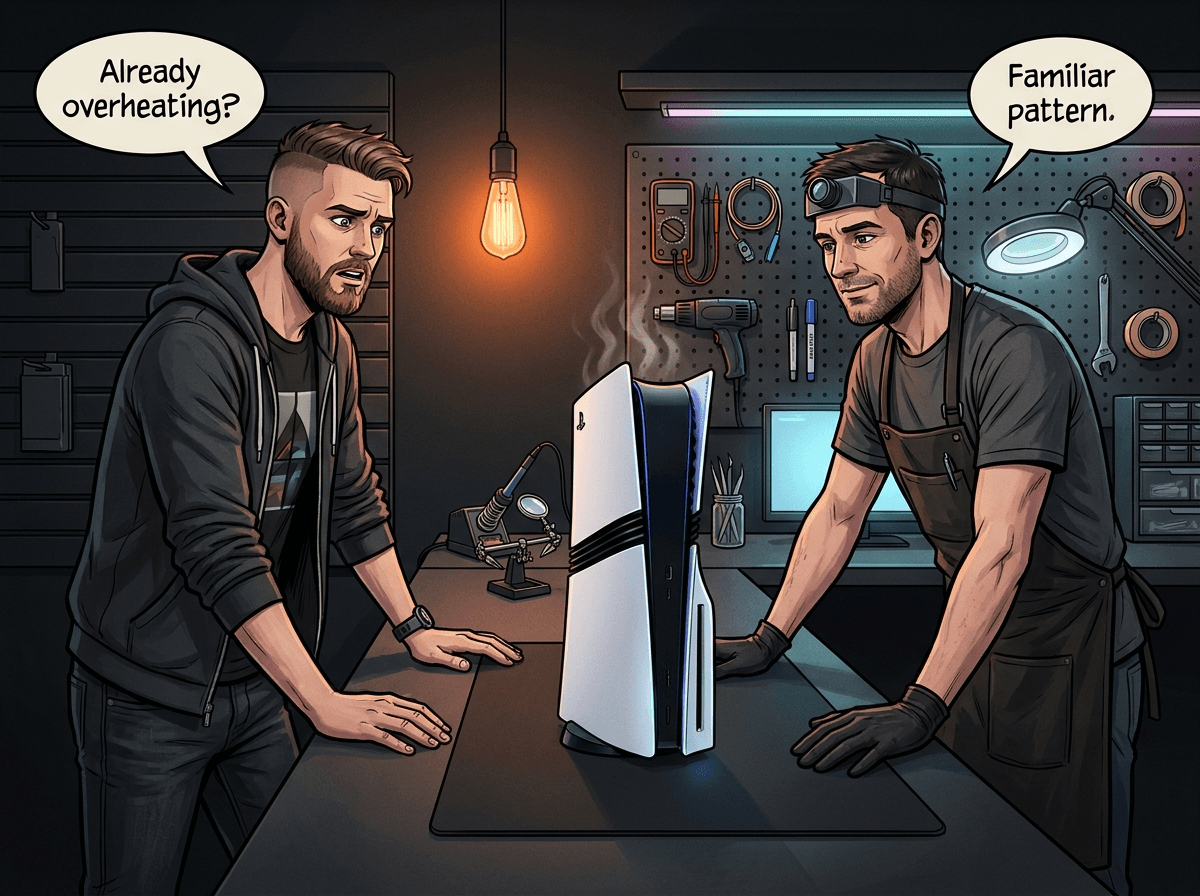
The PS5 Pro launched in November 2024. The earliest buyers are now 12 to 18 months in — right at the point where the first hardware failures start showing up. If your PS5 Pro is running hotter than it used to, throwing error codes, or just died outright, you're not imagining things. The redesigned thermal system and higher-performance APU mean the PS5 Pro has its own repair profile that's different from the standard PS5. This guide covers what we know about PS5 Pro repairability, what early failures look like, what you can do yourself (without opening the console), and when to bring it to a professional.
At Console Service Centre in Boksburg, we've been repairing PlayStation consoles since 2011. We've serviced 25,000+ consoles across PS4, PS5, and Xbox platforms. PS5 Pro repairs are now coming through regularly, and we have hands-on experience with what's going wrong and how to fix it.
What Makes the PS5 Pro Different (Hardware Overview)
The PS5 Pro (model CFI-7000) is not just a faster PS5 — several internal changes affect how it fails and how it's repaired.
Upgraded APU. The PS5 Pro runs a significantly more powerful GPU — Sony quoted approximately 45% faster rendering performance versus the standard PS5. The CPU is the same Zen 2 architecture, but the GPU portion is substantially upgraded. More GPU performance means more heat, which is why Sony redesigned the cooling system.
Redesigned liquid metal cooling with grooves. Like all PS5 models, the Pro uses liquid metal as the thermal interface between the APU and the heatsink — not standard thermal paste. Liquid metal conducts heat far better than quality paste, which is why Sony has used it across the entire PS5 line. On the PS5 Pro, Sony added fine machined grooves to the heatsink surface where it contacts the APU. These grooves (a rectangular spiral pattern, documented by Tom's Hardware) keep the liquid metal in place and make the cooling effect more stable — a direct improvement over the original PS5's flat heatsink contact surface. The heatsink itself is also larger, with more copper heat pipes and redesigned fan blade geometry to handle the higher thermal output.
No disc drive as standard. The PS5 Pro ships without a built-in disc drive. The Ultra HD Blu-ray drive is sold separately and attaches to the side of the console, using the same detachable mechanism introduced on the PS5 Slim. This is a design choice, not a failure — but it affects which repairs are likely to come in.
420W power supply (ADP-420DR). The PS5 Pro's PSU is rated at 420W — 20W more than the 400W PSUs used across earlier PS5 models (the original PS5's ADP-400DR/ER/FR units and the PS5 Slim's ADP-400GR). Despite the higher-rated PSU, real-world gaming power draw sits around 228–240W in demanding titles — only about 5% more than the base PS5, thanks to efficient silicon. The PSU is internal (no external brick), same as every PS5 model.
2TB SSD. The PS5 Pro doubles the storage of the PS5 Slim (1TB) and more than doubles the original PS5 (825GB). The internal SSD uses a custom Sony controller. The M.2 expansion slot is still available for adding more storage with standard NVMe drives.
16GB GDDR6 + 2GB DDR5 memory. The PS5 Pro has the same 16GB GDDR6 as the standard PS5, but adds a dedicated 2GB DDR5 chip. The DDR5 handles operating system and background tasks, freeing all 16GB of GDDR6 for gaming and PSSR upscaling. The GDDR6 chips (8x Samsung modules arranged around the APU) are known failure points on the original PS5 — thermal stress causes solder joint degradation over time. This is an emerging concern for the PS5 Pro as units age.
HDMI 2.1 — same port, different internal design. The PS5 Pro uses HDMI 2.1 (4K at 120Hz, VRR, ALLM) with the same physical HDMI Type A port as every PS5 model. However, the HDMI encoder circuitry inside the PS5 Pro differs from the original PS5. Sony also changed the HDMI encoder on the PS5 Slim (EDM-044 boards). This means HDMI repairs on the PS5 Pro require technicians who are familiar with the newer board layout — the repair procedure is not identical to an original PS5.
Single-screw CMOS battery access. One repairability win: the PS5 Pro's CMOS battery is accessible with a single screw, versus a deep teardown on older PS5 models. This makes date/time and settings reset issues much easier to service.
The 12–18 Month Failure Window: What to Expect
We track failure patterns across the consoles we repair. The 12–18 month window is when thermal issues typically surface — not because the console was poorly built, but because of how thermal materials age. This applies to the PS5 Pro just as it did to the standard PS5 and every PS4 before it.
Liquid metal degradation is the main concern. Liquid metal doesn't dry out the way thermal paste does, but it can migrate. Over time, heat cycling causes the liquid metal to shift position slightly. On standard PS5s stored vertically, we've seen liquid metal migrate downward under gravity, creating a dry spot on the APU surface. The PS5 Pro's grooved heatsink contact surface helps keep the liquid metal in place — it's a real improvement over the flat heatsink surface on older models — but liquid metal migration is still a physics problem, not one that grooves can fully eliminate. Repair technicians have documented dry spots on PS5 consoles as young as 18 months.
How to spot the early signs:
- Console runs noticeably louder than it used to (fan ramping up more quickly)
- Performance dips or frame-rate stuttering that wasn't present before
- Overheating warnings appearing (the PS5 Pro displays a temperature notification)
- Console shutting down unexpectedly during demanding games
- Longer boot times than when the console was new
None of these symptoms alone confirm liquid metal degradation — they can also be caused by dust accumulation, a blocked air vent, or a software issue. But if your console is 12+ months old and showing multiple symptoms, it's time to act before more serious damage occurs.
Important: Do not attempt to open your PS5 Pro to address thermal issues yourself. The liquid metal cooling system is electrically conductive — a spill onto the motherboard can cause immediate, potentially irreparable damage. Liquid metal removal and reapplication is a specialist procedure. The PS5 Pro's internal power supply also contains capacitors that store dangerous voltages. Leave internal repairs to professionals.
Early Issues We're Seeing with PS5 Pro
Based on consoles coming through our workshop, these are the failure patterns appearing in the 12–18 month window:
1. Overheating and Thermal Shutdowns
The most common early complaint. Symptoms: fan noise at full speed within minutes of starting a game, overheating warning on screen, spontaneous shutdown. This is almost always a thermal issue — either dust accumulation on the heatsink or liquid metal degradation. A full service (clean + liquid metal re-TIM) resolves this in the vast majority of cases.
Full service price: R1,249
2. HDMI Port Damage
The PS5 Pro uses a standard HDMI Type A port — the same physically vulnerable connector found on every PlayStation and Xbox. HDMI port damage is caused by rough cable insertion, cables being kicked or tugged, or a fall. Signs: no video output, intermittent image (flickering or cutting out), or video that works only when the cable is held at a specific angle.
HDMI port replacement requires a hot air rework station — it's a micro-soldering repair, not something a soldering iron can handle safely. Our technicians complete this repair regularly with a very high success rate.
HDMI port repair price: R1,299
3. Power Supply Faults
The PS5 Pro uses the ADP-420DR power supply unit — rated at 420W, which is 20W more than the standard PS5's 400W units. Power supply faults typically present as: no power at all (no lights, no response), beeping on startup with immediate shutdown, or the console powering off under load. In South Africa, load shedding creates voltage spikes when power returns, which is a major cause of PSU damage across all consoles. These repairs require replacement of the PSU assembly.
Power supply repair: R1,749
4. "No Disc Drive" Confusion
This is worth mentioning because we get calls about it. The PS5 Pro base model ships without a disc drive — this is intentional. If your PS5 Pro won't read discs, check first whether your unit has the detachable disc drive add-on installed. If you bought the Digital Edition equivalent of the Pro and don't have the add-on, disc playback simply isn't possible without purchasing it separately.
If you do have the disc drive add-on attached and discs aren't being read, that's a separate issue — the add-on drive can develop laser or mechanism faults just like any disc drive.
5. Memory (GDDR6) Failures — Emerging Concern
This is worth flagging for PS5 Pro owners. The original PS5 has well-documented GDDR6 memory failures — the Samsung memory modules around the APU develop solder joint issues from thermal cycling. Symptoms include specific error codes (80000140, 80801104, 80830000), random crashes, and visual artefacts. On the original PS5, iFixit documented that the underside GDDR6 chips had inadequate heatsink contact, contributing to failure.
The PS5 Pro uses the same Samsung GDDR6 family. At 12–18 months, widespread memory failures haven't been documented yet on the Pro specifically, but the failure mechanism (thermal stress on memory ICs) is the same. If your PS5 Pro is crashing with EMC error codes or showing corrupted visuals, memory could be the cause. This is a board-level repair — reballing (not just reflowing) is the documented effective fix.
6. SSD Issues (Early Signs)
Rare at 12-18 months, but worth knowing the symptoms: slow game load times that were fast before, games crashing with storage errors, rebuild database prompts appearing frequently. The PS5 Pro's 2TB internal SSD uses a custom Sony controller — it's not a standard off-the-shelf drive. The M.2 expansion slot takes standard NVMe drives, but some users have reported compatibility issues when transferring expansion drives from older PS5 models to the Pro.
What You Can Try Before Sending It In
These are software and external troubleshooting steps — none of them require opening the console.
How to Troubleshoot PS5 Pro Overheating
- Check the ventilation. The PS5 Pro needs clear space around all its vents. The top and back vents must not be blocked. If it's in a TV cabinet or entertainment unit, poor airflow is the likely culprit. Move it to an open surface.
- Position it horizontally. All PS5 models, including the Pro, benefit from horizontal placement. Vertical storage can allow liquid metal to migrate over time. If yours is standing vertically, lay it flat.
- Check for dust on the external vents. You can run a low-powered vacuum along the vents to lift dust out from the outside — this is Sony's own guidance for PlayStation consoles. Do not attempt to open the console.
- Check ambient temperature. Gaming consoles struggle in hot rooms. In South Africa, summer temperatures above 30°C inside can push any console into thermal throttling. Ensure the room is reasonably cool.
- Run in Performance Mode vs Quality Mode. Some PS5 Pro games offer both. Quality Mode pushes the GPU harder and generates more heat. Switching to Performance Mode temporarily can tell you if the thermal issue is load-dependent.
How to Troubleshoot PS5 Pro Restart/Crash Issues
- Update the system software. Sony releases firmware updates that can resolve stability issues. Go to Settings → System → System Software → System Software Update and Settings.
- Rebuild the database. This resolves many software-related crashes. Turn off the console completely (not Rest Mode). Hold the power button until you hear a second beep — this enters Safe Mode. Select Rebuild Database. This is safe and does not delete your games or saves.
- Test with a different HDMI cable and port. If your console appears to restart (screen goes black), it may be an HDMI handshake issue rather than a hardware fault. Try a new cable and a different TV HDMI port.
- Disable Rest Mode. The PS5 has a known Rest Mode instability issue that has affected multiple firmware versions. Go to Settings → System → Power Saving → Features Available in Rest Mode and disable all of them. This works around the issue completely.
- Factory reset as a last resort. If you've ruled out hardware causes, a factory reset (Settings → System → System Software → Reset Options → Reset Your Console) can fix deep software corruption. Back up saves to PS Plus cloud storage first.
Not getting anywhere? WhatsApp us at 087 550 2307 — we respond immediately, 24/7, and can often tell you from your symptoms whether it's a software or hardware issue before you send your console in.
When to Seek Professional Repair
Take your PS5 Pro to a professional if:
- The fan is running at full speed constantly, even during menu navigation
- The console shuts down during the first few minutes of any game
- You see the overheating warning every session despite good ventilation
- There is no power at all — no lights, no beep, no response
- The HDMI output is intermittent, corrupted, or absent
- The console was dropped and is now behaving differently
- You've tried all the software steps above and nothing has changed
What a professional PS5 Pro service involves:
Our full service for PS5 Pro includes complete strip-down to individual components, heatsink and fan cleaning, removal of the degraded liquid metal from the APU, application of fresh liquid metal with the correct containment barrier, and full reassembly with post-service thermal testing. This is not a quick job — and it's the only proper fix for thermal issues. The "blow some air in the vents" approach that works on PC towers doesn't address liquid metal degradation.
Opening your PS5 Pro yourself risks causing additional damage — broken flex cables, a liquid metal spill onto the motherboard, or damaged connectors that make the repair significantly more expensive. We strongly recommend leaving internal repairs to professionals.
Citable Facts: PS5 Pro Repair Reference
Full service pricing. Console Service Centre charges R1,249 for a PS5 Pro full service — this includes complete disassembly, dust removal, fresh liquid metal, and post-service thermal verification. All repairs carry a 6-month warranty.
Liquid metal vs thermal paste. The PS5 Pro uses liquid metal (gallium-based alloy) as its thermal interface material, not paste. Liquid metal conducts heat far better than quality paste. The PS5 Pro improves on older models by adding machined grooves to the heatsink contact surface, keeping the liquid metal more stable. Any spill of liquid metal onto the motherboard can cause a short circuit — this is why reapplication requires specialist expertise.
PS5 Pro power supply. The PS5 Pro uses the ADP-420DR PSU rated at 420W — 20W more than the 400W PSUs used in earlier PS5 models (original PS5 ADP-400DR/ER/FR and PS5 Slim ADP-400GR). Real-world gaming power draw is approximately 228–240W, only about 5% more than the base PS5 despite 30%+ GPU performance uplift. South African owners should use surge protection — load shedding voltage spikes are a leading cause of PSU failures.
HDMI repair. Our technicians complete PS5 HDMI port replacements using a hot air rework station. The physical HDMI port is the same across all PS5 models, but the internal encoder circuitry differs between the original PS5, PS5 Slim, and PS5 Pro — which is why model-specific repair experience matters. Where a board also has lifted pads or trace damage, board-level micro-soldering repair is required on top of the port swap.
Prevention: Keeping Your PS5 Pro Healthy
Store it horizontally. All PS5 consoles use liquid metal, and all of them benefit from horizontal placement. Vertical storage over extended periods creates the conditions for liquid metal to migrate under gravity.
Give it space. At minimum 10cm of clear space above and behind the console. Do not store it in an enclosed TV cabinet.
Surge protection is non-negotiable in South Africa. Load shedding creates voltage spikes when power is restored. A quality surge protector or UPS protects your PS5 Pro's internal PSU and other components from transient voltage damage. This is a South African-specific risk that owners in other markets don't face to the same degree.
Clean the external vents regularly. A quick pass with a low-powered vacuum on the vents every few months — from outside, no disassembly — lifts surface dust before it accumulates into a blockage. This is Sony's own guidance for PlayStation consoles.
Book a preventive full service at 18 months. You don't have to wait for a fault. A scheduled service at 18 months (fresh liquid metal + clean) keeps the thermal system in optimal condition and avoids the more costly repairs that follow prolonged overheating.
PS5 Pro vs Standard PS5 vs PS5 Slim: Repair Differences
| Item | Standard PS5 | PS5 Slim | PS5 Pro |
|---|---|---|---|
| Thermal interface | Liquid metal (flat surface) | Liquid metal (flat surface) | Liquid metal (grooved surface) |
| Power supply | 400W (ADP-400DR/ER) | 400W (ADP-400GR) | 420W (ADP-420DR) |
| Disc drive | Built-in (Disc) or absent (Digital) | Detachable add-on | Detachable add-on (sold separately) |
| Memory | 16GB GDDR6 | 16GB GDDR6 | 16GB GDDR6 + 2GB DDR5 |
| SSD | 825GB | 1TB | 2TB |
| HDMI encoder IC | Nuvoton MN864739 | Realtek RTD2175P (different) | Different from original (board-specific) |
| HDMI port | Type A (same across all) | Type A (same) | Type A (same) |
| CMOS battery access | Deep teardown | Deep teardown | Single screw |
| Full service complexity | High (liquid metal) | High (liquid metal) | High (liquid metal, larger heatsink) |
The fundamental repair procedures are the same — HDMI micro-soldering, PSU replacement, liquid metal re-TIM service — but there are meaningful differences. The PS5 Pro's grooved heatsink means the liquid metal service is not identical to a standard PS5. All three models use different HDMI encoder ICs, which means HDMI repairs require model-specific knowledge. Our technicians service all three models and are familiar with the differences in each board revision.
PS5 Pro Repair Cost in South Africa
| Repair | Price |
|---|---|
| Full Service | R1,249 |
| HDMI Port Replacement | R1,299 |
| ADP-400DR Power Supply | R1,749 |
| ADP-400FR Power Supply | R1,799 |
| ADP-400ER Power Supply | R1,849 |
| ADP-400GR Power Supply | R2,049 |
| Pro ADP-420DR Power Supply | R4,199 |
*Prices shown are the total amount payable.
Get an exact quote on WhatsApp →A R599 bench fee applies if you decline the repair or the console is unrepairable. Our standard turnaround is 2-3 working days for most repairs. We accept consoles from across South Africa via nationwide courier repair — ship it to us via The Courier Guy, we fix it and send it back.
Frequently Asked Questions
Does the PS5 Pro use liquid metal or thermal paste?
The PS5 Pro uses liquid metal as its thermal interface material, not thermal paste. This applies to all PS5 models — Disc, Digital, Slim, and Pro. Liquid metal conducts heat significantly better than paste, but it's electrically conductive and requires specialist handling during any service procedure.
Why is my PS5 Pro overheating after 12-18 months?
The most likely cause is liquid metal degradation or migration. Over time, the liquid metal between the APU and heatsink can shift slightly due to heat cycling. Combined with dust accumulation on the heatsink fins, this causes the console to run hotter than it should. A professional full service (liquid metal re-TIM + clean) resolves this in most cases.
Can I fix PS5 Pro overheating myself?
External steps — improving ventilation, horizontal placement, cleaning vents with a low-powered vacuum — can help if the cause is environmental. But if liquid metal has degraded or migrated, the only fix is opening the console to re-TIM the heatsink. We strongly recommend not attempting this yourself. Liquid metal on the motherboard causes a short circuit, and the power supply contains high-voltage capacitors. Professional repair is the right call here.
How much does a PS5 Pro full service cost in South Africa?
A PS5 Pro full service at Console Service Centre costs R1,249. This covers complete disassembly, heatsink and fan cleaning, fresh liquid metal application with containment barrier, and post-service thermal testing. All repairs include a 6-month warranty.
Does the PS5 Pro have a disc drive?
The PS5 Pro base model does not include a disc drive. An Ultra HD Blu-ray disc drive add-on is sold separately and attaches to the side of the console. If your unit doesn't have the add-on attached, disc playback is not possible. If you have the add-on and it's not reading discs, that's a drive repair issue.
How do I get my PS5 Pro into Safe Mode?
Turn the console off completely — not Rest Mode. Hold the power button until you hear a second beep (approximately 7 seconds). The console will start in Safe Mode, offering options including Restart PS5, Update System Software, and Rebuild Database. Rebuild Database is safe and often resolves software-related instability.
Is it worth repairing a PS5 Pro?
Yes, in almost all cases. The PS5 Pro is a premium console that retails for considerably more than repair costs. A full service costs R1,249 and restores the thermal system to close-to-new condition. Even HDMI port repair (R1,299) is a fraction of replacement cost. The 6-month warranty means if the same issue returns, we fix it at no charge.
How long does PS5 Pro repair take?
Most jobs at Console Service Centre, including full service and HDMI port replacement, are done in 2-3 working days, depending on how many repairs are in our queue and parts — sooner when we're quiet. More complex board-level repairs, or a busy spell, take longer. We'll give you a clear estimate when you bring it in or WhatsApp us.
Get Your PS5 Pro Fixed
Here's why Console Service Centre is your best choice:
- 15+ years of console repair experience — We started in 2011
- 25,000+ consoles repaired — PlayStation and Xbox are all we do
- 1,353+ Google reviews with a 4.9-star rating
- PlayStation and Xbox specialists — We don't repair phones or general electronics
- 6-month money-back warranty — Same issue returns, we fix it free
Ready to Get Your PS5 Pro Working Again?
WhatsApp us: 087 550 2307 — We respond immediately, 24/7
Visit us: 6 Bester Street, Witfield, Boksburg
Can't get to us? We offer nationwide courier repairs. Ship your PS5 Pro to us via The Courier Guy, we'll fix it and send it back. Simple.
Read more: PS5 overheating — causes and fixes | PS5 HDMI port repair guide | PS5 Slim vs original PS5 repairs | PS5 black screen fix guide | PS5 repair services in Boksburg
Topics Covered
About the Author

Shaun Potgieter
Founder & Head Technician
Expert console technician with 15+ years of hands-on repair experience.