
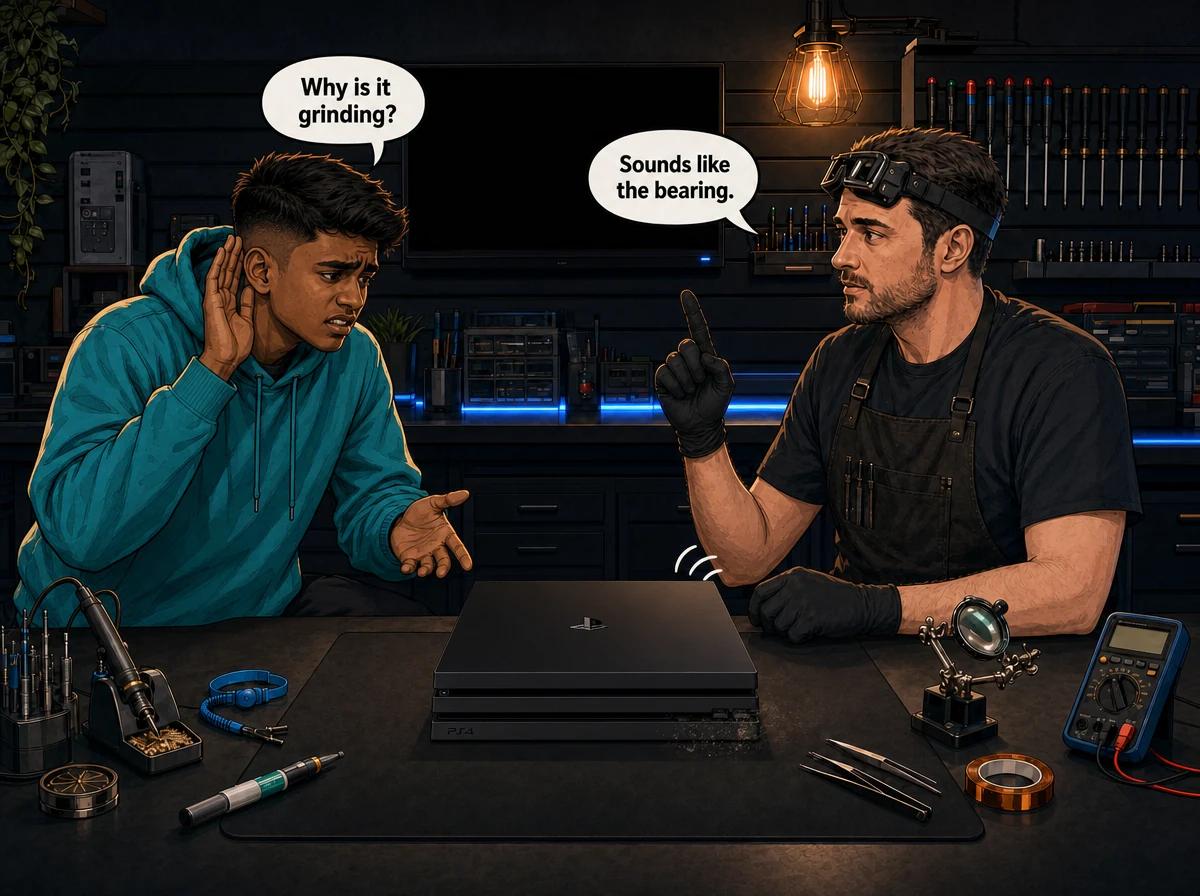
Your PS4 Pro used to hum. Now it grinds, scrapes or howls the moment a game loads, and you have started turning the TV volume up to drown it out. You are in good company. The PS4 Pro earned a reputation for fan noise early on, and plenty of the machines we see now have been running for the best part of a decade.
The question that matters is simple: is your console just dirty, or is the fan itself wearing out? Those two problems sound different, they have different fixes and they cost different amounts. This guide shows you how to tell them apart from the outside, what you can safely do at home, and the point where a new fan is the only real answer.
PS4 Pro fan grinding noise: the short answer
A PS4 Pro fan grinding noise has two common causes. The first is dust packed into the heatsink fins, which forces the fan to spin at high speed and produces a loud roar or whine that rises and falls with heat. The second is mechanical wear: a dry or worn fan bearing, a chipped blade or a fan that has shifted in its mount, which produces grinding, scraping or rattling even when the console is cool. You can safely clear the outside vents with short bursts of compressed air. You cannot reach the heatsink or the bearing without opening the console. Console Service Centre in Boksburg strips the PS4 Pro down, cleans the heatsink, replaces the thermal paste and fits a new fan when the old one is worn out.
That last point is the one people miss. Canned air through the vents moves surface dust. It does nothing for a bearing that is already damaged, and very little for dust that has matted into the fins deep inside.
How the PS4 Pro keeps itself cool
It helps to know what you are listening to. The PS4 Pro has a single cooling fan, mounted deep inside the console underneath a heatsink assembly with heat pipes. iFixit's teardown shows it is a fairly powerful 12 V unit, which is part of why the console can get so loud when it works hard.
The fan pulls air through the console and pushes it across the heatsink fins. The heatsink sits on top of the main processor, with a layer of thermal paste between the two to carry heat across. Unlike the PS5, which uses liquid metal, every PS4 model uses ordinary thermal paste.
The console controls the fan speed on its own. When the processor gets hotter, the fan spins faster. There is no setting in the PS4 menus that lets you pick a fan speed. So a louder fan is the console telling you one of two things: either it is genuinely running hot, or the fan is making noise for mechanical reasons that have nothing to do with temperature.
That is the whole diagnosis in one line. Noise that follows heat points to dust and dried paste. Noise that ignores heat points to the fan itself.
Grinding vs whining vs rattling: what each sound usually means
Before you do anything, listen carefully. Sit near the console with the TV muted and pay attention to when the sound starts, whether it changes, and what kind of sound it is.
A rising whine or "jet engine" roar
This is the most common complaint by far. The console is quiet on the home screen and builds to a loud rush of air a few minutes into a demanding game. It may settle down again when you go back to the menu.
That pattern usually means the fan is healthy but working too hard. Dust has clogged the heatsink fins, or the thermal paste has dried out, so heat is not leaving the processor efficiently. The fan does the only thing it can and spins faster. A noisy but smooth whoosh is a cooling problem, not a broken fan.
A grinding, scraping or growling sound
Grinding is different. It has a rough, gritty edge, like something is dragging. It often starts the moment you switch the console on, before anything has had a chance to warm up. Sometimes it gets better as the fan speeds up and worse as it slows down, or the other way round.
This usually points to the fan bearing. The bearing is the small part at the centre of the fan that lets the blades spin freely. Over years of use the lubricant dries out and the bearing wears, so the fan wobbles and grinds instead of spinning cleanly. A worn bearing does not repair itself, and cleaning around it will not bring it back.
Grinding can also come from a blade touching the fan housing because the fan has shifted, or from a chipped blade that is no longer balanced. Either way, it is a mechanical fault in the fan.
A rattle, tick or buzz
A rattle or regular ticking often means something is loose. It might be a piece of debris that has found its way into the fan and is hitting the blades, a fan that is no longer sitting firmly in its mount, or a damaged blade catching on each turn.
A buzz that changes when you touch or gently press the top of the console can point to something vibrating against the casing. Do not press hard. If light pressure changes the sound, note it and tell your technician, because it helps narrow down where the vibration is coming from.
Clicking that is not the fan at all
Not every noise from a PS4 Pro comes from the fan. The disc drive makes its own whirring and clicking sounds when a disc is inserted or when the console tries to read one. If the noise only happens with a disc in the drive, try the console with no disc inserted. If the noise disappears, you may be dealing with a disc drive issue rather than a cooling one. Our guide to PS4 Pro problems and common repairs covers drive faults in more detail.
Quick reference
| What you hear | When it happens | Most likely cause |
|---|---|---|
| Smooth roar or rising whine | Builds during games, eases on menus | Dust in the heatsink or dried thermal paste |
| Grinding or scraping | From switch-on, even when cool | Worn fan bearing |
| Rattle or ticking | Constant, often rhythmic | Debris in the fan, loose fan or damaged blade |
| Clicking or whirring | Only with a disc inserted | Disc drive, not the fan |
Quick wins to try first (no tools, no opening)
These steps are all external and safe. They will not fix a worn bearing, but they rule out the easy causes and can take the edge off a dusty console.
- Give it room to breathe. Take the PS4 Pro out of any closed cabinet. Leave a clear gap around every side, especially the back, where hot air leaves the console. Do not stack a decoder, router or anything else on top of it.
- Put it on a hard, flat surface. Carpet, a couch or a bed can block vents and trap dust. A solid shelf or TV unit is best.
- Check the room. A stuffy lounge on a Highveld summer afternoon makes every console run hotter and louder. If the noise is much worse in summer than winter, heat is part of the story.
- Turn off Boost Mode if you use it. The PS4 Pro has a Boost Mode under Settings > System that pushes older games to run harder. More work means more heat, which means more fan noise. Switch it off and see whether the noise drops.
- Test with no disc inserted. As above, this rules the disc drive in or out.
- Listen from a cold start. Switch the console on after it has been off for a few hours. Grinding straight away, before anything has warmed up, points strongly at the bearing.
If the noise follows heat and these steps quieten it, you are dealing with a cooling problem. If it grinds from cold no matter what you do, the fan is the issue.
The canned-air limit: what compressed air can and cannot fix
Compressed air is the go-to home fix for a loud console, and it does have a place. The trouble is that people expect it to do far more than it can.
How to use compressed air safely on a PS4 Pro
- Switch the console off completely, not into rest mode, and unplug it from the wall.
- Move it somewhere you do not mind dust landing, ideally outside or near an open window.
- Hold the can upright. Tilting or shaking it can spray cold liquid propellant.
- Use short bursts across the outside vents, from a little distance. Do not jam the nozzle into the vents.
- Wipe away loose dust from the casing with a dry microfibre cloth.
- Let the console sit for a few minutes before plugging it back in.
Never use a vacuum cleaner nozzle directly on the vents. Vacuums can build up static, which is bad news for electronics.
Why it often does not work
The PS4 Pro's fan is buried deep inside, under the heatsink. When you blow air through the outside vents, you move the dust you can see near the surface. The dust that actually causes the problem is matted into the heatsink fins further in, often pressed into a felt-like layer. Air from the outside rarely shifts it, and sometimes pushes loose dust deeper.
Compressed air also does nothing for:
- Dried thermal paste. The paste between the processor and the heatsink breaks down over years of heat cycles. No amount of airflow replaces it.
- A worn fan bearing. Dust is not the problem here. The fan is physically worn.
- A damaged or loose fan. Air cannot straighten a chipped blade or reseat a fan.
So here is the honest rule of thumb. If a careful external clean makes a clear difference, great. If the console is still loud a week later, or if it grinds from switch-on, you have hit the limit of what you can do without opening it.
Why we do not recommend opening it yourself
You will find plenty of videos showing PS4 Pro fan replacements. What they rarely show is what goes wrong. On the bench we regularly see consoles that arrive with stripped screws, cracked clips and torn ribbon cables after a home attempt. A simple job then becomes a bigger, more expensive one.
Opening your console yourself risks causing additional damage: broken flex cables, stripped screws or damaged connectors that make the repair more expensive. The power supply inside also contains high-voltage capacitors that can hold a dangerous charge even when the console is unplugged. We strongly recommend leaving internal repairs to professionals.
Opening the console does not automatically void any warranty on its own, but any damage you cause while it is open is your problem, not the manufacturer's. On a PS4 Pro this old, the bigger worry is simply making a fixable fault worse.
For more on what you can safely do from the outside, see our guide on how to clean your console safely.
Bearing failure vs just needs a clean: how to decide
Put the signs together and most consoles fall clearly into one camp.
Signs it just needs a clean and fresh thermal paste
- The noise is a smooth whoosh or whine, not a grind.
- It is quiet at first and gets louder as you play.
- It is worse in hot weather or in demanding games.
- The top or back of the console feels very hot.
- The console has shut down from heat, or shown an overheating warning.
- It has never been professionally serviced.
These are cooling symptoms. The fan is doing its job, it just cannot keep up. A full service usually brings the noise right down. Our PS4 Pro overheating fix guide goes deeper into the heat side of the problem.
Signs the fan bearing or fan is failing
- The sound is gritty, scraping or grinding.
- It starts the moment you switch on, even from cold.
- The pitch wobbles or pulses rather than rising smoothly.
- There is a rattle or tick that is there all the time.
- A previous clean made no difference to the noise.
These are mechanical symptoms. The fix is a new fan. Cleaning around a worn bearing only buys time, and a fan that is struggling to spin smoothly also cools less effectively.
When it is both
Often it is both. An older PS4 Pro that has been loud for a long time usually has a dusty heatsink, dried paste and a tired fan all at once. That is why we open the console, look at everything and then tell you exactly what it needs before we do anything that costs more.
What happens when you bring a noisy PS4 Pro to us
Here is how we handle a noisy PS4 Pro on the bench.
Step 1: Listen and test
We power the console on cold and listen, then run it under load and watch how the noise changes with heat. That tells us early whether we are looking at a cooling problem, a fan problem, or both.
Step 2: Full strip-down service
If the console needs cleaning, our full service covers every step:
- Complete disassembly of the console.
- Washing of the plastic covers and panels.
- Removal of dust and debris from inside the console.
- Cleaning of the fan blades and fan housing.
- Full cleaning of the heatsink, with the old thermal paste removed from the heatsink and processor.
- Fresh thermal paste, using a high-quality compound we have tested on consoles, with no metal particles that could short a chip.
- Careful reassembly with proper cable routing.
- Testing afterwards to confirm the console runs properly and the temperatures are under control.
A PS4 Pro full service costs R1,249.
Step 3: Fan replacement if the bearing is worn
If the fan grinds, wobbles or has a damaged blade, cleaning will not save it. We fit a new fan and test it under load. A PS4 Pro fan replacement costs R1,599.
We always confirm with you before doing extra work. If we open the console and find the fan is worn as well as dirty, you hear about it first, along with the price.
What if it cannot be fixed or you decide not to go ahead?
If you decline the repair, or the console turns out to be unrepairable, a R599 bench fee applies to cover the diagnosis.
Not sure whether it is dust or the bearing? WhatsApp us at 087 550 2307. We respond immediately, 24/7. Send a short video of the noise with the sound on, and we can often tell you what we are probably dealing with before you bring the console in.
Why a noisy fan is worth fixing sooner rather than later
A loud fan is easy to live with. Turn the volume up and ignore it. The problem is what the noise is telling you.
If the fan is roaring because of heat, the processor is running hotter than it should every time you play. Heat is one of the main things that wears out the inside of a console over time. Long-term heat stress is linked to some of the more serious PS4 faults we see, including the blue light of death, where the console pulses blue and never reaches a picture. That fault is a much bigger repair than a service.
If the fan is grinding because of a worn bearing, it usually gets worse, not better. A fan that is struggling to spin moves less air, so the console runs hotter. If the fan stops completely, the console can overheat and shut down quickly.
In both cases, dealing with the noise early is the cheaper option. A service or a new fan costs far less than repairing heat damage later.
Prevention: keeping a PS4 Pro quiet for longer
Once the console has been cleaned or fitted with a new fan, a few habits keep it that way.
- Keep it out of closed cabinets. Open shelving lets hot air escape.
- Give the back plenty of space. Hot air leaves through the rear, so do not push the console hard up against a wall.
- Wipe the vents regularly. A dry microfibre cloth over the outside vents every few weeks stops surface dust building up.
- Keep it off the floor and carpet. Floor-level consoles pull in far more dust and pet hair.
- Switch it off properly sometimes. Rest mode is convenient, but a console that never fully powers down runs for more hours and wears its fan for longer.
- Use a surge protector. It will not stop fan wear, but it protects the power supply and board from the surges that can come when power returns after load shedding. Our load shedding console protection guide explains what to look for.
- Book a service before it gets loud. On an older console, a professional service before the noise gets bad is the easiest way to keep temperatures and fan speed down.
Get your PS4 Pro fan noise sorted in Boksburg
Console Service Centre has been repairing PlayStation and Xbox consoles since 2011. We work on PS4, PS5, Xbox One and Xbox Series consoles only, so a noisy PS4 Pro is everyday work for us. Most repairs are done in 2-3 working days, depending on how busy our workshop queue is at the time. If we need to replace parts or do board-level work, it can take a little longer.
You can see everything we fix on the PlayStation 4 on our PS4 services page, and more about cooling repairs on our overheating and full service repair page.
Frequently Asked Questions
Why is my PS4 Pro fan making a grinding noise?
A grinding noise usually means the fan itself is wearing out. The most common cause is a dry or worn bearing at the centre of the fan, which makes it wobble and scrape instead of spinning smoothly. A blade touching the fan housing or debris caught in the fan can also cause it. Cleaning will not fix a worn bearing, so the usual fix is a new fan.
Can I fix a loud PS4 Pro fan with compressed air?
Sometimes, partly. Short bursts of compressed air through the outside vents can clear surface dust and may reduce a mild whine. It cannot reach the dust packed deep in the heatsink, it cannot replace dried thermal paste, and it does nothing for a worn bearing. If the console is still loud after an external clean, it needs a proper service.
How much does a PS4 Pro fan replacement cost in South Africa?
Our current prices for both the PS4 Pro full service and fan replacement are listed in the repair section above. Both pull live from our pricing system, so they are always up to date. If you decline the repair or the console cannot be repaired, a R599 bench fee applies to cover the diagnosis.
Is it bad to keep playing with a noisy PS4 Pro fan?
It is not an emergency, but it is worth sorting out. A roaring fan usually means the console is running hot, and long-term heat is linked to more serious faults. A grinding fan tends to get worse, moves less air as it wears, and can eventually stop. Fixing the noise early is cheaper than fixing heat damage later.
Will a full service make my PS4 Pro quiet again?
If the noise is caused by dust and dried thermal paste, a full service usually makes a big difference. If the fan bearing is worn, the console will still grind after cleaning, and it needs a new fan as well. We check both when the console is open and tell you what it needs before we do extra work.
How do I know if the noise is the fan or the disc drive?
Take any disc out of the console and listen again. If the clicking or whirring disappears with no disc inserted, the sound is most likely coming from the disc drive. If the noise is still there, especially a roar under load or a grind from switch-on, it is coming from the fan.
Can you fix my PS4 Pro if I am not in Gauteng?
Yes. We offer nationwide courier repairs through The Courier Guy. We collect your console, repair it at our Boksburg workshop and send it back. The repair takes 2-3 working days, depending on our workshop queue, plus courier transit each way.
Ready to Get Your PS4 Pro Quiet Again?
Here's why Console Service Centre is a safe choice:
- Console repair specialists since 2011
- Thousands of consoles repaired. We know these machines inside out.
- 1,346+ Google reviews at 4.9 stars — the world's most-reviewed dedicated gaming-console repair specialist on Google from real Google reviews
- PlayStation and Xbox specialists. We don't do phones or general electronics.
- 6-month money-back warranty. If the same issue returns, we fix it free.
WhatsApp us: 087 550 2307. We respond immediately, 24/7.
Visit us: 6 Bester Street, Witfield, Boksburg. Monday to Thursday 08:00 to 16:00, Friday and Saturday 08:00 to 13:00, closed on Sunday.
Can't get to us? We offer nationwide courier repairs. Ship your PS4 Pro to us via The Courier Guy, we'll fix it and send it back.
Want to ask a question first? Head to our contact page or just send a WhatsApp.
Topics Covered
About the Author

Shaun Potgieter
Founder & Head Technician
Expert console technician with 15+ years of hands-on repair experience.