
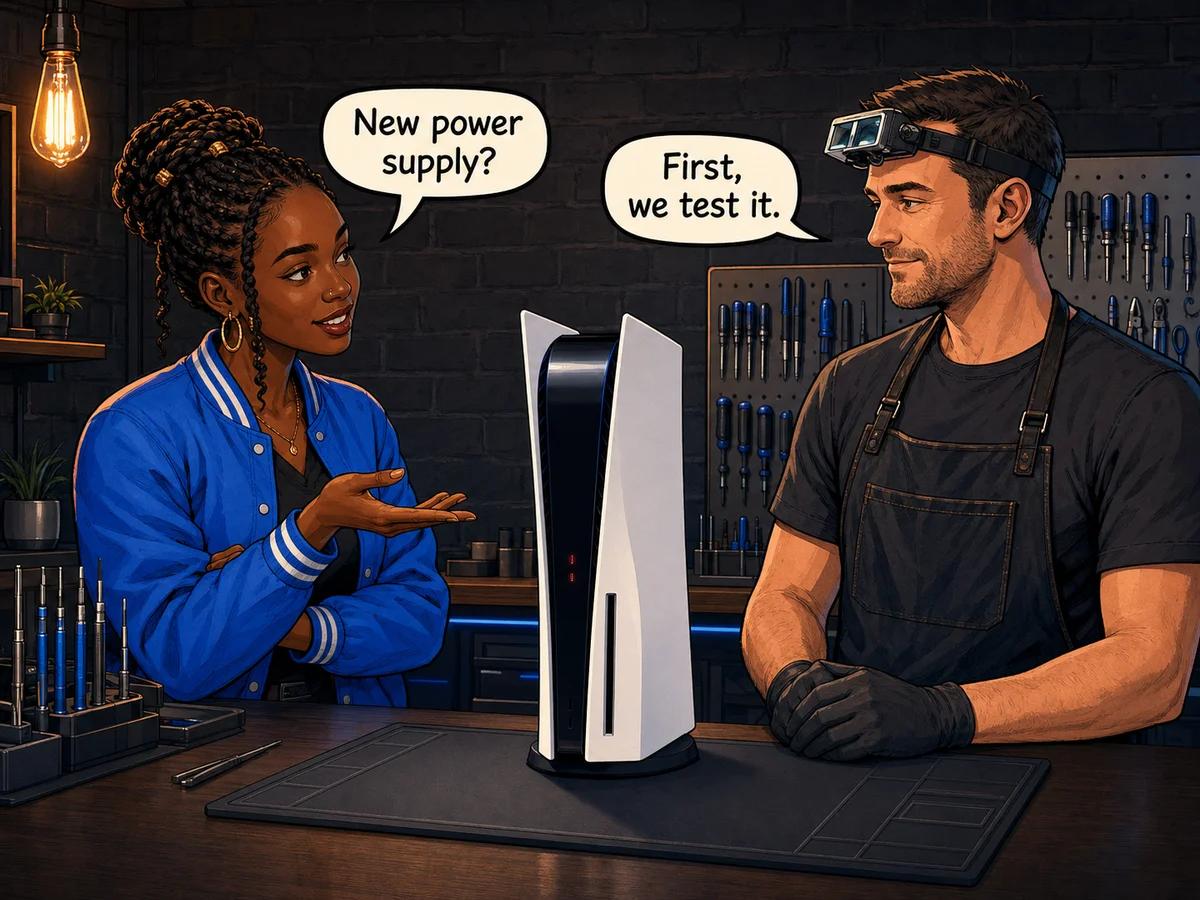
A PS5 power supply replacement may be needed when the console remains completely dead after a known-good outlet and power cable are tested, switches off instantly under load, or becomes increasingly difficult to start. Common causes include surge damage, heat trapped by dust, component wear and liquid damage, but the same symptoms can also come from the power cable, cooling system or motherboard. Safely try another wall outlet, reseat or swap the external figure-8 cable, disconnect accessories and record exactly what the light and fan do. Do not open the console or PSU. Console Service Centre in Boksburg professionally tests both the internal power supply and motherboard before fitting the correct replacement.
A dead PS5 does not automatically mean the PSU has failed. Replacing a power supply without testing can waste money and leave the actual fault untouched. The useful question is not simply, “Does it turn on?” It is, “What happens in the first few seconds, and under what conditions does it fail?”
This guide focuses on that distinction. It covers safe checks, the signs that make an internal PSU fault more likely, common South African causes, professional diagnosis and current repair pricing without asking you to open the console.
Safe Checks Before a PS5 Power Supply Replacement
Start outside the console. These checks rule out faults that can look exactly like a dead internal power supply.
1. Test a different wall outlet
Plug the PS5 directly into a known-working wall outlet for the test. Remove the multiplug, extension lead, UPS or surge protector from the chain temporarily.
Test the original outlet with another appliance as well. After a power interruption, the failed part may be the surge protector, extension lead or socket rather than the console.
2. Reseat and inspect the external power cable
The standard PS5 uses an IEC C7 “figure-8” cable. Disconnect it from the console and wall, then inspect it for cuts, crushed sections, heat marks or a loose connector. Reconnect it firmly at both ends.
If you have a known-good compatible cable, test it. A cable swap is safe because it does not require opening the PS5. Stop using any cable with exposed conductors, melted plastic or a damaged plug.
3. Disconnect accessories for one controlled test
Remove external USB drives, charging cables, LAN and HDMI. Leave only the power cable connected, then press the console’s physical power button once.
This does not prove which internal component failed. It simply removes an attached device or damaged cable from the test. If the PS5 starts, reconnect one item at a time after switching it off properly.
4. Let the console cool fully
If the PS5 switched off during a game, turn it off, unplug it and allow it to cool in an open space. Do not place it in a fridge, in front of moisture-producing cooling or on a wet surface.
A console that starts cold but dies again as it heats up may have restricted airflow, a cooling fault or an overheating PSU. That pattern is useful diagnostic information.
5. Record the exact symptom
Before trying the button repeatedly, note what happens:
- no beep, light or fan movement
- one beep, then silence
- blue light for a moment, then off
- normal start followed by a sudden shutdown
- failure only during demanding games
- a burning smell, crack sound or visible heat damage
If there is a burning smell, smoke, melted plastic or unusual crackling, unplug the PS5 and stop testing it.
Sony groups “won’t turn on”, “loses power shortly after turning on” and “turns off while playing” as separate diagnostic paths on its official PS5 power support page. Treating those patterns separately also helps a repair technician avoid replacing the wrong part.
Signs Your PS5 Power Supply May Be Failing
No single external symptom proves that the PSU is bad. The following patterns make it more likely after the outlet and power cable have been ruled out.
The console is completely unresponsive
The strongest basic sign is a PS5 that gives no light, beep or fan movement on a known-good outlet and cable. The internal power supply may not be producing the low-voltage output the motherboard needs to begin its startup sequence.
However, a motherboard short or damaged power-button circuit can create the same result. A PSU replacement should follow electrical testing, not a guess based on silence.
It loses power instantly under load
A PS5 that reaches the home screen but switches off abruptly when a demanding game starts is reacting to load. The PSU may fail when current demand rises. Restricted airflow around the power supply can also make it overheat and shut down.
Compare this with a normal software crash. A software fault may freeze the image, show an error or restart the console. A hard power loss is immediate: the screen goes black and the console has no controlled shutdown sequence.
It becomes harder to start over time
Intermittent startup can be an early warning. The PS5 may start on the second attempt, work after being unplugged, or fail more often after a warm gaming session.
Intermittent faults can come from the PSU, a connector, the power-button board or the motherboard. Record when it happens. That history is more useful than repeatedly pressing the button until the symptom changes.
It died after an outage or surge
In South Africa, a PS5 that worked before a power interruption and stayed dead after power returned deserves a surge-damage check. The PSU sits at the AC input and may take the initial damage, but a surge can travel beyond it to the motherboard or HDMI circuitry.
That is why “load shedding killed the power supply” should not be the final diagnosis. Our guide to load shedding console damage explains how the symptom and affected circuit change the repair decision.
Three beeps are not a complete diagnosis
Customers often search for a “three-beep power supply failure”. Beep behaviour is useful, but it does not replace testing. Similar startup sounds can appear with power protection, board faults or a console that is not completing its normal boot sequence.
If your symptom is specifically three beeps followed by shutdown, use our focused PS5 three-beep diagnosis guide and tell the technician exactly when the beeps occur.
A failed PS5 PSU and a shorted motherboard can both produce a console with no useful response. The safe distinction is made by testing the power supply separately from the board and checking whether the board presents an abnormal load. Replacing parts first and diagnosing second is the expensive order.
What Causes PS5 Power Supply Problems?
The PS5’s PSU is internal. The figure-8 cable from the wall is only the external input cable; there is no separate power brick like the one used by the original Xbox One.
Power surges and unstable supply
A voltage spike can damage protection components or other parts in the PSU input stage. The risk is highest when a console remains connected through restoration after an outage, especially if the multiplug offers no real surge protection.
Damage is not always immediate. A weakened component can work intermittently before failing completely. If the PS5’s behaviour changed after a power event, include that detail with the repair booking.
Heat and restricted airflow
The power supply needs the console’s airflow path to remain clear. Dust packed into internal channels acts as insulation and reduces the air moving past heat-producing components.
Heat-related shutdowns often appear only after the console has been running for a while. If it starts again once cold, do not assume the problem has fixed itself. Repeated thermal shutdowns indicate that something still needs attention.
Our PS5 full service guide explains why a proper service involves the fan, heat sink, airflow path and liquid-metal interface rather than a quick blast through the vents.
Normal component ageing
Power supplies contain components that experience heat and electrical stress whenever the console runs. Age alone does not set an expiry date, but years of hot operation, dust and repeated power events can reduce reliability.
An older launch-model PS5 that has never been serviced deserves both a PSU test and an airflow inspection. Fitting a new power supply without correcting severe dust blockage can recreate the same thermal conditions.
Liquid, insects or corrosion
Liquid entry and insect contamination can create conductive paths and corrosion. The visible symptom may be no power, but the damage may span the PSU and motherboard.
Do not reconnect a console after a spill to “see if it survived”. Disconnect it from the wall and arrange an assessment. Applying power to a wet or contaminated circuit can turn limited damage into a larger short.
A motherboard fault that looks like PSU failure
The motherboard receives power from the PSU and distributes it through several voltage rails. A shorted component on the board can pull the supply down or prevent startup. From outside, that looks like a bad power supply.
This is the main reason professional diagnosis matters. A working replacement PSU will not repair a shorted board, and it should not be used as a disposable test part.
PSU Fault, Overheating or Motherboard Fault?
Use the symptom pattern as a starting point, not a verdict.
| Symptom | More likely areas to test | What it does not prove |
|---|---|---|
| No light, beep or fan on a tested outlet and cable | PSU, AC input, power-button circuit, motherboard short | That the PSU alone has failed |
| Starts cold, switches off after gaming | Airflow, dust blockage, cooling system, PSU under load | That the processor is damaged |
| Blue light briefly, then off | PSU protection, motherboard power rails, boot fault | That a power-supply swap will fix it |
| Shutdown after an outage | PSU input stage, motherboard, attached HDMI equipment | That only one component was affected |
| Crashes with an error but stays powered | Software, storage, temperature, game-specific fault | That the PSU is faulty |
The PS5 power indicator also helps separate states. Sony explains that a normal startup moves from blinking blue to solid white, while a white light means the console is on. See the official PS5 support guide for the documented indicator states and correct shutdown procedure.
Do not disconnect mains power while the indicator is lit or blinking. Sony warns that doing so can corrupt data or damage the console. Use the menu to turn it off when the system still responds.
How a Professional PS5 Power Supply Replacement Works
A proper repair starts with confirmation. The workshop process should answer two questions: is the PSU actually faulty, and did anything else cause or suffer damage?
1. Confirm the external supply
The technician verifies the customer’s symptom with a known-good cable and controlled AC source. Any visible damage, smell or surge history is recorded before the console is opened.
2. Inspect the console safely
The PS5 is opened by a trained technician using ESD precautions. Dust, liquid residue, corrosion and heat damage are checked because they can explain why the fault occurred.
3. Test the PSU and motherboard separately
The PSU’s output and behaviour under load are tested. The motherboard is also checked for an abnormal short or other condition that could pull the supply down.
This step prevents a working replacement from being fitted to a console with a board fault.
4. Match the correct power supply
PS5 hardware revisions do not all use the same power supply. The replacement must match the console model and connector layout. “PS5 compatible” is not precise enough for a reliable parts order.
5. Correct the cause, not only the failed part
If dust restriction or liquid contamination contributed to the failure, that condition must be addressed. A full service may be recommended when the airflow path is badly blocked.
6. Reassemble and stress-test
The repaired PS5 is tested through startup, idle operation and gaming load. A short button test is not enough for a console that previously failed only after warming up.
A PS5 power supply replacement is a model-matched hardware repair, not a cable swap. The console must be tested under load after the new PSU is fitted, and any motherboard short, dust blockage or liquid contamination must be resolved before the repair is considered complete.
At Console Service Centre’s PS5 repair workshop, PS5 power-supply work carries our 6-month money-back warranty. We have repaired PlayStation and Xbox consoles since 2011 and completed more than 25,000 console repairs.
PS5 Power Supply Replacement Cost
Current workshop pricing loads directly from our live repair-pricing system:
- Original PS5 Disc and Digital models: R1,749 – R4,199
- PS5 Slim: R2,049
The final diagnosis still matters. A motherboard fault, liquid damage or additional heat damage is not the same repair as a straightforward PSU replacement. We explain the fault and quote any different work before it proceeds.
See our dedicated power supply repair service for the workshop process, warranty and booking options.
Not sure whether it is the PSU? WhatsApp us at 087 550 2307. We respond immediately, 24/7. Send the exact light, beep and shutdown pattern, plus whether the problem followed an outage.
Why You Should Not Open a PS5 Power Supply
Opening your console yourself risks broken flex cables, stripped screws and damaged connectors that make the original repair more expensive. Opening the power supply adds a much more serious hazard.
Console power supplies contain high-voltage capacitors that can retain dangerous charge after the console is unplugged. The PS5 safety documentation warns of electrical-shock risk inside the product. There is no safe customer adjustment inside the PSU.
Do not probe it with a multimeter, bridge a fuse, inject voltage into the motherboard or fit a random used supply as a test. Those actions require electrical knowledge, isolation procedures and the correct load-testing equipment.
If the console is still within Sony’s warranty, check the official repair route before anyone opens it. Unauthorised internal work can affect warranty support.
Preventing Another PS5 Power Fault
No prevention method can stop every component failure, but these habits reduce avoidable electrical and heat stress.
- Use a quality surge protector or UPS. Check that it is designed for surge suppression, not merely a basic multiplug.
- Shut the PS5 down properly. Wait until the power indicator is off before disconnecting it from the wall.
- Keep the console ventilated. Leave open space around its intake and exhaust. Do not place it in a closed TV cabinet.
- Keep vents externally clean. Wipe the exterior and remove loose dust around vents without opening the console.
- Arrange a professional service when dust or noise builds up. A full service clears the internal airflow path and checks the cooling system.
- Disconnect during known power instability when practical. Turn the console off properly first, then unplug only after the indicator is fully off.
- Keep liquids away. Do not place drinks above or beside the PS5 where a spill can run into the vents.
If your PS5 is also running hot, loud or shutting down after extended play, compare the symptoms in our console overheating guide.
Frequently Asked Questions
How do I know if my PS5 power supply is bad?
A completely dead PS5 on a known-good outlet and cable, abrupt shutdowns under gaming load, or worsening intermittent startup can point to the internal PSU. These symptoms can also come from the motherboard or cooling system, so testing is needed before replacement.
How much does PS5 power supply replacement cost in South Africa?
An original PS5 power supply replacement is R1,749 – R4,199 at Console Service Centre. PS5 Slim power supply replacement is R2,049. Both prices are pulled from the live repair-pricing system rather than stored in this article.
Can I replace a PS5 power supply myself?
We strongly advise against it. Opening the console can damage delicate cables and connectors, while the PSU contains high-voltage capacitors that may retain a dangerous charge after unplugging. Leave internal power work to a trained technician.
Does a dead PS5 always need a new power supply?
No. A failed outlet, damaged figure-8 cable, power-button circuit fault or shorted motherboard can all produce a dead console. A proper diagnosis tests both the PSU and the load presented by the motherboard.
Can load shedding damage a PS5 power supply?
Yes. The outage itself removes power, while unstable supply or a surge around restoration can damage the PSU or other circuits. A surge history makes electrical damage more likely, but it does not prove that the PSU is the only failed part.
Why does my PS5 switch off only during games?
Demand and heat rise during demanding games. A PSU that fails under load, restricted internal airflow or another cooling fault can then trigger a sudden shutdown. Testing must reproduce the fault under load rather than only checking whether the home screen appears.
How long does a PS5 power supply replacement take?
Turnaround depends on diagnosis, model revision and parts availability. WhatsApp us with the model and symptoms for the current workshop estimate. We do not promise a replacement until testing confirms the PSU is the fault.
Will replacing the PS5 power supply erase my games?
A straightforward PSU replacement does not normally alter the console’s internal storage. Data can still be at risk if repeated power loss has corrupted system files or if the motherboard has additional damage, so stop repeated testing once the fault is clear.
Is a PS5 power supply replacement worth it?
Usually, when the motherboard and storage are healthy. A confirmed PSU fault is a defined component repair, and replacing the entire console is normally unnecessary. We will explain if board damage or liquid damage changes the economics.
Get Your PS5 Power Fault Diagnosed
Console Service Centre repairs PS5 Disc, Digital and Slim consoles at our Boksburg workshop.
- 15+ years of console repair experience — established in 2011
- 25,000+ consoles repaired
- 1,329+ Google reviews with a 4.9-star rating
- 6-month money-back warranty on repairs
- Nationwide courier collection through The Courier Guy
WhatsApp: 087 550 2307 — we respond immediately, 24/7
Visit: 6 Bester Street, Witfield, Boksburg
Hours: Monday to Thursday 08:00–16:00; Friday and Saturday 08:00–13:00; Sunday closed
Cannot get to Boksburg? Use our nationwide console collection service. We will assess the PS5, confirm whether the PSU or motherboard failed, and get approval before repair.
Topics Covered
About the Author

Shaun Potgieter
Founder & Head Technician
Expert console technician with 15+ years of hands-on repair experience.