
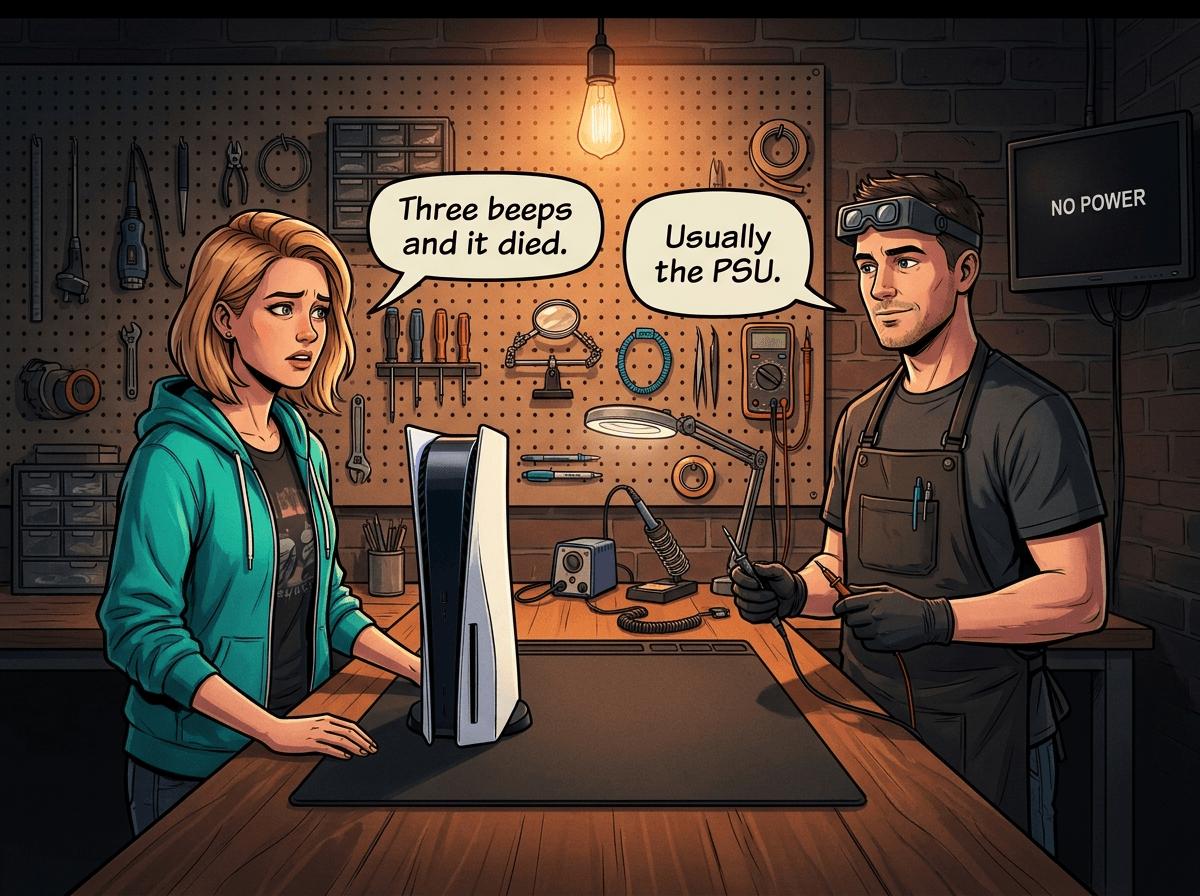
Three beeps. A long pause. Then silence.
If that's how your PS5 session just ended — or how your PS5 refuses to start — you're dealing with one of the most common faults we see at Console Service Centre. The three-beep code is a power protection error. The console detected something wrong with its power delivery and shut itself off before anything worse could happen. That's the good news: it's a safety mechanism working as intended. The bad news is that you now have a console that won't run until the root cause is fixed.
The critical question is whether the fault is in the power supply unit (PSU) or on the motherboard itself. Those two repairs are very different in cost and complexity. This post explains how to tell them apart, what you can safely try at home, and when professional diagnosis is the right call.
The PS5 three-beep shutdown is a power protection error — the console detected a fault in its power delivery chain and shut itself off before something burned out. In most of what we see at our workshop in Boksburg, the culprit is the internal PSU: one or more capacitors inside the ADP-400 power board have failed. The rest trace back to a fault on the motherboard itself — either the APU's power delivery circuit or the NOR flash chip that holds the PS5's firmware. A PSU swap costs significantly less than board-level work, so identifying which one matters. Console Service Centre in Boksburg, South Africa, diagnoses both with proper bench testing and most 3-beep PS5s are repaired within 2-3 working days.
What Do 3 Beeps Mean on a PS5?
The PS5 uses a beep code system to communicate startup status:
- 1 beep — normal startup, everything fine
- 3 beeps — the console tried to boot, detected a power fault, and shut down in protection mode
- Continuous beeping — a serious hardware fault was detected
Three beeps happen when the PS5's power management system measures voltages or current outside safe operating range. Rather than boot into an unstable state — which could damage the APU, RAM, or SSD — the console shuts itself off.
Two distinct scenarios share the three-beep symptom:
-
Beeps immediately on power press — the console never gets into the startup sequence. Press the button, hear three quick beeps, console off. This is the classic PSU capacitor failure pattern.
-
Starts and runs for a few minutes, then beeps and shuts off — the console boots normally but fails under load. This points toward either thermal protection triggering (overheating) or a board-level fault.
This is different from the PS4 Blue Light of Death (BLOD), which is a PS4-specific APU solder fault where the console pulses a solid blue light and never produces video output. You'll sometimes see a PS5 power fault loosely called a "blue light of death" online, but the PS5's three-beep code is specifically a power protection error — most often a PSU fault, not the APU solder joint failure behind the PS4's BLOD.
Quick Wins: Try These Before Sending It In
These steps are safe, external, and in our experience resolve a meaningful share of three-beep cases — always worth trying before you send the console in:
1. Swap the Power Cable
The PS5 uses a standard IEC C7 "figure-8" power cable. Try a different one — the cable from most Samsung TVs, monitors, or older PlayStation consoles works. A damaged or degraded cable can prevent stable power delivery, especially if the cable has a loose connection at either end.
2. Plug Directly Into a Wall Socket
Extension leads, multi-plugs, and cheap surge strips can all cause insufficient power delivery, especially when other devices are sharing the same circuit. Remove the PS5 from any extension lead and plug it directly into a wall socket. Test from a different socket in the house if possible — some wall sockets have loose connections or weak circuits.
3. Hard Reset
Press and hold the PS5's power button for about 7 seconds. You'll hear the first beep when you press, and a second beep a few seconds later. Let go after the second beep and wait 30 seconds before attempting to start again. This clears any fault state held in the power management system.
4. Try Safe Mode
With the PS5 fully off and unplugged from power for 60 seconds, plug it back in. Then press and hold the power button until you hear the second beep (roughly 7 seconds). This puts the PS5 into Safe Mode. From the Safe Mode menu, select Update System Software to rule out a firmware-related fault. If the console gets into Safe Mode even briefly, that's diagnostic information — it suggests the power delivery is working at baseline, and the fault may be software-triggered.
5. Check Ventilation and Let It Cool
If your PS5 beeped and shut off during a gaming session (rather than on startup), thermal protection may have triggered. Ensure there's at least 15cm of clearance on all sides of the console, and that it's not inside a media unit cabinet with closed doors. If the console has been running in a hot room, let it cool for an hour before trying again. If it consistently shuts off after the same warm-up period each session, that's a thermal fault — usually dust buildup or degraded liquid metal on the APU.
If none of the above works — or if the PS5 beeps immediately the moment you press the power button — the fault is internal and needs professional diagnosis.
The Two Fault Paths: PSU vs Motherboard
Path 1: PSU (Power Supply Unit) Failure
This is the most common cause of three-beep PS5s. Unlike the old Xbox One Original (which used an external power brick), the PS5's power supply is built inside the console — it's an ADP-400 series board bolted into the chassis. It contains several electrolytic capacitors that store and regulate power before delivering it to the motherboard.
Electrolytic capacitors degrade over time, particularly under load and thermal stress. PS5 launch-edition consoles (CFI-1000 and CFI-1100 series) were released in November 2020 — they're now approaching 6 years old. This is exactly the age range where electrolytic capacitor failure rates rise noticeably.
Load shedding in South Africa accelerates this. Every time load shedding ends and power is restored to the grid, there's a voltage transient — a brief spike above normal voltage. Over hundreds of load shedding cycles across 4–5 years, those spikes stress PSU components incrementally. We see a higher rate of PS5 PSU failures in South Africa compared to global repair data, and load shedding history is directly correlated.
Citable fact: The PS5 three-beep fault most often traces to the PSU at Console Service Centre's Boksburg workshop. PS5 launch consoles (CFI-1000 series, 2020) are now approaching 6 years old — well into the age range where electrolytic capacitors in the ADP-400 power supply start to fail. South Africa's load shedding cycles accelerate PSU degradation: each power-restoration event delivers a voltage transient that stresses PSU components over time. The PSU models we replace most often for three-beep faults are the ADP-400DR, ADP-400ER, and ADP-400FR.
Symptoms that point toward PSU failure:
- Three beeps happen immediately on pressing the power button, before any startup sequence begins
- No PlayStation startup chime, no console logo — just three beeps and off
- Completely consistent: it beeps every single time without fail
- The console is 3 or more years old
- You've experienced many load shedding cycles without a UPS
PSU models by PS5 variant:
| PS5 Model | PSU Model |
|---|---|
| PS5 Disc / Digital (CFI-1000) | ADP-400DR |
| PS5 Disc / Digital (CFI-1100) | ADP-400ER or ADP-400FR |
| PS5 Disc / Digital (CFI-1200) | ADP-400FR |
| PS5 Slim (CFI-2000) | ADP-400GR |
PSU replacement is a component swap: the failed board is removed and a replacement unit is installed. It does not require microsoldering. This is why it costs significantly less than motherboard work — the complexity is lower and the parts are available.
Path 2: Motherboard Fault (APU or NOR Chip)
If a known-good PSU doesn't fix the three-beep fault, the problem is on the motherboard.
APU voltage delivery fault: The PS5's APU — the large custom AMD chip that houses both the Zen 2 processor and RDNA 2 graphics — has dedicated power delivery components on the motherboard. If a capacitor or power delivery IC in that circuit fails, even a perfectly good PSU can't keep the APU running stably. Symptoms: three beeps happen after the console has been running for a few minutes (under load), possibly with brief video glitches or frame drops just before the shutdown.
NOR chip fault: The NOR chip (a Winbond W25Q16JVN1M flash memory IC) stores the PS5's firmware. If this chip develops a fault, the console may fail to complete its startup sequence, which the power management system reports as a power protection error. NOR faults often look exactly like PSU failures from the outside — immediate three beeps, no startup. The difference only becomes clear after a PSU swap makes no difference. NOR chip repair requires microsoldering — the faulty chip is removed and replaced under a hot air rework station.
Citable fact: The fastest shop-floor test for three-beep PS5 faults is a known-good PSU substitution. If the console boots after the swap — the original PSU was the cause. If it still beeps — the fault is on the motherboard. This single test avoids misdiagnosis and unnecessary parts ordering. Consoles that beeped during use (rather than immediately on startup) are more likely to have a board-level fault; consoles that beep immediately every time are more likely PSU. At Console Service Centre, we perform this test as the first diagnostic step on every three-beep PS5.
Symptoms that point toward a motherboard fault:
- Three beeps started after several minutes of use, not immediately on startup
- A PSU swap has already been attempted and the fault remains
- Additional symptoms alongside the beeping: blank screen before shutoff, controller pairing issues, corrupted database warnings in Safe Mode
- The console was dropped, knocked over, or experienced a direct power surge before the fault appeared
- Intermittent behaviour: sometimes it starts, sometimes it doesn't
When to Seek Professional Help
Send your PS5 in for professional diagnosis if:
- The three-beep fault happens every time you press the power button
- You've worked through all the quick wins above and nothing changed
- The console is 3+ years old and has lived through South African load shedding without surge protection
- The beeping started after a visible power event (surge, outage during use, load shedding while the console was on)
Don't open it yourself. The PS5's internal power supply contains high-voltage capacitors that can hold a dangerous charge. If those capacitors aren't properly discharged before working near them, they can cause a serious burn injury. This isn't a theoretical risk — it's a real one, and it applies every time the console has recently been plugged in, even briefly.
Beyond the voltage risk: the PS5's fan has a small connector attached to the main board, and it's one of the most fragile points in the console. Customers who attempt to open their PS5 regularly snap this connector off and rip the traces from the board. Rebuilding those traces takes 3–4 hours of skilled microsoldering work — turning what would have been a straightforward PSU replacement into a major repair job that costs significantly more. Leave internal work to professionals.
Opening your PS5 yourself risks causing additional damage — broken flex cables, stripped screws, or a ripped fan connector that makes the repair substantially more expensive. We strongly recommend leaving internal repairs to professionals.
What professional diagnosis at Console Service Centre looks like:
- Bench power test with an external PSU to isolate the fault
- Voltage rail measurements on the motherboard to identify which circuit is failing
- Known-good PSU substitution test
- If the PSU swap doesn't fix it: board-level diagnosis — visual inspection, component testing, NOR chip readout
- Written quote before any repair work begins
There's a R599 bench fee if the console is unrepairable or if you decide not to proceed with the repair — this covers the diagnostic time.
Repair pricing:
| Repair | Price |
|---|---|
| PS5 PSU replacement (standard models) | R1,749 – R4,199 |
| PS5 Full Service (dust removal + liquid metal re-TIM) | R1,249 |
| PS5 board-level fault (APU / NOR chip repair) | R1,599 |
All repairs include a 6-month money-back warranty. If the same fault returns within six months, we fix it at no charge.
Not sure which fault you have? WhatsApp us at 087 550 2307. Describe exactly what happens when you press the power button — how many beeps, immediately or after warm-up, any other symptoms. We can usually tell you which fault path you're on before you send the console in. We respond immediately, 24/7.
What a PS5 Power Fault Repair Involves
When your PS5 comes in with a three-beep fault, here's the process at Console Service Centre's PS5 repair workshop in Boksburg:
- Intake — we log your console, photograph any existing physical damage, and record the fault history you described
- Bench diagnosis — PSU isolation test and voltage rail checks
- Quote — we contact you with findings and costs before any parts are ordered or work starts
- Repair — PSU swap or board-level repair, depending on what the diagnosis found
- Load testing — once repaired, the console runs under load for at least 30 minutes while we monitor temperatures and power draw before we clear it as fixed
- Return — collect from 6 Bester Street, Witfield, Boksburg, or we ship it back via The Courier Guy
We're a PlayStation and Xbox specialist. We don't do phones, laptops, TVs, or general electronics — console repair is the only thing we do. Since 2011, we've handled over 25,000 console repairs, and we know the PS5's power fault patterns well.
Preventing PS5 Power Faults in South Africa
The South African power grid makes console care genuinely different from most other countries. Here's what actually matters.
Use a UPS With Automatic Voltage Regulation
A quality UPS (uninterruptible power supply) with AVR does two things for your PS5: it keeps the console running through short load shedding cycles, and it conditions incoming power so that the voltage spike when load shedding ends doesn't hit the PS5's PSU directly.
A cheap surge strip from a hardware store is better than nothing, but it doesn't condition voltage — it only cuts the circuit if voltage spikes high enough to blow the MOV components inside (by which point the damage is already done incrementally). An AVR-equipped UPS actively regulates incoming voltage before it reaches the console. Models with pure sine wave output are better for switched-mode power supplies like the PS5's internal PSU. Budget-friendly UPS units are widely available from most SA electronics retailers and provide meaningful protection at a fraction of a PSU repair cost.
Keep the PS5 Horizontal
PS5 uses liquid metal — a gallium-based alloy — as the thermal interface between the APU and its heatsink. Liquid metal has far better thermal conductivity than standard paste, but it flows slightly over time. In vertical orientation, gravity pulls liquid metal downward, creating a thin spot at the top of the APU contact surface. That thin spot becomes a hotspot — the APU overheats locally, thermal protection triggers, and the console shuts off with three beeps.
We've seen PS5 APUs literally cracked in half from prolonged overheating caused by liquid metal migration in consoles that were stored vertically for years. Horizontal placement is the single most effective free measure you can take to extend PS5 life in South Africa.
Clear Ventilation
At minimum: 15cm of clearance on all sides, not in a closed media unit, not in a room that regularly exceeds 30°C without airflow. The PS5's thermal design is capable — it doesn't run hot in normal conditions. Poor ventilation is what turns normal operating temperatures into fault-triggering overheating.
Schedule a Full Service Every 2–3 Years
Over time, dust accumulates on the heatsink fins, and the liquid metal on the APU begins to degrade (it oxidises and loses thermal conductivity). A PS5 full service involves complete disassembly, dust removal, and fresh liquid metal application. This addresses the thermal side of three-beep faults — consoles that used to shut off after 30 minutes of gaming often need a full service, not a PSU swap.
A PS5 full service at Console Service Centre costs R1,249 and includes our 6-month warranty.
Citable fact: South African PS5 owners face elevated PSU failure risk due to load shedding voltage transients. A UPS with automatic voltage regulation (AVR) conditions incoming power and prevents voltage spikes from reaching the PSU at power restoration. Horizontal placement prevents liquid metal migration in the PS5's APU cooling system, which otherwise causes thermal-triggered three-beep faults in consoles 3+ years old. Console Service Centre recommends a full PS5 service every 2–3 years under South African conditions.
Frequently Asked Questions
Why does my PS5 make 3 beeps and turn off?
Three beeps on a PS5 is a power protection error — the console's power management system detected that voltages in the power delivery chain weren't within safe operating range and shut the console down to prevent damage. The most common cause is a failed capacitor in the internal PSU (power supply unit), particularly in consoles 3+ years old. Less commonly, the fault is on the motherboard: either the APU's power delivery circuit or the NOR flash chip that holds the PS5's firmware. Both are repairable.
How much does PS5 power supply repair cost in South Africa?
PS5 PSU replacement at Console Service Centre costs R1,749 – R4,199 for standard PS5 models (Disc, Digital, and all CFI-1000/1100/1200 series). The PS5 Slim (CFI-2000) uses a different PSU at a slightly higher price. All repairs include a 6-month warranty. If the console turns out to be unrepairable, or you decide not to proceed after we diagnose it, the bench fee is R599.
Can I fix a PS5 three-beep fault at home?
The external checks — trying a different power cable, plugging directly into a wall socket, performing a hard reset, and attempting to boot into Safe Mode — are all safe to try. Beyond that, no. The PS5's internal PSU contains high-voltage capacitors that can hold a dangerous charge. Working inside the console without proper discharge equipment is genuinely dangerous. There's also a high risk of breaking the PS5's fan connector off the main board during disassembly — that repair adds 3–4 hours of microsoldering work and significantly increases the total repair cost. Leave internal diagnosis to a professional.
How long does PS5 PSU repair take?
Most PS5 PSU repairs are completed within 2-3 working days at Console Service Centre. Board-level faults (when the PSU turns out not to be the cause) take longer. If you're not in the Boksburg area, our nationwide courier repair service adds 1–2 days each way via The Courier Guy. Once we have the console, the repair timeline doesn't change.
Is it worth repairing a PS5 that's beeping and won't turn on?
Almost always yes. A PSU replacement is a fraction of what a new PS5 costs. Even board-level repair is typically worth it — your repaired PS5 is the same console with all your saved data, game library, and account intact. The only case where it's not worth repairing is significant additional physical damage (severe water ingress, broken APU from a drop) that makes the repair cost approach replacement cost. We diagnose before quoting, so you'll know exactly what you're looking at before committing to anything.
What's the difference between PS5 three beeps and PS4 Blue Light of Death?
These are separate faults on separate consoles. PS5 three beeps (this post) = a power delivery fault where the console beeps and refuses to start or shuts off shortly after starting. Usually a PSU fault. PS4 Blue Light of Death (BLOD) = a PS4-specific fault where the console pulses a continuous blue light, never transitions to white, and produces no video output. The cause is APU solder joint failure on the PS4 motherboard — a completely different problem on a different console. If your PS4 is doing the blue pulse with no video, that's BLOD, not a PSU issue. If your PS5 is doing three beeps and shutting off, that's the power fault described in this post.
Will load shedding damage my PS5's power supply?
Load shedding itself (power being cut) doesn't damage the PS5 — the console simply loses power. The risk is at power restoration: when the grid comes back on, there's typically a voltage transient above normal supply voltage. Over hundreds of load shedding cycles across several years, these transients stress the electrolytic capacitors in the PSU incrementally. A UPS with AVR (automatic voltage regulation) prevents those transients from reaching the console by conditioning the incoming power. An affordable UPS is cheap insurance when you consider the alternative cost of a PS5 PSU repair (R1,749 – R4,199).
Get Your PS5 Fixed
Here's why Console Service Centre is your best choice:
- 15+ years of console repair experience — We started in 2011
- 25,000+ consoles repaired — We know what we're doing
- 1,346+ Google reviews with a 4.9-star rating
- PlayStation and Xbox specialists — We don't do phones or general electronics
- 6-month money-back warranty — If the same issue returns, we fix it free
Ready to Get Your PS5 Working Again?
WhatsApp us: 087 550 2307 — We respond immediately, 24/7
Visit us: 6 Bester Street, Witfield, Boksburg
Can't get to us? We offer nationwide courier repairs. Ship your console to us via The Courier Guy, we'll fix it and send it back. Simple.
Topics Covered
About the Author

Shaun Potgieter
Founder & Head Technician
Expert console technician with 15+ years of hands-on repair experience.