
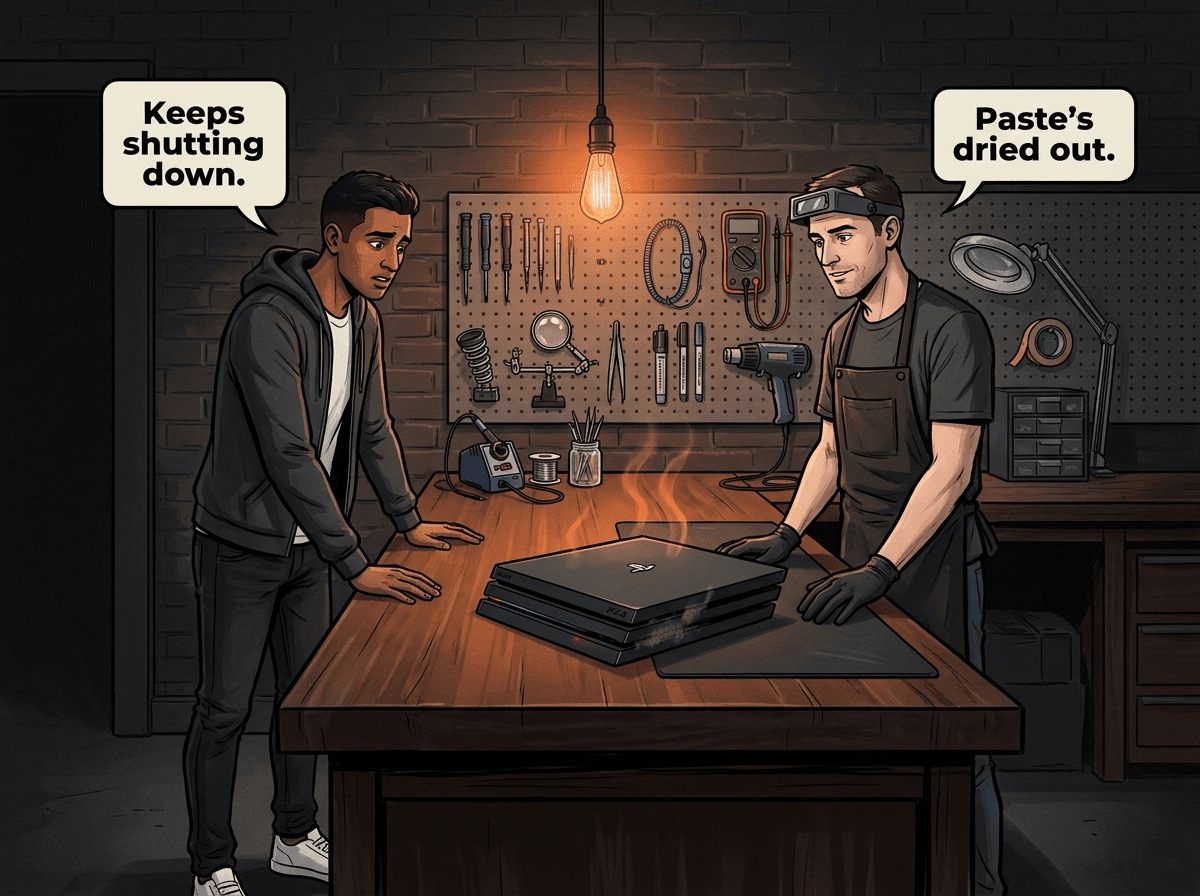
The PS4 Pro has a reputation: it runs hot, it sounds like a jet engine under load, and after a few years it starts shutting down mid-game. This is not a manufacturing defect — it is the predictable result of a more powerful console crammed into the same-sized chassis, with cooling components that degrade over time. Understanding what is happening inside, and what you can realistically do about it, saves you from making expensive mistakes.
Console Service Centre has repaired hundreds of PS4 Pros in Boksburg. The majority of overheating faults are fixable. A small number involve deeper hardware damage caused by the console running hot for too long. Getting to it early — before the thermal stress compounds — is almost always cheaper. This guide covers every external fix worth trying at home, the real causes when external fixes fail, and what professional repair involves.
Why the PS4 Pro Runs Hotter Than Other PS4 Models
The PS4 Pro was Sony's 4K-capable upgrade, released in November 2016. To deliver the extra GPU performance needed for 4K output, Sony significantly increased the thermal output of the APU. More power going in means more heat coming out — and the chassis stayed similar in size to earlier PS4 models.
The cooling system in the PS4 Pro is more aggressive than the original PS4 or PS4 Slim — a larger heatsink and a fan that throttles up hard under load. When that fan is working correctly, it sounds loud but it is doing its job. When it is clogged with dust, or when the thermal paste between the APU and heatsink has dried out, it sounds loud and it is failing.
Thermal paste degrades with heat cycling. The PS4 Pro was released in 2016, which means the oldest units are now nearly 10 years old — and on most units still in use today, the factory paste is long past its effective life. We recommend a full service at least once a year to replace the thermal paste before degradation starts causing shutdowns.
Signs Your PS4 Pro Is Overheating
Most PS4 Pro overheating faults follow a recognisable progression. If you are seeing any of these, act before the problem gets worse:
- Fan running at full speed constantly, even in the PS4 dashboard or during low-demand tasks — the fan should spool up under heavy gaming, not while navigating menus
- Console shutting down without warning during gameplay, especially in graphically intensive games like God of War, Spider-Man, or any open-world title
- "PS4 Too Hot" warning displayed on screen before shutdown — this is the console telling you exactly what is wrong
- Error codes CE-34878-0 (application crashed) or system crashes during heavy gaming — often a symptom of thermal throttling causing instability
- Slow performance or frame drops in games that previously ran smoothly — the processor is throttling its speed to generate less heat
- Hot exhaust air from the rear vent, or heat radiating from the top of the console even when it is just sitting idle
These symptoms range from early-stage (fan noise, occasional throttling) to late-stage (frequent shutdowns, system instability). The earlier you address it, the lower the repair cost and the lower the risk of permanent component damage.
Quick Fixes to Try First
Before anything else, try these external steps. They resolve a meaningful portion of mild overheating cases without any professional intervention.
How to Improve PS4 Pro Cooling at Home
-
Check the clearance around the console. The PS4 Pro needs at least 10cm of open space on all sides and especially behind it where the exhaust vent sits. Entertainment units with enclosed shelving are a common culprit — the hot air recirculates back into the intake. Move the console to an open surface if possible.
-
Try horizontal placement. If your PS4 Pro is currently standing vertically and overheating, lay it flat on its side. Many customers find horizontal placement helps with airflow when temperatures are climbing. Leave it horizontal and see if it settles.
-
Vacuum the exterior vents. With the power cable unplugged, run a low-powered vacuum slowly along the intake vents (sides) and the exhaust vent (rear). Sony's published guidance for the PS5 is a low-powered vacuum rather than a can of air, and the reason holds on a PS4 Pro too: a vacuum lifts dust out, whereas blowing drives it off the mesh and deeper onto the heatsink. You are not cleaning the internal fan or heatsink here — you are clearing the outer dust mesh that blocks airflow. This takes about two minutes and makes a noticeable difference on consoles that have not been cleaned externally. If a can of air is all you have, use it lightly and do not let it spin the fan.
-
Soft-cloth the exterior. Wipe the top, bottom, and side grilles with a slightly damp microfibre cloth. Dust that blocks intake vents is often just sitting on the outside surface.
-
Rebuild the database in Safe Mode. Hold the power button for seven seconds until you hear two beeps, connect a controller via USB, and select Rebuild Database from the Safe Mode menu. This is a software optimisation that reduces load on the processor during routine tasks. It does not fix thermal paste or dust, but it reduces unnecessary heat generation in the system firmware.
-
Lower the output resolution to 1080p. If your game is running at 4K or with HDR enabled, the GPU is working harder. Dropping to 1080p in Settings > Sound and Screen > Video Output Settings reduces heat output immediately. This is a temporary measure to confirm overheating is the issue, not a long-term solution.
If the console still shuts down or runs at full fan speed after trying these, the problem is internal. Continuing to run it in this condition risks permanent APU or motherboard damage.
Do not open the console. The PS4 Pro's internal layout is compact and the fan connector is fragile. Customers who attempt internal cleaning frequently break the fan connector off the board, turning a simple service into a complex repair. The power supply also contains capacitors that store dangerous voltage even when unplugged. Leave internal work to professionals.
What Actually Causes PS4 Pro Overheating
Once external fixes fail, you are almost always looking at one of these root causes.
Dried Thermal Paste
This is the number one cause of PS4 Pro overheating in older consoles. Sony applied a standard silicone-based thermal paste between the APU and the copper heatsink at the factory. Over years of heat cycling — the console warming up, cooling down, warming up again — the paste dries, cracks, and loses conductivity. Fresh paste conducts heat dramatically better than degraded paste.
On the PS4 Pro, the APU generates significantly more heat than the original PS4, so degraded thermal paste has a more severe effect. A console that ran at safe temperatures with fresh paste can climb well past the thermal shutdown threshold once the paste has dried out — which is when you start seeing shutdowns mid-game.
Dust Accumulation in the Heatsink
Even with clean exterior vents, dust works its way inside over time. The PS4 Pro's high-flow fan pulls air through the chassis continuously, and fine airborne particles accumulate on the copper fins of the heatsink. A thick dust layer on the heatsink fins acts as an insulator, trapping heat that should be transferred to the airflow. When the heatsink cannot dissipate heat efficiently, the fan spins up to compensate — and eventually the APU still overheats.
Heatsink dust build-up requires internal disassembly to clean properly. Cleaning through the vents displaces loose surface dust; it cannot remove packed dust embedded in the heatsink fins.
Fan Wear or Failure
The PS4 Pro's fan runs continuously under load, and the bearing degrades over years of use. A worn bearing produces a grinding or rattling noise distinct from normal fan noise, and a worn fan moves less air than a healthy one. In some cases the fan seizes partially, running intermittently rather than continuously — the console overheats in bursts rather than steadily.
Blocked or Failing Thermal Paste Application (from a Previous DIY Attempt)
This one is more common than you might expect. Customers who have previously attempted to clean their PS4 Pro internally sometimes disturb the heatsink mounting, smear paste incorrectly across the APU, or apply the wrong type of compound. An incorrectly applied thermal interface is often worse than dried-out original paste because it introduces air pockets or uneven coverage.
Citable Facts: PS4 Pro Thermal Design
The PS4 Pro draws more power than any earlier PS4 model, which is exactly why thermal management matters so much on this console. Most PS4 Pro overheating faults seen at Console Service Centre in Boksburg, South Africa are resolved with a full service: disassembly, heatsink and fan cleaning, fresh thermal paste, and reassembly with a full post-service thermal test under load. A smaller number need a fan replacement, and in consoles that have been running hot for too long there can be board-level damage that requires more extensive repair. We recommend a full service at least once a year to keep thermal paste fresh and head off shutdowns before they start.
When External Fixes Won't Help
If your PS4 Pro still shuts down after trying every external fix, the internal components need attention. The most common professional repair for this fault is a full service — a procedure our technicians at Console Service Centre carry out routinely on every model of PS4 Pro.
A PS4 overheating repair from our workshop involves:
- Full disassembly of the console to the main board
- Removal of the heatsink and fan assembly
- Complete removal of old thermal paste from the APU and heatsink surface using isopropyl alcohol
- Thorough cleaning of the heatsink fins (removing compacted dust), fan blades, and all internal chambers
- Application of a high-quality thermal paste that we have tested specifically on gaming console APUs — no metallic particles that can cause shorts on exposed silicon
- Reassembly with correct torque on heatsink mounting screws
- Full boot test and temperature monitoring under gaming load to verify normal thermals
- A 6-month warranty — if the fault returns, we fix it at no charge
Not sure if it's an overheating fault or something else? WhatsApp us at 087 550 2307 — we respond immediately, 24/7, and can usually give you a good read on what's wrong based on your symptoms before you send the console in.
The Repair Cost for PS4 Pro Overheating
| Repair | Price |
|---|---|
| Full Service | R1,249 |
*Prices shown are the total amount payable.
Get an exact quote on WhatsApp →For most overheating faults, a full service is all that is needed. If the fan bearing has failed, the fan is replaced as part of the service. If the console has already suffered APU damage from prolonged overheating, that is a more involved board-level repair.
Our bench fee is R599 and applies only if you decline the repair or if the console is beyond economic repair. We diagnose the fault fully before quoting, and we always call before proceeding with any work beyond the initial assessment. You will never receive a surprise bill.
Citable Facts: Full Service at Console Service Centre
Console Service Centre in Boksburg, South Africa has been repairing gaming consoles since 2011. Our PS4 Pro full service includes complete disassembly, heatsink cleaning, fresh thermal paste from a console-tested high-quality compound, fan cleaning or replacement if worn, full reassembly, and a post-service temperature verification under load. Most full services are turned around in 7-10 working days, depending on how many repairs are in our queue at the time — quicker when we're quiet and longer when we're busy or the work is complex. All repairs carry a 6-month warranty. We have completed over 25,000 console repairs across PS4, PS5, and Xbox platforms.
Protecting Your PS4 Pro: Prevention Tips
Once your PS4 Pro has had a full service and is running normally again, a few simple habits extend the life of that service significantly.
Ventilation is the most important factor. Never put the PS4 Pro in an enclosed TV cabinet. The exhaust vent at the rear needs a clear path for hot air to escape, and the intake vents on the sides and bottom need unrestricted airflow. An open shelf or TV stand is ideal. If the console must go inside a cabinet, the cabinet needs ventilation holes behind the console, or a small USB fan behind the unit to assist airflow.
Horizontal placement when overheating is a concern. If your PS4 Pro has been running hot, keep it horizontal — many customers find this helps with airflow through the chassis.
Vacuum the external vents every three to four months. Two minutes with a low-powered vacuum on the external vent grilles prevents surface dust from working its way into the heatsink. This will not replace a full service, but it extends the interval between professional cleans.
Keep load-shedding disruptions to a minimum. South Africa's power outages cause rapid thermal cycling when the console is actively gaming — the console is hot under load, then power cuts and it cools quickly, then heats again when power returns. Repeated thermal shock accelerates thermal paste degradation. A UPS (uninterruptible power supply) keeps the console running during short outages and allows you to save your game and shut down cleanly. It does not need to be expensive — a basic home UPS that keeps the console and monitor running for 15 to 20 minutes is enough for most load shedding intervals.
Plan a full service at least once a year. Even with good ventilation and regular external cleaning, thermal paste degrades with heat cycling. A proactive annual service costs the same as a reactive one after the shutdowns — but avoids the performance degradation and the risk of APU damage from prolonged overheating. Booking it in once a year is the simplest insurance policy you can give a PS4 Pro.
Load Shedding and Your PS4 Pro
This is worth its own section because South Africa is not a normal gaming environment. The combination of frequent power cuts, summer heat, and dusty Highveld conditions accelerates every PS4 overheating issue.
When load shedding cuts power while the console is under thermal load, the rapid cooling and reheating stresses the thermal paste and the connections between the APU and the motherboard. Over time this contributes to Blue Light of Death (BLOD) and similar heat-related faults. A UPS does not fully eliminate this risk, but it allows you to shut down cleanly rather than being cut off mid-game.
Summer temperatures in Gauteng also raise the ambient air temperature feeding the intake vents. A PS4 Pro that runs comfortably in winter can climb noticeably hotter in the same room come December, simply because the air being pulled in is warmer. Good ventilation matters more in summer.
If your PS4 Pro is in a room that gets very hot during summer, or if you are playing in a poorly ventilated space, take that into account when you notice fan noise increasing.
Frequently Asked Questions
Why does my PS4 Pro sound like a jet engine?
The PS4 Pro's fan ramps up aggressively to compensate for internal heat. On a console with fresh thermal paste and a clean heatsink, the fan is loud under heavy gaming load but settles down during menus and lighter tasks. If the fan is running at full speed constantly — even on the dashboard or during a game that was previously quiet — it indicates the heatsink cannot dissipate heat fast enough and the fan is fighting to compensate. A full service restores normal fan behaviour in the majority of cases.
How much does a PS4 Pro overheating repair cost in South Africa?
A full service at Console Service Centre costs R1,249 and covers disassembly, heatsink cleaning, thermal paste replacement, and a 6-month warranty. If the fan bearing has failed and needs replacement, the fan is included in the service. Board-level repairs from thermal damage cost more depending on the extent of the fault — a diagnosis quote is free and we always confirm before starting work.
How long does a PS4 Pro overheating repair take?
Typically 2 to 3 working days. Same-day service is available on request if we have capacity, but is not guaranteed. We courier repaired consoles nationwide via The Courier Guy for customers outside Boksburg — total turnaround including transit is usually 5 to 7 working days.
Can my PS4 Pro recover after repeated thermal shutdowns?
In most cases, yes — if the shutdowns have been happening for less than a few months. A full service that resolves the overheating and removes the ongoing thermal stress usually results in normal operation. If the console has been shutting down regularly for a year or more, there is a higher risk that the APU or another component has sustained damage from prolonged overheating. We diagnose this during the assessment and will let you know before proceeding.
Is it worth repairing a PS4 Pro for overheating, or should I buy a PS5?
This depends on what you want from gaming and your budget. A PS4 Pro full service costs a fraction of a new PS5, restores the console to normal performance, and comes with a 6-month warranty. The PS4 library is still large and many games are not PS5-native. If you want 4K gaming and have games you want to play, repairing the Pro is excellent value. Our separate is it worth repairing a console guide covers this in detail for all PlayStation models.
Does the PS4 Pro use liquid metal like the PS5?
No. The PS4 Pro uses standard thermal paste — the same type used in the original PS4 and PS4 Slim. Only the PS5 (all models, including the Slim and Pro) uses liquid metal at the factory. PS4 thermal paste replacement is a standard procedure with a high success rate. This is one reason PS4 Pro overheating is usually straightforward to resolve professionally.
Can I clean my PS4 Pro fan myself without opening it?
You can vacuum the exterior vents and wipe the console with a soft dry cloth without opening it. This clears surface dust from the intake mesh and can help with mild overheating. You cannot reach the heatsink fins or the fan blades without opening the console, which we strongly advise against. The fan connector is fragile, the power supply contains dangerous capacitors, and forcing the console open risks additional damage that can make the eventual repair significantly more expensive. See our PS4 Pro problems guide for more on what a professional service involves.
Get Your PS4 Pro Running Cool Again
Here's why Console Service Centre is the right call:
- 15+ years of console repair experience — we started repairing consoles in 2011
- 25,000+ consoles repaired — PS4 Pro included across every hardware revision
- 1,329+ Google reviews with a 4.9-star rating
- PlayStation specialist — we do not repair phones or general electronics
- 6-month money-back warranty — if the same overheating issue returns, we fix it free
- No-surprise billing — we quote before we work, always
Ready to Fix the Overheating?
WhatsApp us: 087 550 2307 — we respond immediately, 24/7
Visit us: 6 Bester Street, Witfield, Boksburg
Can't get to us? We offer nationwide courier repairs — ship your PS4 Pro via The Courier Guy, we'll service it and send it back. Total turnaround is typically 5 to 7 working days including transit.
If your PS4 Pro is shutting down during gaming, running hotter than it used to, or the fan sounds like it is working too hard, the fix is usually straightforward. The longer you leave it, the higher the risk of thermal damage to the APU. Get it sorted now.
Topics Covered
About the Author

Shaun Potgieter
Founder & Head Technician
Expert console technician with 15+ years of hands-on repair experience.