
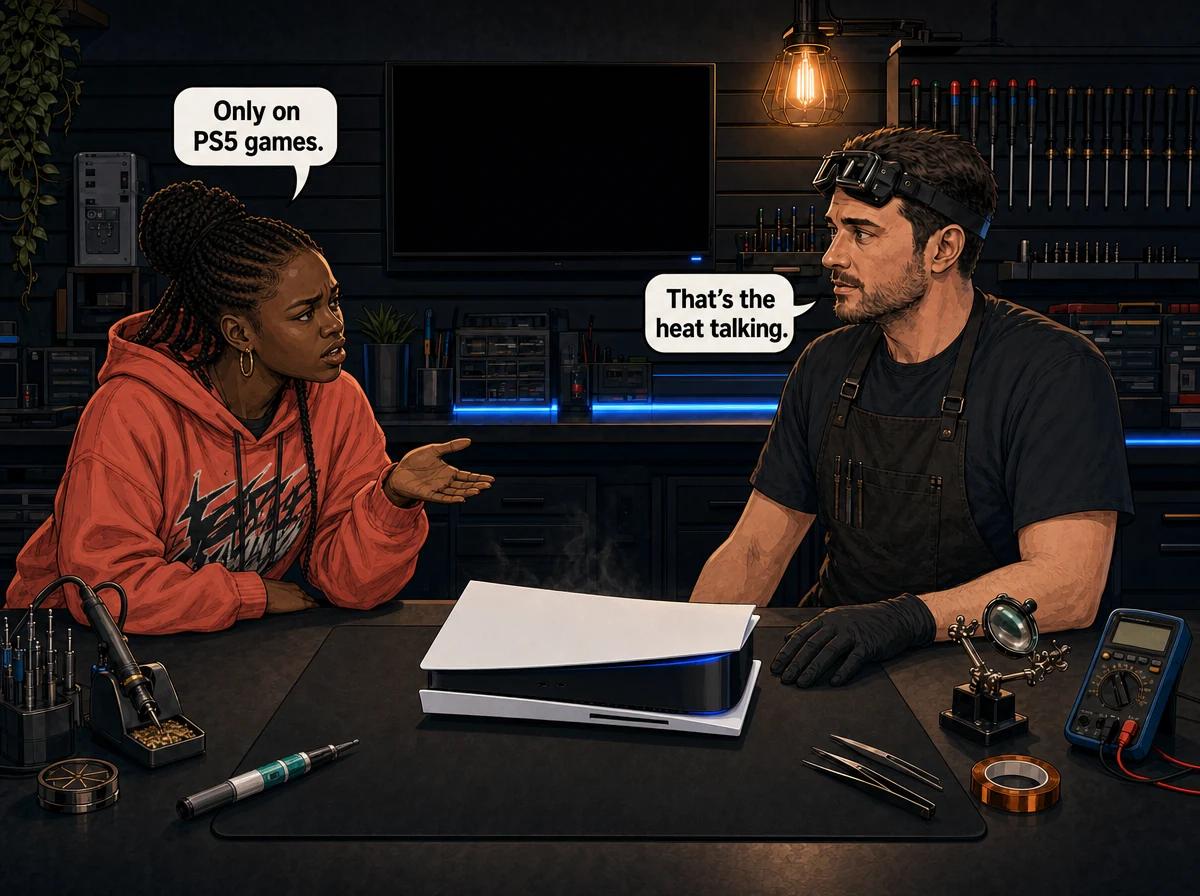
You can play a PS4 game on your PS5 all afternoon and nothing happens. Load a proper PS5 title and forty minutes later the screen goes black, the console is off, and the fan noise you had been ignoring is suddenly very relevant.
Most people read that as a software problem. A bad patch. A corrupted game. Something Sony will fix. Then they reinstall the game, it happens again, and they start wondering whether the console is dying.
It usually is not dying. But it is telling you something quite specific, and the fact that PS4 games are fine is the most useful clue you have.
A PS5 that shuts off only on PS5 games is almost never suffering from a software fault. It is failing under load. Independent power measurements taken at the PS5's launch by Digital Foundry showed the console drawing 107W running a backwards-compatible PS4 title and peaking at 203W running a native PS5 game — roughly double the electrical and thermal demand from the same console on the same shelf. A PS4 game simply never asks enough of the processor, the cooling system or the power supply to expose a fault that is already there. Native titles do, every single time you load one. In the consoles that reach our bench at Console Service Centre in Boksburg, that fault is nearly always one of four things: liquid metal that has moved off the processor, a heatsink packed with dust, a cooling fan that has lost airflow, or a power supply that can no longer hold its output at peak draw. All four are repairable, and the console underneath them is usually fine.
Why PS5 Games Shut the Console Off and PS4 Games Do Not
The PS5 runs the overwhelming majority of the PS4 library, and Sony's own support documentation confirms that. Some of those older titles even benefit from Game Boost, which can give them a higher or smoother frame rate than they managed on the original hardware. What Game Boost does not do is make a PS4 game behave like a PS5 game.
A PS4 title was built for a machine with a fraction of the graphical horsepower. Running it on a PS5 is like driving a bakkie in third gear on a flat road — the engine is barely working. A native PS5 title is built to use everything the console has: the full graphics load, the fast storage pipeline, ray tracing in many cases, and sustained high frame rates. The processor sits near its ceiling for hours instead of idling along at a third of it.
That difference shows up as heat and as current draw, and those two things are what break consoles.
Here is the part that catches people out. A cooling or power fault does not announce itself. It sits there quietly for months while you play lighter games, watch streaming apps and browse the store, all of which run cool. The first thing that ever loads the console properly is a demanding PS5 game — so that game gets the blame. The game is innocent. It is just the only thing in your library capable of finding the problem.
This is why the symptom is so specific and so useful. If your PS5 shuts off on PS5 games but PS4 games work, you have effectively already run a diagnostic. You have proven the console boots, the storage reads, the video output works and the system software is intact. What you have not proven is that it can survive being worked hard. That narrows the fault list dramatically, and it points at hardware rather than software.
What the Console Is Actually Doing When It Cuts Out
A PS5 that shuts off under load has not crashed in the way a phone or a laptop crashes. In most cases it has protected itself.
The console monitors its own internal temperature. When that temperature climbs past what Sony considers safe, the system reacts. Sometimes you get a warning on screen telling you the console is too hot and to turn it off until it cools down. Often, when the rise is fast, there is no warning at all — the power simply cuts, and the console is stone cold silent when you go to press the power button again.
Two details from that moment are worth paying attention to, because they tell us a lot on the bench:
- How long it ran before it cut. A console that dies within a minute or two of loading a heavy scene is behaving differently from one that gives you 45 minutes first. The fast one usually points at power delivery. The slow one usually points at heat building up.
- Whether it restarts immediately. If you can power it straight back on and get another 40 minutes, the console is not damaged — it is hitting a limit and backing off. If it refuses to start again until it has sat for an hour, heat is very likely the cause.
There is one more pattern we see often enough to mention. Some consoles do not turn off at all — they get slow instead. Frame rates drop, the fan goes flat out, and the picture stutters in scenes that used to be smooth. That is the same underlying problem caught earlier. The console is reducing its own performance to stay within temperature. If you ignore it, it eventually stops being able to, and then it starts shutting off.
The Four Faults Behind It
These are ranked by how often we actually find them, not by how dramatic they sound.
1. Liquid metal that has moved off the processor
Every PS5 ever made — the original, the Digital Edition, the Slim and the Pro — uses liquid metal between the processor and the heatsink instead of ordinary thermal paste. It is a gallium-based alloy that stays fluid at room temperature, it moves heat far better than paste does, and Sony applies it at the factory behind a small foam and rubber barrier designed to keep it where it belongs.
It is also a liquid, and gravity works on a liquid for every hour the console is powered on and every hour it is standing upright on a shelf. Over years, it can creep away from part of the processor. What is left behind is a dry patch with no thermal contact at all.
A console in that state cools perfectly well at low load. Nothing you do on the menus, in a streaming app or in a PS4 game generates enough heat to matter. Load a native PS5 title and that dry patch heats up on its own, far faster than the sensors elsewhere expect, and the console pulls its own plug.
This is the single most common cause we find in PS5 consoles that shut off only on demanding games, and it is why the fault pattern is so consistent. We have written up the mechanism in detail in our guide to PS5 liquid metal problems, and the orientation question that makes it worse is covered in whether a PS5 should stand upright or lie flat. We have seen the end state of this fault more than once: processors cracked in half by prolonged localised overheating on consoles that ran hot for months before anyone acted.
2. A heatsink and vents choked with dust
South African homes are dusty. Add a lounge carpet, a pet, and a console sitting in a media unit with 3 cm of clearance, and a PS5 will pack its heatsink fins solid inside two or three years.
Dust does not stop the fan spinning. That is the trap. The fan sounds like it is working, the console feels like it is breathing, but the air is passing through a blanket instead of a heat exchanger. The console then behaves exactly like the liquid metal case: fine on light loads, dead under a heavy one.
Sony's own guidance here is worth following to the letter. The air vents on the sides and back must not be blocked, there should be at least 10 cm of free space around each side of the console, it must not sit on a carpet or rug with long fibres, it must not go into a narrow or cramped space, and dust must not be allowed to build up in or around the vents.
3. A cooling fan that has lost its airflow
Fans wear out. The bearing dries, the blade balance goes, and the fan spins at the speed it is told to but moves noticeably less air than it did when it was new. On a console with a large thermal budget, that shortfall only matters when the thermal budget is actually being used.
We usually hear this one before we measure it. A tired PS5 fan has a different sound under load — a harsher, rougher note rather than the clean rush of moving air, and it often ramps up and down in a way that does not track what is happening on screen.
4. A power supply that cannot hold peak load
This is the least common of the four, but it is the one that produces the fastest shutdowns.
The PS5's power supply is internal, built into the chassis rather than sitting in a separate brick on the floor. Its job is to hold a stable output while the processor swings from near-idle to full load and back again, sometimes several times a second. A power supply whose components have aged can hold that output perfectly at 107W and fail to hold it at 203W. When it dips, the console loses power instantly. There is no warning message and no slow ramp-up in fan noise beforehand, because heat was never the problem.
The tell is timing. Heat faults give you a few minutes at minimum. Power supply faults often kill the console within seconds of a big load spike — a cutscene ending, a large area loading in, a boss fight starting. If yours dies at consistently dramatic moments rather than after a consistent length of time, we look at the power supply first. Our PS5 power supply replacement guide goes through what that repair involves.
Quick Checks You Can Do Safely at Home
None of these require opening anything. Do them in order, and give the console a genuinely cold start between attempts.
- Move the console into open air. Take it out of the cabinet, off the carpet, and away from the wall. Sony asks for at least 10 cm of clear space on every side. Give it more if you can.
- Lay it flat. Horizontal placement keeps the liquid metal spread across the processor the way it was applied. It costs you nothing and it removes the one variable you can control without tools.
- Clear the outside of the vents. Unplug the power cable from the back of the console first — Sony says this explicitly, for safety. Then use a low-powered vacuum cleaner on and around the vents. Do not blow compressed air into the console, which drives dust deeper into the heatsink, and do not open anything.
- Let it cool properly, then test. Leave it off for an hour. Then load the PS5 game that kills it and note how long it survives from a cold start. Write the number down.
- Test with a second demanding PS5 game. If two unrelated native titles both kill it and PS4 titles do not, you have ruled out one bad game.
- Rebuild the database in Safe Mode. Power the console fully off, hold the power button until you hear the second beep, connect it to the TV, and choose the Rebuild Database option. This does not delete your games or saves. It rules out a corrupted file index, and it takes minutes.
- Check for a system software update. If one is pending, install it. This is the last software cause worth eliminating.
If the console still shuts off on native PS5 games after all seven, the problem is inside the machine.
How to Tell Heat from Software Once and for All
There is a simple test that settles the argument, and you can run it yourself.
- Start from a completely cold console — off at the wall for at least an hour.
- Load the PS5 game that causes the shutdown, and time how long it takes to cut out.
- Power it back on as soon as it lets you, load the same game again, and time it a second time.
- Compare the two numbers.
If the second run is clearly shorter than the first, it is heat. A hardware fault in the cooling path gets worse as residual heat stacks up, so each attempt buys you less time than the last. If both runs last roughly the same length regardless of how hot the console already is, heat is not the driver, and we look at power delivery or a board-level fault instead.
That single comparison saves us diagnostic time and it saves you money, so bring the numbers with you.
Not sure which one you have? WhatsApp us on 087 550 2307 — we respond immediately, 24/7. Tell us how long it runs before it cuts, whether it restarts straight away, and whether PS4 games are genuinely fine. We can usually tell you which of the four faults you are looking at before the console ever leaves your house.
What Happens When It Reaches the Bench
We do not guess at this fault, because guessing is expensive. A PS5 that shuts off under load gets bench-tested under load, which means running it hard enough to reproduce your symptom while we watch temperatures and power behaviour rather than watching a game.
From there the repair follows the fault we actually find.
A full service is where most of these end. The console is stripped to components, the panels are washed, the dust is cleared out of the heatsink and fan housing, the old liquid metal is removed from the processor and heatsink, fresh liquid metal is applied behind a properly restored barrier, and it goes back together and gets tested to confirm the thermals hold. A PS5 full service is R1,249, and for a console shutting off on demanding games it fixes both the liquid metal and the dust problem in one go.
A fan replacement goes in when the fan is measurably not doing its job. Several fan revisions exist across the PS5 range, so the price depends on which one your console takes: R1,449 – R1,699.
A power supply repair or replacement is the answer when the console dies instantly under a load spike rather than after a warm-up period. PS5 power supplies come in several variants across the original and Slim models, which is why this one is a range: R1,749 – R2,049. You can read what the work involves on our power supply repair page.
Board-level work is the outcome nobody wants and the reason we push people to act early. A console that has been shutting down for months has been overheating for months, and sustained localised overheating damages the processor itself. When that has happened, it becomes a board-level repair and the conversation changes. Catching this at the "it shuts off on PS5 games" stage is the difference between a service and a board job.
If you decline the repair once we have diagnosed it, or the console turns out to be genuinely unrepairable, you pay the R199 bench fee and nothing else. There is no surprise on the other end of that.
Why Opening It Yourself Makes This Worse
We understand the temptation. There are videos, the panels look like they come off easily, and liquid metal is sold online.
Here is what actually arrives at our workshop. Consoles with the fan connector snapped off the main board and the traces around it torn out — that is three to four hours of trace rebuilding on top of whatever was wrong originally, and it costs far more than the service would have. Consoles with stripped screws and broken plastic clips. Consoles with torn flex cables. And the worst outcome of all: spilled liquid metal. It is electrically conductive. A drop of it in the wrong place shorts components on the board, and that damage is sometimes not repairable at any price.
The power supply deserves its own warning. Console power supplies contain capacitors that store 200 to 400 volts each. If they have not been discharged properly, they can burn you or kill you. We will never tell a customer to open one, under any circumstances.
Opening your console yourself risks causing additional damage — broken flex cables, stripped screws, or damaged connectors that make the repair more expensive. We strongly recommend leaving internal repairs to professionals.
Keeping It From Coming Back
Once the console is repaired, a few habits keep it that way. Most of these cost nothing.
- Lay it flat. It is the single most effective thing you can do to slow liquid metal migration, and there is no performance penalty.
- Give it 10 cm of clear air on every side, per Sony's own instruction. A closed media cabinet is the worst place in the house for it.
- Keep it off long-fibre carpet and rugs. They block the underside vents and they feed the console dust.
- Vacuum the outside of the vents every few months, with the power cable unplugged, using a low-powered vacuum. Never blow air into it.
- Book a service before it starts complaining. Thermal material does not last forever. If your PS5 is a few years old and it has never been serviced, it is due — and a service is a far smaller bill than a board repair.
- Watch the room temperature. A Highveld summer afternoon in a closed lounge adds real degrees to the air the console is trying to cool itself with. Open a window or play later.
- Protect it from load shedding. Repeated hard power cuts and the surges that come with restoration are hard on a power supply. An affordable home UPS large enough to carry the console through the changeover is cheap insurance, and it also saves you the corrupted-database headache that comes with an abrupt power loss.
Frequently Asked Questions
Why does my PS5 shut off on PS5 games but PS4 games work fine?
Because PS4 games do not work the console hard enough to reach the fault. Measured power draw at launch showed the PS5 pulling 107W on a backwards-compatible PS4 title and peaking at 203W on a native PS5 game. That roughly doubled load exposes a cooling or power problem that lighter titles never touch. It is a hardware symptom, not a game bug.
Is this a software problem I can fix with a reinstall?
Almost never. Rebuilding the database and installing any pending system update are worth doing because they are quick and free, but if the console still shuts off on demanding PS5 titles afterwards, the cause is physical. Reinstalling the game repeatedly will not change anything.
Can a PS5 that shuts off under load damage itself permanently?
Yes, if it is left long enough. The shutdown itself is the console protecting the hardware, so a few of them do no harm. Months of running hot before each shutdown is a different matter — sustained localised overheating can damage the processor, and we have seen PS5 processors crack from exactly that. Getting it looked at early is the cheap option.
How much does it cost to fix a PS5 that shuts off on demanding games?
It depends on which of the four faults you have, which is why we bench-test under load before quoting. Most of these consoles need a full service, which covers the liquid metal and the dust together. A worn fan or a failing power supply is a separate part cost. You get the number before any work starts, and if you decline it, you pay the R199 bench fee and nothing more.
How long does the repair take?
We diagnose first and give you the quote before we touch anything. Once you approve it, most cooling and power work on a PS5 is straightforward bench work rather than a long job. We give you a realistic timeframe with the quote — we would rather be accurate on the day than optimistic on the phone.
Does a full service delete my games or saved data?
No. A full service is mechanical and thermal work on the cooling system. Your storage is not touched, your installed games stay installed, and your saves stay where they are. Rebuilding the database in Safe Mode is also safe — it rebuilds the file index, it does not delete content.
I live outside Gauteng. Can you still repair it?
Yes. We collect and return consoles nationwide by courier. Message us on WhatsApp, we arrange the collection and return, and you hand the console over to the driver. You get the diagnosis and the quote before any work happens, exactly as you would if you had walked it into the workshop.
Get Your PS5 Looked At Before It Becomes a Board Repair
A PS5 that shuts off only on PS5 games is a console giving you fair warning. Everything about it still works. It just cannot survive being worked hard, and that is a fixable state — right up until the overheating does permanent damage to the processor.
Here's why Console Service Centre is the right place for it:
- PlayStation and Xbox specialists — consoles are all we do, and PS5 liquid metal work is routine here rather than a first attempt
- 1,303+ Google reviews at 4.9 stars — the world's most-reviewed dedicated gaming-console repair specialist on Google from customers across South Africa
- Diagnosis under real load, so we find the fault your game found instead of guessing at it
- Board-level capability in-house, so you get an honest answer if the processor has already been damaged
- Six-month money-back warranty on every repair
- Nationwide courier collection and return
WhatsApp us: 087 550 2307 — we respond immediately, 24/7
Visit us: 6 Bester Street, Witfield, Boksburg — Monday to Thursday 08:00 to 16:00, Friday and Saturday 08:00 to 13:00
Everything we do for the console is listed on our PS5 repair page. Bring the two timings from the cold-start test with you and you will save us both a step.
Topics Covered
About the Author

Shaun Potgieter
Founder & Head Technician
Expert console technician with 15+ years of hands-on repair experience.