
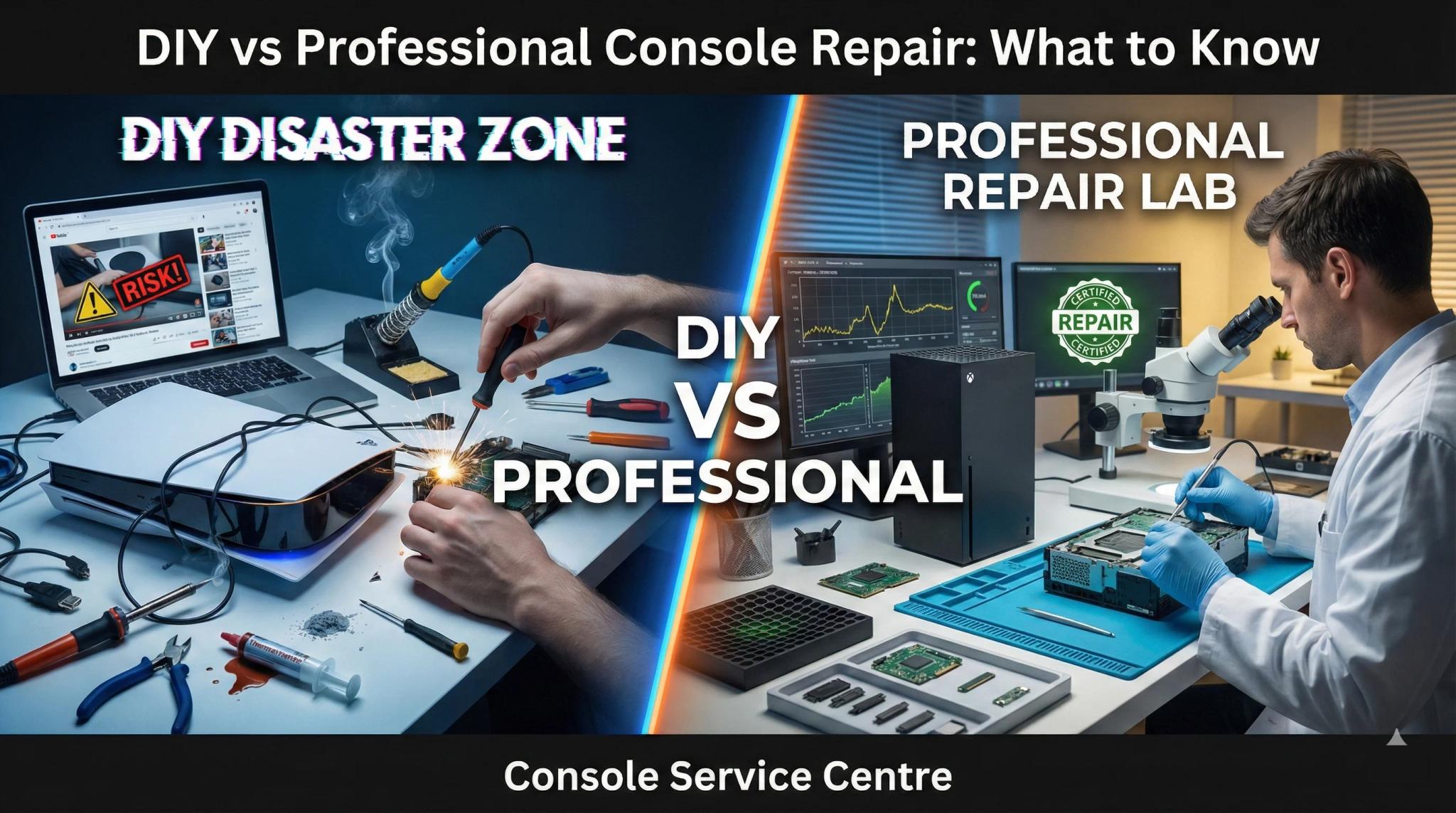
Your console is broken. Maybe it is not turning on, or the screen has gone black, or there is a horrible grinding sound from the disc drive. You search the problem on YouTube and find a dozen videos making it look easy. "Just open it up, replace this part, done." Fifteen minutes, a cheap tool kit from Amazon, and you will be back to gaming. Right?
Not so fast. At Console Service Centre, we have been repairing PlayStation and Xbox consoles since 2011. We have fixed more than 25,000 consoles -- and a significant number of those came in with additional damage caused by DIY repair attempts. Broken fan connectors with all the traces ripped off the motherboard. Liquid metal spilled across circuit boards. Stripped screws, cracked housings, and HDMI ports destroyed by someone who thought a soldering iron would do the job.
The truth is this: some troubleshooting is perfectly safe to do at home, but internal console repair is genuinely risky if you do not have the right equipment, training, and experience. This guide will show you exactly where that line sits -- what you can safely try yourself, what will almost certainly go wrong if you attempt it, and why professional repair saves you money in the long run.
What Console Troubleshooting Can I Safely Do at Home?
Before you even think about picking up a screwdriver, there are several things you can try that are completely safe, require no tools, and solve more problems than you might expect. These are all external fixes -- no opening the console required.
Power Cycle Properly
A full power cycle clears temporary glitches that cause consoles to freeze, refuse to turn on, or display a black screen. This is not just pressing the power button -- you need to do it properly:
- Turn off the console completely (not rest mode or standby)
- Unplug the power cable from the wall (not just from the console)
- Wait a full 30 seconds -- this allows the internal capacitors to discharge
- Plug back in and turn on
This resolves more issues than you would think. We see consoles come in for repair that simply needed a proper power cycle. It costs nothing and takes 30 seconds.
Check Your HDMI Cable and TV Port
If your console turns on but you are getting no picture, the problem might not be the console at all. Try a different HDMI cable (cables fail more often than people realise), a different HDMI port on your TV, or test on a different TV entirely. Also check your TV input settings -- make sure HDCP is not blocking the signal and you are on the correct input.
If a cable swap fixes the problem, you have just saved yourself a repair fee. If you have tried different cables and ports with the same result, you are likely looking at an HDMI port issue that needs professional repair.
Boot Into Safe Mode
Both PlayStation and Xbox consoles have a Safe Mode that lets you troubleshoot software problems without a full boot:
PlayStation (PS4 and PS5):
- Turn the console off completely
- Hold the power button until you hear a second beep (about 7 seconds)
- Connect a controller via USB cable and press the PS button
- Try options like "Restart PS5", "Update System Software", or "Rebuild Database"
Xbox (One and Series):
- Turn the console off completely
- Hold the Bind button + Eject button, then press the power button
- Keep holding Bind + Eject until you hear a second power-on tone
- Select "Reset this Xbox" (keeping games and apps)
Safe Mode can resolve software crashes, boot loops, corrupted databases, and failed updates. If your console is stuck on a loading screen or keeps crashing, this should be your first stop.
External Vent Cleaning
Dust buildup in the vents is one of the most common causes of console overheating. You can safely clean the exterior without opening anything:
- Run a low-powered vacuum along the vents from outside -- Sony's own guidance for PlayStation consoles, and the method we use on the bench for Xbox too; it lifts dust out instead of driving it deeper
- Wipe the exterior with a dry microfibre cloth
- Clear the area around the console -- ensure at least 15 centimetres of clearance on all sides
- Check that nothing is blocking the intake or exhaust vents
What you should NOT do is open the console to clean the fan directly. We will explain exactly why in the next section.
What Makes DIY Console Repair Risky
YouTube makes everything look easy. What the video does not show you is the years of training behind those hands, the thousands of Rands worth of equipment on that bench, or the dozens of consoles that person damaged while learning the skill. Here is why DIY console repair is genuinely dangerous.
Power Supply Danger: 200-400V Capacitors
Every console -- PS4, PS5, Xbox One, Xbox Series -- contains an internal power supply unit with two capacitors that store between 200 and 400 volts each. Even when the console is unplugged from the wall, these capacitors can retain a lethal charge.
If you open a console and accidentally touch the wrong component, those capacitors can burn you severely or, in extreme cases, kill you. This is not an exaggeration -- it is basic electrical safety that every technician learns.
We will never advise any customer to open a power supply. The risk to your safety is simply not worth it. If your console has a power-related issue, it needs professional diagnosis with proper safety procedures.
The PS5 Liquid Metal Trap
This is probably the single biggest trap waiting for anyone who opens a PS5 without understanding what is inside.
Unlike the PS4 and Xbox consoles that use standard thermal paste, the PS5 uses liquid metal as its thermal interface material between the APU (the main processor) and the heatsink. Sony applies liquid metal at the factory because it conducts heat far better than traditional thermal paste.
The problem? Liquid metal is electrically conductive. If it spills, drips, or spreads beyond the barrier Sony placed around the APU, it will create short circuits on the motherboard. One wrong move during a DIY thermal replacement and you could short out the most critical component in the console. We have seen PS5 motherboards that were completely destroyed by liquid metal spills -- unrepairable.
This applies to all PS5 models: the original PS5 Disc, PS5 Digital, PS5 Slim, and PS5 Pro. Every single one uses liquid metal. If someone tells you the PS5 uses thermal paste, they are wrong, and that misinformation could cost you your console.
PS4 and Xbox consoles use standard thermal paste, which is safer but still requires proper technique to apply correctly.
Micro-Soldering Is Not DIY
HDMI port repair is one of the most common console fixes we perform. It is also one of the most commonly botched DIY attempts we see.
Replacing an HDMI port requires a hot air rework station operating at 350-400 degrees Celsius. The port has 19 microscopic pins spaced just 0.4 millimetres apart, plus structural anchor points that secure it to the board. You cannot do this with a standard soldering iron -- the heat is too concentrated, the tip is too large, and you will almost certainly lift the pads off the board, destroying the traces that carry the signal.
We regularly see consoles where someone attempted HDMI repair with a soldering iron. The damage is almost always worse than the original problem: lifted pads, bridged pins, and damaged traces that require hours of board-level repair -- if they can be fixed at all. With a hot air rework station and the right technique, the repair is routine. With a soldering iron at home, it very rarely ends well.
Component Pairing and Software Locks
Modern consoles are not like older electronics where you could swap parts freely. PS5 disc drives are paired to the motherboard at the factory level. You cannot simply take a disc drive from one PS5 and put it in another -- the console will not recognise it without a board-level pairing procedure.
This means if you damage your disc drive during a DIY attempt, you cannot just buy a replacement and plug it in. The drive must be professionally paired to your specific motherboard, or you will be left with a console that refuses to read any discs.
Real DIY Disasters We See in Our Workshop
These are not hypothetical scenarios. These are real situations we deal with regularly at Console Service Centre. Every one of these started as someone trying to save money on a repair.
The Broken PS5 Fan Connector
This is the single most common DIY disaster we see. A customer notices their PS5 is running hot or making noise and decides to clean the fan themselves. They watch a YouTube video, open the console, and try to disconnect the fan cable.
The fan connector is soldered directly to the motherboard. It is small, fragile, and designed to be disconnected by gently wiggling the plug -- not the socket. But customers pull too hard or use pliers at an angle and rip the entire connector off the board, taking all the traces with it.
Instead of a straightforward cleaning service, the console now needs 3 to 4 hours of micro-soldering work to rebuild the destroyed traces. What would have been a simple service becomes a significantly more expensive repair.
We see this multiple times per month. It is preventable, and it breaks our hearts every time.
Stripped Screws and Broken Clips
Console shells use specific screw types and plastic clips with precise release mechanisms. When customers force them open with the wrong tools:
- Security screws get stripped -- the heads round out and the screws become impossible to remove without a screw extractor
- Plastic clips snap off -- once broken, panels no longer click securely into place
- Housings crack -- especially on the PS5, where the curved side panels are under tension when clipped in
Now the console needs replacement shell parts on top of whatever the original problem was.
Torn Flex Cables and Ribbon Cables
Inside every console, delicate flex and ribbon cables connect components via connectors with locking mechanisms. Customers who do not know about these locks yank the cables out forcefully, tearing the cable or breaking the connector on the motherboard. A torn flex cable means the component it connects to (disc drive, power button, eject button) no longer functions and needs replacement -- a job that sometimes requires soldering.
The Attempted HDMI Port "Fix"
A customer's PS5 or PS4 has no display output. They determine it is an HDMI port issue, order a replacement port, and attempt the repair with a standard soldering iron.
The result is almost always the same: lifted pads, solder bridges between microscopic pins, and heat damage to the surrounding board area. The damage from the DIY attempt is often worse than the original HDMI failure and sometimes unrepairable entirely. A professional HDMI port replacement with proper equipment costs far less than the board-level repair a botched attempt creates.
Liquid Metal Spill During Thermal Replacement
A PS5 owner reads that their console is overheating and decides to replace the thermal material. They order thermal paste (already wrong -- the PS5 uses liquid metal, not paste) or they order liquid metal without understanding how dangerous it is.
During disassembly, the existing liquid metal -- which Sony applied inside a containment barrier -- shifts, drips, or spreads onto the motherboard. Because liquid metal is electrically conductive, it immediately creates short circuits between components. In some cases, the console will never turn on again. This requires experience, a steady hand, and an understanding of exactly how Sony's containment system works.
What Professional Console Repair Actually Looks Like
Professional console repair is not just "the same thing you would do at home, but more expensive." It is a fundamentally different process.
Systematic Diagnosis
When a console arrives at our workshop, we do not guess. We follow a systematic diagnostic process: visual inspection, power testing at key voltage points, thermal imaging for hotspots, and signal tracing to identify exactly which component has failed.
This identifies the root cause, not just the symptom. A console with no display output could have an HDMI port issue, an HDMI encoder chip failure, a GPU problem, or a power delivery issue. Each has a completely different repair. Guessing wastes time and money -- systematic diagnosis does not.
Specialist Equipment
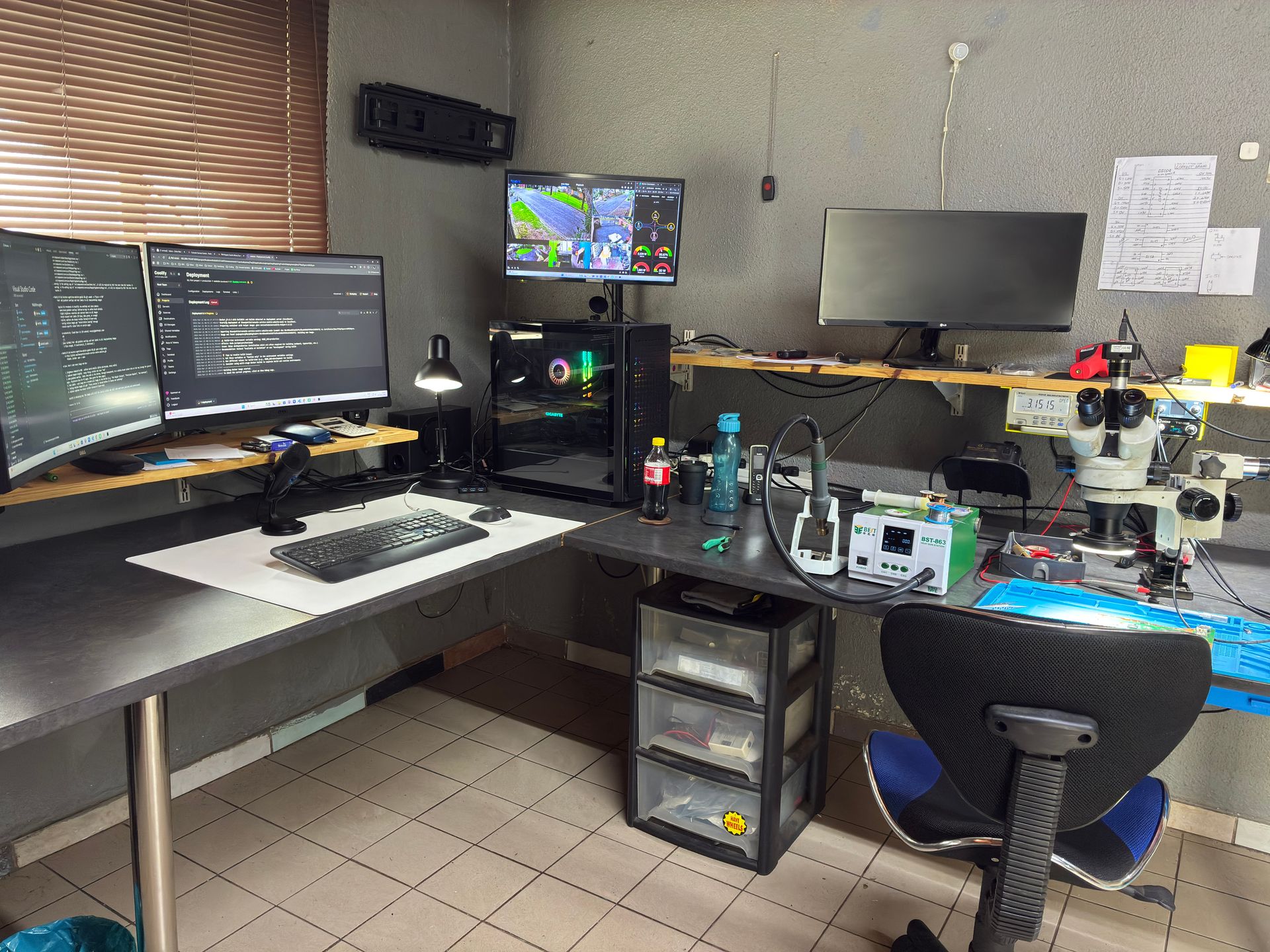
Our workshop includes:
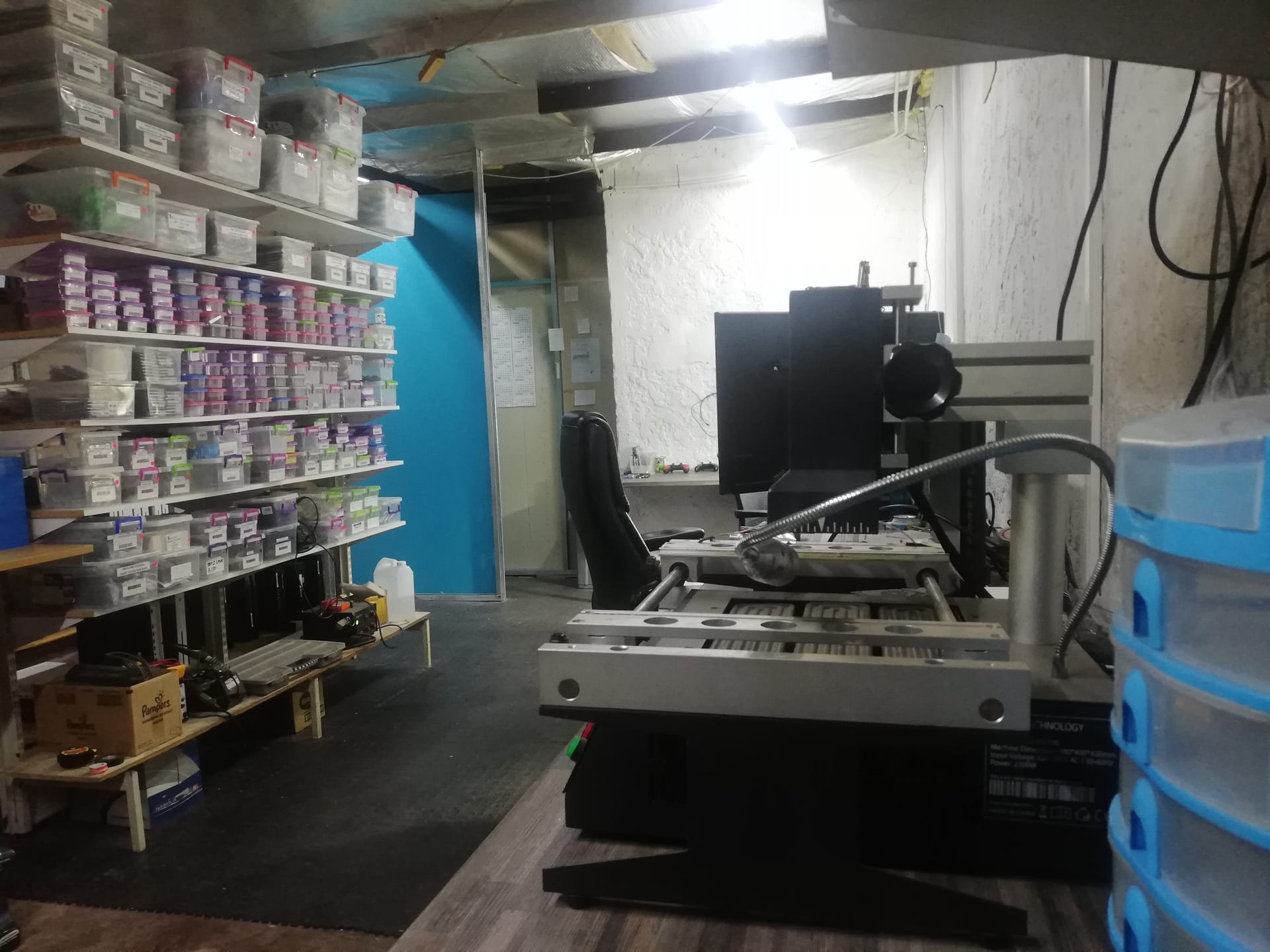
- Hot air rework station -- for HDMI port replacements and BGA work at precisely controlled temperatures
- Microscope -- for inspecting and soldering microscopic connections that are invisible to the naked eye
- Oscilloscope -- for measuring electrical signals and identifying faulty components
- Multimeter -- for voltage and continuity testing across the board
- Thermal camera -- for identifying hotspots and thermal issues
- ESD-safe workstation -- to prevent static discharge from damaging sensitive components
- Ultrasonic cleaner -- for cleaning liquid-damaged boards
This equipment represents thousands of Rands of investment and years of training to use correctly.
Warranty Coverage
Every repair we complete comes with a 6-month money-back warranty. If the same issue returns within six months, we fix it again at no charge. If we cannot fix it, you get your money back. DIY repairs come with no warranty -- and if you then bring the console to a professional, the additional damage makes the repair more complex and more expensive.
When to DIY and When to Call a Professional
Here is a straightforward guide to help you decide:
Safe to do yourself (external troubleshooting):
- Power cycling (full unplug for 30 seconds)
- Trying a different HDMI cable or TV port
- Booting into Safe Mode
- Rebuilding the database (via Safe Mode)
- Updating system software
- External vent cleaning with a low-powered vacuum (from outside only)
- Checking TV settings (HDCP, resolution, game mode)
- Adjusting console placement for better airflow
Requires professional repair (internal work):
- HDMI port replacement (hot air rework station required)
- Power supply diagnosis or repair (200-400V capacitor danger)
- Thermal material replacement (liquid metal on PS5, precise application on all consoles)
- Disc drive repair or pairing (PS5 drives are paired to the motherboard)
- Fan connector repair (soldered to motherboard)
- Board-level fault finding (requires oscilloscope, thermal camera)
- Any repair that requires opening the console
The rule of thumb is simple: if the fix requires you to open the console, it requires a professional. The risk of causing additional damage -- and the cost of fixing that damage on top of the original problem -- is simply not worth it.
Why Professional Repair Saves You Money in the Long Run
DIY repair feels cheaper on paper. A tool kit costs a few hundred Rand, and a replacement part costs less than a professional repair fee. In practice, it almost never works out that way.
Consider this real scenario: a customer's PS5 needs a full service. They decide to do it themselves. During the process, they break the fan connector off the motherboard.
Now, instead of paying for a service, they are paying for:
- The original service (still needs to be done)
- Trace rebuild (3-4 hours of micro-soldering to repair the torn traces)
- Possible component replacement (if the connector itself is damaged beyond reuse)
The total cost is now significantly more than the original professional service would have been.
This pattern repeats across every type of DIY attempt we see. The "savings" evaporate the moment something goes wrong, and with internal console repair, something almost always goes wrong without proper training and equipment. Add the time cost -- hours researching, sourcing parts, buying tools you will use once, attempting the repair, and then finding a professional to fix the original problem plus the new damage -- and DIY rarely makes financial sense.
What Does Professional Repair Actually Cost?
Here are our current repair prices for every console we service.
PS4:
| Repair | Price |
|---|---|
| Disc Drive Repair | R1,249 |
| Full Service | R1,249 |
| Hard Drive Repair & Software Reload | R1,249 |
| HDMI Port Replacement | R1,249 |
| Drive Repair | R1,249 |
| South Bridge Chip 25G Replacement | R1,349 |
| Cradle Replacement Only | R1,399 |
| South Bridge Chip 36G Replacement | R1,399 |
| Wi-Fi/Bluetooth Module Replacement | R1,449 |
| South Bridge Chip 46GG Replacement | R1,449 |
| HDMI Port Trace Repair | R1,499 |
| HDMI IC MN86471A Replacement (WLOD) | R1,549 |
| Laser KES-490A Replacement | R1,549 |
| Laser KES-860 Replacement | R1,549 |
| BLOD | R1,599 |
| Fan Replacement | R1,599 |
| Laser KES-490A With Deck Replacement | R1,599 |
| HDMI IC MN864729 Replacement (WLOD) | R1,649 |
| Laser KES-496A Replacement | R1,649 |
| PSU 4pin ADP-200ER Replacement | R1,699 |
| PSU ADP-160CR Replacement | R1,749 |
| PSU ADP-160FR Replacement | R1,749 |
| Disc Drive Only | R1,799 |
| PSU ADP-300CR Replacement | R1,799 |
| PSU ADP-300FR Replacement | R1,799 |
| PSU 4pin ADP-240CR Replacement | R1,849 |
| PSU 5pin ADP-240AR Replacement | R1,849 |
| PSU ADP-160ER 160P1A (N16) Replacement | R1,849 |
| PSU ADP-300ER Replacement | R1,849 |
| Complete Drive With Laser | R1,899 |
| Hard Drive Replacement & Software Reload 1TB (Normal) | R1,899 |
| Complete Drive with Laser | R1,899 |
| South Bridge Chip 42GG Replacement | R2,199 |
| Hard Drive Replacement & Software Reload 2TB (Normal) | R2,299 |
| Hard Drive Replacement & Software Reload 1TB (SSD) | R2,749 |
*Prices shown are the total amount payable.
Get an exact quote on WhatsApp →PS5:
| Repair | Price |
|---|---|
| Drive Repair | R1,249 - R1,299 |
| Full Service | R1,249 |
| HDMI Port Replacement | R1,299 |
| Internal 17 Blade Fan (Fat) | R1,449 |
| HDMI Port Trace Repair | R1,499 |
| BLOD | R1,599 |
| Internal 19 Blade Fan | R1,599 |
| Internal 23 Blade Fan | R1,699 |
| Internal 23 Blade Fan (Original) | R1,699 |
| ADP-400DR Power Supply | R1,749 |
| BIOS IC - Winbond W25Q16JVN1M | R1,749 |
| ADP-400FR Power Supply | R1,799 |
| HDMI IC MN864739 | R1,799 |
| ADP-400ER Power Supply | R1,849 |
| South Bridge Chip 61GG Replacement | R1,849 |
| South Bridge Chip 69GG Replacement | R1,849 |
| 497A Laser | R1,999 - R2,049 |
| ADP-400GR Power Supply | R2,049 |
| Disc Drive Only | R2,199 - R2,299 |
| Complete Drive with Laser | R2,699 - R2,749 |
| South Bridge Chip 62GG Replacement | R3,199 |
| Pro ADP-420DR Power Supply | R4,199 |
*Prices shown are the total amount payable.
Get an exact quote on WhatsApp →Xbox One:
| Repair | Price |
|---|---|
| NFD Replacement (ESD) | R1,149 |
| Drive Repair | R1,249 |
| Full Service | R1,249 |
| Hard Drive Repair & Software Reload | R1,249 |
| HDMI Port Replacement | R1,299 - R1,399 |
| Power IC NCP4250 | R1,299 |
| LAN IC Realtek | R1,349 |
| Laser HOP-B150 Replacement | R1,349 |
| Laser HOP-B150 With Deck | R1,449 |
| Fan Replacement | R1,499 |
| HDMI Port Trace Repair | R1,499 |
| WIFI Module | R1,499 |
| Internal PSU N15-120P1A Replacement | R1,499 |
| South Bridge Replacement | R1,549 |
| South Bridge | R1,549 |
| 220V 2pin Power Supply Replacement | R1,599 |
| Disc Drive Only | R1,599 |
| HDMI IC 158 Replacement | R1,649 |
| Complete Drive With Laser | R1,749 |
| Internal PSU Replacement | R1,849 |
| Hard Drive Replacement & Software Reload 1TB (Normal) | R1,899 |
| Hard Drive Replacement & Software Reload 2TB (Normal) | R2,299 |
| Hard Drive Replacement & Software Reload 1TB (SSD) | R2,749 |
*Prices shown are the total amount payable.
Get an exact quote on WhatsApp →Xbox Series:
| Repair | Price |
|---|---|
| NFD Replacement (ESD) | R1,149 |
| Full Service | R1,249 |
| Drive Repair | R1,249 |
| HDMI Port Replacement | R1,299 - R1,449 |
| Power/Eject Button Flex Cable Connector Nexus FPC | R1,399 |
| Fan Replacement | R1,499 - R1,599 |
| HDMI Port Trace Repair | R1,499 |
| HDMI IC NB7N621M Replacement | R1,799 |
| Power Supply | R1,849 - R2,099 |
*Prices shown are the total amount payable.
Get an exact quote on WhatsApp →Compare these prices to the cost of a botched DIY attempt -- which often requires fixing the original problem plus the damage caused -- and the value of professional repair becomes clear.
Not sure what is wrong with your console? WhatsApp us at 087 550 2307 -- we respond immediately, 24/7, and can often give you a good idea of what is wrong based on your symptoms before you send your console in.
How to Choose a Reputable Console Repair Shop
Choosing the right shop matters. Not all repair services are equal. Here is what to look for:
Look for Console Specialists
A shop that repairs phones, tablets, laptops, drones, and "also does consoles" is not the same as a shop that specialises exclusively in PlayStation and Xbox repair. Console specialists see higher volumes of the same problems, invest in console-specific equipment, and develop deep expertise in the specific failure patterns of each model.
Check Reviews, Warranty, and Equipment
Reviews tell you what real customers experienced. Look for volume (hundreds of reviews indicates genuine feedback), recency, and specificity (reviews mentioning the actual repair done are more trustworthy). How a business responds to negative reviews tells you a lot about their values.
Ask what warranty they offer. A reputable shop stands behind its work. Be cautious of shops that offer no warranty at all -- if they are not confident enough to guarantee their repairs, why should you be?
Once you've chosen a shop, our guide on what to tell a console repair shop and what to expect back helps you describe the fault clearly and know what a good handover looks like.
Ask what equipment they use. For HDMI port repair, the shop should have a hot air rework station and a microscope. If they are using a basic soldering iron for HDMI work, find a different shop.
South Africa-Specific: Check for Courier Options
If you are not near a reputable repair shop, look for services that offer courier repair. At Console Service Centre, we offer nationwide courier repairs through The Courier Guy. You ship your console to us, we repair it, and we ship it back. This means you are not limited to whatever repair shop happens to be closest to you -- you can choose the best one.
How Do I Protect My Console from Needing Repair?
The best repair is the one you never need. Here are proven ways to keep your console running reliably:
Proper Ventilation
Give your console room to breathe. At least 15 centimetres of clearance on all sides -- top, back, and sides. Never put your console inside an enclosed TV cabinet, on carpet, or wedged between other electronics. Heat is the number one killer of gaming consoles, and restricted airflow is the number one cause of overheating.
Keep It Horizontal (Especially PS5)
If you own a PS5, we strongly recommend keeping it horizontal (flat). When a PS5 stands vertically for extended periods, the liquid metal thermal interface can migrate downward due to gravity, creating a dry spot on the upper side of the APU with no thermal coverage. This causes severe localised overheating. We have seen PS5 processors crack in half from prolonged overheating caused by liquid metal migration in vertical consoles.
For more on keeping your console clean and cool, see our complete console cleaning guide.
Use a Surge Protector
In South Africa, power surges from load shedding and lightning storms are a real threat to your console. A quality surge protector rated for at least 1,000 joules is cheap insurance against an expensive power supply repair.
Shut Down Properly
Never pull the power cable while your console is on. Always shut down through the menu and wait for the power light to go off completely before unplugging. Improper shutdowns can corrupt your hard drive and in some cases cause power-related hardware failures.
Get an Annual Professional Service
Just like a car needs a service, your console benefits from regular professional maintenance. A PS5 full service includes a complete strip-down, dust removal, fan cleaning, heatsink cleaning, and fresh thermal material replacement. For a PS4 or Xbox, the same applies with thermal paste rather than liquid metal.
An annual service keeps temperatures low, fan noise down, and extends the life of your console by years. It is a fraction of the cost of a major repair. For Xbox owners, see our Xbox One repair and Xbox Series repair pages for service pricing.
Frequently Asked Questions
Is it safe to open my PS5 to clean it?
We strongly advise against it. The most common DIY disaster we see is customers breaking the PS5 fan connector off the motherboard while trying to clean the fan. This turns a simple cleaning into a 3-4 hour trace rebuild. Additionally, the PS5 contains liquid metal that can spill if the console is tilted or bumped during disassembly. External cleaning (a low-powered vacuum on the vents, wiping the exterior) is safe. Internal cleaning should be left to professionals.
Can I replace the thermal paste on my PS5 myself?
The PS5 does not use thermal paste -- it uses liquid metal, which is electrically conductive. If liquid metal spills onto the motherboard, it can short-circuit components and potentially destroy the console beyond repair. Even experienced technicians handle PS5 liquid metal replacement with extreme care. PS4 and Xbox consoles use standard thermal paste, which is safer but still requires proper disassembly that risks connector and cable damage. We recommend professional service for all consoles.
Why is professional console repair better than DIY?
Professional repair offers systematic diagnosis (not guesswork), specialist equipment worth thousands of Rands (hot air rework stations, microscopes, oscilloscopes), proper ESD protection, and years of hands-on experience. Most importantly, professional repair comes with a warranty -- ours is a 6-month money-back guarantee. DIY repair has none of these advantages and carries a high risk of causing additional damage that makes the original problem more expensive to fix.
What happens if my DIY repair makes things worse?
We regularly repair consoles that were damaged during DIY attempts. The good news is that we can often rescue them. The bad news is that the repair now costs more than it would have originally, because we need to fix the original problem plus the damage caused by the DIY attempt. Broken fan connectors, lifted HDMI pads, torn flex cables, and liquid metal spills all add complexity, time, and cost to the repair. If you have already attempted a repair and made it worse, WhatsApp us at 087 550 2307 -- we will give you an honest assessment.
Do you repair consoles damaged by other shops or DIY attempts?
Yes. A significant portion of our work involves fixing consoles that were misdiagnosed by other shops or damaged during amateur repair attempts. We will assess the console, give you an honest evaluation, and proceed only with your approval. If the damage is too extensive to repair economically, we will tell you straight.
Can I just watch a YouTube tutorial and fix my console?
YouTube tutorials are filmed by experienced technicians using professional equipment in controlled environments. They make it look easy because they have done it thousands of times. What the videos do not show is the learning curve and the consoles damaged while building that skill. Watching a surgeon operate on YouTube would not qualify you to operate -- console repair is similar. The knowledge and equipment are specialist, and the risk of causing further damage is high without both.
How much does professional console repair cost in South Africa?
The cost depends on what is wrong with your console. PS4 repairs range from R1,249 – R1,899, PS5 repairs from R1,249 – R4,199, and Xbox repairs from R1,249 – R1,849. See our pricing tables above or our console repair cost guide for South Africa for full details. For a personalised assessment, WhatsApp us at 087 550 2307 with a description of your console's symptoms. We respond immediately, 24/7.
Where Can I Get Professional Console Repair in South Africa?
You have read the risks. You have seen what goes wrong when DIY console repair does not go to plan. Now here is the good news: professional repair is straightforward, affordable, and guaranteed.
Here is why Console Service Centre is your best choice:
- Console repair specialists since 2011 -- over 25,000 consoles repaired
- Every problem, multiple times -- we have seen it all
- 1,346+ Google reviews with a 4.9-star rating
- PlayStation and Xbox specialists -- we do not do phones or general electronics
- 6-month money-back warranty -- if the same issue returns, we fix it free
Ready to Get Your Console Working Again?
WhatsApp us: 087 550 2307 -- we respond immediately, 24/7
Visit us: 6 Bester Street, Witfield, Boksburg
Can't get to us? We offer nationwide courier repairs. Ship your console to us via The Courier Guy, we fix it, and we send it back. Simple.
Do not risk turning a simple repair into an expensive disaster. Let the professionals handle it.
Topics Covered
About the Author

Shaun Potgieter
Founder & Head Technician
Expert console technician with 15+ years of hands-on repair experience.