
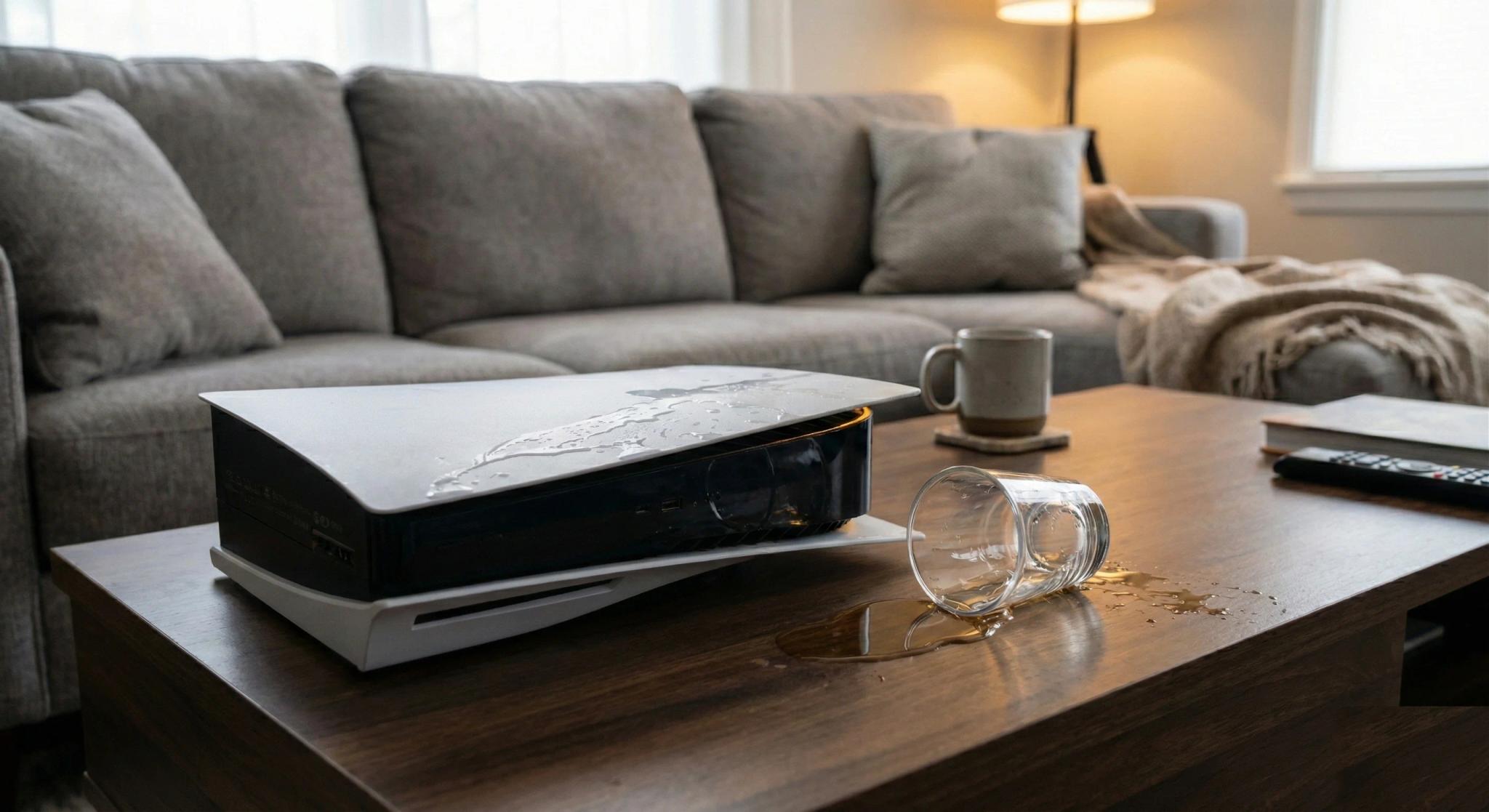
Your heart drops. A glass of water tips over and splashes straight into the top vent of your PS5. Your child knocks a cooldrink across the TV stand and it runs right into your Xbox. Or maybe your cat decided the warm surface of your PS4 was the perfect place to knock a mug of coffee. Whatever happened, liquid has found its way into your console and you are standing there wondering: is it ruined?
The honest answer is: not necessarily. At Console Service Centre, we have repaired over 25,000 consoles since 2011, and liquid damage repairs are something we see regularly across PS5, PS4, and Xbox consoles. Some consoles come back to life with professional treatment. Others, unfortunately, do not. The outcome depends almost entirely on what you do in the first few minutes after the spill and how quickly you get professional help.
This guide covers everything you need to know: what to do right now if you have just spilled something, how liquid actually damages a console, whether your specific situation is fixable, and what professional repair involves. We will also cover a completely different type of liquid damage that is unique to the PS5 -- liquid metal leaks -- which have nothing to do with spills at all.
What to Do Immediately After a Liquid Spill
The first five minutes after a spill are the most critical. What you do right now determines whether your console has a fighting chance or becomes unrepairable. Follow these steps in order:
1. Power Off and Unplug Immediately
This is the single most important thing you can do. Do not wait for your game to save. Do not try to test if it still works. Pull the power cable out of the wall and hold the power button down for 10 seconds to fully shut down the console.
Why this matters: Liquid on its own does not destroy electronics. What destroys electronics is liquid plus electricity. When liquid creates a path between two electrical points that should not be connected, it causes a short circuit. Short circuits can burn out components, fry processors, and damage traces on the motherboard in a fraction of a second. The faster you cut the power, the less damage occurs.
2. Do NOT Turn It Back On -- NOT Even to "Test It"
⚠️ DANGER: DO NOT SWITCH YOUR CONSOLE ON
Even if you think it is dry -- DO NOT power it on. Liquid hides underneath chips where you cannot see it.
Water and other liquids get trapped under the RAM chips, the main processor (APU), and other BGA components that are soldered flat to the motherboard. The surface of the board can look completely dry while liquid is still sitting underneath these chips, invisible to you.
If you switch it on with liquid still under those chips, the electrical current will cause a short circuit that can permanently blow the APU, the RAM chips, or the power management ICs. Once those components are blown, the console often cannot be repaired at all. One press of the power button can turn a fixable R500-R800 repair into a write-off.
This is the single biggest mistake that kills liquid-damaged consoles. The spill happens, you panic, you unplug it, you wait twenty minutes, and then you think "let me just check if it still works." You plug it back in, press the power button, and that is when the real damage happens.
Liquid can sit inside a console for days. It pools on circuit boards, settles between components, and gets trapped under BGA chips (the large flat chips soldered directly to the board, like the APU and RAM). These areas can hold liquid long after the surface appears dry. If you power on while liquid is still present, you are actively creating short circuits through the most critical -- and most expensive -- components on the board. Leave it off. Do not test it. Not even once.
3. Position the Console to Drain
If you can identify where the liquid entered, tilt the console so that gravity helps the liquid drain back out the same way it went in. Place the console on a dry towel and let it sit.
- PS5: If liquid went in through the top vent (the most common entry point), turn the console upside down carefully and let it drain
- PS4: Tilt the console so liquid flows toward the vents rather than deeper inside
- Xbox Series X: If liquid entered through the top exhaust fan, carefully invert it -- if your console needs professional attention, see our Xbox Series repair page
- Xbox One: Lay it on its side with the vent openings facing downward
4. What NOT to Do
There are several popular "tips" that will make things worse:
- Do NOT use a hair dryer. Heat can push liquid deeper into the console and may damage heat-sensitive components. It can also cause liquid to evaporate in place, leaving behind mineral deposits and residue that cause corrosion later.
- Do NOT put it in rice. This is a myth. Rice does not absorb moisture from inside sealed electronics. It just gets rice dust into your console's ports and vents, creating an additional mess. Multiple repair professionals and scientific studies have debunked this approach.
- Do NOT try to suck or blow the liquid out. A low-powered vacuum is the right tool for routine dust on a dry console — it is what PlayStation Support tells PS5 owners to use on the air vents — but it will not lift liquid that has already wicked onto the board, and working over a wet console just spreads the contamination further.
- Do NOT shake the console. You risk spreading the liquid to areas it had not yet reached.
5. Get It to a Professional IMMEDIATELY
Once you have powered off and positioned the console to drain, contact a repair specialist as soon as possible. This is not something that can wait until next week.
⏰ Why Every Hour Counts
The longer liquid sits on the motherboard, the more it seeps underneath the RAM chips, the APU, and other critical components. A professional can open the console, properly dry and clean these hidden areas, and remove liquid from underneath chips using specialised equipment -- before corrosion sets in and destroys the connections permanently.
A console brought in within 24 hours has a dramatically better chance of being saved than one that sits in a cupboard for a week. After a few days, corrosion under the chips can progress to the point where the console is beyond repair -- even if it looked "dry" on the outside.
WhatsApp us at 087 550 2307 -- we respond immediately, 24/7, and can advise you on the best next steps based on your specific situation. If you are not in the Boksburg area, we offer nationwide courier repairs through The Courier Guy.
How Liquid Actually Damages a Console
Understanding what liquid does inside your console helps explain why some consoles survive and others do not. There are three main ways liquid causes damage:
Short Circuits (Immediate Damage)
When liquid bridges two electrical contact points on a circuit board, it creates an unintended electrical pathway -- a short circuit. This can happen instantly and can burn out components, blow fuses, and destroy traces (the tiny copper pathways on the motherboard that carry electrical signals).
Short circuit damage is the most severe because it happens while the console is powered on. This is exactly why cutting power immediately is so critical. If you unplug within seconds, you may prevent short circuits entirely.
Corrosion (Delayed Damage)
Even after a console dries out, the damage is not over. Liquid -- especially anything other than pure distilled water -- leaves behind mineral deposits and residue that cause corrosion over time. Corrosion eats away at solder joints, copper traces, and component legs on the circuit board.
This is why a console might seem fine after drying out for a few days, only to fail weeks or months later. The corrosion was developing invisibly underneath components, slowly destroying connections until something finally failed.
Sugary drinks, coffee, and energy drinks are particularly destructive because the sugar content leaves sticky residue that accelerates corrosion and attracts moisture from the air, keeping the affected area perpetually damp at a microscopic level.
Component Contamination
Liquid can get trapped inside individual components -- connectors, fan bearings, the power supply unit, and under chips that are soldered to the board. Even after the surface appears dry, liquid may still be present in these hidden areas, quietly causing corrosion and waiting to create a short circuit the next time the console is powered on.
What Affects Whether Liquid Damage Can Be Repaired
Not all liquid damage is equal. Several factors determine whether your console can be saved:
Type of Liquid
| Liquid Type | Damage Severity | Repair Outlook |
|---|---|---|
| Distilled water | Low | Best chance of recovery -- minimal residue |
| Tap water | Moderate | Mineral deposits cause corrosion over time |
| Coffee/tea | High | Sugar and oils accelerate corrosion significantly |
| Cooldrink/energy drinks | Very high | Sugar residue is extremely corrosive and sticky |
| Alcohol (beer, wine) | High | Sugar content plus acidity creates aggressive corrosion |
How Quickly You Cut Power
If you unplugged within seconds of the spill, your chances are dramatically better than if the console ran for several minutes with liquid inside. The difference between a quick power-off and a delayed one can be the difference between a repairable console and a write-off.
How Much Liquid Entered
A small splash that only affected one area of the circuit board is far more treatable than a console that was fully submerged or had a large volume of liquid pour directly into the ventilation openings.
How Quickly You Seek Professional Help
This is a major factor that many people underestimate, and it is one of the biggest reasons we see consoles that could have been saved but ended up being write-offs. A console that reaches a professional within 24-48 hours has a significantly better repair outlook than one that sits in a cupboard for weeks while the owner "hopes it dries out."
Here is what happens during that waiting time: liquid that seeped under the RAM chips, the APU, and other BGA components does not just evaporate and disappear. It sits there, slowly corroding the microscopic solder connections between the chip and the motherboard. After a few days, those connections can be permanently damaged. After a week or more, the corrosion can be so severe that even professional ultrasonic cleaning cannot restore them. The console goes from "we can save this" to "we cannot fix this" -- and the only difference was time.
Whether You Powered It Back On
If you turned the console back on while liquid was still present inside, the chance of severe short circuit damage increases dramatically. We regularly see consoles where the initial spill was minor, but the owner powered it back on too soon and caused catastrophic damage to the motherboard.
What Professional Liquid Damage Repair Involves
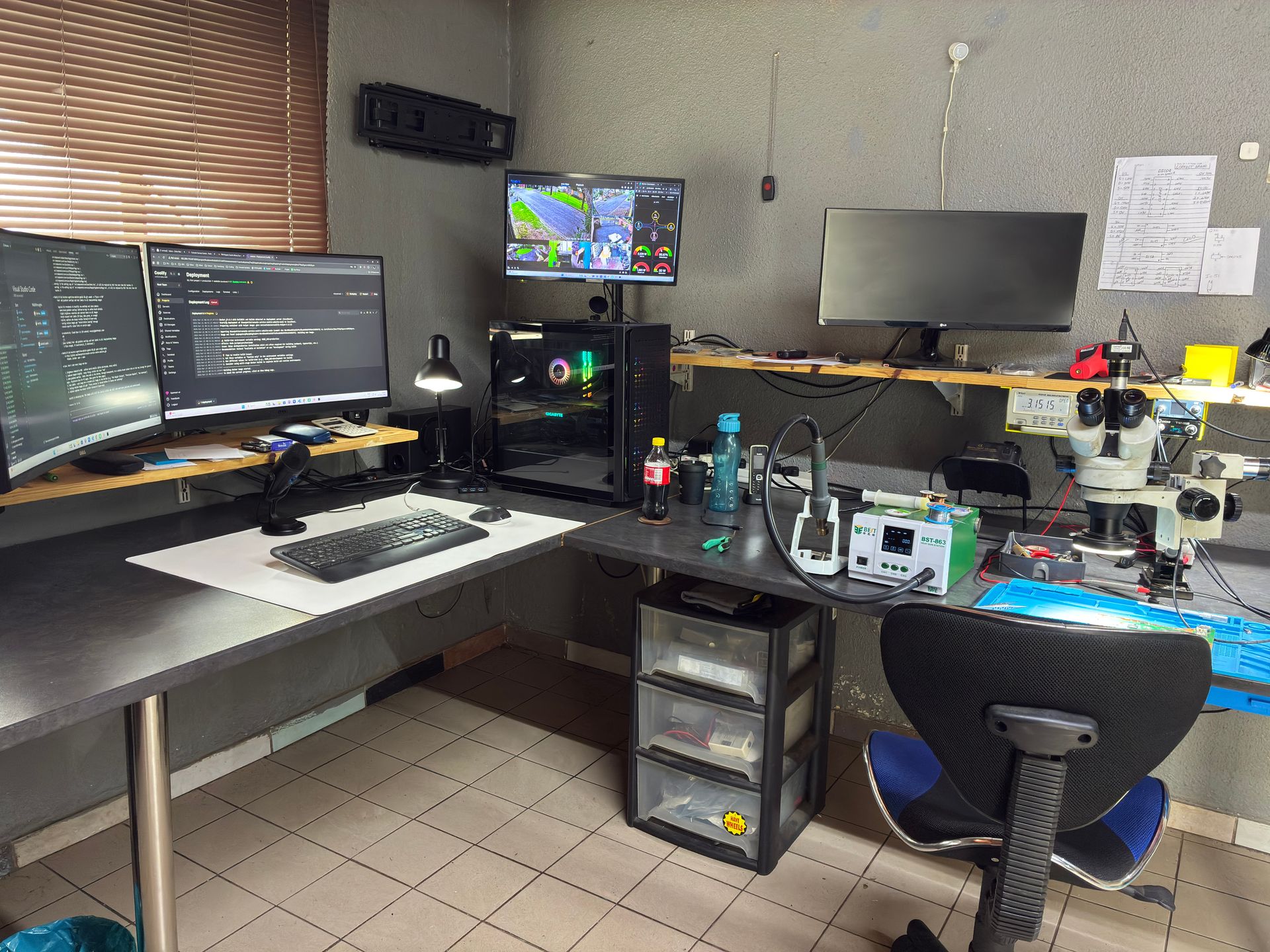
Professional liquid damage repair is very different from standard console repairs. It is a meticulous, time-consuming process that requires specialised equipment and experience. Here is what a proper liquid damage repair looks like:
Complete Disassembly
The console is fully stripped down to its individual components. Every board, cable, connector, heat sink, and shield is removed and inspected individually. This is essential because liquid can travel far from the initial spill point, and hidden damage must be found before it causes problems later.
Board Inspection
Using magnification and good lighting, the technician inspects every area of the motherboard and daughter boards for signs of liquid contact. This includes checking under shields, around connectors, and in areas where liquid pools naturally due to the board layout.
Tell-tale signs include white or green corrosion spots on solder joints and component legs, discolouration on the circuit board surface, and mineral residue in and around components.
Ultrasonic or Isopropyl Alcohol Cleaning
Affected areas are cleaned using high-concentration isopropyl alcohol (90%+ purity) to remove all residue, mineral deposits, and corrosion. For severe cases, boards may be cleaned in an ultrasonic bath -- a specialised device that uses high-frequency sound waves to agitate a cleaning solution, removing contamination even from underneath components where manual cleaning cannot reach.
Component Testing and Replacement
After cleaning, individual components are tested. Any components that were damaged by short circuits or corrosion are identified and replaced. This is board-level micro-soldering work that requires a hot air rework station and fine-pitch soldering skills.
Common components that fail due to liquid damage include fuses, capacitors, voltage regulators, and IC chips near the point of liquid entry.
Reassembly and Testing
Once all damaged components are replaced and the boards are clean, the console is reassembled and put through extensive testing to verify that everything is functioning correctly. This includes power-on testing, display output, disc drive operation, network connectivity, and thermal performance.
Can Every Liquid-Damaged Console Be Saved?
Let us be honest: no. Not every liquid-damaged console can be repaired, and any repair shop that guarantees a fix before even looking at the console is not being truthful with you.
From our experience repairing consoles since 2011, here is a realistic breakdown:
- Consoles where power was cut immediately and professional help was sought within 48 hours: The majority can be repaired successfully, especially if the liquid was water rather than a sugary drink.
- Consoles where the owner powered it back on while still wet: Success rate drops significantly. Short circuit damage can be extensive and sometimes affects the main processor or APU, which may not be economically viable to repair.
- Consoles that sat for weeks or months before being brought in: Corrosion may have progressed too far. Components that were salvageable early on may now be beyond repair.
- Consoles submerged in liquid (floods, full spills directly into top vents): These have the lowest success rate, particularly if the power supply was affected. Console power supplies contain capacitors that store 200-400V even when unplugged, and liquid contamination of the PSU can cause dangerous and difficult-to-repair damage.
When a console cannot be repaired, we will tell you honestly rather than charge you for work that will not result in a working console. That transparency is part of why we have earned over 1,346+ Google reviews with a 4.9-star rating.
PS5 Liquid Metal Leak: A Completely Different Problem
There is another type of "liquid damage" that is unique to the PS5, and it has nothing to do with spilling anything on your console. This is the liquid metal leak, and it is caused by a design choice Sony made when building the PS5.
What Is Liquid Metal in a PS5?
Sony chose to use liquid metal (a gallium-based alloy) as the thermal interface material between the PS5's APU (the main processor) and its heat sink. Unlike the standard thermal paste used in PS4, Xbox One, and Xbox Series consoles, liquid metal has significantly better thermal conductivity than even high-quality thermal paste.
This is why Sony used it: the PS5's powerful custom AMD Zen 2 APU generates substantial heat, and liquid metal transfers that heat to the cooling system more efficiently than paste ever could.
The Problem: Liquid Metal Can Migrate
Liquid metal is electrically conductive. Sony contains it within a small area around the APU using a foam gasket barrier. However, over time -- and particularly when the PS5 is stored vertically -- liquid metal can migrate beyond this barrier.
When liquid metal escapes its containment:
- It can create short circuits on the motherboard by bridging electrical contacts that should be separate
- It can cause dry spots on the APU where there is no longer adequate thermal coverage, leading to severe localised overheating
- In extreme cases, we have seen PS5 APUs crack from overheating caused by liquid metal migration -- the thermal stress from uneven cooling literally splits the processor die
Symptoms of a Liquid Metal Leak
If your PS5 has a liquid metal issue, you might notice:
- Sudden overheating that was not present before, especially after keeping the console vertical
- The console shutting down mid-game with a temperature warning
- The PS5 not turning on at all if liquid metal has caused a short circuit
- Intermittent crashes during graphically demanding games (where the APU runs hottest)
These symptoms overlap with general console overheating issues, but the key distinction is that liquid metal problems tend to develop gradually in consoles that have been used for a year or more, particularly those stored vertically.
How We Fix Liquid Metal Issues
During a PS5 full service, we completely strip down the console, re-TIM the heatsink (remove and reapply liquid metal properly), and replace the containment barrier. We use proper liquid metal application techniques with the correct amount -- not too much (risk of overflow) and not too little (risk of dry spots).
This is not a DIY job. Liquid metal is electrically conductive, and even a small amount in the wrong place can short-circuit your PS5's motherboard. Professional application requires experience with the material and an understanding of how much to use and exactly where to place the containment barrier.
Prevention Tip
We strongly recommend keeping your PS5 horizontal rather than vertical. This reduces the risk of liquid metal migrating due to gravity. We sell horizontal stands for this purpose -- ask us about them when you bring your console in for service.
When Should I Take My Liquid-Damaged Console to a Repair Shop?
If any of the following apply, you need professional help:
- Any amount of liquid entered your console -- even a small splash can cause hidden damage that worsens over time
- Your console will not turn on after a spill
- Your console turns on but behaves strangely -- graphical glitches, random shutdowns, or unusual sounds
- Your PS5 is overheating and you suspect a liquid metal issue
- You spilled a sugary drink -- these need professional cleaning even if the console seems to work fine, because the residue will cause corrosion over the following weeks
Liquid is only one kind of accidental damage. If your console was also knocked or dropped, our dropped console repair guide for South Africa covers what breaks inside after a fall and what to check first.
Opening your console yourself risks causing additional damage -- broken flex cables, stripped screws, or damaged connectors that make the repair more expensive. Console power supplies contain high-voltage capacitors (200-400V) that are genuinely dangerous if not handled correctly. Our guide on DIY vs professional console repair explains these risks in detail. We strongly recommend leaving internal repairs to professionals.
Not sure if your console can be saved? WhatsApp us at 087 550 2307 -- we respond immediately, 24/7, and can often give you a good idea of what to expect based on your symptoms before you send your console in.
How Do I Prevent Liquid Damage to My Console?
Prevention is always better (and cheaper) than repair. Here are practical steps to protect your console:
Keep Drinks Away from Your Gaming Setup
This sounds obvious, but it is the single most effective prevention measure. Establish a drink-free zone around your console. If you must have drinks nearby, use sealed bottles or cups with lids rather than open glasses.
Position Your Console Wisely
Place your console in a location where it is not directly below or beside where drinks are kept. Many spills happen when a drink on a shelf above the console tips over, or when a drink on the same surface as the console gets knocked by a cable or controller.
Consider Console Placement in Homes with Children or Pets
Children and pets are the most common causes of console liquid damage we see. If you have young children or pets, consider placing your console:
- Inside a well-ventilated TV cabinet with doors
- On a higher shelf out of reach (but ensure good airflow)
- Behind a barrier that still allows ventilation
Just make sure the console has adequate airflow for cooling. A console that overheats because it is enclosed in a sealed cabinet is trading one problem for another. Read our guide on how to keep your console clean and well-ventilated for more on proper console placement.
Protect Against Load Shedding and Power Surges
While not directly liquid damage, South Africa's load shedding creates power surge risks when the electricity comes back on. A good surge protector protects your console's power supply from voltage spikes. An uninterruptible power supply (UPS) goes further by giving you time to save your game and shut down properly during an outage.
Keep Your PS5 Horizontal
As discussed in the liquid metal section above, keeping your PS5 flat reduces the risk of internal liquid metal migration. This simple positioning choice can prevent an expensive repair down the line.
Regular Professional Servicing
A professional full service every 12-18 months keeps your console clean internally and allows a technician to spot early signs of problems -- including any moisture ingress or early corrosion -- before they become serious. Think of it like a car service: prevention is always cheaper than a breakdown.
Frequently Asked Questions
Can a console that got wet be repaired?
Yes, in many cases. The key factors are how quickly you cut the power after the spill, what type of liquid was involved, and how soon you seek professional repair. Consoles where power was cut immediately and professional help was sought within 48 hours have the best outcomes. However, not every liquid-damaged console can be saved -- severe short circuit damage or advanced corrosion may make repair uneconomical.
What should I do if I spilled water on my PS5?
Immediately unplug the power cable and hold the power button for 10 seconds to fully shut down. Do not turn it back on to test it. Tilt the console so liquid can drain out, place it on a dry towel, and contact a professional repair service as soon as possible. Do not use rice or a hair dryer, and do not try to suck the liquid out with a vacuum -- these popular tips can actually make things worse.
Does putting a wet console in rice actually work?
No. This is a persistent myth that has been debunked by repair professionals and scientific testing. Rice does not effectively draw moisture out of sealed electronics. Worse, rice dust and small particles can get into ports and vents, creating additional contamination. The correct approach is to cut power immediately, let the console drain, and seek professional repair.
How much does liquid damage repair cost in South Africa?
The cost varies depending on the extent of the damage and which components need to be replaced. Our repair prices range from R1,249 – R1,849 for PS4 models and from R1,249 – R4,199 for PS5 models. See our pricing tables above or our console repair cost guide for South Africa for full details. WhatsApp us at 087 550 2307 for a personalised assessment. We will always be upfront about whether repair is likely to be successful and economical before proceeding.
Is liquid damage covered by warranty?
No. Neither Sony nor Microsoft cover liquid damage under their standard manufacturer warranties. Liquid damage is classified as accidental or user-caused damage and is excluded from warranty coverage. However, if you have gaming console insurance or household contents insurance, some policies do cover accidental liquid damage. Check your policy or contact your insurer. You can read more about this in our guide to gaming console insurance claims in South Africa.
What is the difference between a liquid spill and a PS5 liquid metal leak?
These are two completely different problems. A liquid spill is when an external liquid (water, cooldrink, coffee) gets into the console from outside. A PS5 liquid metal leak is when the internal thermal interface material -- liquid metal that Sony applies at the factory between the APU and heat sink -- migrates beyond its containment barrier. Liquid metal leaks happen over time, especially in consoles stored vertically, and are unrelated to any external spill. Both can cause serious damage, but they require different repair approaches.
Can I fix liquid damage on my console myself?
We strongly advise against it. Proper liquid damage repair requires complete disassembly, specialised cleaning with high-concentration isopropyl alcohol, board-level inspection under magnification, and potentially micro-soldering to replace damaged components. Console power supplies also contain capacitors that store 200-400V and are genuinely dangerous if not discharged properly. DIY attempts frequently cause additional damage that makes the console more expensive to repair -- or unrepairable altogether.
What Does Liquid Damage Repair Cost?
Every liquid damage case is different, but to give you a sense of our pricing across all console families, here are our current repair prices.
PS4:
| Repair | Price |
|---|---|
| Disc Drive Repair | R1,249 |
| Full Service | R1,249 |
| Hard Drive Repair & Software Reload | R1,249 |
| HDMI Port Replacement | R1,249 |
| Drive Repair | R1,249 |
| South Bridge Chip 25G Replacement | R1,349 |
| Cradle Replacement Only | R1,399 |
| South Bridge Chip 36G Replacement | R1,399 |
| Wi-Fi/Bluetooth Module Replacement | R1,449 |
| South Bridge Chip 46GG Replacement | R1,449 |
| HDMI Port Trace Repair | R1,499 |
| HDMI IC MN86471A Replacement (WLOD) | R1,549 |
| Laser KES-490A Replacement | R1,549 |
| Laser KES-860 Replacement | R1,549 |
| BLOD | R1,599 |
| Fan Replacement | R1,599 |
| Laser KES-490A With Deck Replacement | R1,599 |
| HDMI IC MN864729 Replacement (WLOD) | R1,649 |
| Laser KES-496A Replacement | R1,649 |
| PSU 4pin ADP-200ER Replacement | R1,699 |
| PSU ADP-160CR Replacement | R1,749 |
| PSU ADP-160FR Replacement | R1,749 |
| Disc Drive Only | R1,799 |
| PSU ADP-300CR Replacement | R1,799 |
| PSU ADP-300FR Replacement | R1,799 |
| PSU 4pin ADP-240CR Replacement | R1,849 |
| PSU 5pin ADP-240AR Replacement | R1,849 |
| PSU ADP-160ER 160P1A (N16) Replacement | R1,849 |
| PSU ADP-300ER Replacement | R1,849 |
| Complete Drive With Laser | R1,899 |
| Hard Drive Replacement & Software Reload 1TB (Normal) | R1,899 |
| Complete Drive with Laser | R1,899 |
| South Bridge Chip 42GG Replacement | R2,199 |
| Hard Drive Replacement & Software Reload 2TB (Normal) | R2,299 |
| Hard Drive Replacement & Software Reload 1TB (SSD) | R2,749 |
*Prices shown are the total amount payable.
Get an exact quote on WhatsApp →PS5:
| Repair | Price |
|---|---|
| Drive Repair | R1,249 - R1,299 |
| Full Service | R1,249 |
| HDMI Port Replacement | R1,299 |
| Internal 17 Blade Fan (Fat) | R1,449 |
| HDMI Port Trace Repair | R1,499 |
| BLOD | R1,599 |
| Internal 19 Blade Fan | R1,599 |
| Internal 23 Blade Fan | R1,699 |
| Internal 23 Blade Fan (Original) | R1,699 |
| ADP-400DR Power Supply | R1,749 |
| BIOS IC - Winbond W25Q16JVN1M | R1,749 |
| ADP-400FR Power Supply | R1,799 |
| HDMI IC MN864739 | R1,799 |
| ADP-400ER Power Supply | R1,849 |
| South Bridge Chip 61GG Replacement | R1,849 |
| South Bridge Chip 69GG Replacement | R1,849 |
| 497A Laser | R1,999 - R2,049 |
| ADP-400GR Power Supply | R2,049 |
| Disc Drive Only | R2,199 - R2,299 |
| Complete Drive with Laser | R2,699 - R2,749 |
| South Bridge Chip 62GG Replacement | R3,199 |
| Pro ADP-420DR Power Supply | R4,199 |
*Prices shown are the total amount payable.
Get an exact quote on WhatsApp →Xbox One:
| Repair | Price |
|---|---|
| NFD Replacement (ESD) | R1,149 |
| Drive Repair | R1,249 |
| Full Service | R1,249 |
| Hard Drive Repair & Software Reload | R1,249 |
| HDMI Port Replacement | R1,299 - R1,399 |
| Power IC NCP4250 | R1,299 |
| LAN IC Realtek | R1,349 |
| Laser HOP-B150 Replacement | R1,349 |
| Laser HOP-B150 With Deck | R1,449 |
| Fan Replacement | R1,499 |
| HDMI Port Trace Repair | R1,499 |
| WIFI Module | R1,499 |
| Internal PSU N15-120P1A Replacement | R1,499 |
| South Bridge Replacement | R1,549 |
| South Bridge | R1,549 |
| 220V 2pin Power Supply Replacement | R1,599 |
| Disc Drive Only | R1,599 |
| HDMI IC 158 Replacement | R1,649 |
| Complete Drive With Laser | R1,749 |
| Internal PSU Replacement | R1,849 |
| Hard Drive Replacement & Software Reload 1TB (Normal) | R1,899 |
| Hard Drive Replacement & Software Reload 2TB (Normal) | R2,299 |
| Hard Drive Replacement & Software Reload 1TB (SSD) | R2,749 |
*Prices shown are the total amount payable.
Get an exact quote on WhatsApp →Xbox Series:
| Repair | Price |
|---|---|
| NFD Replacement (ESD) | R1,149 |
| Full Service | R1,249 |
| Drive Repair | R1,249 |
| HDMI Port Replacement | R1,299 - R1,449 |
| Power/Eject Button Flex Cable Connector Nexus FPC | R1,399 |
| Fan Replacement | R1,499 - R1,599 |
| HDMI Port Trace Repair | R1,499 |
| HDMI IC NB7N621M Replacement | R1,799 |
| Power Supply | R1,849 - R2,099 |
*Prices shown are the total amount payable.
Get an exact quote on WhatsApp →Liquid damage repair may involve one or more of the repairs listed above, depending on which components were affected. WhatsApp us at 087 550 2307 for a personalised assessment.
Where Can I Get My Liquid-Damaged Console Repaired in South Africa?
If your console has suffered liquid damage -- whether from a spill or a PS5 liquid metal issue -- time is critical. The sooner you get professional help, the better your chances of a successful repair.
Here is why Console Service Centre is your best choice:
- Console repair specialists since 2011 -- over 25,000 consoles repaired
- Every type of liquid damage scenario -- we have seen them all
- 1,346+ Google reviews with a 4.9-star rating
- PlayStation and Xbox specialists -- We do not do phones or general electronics
- 6-month money-back warranty -- If the same issue returns, we fix it free
- Honest assessments -- We will tell you upfront if repair is not viable, so you are never paying for a lost cause
Ready to Get Your Console Looked At?
WhatsApp us: 087 550 2307 -- We respond immediately, 24/7
Visit us: 6 Bester Street, Witfield, Boksburg
Can't get to us? We offer nationwide courier repairs. Ship your console to us via The Courier Guy, we will fix it and send it back. Simple.
Topics Covered
About the Author

Shaun Potgieter
Founder & Head Technician
Expert console technician with 15+ years of hands-on repair experience.