
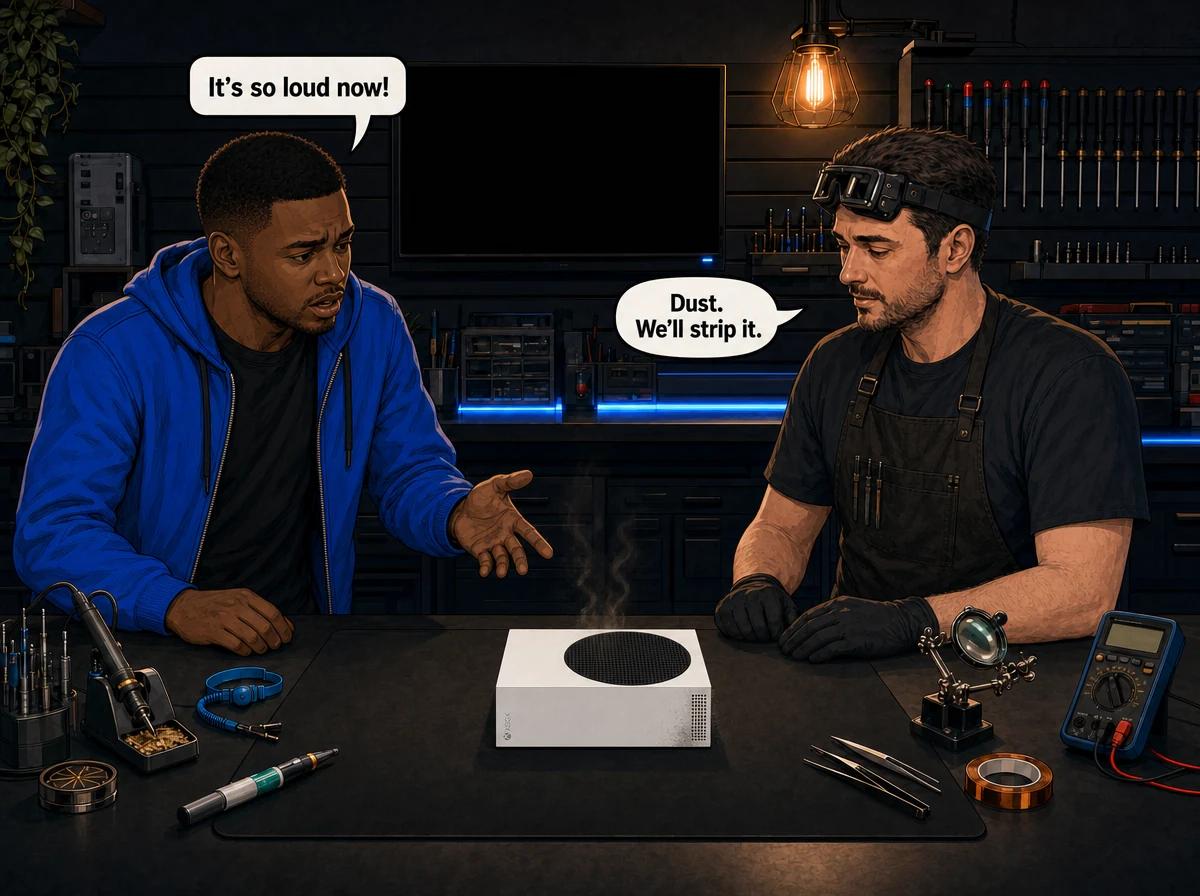
Your Xbox Series S sounds like a hairdryer, gets hot to the touch, and maybe drops you out of a game with a shutdown or a warning about ventilation. It is one of the most common complaints we hear about the little white console, and it is almost never a coincidence — the Series S has less room to breathe than any other current-gen machine, so the moment dust builds up, you hear it and feel it.
The good news: in a lot of cases you can quiet a Series S down at home in ten minutes, without opening anything. The bad news: once dust has actually packed into the heatsink, or the factory thermal paste has dried out, no amount of blowing at the vents will fix it. Knowing which situation you are in saves you money and stops you from making it worse.
Why the Xbox Series S runs loud and hot
The Series S is a small console with a big job. Microsoft fit a custom AMD processor into a chassis roughly the size of a shoebox, cooled by a single blower-style fan that pulls air across a compact heatsink. Air is drawn in through the vents on the sides and base and pushed out of the big black circular vent on top. Because there is only one fan and one air path, that path has to stay clear. When dust clogs the heatsink fins, the fan spins harder and louder to move the same air, and the processor still runs hotter than it should. Console Service Centre in Boksburg strips these consoles completely, cleans every fin, and replaces the thermal paste — the fix a surface clean cannot reach.
That single-fan design is the key difference from its bigger sibling. The Xbox Series X uses a large fan and a vapour-chamber cooler with plenty of headroom. The Series S has a smaller fan and a smaller heatsink, so it has far less margin before heat becomes a problem. It is not a fault — it is the trade-off for the compact size — but it means the Series S is much less forgiving of dust, a warm room, or being boxed into a tight TV cabinet.
Here are the usual culprits, from most common to least:
- Dust in the heatsink and fan — the number-one cause by a wide margin. South African homes are dusty, and the Series S sits low and pulls in whatever is in the air.
- Poor airflow around the console — pushed into a closed cabinet, stacked under a decoder, or shoved against a wall so the vents are blocked.
- A hot room — the Series S has a narrow thermal budget, so a stuffy lounge in a Highveld summer pushes it closer to the edge.
- Dried-out thermal paste — the paste between the processor and heatsink degrades over years of use, so heat no longer transfers away properly even when everything is clean.
- A failing fan — bearings wear out, and a fan that grinds, rattles, or buzzes is a mechanical problem, not a dust problem.
Quick wins to try first (no tools, no opening)
Before you assume the worst, work through these. They are all external, they are all safe, and they fix a real chunk of "loud fan" complaints on their own.
- Give it space. Pull the console out so there is at least 10–15 cm of clear air on every side, especially above the top vent and around the sides. Get it out of any closed cabinet. The top vent is the exhaust — if anything is sitting on top of it, the heat has nowhere to go.
- Stand it upright. The Series S is designed to run standing vertically on its rubber foot, which gives the side and base intakes the best airflow. Lying it flat on a soft surface like a carpet or a couch can block the intake vents entirely.
- Check the room. If the console lives in a hot, stuffy room, move it somewhere cooler or open a window. A few degrees of ambient temperature makes a real difference on a console with this little thermal headroom.
- Clear the vents from the outside. Use a can of compressed air and give the side, base, and top vents short bursts from the outside only. Keep the nozzle a few centimetres back and do it in a quick pass. This clears loose surface dust before it gets pulled deeper inside. Never open the console to do this.
- Power-cycle properly. Hold the power button on the front for about ten seconds until it shuts down fully, unplug it for a minute, then plug back in and restart. This clears a stuck fan-curve or a software glitch that can make the fan run flat-out for no reason.
If the console quietens down and stays cool after these steps, you were dealing with airflow and light surface dust — sorted, no repair needed. If it is loud again within a day or two, or it never quietened at all, the dust is deeper than a surface clean can reach.
A short can of compressed air aimed at the outside vents clears loose dust, but it cannot pull packed dust back out of a heatsink. Once dust has bonded into the fin stack behind the fan, blowing at the vents just pushes some of it deeper. At that point the console has to be opened, stripped, and cleaned properly on a bench — which is a job for a technician, not a DIY afternoon.
What a DIY clean actually fixes (and what it doesn't)
This is the part most online guides get wrong, so let us be honest about it.
Compressed air from the outside fixes loose, recent dust. If your console has been getting gradually louder over a few weeks and you catch it early, a careful external blow-out plus better placement often buys you months. It is genuinely worth doing, and it is the first thing we would tell you to try.
It does not fix a clogged heatsink. The heatsink is a dense stack of thin metal fins sitting behind the fan, deep inside the console. Over a year or two of pulling household dust through it, that fin stack packs solid — and once it is packed, air from a can cannot dislodge it. It is compacted, not loose. You can blow at the vents all day; the fan is still working against a blocked radiator, so it stays loud and the console stays hot.
It does not fix dried thermal paste. Between the processor and the heatsink is a layer of thermal paste that carries heat across. It dries and hardens over years. When it does, the processor overheats even with spotless airflow, because the heat is not making it to the heatsink in the first place. The only fix is to remove the old paste and apply fresh — which means fully stripping the console.
It does not fix a mechanically failing fan. A fan that rattles, grinds, buzzes, or wobbles has worn bearings. Cleaning it does nothing. It needs replacing.
We regularly see consoles that customers "cleaned" three times before bringing them in, still loud, because the actual blockage was never external. That is not a failure on their part — it is just that the real problem was somewhere a can of air can never reach.
How to tell a DIY-fixable problem from a professional job
Use these signals to work out which side of the line you are on.
Likely DIY-fixable (try the quick wins first):
- The console got loud gradually over the last few weeks, not months or years.
- It is sitting flat, in a cabinet, or against a wall — an obvious airflow problem.
- The noise is a steady "rush" of air, not a rattle or grind.
- It quietens noticeably after you clear the vents and give it space.
Needs a professional strip-down:
- The console is loud again within a day or two of an external clean.
- It has been in daily use for two years or more and the paste has never been touched.
- It shuts itself down mid-game, or you see an on-screen ventilation warning.
- The fan rattles, grinds, or buzzes rather than just rushing.
- It is hot to the touch on the top vent even when it is not under heavy load.
If you tick any of the second list, a surface clean is not going to solve it. The heatsink needs opening and clearing, and the thermal paste almost certainly needs replacing.
When to seek professional help
A professional full service is a complete strip-down, not a wipe-over. On a Series S that means the console is fully disassembled, the covers are washed, all internal dust is removed, the fan and heatsink are cleaned properly, the old thermal paste is removed from the processor and heatsink, fresh high-quality thermal paste is applied, and the console is reassembled and tested to confirm it is running cool and quiet again. This is the fix that reaches the packed heatsink and the dried paste a home clean never can.
If the fan itself is the problem — worn bearings, a grind or rattle that cleaning does not cure — that is a fan replacement: the failed fan comes out and a new one goes in.
Here is what those two repairs cost at our workshop:
| Repair | Price |
|---|---|
| Full Service | R1,249 |
| Fan Replacement | R1,599 |
*Prices shown are the total amount payable.
Get an exact quote on WhatsApp →A quick note on the thermal side: the Xbox Series S uses standard thermal paste, not the liquid metal that the PlayStation 5 family uses. That makes the paste replacement a routine, well-understood job on a Series S — it is one of the more straightforward services we do. It still needs the right paste, though. We use a high-quality compound tested specifically on game consoles, with no metal shavings that could short the processor — cheap paste with metallic particles is a real risk on a bare chip.
Not sure what's wrong? WhatsApp us at 087 550 2307 — we respond immediately, 24/7, and can usually give you a good idea of what is going on from your description before you send anything in.
We also offer a nationwide courier service if you are not in the Boksburg area — you send the console to us, we service it, and we send it back. You will find more detail on what we cover for the whole Xbox family on our Xbox Series X and S repair page, and the strip-down process itself is described on our console overheating and full service page.
Why opening it yourself is a bad idea
You might be tempted to open the console and clean the heatsink yourself. We strongly advise against it, and it is not just us protecting our work.
Opening a Series S means peeling off the outer shell, working around delicate ribbon cables, and getting into the fan and heatsink assembly. The most common damage we see from home attempts is torn flex cables, broken connectors, and stripped screws — small mistakes that turn a routine clean into a much bigger, more expensive repair. Opening your console yourself risks causing additional damage that makes the job cost more than the service would have in the first place.
There is a safety angle too. We will never talk a customer through opening any part of a console's power section — console power supplies hold high-voltage capacitors that stay charged after the plug is pulled and can genuinely hurt you. Leaving internal work to someone with the right tools and bench experience is the safe call, every time.
The cheapest repair is the one that does not get made worse first. A straightforward Series S full service can turn into a trace-rebuild job if a ribbon cable gets torn during a DIY attempt — hours of extra work that dwarf the original cost. Professional up front is almost always cheaper than fixing a home attempt gone wrong.
Prevention — keeping a Series S cool for the long run
The Series S will always run a little warmer than a bigger console, but you can keep it quiet and healthy for years with a few habits.
- Stand it vertically in open air. Upright on its foot, with clear space all around and nothing on top of the exhaust vent, is how it is meant to run.
- Keep it out of enclosed cabinets. If it has to live in a media unit, leave the door open when you play, or better, keep it on an open shelf.
- Dust the outside vents regularly. A quick external blast of compressed air every couple of months, before dust has a chance to pack in, goes a long way. It is far easier to prevent a clog than to clear one.
- Mind the room temperature. In a hot Highveld summer, a cooler or better-ventilated room helps a console with this little thermal margin.
- Book a full service every couple of years. Even with good habits, the internal dust and the thermal paste eventually need proper attention. A periodic strip-down keeps it running like new and heads off the overheating shutdowns before they start.
A console that is kept cool and clean also lasts longer — heat is what ages the electronics, so quiet and cool is not just about comfort, it is about getting more years out of the machine.
Frequently Asked Questions
Why is my Xbox Series S fan so loud all of a sudden?
A sudden jump in fan noise is almost always dust restricting airflow, or a placement change that blocked the vents. Start by standing it upright in open air and clearing the outside vents with compressed air. If it is still loud after that, or the noise is a rattle rather than a rush of air, the heatsink is likely clogged inside or the fan is wearing out — both need a proper strip-down.
Can I fix an overheating Xbox Series S by cleaning it myself?
You can fix the early stage. Clearing the outside vents and improving airflow solves loud-fan complaints caused by loose surface dust and bad placement. What you cannot fix at home is a heatsink that has packed solid with dust or thermal paste that has dried out — both sit deep inside the console and need it fully opened, stripped, and re-pasted on a bench.
How much does an Xbox Series S full service cost in South Africa?
Our current Series S full service and fan replacement prices are shown in the pricing table above, which pulls live from our system so it is always up to date. A full service is the complete strip-down, clean, and thermal paste replacement; a fan replacement is for when the fan itself has failed. If your repair is declined or the console turns out to be unrepairable, a R599 bench fee applies for the diagnostic work.
Is it normal for the Xbox Series S to get hot?
Warm is normal; hot enough to worry you is not. The Series S has a compact single-fan cooler with a narrow thermal budget, so it naturally runs warmer than a bigger console, and the exhaust air from the top vent is meant to be warm. If it is too hot to hold your hand near, or it is shutting down or showing a ventilation warning, that is past normal and points to a dust or thermal paste problem.
Does the Xbox Series S have a disc drive I need to worry about?
No — the Series S is a digital-only console with no disc drive at all, so a loud noise from it is never a disc or laser problem. That narrows things down: mechanical noise on a Series S comes from the cooling fan, and airflow or heat problems come from the fan and heatsink. It is one less thing to rule out compared with a disc console.
How long does an Xbox Series S service take?
For most services we work on a short turnaround once the console is with us, and we will always give you a realistic timeframe when you book, based on the current workload and exactly what the console needs. WhatsApp us on 087 550 2307 with your symptoms and we will talk you through what to expect before you send it in.
Will a full service delete my games or saved data?
No. A full service is a physical clean and thermal repair — we do not touch your storage or your account, so your installed games and saves are exactly where you left them. The service is about the hardware running cool and quiet, not the software.
Get Your Xbox Series S Fixed
Here's why Console Service Centre is your best choice:
- Years of hands-on console repair experience — we started back in 2011
- Thousands of consoles repaired — we know these machines inside out
- 1,329+ Google reviews at 4.9 stars — the world's most-reviewed dedicated gaming-console repair specialist on Google — our track record speaks for itself
- PlayStation and Xbox specialists — consoles are all we do
- 6-month money-back warranty — if the same issue returns, we sort it
Ready to get your Series S quiet and cool again?
WhatsApp us: 087 550 2307 — we respond immediately, 24/7
Visit us: 6 Bester Street, Witfield, Boksburg
Can't get to us? We offer nationwide courier repairs. Send your console to us via The Courier Guy, we service it, and we send it back. Simple.
Topics Covered
About the Author

Shaun Potgieter
Founder & Head Technician
Expert console technician with 15+ years of hands-on repair experience.