
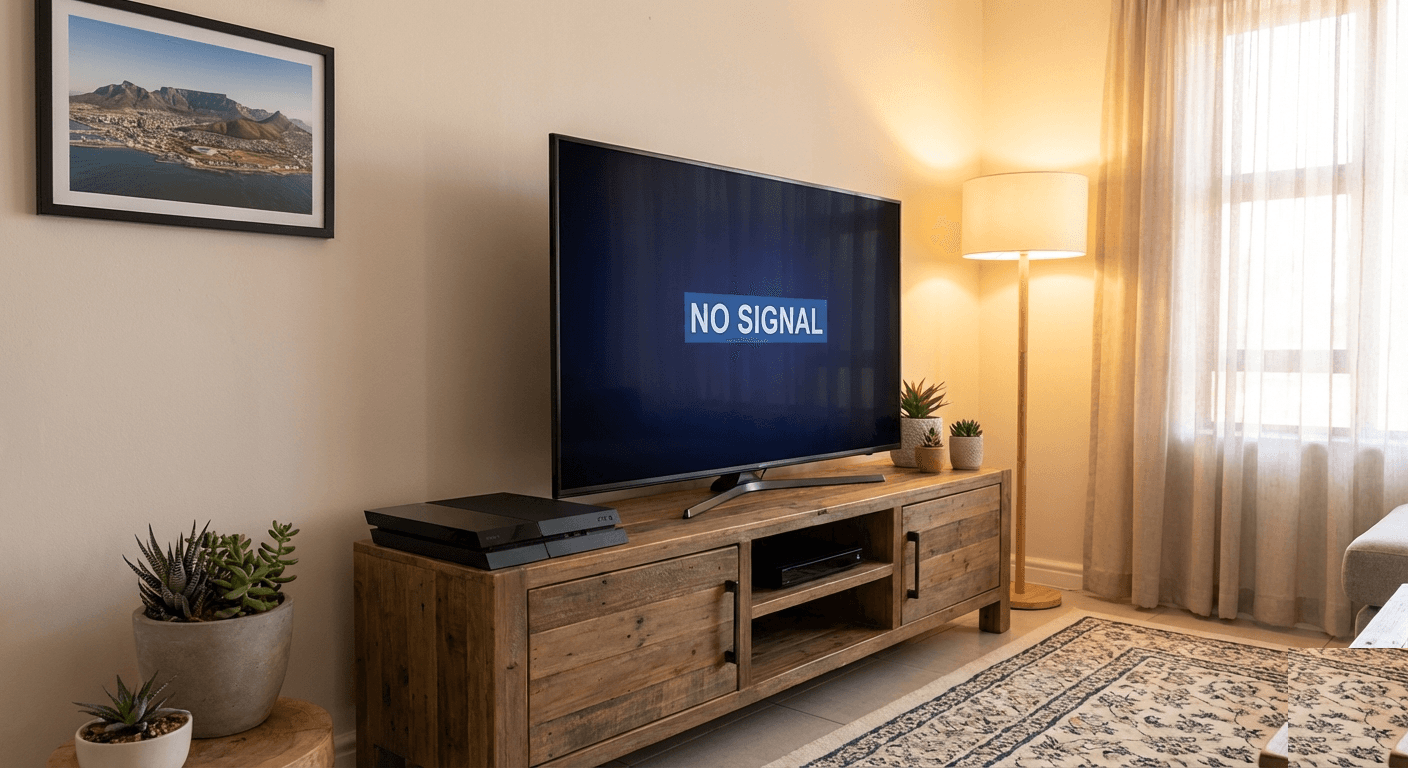
Your PS4 powers on — you can hear the fans spin, the power light turns on — but the TV shows nothing. No PlayStation logo, no home screen, just a black screen with a "No Signal" message. It's one of the most common problems we see at Console Service Centre, and it has several distinct causes that need different fixes.
This guide covers every PS4 black screen scenario: sudden no display, black screen after HDMI cable pull, no picture after a drop, black screen in specific resolutions, and more. We see dozens of these every month at our Boksburg workshop. Some are five-minute fixes you can do at home. Others require micro-soldering. We'll help you figure out which one you're dealing with.
For PS5 owners, we have a separate PS5 black screen fix guide.
Quick PS4 Black Screen Fixes to Try First
Before diagnosing further, run through these checks. They solve a good share of PS4 black screen cases.
1. Reseat Your HDMI Cable
The most common cause of a sudden PS4 black screen is a loose HDMI cable — especially if the console was moved or bumped.
- Unplug the HDMI cable from both the PS4 and your TV
- Inspect both ends for bent or pushed-in pins and debris
- Push it back in firmly at both ends
- The cable should feel snug, not loose
2. Try a Different HDMI Port on Your TV
TV HDMI ports can fail or have signal compatibility issues.
- Move the cable to another HDMI port on your TV
- Use your remote to switch to the new input
- Try HDMI 1 if possible — it usually has the best compatibility
If your PS4 is plugged into a surround sound receiver or HDMI switcher, bypass it and plug directly into the TV. These devices cause more black screen issues than most people expect.
3. Test With a Different HDMI Cable
HDMI cables fail. A cheap cable or an old kinked one can cause intermittent or complete signal loss.
- Borrow an HDMI cable from another device (DVD player, streaming stick, another console)
- Try that cable between your PS4 and TV
- If the picture comes back, your original cable is the problem — replace it
PS4 Pro note: The Pro outputs 4K HDR. If your TV doesn't support HDR on certain ports, you may get no picture. Try a different HDMI port or disable HDR (see Safe Mode section below).
4. Full Power Cycle
A proper power cycle clears the console's video output memory and resets the HDMI handshake with your TV.
- Turn off your PS4 completely (not rest mode — fully powered off)
- Unplug the power cable from the back of the PS4
- Wait 60 seconds
- While unplugged, press and hold the PS4's power button for 10 seconds to drain residual power
- Unplug your TV for 30 seconds as well (this resets the TV's HDMI memory)
- Plug everything back in and try again
5. Check Your TV Is on the Correct Input
This sounds obvious, but it accounts for more support calls than you'd expect. Check that your TV's source/input is set to the HDMI port your PS4 is actually plugged into. If someone used the TV for something else and changed the input, the PS4 looks dead even though it's fine.
How to Boot PS4 Into Safe Mode to Fix Black Screen
Safe Mode is your most powerful software-based fix for PS4 black screen issues, especially if your PS4 recently updated or was outputting a resolution your TV can't handle.
How to access Safe Mode on PS4:
- Turn the PS4 off completely (hold the power button until you hear two beeps)
- Press and hold the power button again
- Keep holding until you hear a second beep (approximately 7 seconds)
- Connect your DualShock 4 controller via USB cable (wireless won't work in Safe Mode)
- Press the PS button on the controller
You'll see the Safe Mode menu.
Safe Mode Fix Options for Black Screen
Option 2 — Change Resolution: Forces your PS4 to output at 480p. This fixes black screens caused by resolution mismatches between the PS4 and your TV, including HDR issues on the PS4 Pro.
- Select Option 2: Change Resolution
- The PS4 will restart at 480p
- If you can see the screen now, go to Settings > Sound and Screen > Video Output Settings and select a resolution your TV supports
Option 7 — Initialise PS4 (Reinstall System Software): This is a last resort for software-caused black screens. It reinstalls the PS4 firmware and resolves deep software corruption, but it wipes your data unless you have a backup. Only use this if nothing else works and you're confident the issue is software-related.
What Actually Causes a PS4 Black Screen?
If the quick fixes above didn't work, you're dealing with a hardware fault. Here are the four main causes, from most to least common.
1. Damaged HDMI Port (Most Common Hardware Fault)
The PS4's HDMI port takes a lot of abuse. Cables get yanked, consoles get moved while plugged in, and pins bend or break. When the HDMI port is damaged, the PS4 produces no video signal at all.
Signs of a damaged HDMI port:
- The HDMI cable feels loose or wobbly when plugged in
- You can see bent or missing pins inside the port
- The PS4 fell or was dropped before the black screen appeared
- Video works at certain angles but cuts out when you move the cable
The HDMI port sits on the PS4 motherboard and connects via solder joints. When those joints crack or break — or when the pins themselves bend — the fix is a port replacement using a hot air rework station. This is not a DIY repair. Attempting it with a soldering iron will damage the board.
Repair cost (PS4 Original, Slim and Pro):
| Repair | Price |
|---|---|
| HDMI Port Trace Repair | R1,199 |
| HDMI Port Replacement | R1,249 |
| HDMI IC MN86471A Replacement (WLOD) | R1,549 |
| HDMI IC MN864729 Replacement (WLOD) | R1,649 |
*Prices shown are the total amount payable.
Get an exact quote on WhatsApp →2. Failed HDMI Encoder Chip (IC Failure)
Less common than a damaged port, but we see it regularly. The PS4 has a dedicated HDMI encoder chip (IC) on the motherboard that processes and outputs the video signal:
- PS4 Original: Panasonic MN86471A
- PS4 Slim and PS4 Pro: Panasonic MN864729
When this chip fails, you get a black screen even if the HDMI port looks perfect. The PS4 boots normally — you can hear it, access it via app, and the power light behaves normally — but no video signal reaches your TV.
Signs of HDMI IC failure:
- HDMI port pins look fine and the cable fits properly
- Tried multiple cables and TVs with no result
- PS4 makes normal startup sounds but TV shows "No Signal"
- No picture even in Safe Mode
HDMI IC replacement requires micro-soldering. The old chip has to be carefully removed with hot air and a new one placed precisely. It's time-consuming, specialist work.
Repair cost (PS4 Original, Slim and Pro):
| Repair | Price |
|---|---|
| HDMI IC MN86471A Replacement (WLOD) | R1,549 |
| HDMI IC MN864729 Replacement (WLOD) | R1,649 |
*Prices shown are the total amount payable.
Get an exact quote on WhatsApp →3. Blue Light of Death (BLOD) — APU Solder Failure
The Blue Light of Death is a PS4-specific fault where the console flashes a blue light and never completes startup. There's no display at all — the PS4 never reaches the video handshake stage because the main processor isn't initialising properly.
BLOD is caused by failed solder joints on the PS4's APU (the main processor chip). This is a different fault to an HDMI problem, even though both result in a black screen. Key differences:
| Symptom | HDMI Fault | BLOD (APU Fault) |
|---|---|---|
| Power light colour | White (normal) | Pulsing blue, never turns white |
| Console startup sounds | Normal | Partial or unusual |
| Safe Mode accessible | Sometimes | Usually not |
| HDMI port condition | Possibly damaged | Usually looks fine |
BLOD repair involves reballing or reflowing the APU — a complex procedure with variable success rates. We're always honest about this: APU repairs on older PS4 Original models can be a temporary fix rather than a permanent solution. The PS4 Pro and Slim have a better success rate due to different board layouts.
For more detail on BLOD, read our PS4 Blue Light of Death fix guide.
Repair cost (PS4 Original, Slim and Pro):
| Repair | Price |
|---|---|
| BLOD | R1,599 |
*Prices shown are the total amount payable.
Get an exact quote on WhatsApp →4. Damaged Internal Ribbon Cable
The PS4 has internal ribbon cables (flex cables) that connect components. If you've recently opened your PS4 or if it was dropped, a damaged or dislodged ribbon cable can cause a black screen.
Opening your PS4 to inspect these is not something we recommend — more on that below. If the black screen appeared after a drop, the HDMI port and solder joints are far more likely culprits than a ribbon cable issue.
How to Identify Which Fault You Have
Use this checklist:
Your PS4 turns on (white light) but no display:
- HDMI port or HDMI IC fault — proceed to professional repair
Blue flashing light, never turns white:
- Blue Light of Death (APU/solder fault) — read our PS4 BLOD guide
Black screen only at 4K or HDR:
- Resolution/HDR mismatch — use Safe Mode Option 2 to fix
Black screen after a drop:
- HDMI port likely damaged (bent pins, broken solder joints) — needs repair
Intermittent picture that cuts in and out:
- Loose HDMI cable OR worn HDMI port — test with different cable first, then inspect port
No picture even in Safe Mode:
- HDMI IC failure is likely — needs professional diagnosis
When to Get Your PS4 Professionally Repaired
If Safe Mode didn't fix it and the cable/port checks came up clean, you're dealing with a hardware fault. Here's what that means in practice:
HDMI port replacement is a mid-difficulty repair requiring a hot air rework station and experience with console motherboard work. The port sits on the main board with through-hole pins that need careful desoldering. An experienced technician does this in under an hour; an inexperienced one can lift pads from the board and create a much bigger problem.
HDMI IC replacement is harder — it's a small BGA-type chip that requires precision placement and controlled heat. This is specialist micro-soldering work.
A note on DIY repairs: We regularly receive PS4s where customers attempted to fix the HDMI port themselves. In many cases, the original repair was straightforward — but the DIY attempt lifted solder pads from the motherboard, which turns a R1,199 job into a R1,500+ board repair (if it's even recoverable). The equipment needed to do this correctly — a hot air rework station, flux, proper solder wire, a pre-heater — costs several thousand rand. Professional repair is almost always the cheaper option when you factor in the equipment cost and the risk of making it worse.
Not sure what's wrong? WhatsApp us at 087 550 2307 — we respond immediately, 24/7, and can usually diagnose your PS4's issue from your description of the symptoms before you send it in.
| Repair | Price |
|---|---|
| HDMI Port Trace Repair | R1,199 |
| HDMI Port Replacement | R1,249 |
| South Bridge Chip 25G Replacement | R1,349 |
| South Bridge Chip 36G Replacement | R1,399 |
| HDMI IC MN86471A Replacement (WLOD) | R1,549 |
| HDMI IC MN864729 Replacement (WLOD) | R1,649 |
| South Bridge Chip 42GG Replacement | R2,199 |
*Prices shown are the total amount payable.
Get an exact quote on WhatsApp →All repairs include a 6-month money-back warranty. If the same fault returns within six months, we fix it free.
PS4 Model Differences That Affect Black Screen Diagnosis
The PS4 comes in three main variants, and the differences matter for black screen diagnosis.
PS4 Original (CUH-1000, 1100, 1200)
- HDMI version: 1.4 (1080p maximum at 60Hz)
- HDMI IC: Panasonic MN86471A
- The original models are the oldest and most prone to HDMI IC failure from age
- If your PS4 Original is 8+ years old and showing no display, HDMI IC failure is a strong possibility
PS4 Slim (CUH-2000 series)
- HDMI version: 2.0 (supports HDR, 1080p at 60Hz)
- HDMI IC: Panasonic MN864729
- The Slim's compact design means less ventilation — thermal paste degradation can indirectly cause display issues through overheating shutdowns
- Most common Slim display fault is still HDMI port damage
PS4 Pro (CUH-7000 series)
- HDMI version: 2.0 (4K at 60Hz, HDR)
- HDMI IC: Panasonic MN864729
- The Pro outputs at higher resolutions, so TV/resolution incompatibility is more common
- If your Pro is plugged into an older TV and shows no picture, boot into Safe Mode first — it's often an HDR incompatibility issue
How to Prevent PS4 Display Problems
Most PS4 HDMI issues are preventable.
Be careful with HDMI cables. Don't yank the cable from the port — hold the plug, not the cable. The biggest cause of bent HDMI pins is cables being pulled at sharp angles.
Don't move the PS4 while it's running. Moving a running console stresses solder joints, particularly on the HDMI port. Always fully power off before moving the unit.
Use a surge protector, not a wall socket. Load shedding and power surges are real in South Africa. A quality surge protector protects the PS4's power supply and reduces stress on internal components. We see surge-damaged consoles regularly — a R300 surge protector is cheap insurance against a R2,000 repair.
Keep the PS4 in a ventilated spot. Overheating accelerates solder joint degradation on the HDMI chip. Keep the PS4 on a flat, hard surface with clear space around the vents. Don't stack anything on top of it.
Replace thermal paste every 3-5 years. This isn't directly a black screen issue, but prolonged overheating from dried-out thermal paste causes indirect board stress. A PS4 full service every few years keeps temperatures in check and extends the console's life.
If your PS4 was running hot before the black screen appeared, the two issues may be connected. Read our console overheating guide for more.
Frequently Asked Questions
Why does my PS4 have a black screen but still makes sounds?
If your PS4 sounds like it's starting up normally but shows no picture, the console itself is running but the video signal isn't reaching your TV. This points to an HDMI fault — either the port, the cable, or the HDMI encoder chip. It's not a console software crash (which usually causes silence or beeping). Run the cable and Safe Mode checks first; if those don't work, the HDMI port or chip needs professional repair.
Why did my PS4 get a black screen after I pulled the HDMI cable while it was on?
Pulling the HDMI cable while the PS4 is running can bend or break the pins inside the HDMI port. This is one of the most common reasons we see PS4s with damaged HDMI ports — it only takes one careless cable removal to bend a pin. Inspect the port with a torch: you should see 19 pins in two rows sitting perfectly straight. If any are bent, the port needs replacing.
Can I fix a PS4 black screen myself?
The software fixes (cable check, power cycle, Safe Mode) are absolutely safe to try yourself. If those don't work, the remaining fixes require opening the console and micro-soldering — which we strongly advise against. Opening your PS4 yourself risks breaking flex cables, stripping screws, and cracking the housing. Attempting HDMI port repair without the right equipment (hot air rework station, flux, solder) typically makes the repair more expensive by lifting pads from the motherboard. Read our DIY vs professional console repair guide for a realistic assessment.
How much does a PS4 HDMI repair cost in South Africa?
PS4 HDMI port replacement costs from R1,249 at Console Service Centre, with a 6-month warranty. PS4 HDMI port trace repairs (cheaper, for light damage) start from R1,199. HDMI IC (encoder chip) replacement varies depending on complexity. Prices include a full board inspection to confirm the fault before any work is done. A R599 bench fee applies only if you decline the repair or the console is beyond economic repair. WhatsApp us with your symptoms for a more specific estimate.
How long does a PS4 HDMI repair take?
Most PS4 HDMI port replacements are completed within 2-3 working days at our Boksburg workshop. Complex repairs (HDMI IC, APU) take longer. We use The Courier Guy for nationwide repairs — allow 1-2 days transit each way on top of the repair itself.
Is a PS4 black screen the same as the Blue Light of Death?
No — they're related but different faults. The Blue Light of Death (BLOD) means the PS4 pulses blue light and never fully boots, which means no video is possible. A standard black screen typically means the PS4 boots fully (white light) but the video signal doesn't reach your TV. Both result in no picture, but the causes are different. If your power light stays white, you have a display/HDMI fault. If it pulses blue and never turns white, read our PS4 Blue Light of Death guide.
Does fixing the HDMI port delete my games and saves?
No. HDMI port and HDMI IC replacement is a motherboard-level repair that doesn't affect your storage drive. Your games, saves, and user accounts remain untouched. The only repairs that affect your data are those involving the hard drive itself or a full system reinstall.
Is it worth repairing a PS4 with a black screen?
In most cases, yes. A PS4 with HDMI damage is worth repairing — the repair cost is a fraction of a replacement console, and your game library and saves are preserved. The exception is if the PS4 has multiple compounding faults (HDMI + APU failure + physical damage), at which point the economics may not make sense. We'll always give you an honest assessment before you commit to anything. WhatsApp us at 087 550 2307 to discuss your specific console.
Get Your PS4 Fixed
Console Service Centre has been repairing PlayStation consoles since 2011. Our technicians have repaired 25,000+ consoles — we know every PS4 fault pattern there is.
Why choose Console Service Centre:
- 15+ years of console repair experience — established 2011, PlayStation specialists
- 25,000+ consoles repaired — we've seen every fault, including the unusual ones
- 1,353+ Google reviews, 4.9 stars — our track record speaks for itself
- 6-month money-back warranty — same fault returns within six months, we fix it free
- Nationwide courier repairs — not in Boksburg? No problem
Ready to Get Your PS4 Working Again?
WhatsApp us: 087 550 2307 — We respond immediately, 24/7
Visit us: 6 Bester Street, Witfield, Boksburg Monday–Thursday 08:00–16:00 | Friday–Saturday 08:00–13:00
Can't get to us? We offer nationwide courier repairs. Send your PS4 via The Courier Guy, we'll fix it and return it. Simple, insured, and tracked.
Topics Covered
About the Author

Shaun Potgieter
Founder & Head Technician
Expert console technician with 15+ years of hands-on repair experience.