
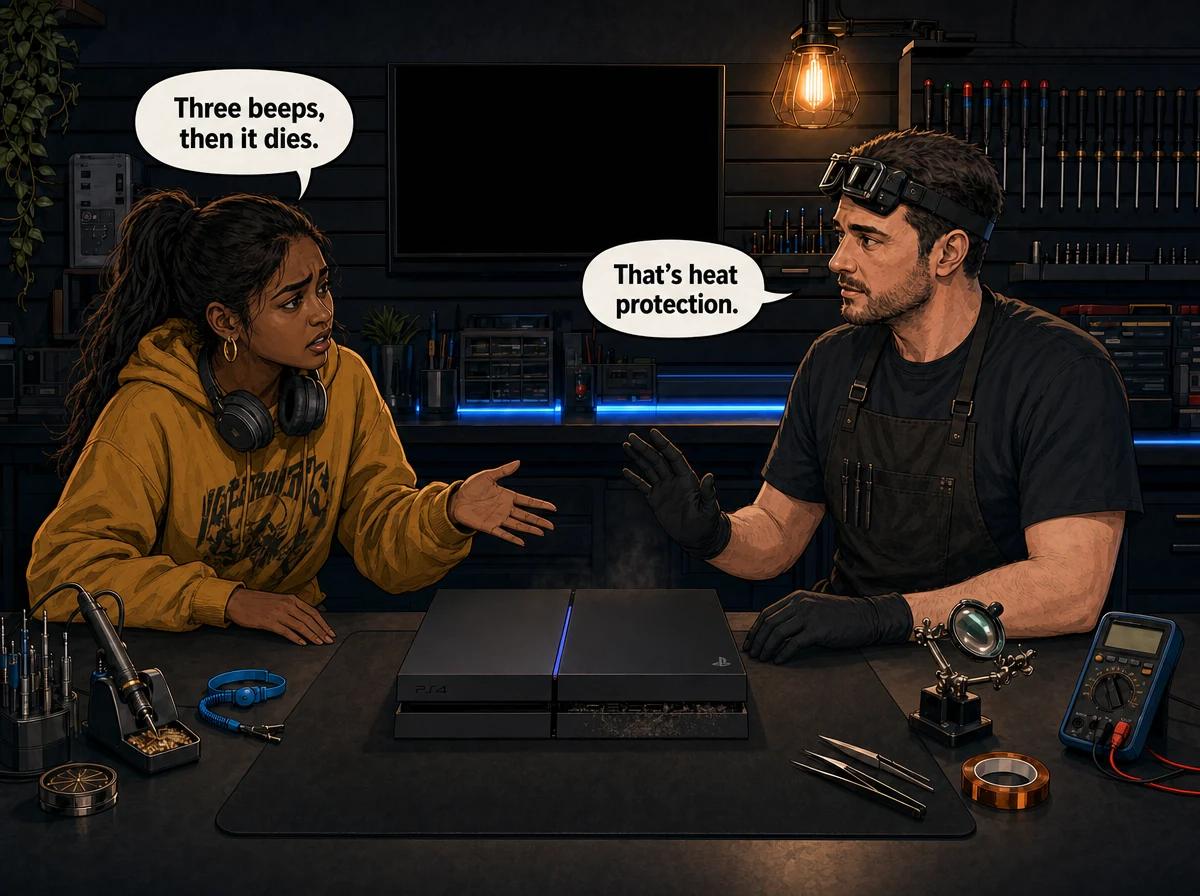
Beep. Beep. Beep. Then nothing.
If your PS4 gives three quick beeps and shuts itself off before you even see the PlayStation logo, you have hit what the repair community calls the PS4 3 beeps of death. It is one of the more alarming faults to live through, because the console sounds like it is telling you something specific and you have no way to look it up. There is no error code on screen. There is no message. Just three beeps and a dead console.
Here is the reassuring part: in almost every three-beep PS4 that lands on our bench, the console is not broken in the way people fear. It has protected itself. Something in the cooling path stopped working, the system detected it, and it pulled its own plug rather than cook the processor. That is a repairable fault, and the console underneath it is usually fine.
The PS4 3 beeps of death is a protective shutdown, not a diagnostic code. A healthy PS4 gives one short beep when you press the power button. Three fast beeps followed by an immediate power-off — usually before any video signal reaches the TV — means the console started its boot sequence, detected a condition it would not run in, and cut power. In the consoles we see at Console Service Centre in Boksburg, that condition is nearly always thermal: a heatsink packed solid with dust, a cooling fan that has seized or lost airflow, thermal paste between the processor and heatsink that has dried out, or a heatsink that lost proper contact with the processor after someone opened the console. A smaller number turn out to be power supply faults. All of those are standard bench repairs.
What Three Beeps on a PS4 Actually Mean
Sony does not publish a beep-code table for the PS4. That matters, because a lot of what you will read online presents "three beeps" as though it maps to one specific failed component, and it does not. What Sony does document is the power indicator light on the console: solid white means powered on, blinking white or blue means a console error, blinking orange means it is entering rest mode, solid orange means rest mode, and a pulsing red light means the console is overheating. For that red light, Sony's own instruction is to turn the console off, wait for it to cool, move it somewhere well ventilated, and check that the vents are not blocked.
So the beeps are not a code you can decode. They are a symptom. What they reliably tell you is this: the console got far enough into its startup to run its own checks, did not like what it found, and stopped. The PS4 will not sit there and run in a state where it thinks it is about to damage itself.
The reason the fault is so consistently thermal comes down to what the PS4 checks earliest and most aggressively. Cooling is the first thing the system validates, because everything else depends on it. A console that cannot move heat away from the processor is a console that will fail within minutes, so the protection trips before the boot completes.
This is also why the three-beep fault is so common on older PS4s that have never been serviced. It is not a design flaw that suddenly appeared. It is years of dust, heat and dried thermal compound finally crossing the line where the console says no.
The Two Patterns That Sound Identical
Before you can work out what is wrong, you need to notice when the beeps happen. Two different faults produce three beeps, and they point in different directions.
Pattern one — beeps almost immediately. You press the power button, you hear the usual single beep, the fan may spin up hard for a second or two, then three fast beeps and the console dies. No picture, no logo, nothing on the TV. This is the classic pattern and it points at the heatsink and processor interface: dust, dried paste, or a heatsink that is not sitting properly against the chip.
Pattern two — beeps after it has been running. The console boots normally, you get into a game, and somewhere between a few minutes and an hour the fan winds up to a roar, the picture cuts, and you get the beeps. This one points more towards airflow and the fan itself, or a console living somewhere it cannot breathe. The cooling is adequate at idle and falls apart under load.
There is a third variation worth mentioning because people confuse it with the first: the console beeps three times but the power light pulses red rather than going straight off. That is the documented overheating warning, and it is the same underlying problem, just caught at a slightly different stage.
Write down which pattern you have. It is the single most useful thing you can tell a technician over WhatsApp, and it saves diagnostic time on the bench.
How to Fix a PS4 That Beeps Three Times: Safe First Steps
Everything in this list is external. None of it involves opening the console, and none of it can make the fault worse. Work through it in order.
- Turn the console off at the wall and let it cool properly. Give it a couple of hours, not ten minutes. A processor that has been heat-soaked will trip the protection again the moment you power it up, and you will learn nothing from the retest.
- Move it out of wherever it currently lives. Get it off carpet, off a rug, out of a closed TV cabinet, off the top of a decoder or amplifier. Put it on a hard, flat, open surface with clear space behind it. The PS4 pulls cool air in at the front and sides and pushes hot air out of the back — block either end and the cooling stops working.
- Clear the vents from the outside with a low-powered vacuum. This is Sony's own guidance for PlayStation consoles: run the nozzle slowly along the vent slots on the back and sides so it lifts dust out rather than driving it deeper. Do not open the console to do this — see the warning below.
- Check the room. A console in a small closed room on a hot Highveld afternoon is working against ambient temperatures the cooling was never designed for. Open a window or move the console somewhere cooler and retest.
- Plug directly into a wall socket. Take the console off the multiplug or extension lead and give it its own socket. This rules out a marginal power feed and costs you nothing.
- Swap the power cable. The PS4 uses a standard IEC C7 "figure-8" cable, the same one most TVs and monitors use. Borrow one and try it. A damaged cable or a loose connection at either end can produce a shutdown that looks like something far worse.
- Listen for the fan. Press power and pay attention to whether the fan spins at all before the beeps. A fan that never moves, or that makes a grinding or rattling noise, is a strong signal on its own.
If the console still beeps three times after all of that, the fault is inside and it needs a bench. That is not a sales line — it is simply where the remaining causes live.
What Causes the PS4 3 Beeps of Death
A heatsink choked with dust
This is the one we see most. The PS4 draws air across a fine aluminium fin stack, and over years those fins pack solid with dust, hair and household fluff. From the outside the console can look spotless. Inside, the fins are a felt mat. Air still moves through the fan, it just does not move through the heatsink, so heat stops leaving the processor. Homes with pets, homes near a busy road, and consoles that sit on the floor collect it fastest.
Thermal paste that has dried out
The PS4 uses standard thermal paste between the processor and the heatsink — not liquid metal. That distinction matters, and it is one that gets confused constantly: only the PS5 family ships with liquid metal. Thermal paste is a consumable. It starts as a soft compound that fills the microscopic gaps between the chip and the heatsink, and over years of heat cycling it dries into a crumbly, cracked layer that no longer conducts. The heatsink can be perfectly clean and the console will still overheat, because the heat is not reaching the heatsink in the first place.
A fan that has failed or is failing
The PS4's cooling fan has bearings, and bearings wear. A fan that is slowing down, seizing intermittently, or spinning freely but not producing pressure will keep the console alive at idle and let it fall over under load. A fan that has stopped entirely produces the immediate three-beep shutdown. You can sometimes hear this coming months in advance — a console that has been "sounding like a jet" for a year is telling you the fan is fighting a blocked heatsink.
Heatsink contact lost after the console was opened
This is a large share of the three-beep consoles we receive, and it is worth being blunt about. A console that worked before someone cleaned it, and beeps three times immediately afterwards, has almost always lost proper contact between the processor and the heatsink. The usual reasons are the heatsink clamp being refitted the wrong way round, thermal pads on the memory chips being lost, doubled up or left out, or too much or too little paste stopping the heatsink from seating flat. The PS4's memory chips use pads while the processor uses paste, and getting that combination wrong holds the whole assembly a fraction of a millimetre off the chip. That fraction is enough.
A power supply fault
Not every three-beep console is thermal. The PS4's power supply is internal on every model, and a supply that cannot hold a stable rail under load will produce a shutdown that sounds identical from the outside. Original PS4s use ADP-200ER, ADP-240CR or ADP-240AR units depending on the chassis, PS4 Slims use the ADP-160 family, and PS4 Pros use the ADP-300 family. Which one is in your console depends on the model, and it is one of the first things bench testing establishes.
Where the console lives
South African living rooms are hard on consoles. Dust levels are high, TV units are often enclosed, and plenty of consoles sit on carpet because that is where the plug point is. Add a load-shedding cycle that hard-cuts power mid-session and the console never gets a clean shutdown. None of that causes the three-beep fault on its own, but all of it shortens the runway.
Why a DIY Clean So Often Creates This Exact Fault
There is a specific and very common story behind three-beep PS4s: the console was running hot and loud, the owner watched a video, stripped it down, cleaned it, put it back together, and now it beeps three times and will not boot at all.
The reason is that a PS4 strip-down looks simpler than it is. The processor clamp has an orientation. The memory chips need their thermal pads back in the right places and the right thickness. The fan connector is small and easy to disturb. The board has ground pins that need to sit flat. Get any one of those wrong and the console will not cool itself, and it will tell you so with three beeps.
Opening your console yourself risks causing additional damage — broken flex cables, stripped screws, or damaged connectors that make the repair more expensive. We strongly recommend leaving internal repairs to professionals.
There is a safety dimension too, and it is not a formality. Console power supplies contain capacitors that hold several hundred volts each, and they hold that charge after the console is unplugged. If those capacitors are not discharged correctly they can burn you or kill you. We will never walk a customer through opening a power supply, and no online guide should either.
The practical outcome is the one that stings most. A console that came in for a straightforward service walks in instead with a service to do plus damage to undo — torn flex cables, ripped traces around a broken-off fan connector, stripped screws. Rebuilding traces is hours of micro-soldering. The repair that would have been routine becomes board-level work, and it costs considerably more than the service would have.
Three Beeps vs the Other PS4 Failure Signals
Consoles fail in a handful of recognisable ways, and matching your symptom to the right one saves you chasing the wrong repair.
| What you see and hear | What it usually means |
|---|---|
| Three fast beeps, immediate shutdown, no picture | Protective shutdown — cooling or power supply |
| Pulsing blue light, no picture, never reaches white | Blue Light of Death — processor solder failure |
| Pulsing red light before shutdown | Sony's documented overheating warning |
| Powers on then straight off, repeatedly, no beeps | Power cycling fault — often the power supply |
| No beep, no light, nothing at all | Dead power supply or no power reaching the board |
| Console runs fine but nothing on screen | HDMI port or HDMI encoder chip, not a cooling fault |
The one people mix up most is three beeps versus the Blue Light of Death. They are different faults with different repairs. BLOD is a solder failure under the processor and the console never gets past a pulsing blue light. Three beeps means the console got further than that and then chose to stop. If you are seeing beeps, you are not looking at BLOD.
It is also worth separating the PS4 fault from the PS5 three-beep shutdown, which is a different console with a different power architecture and a different set of likely causes. The symptom name is the same. The repair is not.
What Happens When a Three-Beep PS4 Reaches Our Bench
Diagnosis comes first, always. We do not guess at a part and swap it.
- Cold bench test. The console is powered up cold and observed. Whether the beeps come immediately or only after it has been running narrows the cause straight away.
- Strip and inspect. The console is opened properly, on an anti-static mat, and the heatsink, fan, thermal interface and board are inspected. Most of the time the answer is visible at this point — a fin stack packed with dust, a cracked layer of dried paste, a fan that will not turn freely.
- Power supply testing. If the cooling path is sound, the supply is tested under load rather than at idle. A supply can measure fine with nothing drawing from it and collapse the moment the console asks for current.
- Repair and reassembly. Whatever the fault turns out to be gets fixed, the thermal interface is renewed, and the console goes back together with proper cable routing.
- Soak test. A three-beep console is not signed off because it booted once. It runs under load and is monitored, because a marginal cooling fault will pass a thirty-second test and fail a customer on their first evening.
If we diagnose the console and you decide not to go ahead with the repair, or the console turns out to be beyond economical repair, only the R599 bench fee applies. You are never charged for a repair you did not approve.
What a Three-Beep PS4 Repair Costs
Which repair you need depends entirely on what the diagnosis finds. These are the three that resolve the overwhelming majority of three-beep consoles:
- Full service — complete strip-down, all covers washed, dust removed from every component, fan cleaned, old thermal compound removed from the heatsink and processor, fresh thermal paste applied, reassembly and post-service testing: R1,249
- Fan replacement — when the fan itself has failed rather than just being blocked: R1,599
- Power supply replacement — for the consoles where the cooling checks out and the supply is the fault, priced by the specific unit fitted to your model: R1,699 – R1,849
Every repair carries our six-month money-back guarantee. If the same fault comes back within six months and it is a covered cause, we fix it again free — and if we cannot fix it, you get your money back. Liquid damage, power surge or lightning damage, insect damage and user-inflicted damage are excluded.
Not sure which one you are looking at? WhatsApp us on 087 550 2307 — we respond immediately, 24/7. Tell us whether the beeps come straight away or only after the console has been running, and we can usually give you a solid idea of what is wrong before your console leaves the house.
Keeping It From Happening Again
Once a three-beep PS4 is repaired, keeping it that way is mostly about where it lives and how often it gets serviced.
- Give it air on all sides. Not in a cabinet, not on carpet, not stacked under a decoder. Hard flat surface, clear space behind it for the exhaust.
- Clear the vents regularly from the outside. A quick pass with a low-powered vacuum every couple of months — Sony's own guidance for PlayStation consoles — costs nothing and keeps the fin stack from packing up in the first place.
- Service it before it gets loud. A console that has started sounding like a hairdryer is already fighting a blocked heatsink. Booking a full service at that point is far cheaper than waiting for the protection to trip.
- Protect it from load shedding. Repeated hard power cuts and the surge when the grid comes back are hard on the power supply. A decent surge protector, or shutting the console down properly before a scheduled cut, saves supplies.
- Do not leave it in rest mode in a hot enclosed space. Downloads run in rest mode, the console generates heat, and if it is boxed in that heat has nowhere to go.
The consoles that go years without trouble are almost always the ones sitting in open air on a shelf, getting a service every couple of years. It is not complicated maintenance — it is just maintenance that most consoles never get.
Frequently Asked Questions
Why does my PS4 beep three times and turn off?
Three beeps followed by an immediate shutdown is the console protecting itself. It began its startup checks, found a condition it would not run in, and cut power before anything was damaged. On our bench that condition is usually cooling — a dust-blocked heatsink, a failed fan, or dried-out thermal paste — with power supply faults making up most of the rest.
Is the PS4 3 beeps of death actually fixable?
Yes, in the large majority of cases. The name makes it sound terminal, but the console shut down specifically to avoid damage, so the processor and board are usually intact. The repair is a full service, a fan replacement, or a power supply replacement depending on what the diagnosis finds.
How much does it cost to fix a PS4 that beeps three times?
It depends on which of the three faults you have, and the current prices for each are listed in the section above. We diagnose before quoting, so you know what you are paying for. If you decline the repair or the console is unrepairable, only the R599 bench fee applies.
Can I fix the three-beep fault by cleaning the PS4 myself?
Clearing the vents from the outside with a low-powered vacuum is safe and sometimes helps. Opening the console is where it goes wrong. Refitting the heatsink clamp the wrong way round or losing a thermal pad recreates the exact fault you are trying to fix, and a slipped tool around the fan connector turns a routine service into hours of trace repair. The power supply is genuinely dangerous to open at all.
Does repairing a three-beep PS4 delete my games and saves?
A cooling repair or a power supply replacement does not touch your hard drive, so your games, saves and account stay exactly as they were. The only time data is at risk is if diagnosis finds the hard drive itself has failed and needs replacing, and we will tell you before that happens rather than after.
Is three beeps the same as the Blue Light of Death?
No. The Blue Light of Death is a solder failure under the processor, and the console pulses blue and never produces a picture. A three-beep console gets further into startup and then deliberately shuts down. Different fault, different repair.
Can I send my PS4 in if I am not in Gauteng?
Yes. We run a nationwide courier service — your console is collected, repaired, tested and couriered back to you. Pack it well and leave the cables at home unless we ask for them.
Get Your PS4 Fixed
Three beeps is one of the more common faults we handle, and it is one of the more satisfying ones to fix, because the console almost always comes back to full health.
Why bring it to Console Service Centre:
- PlayStation and Xbox specialists — consoles are all we do, not a sideline next to phones and laptops
- Board-level capability in house — we repair boards rather than declaring them dead
- 1,361+ Google reviews at 4.9 stars — the world's most-reviewed dedicated gaming-console repair specialist on Google
- Six-month money-back guarantee — if a covered fault returns we repair it free, and if we cannot fix it you get the repair cost back
- Diagnosis before quoting — you approve the work before we do it
WhatsApp us: 087 550 2307 — we respond immediately, 24/7
Visit us: 6 Bester Street, Witfield, Boksburg. Mon–Thu 08:00 – 16:00, Fri–Sat 08:00 – 13:00
Not local? Our nationwide courier repair service collects from anywhere in South Africa. You can also read more about what we do for the full PS4 range and about power supply repairs across all the consoles we work on.
Topics Covered
About the Author

Shaun Potgieter
Founder & Head Technician
Expert console technician with 15+ years of hands-on repair experience.