
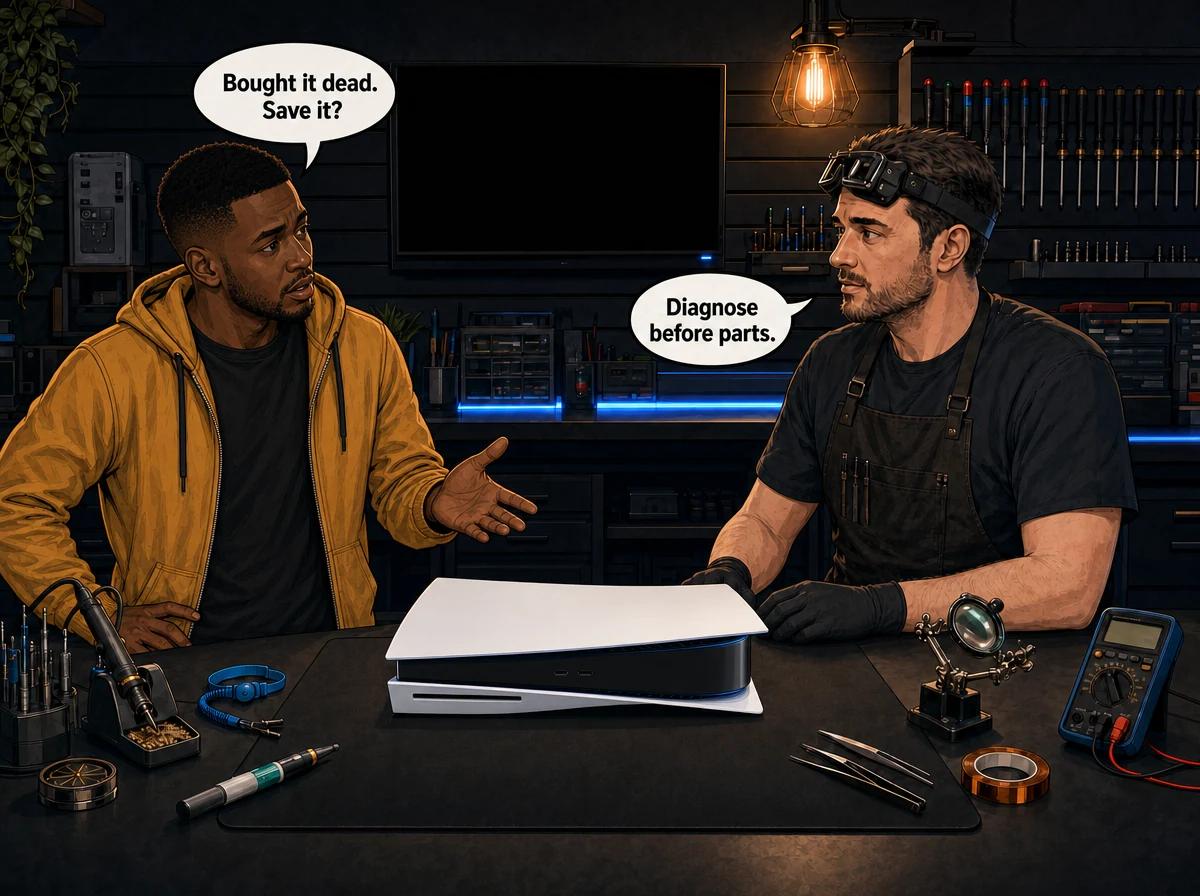
You found a cheap PlayStation 5 on Gumtree, Facebook Marketplace, or in a Cash Crusaders window. The listing said "for parts", "won't turn on", or "maybe HDMI". You paid anyway, because a dead PS5 still looks like a bargain next to a new one. Now it sits on your desk, still dead, and Takealot is one click away from a power supply, a fan, and a tube of thermal goo. That is the moment this post is for.
A bought faulty PS5 that won't turn on is usually one of a short list of faults: a failed internal power supply, a shorted board, HDMI port or MN864739 encoder damage, or liquid-metal trouble on the APU after the console was stored upright. Confirm a known-good wall socket and IEC C7 figure-8 power cable, swap the HDMI lead and TV, then try Safe Mode by holding the power button until the second beep. If those checks fail, stop buying parts. Console Service Centre in Boksburg diagnoses the board first, quotes before work, and only charges a R599 bench fee if you decline the quote or the console cannot be repaired.
This is not the second-hand buying checklist you needed before you paid. That post is for the queue outside Cash Crusaders. This one assumes the money has already left your account. It is also not the DIY recovery guide for a console you opened yourself and then killed. Here the question is simpler: what can you test without a screwdriver, and when should you stop spending on parts?
Bought a faulty PS5 that won't turn on? Don't buy parts yet
The listing almost never tells you which part failed. "Won't turn on" covers a dead PSU, a shorted motherboard, a torn fan connector from a previous "clean", a HDMI port that was used as a handle, and a console that overheats three minutes into a game. Those jobs do not share a parts basket.
Sony's own power path is internal. The original and CFI-1100 PS5 use a built-in supply in the chassis, on an IEC C7 figure-8 cable. There is no Xbox One-style brick on the floor. Ordering a random "PS5 power supply" because the listing said no power is a guess. The same is true of fans, HDMI ports, and Honeywell PTM7950 pads sold as a liquid-metal substitute.
Buy the diagnosis, not the lottery ticket. We test on the bench, tell you the fault, and wait for a yes. A R599 bench fee applies only if you walk away or we cannot repair it. If you approve the work, that fee is not an extra surprise on top of the job.
If you still want a general PS5 won't turn on walkthrough for a console you have owned for years, use that post. The bought-faulty case is messier: unknown history, unknown storage position, unknown previous "tech" with a spudger.
Quick checks before you open a parts tab
Do these with the console lying flat. Do not stand it up to "see if that helps". We recommend horizontal use on every PS5 we see, because factory liquid metal can migrate when the console sits vertical for a long stretch. A second-hand unit is exactly the kind that spent months on its end in a cupboard.
- Use a wall socket you trust. Load shedding leftovers and tired multiplugs fool people. Plug a lamp or phone charger into the same socket. If that dies, the house is the fault, not the PS5.
- Reseat the figure-8 power cable at both ends. The PS5 uses an IEC C7 lead, the small two-pin "figure-8", not a three-pin kettle cord. Wiggle is not a repair, but a half-seated C7 is a genuine false dead. Try a second C7 lead if you have one.
- Look at the power indicator. Sony documents a normal start as blinking blue, then solid white. White means on. Orange means rest mode. Off means off. Blue that never goes white, or white that only blinks, is a frozen or failed start — not a cue to order a new PSU.
- Leave it unplugged for 20 minutes, then retry. Sony's Safe Mode troubleshooting includes a 20-minute power-cycle. Residual charge and a stuck rest-mode state catch a surprising number of "dead" units that were only sleeping badly.
- Change the HDMI lead and the TV input. A bought "no picture" PS5 is often a bent HDMI port, but it is also often a tired lead or a TV that will not handshake HDMI 2.1. Prove the display path before you shop for a Panasonic MN864739 chip.
If the console still has no beep, no fan, and no light after that list, you are past home tests. WhatsApp us on 087 550 2307 — we respond immediately, 24/7.
How to diagnose a bought faulty PS5 that won't turn on
Work through this in order. Write down what you see. That note is worth more than a bag of unmatched parts when the console reaches a bench.
- Place the PS5 flat on a hard, ventilated surface. Keep vents clear. Do not stand it vertically. If you later insert a disc, insert it label-up only, with the console still lying horizontal.
- Connect only power and HDMI. No extra USB gadgets on the front ports.
- Press the power button once. Watch the indicator and listen. Note: no response; one beep then silence; blue then off; blue then white; orange rest glow.
- If it never starts, hold the power button for three seconds to force a shutdown, then unplug for 20 minutes, as Sony describes for a stuck console.
- Try Safe Mode: console off, press and hold the power button, release after the second beep. Sony times that second beep about seven seconds after the first.
- If Safe Mode appears, use Change Video Output if the picture is missing, then Clear Cache and Rebuild Database if the console starts but behaves like corrupted software. Do not jump to Reset PS5 on a unit you just bought until you have a backup plan for whatever save data is on it.
- If Safe Mode never appears — no second beep, no menu, instant power-off — stop. That is hardware. Opening the lid to "just check the fan" is how a DIY rescue becomes a trace rebuild.
A PlayStation 5 that cannot reach Safe Mode is not waiting for a marketplace thermal pad. Safe Mode lives below the usual system software. When that menu will not load, we look at power rails, the southbridge, the BIOS IC, and the APU thermal interface — not at a shopping cart.
What the lights and beeps actually tell you
Match the symptom to a test plan. This table is a map, not a parts order.
No light, no beep, no fan. The internal PSU may be dead, the AC input may be open, the power-button circuit may have failed, or the board is shorted so hard the supply refuses to start. It does not prove the PSU alone has failed. We meter the supply on the bench before we quote an ADP-400 replacement.
One beep, then nothing. The console accepted the power-button press and then lost the boot. That can be a southbridge, a shorted GDDR6 rail, or a previous liquid-metal spill that bridged the APU. Buying an HDMI port for this symptom wastes money.
Blue light, then off. Brief life, then protection. Common on dirty, overheated, or liquid-metal-starved APUs, and also on power-rail faults. A second-hand PS5 stored upright is a suspect for liquid metal migration.
Solid white, no picture. Power is probably fine. The fault is now the HDMI port, the MN864739 encoder, a bad lead, or the TV. See our PS5 HDMI port notes before you assume the whole console is scrap.
Starts, games, then shuts down. That is heat or a supply that collapses under load. Dust, a tired fan, dried or migrated liquid metal, or a PSU that only fails when the APU pulls hard. A "full service" guess is closer than a random HDMI port, but it is still a guess until someone looks.
Orange rest-mode glow, will not wake. Software and rest-mode bugs exist. Do the 20-minute unplug. If it still will not leave rest, treat it as a power or board fault, not as a setting you missed in the previous owner's account.
Sony's public support pages split "won't turn on", "loses power shortly after turning on", and "turns off while playing". Keep those three buckets separate when you WhatsApp us. The sentence "it's dead" is how people buy the wrong part.
Why a bought faulty PS5 won't turn on after you get it home
Second-hand PS5s fail for boring, repeatable reasons. We see the same stories from East Rand marketplace pickups every week.
Liquid metal, not toothpaste
Every PS5 family unit we service — Disc, Digital, Slim, Pro — uses liquid metal between the APU and the heatsink. That is a gallium alloy Sony applied at the factory. It is not the white thermal paste on a PS4. Liquid metal conducts electricity. If it has crept off the die, two things happen: the APU cooks, and stray metal can short the board.
Vertical storage makes that worse. Gravity pulls the alloy down the die. A dry patch forms on the high side, the APU overheats, and in ugly cases we have seen the die crack. If the seller kept the console standing on its end "because it looks like a tower", assume the thermal interface needs a real inspection, not a shopping-app pad.
We reteam PS5 heatsinks with fresh liquid metal during a full service. We do not tell customers to do that on the kitchen table. A spill is a motherboard job.
The PTM7950 shopping spree
A lot of "I bought a faulty PS5" threads follow the same script: scrape the factory liquid metal, drop on a Honeywell PTM7950 phase-change pad, still shuts down. PTM7950 is a real industrial pad. It is not magic, and it is not what Sony specified for this APU. If the console already had a migrated or leaked interface, or the previous owner tore the fan connector off the board, a pad will not resurrect it.
That Reddit pattern is why this post exists. The pad is cheaper than a bench diagnosis until it is not: you have now spent on a pad, a screwdriver set, and a console that still dies, and the board may have extra damage from the scrape.
HDMI ports used as handles
Sellers wrap a console in a blanket and lift by the cable. Pins bend. The port breaks off the board. Sometimes the Panasonic MN864739 encoder dies and the port looks fine. A bought "no display" unit needs a known-good lead and TV test first, then a workshop that can replace a port with hot air — not a soldering iron — and can also change the encoder if the port is not the fault. That is our HDMI repair work.
Previous DIY
Fan connectors ripped off the motherboard. Stripped screws. Torn ribbon cables. Liquid metal smeared across the board. Those are not "a bit of extra cleaning". They turn a standard service into board-level reconstruction. If the seller mentions they "already opened it", tell us that up front.
Internal power supply
PS5 power supplies live inside the chassis. Original ADP-400DR / ER / FR units and the Slim ADP-400GR are different assemblies. A marketplace "universal PS5 PSU" is how you buy the wrong one. We identify the board stamp, test it, and only then quote a power supply repair.
Opening a PSU yourself is off limits. Console supplies hold large capacitors. We will never walk you through discharging them.
The parts trap, with real workshop prices
Here is what those jobs actually cost when they are the right jobs — live prices, not a screenshot of last year's leaflet.
A PS5 full service (strip, wash, dust, fan, heatsink, fresh liquid metal, test) is R1,249.
HDMI port replacement is R1,299. HDMI port trace repair is R1,249. The MN864739 encoder is R1,399.
Internal power supplies (ADP-400 series, including Slim) start from the live ADP-400 range: R1,749 – R2,049.
A BLOD / boot-fault diagnosis path is R1,249. Southbridge work is quoted from the live chip range: R1,449 – R3,199.
None of those numbers help you if you buy the wrong line. That is the whole point of diagnosis-first. The R599 bench fee is the only amount we charge when you decline the quote or we cannot save the machine.
Not sure which bucket you are in? WhatsApp a short video of the lights and beeps to 087 550 2307. We respond immediately, 24/7. We will not pretend a clip replaces a meter, but we can often tell you not to buy the HDMI port.
When to stop and book a professional diagnosis
Stop home tests when any of these are true:
- No second beep, so Safe Mode never starts
- A burning smell, a crack, or visible scorch around the power inlet
- The console runs, then dies as soon as a game loads
- You already tried a "thermal pad upgrade" and it is still dead
- You can see a bent HDMI port or missing pins
- The seller left torn flexes or missing screws in the box
Opening the console does not automatically void the manufacturer warranty. After the US FTC position on "warranty void if removed" stickers, simply cracking the shell is not an auto-cancel. South Africa's Consumer Protection Act also makes blanket "seal broken = no cover" terms largely unenforceable. Damage you cause while inside is excluded. A ripped fan connector, a liquid-metal smear, or a lifted HDMI pad is on you, not on Sony, and it is on you when you bring it to us as well. Our own work carries a 6-month money-back warranty. If the same fault returns, we put it right.
If you have not opened it yet, don't. A bought faulty PS5 that won't turn on is exactly the unit that tempts people into a late-night teardown.
What a workshop diagnosis actually includes
On our Boksburg bench we do not start with a shopping list. We start with the symptom you wrote down.
We confirm power on a known-good IEC C7 lead. We watch the indicator against Sony's blue-to-white start. We attempt Safe Mode. We test HDMI on a known-good display. If the console is a disc edition and you care about discs, we only insert media label-up with the chassis flat.
If the board is the suspect, we inspect for liquid-metal migration and shorts, check fan and power connectors for DIY damage, and only then decide between a full service, a PSU, an HDMI port or encoder, or southbridge / BIOS work. UART error logs exist for technicians; they are not a kitchen-table project. We do not publish a home UART soldering how-to.
You get a price on WhatsApp before a soldering iron comes near your board. Approve it, or don't. The R599 bench fee is how we cover diagnosis when the answer is "bin it" or "no thanks".
Walk-in is 6 Bester Street, Witfield, Boksburg. Hours: Monday to Thursday 08:00–16:00; Friday and Saturday 08:00–13:00; Sunday closed. If you are not on the East Rand, use nationwide courier collection via The Courier Guy. We do not quote a transit duration here; we will give you a date when the booking is real.
Keep the next one alive
If this console is saved — or if you buy another — do the boring things.
Keep the PS5 lying flat. That is our standing advice against liquid-metal migration, and it is the orientation we use on the bench. There is a longer note on horizontal versus vertical if you want the argument in full.
Give it air. A TV cabinet with a glass door is an oven. South African summer plus a closed unit is how "it was fine at the seller" becomes "it dies at my house".
Use a decent surge protector on the wall, especially if you still game through load-shedding recoveries. The PS5 PSU is internal; it takes the hit itself.
Do not "pre-emptively" replace liquid metal. Factory metal that is still in place and still covering the die does not need a YouTube pad. Wait for symptoms, then book a service.
If you buy second-hand again, run the SA buying checklist before you EFT. Power it in front of the seller. Watch blue go to white. Leave a game running. Look at the HDMI port with a phone torch. Ask how it was stored. A five-minute test in a parking lot is cheaper than a diagnosis.
Frequently Asked Questions
I bought a faulty PS5 that won't turn on — should I buy a power supply first?
No. The PS5 supply is internal and model-specific (ADP-400DR, ER, FR on the original family; ADP-400GR on Slim). A dead outlet, a tired C7 lead, a shorted board, or a power-button fault all look the same from the sofa. Test the wall and the cable, then get a diagnosis. A confirmed PSU job is R1,749 – R2,049 once we have identified the unit.
Does a bought faulty PS5 that won't turn on mean the motherboard is dead?
Not by default. Many marketplace units are dirty, thermally starved, or have a single failed assembly. Some are shorted or have a cracked APU from heat. The only honest answer is a bench test. We will tell you if it is a R1,249 clean-and-reteam or a board-level no.
Will replacing liquid metal with a PTM7950 pad fix shutdowns?
Sometimes a healthy console will run on a phase-change pad. Often a bought-faulty unit still dies because the APU was already damaged, the pad was the wrong thickness, or the real fault was power or HDMI. We reteam with liquid metal, which is what Sony fitted. Do not scrape a live board at home.
Does opening my PS5 void the warranty?
Opening it does not automatically void the manufacturer warranty. Only damage you cause is excluded. CPA rules in South Africa already undermine blanket seal-sticker threats. That is not permission to go in: one ripped connector costs more than the original fault. Our repairs are covered by a 6-month money-back warranty on the work we do.
How much is a diagnosis if I decide not to repair?
A R599 bench fee applies if you decline the quote or the console is unrepairable. If you approve the repair, you pay the quoted job — full service at R1,249, HDMI port at R1,299, and so on — not a mystery add-on.
Can I courier a dead PS5 from another city?
Yes. Use our collection page and The Courier Guy. Pack it well, keep it flat in the box, and do not wedge it upright "to save space". We will confirm the fault and wait for your yes before work. We will not promise a door-to-door duration in this article.
Should I insert a disc to test a bought console that barely starts?
Only if it already runs stably, the chassis is flat, and you insert the disc label-up. A dying drive plus a dying board is how discs get eaten. If power is still flaky, skip the disc until the console stays on.
Get a diagnosis before you spend on parts
Here's why Console Service Centre is the right bench for a bought-faulty PS5:
- Diagnosis first — we name the fault before you buy a PSU, a pad, or a port
- PlayStation board work is routine here, including liquid-metal reteams and HDMI micro-soldering
- 1,321+ Google reviews at 4.9 stars — the world's most-reviewed dedicated gaming-console repair specialist on Google
- PlayStation and Xbox specialists — we don't do phones or general electronics
- 6-month money-back warranty — if the same issue returns, we fix it free
Ready to find out whether that bargain is saveable?
WhatsApp us: 087 550 2307 — we respond immediately, 24/7
Visit us: 6 Bester Street, Witfield, Boksburg
Hours: Monday to Thursday 08:00–16:00; Friday and Saturday 08:00–13:00; Sunday closed
Can't get to us? We offer nationwide courier repairs. Ship the console via The Courier Guy, we diagnose, and we quote before we repair.
Topics Covered
About the Author

Shaun Potgieter
Founder & Head Technician
Expert console technician with 15+ years of hands-on repair experience.