
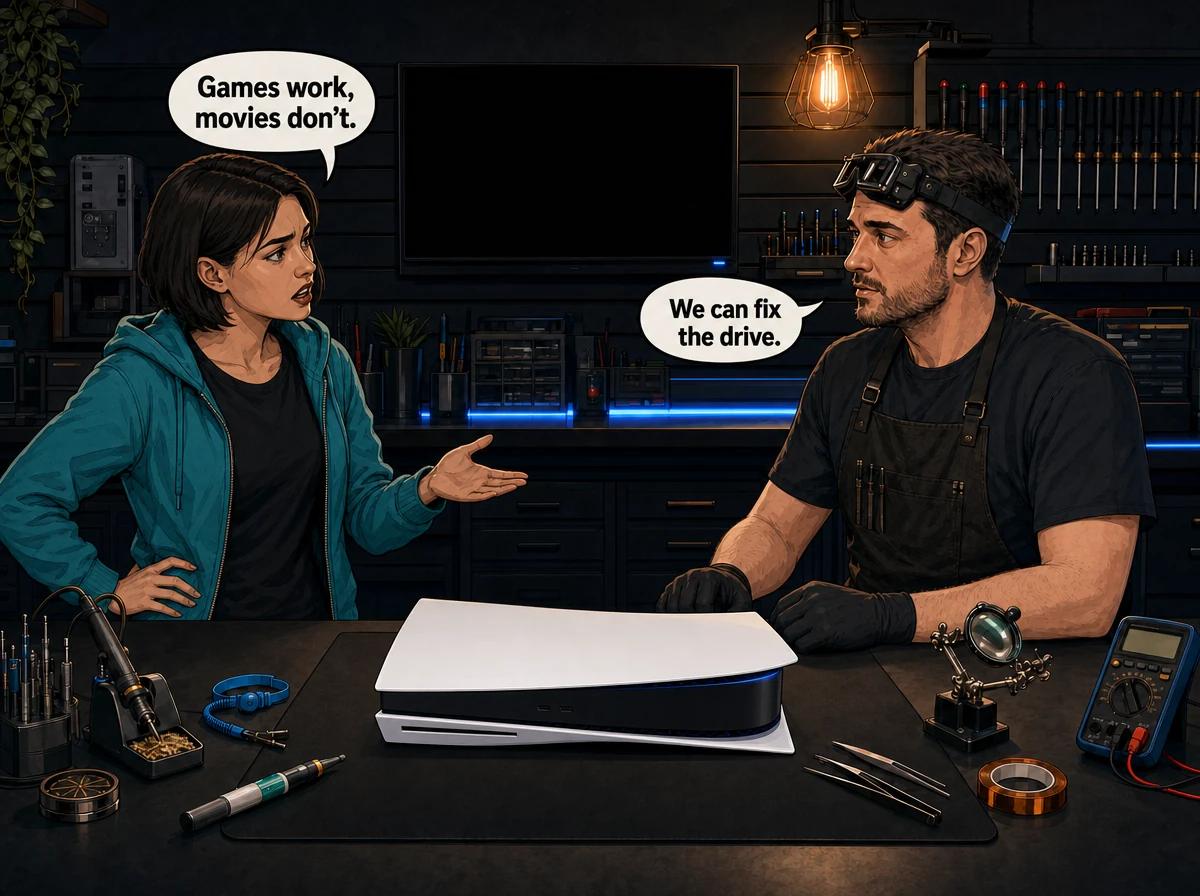
Your PS5 still installs and launches game discs. Digital titles run. Then you put in a Blu-ray movie — or a DVD you have watched a dozen times — and the console refuses. It might spin, think, and spit the disc back. It might throw error CE-110538-8. It might show a region or "can't play this content" message. That split — games yes, movies no — is a real fault pattern, and it is not the same job as a drive that will not read anything.
This is the diagnostic we actually run on the bench at Console Service Centre in Boksburg when a customer describes exactly that. The existing general guide on a PS5 disc drive that will not read discs covers grinding, stuck discs, and total read failure. This post is the narrower case: the drive still talks to game discs, and movie discs are the ones that fail.
A PlayStation 5 disc edition uses an Ultra HD Blu-ray drive with a KES-497A laser pickup. PS5 game discs are themselves Ultra HD Blu-ray media — typically 66GB dual-layer or 100GB triple-layer. The same 405nm blue-violet laser that reads those games also reads Blu-ray and UHD movie discs. DVDs use a separate 650nm red laser diode in the same pickup. If games still work, the blue laser and the high-density layers are not dead. Movie-only failure is therefore often a region lock, an HDCP handshake, a damaged movie disc, or the red laser — and only becomes a drive repair once those have been ruled out. Console Service Centre in Boksburg diagnoses that split before quoting a PS5 disc drive repair.
Why your PS5 won't play Blu-ray but still plays games
The symptom feels like a contradiction. It is not. Games, Blu-ray movies, UHD movies, and DVDs are four different jobs for one drive, and they fail at different points.
Game discs are a licence plus a ROM. A PS4 or PS5 game disc is region-free. The console reads the disc, checks it is genuine, and either installs or launches. Once installed, many titles only need the disc as a key. The optical path still has to work, but the software stack is the game OS, not the movie player.
Movie discs are a player, a TV handshake, and copy protection. A standard Blu-ray movie is region-locked. A UHD Blu-ray movie is region-free but demands HDCP 2.2 (often 2.3 in practice) on the HDMI path. Playback goes through the PS5's disc player, not the game launcher. UHD titles also have to decrypt AACS copy protection. If any of that fails, games can still look fine.
DVDs are a different colour of light. The pickup is a dual-wavelength unit. Blu-ray and PS5/PS4 games use the 405nm diode. DVDs use 650nm. A dying red diode gives you working games and dead DVDs. That is hardware. It is also easy to misread as "the drive is fine because Spider-Man still runs."
Density is not the shortcut people think it is. A weakening laser usually fails on the hardest disc first. On a PS5 that is often a game disc, not a movie — because PS5 games are BD-66 or BD-100, while a 1080p movie Blu-ray is often only BD-25 or BD-50. If your PS5 games still read, do not assume the movie is "higher density" and therefore the laser. Check region, HDCP, and the disc before you budget for a laser.
Sony's own support page for disc problems tells you to clean the disc, try another game, Blu-ray or DVD, and then Clear Cache and Rebuild Database in Safe Mode. It also states that PS5 consoles cannot play burned discs or audio CDs. Error CE-110538-8 is Sony's code for "failed to read Blu-ray disc." None of that, on its own, tells you whether the fault is the movie, the TV, or the laser — the split below does.
Quick checks before you assume the drive is dying
Do these in order. They are all external. Do not open the console.
1. Confirm you actually have a disc edition
A launch PS5 Digital Edition has no drive. A PS5 Slim Digital or PS5 Pro only plays discs if the official add-on drive is fitted. If there is no slot, there is no movie player. A Slim add-on has to be registered to the console over the internet the first time you attach it; until that official registration completes, it will not read games or movies. Unlike the original PS5's internal drive, that add-on can later be moved to another compatible Slim or Pro — the new console still needs the same online registration, not a workshop chip-swap.
2. Name the disc, not the feeling
Write down, for each disc you tried:
- PS5 game, PS4 game, 1080p Blu-ray, UHD/4K Blu-ray, or DVD
- Whether the console spins it, ejects it, or shows a specific message
- Whether CE-110538-8 appears
- Whether the TV goes black, loses HDR, or shows a region / "can't play this content" screen
One dirty movie disc proves nothing. Three movie discs of mixed types, plus one known-good PS4 or PS5 game, is a diagnosis.
3. Check the disc is a type the PS5 supports
PlayStation's own media list is short and strict:
- Yes: Ultra HD Blu-ray, Blu-ray BD-ROM (including hybrids), BD-R/RE (BDAV/BDMV), DVD-ROM, DVD-R/RW, DVD+R/RW
- No: audio CDs, burned audio discs, 3D Blu-ray, BD-R/RE XL, unfinalised DVDs, 8 cm discs, cracked or stickered discs
If you put in a CD, a ripped DVD that was never finalised, or a 3D Blu-ray, the console is behaving. Try a pressed commercial movie disc before you blame the laser.
4. Check region — this catches more movie-only failures than any laser
PS5 and PS4 game discs are region-free. UHD Blu-ray movies are region-free. Standard 1080p Blu-ray movies are region-locked, and DVDs are region-locked.
A PS5 sold in South Africa follows the same mapping as other Region B / DVD Region 2 hardware. A Region A Blu-ray imported from the US will often refuse on a local console even though every local game still plays. That is not a broken drive. It is the movie player doing what it was built to do.
If the on-screen text mentions region, stop troubleshooting hardware.
5. Clean the disc the right way
Fingerprints and a hairline scratch near the inner ring knock movie playback over more often than people expect. Wipe with a soft lint-free cloth from the centre straight out to the edge, not in circles. Hold the disc up to a light. If the movie disc is cloudy, warped from a hot car, or deeply scratched, try a different copy of the same film before you touch the console.
6. Confirm orientation
Keep the PS5 flat / horizontal. Insert the disc with the labelled side facing up. Push in until the slot mechanism takes the disc. Do not force it. A disc pushed in upside down can look like a read failure.
We do not recommend standing a disc-edition PS5 vertical on a stand. Long-term that orientation is a heat and liquid-metal risk on the APU, so insert instructions here are horizontal only.
7. Rule the TV out of UHD movie failure
UHD Blu-ray needs an HDCP 2.2 (often 2.3) handshake through the HDMI cable into a TV or AVR that actually supports it. Games can still output 4K HDR on a setup that then fails the movie player's stricter handshake.
If the disc is recognised, the player starts, and then the picture goes black, drops to SDR, or the TV reports an HDCP error, that is the display chain, not the KES-497A. Try:
- A different High Speed or Ultra High Speed HDMI cable, seated fully in the PS5's HDMI out port
- PS5 straight into the TV, bypassing the soundbar or AVR
- A full power-down of the TV and the console, then a retry
If a 1080p Blu-ray of the same film plays and only the 4K disc fails on that TV, you have an HDCP or UHD-output problem, not a dead drive.
How to fix a PS5 that won't play Blu-ray but still plays games
Work through these numbered steps. Re-test a known movie disc after each one.
-
Eject anything already inside. Press the eject button and wait. A forgotten game disc will not stop movies on its own, but a half-seated disc will confuse the slot.
-
Fully power down, do not use Rest Mode. Hold the power button until the console is off. Unplug the figure-8 power cable from the back. Wait 60 seconds. Plug in, boot, and try the movie again. This resets the optical drive electronics the same way a PC power-cycle clears a stuck USB device.
-
Update system software. A stale movie-player stack can fail UHD or BD+ titles while games, which use a different path, keep working. Install any pending update, then retry.
-
Rebuild the database in Safe Mode.
- Turn the PS5 off completely.
- Hold the power button until you hear the second beep.
- In Safe Mode, choose Clear Cache and Rebuild Database.
- This does not delete games. It rebuilds the system's file index, which is Sony's prescribed software step for disc-read faults.
-
Retest with a matrix of discs, not one film. You want one PS5 game, one PS4 game, one 1080p Blu-ray from this region, one UHD movie if you have it, and one DVD. Tick what reads, what spins-and-ejects, and what throws CE-110538-8.
-
Do not open the console. Opening it yourself risks torn flex cables, stripped screws, and a ripped fan connector — damage that costs far more than the original drive job. Power supplies inside these consoles hold 200–400V on capacitors. Leave the interior alone.
If steps 1–5 leave you with "every movie and DVD fails, every game still reads," you have a hardware pattern. If only one movie fails, you have a disc. If only UHD fails and 1080p plays, look at the TV. If only DVDs fail, look at the red laser.
What the disc-test matrix actually means
| What works | What fails | Likely cause | Next step |
|---|---|---|---|
| PS5/PS4 games | One movie disc | Damaged or dirty disc | Try another copy of the film |
| Games | 1080p Blu-ray, with a region message | Region lock | Use a Region B disc |
| Games and 1080p Blu-ray | UHD movie, picture goes black | HDCP / HDMI / TV | Bypass AVR, change cable |
| Games | All movies, CE-110538-8, disc never recognised | Optical read path | Safe Mode, then workshop |
| Games and Blu-ray | DVDs only | Red (650nm) laser diode | Disc drive repair |
| Nothing optical, digital games fine | All discs | Laser, mechanism, or a drive transplanted from another original PS5 | Workshop — do not swap an original internal drive at home |
That table is the whole point of this post. A generic "PS5 not reading discs" article treats every row as the same repair. It is not.
The KES-497A is the optical pickup in the original PS5 disc edition's KEM-497AAA-style deck. A tired blue laser loses the ability to hold focus, and scratched or high-capacity discs are harder to read. Because PS5 games are already high-capacity UHD media, a console that still reads those games has a blue laser that is still doing hard work. Isolated movie failure is therefore a software, region, HDCP, or red-laser story until the matrix says otherwise.
When the hardware really is the problem
Once region, disc condition, HDCP, and Safe Mode are off the list, these are the faults we see.
A weakening KES-497A laser
The pickup wears. Dust on the lens, heat, and age all reduce its ability to hold focus. Symptoms that belong here:
- The disc spins for a short while, then ejects or throws CE-110538-8
- Older or scratched movie discs fail first
- DVDs fail while Blu-ray games still load (red diode)
- Several different commercial movie discs fail the same way, not just one title
Fix: replace the laser assembly, or the complete drive if the mechanism is noisy or the sled is worn. A new KES-497A has to be fitted and aligned in the existing deck. This is not a cotton-bud-and-torch job. The pickup sits behind the slot on a sled with fine flexes; catching the lens with a swab is a good way to misalign it.
A mechanism that still grabs games but mishandles movie spin-up
Games and movies do not stress the spindle the same way. A UHD movie is a long, continuous read; a game install is often bursty. A worn spindle motor or a dirty slot can still get through a short install, then fail a two-hour film. Grinding, clicking, or a disc that only goes in halfway is mechanical, not a region problem. That is a complete-drive or drive-repair job, not a firmware tweak.
A drive transplanted from another original PS5
On the original disc-edition PS5 the internal drive is cryptographically paired to that motherboard. You cannot pull a working drive out of another launch-model PS5, drop it in, and expect movies or games to read. A second-hand "complete drive" for those models is useless unless the original drive board / pairing data goes with it.
The Slim and Pro add-on drive is different: Sony designed it to move between compatible consoles, as long as the new console registers it online. Do not treat a Slim add-on like a launch-model internal drive, and do not treat a launch-model internal drive like a Slim add-on.
This is why we do not tell customers to buy a used original-model drive and fit it. The console will sit there looking healthy, digital games will run, and every disc will fail — which can look exactly like the symptom in this post's title if you only tested movies.
Flex cable or drive-board faults
The original PS5 disc edition connects the drive to the motherboard with a flex cable. A nicked flex, a drive board with a dead laser-power rail, or a console that was dropped on the slot can kill movie reads. Digital games still run because they never touch that cable.
What professional PS5 disc drive repair involves
Bring the console, or courier it to us. Tell us the matrix: which games work, which movies fail, the exact on-screen text, and whether you hear grind or spin. That description is worth more than a guess about "the laser."
We diagnose before we quote. Depending on what the bench shows, the job is one of these — prices render live from our current PS5 repair list:
- Drive repair (clean, realign, mechanism service where the laser is still in spec): R1,249 – R1,299
- KES-497A laser replacement: R1,999 – R2,049
- Disc drive only (drive assembly, original pairing kept where the model requires it): R2,199 – R2,299
- Complete drive with laser: R2,699 – R2,749
A full service is R1,249 and is the right add-on when the console is also noisy, dusty, or running hot — it is not a substitute for a dead pickup.
Every repair carries our 6-month money-back warranty. A R599 bench fee applies only if you decline the quote or the console cannot be repaired.
Not sure which row you are on? WhatsApp us at 087 550 2307 — we respond 24/7. Describe the discs you tested and the exact message. We can usually tell you whether this still looks like region/HDCP or whether it needs to come in.
Opening your console yourself risks extra damage — torn flex cables, stripped screws, or a fan connector ripped off the board — that makes the repair more expensive. Internal work belongs on the bench.
Does opening the PS5 void the manufacturer warranty?
No. Opening the console does not automatically void the manufacturer warranty. After the US FTC action on "warranty void if seal broken" stickers, simply lifting a panel no longer kills all cover. What is excluded is damage you cause while you are inside: a torn flex, a cracked clip, liquid metal smeared across the APU, a ripped fan trace.
In South Africa the Consumer Protection Act makes blanket "void if the seal is broken" terms largely unenforceable. Tamper seals still exist, and a manufacturer can still refuse a claim where the fault was clearly caused by the DIY attempt. The accurate position is: opening does not auto-void; damage you cause is not covered; the fear that a broken sticker instantly ends all cover is misplaced.
None of that is a reason to open a PS5 for a movie-playback fault. You will not clean a KES-497A safely with household tools, and you cannot transplant an original PS5's internal drive at home. If the console is still under a manufacturer or retailer guarantee and movies never worked, use that path first. If you want it repaired here instead, our own 6-month money-back warranty applies to the work we do, regardless of the original manufacturer status.
How to stop a working drive from getting here
- Keep movie discs in cases. A loose Blu-ray on a car seat in January in Gauteng will warp.
- Do not leave a disc spinning in Rest Mode for days. Eject it.
- Give the console air. A drive that lives inside a closed TV unit runs hotter, and heat ages lasers.
- Use a surge-protected supply through load shedding. The drive is not the first part a spike kills, but a hard power cut mid-read is ugly for both the database and the sled.
- Lay the PS5 flat, with the slot unobstructed. We keep ours horizontal, not vertical — on disc-edition consoles we have seen long-term vertical standing let the APU's liquid-metal cooling migrate off the chip, and that heat-spot failure is far worse than any disc fault.
- Do not "clean the laser" with a cotton bud, a torch, or compressed air fired into the slot. You will not see the pickup, and you can drive dust further in.
If the slot already grinds, stop inserting discs. Every extra attempt on a failing mechanism risks a disc stuck where only a workshop should retrieve it. Sony publishes a cover-off eject-screw method; we do not walk customers through that. Send it in.
Frequently Asked Questions
Why does my PS5 play games but not Blu-rays?
Because games and movies use different software paths, and DVDs even use a different laser wavelength. Region lock, HDCP, a single damaged movie disc, or a dying red diode can all kill movies while PS4 and PS5 games still run. Work through the disc-test matrix in this post before you assume the whole drive is dead.
Why won't my PS5 play Blu-ray movies?
First confirm the disc is a supported, pressed movie disc for this region, cleaned, and inserted label-up with the console lying flat. Then rebuild the database in Safe Mode. If several commercial movies still throw CE-110538-8 or never get recognised, the optical pickup likely needs workshop attention.
Can a PS5 play DVDs if games still work?
Yes — when the red laser diode is healthy. If games and Blu-rays work and only DVDs fail, that is a classic dual-wavelength pickup fault, not a region setting. That is a laser or drive repair, not a TV setting.
How much does PS5 disc drive repair cost in South Africa?
It depends on whether the job is a mechanism service, a KES-497A laser, the drive assembly, or a complete drive with laser. Those prices are quoted from live stock, not a printed leaflet: drive repair is R1,249 – R1,299, a 497A laser is R1,999 – R2,049, disc drive only is R2,199 – R2,299, and a complete drive with laser is R2,699 – R2,749. A R599 bench fee applies only if you decline the quote or the console cannot be repaired.
Does opening my PS5 void the warranty?
Opening the console does not automatically void the manufacturer warranty. Only damage you cause during the attempt is excluded. South Africa's Consumer Protection Act makes blanket "seal broken = no warranty" terms largely unenforceable. Still do not open it for this fault — you cannot transplant an original internal drive at home, and DIY damage is what actually makes the bill worse.
Is it worth repairing a PS5 disc drive?
If the rest of the console is healthy and you still use physical games or movies, yes. Digital-only owners on a disc edition sometimes skip the drive and keep the console; everyone who still buys discs, or who needs the drive as a game licence key, should repair it. We quote before work so you can make that call with a number, not a guess.
Can I swap a PS5 disc drive myself?
No. On an original disc-edition PS5 the internal drive is paired to that motherboard, so a donor from another launch-model console will not read discs. A Slim or Pro add-on can be moved between compatible consoles only through Sony's official online registration — not by fitting a random launch-model drive. Leave laser alignment, flex work, and original-model pairing to a shop that already does this on PS5 consoles.
Get your PS5 reading movies again
Here's why Console Service Centre is the right bench for this fault:
- We diagnose the split, not a generic "disc drive" label — games-yes/movies-no is a different job from a dead slot
- PlayStation disc-drive work is routine here, including Slim add-on drives
- 1,320+ Google reviews at 4.9 stars — the world's most-reviewed dedicated gaming-console repair specialist on Google
- PlayStation and Xbox specialists — we don't do phones or general electronics
- 6-month money-back warranty — if the same issue returns, we fix it free
Ready to get movies working on your PS5?
WhatsApp us: 087 550 2307 — we respond immediately, 24/7
Visit us: 6 Bester Street, Witfield, Boksburg
Can't get to us? We offer nationwide courier repairs. Ship the console via The Courier Guy, we fix it, and we send it back.
Topics Covered
About the Author

Shaun Potgieter
Founder & Head Technician
Expert console technician with 15+ years of hands-on repair experience.