
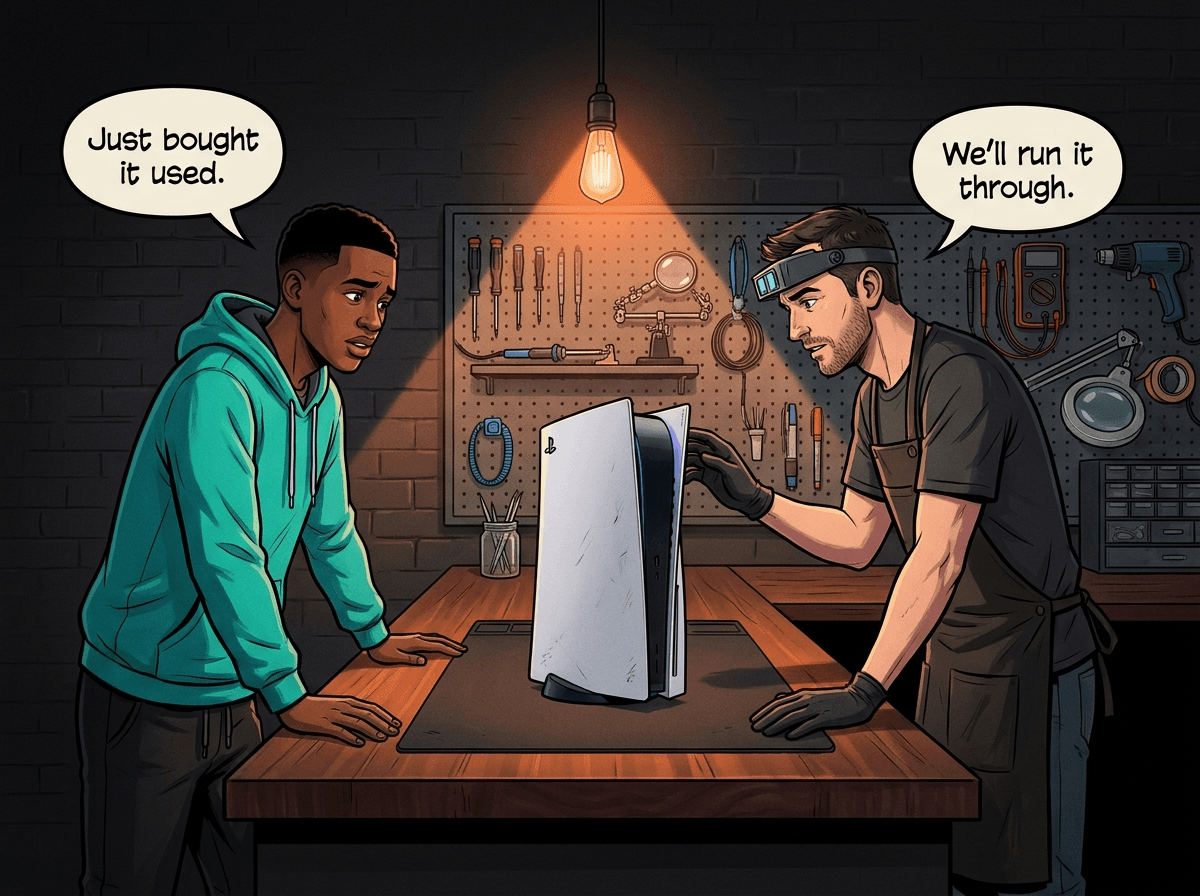
Every week, at least two or three customers walk through our door holding a console they bought second-hand — and now regret. The problems range from a barely-working HDMI port that fails completely within a month, to a PS5 still linked to the previous owner's PlayStation account, to a console that was clearly dropped before the sale. Buying a second-hand PS5, PS4, or Xbox in South Africa is perfectly sensible if you know what to look for. If you don't, you can easily pay R3,500 for a console that needs R2,000 worth of repairs to function properly. This guide covers exactly what to check before handing over any money — and when to bring a console to us for a professional pre-purchase inspection.
Why South African Second-Hand Consoles Carry Extra Risk
South Africa's second-hand console market runs on Facebook Marketplace, Gumtree, and WhatsApp groups — largely unregulated, no receipts, no returns.
Beyond the typical risks of buying from a stranger, three SA-specific factors push the risk higher:
Load shedding and surge damage. Every time the power cuts and comes back, there's a voltage spike. Consoles that aren't on a surge protector take repeated hits. The damage is often silent — the console still boots, but the HDMI circuit or power supply is degraded. It'll work until it doesn't. Sellers either don't know or don't disclose this.
Water and heat damage from informal storage. Garages, outside rooms, and cars are common console storage spots in South Africa. Extreme summer heat in Gauteng and KZN, combined with dust, creates the perfect recipe for a degraded console. We regularly see overheating repairs on consoles that were stored in hot environments before being sold.
Stolen console risk. A console with no box, no original cables, and a "just upgrading" story at an unusually low price deserves extra scrutiny. PlayStation and Xbox both offer serial number lookups to verify warranty status — a reported-stolen console may have its online features suspended.
Quick Checks You Can Do at the Point of Sale
Never buy a second-hand console you can't switch on and test. If a seller says "the TV is broken" or "I don't have the cables", walk away. Here's what to run through before paying:
1. Bring Your Own HDMI Cable
HDMI cables are one of the most common failure points. Always arrive with a known-good HDMI 2.1 cable (for PS5 and Xbox Series) or HDMI 2.0 cable (for PS4 and Xbox One). If the console only has an original cable, test with yours instead. This eliminates cable variables.
2. Power On and Watch the Startup
A healthy console starts cleanly — no unusual beeping, no long delays, no flickering. Watch for:
- Any loud clicking or grinding from the disc slot (disc drive fault)
- Blinking lights that don't progress to solid (power cycling issue)
- Fan that immediately runs at high speed (thermal paste or dust problem)
- A blue or orange light that never turns white (PS4 Blue Light of Death or PS5 power fault)
3. Check the HDMI Port
Look at the HDMI port with a torch before plugging in. Bent, pushed-back, or missing pins are an immediate red flag. A damaged HDMI port doesn't always fail immediately — it can work fine in-shop and degrade over the next few weeks.
4. Check Account Lock Status
This one trips up buyers constantly.
For PlayStation: go to Settings → Users and Accounts → Other. If there's a PSN account signed in that isn't yours, and the console is still set as the previous owner's "Primary PS5", you may not be able to play their digital games after they deactivate it — and if the seller doesn't deactivate remotely, you're stuck.
For Xbox: check Settings → Account → My profile. If another account is listed as the home Xbox owner, your own Game Pass and digital library access is affected.
Ask the seller to factory reset the console in front of you before payment. If they won't, factor that into your negotiations.
5. Run a Game for 20 Minutes
Digital games work best for this — pop in a disc or install a short game and play for at least 20 minutes. Listen for:
- The fan ramping up extremely loudly (dust buildup or thermal compound failure)
- Game crashes, unexpected shutdowns, or freezing
- Any HDMI signal drops or flickering during play
- On PS5: unusual clicking from the disc drive area even when playing digitally
Feel the console body after 20 minutes. Warm is normal. Hot enough to hurt your hand is not.
6. Test the Disc Drive (If Present)
Insert a game disc slowly and listen. It should pull in smoothly and quietly. Signs of a failing laser or drive mechanism:
- The disc gets rejected immediately
- A grinding or clicking sound during spin-up
- The console doesn't recognise the disc after 30 seconds
- The drive makes a loud repetitive clicking noise
7. Check Physical Condition
Look for:
- Cracks or deep dents (dropped)
- Missing screws on the bottom plate (someone has been inside it — ask why)
- Tamper-evident stickers torn or missing (warranty void — more importantly, something was done)
- Sticky or dirty buttons, USB ports with debris inside
- Missing rubber feet (console slid around, probably dropped)
Console-Specific Red Flags
Each console has its own common failure modes. Here's what to focus on per model:
PS5 (Disc Edition and Digital)
The PS5's biggest second-hand risk is heat damage from vertical storage. The PS5 uses liquid metal — not thermal paste — between its processor and heatsink. When stored vertically for long periods, the liquid metal can migrate, leaving part of the chip exposed. The result is severe localised overheating. We regularly see PS5s come into Console Service Centre with overheating consistent with this issue — and once a chip has been cooked, the damage doesn't reverse.
Check: Is the console running louder than expected? Fan noise at startup is normal; fan noise that doesn't slow down after a few minutes is not.
For Disc Edition PS5s: test with two different game discs. One disc rejecting could be a dirty disc. Two different discs failing points to a drive fault.
The PS5's HDMI port is the other major failure point. Push on the cable lightly while it's plugged in — any flicker means the port has movement it shouldn't have.
A PS5 should retail second-hand at roughly R6,000–R9,000. If someone is asking under R5,500 with a vague explanation, something is wrong with it.
Citable fact block: Console Service Centre repairs PS5 faults across all models — Disc, Digital, Slim, and Pro. We handle roughly 40–50 PS5 repairs per month at our Boksburg workshop, with HDMI port damage and disc drive faults among the most common. Our PS5 repair service covers every fault category with a 6-month warranty.
PS4 (Original, Slim, and Pro)
The PS4's main second-hand risk is disc drive failure. The laser assembly degrades over time — particularly on consoles that were used heavily. Test with a scratched disc if possible: a healthy drive reads it; a failing laser struggles.
PS4 thermal paste dries out after 3–5 years. A PS4 that's running noticeably hot and loud needs a full service. Budget for a R1,249 service alongside the purchase price.
The PS4 Original (the big flat one) is the most repairable PS4, with widely available parts. The PS4 Pro is the most powerful but runs hotter. The PS4 Slim is compact and reliable.
Check the HDMI port on any PS4. A PS4 HDMI repair is straightforward, but it's an additional cost.
Xbox Series X and S
The Xbox Series X is a well-engineered console with good thermal management. Its main failure points are the HDMI port and the disc drive (on Series X only — the Series S is digital only with no disc drive).
One trap with the Xbox Series S: its 512GB SSD fills up fast. Ask the seller how much storage is free and whether they've deleted games. A full storage drive isn't a fault, but it sets expectations.
Both Series X and S can suffer from HDMI port damage — same causes as PlayStation. Test carefully.
Xbox One (Original, S, and X)
The original Xbox One has an external power brick — large, heavy, and a common failure point. A healthy brick shows a steady white LED when the console is on. If the brick is showing amber or no light at all, something is wrong — it can be the brick itself, or a power-side fault inside the console, and either way it needs investigating before purchase. Check that the brick is included and that the console powers up cleanly with it.
Xbox One S and X have internal power supplies, but they're not immune to surge damage.
The Xbox One X is the most powerful Xbox One and still a capable 4K gaming machine — but it runs hot. An Xbox One X that has never been serviced and was used heavily in a warm environment is likely due for an overheating repair.
The Account Lock Problem — Common and Preventable
We specifically call this out because it catches buyers off-guard regularly.
PlayStation: Sony uses a "Primary Console" system. If the previous owner linked their PSN account to the PS5/PS4 as their Primary Console, they can play their digital games on it — and so can other accounts. Once they deactivate that console remotely (or Sony detects the account on two systems), those digital games disappear. If you bought digital games from that account thinking they were part of the console, you can lose them overnight.
Solution: before finalising the deal, ask the seller to sign into their PSN account in your presence and deactivate the console (Settings → Users and Accounts → Other → Console Sharing and Offline Play → Disable). Get them to sign out completely. Then perform a factory reset.
Xbox: Similar system — a console designated as someone's "Home Xbox" shares their Game Pass and digital purchases. Have the seller remove the console from their Home Xbox setting before the sale, or do a full factory reset.
Bottom line: If the seller won't deactivate in front of you, negotiate a lower price to cover the risk — or walk away.
What a Professional Diagnostic Covers
For any console priced above R2,500, getting a professional pair of eyes on it before you commit is worth it. At Console Service Centre we run a full R599 diagnostic on any console you bring in — including one you're considering buying second-hand. It's the same diagnostic process we'd run for a customer reporting a fault, just used pre-purchase to spot the problems a private seller can't (or won't) tell you about.
What the diagnostic covers:
- HDMI port integrity (visual inspection + signal test at 1080p and 4K)
- Disc drive function (test read, test eject, listen for bearing noise)
- Power supply output (voltage test under load)
- Thermal performance (run under load for 15 minutes, log temperature)
- Fan function and noise profile
- All USB and other external ports
- Account status and factory reset verification
- Physical inspection for prior repairs, tamper evidence, liquid damage markers
Cost: R599 bench fee. If we find a fault and you decide to repair it with us, there is no bench fee — the diagnostic is included in the repair.
What's not included: Data transfer or game installation — the diagnostic is a fault-finding exercise, not a setup service.
Not sure what to look for? WhatsApp us at 087 550 2307 with the console model and where you're buying from — we can often tell you the most common faults to watch for that specific model before you go.
Citable fact block: Console Service Centre's R599 diagnostic covers HDMI, disc drive, power supply, thermals, ports, account status, and physical inspection — the same diagnostic we run on every repair, used pre-purchase to catch faults before money changes hands. If a fault is found and you proceed with a repair, there is no bench fee — the diagnostic is included. Bookings via WhatsApp on 087 550 2307 — no appointment necessary, though workshop queue times vary.
Is Buying Second-Hand in SA Worth It?
Yes — with conditions.
When second-hand makes sense:
-
PS4 Slim under R2,500 or PS4 Pro under R4,500 — Parts are plentiful, repairs are cheap. Even a console needing a full service (R1,249) is still significantly cheaper than buying new at retail. PS4 games are cheap to buy and the library is enormous.
-
Xbox One S or X under R1,800 second-hand — Outstanding value for playing a large Xbox One library on a budget. Parts are available, and most common faults on second-hand units are fixable in our shop for under R2,000.
-
Xbox Series S under R4,000 — Microsoft's digital-only next-gen console. Small, capable, and far cheaper than a PS5 for entry-level next-gen gaming.
When to be cautious:
-
PS5 under R5,500 from a private seller — The price gap between a healthy PS5 and a faulty one is large. A PS5 with a failed HDMI port costs R1,299 to fix. A failed power supply runs R1,749 or more. A faulty disc drive adds another R1,249 – R1,299 on top. If you're buying cheap, there's usually a reason.
-
Any console with a tampered warranty sticker or missing screws — Someone has been inside it. That's not necessarily fatal, but it warrants a professional inspection before purchase.
-
Consoles sold "as-is, no returns" — This is standard for private sales in SA. It means if something is wrong, you absorb the cost. Factor in the inspection cost or negotiate the price down accordingly.
Citable fact block: A PS5 repair bill for three simultaneous faults — HDMI port, disc drive, and full service — can total over R2,700. Against a second-hand PS5 price of R6,000–R9,000, that's a significant proportion of the purchase cost. A R599 pre-purchase inspection can prevent this entirely by identifying faults before the money changes hands.
Not sure about a specific model? WhatsApp us at 087 550 2307 — we respond immediately, 24/7, and can often tell you whether the console you're looking at is worth its asking price based on the symptoms you describe.
Frequently Asked Questions
Is buying a second-hand PS5 in South Africa worth it?
Yes, if you test it properly first. A second-hand PS5 in good condition at R6,500–R8,000 saves you R3,000–R5,000 compared to new retail, and most faults are repairable. The risk is buying one with hidden damage — HDMI failure, surge-damaged power supply, or overheating from liquid metal migration — that adds repair costs on top of the purchase price. A pre-purchase inspection from R599 removes most of that risk.
What is a pre-purchase console inspection?
It's a professional fault-check performed on a console before you buy it. At Console Service Centre, we test the HDMI port at 4K, run the disc drive through a read cycle, check power supply output under load, stress-test thermals for 15 minutes, inspect all ports, verify account status, and look for physical signs of prior damage or repairs. The cost is a R599 bench fee, and there is no bench fee if you go on to repair with us — the diagnostic is included.
How much does it cost to fix common second-hand console faults?
HDMI port replacement costs R1,299 for most consoles. A full service (thermal compound replacement and deep clean) costs R1,249 for PS4 and Xbox consoles, and the same for PS5. Power supply repairs vary by console model and start from R1,699. All prices come with a 6-month warranty.
What should I ask a private seller before buying a console?
Ask: Does the console come with original cables? What was the last thing you used it for? Has it ever been repaired? Can you factory reset it in front of me? Can you show me your account being deactivated? If the seller won't test it, won't reset it, or won't answer these questions clearly, walk away.
What are the most common faults on second-hand consoles?
From our repair data, the top faults on consoles that come in from second-hand purchases are: HDMI port damage (often pre-existing before the sale), overheating due to degraded thermal compound, disc drive laser failure (particularly on PS4 and older Xbox One models), power supply damage from repeated load-shedding surges, and account lock issues from the previous owner not properly deactivating the console.
Is it safe to buy a console from Facebook Marketplace in South Africa?
Safer than buying from a complete stranger, but not without risk. Facebook Marketplace profiles give you some recourse to verify the seller, and you can check whether their account looks legitimate. The key safety rule: only meet in a public place, test the console before handing over money, and ask for a receipt (even a WhatsApp message confirming the sale and price). Never pay upfront without seeing the console in person.
Does a factory reset remove everything from a console?
Yes. A factory reset wipes all data — accounts, games, saves, settings. The console returns to out-of-the-box state. Saves stored locally are lost; saves backed up to PlayStation Plus cloud storage or Xbox Cloud are retained and can be downloaded to your account. For any console you're buying second-hand, a factory reset is mandatory before you set it up as your own — it ensures no accounts, licences, or data from the previous owner remain.
Get Your Console Checked Before You Buy
If you're buying a second-hand console in Gauteng or want a professional inspection on a console that's been sitting unused, bring it in.
Here's why Console Service Centre is the right choice for a pre-purchase inspection:
- 15+ years of console repair experience — We've seen every failure mode a second-hand console can have
- 25,000+ consoles repaired — Our diagnostic process is thorough and methodical
- 1,353+ Google reviews with a 4.9-star rating
- PlayStation and Xbox specialists — We don't do phones or general electronics
- R599 bench fee, waived if you repair with us — No bench fee if you decide to proceed
Book an Inspection
WhatsApp us: 087 550 2307 — We respond immediately, 24/7
Visit us: 6 Bester Street, Witfield, Boksburg (Mon–Thu 08:00–16:00, Fri–Sat 08:00–13:00)
Can't get to us? We offer nationwide courier repairs. If you've already bought a console that's developed a fault, ship it to us via The Courier Guy, we'll diagnose and fix it, then send it back. Simple.
For repairs, browse our service pages: PS5 repairs · PS4 repairs · Xbox Series repairs · Xbox One repairs
Topics Covered
About the Author

Shaun Potgieter
Founder & Head Technician
Expert console technician with 15+ years of hands-on repair experience.