
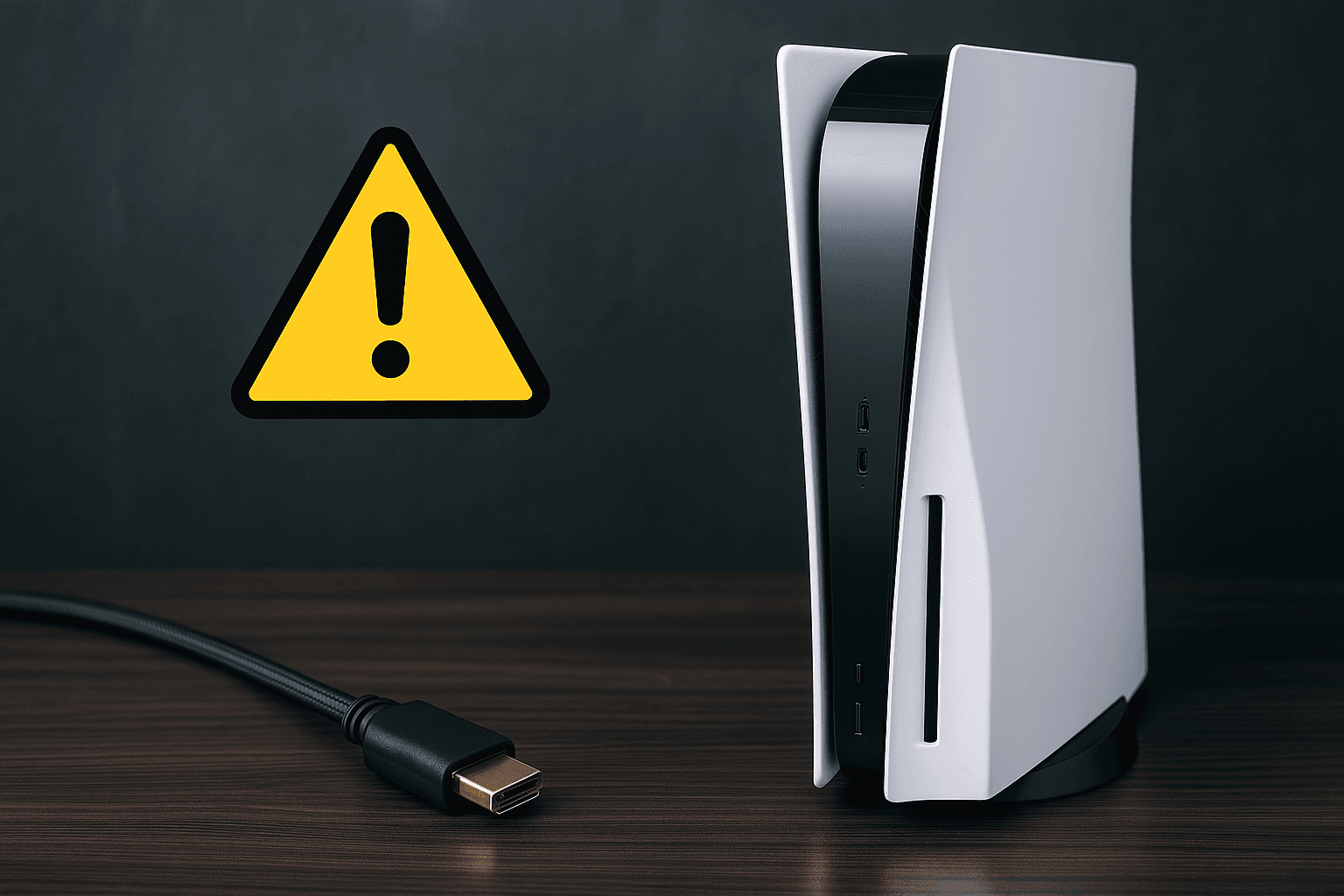
Your PS5 powers on just fine -- the light turns white, the fan spins up, you might even hear the home screen chime through the controller speaker. But your TV? Completely black. Nothing. No signal detected. (If your PS5 is not powering on at all, that is a different issue -- see our PS5 not turning on guide instead.)
If this sounds familiar, you are not alone. HDMI port damage is one of the top three hardware problems we see at Console Service Centre. Since 2011, we have repaired thousands of damaged HDMI ports across PS5, PS4, and Xbox consoles, and we can tell you from experience: this problem is far more common than most gamers expect.
The good news? In most cases, a damaged PS5 HDMI port can be repaired. The bad news? It is not a DIY fix. But before we get into the repair side, let us start with the simple things -- because sometimes the problem is not the port at all.
Rule Out the Simple Stuff First
Before assuming your HDMI port is damaged, try swapping your HDMI cable, testing a different HDMI port on your TV, and doing a full power cycle (unplug both the PS5 and TV for 60 seconds). These basic checks resolve a meaningful share of "no display" cases before any repair is needed.
For a full step-by-step walkthrough of every quick fix, see our PS5 black screen troubleshooting guide. That guide covers cable checks, power cycling, HDMI handshake resets, Safe Mode, and software fixes in detail.
If you have already tried all of that and your PS5 still shows no picture, this guide is for you. Below, we focus specifically on physical HDMI port damage -- how to spot it, what causes it, and what the repair involves.
5 Signs Your PS5 HDMI Port Is Damaged
How do you know if the HDMI port itself is the problem? Here are the telltale signs we look for when diagnosing consoles in our workshop.
1. No Display at All (But the Console Powers On)
This is the most common symptom. Your PS5 shows a solid white light (meaning it has booted successfully), but the TV displays "No Signal" or stays black. If you have already tried different cables and different TVs with the same result, the port is the most likely culprit.
2. Flickering or Intermittent Display
The picture cuts in and out, or you get brief flashes of the PS5 dashboard before it goes black again. This usually means one or more pins inside the HDMI port are damaged but still making partial contact. You might notice it works if you hold the cable at a certain angle.
3. The HDMI Cable Feels Loose
When you plug an HDMI cable into a healthy port, it should fit snugly and stay firmly in place. If the cable feels wobbly, loose, or does not click in properly, the port housing or the solder joints connecting it to the motherboard may be damaged.
4. Sparkling, Static, or Colour Distortion
Instead of a clean image, you see:
- Sparkling white dots across the screen
- Static or snow (like an old analogue TV)
- Purple, green, or pink tint to the image
- Horizontal or vertical lines across the display
These symptoms typically indicate bent pins that are making inconsistent contact, or early-stage solder joint failure on the port.
5. Display Only Works at Lower Resolutions
Your PS5 displays correctly at 1080p but goes black when you switch to 4K or enable HDR. This can indicate that some of the HDMI port's data pins are damaged. HDMI 2.1 features like 4K at 120Hz require all pins to function perfectly -- even one bent pin can prevent higher bandwidth signals from getting through.
What Causes PS5 HDMI Port Damage?
Understanding how the damage happens can help you prevent it in the future.
Rough Cable Insertion
This is the number one cause we see. Forcing an HDMI cable in at an angle, or pushing too hard, bends the delicate pins inside the port. The PS5's HDMI port has 19 tiny pins arranged in tight rows -- it does not take much force to bend them.
Console Drops or Knocks
If your PS5 falls off a shelf, gets knocked while the HDMI cable is connected, or takes a hit during transport, the force can crack the solder joints that hold the HDMI port to the motherboard. The port may look fine from the outside but be disconnected internally.
Cable Yanking or Tripping
We see this constantly with households that have children or pets. Someone trips over the HDMI cable, the console gets yanked, and the port takes the brunt of the force. Even if the console does not fall, the sudden lateral force on the port can bend pins or crack solder connections.
General Wear and Tear
Repeatedly plugging and unplugging HDMI cables over months or years gradually wears down the port. This is especially common if you frequently move your PS5 between rooms or take it to friends' houses.
Power Surges and Load Shedding
This one is particularly relevant here in South Africa. When power returns after load shedding, the surge can damage sensitive electronics, including the HDMI controller circuitry. While a surge protector helps with the power supply, HDMI-related damage from electrical events is something we see regularly. Investing in a quality surge protector is always worth it -- see our load shedding console protection guide for detailed recommendations.
PS5 HDMI Port vs HDMI Cable vs HDMI Encoder Chip
One of the most important things to understand is that "HDMI problems" can come from three different places. Knowing the difference saves time, money, and frustration.
HDMI Cable
What it is: The physical cable connecting your PS5 to your TV.
Symptoms when faulty: No display, intermittent display, works on one TV but not another. The fix is simple -- buy a new cable. A quality HDMI 2.1 cable costs a few hundred Rand and takes two seconds to swap.
HDMI Port
What it is: The physical connector on the back of your PS5 where the cable plugs in. It is soldered directly to the motherboard.
Symptoms when faulty: Loose cable feel, bent pins visible with a torch, no display across multiple cables and TVs. This requires micro-soldering repair -- the old port must be desoldered and a new one soldered in its place using a hot air rework station.
HDMI Encoder Chip (IC)
What it is: The chip on the PS5's motherboard that converts digital video data into an HDMI signal. On the PS5, this is the Panasonic MN864739 encoder chip.
Symptoms when faulty: Console boots normally, port looks physically fine, cable is good, but still no video output on any TV. Sometimes you might get a distorted image or the display works briefly before cutting out.
Important: If the HDMI port has been damaged (especially from a drop or surge), there is a chance the encoder chip was damaged too. A good repair technician will test both before completing the repair.
How to Diagnose PS5 HDMI Port Damage at Home
Before sending your console in for repair, you can do some basic diagnosis to narrow down the problem.
Step 1: Visual Inspection
Grab a torch (the flashlight on your phone works well) and look directly into the HDMI port on the back of your PS5. You are looking for:
- Bent pins -- they should all be in straight, even rows
- Missing pins -- gaps where a pin should be
- Debris -- dust, lint, or foreign objects lodged in the port
- Damage to the port housing -- cracks, chips, or the port sitting at an angle
If you can see visible damage, you have your answer -- the port needs repair.
Step 2: Cable Elimination Test
Try at least two different HDMI cables (preferably ones you know work with other devices). If neither cable produces a display, the cable is not the issue.
Step 3: TV Elimination Test
Connect your PS5 to a completely different TV or monitor. If you get no display on the second screen either, the problem is definitely on the PS5 side.
Step 4: Listen for Audio Cues
When you turn on your PS5 with a damaged HDMI port:
- Can you hear the startup chime through a controller with headphones plugged in? If yes, the console is working -- the problem is specifically video output.
- Does the controller connect when you press the PS button? If the light bar turns a solid colour, the console has booted successfully.
- Can you start a game blindly and hear gameplay audio through headphones? This confirms the console works fine and only the video output path is broken.
Step 5: Safe Mode Test
Safe Mode uses the most basic video output settings, which can bypass resolution and HDR compatibility issues:
- Turn off your PS5 completely
- Press and hold the power button until you hear two beeps (about 7 seconds)
- Connect your controller via USB and press the PS button
If Safe Mode displays on your TV but normal mode does not, the issue is likely a resolution or HDR setting rather than physical port damage. If even Safe Mode shows nothing, the port or encoder chip is almost certainly damaged.
For a deeper dive into software-related display issues, check out our PS5 black screen troubleshooting guide, which covers Safe Mode fixes and display settings in detail.
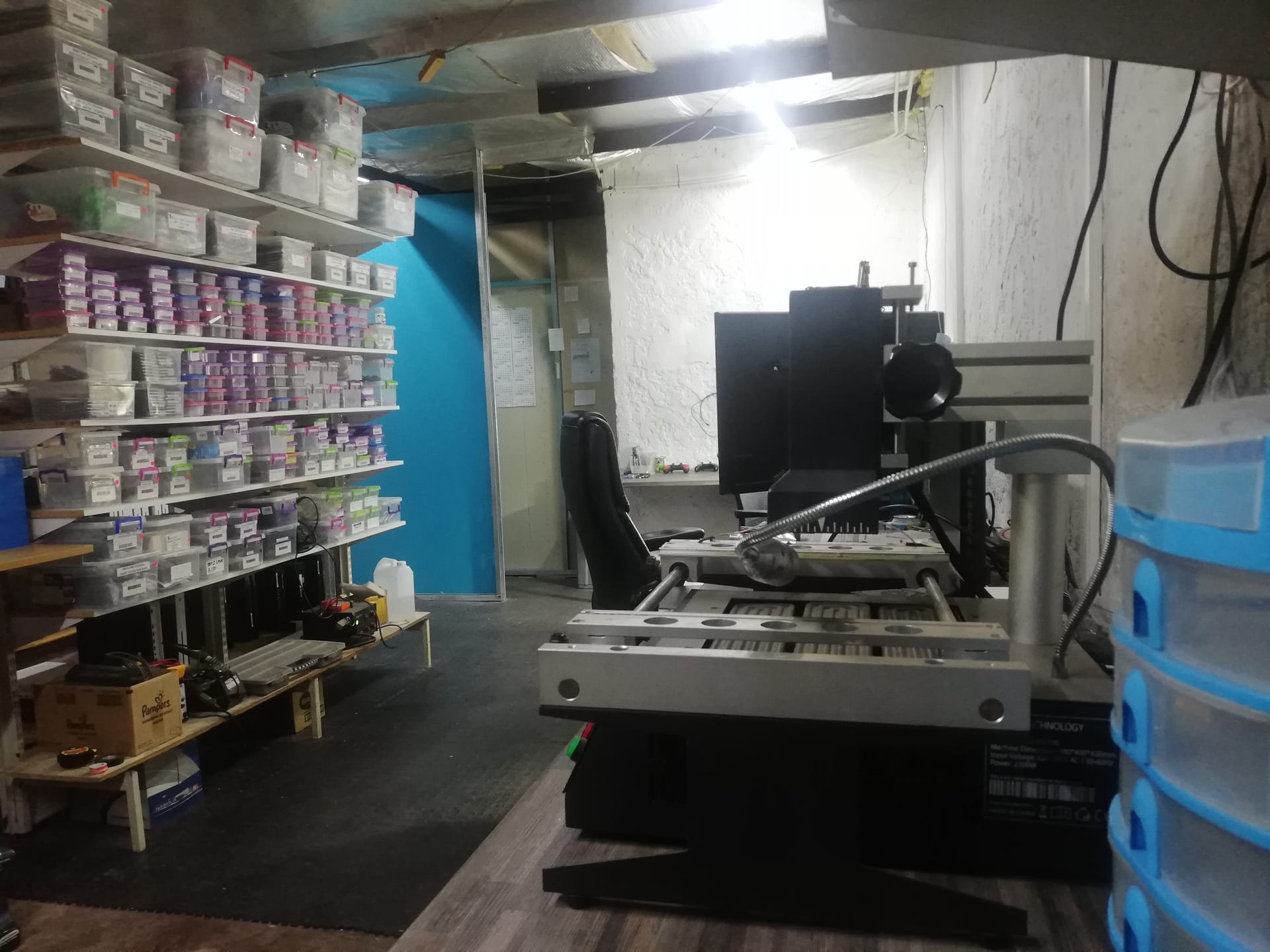
What Professional PS5 HDMI Port Repair Involves
This is where things get technical. HDMI port replacement is a board-level repair that requires specialist equipment. Understanding what goes into the repair helps you appreciate why it is not a DIY job -- and why choosing an experienced technician matters.
Why You Cannot Fix This at Home
The PS5's HDMI port is soldered directly to the motherboard using lead-free solder. Removing and replacing it requires:
- A hot air rework station operating at around 350-400 degrees Celsius
- Micro-soldering skills and a steady hand
- Flux and solder paste appropriate for lead-free work
- A microscope or magnification to inspect the tiny pins
- Replacement HDMI ports that match the PS5's exact specifications
Using a standard soldering iron (as some YouTube tutorials suggest) will damage the motherboard. The heat spreads unevenly, lifts copper pads, and can destroy adjacent components. We have repaired many consoles that were damaged by well-intentioned DIY attempts -- and these repairs are always harder and more expensive than if the console had come to us first.
The Professional Repair Process
Here is what happens when a PS5 comes into our workshop for HDMI port repair:
-
Diagnosis and testing -- We connect the console to our test equipment to confirm whether the fault is the HDMI port, the encoder chip, or both. This step is critical because replacing the port alone will not fix the problem if the IC is also damaged.
-
Disassembly -- The PS5 is carefully disassembled to access the motherboard. This includes removing the outer panels, internal shielding, SSD heatsink, and various ribbon cables.
-
Port removal -- Using a hot air rework station at controlled temperatures, the damaged HDMI port is desoldered from the motherboard. This requires precision -- too much heat damages surrounding components, too little and the port will not release cleanly.
-
Board preparation -- The solder pads are cleaned, inspected under magnification for damage, and prepared for the new port. If any pads are lifted or damaged, they must be repaired before the new port can be installed.
-
New port installation -- A brand-new HDMI port is carefully aligned and soldered into place. Each of the 19 pins must make clean contact with its corresponding pad on the motherboard.
-
IC inspection -- If initial diagnosis indicated possible encoder chip damage, the Panasonic MN864739 encoder chip is tested and replaced if necessary.
-
Full testing -- The console is reassembled and tested across multiple resolutions (1080p, 4K), refresh rates (60Hz, 120Hz), and features (HDR, VRR) to confirm the repair is complete.
-
Quality assurance -- We run the console for an extended period to ensure stability before returning it to the customer.
The entire process requires specialist training and equipment. Done properly, HDMI port replacement is a routine repair for us.
PS5 HDMI Repair Pricing
Here are our current prices for PS5 HDMI-related repairs:
PlayStation 5 (including Slim):
| Repair | Price |
|---|---|
| HDMI Port Replacement | R1,299 |
| HDMI Port Trace Repair | R1,499 |
| HDMI IC MN864739 | R1,799 |
*Prices shown are the total amount payable.
Get an exact quote on WhatsApp →When Should I Get Professional PS5 HDMI Port Repair?
If you have tried all the quick fixes above and your PS5 still has no display, here are the clear signs it is time for professional repair:
- You can see bent or damaged pins inside the HDMI port
- The cable feels loose or does not sit firmly in the port
- No display on any TV with any cable
- Safe Mode shows nothing -- not even the Safe Mode menu
- The problem started after a drop, knock, or power surge
- Display is distorted with sparkling, static, or colour issues on every TV
Not sure what is wrong? WhatsApp us at 087 550 2307 -- we respond immediately, 24/7, and can often give you a good idea of what is wrong based on your symptoms before you send your console in.
If you are not in the Boksburg area, no problem. We offer nationwide courier repairs through The Courier Guy. You ship your console to us, we diagnose and repair it, and ship it back. Customers from Cape Town, Durban, Pretoria, and everywhere in between use this service regularly.
How Do I Prevent PS5 HDMI Port Damage?
Prevention is always better (and cheaper) than repair. Here are practical steps to protect your PS5's HDMI port.
1. Handle HDMI Cables with Care
- Never force a cable in -- it should slide in smoothly with gentle pressure
- Always plug in straight -- angled insertion is the top cause of bent pins
- Disconnect carefully -- pull straight out, never at an angle
- Leave the cable connected when possible -- the fewer times you plug and unplug, the less wear on the port
2. Secure Your Console Placement
- Place your PS5 on a stable, flat surface where it cannot be knocked over
- Ensure the HDMI cable has slack -- a taut cable is one trip away from disaster
- If you have children or pets, consider placing the console in a TV unit or enclosed shelf
- Route the HDMI cable so it is not stretched across a walkway
3. Use a Surge Protector
This is essential in South Africa where load shedding causes regular power cycling. A quality surge protector:
- Protects against voltage spikes when power returns
- Costs a fraction of what an HDMI port repair costs
- Should be rated for at least 1,000 joules for gaming equipment
- Should have indicator lights showing it is still protecting (surge protectors can wear out)
Do not rely on a basic multiplug -- most cheap multiplug extensions offer zero surge protection. Invest in a proper surge protector or UPS (uninterruptible power supply) for your gaming setup.
4. Avoid Moving Your PS5 While Connected
If you need to move your console (to another room, to a friend's house, or for cleaning), always disconnect all cables first. Moving the PS5 with the HDMI cable attached puts stress on the port.
5. Keep the Port Clean
Dust and debris can work their way into the HDMI port over time. If you notice buildup:
- Gently lift loose dust from around the port opening with a soft, dry brush (like a clean, unused paintbrush)
- Never insert anything into the port, and never use suction or air on it — both can bend the delicate HDMI pins
- If there is dust deep inside the port or you can see a bent pin, don't try to reach it yourself — bring the console to us
6. Schedule Regular Full Services
Just like a car needs servicing, your PS5 benefits from regular professional maintenance. A PS5 full service includes thorough cleaning, inspection of all ports and connections, and thermal interface maintenance. This gives a technician the chance to spot early signs of port wear before they become a full failure.
Frequently Asked Questions
How do I know if my PS5 HDMI port is broken?
The clearest signs are: no display on any TV with any cable, a loose or wobbly feel when you insert the HDMI cable, visible bent pins when you shine a light into the port, or a flickering/distorted image. If your PS5 powers on normally (white light, fan spinning) but produces no video output across multiple cables and TVs, the HDMI port is the most likely cause. Try booting into Safe Mode first -- if even Safe Mode shows nothing, the port almost certainly needs repair.
Can a PS5 HDMI port be repaired, or do I need a new console?
Yes, a damaged PS5 HDMI port can absolutely be repaired. The old port is desoldered from the motherboard and a brand-new port is soldered in its place using specialist micro-soldering equipment. This is a well-established repair when done by an experienced technician with the right equipment. You do not need to buy a new console -- repair is significantly more affordable than replacement.
Is it safe to repair a PS5 HDMI port myself?
We strongly advise against DIY HDMI port repair. The port requires a hot air rework station operating at 350-400 degrees Celsius, micro-soldering skills, and specialist equipment. Using a standard soldering iron will damage the motherboard by lifting copper pads and destroying adjacent components. We regularly receive consoles that were damaged by DIY repair attempts, and these end up costing more to fix than the original problem would have.
How long does PS5 HDMI port repair take?
Most HDMI port replacements are finished in 2-3 working days, depending on how many repairs are in our queue and parts — a straightforward job can be quicker, and a flat-out workshop runs longer. If the HDMI encoder chip also needs replacement, that adds time too. We will WhatsApp you with a diagnosis and timeframe as soon as we have assessed your console.
How much does PS5 HDMI port repair cost?
PS5 HDMI repairs range from R1,299 – R1,799 depending on whether it is a straightforward port replacement or whether the HDMI encoder chip also needs attention. WhatsApp us at 087 550 2307 for a quote based on your specific symptoms.
My PS5 display works at 1080p but not 4K -- is the HDMI port damaged?
Possibly. HDMI 2.1 features like 4K at 120Hz require all 19 pins in the HDMI port to function correctly. If even one pin is bent or damaged, lower-bandwidth signals (like 1080p) may still get through while higher-bandwidth signals (4K, HDR, 120Hz) fail. However, this can also be a cable or TV compatibility issue. First, try a certified HDMI 2.1 cable and check your TV supports HDMI 2.1 on the port you are using. If the problem persists across multiple cables and TVs, the port likely needs repair.
Does PS5 HDMI port repair void my Sony warranty?
If your PS5 is still under Sony's original warranty, any third-party repair (including HDMI port replacement) will void it. However, HDMI port damage caused by physical impact or cable misuse is typically not covered by the manufacturer's warranty anyway -- Sony classifies this as accidental damage. If your PS5 is out of warranty (which most are by now), there is no downside to professional third-party repair. At Console Service Centre, we provide our own 6-month money-back warranty on all repairs.
Can load shedding damage my PS5 HDMI port?
While load shedding itself (the power going off) does not directly damage HDMI ports, the power surge when electricity returns can damage sensitive electronics, including the HDMI controller circuitry and encoder chips. We see a noticeable increase in HDMI-related repairs after periods of heavy load shedding in South Africa. The best protection is a quality surge protector rated for at least 1,000 joules, or ideally a UPS (uninterruptible power supply) that provides clean, consistent power to your gaming setup.
Where Can I Get My PS5 HDMI Port Fixed in South Africa?
A damaged HDMI port does not mean your PS5 is finished. It is one of the most common repairs we do, and the results speak for themselves.
Here is why Console Service Centre is your best choice for PS5 HDMI port repair:
- Console repair specialists since 2011 — over 25,000 consoles repaired
- We know what we are doing -- every HDMI port issue, every model
- 1,346+ Google reviews with a 4.9-star rating
- PlayStation and Xbox specialists -- we do not do phones or general electronics
- 6-month money-back warranty -- if the same issue returns, we fix it free
- Specialist micro-soldering equipment for HDMI port replacements
Ready to Get Your PS5 Sorted?
WhatsApp us: 087 550 2307 -- we respond immediately, 24/7
Visit us: 6 Bester Street, Witfield, Boksburg
Can't get to us? We offer nationwide courier repairs. Ship your console to us via The Courier Guy, we fix it and send it back. Simple.
Not sure where to get your PS5 fixed? Read our guide on where to fix your PS5 in South Africa — it covers what to look for in a repair shop and why location doesn't matter with courier service.
Stop staring at a black screen. Get in touch and let us get you back to gaming.
Topics Covered
About the Author

Shaun Potgieter
Founder & Head Technician
Expert console technician with 15+ years of hands-on repair experience.