
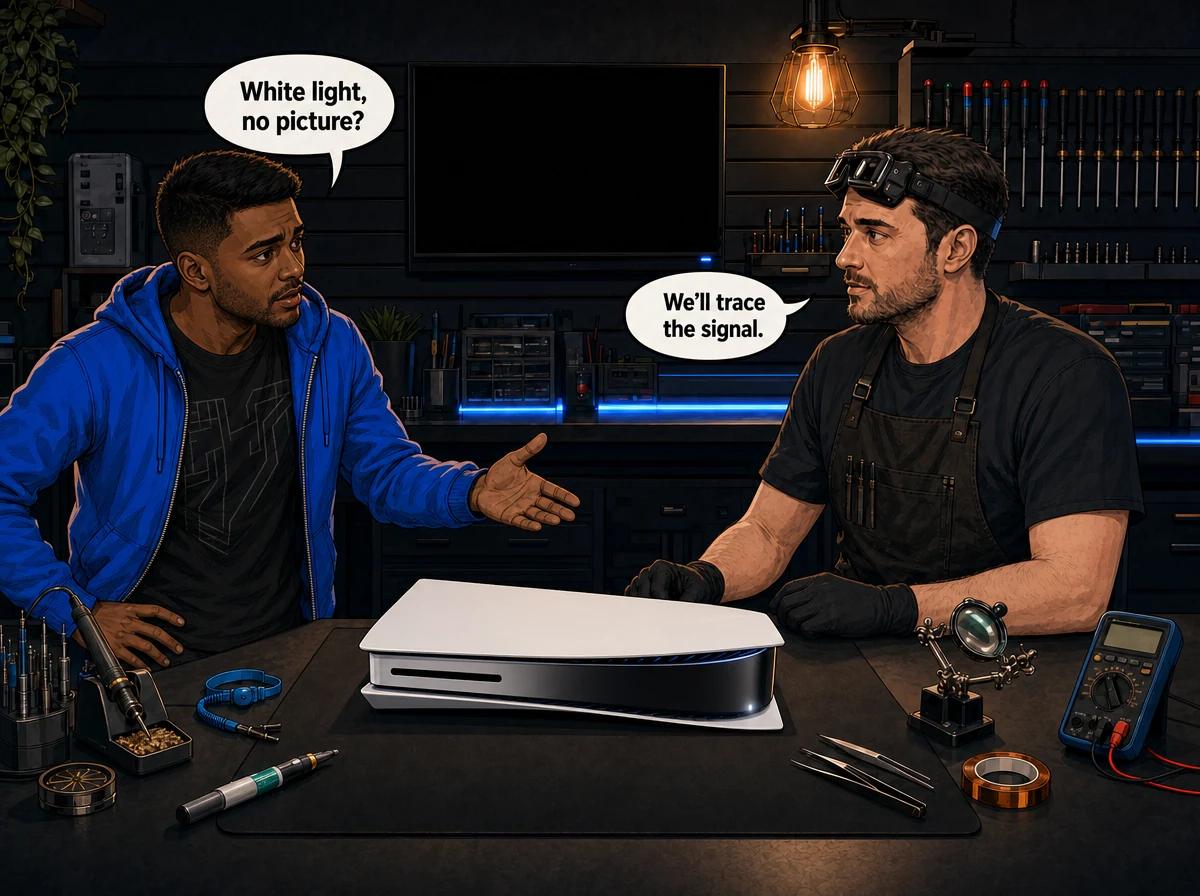
Your PS5 turns on, the light glows white, the fan spins — and your TV sits there saying "No Signal". The console clearly has power, so what's wrong? This is one of the most misdiagnosed PS5 faults we see, because a white light can mean two completely different things. One version is a genuine hardware fault that needs micro-soldering. The other is a software hiccup you can often clear yourself in five minutes.
Getting the two mixed up is expensive. People pay for board-level repairs when a power cycle would have fixed it, and others keep rebooting a console whose HDMI chip has already failed. This guide shows you how to tell them apart before you spend a cent.
The PS5 power light tells you two different stories depending on whether it is solid or blinking. A solid white light with no picture means the console has booted normally but the video is not reaching your TV — the fault sits somewhere in the HDMI chain, from the cable and TV input to the HDMI port or the Panasonic MN864739 encoder chip on the board. A blinking white light that pulses and then shuts off points to a boot or power problem, and is far more often a software crash or corrupted database you can clear at home. Console Service Centre in Boksburg has been repairing consoles since 2011, and this single distinction — solid versus blinking — decides whether you're facing a five-minute fix or a workshop repair.
First, read the light: solid versus blinking
Before anything else, watch the light carefully when you turn the console on. This is the fastest free diagnostic you have.
- Solid white, stays on: The PS5 has powered up and believes it is running normally. If the screen is black, the console is almost certainly fine — the picture is being lost between the PS5 and the TV. This is the HDMI side of the problem.
- Blinking white, then the console shuts off: The PS5 is trying to boot and failing, or it cannot hold power. This is the boot/software side, and often the more recoverable of the two.
- Blinking white that never settles: The console is stuck part-way through starting up. Usually a frozen boot rather than a dead chip.
A solid white light is actually good news for your wallet a lot of the time. It means the processor, power supply and RAM are all working well enough to complete a boot. What you're chasing is why the finished picture isn't showing up on screen.
Write down which behaviour yours does. It changes every step that follows.
Quick wins to try first
Most "no display" PS5s that walk through our door were never broken in a way that needed us — the fault was in the cable, the TV, or a setting. Work through these in order before you assume the worst. None of them involve opening the console.
- Reseat the HDMI cable at both ends. Unplug it from the PS5 and the TV, then push it firmly back in. A cable that looks seated can still have a poor connection.
- Try a different HDMI cable. Cheap or damaged cables are the single most common cause of "No Signal". Use a known-good high-speed cable if you have one.
- Try a different HDMI port on the TV. Ports fail individually. Move the PS5 to another input and select it on the TV.
- Check you're on the right TV input. It sounds obvious, but selecting the wrong source is a daily occurrence. Cycle through the inputs slowly.
- Test on a second screen. Plug the PS5 into another TV or monitor. If the picture comes back, your original TV or its port is the problem, not the console.
- Power cycle properly. Press and hold the PS5 power button until you hear a single beep, then release — the console shuts down fully. (Keep holding past a second beep and you enter Safe Mode instead, so let go on the first one.) Unplug it at the wall for a full two minutes, then plug back in and start it. This clears a surprising number of temporary glitches.
If the picture returns after any of these, you're done — the console was never the issue. If you've tried all six and the screen is still black, the next step depends on that solid-versus-blinking reading you took earlier.
What a solid white light with no picture actually means
When the light is solid and the TV still shows nothing, the console is running but the video signal is being lost on its way out. There are three places that can happen, from easiest to hardest to fix.
A handshake failure (software/settings). HDMI devices "shake hands" when they connect, agreeing on resolution and copy protection. If that handshake fails — often after a resolution change, a firmware update, or plugging into a screen that doesn't support the current output — the PS5 sends a signal the TV won't display. This is fixed in Safe Mode, no hardware needed.
A damaged HDMI port. The physical port on the console takes a beating. A knock to a plugged-in cable, a drop, or years of cable swaps can bend the internal pins or crack the solder joints holding the port to the board. The console boots fine, but the connection to the outside world is broken.
A failed HDMI encoder chip. The PS5 uses a Panasonic MN864739 chip to convert the console's internal video into an HDMI signal. When that chip fails, the console boots, the light goes solid white, and there is still no output even with a brand-new port and cable. This is the fault most people mean when they say "white light of death".
The important thing: all three produce the same symptom — solid white light, black screen. You cannot tell them apart by looking. That's exactly why a proper diagnosis matters before any money changes hands.
Try Safe Mode's video reset first
Before assuming it's the port or the chip, rule out the handshake failure. Safe Mode has a video output reset that costs nothing and doesn't touch your games or saves.
- Fully power off the PS5 (hold the button until you hear a single beep, then release — the console shuts down).
- With the console off, press and hold the power button. Keep holding — you'll hear one beep, then a second beep about seven seconds later. Release on the second beep.
- Connect the console and follow the on-screen Safe Mode menu (if a picture appears here, that's a good sign).
- Choose the option to change video output / reset resolution. The PS5 will drop to a safe, low resolution any TV can display.
If Safe Mode brings the picture back, the fault was a handshake or resolution mismatch — a pure software fix, and you're sorted. If the screen stays black even in Safe Mode, the problem is hardware, and you're looking at the HDMI port or the encoder chip.
When it's the HDMI port or encoder chip
If a solid white light survives every cable, every input, a second screen, and a Safe Mode reset, the fault is on the board. This is where the two hardware causes split, and where the repair cost differs.
HDMI port damage is the more common and cheaper of the two. It's the same fault we cover in detail in our PS5 HDMI port repair guide. The port is replaced with a hot air rework station — never a soldering iron, which would cook the surrounding board. On a PS5, an HDMI port replacement is R1,299 at our workshop. If the pads or traces around the port have been torn — usually by a previous drop or a DIY attempt — the traces have to be rebuilt first, which is the R1,199 job.
HDMI encoder chip (IC) failure is the deeper fault. The MN864739 has to be removed and replaced under hot air, then reballed — delicate board-level work. A PS5 HDMI IC replacement is R1,799. The tell-tale sign we look for is a console that boots to a solid white light with a known-good port already fitted and still outputs nothing — that points at the chip rather than the port.
Both are true board-level repairs. Neither is a DIY job, and here's the honest reason why.
Opening your console yourself risks causing additional damage — broken flex cables, stripped screws, or damaged connectors that make the repair more expensive. We strongly recommend leaving internal repairs to professionals. The HDMI area in particular is unforgiving: lift one pad and a straightforward port swap becomes a trace-rebuild.
We see this weekly. A customer opens the PS5 to "check the port", tears the traces or breaks the fan connector, and the bill goes up because now we're fixing the original fault plus the new damage.
When a blinking white light means a software crash
A blinking white light behaves differently. Instead of settling solid, it pulses — sometimes for a few seconds, sometimes with the console shutting itself off. The screen is usually black throughout, so there's no error message to read. This pattern is far more often a frozen boot or corrupted database than a dead chip.
Corrupted system files, a failed update, or a database that's grown messy over years of installs and deletions can all stop the PS5 completing its startup. The good news: the fixes are free and you can do them yourself.
- Full power cycle. As above — hold the power button until a single beep and the console powers off, unplug at the wall for two minutes, restart. This alone clears many frozen boots.
- Rebuild the database in Safe Mode. Enter Safe Mode (the two-beep method above) and choose the option to clear cache and rebuild the database. This reorganises the drive without deleting your games or saves. It can take a while on a full console — let it finish.
- Update system software from Safe Mode. If an update was interrupted, Safe Mode can reinstall the current firmware and undo a botched update.
If a power cycle and a database rebuild bring the console back to life, it was a software crash — nothing needed replacing. If the blinking continues after both, or the console won't hold power at all, the fault has moved into hardware territory (power delivery or the board) and needs a bench diagnosis.
Not sure what's wrong? WhatsApp us at 087 550 2307 — we respond immediately, 24/7, and can often give you a good idea of what's wrong from your symptoms before you send your console in.
When to seek professional help
Book a repair when you've genuinely exhausted the external steps:
- Solid white light, black screen on two different TVs, with a known-good cable, and Safe Mode won't restore the picture — that's the HDMI port or encoder chip.
- Blinking white light that survives a power cycle and a database rebuild — that's beyond software.
- The console won't hold power, cuts off during boot, or shows scorch marks or a burning smell (unplug it immediately in that last case).
A professional PS5 HDMI repair starts with the same diagnosis you can't do at home: fitting a known-good port to isolate the chip, checking the board under a microscope, and testing power rails. That's how we tell a port job from a chip job without guessing — and why we diagnose before quoting.
Our diagnosis is free. A R599 bench fee only applies if you decide not to go ahead with the repair, or if the console turns out to be beyond economical repair. If you approve the work, there's no bench fee. Every repair we do carries a 6-month money-back warranty.
How we diagnose a white-light PS5
When a white-light PS5 lands on the bench, we don't guess. The process is the same every time so nothing gets missed:
- Confirm the symptom. Solid or blinking? Powers up fully or cuts off? This mirrors the reading you took at home.
- Rule out the easy stuff. Known-good cable, known-good screen, our own test monitor.
- Safe Mode check. If the picture returns on a resolution reset, it was never hardware.
- Fit a known-good HDMI port. If output returns, it was the port. If it stays black, the fault is deeper.
- Inspect the encoder chip and surrounding board under the microscope, checking for failed joints, board damage or a dead IC.
- Quote you the exact repair — port, trace rebuild, or chip — before we do anything.
That last step matters. You get one price for the actual fault, not a vague "it's the white light of death" and a maximum bill. A PS5 repair is only worth doing when the number makes sense against a replacement console, and we'll tell you honestly if it doesn't.
If overheating has been part of the story — the console running hot, fans screaming, shutdowns before the white light started — a full service at R1,249 is often bundled in, because a PS5 that's been cooking is a PS5 with other problems brewing.
Preventing white-light problems
You can't stop a chip from ageing, but you can avoid most of the causes that bring white-light PS5s to us:
- Don't yank the console with the HDMI cable plugged in. The single biggest cause of port damage is a knock to a connected cable — a foot catching it, a pet, or moving the console mid-game. Unplug the cable before you move anything.
- Route the cable so nothing pulls on it. A cable under tension slowly works the port loose over months.
- Keep the PS5 flat and cool. Prolonged heat degrades everything on the board over time. The PS5 uses liquid metal on its processor, and standing it vertical for long stretches lets that liquid metal migrate and create hot spots. Lay it horizontal.
- Use a surge protector. South African power is rough on electronics. Load shedding and the surges that come with grid instability can damage the HDMI and power circuitry over time. A decent surge protector is cheap insurance.
- Let updates finish. A power cut mid-update is a classic cause of the corrupted-boot version of this fault. If load shedding is due, don't start a big update.
None of these need you to open the console. Everything internal — from a full service to board work — is safest left to a technician with the right equipment.
Frequently Asked Questions
Why does my PS5 have a white light but no display?
A white light means the console has power and has booted, but the picture isn't reaching your TV. If the light is solid, the fault is in the HDMI chain — cable, TV input, HDMI port or the encoder chip. If it blinks and shuts off, it's more likely a frozen boot or corrupted software. Test a different cable and TV first, then try Safe Mode's video reset before assuming hardware.
Is a PS5 white light always the HDMI chip?
No, and this is the costly assumption. A solid white light with no picture can be a simple cable, a wrong TV input, a resolution handshake fault fixed in Safe Mode, a damaged HDMI port, or the encoder chip. Only the last two need a repair. A proper diagnosis tells them apart — you shouldn't pay for a chip when a port swap or a free settings reset would have done it.
How do I fix a blinking white light on my PS5?
Start with a full power cycle: hold the power button until a single beep and the console powers off, unplug at the wall for two minutes, then restart. If it still blinks, enter Safe Mode and rebuild the database — this won't delete your games or saves. If a power cycle and rebuild don't bring it back, the fault is hardware and needs a bench diagnosis.
How much does a PS5 HDMI repair cost in South Africa?
It depends on the exact fault. A damaged HDMI port is the more affordable fix; a failed encoder chip is deeper board-level work and costs more. The current figures for each are shown in the "When it's the HDMI port or encoder chip" section above. We diagnose first and quote you the real repair, so you're not paying chip prices for a port fault. Diagnosis is free unless you decline the repair or it's unrepairable, in which case a R599 bench fee applies.
Will fixing the white light delete my games or saves?
No. HDMI port and chip repairs are hardware work and don't touch your storage. The software fixes — rebuilding the database in Safe Mode, resetting video output — are also designed to preserve your games and saves. The only step that erases data is a full factory reset, which none of the fixes in this guide require.
Can a PS5 white light of death be fixed?
Yes, in most cases. If the fault is a damaged HDMI port or a failed encoder chip, both are repairable with micro-soldering at board level. The console boots fine, so the expensive parts — the processor and storage — are usually healthy. It's worth a free diagnosis before writing the console off or buying a replacement.
Get Your PS5 Fixed
Here's why Console Service Centre is your best choice:
- Console repair specialists since 2011 — we've seen every PS5 fault there is
- Thousands of consoles repaired — we know PS5 boards inside out
- 1,353+ Google reviews at 4.9 stars — the world's most-reviewed dedicated gaming-console repair specialist on Google
- PlayStation and Xbox specialists — we don't do phones or general electronics
- 6-month money-back warranty — if the same issue returns, we fix it free
Ready to get your PS5 working again?
WhatsApp us: 087 550 2307 — we respond immediately, 24/7
Visit us: 6 Bester Street, Witfield, Boksburg
Can't get to us? We offer nationwide courier repairs. Ship your PS5 to us via The Courier Guy, we'll diagnose and fix it, and send it back. Simple.
Topics Covered
About the Author

Shaun Potgieter
Founder & Head Technician
Expert console technician with 15+ years of hands-on repair experience.